
Self-host textpod
0.1.8Local web-based note-taking app with single-file storage
- Stars
- 322
- Port
- 3000 (HTTP web interface)
- Requires
- Rust
freetonik/textpod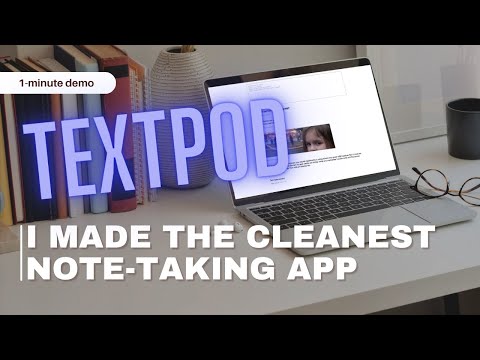
What is textpod?
Textpod is a local, web-based note-taking application inspired by the "One Big Text File" concept. It presents all notes on a single page with a Markdown entry form, stores everything in a single notes.md file, and provides search/filtering by typing '/'. Users can save local copies of web pages by starting links with '+', and attach files and images. The app runs as a web server accessible via browser, with configurable keyboard shortcuts via a TOML config file. It can be installed via Cargo (cross-platform), Homebrew (macOS/Linux), Docker, or built from source with Rust 1.80+. The project is licensed under GPL-3.0 and is actively maintained with recent releases.
Should you self-host textpod?
textpod scores 45/100 on selfhost.directory (how scoring works) and ranks #53 of 81 in Notes & Editors. It has 322 GitHub stars.
It shipped 3 stable releases in the past year. The latest, 0.1.8, came out on 29 May 2026. New versions land roughly every 3 months.
Setup is easy: most people get it running in one sitting. An official Docker image is available. It is GPL-3.0-licensed and written mostly in Rust.
Its closest alternative on selfhost.directory is Memos (86/100, 64 139 stars). It scores higher overall, so compare the two before you pick. See textpod vs Memos side by side.
Features
- Cargo package
- Configurable keyboard shortcuts
- Cross-platform
- File and image attachments
- Homebrew package
- Markdown Support
- Search and filtering
- Single-file note storage
- Web page archivingRequires monolith to be installed
textpod README
More in Notes & Editors
 ThoughtDAGThoughtDAG is an open-source, self-hostable AI chat canvas: every exchange is a graph node, and its wires decide the context your model receives next.
 TinyListTinyList is a self-hosted, open-source PWA for checklists and notes that works offline, requires no registration, and syncs via your own CouchDB instance.
 TracksOpen-source, self-hosted Getting Things Done web app built on Ruby on Rails with contexts, projects, tagging, stats, feeds, API and multi-user support.
 Trilium NotesBuild your personal knowledge base with Trilium Notes
 Trilium TranslationSelf-hosted, open-source AGPL-3.0 fork of Trilium Notes localized for Chinese users, with server and desktop builds, Docker images, AUR/scoop packages, themes and sync.
 TurtlOpen-source, self-hosted backend server for Turtl clients: account management, data storage, syncing, sharing permissions and a plugin architecture, on Node and Postgres.
 UniBoardUniBoard is an open-source, self-hosted personal dashboard with homepage, Markdown notes, URL shortener, file sharing, and server monitoring via Docker Compose.
 VaultSyncVaultSync syncs Obsidian vaults peer-to-peer between iPhone/iPad and a personal server via Syncthing, with optional Cloud Relay for faster background wake-ups.
 WastebinA self-hosted, open-source minimal pastebin in Rust with 170+ language highlighting, Markdown rendering, encrypted pastes, expiry, burn-after-reading and nine themes.
 WeChat Markdown EditorOpen-source WeChat Markdown editor turning plain Markdown into styled Official Account posts with image hosts, themes and AI; run it self-hosted via Docker or npm.
 Will Be DoneSelf-hosted task manager with visual weekly timeline. Local-first, works offline, syncs across devices, runs in one Docker container with SQLite.
 WorldLoomSelf-hosted offline worldbuilding and storywriting app with rich-text articles, maps, manuscripts, timelines, and HTML export. Node.js, file-based storage, no database.
0 comments