
Self-host Trilium Notes
v0.107.0Open-source hierarchical notes for personal knowledge bases
$ sudo docker run -t -i -p 127.0.0.1:8080:8080 -v ~/trilium-data:/home/node/trilium-data triliumnext/trilium:[VERSION]- Stars
- 38 926
- Port
- 8080 (Web UI / HTTP server of the container (unless configured otherwise))
triliumnext/trilium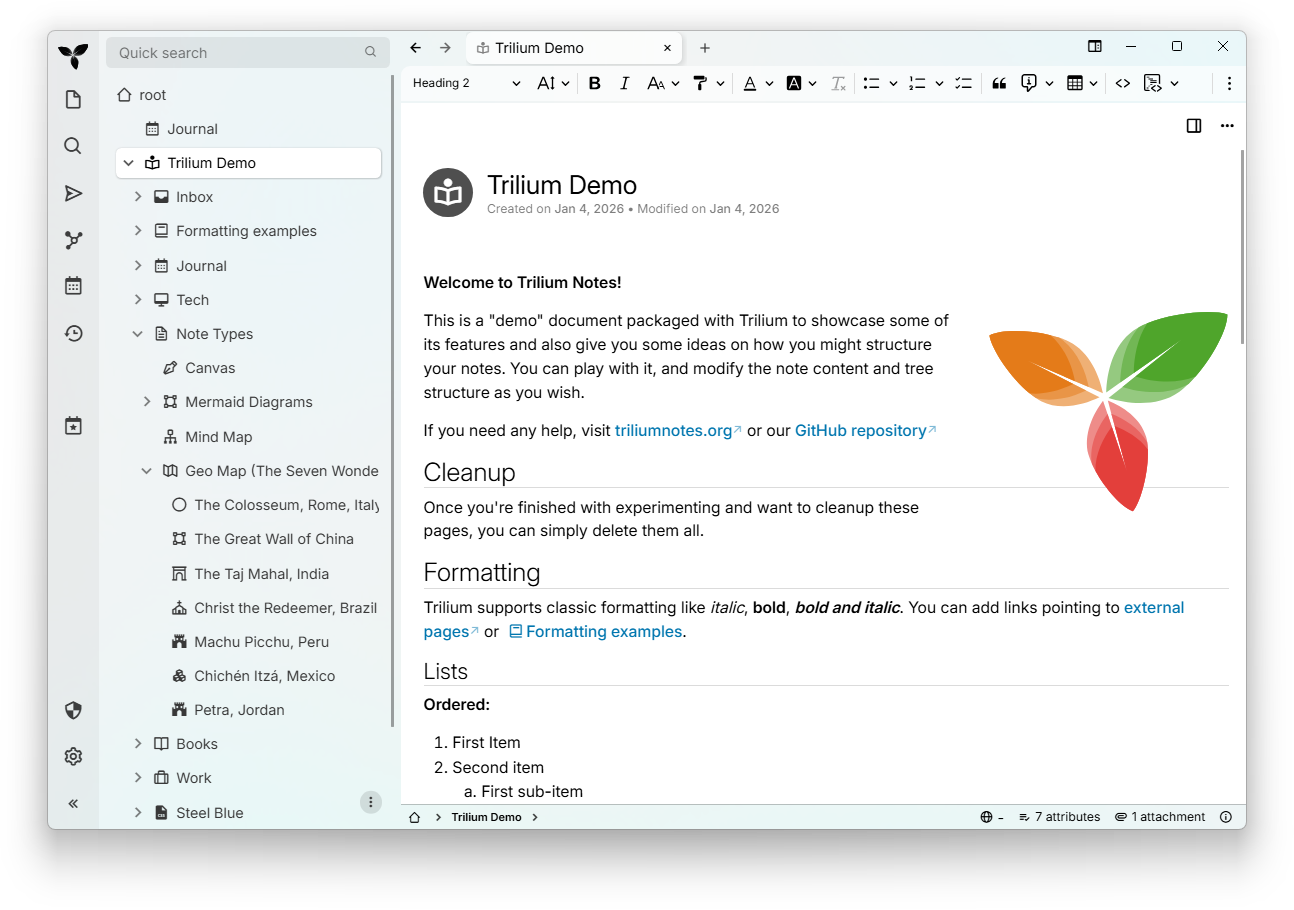



What is Trilium Notes?
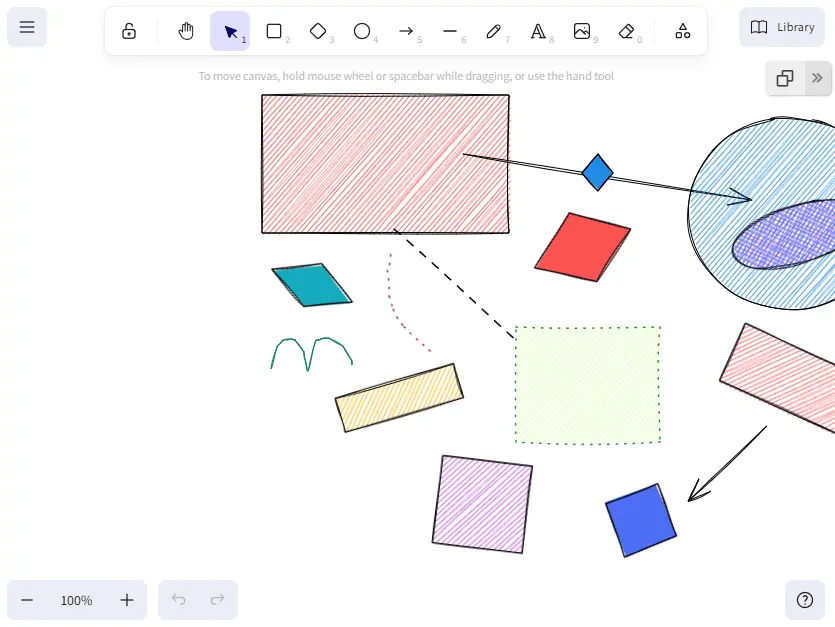
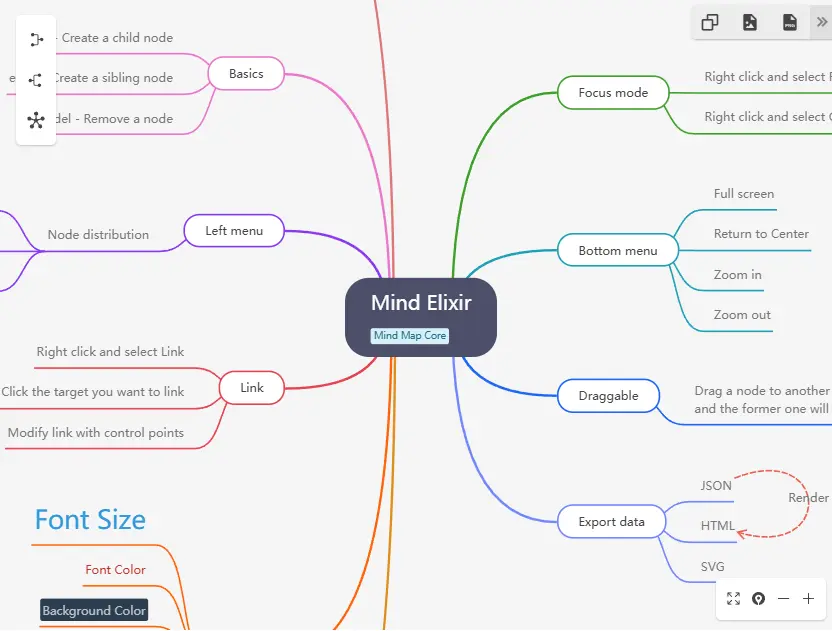
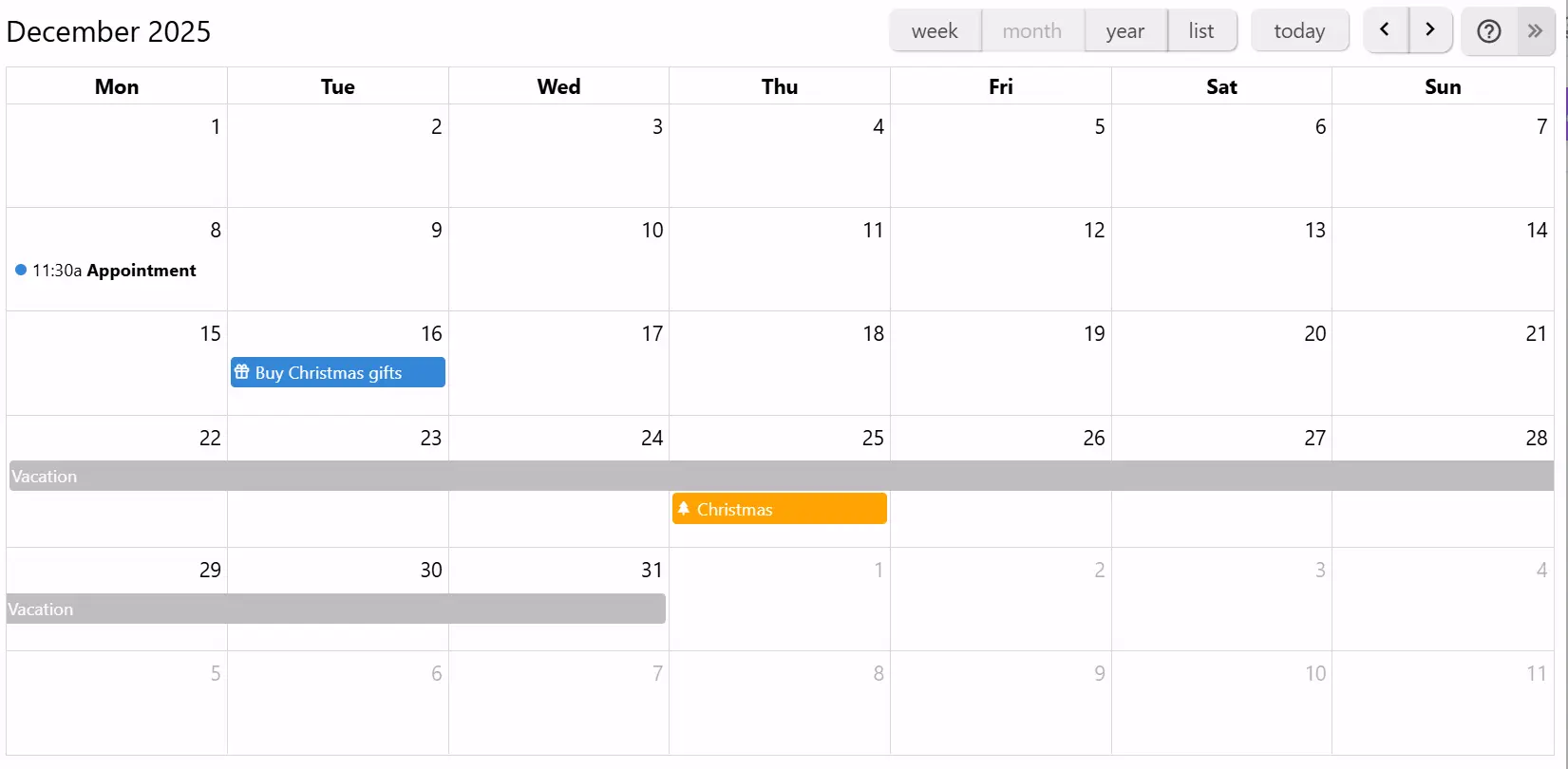
Trilium Notes is a free, open-source hierarchical note-taking application aimed at building large personal knowledge bases. Notes live in arbitrarily deep trees and one note can be cloned into several places; a visual editor handles rich text, tables, math and code with syntax highlighting, and you can jump anywhere by fuzzy title matching or full-text search, including text extracted from images and PDFs. Content is not limited to prose: spreadsheets, Excalidraw canvases, mind maps, Mermaid diagrams, relation maps and geo maps are all note types, and collections re-show the same notes as a calendar, editable table or Kanban board. A self-hosted sync server keeps your devices up to date, individual notes can be encrypted, and any subtree may be published as a read-only public page. Automation relies on JavaScript scripting plus the built-in REST API (ETAPI); an optional AI chat, off by default, talks to OpenAI, Anthropic, Google, DeepSeek, local models via Ollama or LM Studio, or any OpenAI-compatible endpoint, and an MCP server lets outside agents reach your notes. Run it as a desktop binary on Windows, macOS or Linux, or self-host the server with the triliumnext/trilium Docker image listening on 8080; everything is kept in an embedded SQLite database. It targets a single user, so real-time multi-user editing is not supported, and releases are still on 0.x versioning after the community took the repository over from original author zadam.
Trilium Notes alternatives
 SiYuanOpen-source, local-first knowledge base where every note is a block with backlinks; runs as a desktop app or a self-hosted Docker service on port 6806.CompareSiYuan with Trilium Notes
 notesnookAn open-source, end-to-end encrypted note-taking app with web, desktop and mobile apps; run the self-hosted sync server with Docker Compose, import Evernote.Comparenotesnook with Trilium Notes
 NexidionNexidion is an open-source, self-hosted knowledge base for sensitive data with multi-user vaults, hierarchical notes, version history, PDF ingestion, and an AI agent.CompareNexidion with Trilium Notes
 ZenNotesOpen-source, keyboard-first Markdown notes app with real Vim motions, math and diagrams, and an MCP server; run it on desktop or self-host the web app with Docker.CompareZenNotes with Trilium Notes
 Nowen NoteNowen Note is an open-source, self-hosted personal knowledge base with Markdown/rich-text editing, AI writing, mind maps, tasks, offline sync, and multi-device clients.CompareNowen Note with Trilium Notes
 react-glass-keepSelf-hosted notes app similar to Google Keep with dark mode, real-time collaboration, private AI assistant, and native apps for Windows, macOS, Android.Comparereact-glass-keep with Trilium Notes
 AlexandrieSelf-hosted, open-source alternative to Notion, Obsidian and Confluence: a team wiki with an advanced Markdown editor, offline PWA support, OIDC SSO and S3-based backups.CompareAlexandrie with Trilium Notes
 mainSelf-hosted pastebin alternative with browser encryption, VS Code–like editor, file sharing, whiteboard drawings, and peer connections.Comparemain with Trilium Notes
Should you self-host Trilium Notes?
Trilium Notes scores 85/100 on selfhost.directory (how scoring works) and ranks #1 of 83 in Notes & Editors. It has 38 926 GitHub stars, +655 in the last 30 days.
It shipped 15 stable releases in the past year. The latest, v0.107.0, came out on 8 November 2026. New versions land roughly every 4 weeks.
Setup is easy: most people get it running in one sitting. An official Docker image is available. It is AGPL-3.0-licensed and written mostly in Typescript.
Its closest alternative on selfhost.directory is Memos (85/100, 64 451 stars). Trilium Notes scores higher overall. See Trilium Notes vs Memos side by side.
Trilium Notes README
Arabic | Chinese (Simplified Han script) | Chinese (Traditional Han script) | Czech | English (United Kingdom) | English | French | German | Greek | Indonesian | Irish | Italian | Japanese | Korean | Polish | Romanian | Russian | Spanish | Ukrainian | Urdu | Uyghur | Vietnamese
Trilium Notes is a free and open-source, cross-platform hierarchical note taking application with focus on building large personal knowledge bases.
How to install Trilium Notes
Install Trilium Notes with Docker
sudo docker run -t -i -p 127.0.0.1:8080:8080 -v ~/trilium-data:/home/node/trilium-data triliumnext/trilium:[VERSION]
Docker CLI variant; bind to 0.0.0.0:8080 for global access. The --user directive is unsupported for the standard image, use USER_UID/USER_GID.
Install Trilium Notes with Docker Compose
TRILIUM_DATA_DIR, TRILIUM_UID, TRILIUM_GID, USER_UID, USER_GID, TZ, TRILIUM_NETWORK_PORTwget https://raw.githubusercontent.com/TriliumNext/Trilium/master/docker-compose.yml
Optionally, edit the docker-compose.yml file to configure the container settings prior to starting it. Unless configured otherwise, the data directory will be ~/trilium-data and the container will be accessible at port 8080.
Start the container:#
Run the following command to start the container in the background:
docker compose up -d
Official images published for AMD64, ARMv7 and ARM64/v8; rootless and rootless-alpine tag variants exist.
Install Trilium Notes with Linux
If your distribution is listed in the table below, use your distribution's package.
You may also download the binary release for your platform from the latest release page, unzip the package and run the trilium executable.
Also provided as a Flatpak, but not yet published on FlatHub. Native server binaries for Linux x64 and aarch64.
Install Trilium Notes with Windows
Download the binary release for your platform from the latest release page, unzip the package and run the trilium executable.
Install Trilium Notes with macOS
Download the binary release for your platform from the latest release page, unzip the package and run the trilium executable.
How to configure Trilium Notes
TRILIUM_DATA_DIRPath to the data directory inside the container (default: /home/node/trilium-data)TRILIUM_NETWORK_HOST="0.0.0.0"Server host bindingvalues: string
TRILIUM_NETWORK_PORT="8080"Server portvalues: string
TRILIUM_UIDUID to use for the container process in the rootless image (passed to Docker's --user flag)TRILIUM_GIDGID to use for the container process in the rootless image (passed to Docker's --user flag)
Trilium Notes releases & version history
AI summary Block-editor highlight now in Text editor section
v0.107.0
Note
If you enjoyed this release, consider showing a token of appreciation by:
- Pressing the “Star” button on GitHub (top-right).
- Considering a one-time or recurrent donation to the lead developer via GitHub Sponsors or PayPal.
Tip
For Linux users: Trilium is now available on Flathub!
This is the release where a text note stops being a single document. Notes can be embedded, quoted and referenced inside other notes and edited where they appear, laid out in columns and tabs, and mixed with drawings, attached files and video. Tables in text notes get the tools they had been missing, from merged cells to sorting, and the old layout is gone, a year after the new one replaced it.
Around the editor, the parts of the app that everyone touches were rebuilt: the context menus and the note autocomplete, the full search and the jump dialog, the launch bar and the tree. Shared pages look like the app again and render collections with their own views, and the calendar and geo map collections get the properties dialogs the board already had.
The AI integration becomes something to trust with a real database: every tool call asks before it reads or changes a note, a ChatGPT Codex subscription can stand in for an API key, and local models get web search through a search engine of your choice. On phones, iOS has a new layout and both apps navigate without a sidebar.
💡 Key highlights
The text editor became a block editor
A text note used to be a document: one body of rich text, with other notes reachable only through links. It is now a composition. A note can embed another note and let you edit it where it sits, quote a few of its blocks and keep the quote current, or point at one paragraph of it instead of at the whole note.
- Editable transclusion: an included text or code note is edited inside the host note with the full editor, and one undo history covers both.
- Live excerpts quote blocks of another note. They stay in sync, and an edit made in the excerpt is saved back to the source.
- Block references link to a paragraph, heading, table or range of blocks. The target opens scrolled to the block and highlighted, and on a shared page every block has a public link of its own.
Layout caught up with content. Multicolumn layouts put two to four columns side by side and stack them on narrow screens. Drawing canvases are sketched in place with Excalidraw and saved with the note. Files are attached in one step, as inline embeds for PDFs and spreadsheets or as links, and YouTube videos and web audio or video play inside the note. A block handle moves blocks, images and tables, a "+" on an empty line opens the slash commands, and one link dialog serves web links, note links and anchors from a popover at the cursor.
The include box itself was reworked: a compact title row with a caption, fullscreen, a link from the embed to its note and back, Markdown included as source, split or preview, code with folding and line numbers, and resizing by dragging a corner or an edge.
Contributed by @adoriandoran.
Tables in text notes
Tables were the editor's weak spot: no merged cells, no sorting, and anything past a few rows meant switching to a spreadsheet note. The table context menu now merges and unmerges cells, distributes columns, and inserts or deletes many rows and columns at once. A column sorts by its values, with dates, times, numbers and text detected and ordered per the note's language, and Alt+arrows move rows and columns while keeping merged cells and header rows intact.
Wide tables scroll sideways under a sticky header, and on touch screens a column bar resizes and selects columns while corner handles select cell ranges. The insert form takes any size up to 1000 × 100, with header rows and columns.
Contributed by @adoriandoran.
AI that asks before it acts
Two things kept many users away from the AI integration: paying per token, and handing a model write access to their notes. Both change in this release.
ChatGPT Codex subscriptions, including the free plan, and OpenRouter join Claude Code, GitHub Copilot and Antigravity as providers, so an existing subscription can drive Trilium's chat. Custom search engines (Brave Search, Tavily, Exa, Serper, Perplexity, or a self-hosted SearXNG) give web search to local models and to providers that have none of their own, such as DeepSeek.
Before a tool runs, the chat shows what the AI is about to read or change and waits for you to allow or deny it, for that call or for the rest of the conversation. The Tools menu sets the default: always ask, ask only before changes, or never ask. It works the same with API keys and with subscription providers.
Shared pages look like the app
A note shared to the web rendered in a theme of its own, and a shared collection appeared as a plain list of its children. Shared pages now use a theme built from the app's own look, in light and dark, and a shared board, table, calendar or other collection renders with the same view it has inside Trilium.
Drawings appear as theme-aware SVG pictures instead of a download link, and every block of a shared note has a public link, copied from its block handle, that opens the page scrolled to that block.
Mobile without the sidebar
On a phone, the sidebar was both the note tree and the only way around the app, and it covered the note every time it opened. The iOS and Android apps get a navigation system that does without it, and iOS gets a layout redesigned in the style of iOS 26.
While editing, the formatting toolbar floats over the note as a compact island, shown only while you type, and brings the widget, link and list toolbars along.
🔄 Compatibility
- The sync protocol version went from 39 to 41: instances on different versions cannot sync with each other, so update the server and every desktop and mobile client together.
- The database version went from 240 to 242: the database is migrated the first time this version opens it, after an automatic backup, and an earlier version refuses to open it afterwards.
- The Docker image has been reworked so that it can run as a non-root user. Look for the corresponding section in the Docker setup documentation. (#5790)
🚨 Breaking changes
- The old layout has been removed. It's been almost a year since the new layout was introduced and we believe it has been polished enough to see day-to-day use. For more information, see the corresponding GitHub Discussions post.
- Multi-level
#sortedvalues introduced in v0.106.0 must now write labels with#, as search'sorderBydoes:#sorted="priority desc, dueDate"becomes#sorted="#priority desc, #dueDate". Values without#fall back to sorting by title. A single name (#sorted=myOrder) and property-only values (dateModified desc, title) are unaffected. See Sorting Notes. POST /etapi/auth/loginnow requires a code if TOTP is enabled. Check the API documentation for more information.
📱 Mobile improvements
- Android Tablet: Note menu not scrollable
- The text formatting toolbar on phones floats over the note as a compact island, shows only while editing, and brings the widget, link and list toolbars along. (#12184, #12187)
- The sidebar toggle does nothing on tablets by @6801318d8d
- Android Back button exits the app instead of closing open menus
- Mobile UI: Add a way to return to the currently open note
- Table of Content visibility toggle for smartphone/mobile screens
🐞 Bugfixes
- Searching protected notes failed on synced instances.
- Interface: Keyboard shortcuts did not work on non-Latin layouts (Russian, Greek).
- Sync could lose note modifications.
- Interface: Opening Settings froze the app for about six seconds on Windows.
- Authentication: Logging in through OIDC failed since v0.105.0 behind Nginx Proxy Manager ("auth_verification cookie not found") and with Pocket ID. (#11234, #12301)
- LLM: Chrome and Edge crashed (STATUS_BREAKPOINT) when opening notes with the AI integration enabled.
- Markdown: Importing Markdown turned any text containing
$into a math equation. by @SulimanAbdulrazzaq
Tree (6)
- Left sidebar spacing is too large compared with the previous version at larger font sizes
- Editing reopens collapsed ancestors with “Follow active note” disabled
- Ghost note remains when moving multiple notes into a newly created note (not yet a folder)
- Expand/collapse subtree didn't work correctly in some circumstances
- Adding sub-children to a note would not re-sort when
#sortFoldersFirstwas set. - Deleting the last item of the root would reveal the hidden notes.
Printing (3)
- Print preview gets stuck and leaves an unresponsive dot/element
- Some issues with printing: wide images would make scale the text too small, keyboard shortcuts lacked styling and Gantt Mermaid charts would not render when printing on the browser.
- Print/PDF ignores ~printCss when Trilium is served from a subpath (absolute /api URL 404s) by @pcbeingused333
Markdown (3)
Board (6)
- Kanban inherited attribute no longer showing
- Kanban board doesn't display attributes with colon in name, possibly similar issues in more places by @hippi345
- Collapsed Kanban board title renders CJK characters upside-down
- App slows down while a search is active in the board
- Board timing issue when removing items by @irontaek & @eliandoran
- Deleted the 'Status' Attribute from Kanban keeps coming back by @Rowee13
Text editor (9)
- Several reference links in the same paragraph would display strangely in the backlinks view
- Dragging an admonition as a block leaves an empty admonition in its place.
- Copy Formatting causes editor restart when applying formatting to an entire list item by @SwastikTripathi
- Deleting an included note glitches out text selection by @scottcampbelldata
- CKEditorError: marker-destroyed when editing during search
- Under HTTP protocol, clicking the "Copy Code" fails to copy by @SwastikTripathi
- Math mode sticks with the same LaTeX code by @adoriandoran
- Spellcheck marks formatted words as incorrect on Chromium
- Cannot select text in pasted excerpt while editing a Text note
General (2)
LLM (5)
- Deleting a chat and starting a new conversation would replace the last one.
- AI Chat / LLM Notes Drop Output from Claude API by @yzxcj797
- safe_fetch.ts blocks Tailscale IPs
set_attributesilently replaces same-name labels (by @eliandoran) and there is no way to create inheritable labels (by @pcbeingused333)- Links in content written by the note tools were not recorded as links of the note. by @Marceltov
Interface (8)
- Some toast and error messages would display with HTML-escaped text
- Note paths status bar would overflow on very large paths
- Setup can get cutoff on smaller screens with large DPIs
- Attachment list context menu tooltip cut off.
- Open sidebar would leave a gap in zen mode.
- RTL fixes: title bar buttons not correctly aligned on Windows and the arrow pointing in the wrong direction in the breadcrumb.
- Legacy theme doesn't render the note badges
- "..." menu state remains stale (shows attachment menu) after returning from attachment view to note by @akasakariko
Code (2)
Share (5)
- Clicking a ToC item on mobile would not dismiss the sidebar by @perfectra1n
- Keep notes hidden from the tree out of subpage lists
- Close mobile panels when going back with the browser
- Shared note links do not contain full server URL when generated on desktop (#8791) by @jayhormes
- Share would display the text content of a collection by @StephenArg
Search (10)
- A few full search quirks , such as search not accounting for accents when scoring results or the table view freezing when there was a large number of results.
- Searching for a word containing
#drops everything after the#. - Saved search: the "Search now" button does not run the saved search, it creates a new empty search note and shows every note in the instance by @dajiaohuang
- Tree Quick Search fails when / is in the middle of the query on some reverse proxies by @maphew & @eliandoran
- A query whose text starts with "#" never loads note sizes, so the same query answers differently depending on what was searched before it in that process by @yzxcj797
- Many unnecessary requests made when referencing a non-existent note in the search query.
- Sometimes show the wrong result if typing too fast.
- Open in all tabs doesn't automatically search for the text
ANDoperator highlighted and searched for in an expression.- Auto-completion disappears on space
Spreadsheet (2)
- Paste from Excel brings in a custom font
- Sorting criteria is unclickable
Calendar (2)
- Calendar and geomap can crash when deleting a note that is highlighted.
- Calendar hours would shift for a recurring event with an end date
Attributes (3)
Import and export (1)
- Importing a ZIP archive containing notes without a title would give them an auto-generated title.
Web clipper (1)
- Clipping a page again would clone its note back into the clipper inbox, even after it had been moved elsewhere by @contributor
Mermaid (1)
Drawing canvases (2)
Desktop (2)
- ENOENT: no such file or directory on macOS
- Unable to extract text from scanned PDFs on the desktop app.
Mind map (1)
- Mind map didn't always render the node connections in quick edit and it could crash in some circumstances when switching between notes.
Tabs (3)
Render notes (2)
Quick edit (1)
- Quick edit would not always display the promoted attributes.
Table collection (3)
ETAPI (1)
✨ Improvements
- Interface: Context menus and note autocomplete were rewritten from scratch. Menus gain keyboard navigation and better accessibility, no longer clip, and the note tree menu is more compact. Autocomplete has a modern design, the command palette, link and relation pickers,
@-mentions in text and Markdown notes and attribute value suggestions. (#5493, #11896, #11833) - Text editor: Theme-adaptive colors: text, highlight and table colors stay legible when switching light and dark themes by @adoriandoran
- Text editor: Smarter paste: text copied from Chrome and Chromium-based applications (e.g. VS Code) is stripped of colors, backgrounds and table styling.
- Desktop: Meetings can be transcribed locally (experimental), with an on-device speech model downloaded on demand, live audio levels, a transcript card that can be copied and a consent reminder. (#12079, #12083, #12101)
- Collections: Geo map properties dialog, with image maps set up graphically: pick an image note as the map (a fantasy world, a floor plan, a campus), choose between the image's own pixels and custom corner coordinates, toggle a dark style, and set the map style, scale, labels, clustering and nesting depth, all of which were hand-written
#map:*attributes before. - Calendar: The calendar collection catches up with the board: a properties dialog, attributes on events, and recurring events that know their age.
- The Calendar properties dialog lists the calendar's settings (hidden weekends, week numbers, time slots, archived notes) and its event templates in one place, and an Event attributes card chooses which attributes the events show and in what order. Attributes nobody has arranged stay off the events, so existing calendars keep their current chips.
- The event context menu sets an event's attributes in place, as a board card's does, so a flag, state or date changes without opening the note.
- A yearly event can show how many years it has recurred: with Yearly selected, the Repeats dropdown offers "Show the number of years in the title", which writes
#calendar:titleTemplate="${title} (${years})"on the event. A birthday entered once in 1990 reads "Ana's birthday (36)" in 2026 and counts up every year. - Routine events (a daily stand-up, lunch) can be hidden from the month, year and list views through the properties dialog.
- Performance: Faster everywhere: background and restored tabs load on first view and a tab switches on mouse press, Chromium and the desktop app no longer restyle the whole page on every change (about 30 ms each), scrolling is smoother, and handwriting on canvases has 97% fewer slow frames and uploads 80% less. (#12189, #12327, #12283, #12334, #12324) by @adoriandoran
- Interface: Renamed: "Clone" is now "Copy" in the tree menu, with a tooltip explaining that it pastes as a clone (#12230, by @adoriandoran); the "Boolean" promoted attribute type is now "Checkbox" (#11738); "Open note custom" is now "Open with", with a portal-based app picker on Linux, macOS support and a clearer notification when the note changed (#7258, #12418).
LLM (14)
- Thought process now renders with Markdown formatting and in the right order.
- Clicking an image in the conversation now displays a modal with the full image
- Deepseek now displays the thinking process, better title generation and an effort selector. Refresh your models to apply the changes.
In addition, Deepseek added built-in search which is now integrated in Trilium. - Tool calls not properly displayed for subscription-based providers.
- LLM can now change the note type and MIME.
- Improved the display of tool calls and their results.
- The LLM can now create render notes and other scripts more easily, with attributes disabled just like a safe import.
- Improved title management for Claude Code, and process management of Antigravity & other ACP-based providers.
- Title generation would use the first configured provider instead of the selected one.
- Use adaptive thinking for the Claude 5 models & set Gemini chat defaults (#12168, #12176) by @pcbeingused333
- Keep the Claude Code model list current and dim the Options dialog under its confirmation by @s31teg
- Add a label to avoid exposing certain notes by @BeatLink
- Better understanding of the front-end and back-end APIs.
- OpenRouter can now be used as a provider.
Text editor (39)
- Math equations in text note: add a toggle to enable/disable the visual editor by @Meinzzzz
- Insert button opens a labeled menu with submenus for Mermaid diagrams, date/time and layouts by @adoriandoran
- Color palette reorganized into four greys and the 11 note hues, with "Ab" sample tiles (#11788, #12516) by @adoriandoran
- Attachment links get preview tooltips, the full attachment actions menu and a Download button (#11795, #12467) by @adoriandoran
- Include boxes reworked: Compact row, captions, hidden title, fullscreen, link to embed and back, no scroll capture (#11798, #12085) by @adoriandoran
- Resize includes, attachments and drawings to any width and height by dragging their corner or edges (#11829, #12435) by @adoriandoran
- Block drag handle in the fixed toolbar layout moves blocks, selections, images, tables and includes by @adoriandoran
- Broken reference link are now shown with a distinct red color and icon and their original title instead of a generic
[missing text]. Clicking on a broken reference links allows to easily fix it by replacing it with a fresh reference link. - Preserve indentation copying rich text to plain-text
- Content tabs: one scrolling title row, titles above or below, a More actions menu, delete all tabs (#12063, #12085, #12120, #12488, #11941) by @adoriandoran
- Long tab and include titles stay on one line and scroll sideways by @adoriandoran
- Arrow keys move the caret into an editable include and back out into the note by @adoriandoran
- Keyboard editing of columns and tabs: move content between them, add and reorder them with Ctrl shortcuts by @adoriandoran
- Search in note also finds and replaces text inside included notes, and finds text on drawing canvases (#12120, #12488) by @adoriandoran
- Markdown in includes: source, split or preview mode, editable in place with a live preview by @adoriandoran
- Mermaid diagrams can be embedded in text notes.
- Mermaid diagrams render in the preview of included Markdown notes by @adoriandoran
- One undo history for the note and everything edited in its embeds: code, Markdown, Mermaid, drawings by @adoriandoran
- Table borders in text notes are too bright on the dark theme
- Align list bullets with content
- Text editor popups restyled to match the app: forms, color grids, emoji and special characters by @adoriandoran
- Math dialog restyled, with resizable fields and tooltips that are no longer cut off by @adoriandoran
- Extended code blocks (experimental): code-note editor inside text, 156 languages, folding, fast on long code. Enable it in Options → Advanced → Experimental Options. by @adoriandoran
- Sort selection (experimental): sort list items, paragraphs, blocks or table rows by value. Enable it in Options → Advanced → Experimental Options. by @adoriandoran
- Clear error boxes for deleted includes and for embeds from newer versions, which survive a save by @adoriandoran
- New child note button: creates a note, links it at the cursor and opens it in quick edit by @adoriandoran
- YouTube videos as embeds: insert button, resizable, aligned, captioned, true aspect ratio, HD thumbnails (#12358, #12420, #12435) by @adoriandoran
- Block handle menu: insert above or below, cut, copy or delete whole blocks; "+" on empty lines opens slash commands (#12399, #12516) by @adoriandoran
- Link to a heading from the link dialog; the link follows the heading's text and jumps within the note by @adoriandoran
- Position embeds like images: align left, center or right, or wrap text around drawings, includes and videos (#12420, #12435) by @adoriandoran
- Paste button on the address fields of the link and video prompts by @adoriandoran
- Resize handle hints and restyled selection chrome on embeds and widgets by @adoriandoran
- Include note dialog opens next to the cursor; note fields stop popping suggestions on focus by @adoriandoran
- Link toolbar with a More actions menu, a right-click link menu, auto-filled page titles, unsafe URLs refused (#12467, #12516) by @adoriandoran
- Audio and video files from a web address play inside notes, loading nothing from the host until play by @adoriandoran
- Link gets its own toolbar button; Footnote moves into the Insert menu by @adoriandoran
- Ctrl+click or double-click follows a link in the current tab; clearer cursors over links by @adoriandoran
- Simplify the sizes of embedded content to Compact, Resizable, Full and Expandable, and add a Default option that restores the original size by @adoriandoran
- Make the math dialog resizable, and keep it open after a stray click while you edit a formula by @adoriandoran
Search (12)
- Slight improvements to the quick search.
- Tolerate parenthesized expressions that don't start with a
#by @PloneMraz & @eliandoran - Rank the two-pass cut by depth, not by scan order by @eliandoran & @sxh313
- Opening a saved search runs it, so one kept open as a dashboard no longer needs Search now after every start.
- Search now supports looking for links (reference links or relations) and backlinks
- Improved
note.mimeauto-completion. - The jump to note has been modernized with a fresh footer and a content preview.
- Refreshed the design of the bulk actions with more a compact layout and auto-completion for label & relation names, label values and suggestions for the execute script rule. (#12086, #12104)
- Improvement in performance when searching in a subset of note (ancestor)
- Search parameters and bulk actions laid out as cards instead of tables by @adoriandoran
- Full search has been reworked: improved layout, improved preview with expandable items. The original list view is also brought back.
- Add an option to hide search actions from the text-selection context menu
Scripting (3)
Tables in text notes (8)
- Insert table form: type any size (up to 1000 × 100) and set header rows and columns (#11774, #12318, #12399) by @adoriandoran
- Move table rows and columns with Alt+arrow keys, keeping merged cells and header rows intact by @adoriandoran
- Table clipboard: paste as new rows above or below, copy only the selected cells, Copy and Paste submenus (#11774, #11786) by @adoriandoran
- Table sorting by column, with dates, times, numbers and text detected and ordered per the note's language by @adoriandoran
- Touch table editing: a column bar to resize and select columns, corner handles to select cell ranges (#12077, #12085) by @adoriandoran
- Wide tables scroll sideways, header rows stay sticky, tables on phones keep their desktop width (#12077, #12085) by @adoriandoran
- Middle mouse button no longer selects table cells or starts a column resize by @adoriandoran
- Table look: header shade per theme, selection in the note's hue, gutter-style column resizer by @adoriandoran
Markdown (2)
Tree (7)
- Moving multiple items are now batched, making it a more efficient operation.
- Duplicate now features a submenu to duplicate only the note without its children
- Sort Archived Notes Last
- Peek the note tree as a floating panel in both layouts (Alt+[), with tree settings that apply instantly (#12189, #12217) by @adoriandoran
- Show all notes button above a hoisted tree by @adoriandoran
- Locked protected notes read "Protected" in the tree, tabs and breadcrumb instead of [protected] (#12230, #12260) by @adoriandoran
- Display density option for the note tree by @adoriandoran
Relation map (2)
- Copy notes from tree and paste into relation map
- The relation map was redesigned: cards show icons and note colors, clicking a note opens a side panel instead of leaving the map, and creating notes and relations is simpler.
Interface (11)
- Avoid the Dark Reader browser extension from affecting Trilium's dark themes.
- Improved the design of the icon picker.
- Aligned menu items that require user feedback to end in “…”.
- The plus button on the tab bar now has a context menu to quickly enter workspaces.
- Menu polish: pinned filter with a clear button, menus opening upward, steadier submenus, heading buttons (#12189, #12260, #12288) by @adoriandoran
- Leave full screen button in the tab bar; full screen also detected in the browser by @adoriandoran
- Theme submenu in the global menu switches color scheme or theme without opening Options by @adoriandoran
- Improved the layout of some dialogs such as the add link, include note and choose note type.
- Back and forward history menu on right-click or hold; going forward after going back works again (#12230, #12260) by @adoriandoran
- Drop files from the computer onto a note's attachment list to upload them by @adoriandoran
- Filterable child note menus in the breadcrumb by @adoriandoran
Quick edit (2)
- The quick edit now has access to note badges, backlinks and a subset of the note actions. Scripts can also be run directly from the quick edit, including the possibility of accessing the API log.
- Quick editor: improve the formatting toolbar on mobile and add a find in text function.
Drawing canvases (5)
- Convert an image into a drawing canvas to annotate it, with the image locked as the background by @adoriandoran
- A drawing shown in several places updates in place and never overwrites unsaved strokes by @adoriandoran
- Thin pen stroke option for handwriting on canvases by @adoriandoran
- Drawing canvases on phones: the note scrolls over them until a tool is picked, edge rail, bottom properties sheet by @adoriandoran
- Zoom to fit and Reset zoom menu for drawings by @adoriandoran
Collections (3)
- Hide "Add column" button on Kanban board
- Table, geomap & board now have a maximum nesting depth to limit the items displayed to only children or any custom level of depth.
- Presentation collection
- Slides keep a 16:9 shape and fit their content as the pane changes.
- Web view notes can show their pages as presentation slides.
- Board and table collections can fill a slide with their cards or rows.
- Text and canvas slides can be edited directly in the presentation.
- A slide sidebar lets presenters navigate and change the deck.
- Canvas and code previews follow the page's color scheme and saved content.
- Shared overlay controls can show menus and shortcuts in a consistent style.
Share (3)
- Copy a public link to blocks of a shared note from the block handle by @adoriandoran
- Drawings appear on shared pages as theme-aware SVG pictures instead of a download link by @adoriandoran
- Shared pages scroll to and highlight linked blocks and anchors without reloading (#12069, #12399) by @adoriandoran
Attributes (4)
- Allow multi-value attributes to have duplicate values
- Templates can now have a custom title template for their newly created instance notes and they have a dedicated badge near the note actions with a configuration screen.
- Attributes in the right panel can now be selected and copied and pasted or deleted in bulk.
- Improved the design of some promoted attributes such as the URL.
Settings (2)
General (2)
Code (7)
- Included code shows in a read-only code editor with folding; language, word wrap and line numbers per include (#12126, #12142) by @adoriandoran
- Improved the design of code notes, Markdown and Mermaid notes.
- Code previews and shared code notes use the code editor's highlighter, theme and line numbers by @adoriandoran
- Code editor Transform menu: sort, shuffle, dedupe lines, trim whitespace, change case, remove accents by @adoriandoran
- Code status bar shows line, column and selection size; global line numbers toggle by @adoriandoran
- Code languages in Options: add, remove and reorder them; new Trilium Search Query language by @adoriandoran
- Mermaid gains a few more samples (event modeling, use case & agent flow), as well as full syntax highlighting for all the 32 diagram types (from 7 diagram types previously supported).
Server (3)
- The server now displays the network addresses it is listening on (except for Docker and not stored in the logs).
- The server-side logs are colored.
- Backend log highlights slow SQL queries and logs searches with their result counts by @adoriandoran
Table collection (6)
- Support built‑in note fields (createDate, modifiedDate)
- Faster loading for large tables.
- Tabular alignment for dates and numbers.
- A better way to open note titles
- Small refresh of the design to make it more modern.
- Checkboxes are now aligned with promoted attributes and are now easier to edit.
Launch bar (4)
- Drag notes from the tree onto the launch bar to add buttons for them by @adoriandoran
- Bookmark folders become nested, filterable menus; any note on the launch bar can be shown as a folder by @adoriandoran
- Recently changed notes listed in the menus of the new tab button and the Recent Changes launcher by @adoriandoran
- Launch bar open mode: bookmarks open in a new tab, split, window or quick edit (#12327, #11769) by @adoriandoran
Flatpak (6)
- Tray icon image not shown
- Hide unsupported current location button for the Geomap
- Encrypted backups are now supported.
- Launcher now has an action to open in a new window.
- Auto-launch should be functional.
- AI: Subscription-based providers not working, now there is a way to get it to work via an optional permission override.
Import and export (2)
📖 Documentation
- Folders/Grroups to organize notes into
- The ETAPI and backend/frontend APIs are now documented as normal help notes, which means they are fully available offline.
- Missing link to cloned notes docs in Kanban Board docs
🌍 Internationalization
🛠️ Technical updates
- Reduced the bundle size by a few megabytes. (#12335, #12352)
- Removed deprecated libraries such as the jQuery autocompleted.
- POST /login without password field hangs the request forever.
FormTextAreadoesn't update whencurrentValueprop changes by @hippi345
🔒️ Security improvements
- Synchronizing with a new device now requires TOTP if one is set. Existing synchronization is not affected. The secret length has also been increased but this affects new users only. (#8209, #8272, #5650)
- Update Node.js to v24.22.1 (CVE-2026-111497) (#12223, #12213) by @UnknownObject000
- Fixed a few low and medium-priority security reports regarding ETAPI.
- Prevent large entries during ZIP import from crashing the app.
v0.106.1
Important
This is a security release for the server and Docker images. If you run Trilium as a server, especially one reachable from the internet, update as soon as possible.
🔒 Security
- Updated Node.js in the Docker images to 24.22.1 (22.23.4 for the legacy image), taking in the Node.js security releases of 21 October 2026:
- Brotli decoder out-of-bounds write (CVE-2026-111497). Trilium decompresses Brotli-encoded request bodies before authentication, so on earlier versions any client that could reach the server could send a malicious request. Outbound requests (link previews, image downloads, web search) were also affected through the responses they receive.
- Revoked eMudhra/emSign certificate authorities. The certificate store bundled with Node.js trusted certificate authorities whose keys were compromised. This allowed a man-in-the-middle with the right network access to impersonate HTTPS servers that Trilium connects to (sync with another instance, link previews, LLM providers).
- Other fixes to TLS, HTTP and DNS handling from the same Node.js release.
Tip
If you enjoyed this release, consider showing a token of appreciation by:
- Pressing the “Star” button on GitHub (top-right).
- Considering a one-time or recurrent donation to the lead developer via GitHub Sponsors or PayPal.
v0.106.0
Note
If you enjoyed this release, consider showing a token of appreciation by:
- Pressing the “Star” button on GitHub (top-right).
- Considering a one-time or recurrent donation to the lead developer via GitHub Sponsors or PayPal.
Tip
For Linux users: Trilium is now available on Flathub!
Important
For Docker users: If the Docker container appears unhealthy after the upgrade, recreate the container if you are using an auto-updater and check you have no healthcheck override in the Docker compose.
💡 Key highlights
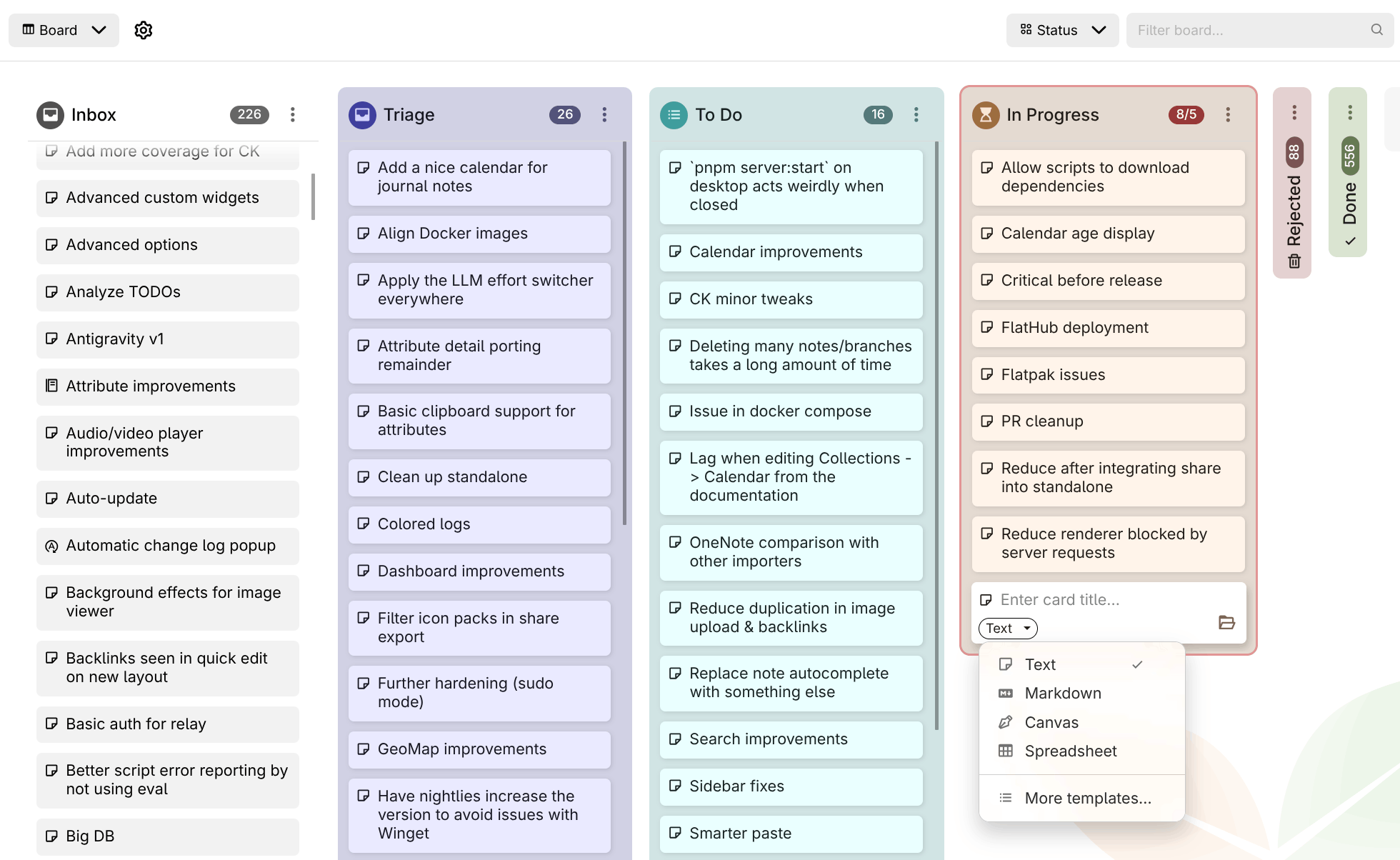
📋 Kanban board overhaul by @adoriandoran
The board has been rebuilt to handle real projects. Give each column an icon, a color or a card limit, collapse the columns you're not working on, and archive them once they're done. New notes that don't belong to a column yet land in an optional Inbox column. Cards can be created from a template (e.g. a Bug template for a bug tracker), and Board properties controls which attributes the cards show and in what order. You can also switch the attribute the board is grouped by at any time, and each grouping keeps its own columns.
As a board grows, sort columns automatically by title, date or any attribute, and narrow the board with the filter box in the header, which accepts the full search syntax. Select several cards with Ctrl/Shift+click to move, edit or delete them together. Use Copy reference to link to a card or column from any note. The whole board works from the keyboard (Alt+F1 lists the shortcuts) and by touch on mobile, and a column with thousands of cards now stays smooth.
This concludes the phase two of the board collection, more features to come.
🔎 Significant improvements to search
- Matching by @perfectra1n
- Punctuation-aware exact matching:
=syncfinds(sync),sync,,"sync"(#10616) - Fuzzy tolerance now scales with term length (0/1/2 edits); a substring is no longer treated as a typo
~*matches fragments again; fuzzy fallback extended to note body content- Link previews and reference-link target titles are indexed and searchable
- Diacritics normalized for highlighting too, not just matching
- Ranking: results ordered by match quality (exact phrase > proximity > word > prefix > substring > fuzzy), bounded so content never outranks a title match.
- Punctuation-aware exact matching:
- Results view by @perfectra1n
- Jump to match by @perfectra1n: clicking a result opens the note at the first match with the find bar pre-filled; collapsed sections expand automatically (#3098, #10616). Jump to Note stays a title-only navigator (no misleading content snippet).
- Improved the speed of the jump-to-note significantly by optimizing the search itself, but also by honoring the option to disable fuzzy search in autocompletion (which was disabled by default but not used at all).
🗺️ Geomap now features a built-in location search, current position indicator and shapes
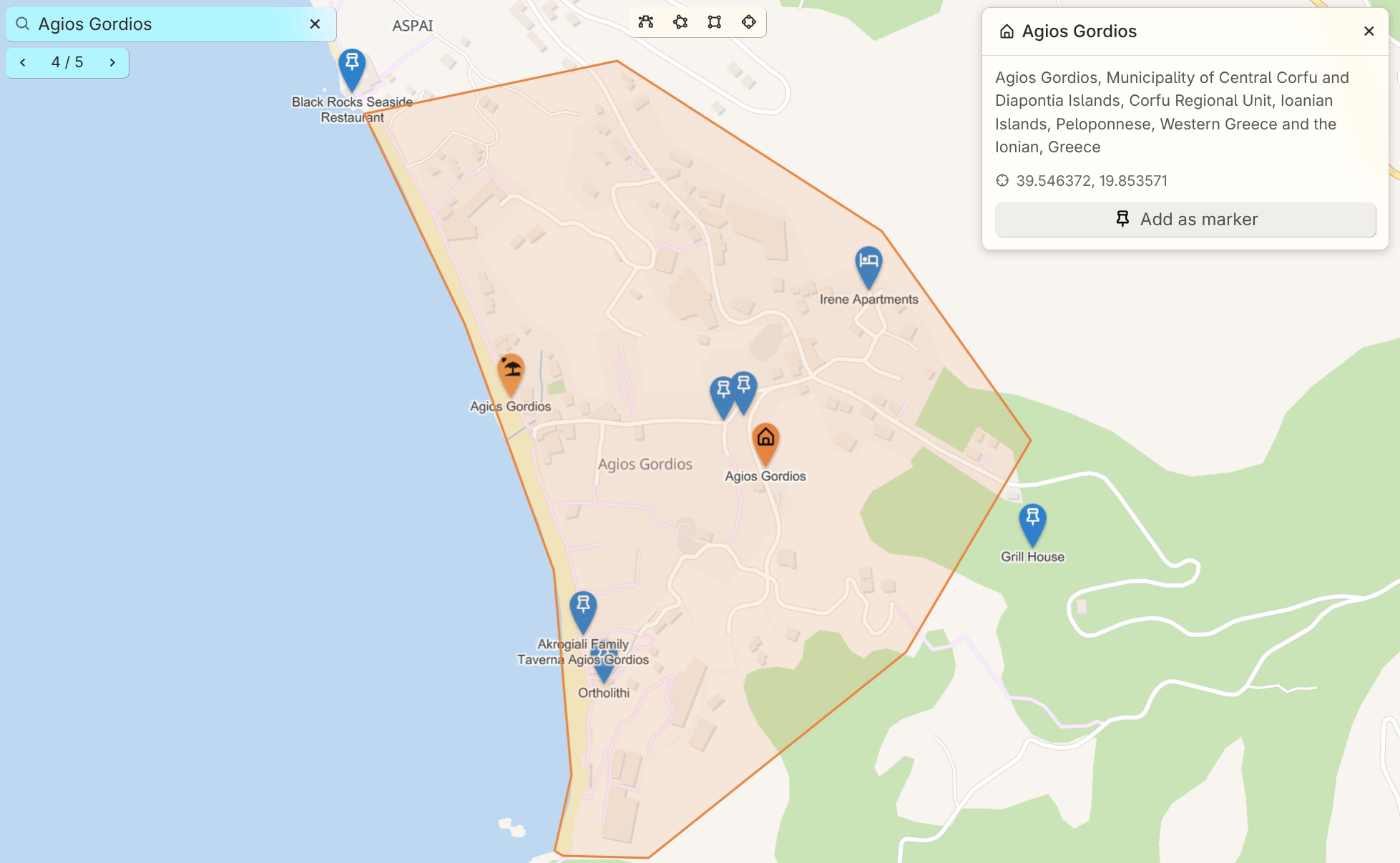
The geo map has a new search bar. As you type, it finds the markers, tracks and shapes already on your map. To search the rest of the world, pick the row that offers it and it asks Nominatim; nothing is sent while you're still typing. Results are sorted by distance and favor what's on screen, so a shop searched from your own town finds the one down the road. Towns and areas show their outline, and any result can be kept with Add as marker. You can also paste coordinates to jump straight to a spot.
You can also draw on the map now: paths, areas, rectangles and circles. Each shape is a note, so it takes the note's color and icon and opens in the same panel as a marker. Places shown on the map itself, like shops or beaches, can be clicked and added as markers too. On a phone or tablet, the new locate button shows where you are, so it's easy to see what's nearby.
📰 Templates can now define a default parent for new notes
Add a ~template:newNoteDefaultParent relation to a template note, pointing it at the note where its instances should live (e.g. a Person template pointing at People). When you create a note from that template (via Choose note type, @-completion, Create and link child note, or the attribute editor) and don't explicitly pick a location, the note lands under that default parent instead of your current note. Picking a path yourself always takes priority, and the tree's Insert child note / Insert note after remain unaffected.
✨️ And others…
- LLM: Added support for Google Antigravity, which can be used with a free plan as well.
- The application gains a proper loading screen instead of a plain white background until everything has loaded.
- OCR now properly supports image (scanned) and vector-based PDFs.
- Sorting now supports multiple criteria by @BeatLink & @eliandoran
- Search (full search, quick search) now have syntax highlighting, autocompletion, @-note insertion. In addition, the search is checked for errors which are displayed in-line. Full searches are now multiline.
- Icons (just like the note icons) can now be inserted in text notes.
🐞 Bugfixes
-
LLM
- Claude Code / Copilot integration would sometimes not be able to find the binary, if it was installed through
npmon macOS. - Error shown when interrupting a stream from Claude Code.
- Claude Code / Copilot integration would sometimes not be able to find the binary, if it was installed through
-
Markdown import would not preserve checkboxes when split by line breaks
-
Notion import: Creation date is not preserved for some notes despite being present in the HTML export
-
Auto read-only mode renders note content with slightly different vertical spacing than edit mode
-
Sync from desktop fixes by @emxv
-
Automatic light/dark theme switching sometimes doesn't properly update on Linux
-
Search: Tokenize ~= and ~* as single fuzzy-match operators by @mrbeandev
-
In-page search (Ctrl+F) does not find text inside inline, cards, and internal links by @maphew
-
Formats and attributes disappear after switching note type to Markdown and back by @jmrplens
-
Calendar is recreated when using "New note" launch bar item (and through other note-creation mechanisms)
-
Search: commas in quoted text are improperly handled by @yzxcj797
-
Two collapse‑related enter‑key bugs for todo/unordered lists by @maphew
-
Sidebar on mobile doesn't account for splits.
-
OIDC logout fails when end_session_endpoint is cross-origin due to XHR/CORS by @dajiaohuang
-
Markdown active block indicator doesn't work properly for all block types (e.g. admonitions).
-
Pressing Ctrl+M when not editing a text note minimizes Trilium by @maphew
-
Missing non-breaking space between reference link icon and text by @maphew
-
Bookmarked note icons in the launch bar: “Open note in new tab” always adds a tab at the very end by @maphew
-
Keyboard navigation in Promoted Attributes -- Relations are skipped by @maphew
-
Typing quickly after Ctrl+L causes search text to be added to note by @maphew
-
Table collection: Tab to next table view field in new record results in original field being focused
-
Dropdowns not closed when they become disabled by @maphew
-
noteId is not validated when forced, leading to broken note links by @maphew
-
Some tooltip and context menu glitches (partial) by @maphew
-
“English RTL” language would show up in the initial setup.
-
LLM: Keep the chat SSE stream alive across idle proxy timeouts by @ltomazetto
-
--start-hidden / "Start minimized to tray" does not hide window on startup (Linux, all configs) by @maphew
-
Browser navigation not handling note navigation properly by @maphew
-
Deleted notes would appear as empty notes (no content, no title) after a heavy sync
-
Right clicking some links would open the link instead of just displaying the context menu.
-
Windows reserved name handling didn't account for extensions by @sxh313
-
Search doesn't support escaped characters such as & by @shx313
-
Canvas: inserting images and exporting drawings failed on the desktop app by @adoriandoran
✨ Improvements
- Markdown import/export: maintain collapsible attributes and preserve formatting as much as possible when converting to HTML and vice-versa.
- Geomap improvements:
- New markers now follow
#titleTemplate - GPX tracks have a dedicated icon and their name no longer carries the extension when imported.
- Automatic light/dark mode for vector themes
- New markers now follow
- Docker healthcheck script has been improved to be faster and with less CPU usage. The health-check now reports the right status, even for self-signed certificates.
- Presentation collection has a few new themes.
- Markdown: strip
<style>tags from previews. - Desktop: Extra windows (e.g. opening a note in a new window) now open much faster.
- Share: show the matched content when displaying search results.
- Note autocompletions (e.g. @-mentions) now also offer to create notes in the journal/inbox instead of as child notes.
- Highlight active title in the table of contents by @SiriusXT and @eliandoran
- Printing: use the note title instead of a generic “Trilium Notes” by @yzxcj797 and @eliandoran
- Scripts can now return multiple widgets by @BeatLink
- Keep the tree and the note in place when deleting a note by @perfectra1n
- Improved code notes scroll performance
- TOTP now enforces that a code can only be used once and it tolerates clock drift by @jmrplens
- The text note context menu is now available for the web version too.
- Show “Full search” at the bottom of quick search by @BeatLink
- API log is now available on mobile as well.
- Slash command for upload image.
- Quick search can now be navigated with the arrow keys by @BeatLink and @eliandoran
- Drag & drop imports in the note tree now recognize Obsidian vaults
- Promoted attributes: relation with multiple values now have links to quickly navigate to the note.
- Disable virtual keyboard autocomplete in Code notes.
- Keyboard navigation for note type chooser by @itsjakobx and @eliandoran
- macOS 26 tinted icons by @anandghegde
- Slash commands: add to-do list item by @itsjakobx
- Reworked the Mermaid preview with better pan and zoom as well as keyboard interaction.
- Improved the performance of batch deleting notes, including a progress report.
- The sync button now shows a small bar to indicate the progress of the sync.
- LLM:
1. Detect GitHub Copilot shims and report them properly.
2. More efficient Claude Code and GitHub Copilot which reduces the time and memory consumption between conversations. - Spreadsheets now print, export and share as they look in the editor, including links, rotated text and borders, by @adoriandoran
- Icons are now vertically aligned correctly across the app, including icon packs, by @adoriandoran
- Insert date/time now comes with multiple formats, accessible through the dropdown arrow and slash commands.
- ETAPI: Accept
utcDateModifiedoncreate-noteand note patch
🚨 Breaking Changes
cheeriohas been dropped as a built-in library because it was not being used by the application itself, only by third-party scripts. See the documentation for how to migrate.- The server has been migrated to ESM, so the entry point has changed to
main.mjsinstead ofmain.cjs. If you are using the normaltrilium.shthere is no impact, but if you are pointing directly atmain.cjsyou will need to change your configuration. #label=valueis now strict full-value equality,#capital=Viennano longer matchesVienna Austria(#9422). Quick search keeps "contains".
🌍 Internationalization
📖 Documentation
🛠️ Technical updates
- Reduced the size on disk of Trilium by ~8 MB by cleaning up some dependencies and optimizing existing ones.
- The server and desktop apps have been migrated to ESM, which brings in reduced memory consumption and faster start-up.
- CI hardening by @Totara-thib
- Add alternate Trillium spelling for discovery by @maphew
- Align Linux window class with launcher by @dajiaohuang & @eliandoran
- Fixed some non-critical errors when first initializing the database.
SortableCardanddialog.pickSingleItemare now available to frontend scripts by @adoriandoran- support TRILIUM_LAUNCH_EXEC for unbundled Electron packages on Linux by @dajiaohuang
🔒️ Security fixes
- Hardened some share-related features such as include note, share aliases and icon packs.
- Hardened excerpts rendering.
AI summary Lighter app with improved image handling and organization
v0.105.0
Important
If you enjoyed this release, consider showing a token of appreciation by:
- Pressing the “Star” button on GitHub (top-right).
- Considering a one-time or recurrent donation to the lead developer via GitHub Sponsors or PayPal.
The release that makes Trilium lighter, more visual and easier to organise: images shrink themselves, attributes get a home of their own, and your backups can finally be restored.
🚨 For ARM64 Docker users
The arm64 image is now based on Debian 13 "trixie", as Debian 11 reaches end of life on 2026-08-31. Your host needs a libseccomp new enough to know the clone3 syscall (roughly 2.5+), or the container will fail to start. If it does, add:
services:
  trilium:
    security_opt:
      - seccomp:unconfined
Updating Docker itself will not help since runc links the host's libseccomp. The 32-bit linux/arm/v7 and linux/arm/v8 images and the native ARM builds are unaffected.
Warning
Before you upgrade. This release contains changes that can break an existing setup.
- MCP now requires authentication and can optionally be accessed over the network. → Reconfigure your existing MCP clients with credentials.
- General HTML support in text notes is now disabled by default. This makes copy-paste from websites behave well, without grabbing unwanted tags such as input boxes. → Re-enable via Options → Text notes → Preserve unsupported HTML tags.
**<div>**s in text notes are now unwrapped instead of being preserved as-is, regardless of settings. This prevents broken behaviour when entering new paragraphs, and bugs such as being unable to exit a code block.
✨ Highlights
Know what's in your database — and take it back
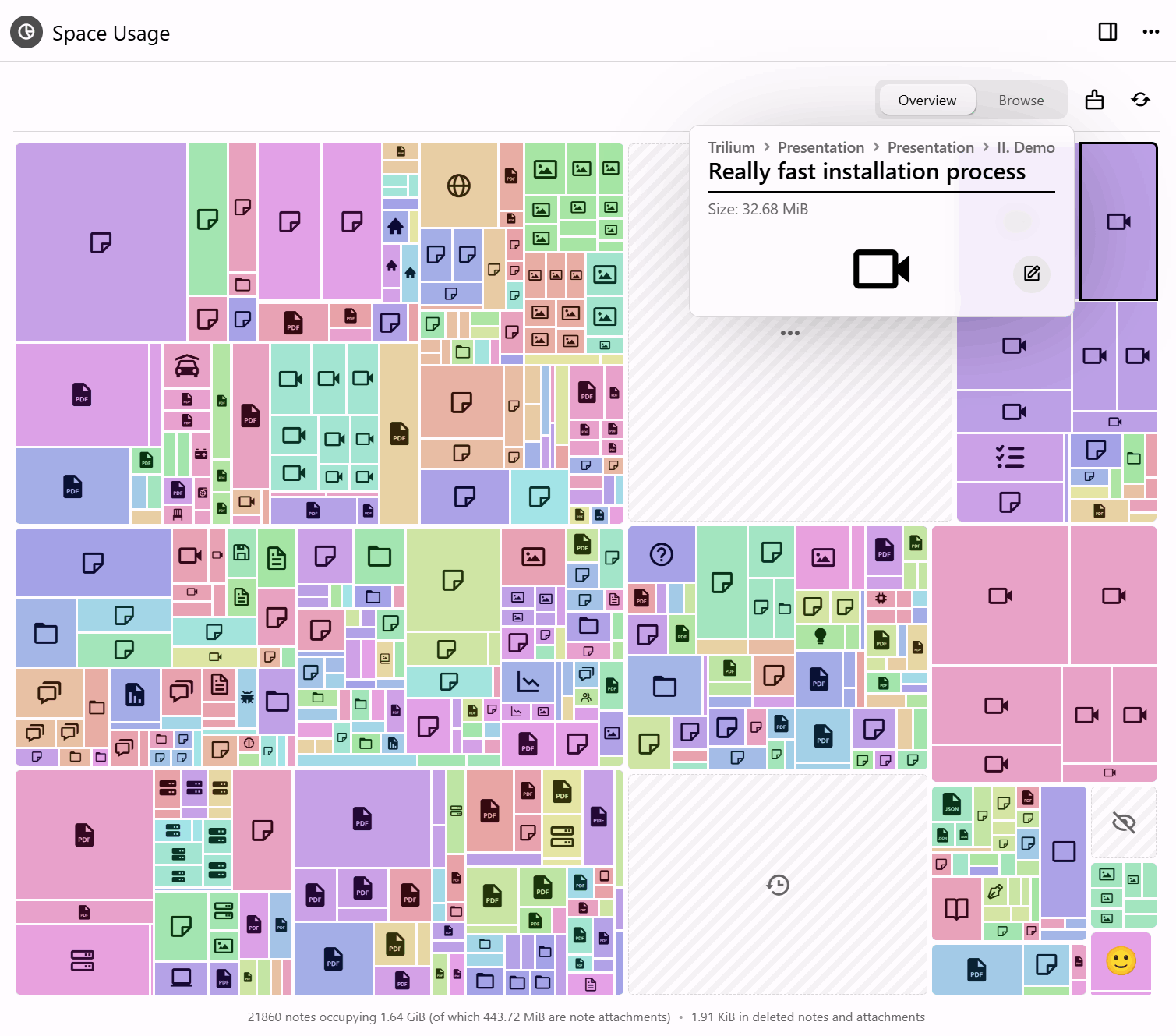
Two new tools answer the same question from opposite ends: what is actually taking up all that room?
- Space Usage draws it as a treemap — notes, revisions and attachments sized by how much space they take — so the thing quietly eating your disk is visible at a glance instead of guessed at. The cleanup tool then acts on what you find: erase deleted notes, trim old revisions, drop unused attachments and compact the database.
- Compress images goes after the usual culprit, resizing oversized pictures and re-saving them smaller — from a note, the tree, the attachments list, the image viewer or the cleanup run itself. It tells you what it found before it starts and what it saved when it finishes.
Automatic compression on upload, paste and import now keeps PNGs as PNGs, leaves already-compressed pictures alone, and runs off the thread serving the app, so a large import no longer freezes Trilium. (@adoriandoran)
Attributes finally have a home
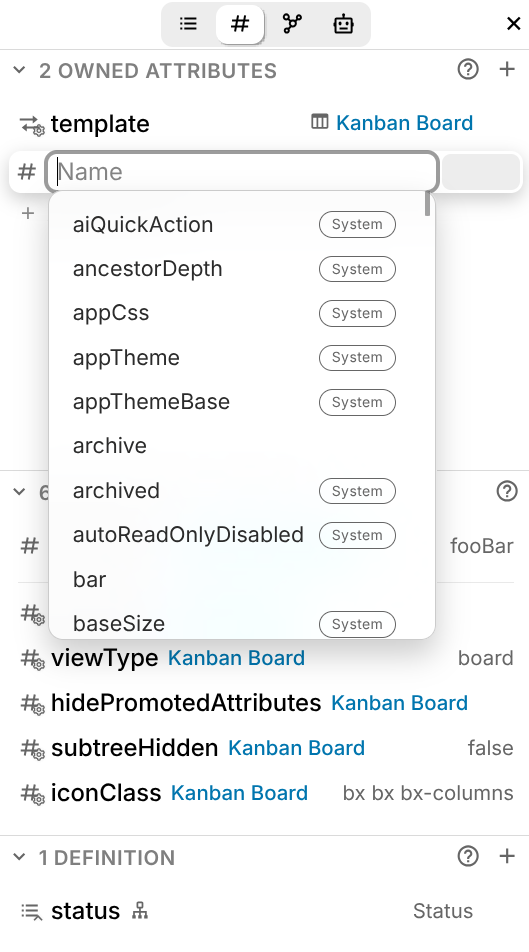
A dedicated Attributes sidebar tab shows owned, inherited and promoted attributes in one clear list, and lets you edit them in place. System attributes are marked with an icon in the sidebar and a badge in autocompletion, and every one of them now has a description. Their values are edited with the right control for the job — colour pickers, URL fields, date selectors.
Mobile gains an attribute editor with the same interface, and the classic attribute editor and its configuration modal received a round of fixes.
Backups you can lock, and actually restore
Backups can now be compressed and encrypted. Encryption uses AES-256-GCM with a password of your own, held in the operating system's keyring, so a backup written to a synced or shared folder cannot be read by whoever else can reach it — and later tampering or damage is detected. Both are off by default.
More to the point, Trilium can now restore one. Setting up an instance offers restoring from a backup as a fourth path, alongside a new knowledge base, syncing from a server and pairing with a desktop app; a running instance reaches the same screen from Options → Backup, and is offered a copy of what is already there first. The candidate is checked before anything is replaced, and a restore that fails rolls back — so an unusable backup leaves your notes exactly as they were. Backups measured in gigabytes are handled properly: a browser sends one in resumable pieces, and the desktop app reads it where it already sits. (@adoriandoran)
See everything your database is running
Databases collect scripts, themes and widgets over the years, and until now there was no single place to see them — or to tell which one was responsible for the odd behaviour you've been living with.
The content manager lists them all, grouped by category, and lets you switch any of them off without deleting it. Turn something off, see whether the problem goes away, turn it back on. (@adoriandoran)
Ask the editor to do the writing
Trilium's LLM support has moved out of the chat panel and into the text editor. Select anything and hand it to a model — proof-read it, tighten it, summarise it — and take the result inline, without copying text into a chat window and back. Custom prompts let you keep the operations you run often. Requires an LLM provider to be configured; a GitHub Copilot subscription now works as one, alongside the existing providers.
Settings you can search, on a screen that fits
Every settings page has been rebuilt on a shared card component — a card per subject, one setting per row, its explanation under the name rather than beside it — and a search field now looks through all of them at once. It shows the settings themselves, live and operable where they stand, grouped under the page each one belongs to, and finds a page's own commands too: back up now, restore a backup, create an ETAPI token. (@adoriandoran)
🎁 Also new
- Geo Map on MapLibre — WebGL rendering, 3D terrain, marker clustering, full-screen mode and a floating info panel for each marker, with full GPX track support.
- Mind Map node panel — colours, fonts, icons, images and a rich-text memo, from a side panel.
- Calendar face lift — a new theme and layout, and a friendlier popup for creating and editing events.
- Connections sidebar tab — backlinks, note paths and the note map in one place.
- Office & EPUB previews —
.docx,.xlsx,.pptx, ODF, RTF and EPUB open in Trilium. - An important memory leak that accumulated components and event listeners has been fixed, and consistency checks no longer take minutes on databases with 20k+ notes.
📋 What else changed
Backups
- New: backups can be compressed, encrypted or both, written as a
.tnbackupcontainer. The password is kept in the OS keyring and is offered on the desktop application only, where there is somewhere safe to hold it. - Improved: the backup settings page opens by saying how many backups exist and how long ago the most recent one was written, with "Backup now" beside it.
- Improved: a backup can be given a name and a password of its own when taken by hand, rather than following the scheduled-backup settings.
- Fixed: a backup that fails part-way is deleted, so a half-written file is never listed or offered for download.
Database & maintenance
- New: Options → Database is where the knowledge base as a whole is now looked after. It opens with a summary — location, note and attachment counts, creation date, size, and how the backups stand — followed by everything that acts on the database: cleanup, space analysis, integrity check and repair, compaction, and anonymized copies.
- New: a cleanup tool that erases deleted notes, unused attachments and excess revision snapshots, honouring
#versioningLimit, and compacts the database. - New: a Keep named revisions option, so revisions you have named survive a cleanup.
- New: Start over returns an instance to the setup wizard without reinstalling. On a server it asks for your password, and your second factor where one is configured, so an instance reachable from outside stays closed while it waits.
- Improved: an anonymized database copy can be deleted once it has been handed over, and the folder holding them opens in the file manager.
Settings
- New: a search field over every settings page at once, showing the live controls grouped under the page each belongs to.
- Improved: all 18 settings pages rebuilt on a shared card component, several of them rearranged so that what a page is really about comes first.
- Improved: settings are usable on a phone — stacked controls, native tap-to-pick combo boxes, full-width descriptions and thumb-sized rows.
- Improved: the Media page folds image compression into the Images card, rather than keeping it as a subject apart.
- Fixed: the plain text entry in the code note MIME list read as unticked, though it is always applied.
- Database actions have moved to Options → Database. Cleanup, space analysis, integrity checks, compaction and anonymized copies are no longer under Options → Advanced, which now holds the experimental features and the two advanced sync actions alone.
Text notes & editor
Improved
- Migrated away from premium CKEditor features (commercial licence) to home-made implementations of slash commands, text snippets and copy formatting. Changing text snippets no longer requires an editor refresh, and note icons are integrated more natively.
- The automatic replacement of text (quotes, dashes) has been redesigned, with each option now configurable individually.
- The autocomplete mechanism for CKEditor (
@-references to links, emojis) was rewritten from scratch: it no longer gets stuck on a@character, and pressing Escape no longer leaves a marker in the text. The attribute editor no longer shows autocompletion when you click inside it. - Text snippets show a small content preview when no description is present.
- Markdown highlights (Obsidian-style
==) are supported by the import/export pipeline and the Markdown preview, and appear in the sidebar. - Inline Mermaid diagrams remember their display mode.
Fixed
- Multiple inline Mermaid diagrams don't render without making a change
- Resizing the Mermaid split view makes Gantt and bar charts vanish (@maphew)
- A failed image upload crashes the editor
- The collapsible block text editor crashes when deleting before it
- A single Backspace press deletes the entire content of a collapsible block; collapsible blocks also auto-expand when deleting the line break of the text after them
- Formatted text is pasted inside a collapsible block instead of into its title
- Checkbox task states affect sub-tasks in non-intuitive ways (@adoriandoran)
- Anchor reference-link insertion happens at the mention pick position (@maphew)
- CKEditor crashes when clicking near inline code with link text
- Formatting buttons overlap text in the popup editor
- Checkboxes are misaligned in RTL notes; read-only text notes were not properly aligned either
- Missing note reference links appeared invisible
"Continuous formatting" has been dropped from copy formatting as part of the move away from premium CKEditor features. → If you rely on it, please open a feature request.
Collections
Table
- Improved: Select columns support single and multiple values and expand outside the cell while selecting; colour columns gained a delete button and time columns a time selector; a "New row" button was added at the end of the table; columns with multiple values are no longer hidden and show each value as a chip inside a single cell.
- Fixed: date columns rendered in ISO format instead of the formatting locale; sorting by a relation-type column did not work; scroll position was lost when editing a cell or creating a row.
Board
- Fixed: adding a new column doesn't refresh the columns automatically; typing in a subnote slowed down when the board had many items.
Calendar
- Fixed: all-day recurrent events showed as midnight; events didn't react to inherited attribute changes; creating an event in the journal made the events flicker; aliases weren't taken into account by the calendar's displayed attributes; date selectors didn't follow the Chinese locale's date format.
Geo Map
- Improved: migrated from Leaflet to MapLibre GL — WebGL rendering, 3D terrain, marker clustering and a full-screen mode. Markers were overhauled with full-colour icons, automatic label collision, proper DPI scaling and performance that holds into the thousands. Adds custom tile sets, dark mode that respects custom themes, note tooltips on hover, zoom buttons, and a clear warning when WebGL is unavailable.
- Improved: clicking a marker opens a floating info panel — title, icon, colour, action buttons (open, move, quick edit, remove), promoted attributes with a coordinates copy button, and the note body as an inline rich-text editor. The same panel is shared with the Mind Map.
- Improved: full GPX track support, with distance, point and segment counts, waypoint listing and a highlightable path.
- Fixed: adding a marker now shows a ghost preview; several marker positioning bugs.
Geo Map, Mind Map & Relation Map
- Improved: relation maps, Mermaid diagrams, geo maps and mind maps now share the same zoom and add-note controls; the geo map lock button was removed in favour of the standard read-only mechanism used for notes.
Attributes
- New: promoted attribute types Phone, Email and Select — the latter shows a fixed list of items while still allowing new ones to be created easily. All are integrated with the Notion and AnyType importers and the table collection.
- Improved: promoted attributes with multiple values render as a single field with badges/chips instead of multiple fields.
- Fixed: the promoted attributes section showed an unnecessary scrollbar when at least one promoted attribute had a checkbox.
Attachments, files & PDF
Improved
- Syntax highlighting for source code in attachments.
- The attachments listing gained a grouping mechanism (yours vs. system), a grid layout and a general facelift.
- Link previews now use deduplicated attachments instead of inline images, with tweaks to favicon retrieval and better support for dark themes. The Notion importer downloads favicons automatically.
.icofiles are treated as images instead of file attachments.- PDF: highlights without selected text, and text annotations, are now shown in the sidebar.
Fixed
- Link previews are not visible in note revisions
- PDF attachments return 404 on Nginx Proxy Manager with "Block Common Exploits" enabled
- Entering PDF editing mode triggered a save even when there was nothing to save
- PDF sidebar information was wrong when two PDFs were open in a split
- PDF annotations were not displayed in the sidebar while editing
Images & clipboard
- Improved: you can now paste text with images from Trilium into other apps without the image disappearing; single images pasted from inaccessible sources (Google Chat, Slack) paste properly instead of appearing broken.
- Fixed: deleting a note right after uploading an image crashes the desktop app.
LLM & MCP
Improved
- A GitHub Copilot subscription can be used in the LLM chat.
- A new in-editor LLM for text notes handles operations such as proof-reading and summarisation, with support for custom prompts.
- Redesigned LLM chat bar with shortened model names and better-fitting message footers, improved error display, better icon search, and improved model listing for the Claude Code integration.
Fixed
Import & export
- OneNote import: improved error logging and throttling reports (including during long imports), a button to refresh OneNote sections, improved light/dark brush detection, and code block detection.
- The Notion and AnyType importers support the new promoted attribute types.
Markdown
- Single-tilde strikethrough is no longer supported, to avoid issues with
~used for number approximations. → Affects existing notes and import pipelines; use~~text~~. - Highlights (
==) are supported end-to-end in the import/export pipeline.
Desktop app
- New: back up to a folder of your choosing instead of the one inside the data directory. Options → Backup gains a "Backup location" card where you pick the folder, open it in your file manager, or reset it. If the chosen folder ever cannot be written to, the backup goes to the default location rather than being lost, and you are told. Servers are unaffected and keep using
TRILIUM_BACKUP_DIR. (@adoriandoran) - Improved: better error management — the app should no longer crash on an unhandled rejection; dragging a tab with splits into a new window preserves the split.
- Fixed: the app prints
undefinedwhen one is already running; "Switch to Mobile Version" not working on desktop builds accessed over the web; macOS dynamic traffic light offset based on zoom factor; file link handling broken for custom system explorers on Windows. - Changed: On Linux, the native title bar is now disabled by default, since rounded corners are supported for the custom frame, with native window buttons.
- New: the database file is revealed in the file manager from Options → Database, and a native folder picker backs the backup location (@adoriandoran)
Mobile
- New: an attribute editor with the same interface as the new sidebar editor.
- Fixed: the launch bar vanishes after a portrait → landscape orientation change; the tree sliding animation didn't respect the reduced animation setting.
- New: the whole of Settings reflows for a narrow screen, with a search field above the list of pages (@adoriandoran)
Interface & themes
Improved
- The sidebar is now split into tabs: Outline (ToC + highlights), the new Attributes pane, LLM chat and custom widgets.
- Most sidebar sections have a dedicated help button.
- Keyboard shortcuts for managing splits.
- Tree: copying references to notes with Ctrl+C now pastes as a reference link on the web version too, not just desktop.
Fixed
- Legacy themes: toasts not rendering, promoted attributes having a different layout, block drag icon overlapping text
- Toggle overlapping with window buttons in settings
- Icon tooltip stuck on screen (@maphew)
- Copying a bookmark in the browser crashes in an insecure context
- Deleting the active note showed a toast claiming the note was not found
- The update indicator was broken
- The note map sometimes did not render at all
Scripting
- More React components for scripts (@BeatLink)
- Some launcher scripts are now marked as dangerous, requiring safe import to be off.
- Fixed: render notes injected unscoped
<style>into the app DOM, and the leaked styles persisted after navigating away.
Server, sync & authentication
- Improved: OIDC gains configurable HTTP timeout, session lifetime and scopes (@perfectra1n).
- Fixed: OAuth fails with
OAUTH_JSON_ATTRIBUTE_COMPARISON_FAILEDon Authentik due to a missing leading slash; OIDC not working with some identity providers; occasional frontend errors caused by a partial sync; OCR does not work for protected notes.
Performance & stability
- Fixed an important memory leak that accumulated components and event listeners due to improper component cleanup.
- Consistency checks no longer take a long time to run on large databases (20k+ notes).
- Reduced the number of requests made when right-clicking the tree.
- CKEditor is preloaded for faster loading.
- Image compression now runs off the thread serving the app.
- Scissor "Cut & Paste Selection to Sub-note" now transfers image attachments and no longer fails intermittently.
Security
- SSRF protection in image auto-download and the LLM integration.
- MCP now requires authentication (see Before you upgrade).
- Web views now require an absolute URL in order to be displayed.
Internationalization
- Added Korean (@yoonnamhyuk)
- Added Turkish (@erkdgn)
- The text editor is now fully translatable, including Trilium-specific features.
Documentation
- Added
CONTRIBUTING.md(@maphew)
v0.104.1
Note
If you enjoyed this release, consider showing a token of appreciation by:
- Pressing the “Star” button on GitHub (top-right).
- Considering a one-time or recurrent donation to the lead developer via GitHub Sponsors or PayPal.
💡 Key highlights
- Significant improvements to the OneNote import:
- Survive sustained Graph throttling by @perfectra1n
- Handle 504 errors instead of crashing.
- Skip pages that could not be downloaded and report them.
- Add device-code flow to allow imports from the web app (not just from desktop).
- Refresh token so multi-hour imports are possible.
- Better support for screen clippings, table sizing and backgrounds, drawings with light/dark theme support, improved creation date processing.
- Preserve
newNotesOnTop. - Improved selector for notebooks.
- Creation dates are now preserved better by taking into account the meta-information, not just the creation date returned by the API.
- Encrypted sections are properly tolerated and reported.
- Improvements to the LLM
- LLM model selection has been redesigned: instead of having a fixed list of models, the models are dynamically retrieved from the provider (ChatGPT, Gemini) and the list of models can now be customized.
- If you are migrating from a previous version, the list of models will appear as empty. Simply press the Edit button corresponding to your provider in the model dropdown.
- The LLM can now read the user guide that comes bundled in with the application and can answer questions about Trilium's features.
- Improved the provider setup process.
- Added support for DeepSeek, but without web search capability.
- First-hand support for custom OpenAI-compatible providers
- Add support for Ollama and LM Studio, as well as any self-hosted provider (@Kureii & @eliandoran)
- LLM model selection has been redesigned: instead of having a fixed list of models, the models are dynamically retrieved from the provider (ChatGPT, Gemini) and the list of models can now be customized.
🐞 Bugfixes
- Migration fails if the hidden notes were protected.
- Desktop sync behind multi-cookie reverse proxies fails.
- Claude Code integration not working on Windows if installed via
npm. - Spellcheck seems to automatically reactivate whenever Trilium is restarted.
- Turning off smooth scrolling in options does not work
- Sync fails if the reverse proxy contains its own cookies
- Initial sync would not properly display errors.
- Some tooltips still showing [protected] after unlocking the protected session
- The tooltip on the sync status button remains always visible
- Disabled TOTP from previous versions becomes active again
- First setup unreadable on Windows 10 due to background effects
- Image viewer's shortcuts block full-app shortcuts by @adoriandoran
- Can't scroll down to media player controls by @adoriandoran
- Docker upgrade v0.103.0 to v0.104.0 fails on CentOS 7 (SQLITE_IOERR_SHMSIZE)
- New instance resets editor toolbar option
- Link on a single paragraph is not deleted properly
- "Redirect bare domain to Share page" also redirects login page to share root
- On bigger notes, the content of the note tends to "refresh"
- HTML attachments opened in Safari instead of being downloaded.
- Fix uneven tab spacing when left pane is visible by @StevenDoesStuffs
- Fixes to collapsible blocks by @adoriandoran
1. Fixed being unable to drag-select across multiple paragraphs inside a collapsible block on Chromium-based browsers.
2. Expanding/collapsing a block is no longer undoable, so Ctrl+Z after reading a note doesn't re-collapse what you just opened.
3. All collapsible blocks are forced open when printing or exporting to PDF, so their content isn't lost.
4. Newly inserted collapsible blocks start expanded.
5. Fixed a collapsed block's state being incorrectly written back when a temporary search reveal was stripped.
6. Collapsible list items now temporarily expand to reveal find-in-note matches nested inside them, and follow the highlight as you step through results.
7. Fixed the collapse arrow still pointing "collapsed" while an item was temporarily revealed. - Media player fixes by @adoriandoran
1. Attachments opened in full detail now use the full media player UI instead of the compact preview.
2. Added previous/next navigation between an owner note's playable attachments, restricted to media the player can actually play (audio siblings for an audio player, not everyfile-role attachment).
3. Fixed the media player and image viewer swallowing global Trilium shortcuts that overlap with their own bare-key bindings (Ctrl/Cmd/Alt chords now pass through).
4. Fixed keyboard-shortcut hints from standalone media players leaking into every other context's hint list.
5. Fixed the attachment viewer/player continuing to show the old content after an attachment was replaced. - Fixed keyboard shortcut hints overlapping with the floating buttons.
- Spellcheck custom words not editable in the options modal.
- Link previews are badly rendered in image captions.
✨ Improvements
- Auto-formatting for extended to-do list states
- OAuth: Improved error management
- OCR now supports EPUB format.
- Added support for indenting tables in text notes. by @adoriandoran
- Search improvements by @adoriandoran
- Link previews are now searchable — their title, URL and description are indexed instead of being stripped away.
- Link-preview metadata now appears in quick-search snippets (URL, title and description on separate lines).
- Quick-search snippets now decode HTML entities, so you see
<,&and real spaces instead of<,&and .
- Improvements to collapsible blocks by @adoriandoran
- Collapsible blocks now remember their expanded/collapsed state.
- Collapsible blocks expand automatically when a search result is highlighted in their body.
- Improved the alignment of custom task checkbox glyphs and labels by @adoriandoran
- Desktop: Added an option to disable GPU acceleration
🛠️ Technical updates
- Nix flake fixes by @FliegendeWurst
@ Every self-hosted release, weekly
One Monday email with the week's stable releases across the directory.
FAQ
How is my data protected?
Notes are unencrypted by default; a note marked as encrypted is stored using AES-128-CBC.
Can I share my database over a network drive?
No, sharing the SQLite database over a network drive risks corruption because of imperfect file locks.
How well does the application scale with a large amount of notes?
It should handle at least 100,000 notes, but syncing many very large files can fail since it is a knowledge base rather than a file store.
Where is the data stored?
In an SQLite database inside the application folder, chosen for performance and features such as cloning notes.
Can multiple people collaborate on the same notes?
No, it is a single-user app: you can sync your own notes across devices and publish read-only notes, but not co-edit in real time.
Is there a hosted or cloud version?
No official hosted version exists yet; you self-host the desktop or server, though third parties such as PikaPods offer managed hosting.
Do I need a server to use Trilium?
No. The desktop application alone is enough to start; a server only adds browser access and multi-device synchronization.
Is there a mobile application?
There is no official mobile app, but a server instance can be opened in a browser and installed as a PWA; TriliumDroid is an unofficial Android client.
Is Trilium free?
Yes. It is free and open-source under AGPL-3.0 with no paid tiers, accounts or paywalls, and you may self-host and modify it.
More in Notes & Editors
 Trilium TranslationSelf-hosted, open-source AGPL-3.0 fork of Trilium Notes localized for Chinese users, with server and desktop builds, Docker images, AUR/scoop packages, themes and sync.
 TurtlOpen-source, self-hosted backend server for Turtl clients: account management, data storage, syncing, sharing permissions and a plugin architecture, on Node and Postgres.
 UniBoardUniBoard is an open-source, self-hosted personal dashboard with homepage, Markdown notes, URL shortener, file sharing, and server monitoring via Docker Compose.
 VaultSyncVaultSync syncs Obsidian vaults peer-to-peer between iPhone/iPad and a personal server via Syncthing, with optional Cloud Relay for faster background wake-ups.
 WastebinA self-hosted, open-source minimal pastebin in Rust with 170+ language highlighting, Markdown rendering, encrypted pastes, expiry, burn-after-reading and nine themes.
 WeChat Markdown EditorOpen-source WeChat Markdown editor turning plain Markdown into styled Official Account posts with image hosts, themes and AI; run it self-hosted via Docker or npm.
 Will Be DoneSelf-hosted task manager with visual weekly timeline. Local-first, works offline, syncs across devices, runs in one Docker container with SQLite.
 WorldLoomSelf-hosted offline worldbuilding and storywriting app with rich-text articles, maps, manuscripts, timelines, and HTML export. Node.js, file-based storage, no database.
 xEditxEdit is a self-hosted, open-source Markdown editor and lightweight Notion/Obsidian alternative with live preview, wiki links, and MCP for AI.
 YankNoteYank Note is a self-hosted, open-source Markdown editor for Windows, macOS, and Linux with AI writing, version control, encryption, code execution, and embedded diagrams.
 zenA self-hosted, open-source notes application that stores notes as Markdown in a local SQLite database with full-text search, version history, and minimal resource usage.
- ZenNotesOpen-source, keyboard-first Markdown notes app with real Vim motions, math and diagrams, and an MCP server; run it on desktop or self-host the web app with Docker.
0 comments