
Self-host WeChat Markdown Editor
@doocs/md-cli@2.1.4Markdown editor that formats WeChat Official Account posts
docker run -d -p 8080:80 doocs/md:latest- Stars
- 13 516
- Ports
- 80 (HTTP inside the doocs/md container (README maps it to host port 8080)), 8800 (Default listening port of the @doocs/md-cli local server)
doocs/md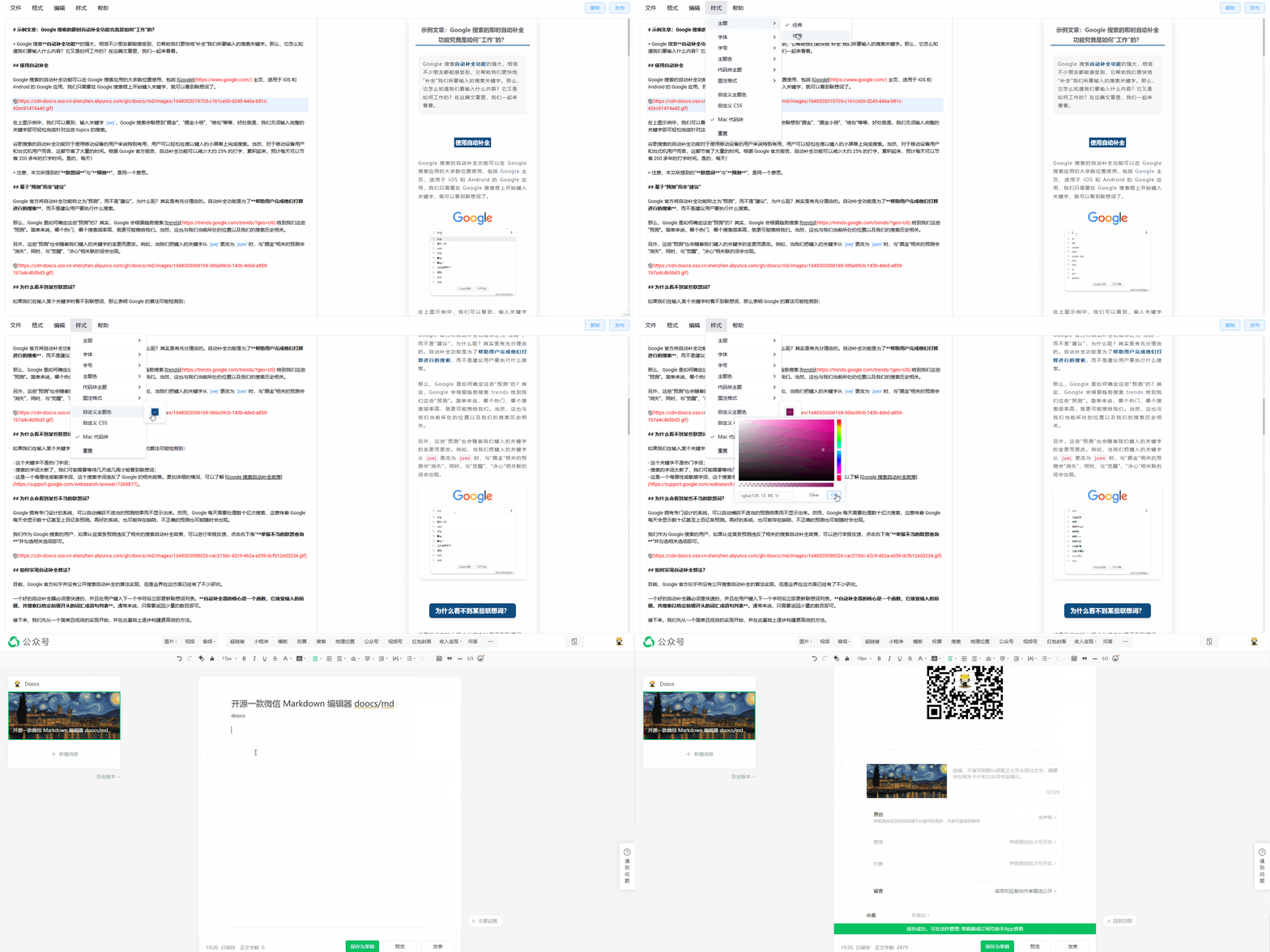


What is WeChat Markdown Editor?
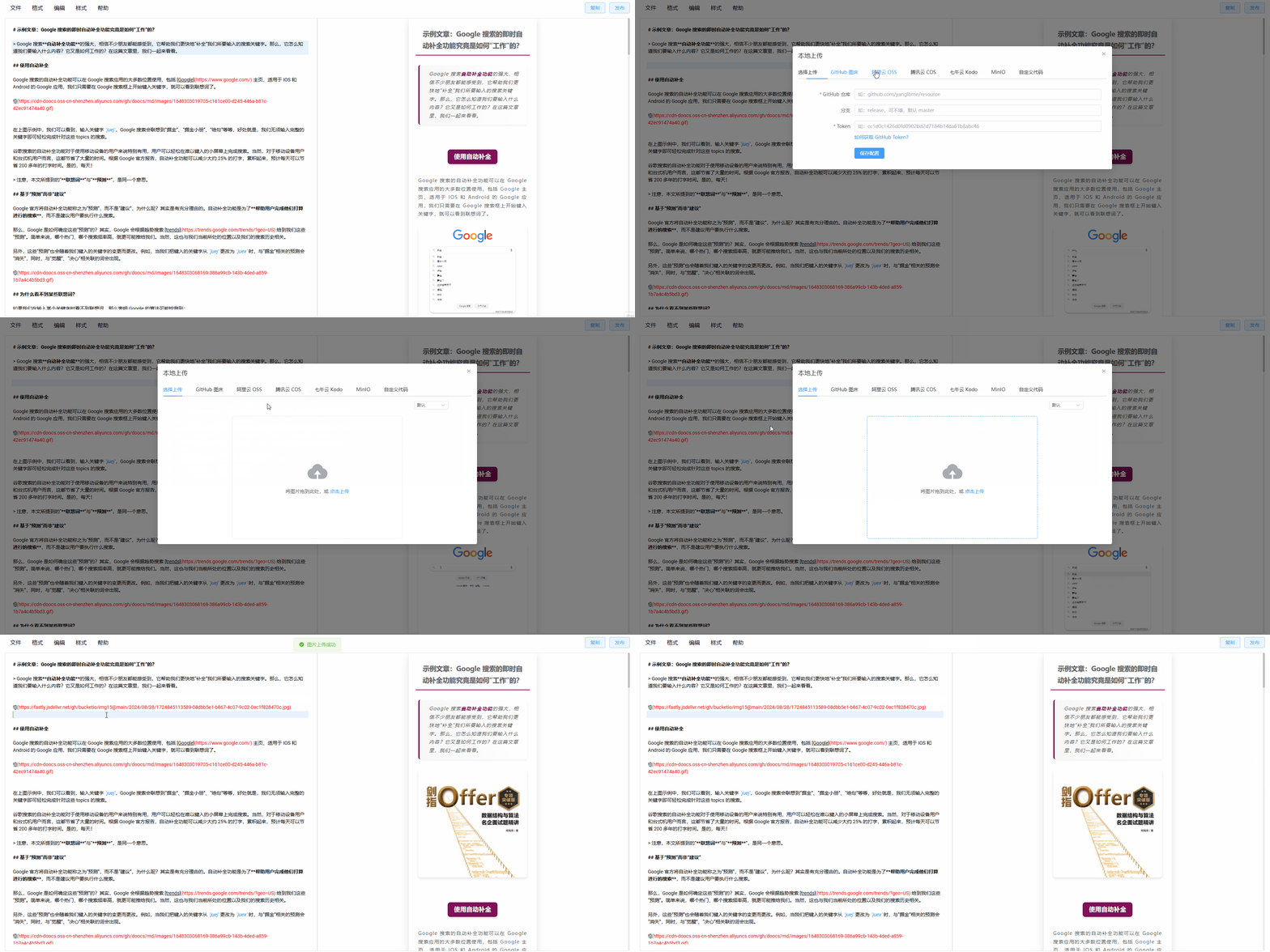
doocs/md is a browser-based Markdown editor for people who publish articles on WeChat Official Accounts: you write ordinary Markdown and the app renders it straight away as a styled article ready to paste into the account editor. It covers KaTeX math, Mermaid and PlantUML diagrams, GFM alert blocks and ruby pronunciation marks, ships several code-highlight themes, and lets you set theme colours, add your own CSS, or run a one-click layout cleanup. Drafts live in the browser with autosave, and documents can be imported or exported as files. Picture uploads can go to around a dozen backends — Aliyun or Tencent buckets, Qiniu, MinIO, any S3-compatible endpoint, Cloudflare R2, Upyun, a Telegram bot, Cloudinary, a GitHub repository, the WeChat account itself, or a custom uploader you define. A built-in assistant can draft and polish text through commercial model APIs that you configure with your own keys. Logging in with GitHub keeps themes, interface settings and custom content in step between devices via the project's Cloudflare Workers backend (self-deployable, with a paid Pro tier for higher sync rates); secrets for image hosts and AI stay on your machine. For your own server there is a static Docker image or the md-cli npm package, and the code is released under the WTFPL licence.
WeChat Markdown Editor alternatives
 Nowen NoteNowen Note is an open-source, self-hosted personal knowledge base with Markdown/rich-text editing, AI writing, mind maps, tasks, offline sync, and multi-device clients.CompareNowen Note with WeChat Markdown Editor
 UniBoardUniBoard is an open-source, self-hosted personal dashboard with homepage, Markdown notes, URL shortener, file sharing, and server monitoring via Docker Compose.CompareUniBoard with WeChat Markdown Editor
 docmostSelf-hosted, open-source collaborative wiki with real-time editing, diagrams, AI features, and enterprise SSO as a Confluence/Notion alternative.Comparedocmost with WeChat Markdown Editor
 WikiDocs📗 Just a databaseless markdown flat-file wikiCompareWikiDocs with WeChat Markdown Editor
 collabmdSelf-hosted realtime collaborative Markdown editor turning folders into shared workspaces with diagrams, git sync, comments, and MCP AI agent access.Comparecollabmd with WeChat Markdown Editor
 pullmdSelf-hosted URL and file to Markdown converter for AI agents with PWA, REST API, MCP server, and Claude Code skill.Comparepullmd with WeChat Markdown Editor
 react-glass-keepSelf-hosted notes app similar to Google Keep with dark mode, real-time collaboration, private AI assistant, and native apps for Windows, macOS, Android.Comparereact-glass-keep with WeChat Markdown Editor
 PetrichorPetrichor is an open-source, self-hosted platform turning Markdown into semantic wikis with agentic RAG for traceable, evidence-backed answers.ComparePetrichor with WeChat Markdown Editor
Should you self-host WeChat Markdown Editor?
WeChat Markdown Editor scores 72/100 on selfhost.directory (how scoring works) and ranks #7 of 83 in Notes & Editors. It has 13 516 GitHub stars, +68 in the last 30 days.
It shipped 1 stable release in the past year. The latest, @doocs/md-cli@2.1.4, came out on 30 October 2026.
Setup is easy: most people get it running in one sitting. An official Docker image is available. It is WTFPL-licensed and written mostly in Typescript.
Its closest alternative on selfhost.directory is Memos (86/100, 64 346 stars). It scores higher overall, so compare the two before you pick. See WeChat Markdown Editor vs Memos side by side.
Features
- AI Writing AssistantUses your own provider API keys.
- Cloud sync of editor preferencesBacked by the project's Cloudflare Workers + D1 API, which is also self-deployable; Pro tier raises sync rate.
- Custom themes and CSS
- File import and export
- Image upload to image hosts
- Live Markdown preview
- Local drafts with autosave
- Math formulas (KaTeX)
- Mermaid and PlantUML diagrams
- One-click article formatting
- Ruby annotation syntax
WeChat Markdown Editor README
中文 | English
More in Notes & Editors
 Will Be DoneSelf-hosted task manager with visual weekly timeline. Local-first, works offline, syncs across devices, runs in one Docker container with SQLite.
 WorldLoomSelf-hosted offline worldbuilding and storywriting app with rich-text articles, maps, manuscripts, timelines, and HTML export. Node.js, file-based storage, no database.
 xEditxEdit is a self-hosted, open-source Markdown editor and lightweight Notion/Obsidian alternative with live preview, wiki links, and MCP for AI.
 YankNoteYank Note is a self-hosted, open-source Markdown editor for Windows, macOS, and Linux with AI writing, version control, encryption, code execution, and embedded diagrams.
 zenA self-hosted, open-source notes application that stores notes as Markdown in a local SQLite database with full-text search, version history, and minimal resource usage.
 ZenNotesOpen-source, keyboard-first Markdown notes app with real Vim motions, math and diagrams, and an MCP server; run it on desktop or self-host the web app with Docker.
 ZimDesktop wiki editor for managing linked wiki pages as plain text files. Self-hosted note-taking with plugins for tasks, equations, diagrams, and version control.
 AFFiNE Community EditionAFFiNE is a self-hosted, open-source knowledge base combining documents, whiteboards, and databases in one local-first workspace as a Notion and Miro alternative.
 AlexandrieSelf-hosted, open-source alternative to Notion, Obsidian and Confluence: a team wiki with an advanced Markdown editor, offline PWA support, OIDC SSO and S3-based backups.
 anarlogOpen-source, self-hosted AI meeting notetaker with bot-free device capture, on-device transcription, local SQLite notes and BYO keys or Ollama; alternative to Granola.
 AnchorSelf-hosted, open-source note-taking app with offline-first editing, automatic cross-device sync, an Android client, tags, sharing, reminders and OIDC login.
 Ars-noteArs-note is a self-hosted, open-source Markdown workspace for game dev teams with local vault, knowledge graph, AI planning, and real-time sync.
0 comments