
Self-host Will Be Done
v0.12.0Local-first weekly task planner with visual timeline
- Stars
- 158
- Port
- 3000 (HTTP web app and API)
ghcr.io/will-be-done/will-be-done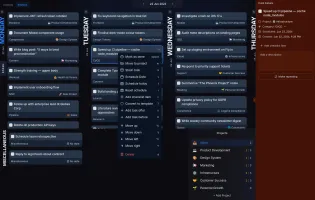
What is Will Be Done?
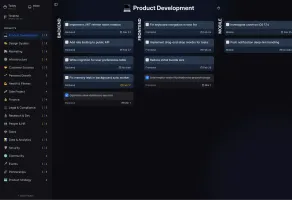
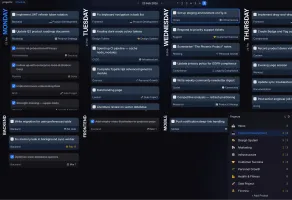
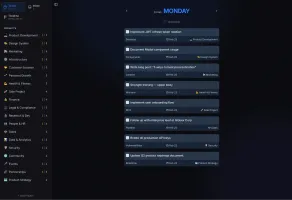
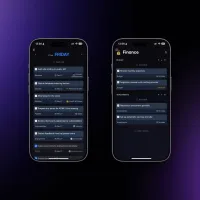
Will Be Done is a personal task manager designed for weekly planning rather than daily capture. It presents each day as a column so you can view the entire week at once and drag tasks between days. The app is local-first: every device keeps a complete SQLite database in the browser, so reads and writes are instant and work offline; changes sync when the server is reachable. It includes projects with customizable kanban columns, a persistent Stash focus list, recurring tasks with flexible rules, Vim-style keyboard shortcuts, a global quick-add shortcut on desktop, and a mobile-ready PWA. A desktop app (Windows, macOS, Linux) adds system-tray integration and global hotkeys. Data imports from Todoist (via API token) and TickTick (CSV) are supported. The self-hosted server is a single Docker image (ghcr.io/will-be-done/will-be-done) that serves the web UI and a documented HTTP API on port 3000, storing data in a named Docker volume at /var/lib/will-be-done. SQLite is the default backend; Turso Cloud or the local tursod service are optional alternatives. No Redis, external database, or object storage is required. The project is licensed AGPL-3.0 and developed in public by Sergey Popov. Cloud hosting is free during alpha, then $3/month; self-hosting remains free with no feature paywall.
Should you self-host Will Be Done?
Will Be Done scores 45/100 on selfhost.directory (how scoring works) and ranks #21 of 34 in Task Management. It has 158 GitHub stars.
It shipped 8 stable releases in the past year. The latest, v0.12.0, came out on 23 October 2026. New versions land roughly every 4 weeks.
Setup is easy: most people get it running in one sitting. An official Docker image is available. It is AGPL-3.0-licensed and written mostly in Typescript.
Its closest alternative on selfhost.directory is dayGLANCE (51/100, 178 stars). It scores higher overall, so compare the two before you pick. See Will Be Done vs dayGLANCE side by side.
Features
- Real-time sync across tabs and devices
- Spaces for work/personal separation
- TickTick import
- Todoist import
Will Be Done README
FAQ
Is my data end-to-end encrypted?
Not today. Data sits locally on your devices and on the server you sync with (which can be your own machine). End-to-end encryption is on the roadmap but not implemented.
Can I schedule a task for a specific time of day?
No. You schedule tasks to days, not times, because the app plans a week rather than fills a calendar. Time-of-day scheduling is not planned.
Can I share projects or use it with a team?
No. Will Be Done is a single-user planner. Multi-user spaces and shared tasks or projects are not planned for now.
Is there a mobile app?
Mobile today is a mobile-ready PWA you install to your home screen. It is a real mobile UI, not a shrunken desktop layout. App store builds are on the roadmap.
Can I import my tasks from Todoist or TickTick?
Yes. Todoist imports via an API token you paste in; TickTick imports from its CSV export. Both bring projects and tasks into your chosen space.
What happens if my self-hosted server goes offline?
The app keeps working. Reads and writes hit your local database, and pending changes sync the moment the server comes back.
How will Will Be Done make money?
Through cloud subscriptions only. No investors, no ads, no data selling. Self-hosting will never have a paywall and no self-hosted feature will require payment.
How much does the cloud cost?
Nothing while in alpha. After alpha it costs $3/month. Alpha registrants get 3 months free after release. Self-hosting stays free with no paywall.
Is there a cloud version?
Yes, app.will-be-done.app is free while the app is in alpha. Use it if you want sync across devices without running a server yourself.
Do I need an account?
Not for the live demo, which runs entirely in your browser with no signup. You need an account only to sync across devices, either on the cloud or on your own server.
Where is my data stored?
A copy lives locally on every device you use, and the synced copy lives on whichever server you choose: your own Docker container (SQLite under /var/lib/will-be-done) or the hosted cloud.
Can I self-host it?
Yes, with one Docker container. It stores data in SQLite on a volume you control, needs no external services, and serves the web app plus the API from the same port.
Does Will Be Done work completely offline?
Yes. Every device keeps a full local database, so you can read, create, complete, and move tasks with no network. Changes sync once you're back online.
Is Will Be Done open source?
Yes, the entire project (web app, desktop app, sync server, and API) is licensed under AGPL-3.0 and developed publicly on GitHub.
More in Task Management
 WindshiftWindshift is a self-hosted, open-source Jira alternative with boards, sprints, workflows, service management, test management, and time tracking on your infrastructure.
 worklenzAGPL-3.0 open-source project management for agencies: task boards, Gantt, time tracking, resource planning, budgets, client portal; self-hosted with Docker Compose.
 xyOpsSelf-hosted open-source operations platform unifying fleet job scheduling, visual workflows, live server monitoring, alerting with snapshots, and incident response.
 yuvomiYuvomi is a self-hosted, open-source family planner replacing multiple paid apps with one private server for tasks, calendar, meals, shopping, budget, and documents.
 ZenTaoZenTao is a self-hosted, open-source project management platform supporting Scrum, Waterfall, and Kanban with product, project, and QA management.
 4ga Boards4ga Boards is a self-hosted, open-source kanban tool with realtime collaboration, dark mode, SSO, and multi-level hierarchy for teams.
 action-syncSelf-hosted open-source tool using Claude AI to analyze meetings, search GitLab codebases, and create detailed Jira tickets automatically.
 AlianHub-Project-Management-SystemSelf-hosted project management alternative to Jira and ClickUp with AI agents via MCP, native time tracking, built-in chat, 10+ views — free forever with unlimited users.
 Ars-noteArs-note is a self-hosted, open-source Markdown workspace for game dev teams with local vault, knowledge graph, AI planning, and real-time sync.
 BOINCOpen-source platform for volunteer and grid computing: run your own project server on Linux with Apache and MySQL, and let clients donate idle CPU and GPU time.
 clawboardClawBoard is a self-hosted, open-source AI dashboard for managing AI agents with Kanban boards, projects, journals, sessions, and real-time monitoring.
 clawdeckOpen-source Rails kanban for OpenClaw AI agents: boards, live activity feed, REST API. The hosted site is ending, but self-hosted installs from the repo keep working.
0 comments