
✋ Heads-ups
☝️ OctoPrint 2.0.0 requires Python 3.9+
This release of OctoPrint requires Python 3.9+. Python 3.7 & 3.8, still supported by OctoPrint 1.11.x, are no longer supported. Please also see this FAQ entry on OctoPrint's Python version requirements.
🔐 A new setting is available to configure trusted authentication proxies
So far, if you set accessControl.trustRemoteUser to true in your config.yaml, OctoPrint would trust any incoming X-Remote-User header. That could of course in theory be abused if your OctoPrint instance was reachable directly in addition through your trusted authentication proxy. In OctoPrint 2.0.0, the accessControl.trustedRemoteUser setting has been replaced with a list of trusted authentication proxies. This defaults to empty, but if you had trustedRemoteUser enabled it will get set to your list of configured trusted reverse proxies. OctoPrint will now only accept and evaluate the X-Remote-User header if the request it is seeing came via any of your configured trusted authentication proxies - which must also be among your trusted reverse proxies.
If you are currently using the accessControl.trustedRemoteUser feature in OctoPrint, you will want to check whether your list of trusted reverse proxies is configured correctly & contains your trusted authentication proxy prior to upgrading. And once upgraded, you'll want to limit the list of trusted authentication proxies further to only those of your reverse proxies that actually provide authentication.
🧩 Plugin authors need to check if they are still using any of the now removed deprecated features
OctoPrint has been logging deprecations warnings for some of its APIs, classes and utility methods for years, some of which even for a decade now.
Plenty of plugins have been ignoring these deprecation warnings. With the advent of OctoPrint 2.0.0, most of those long deprecated bits and pieces have however now been removed, and those plugins that have been ignoring deprecations without changes will effectively break.
If you are a plugin author, you NEED to consult this migration guide to check and update your plugin so it continues to work against OctoPrint 2.0.0. You might want to check out this scanner tool by @jacopotediosi that allows you to scan your plugin's source code for any deprecated usages, upcoming issues with 2.0.0 and also packaging related problems.
💥 Breaking changes
- This release of OctoPrint requires Python 3.9+. Python 3.7 & 3.8, still supported by OctoPrint 1.11.x, are no longer supported. Please also see this FAQ entry on OctoPrint's Python version requirements.
- A ton of long deprecated methods and endpoints have finally been removed in this release. This should mostly affect third party plugins & the odd client. A migration guide is provided containing a full list of the removals and behaviour changes done, and the necessary steps for plugins to stay compatible.
- Calling
octoprint without a subcommand -- as deprecated for close to a decade now -- is no longer supported. Use octoprint serve to run the server. See octoprint --help for built-in documentation.
- The
subscribe command on the push API/websocket no longer supports regular expressions as its logs or messages parameters, but only a basic search term (foo), prefix (foo*) or suffix (*foo) as well as True or False as before.
🔒 Security fixes
-
DOM-based XSS in the AppKeys authorization dialog, severity Low (2.4): The bundled AppKeys Plugin in OctoPrint versions prior to version 2.0.0 is susceptible to cross site scripting through the redirect parameter supported (but undocumented) in the standalone authentication dialog.
A hostile app could launch an AppKeys request against a OctoPrint instance, and then redirect the user to the auth_dialog URL with an attached redirect parameter under their control which allows the use of javascript: URLs. Upon confirming or denying the AppKeys request, the user's browser would then set the browser's URL to the provided redirect URL, running any possibly provided javascript: URLs in the process.
An attacker who successfully convinces a victim to run through this workflow could exploit this issue to disrupt ongoing prints, extract information (including sensitive configuration settings, if the targeted user has the necessary permissions for that), or perform other actions on behalf of the targeted user within the OctoPrint instance.
See also the GitHub Security Advisory or CVE-2026-123363.
-
Longer than necessary restore window during initial setup wizard allows hijacking of freshly set up instance, severity Moderate (5.9): On a freshly installed OctoPrint instance, while the first-run wizard was still running it was possible to upload and restore a backup without authentication, even if the user had already gone past the wizard's restore step and created a custom user. This would allow an attacker to basically hijack a freshly created OctoPrint instance.
See also the GitHub Security Advisory or CVE-2026-123360.
-
Unauthenticated denial of service via multipart parsing in UploadStorageFallbackHandler, severity High (7.1): OctoPrint version up until version 2.0.0 suffer from a slow parsing of non-file parts in multipart requests. This can be abused by an attacker to render the server inaccessible via HTTP by sending specially crafted requests that hit this performance issue and effectively lead to a denial of service.
See also the GitHub Security Advisory or CVE-2026-123361.
-
WebSocket subscription filter allows a non-admin user to freeze the server (ReDoS), severity Moderate (5.1): OctoPrint versions up until version 2.0.0 are susceptible to a temporary regular expression based denial of service attack. An attacker with a valid user account can instrument a websocket subscribe request with a complex regular expression combined with a printer command to trigger a server stall for up to 30s. Consecutive attempts may lead to consecutive stalls.
See also the GitHub Security Advisory or CVE-2026-123362.
-
Language pack deletion endpoint allows basedir deletion for users with SETTINGS permission, severity Moderate (6.8): OctoPrint version up until version 2.0.0 improperly validate the target of a language pack deletion request, allowing an attacker with SETTINGS management permissions to send a request that not just deletes a language pack but the whole basefolder.
See also the GitHub Security Advisory or CVE-2026-123365.
-
Account with SLICE permission can start a print through the file slice command without PRINT permission, severity Low (2.1): OctoPrint version up until version 2.0.0 allows users with the SLICE permission to send a slice command for an uploaded stl file and instruct OctoPrint to directly send the sliced gcode file to the printer, regardless of whether the user also has the PRINT permission or not.
For this to work, a slicer plugin has to have been installed and configured correctly and the printer needs to be connected and ready to receive new jobs.
See also the GitHub Security Advisory or CVE-2026-123366.
✨ Features & improvements
Core
-
OctoPrint 2.0.0 completely revamps the printer communication layer: Connecting to and communicating with a printer is now done through a connector, and connectors can be added by plugins! What used to be old comm layer has now been migrated into the bundled Serial Connector Plugin that supports connecting to printers through a serial connection. And there are already two alternative connectors in the works to open up OctoPrint to other printer ecosystems: the Moonraker Connector Plugin allows connecting to printers that get shipped with Klipper/Moonraker on board, and the Bambu Connector Plugin supports connecting to the (local!) API of printers from Bambu Lab.
The connection dialog will offer you to select the connector to use, and then allow you to enter (and save!) the necessary connection parameters. OctoPrint then talks to your selected connector to connect to your printer, fetch data from it, send jobs to it and in general control it.
Through connector plugins, everyone can now add support for new (and possibly even proprietary & reverse engineered) printer interfaces and thus take back control from vendors who'd prefer to keep you locked into their own ecosystems.
-
Together with the changes needed to make connectors possible, printer side storage has been turned into a full blown native storage in OctoPrint's internal file manager, and further storages can also be added through plugins. Together with multi storage support added to the file manager panel and the bundled Upload Manager Plugin, and support for cross storage transfer of files and folders, this makes for new possibilities on how to manage your printables. And the storage support built into the printer connector concept also makes sure all of this works natively with whatever printer connector you use, as long as it has implemented the necessary access methods.
-
Native thumbnail support was also added. A stand-alone gcode-thumbnail-tool has been developed that is now used internally to perform thumbnail extraction on the local storage. And the printer connector interface defines methods that if implemented also support fetching & displaying the thumbnails from files stored inside the printer's storage. The file manager panel and the bundled Upload Manager Plugin have both been adjusted to display any available thumbnails.
-
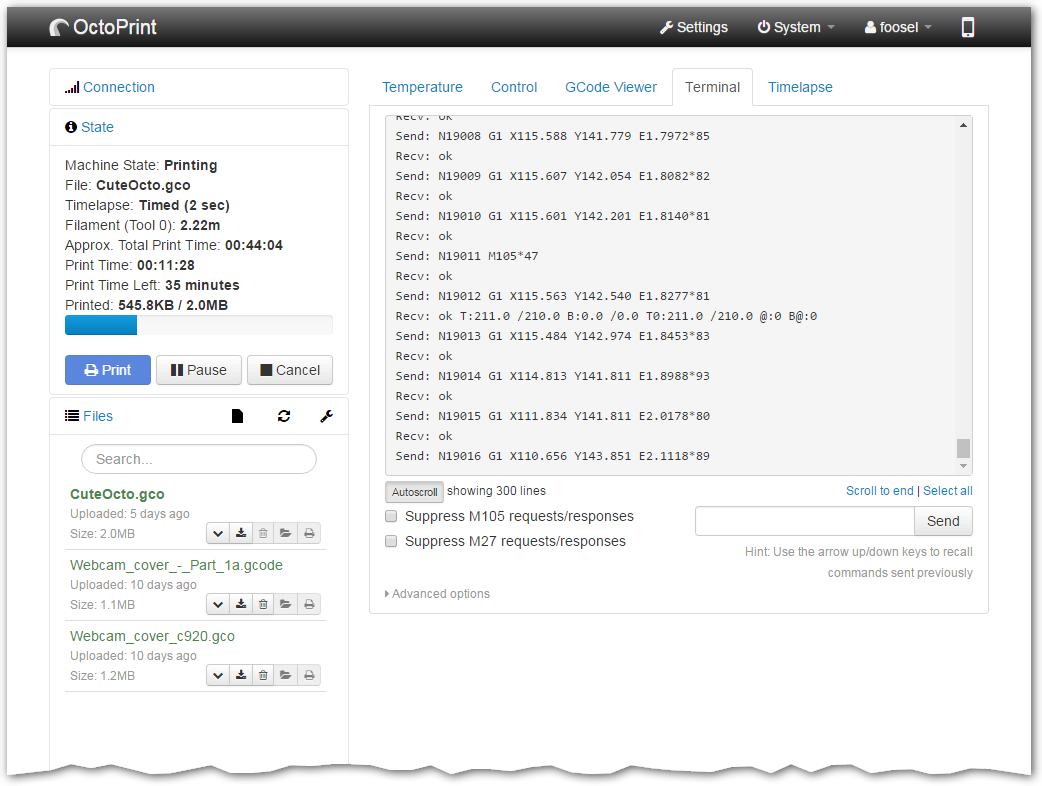
To give printers (and slicers) more control over print time estimation (it's likely they know best how long something will take!), estimations will now also be fetched from the printer connector, if it supports them. In the case of the bundled Serial Connector Plugin, M73 commands contained in the printed GCODE file will now be used to provide print time estimation basically right from your slicer.
-
As there have been plenty of changes to support the new printer connectors, the first class printer storage, and some other things, OctoPrint now supports API versioning on its HTTP APIs. Clients can specify the API version they require with a custom X-OctoPrint-Api-Version header, specifying the OctoPrint version from which they expect the API behaviour and data model, and OctoPrint will match that accordingly. See also the newly added documentation on API versioning.
-
#5194: Improve the performance of the quite expensive /api/files/<storage>/<path> endpoint.
-
PR#5264: Make OctoPrintClient.setCookie be more robust with regards to input parameters.
-
PR#5320: Support for creating remote users (created through an authentication proxy) without a password instead of a random generated one.
-
PR#5321: Add an (optional) configuration setting of trusted authentication proxies, accessControl.trustedAuthProxies. If trusted authentication proxies (address or range, like trusted reverse proxies) are configured, the chain of trusted involved reverse proxies will be checked for any of the authentication proxies. Only if an authentication proxy was involved in the request will the remote user header then be evaluated. This is an additional security measure.
This new setting also replaces the existing accessControl.trustRemoteUser setting. An empty list here (the default) corresponds to the former default value of false for accessControl.trustRemoteUser. If you had accessControl.trustRemoteUser set to true, a default list of trusted authentication proxies will be set that matches your configured trusted reverse proxies, effectively matching the previous behaviour.
See also PR#5334.
-
PR#5355: Setting a new password for users without a configured password (e.g. remote users created through an authentication proxy) will now be possible through the user settings panel, no longer requiring the manual intervention of an admin.
-
#5385: Add migration for terminal filters to new filter prefixes. Also improve migration guide accordingly.
-
Added the used printer connector to various printer related events.
-
Now compatible to Python 3.14 & 3.15.
Core UI
- Add option to the sidebar file manager's menu to (recursively) refresh the current storage's & path's thumbnails (if supported).
- Add support for hiding non-stock marks on the temperature graph.
- Add "Printing" chart marker: shows start of actual job processing after initial preheating, leveling, etc.
GCODE Viewer Plugin
- #1122: Add M218 tool offset support (via PR#5228)
- Support old
loadFile signature on view model as apparently used by third party plugins out there (e.g. UICustomizer)
Healthcheck Plugin
- Add health check hint for unusable
gcode_thumbnail_tool with link to the FAQ entry.
Plugin Manager
- Add more filter options to the plugin repository browser: It's now possible to filter out any plugins marked as commercial or AI developed.
- Add display of the
ai-developed attribute added on the plugin repository.
Serial Connector Plugin (former comm layer)
- #5469: Support printer firmware that doesn't send
File selected after File opened messages (e.g. Prusa Buddy Firmware).
Software Update Plugin
- Add support for
forgejo_release and forgejo_commit version check types, which enable version checks against Forgejo code forges such as Codeberg. For Codeberg specifically, there's also codeberg_release and codeberg_commit which internally gets remapped to forgejo_* with the correct forge parameter.
Virtual Printer Plugin
- PR#5137: Implement support for
M106, M107 and M123
Docs
- Add more examples to the migration guide and deprecation list.
- Add docs for
octoprint.util.version.
- Explain special handling of multipart requests.
🐛 Bug fixes
Core
- PR#5139: Provide default implementation for
PrinterMixin.get_state_id.
- PR#5232: Fix settings value preprocessors not getting applied to nested values.
- PR#5261: Fix error reporting when entering the wrong current password when attempting to change it via Settings > Access Control (vs User Settings).
- PR#5263: Prevent re-authentication prompt when changing your own password (which already requires you to provider your current password).
- PR#5271: Fix creation of folders not triggering focus on them.
- #5279: Detect changes on the remote user header and invalidate the current session if it changes.
- PR#5287: Fix terminal command history not being properly trimmed.
- PR#5295: Fix job key used for caching file information in the printer state panel not getting reset on job deselect.
- PR#5306: Fix handling of installing a plugin with a mismatching python requirement.
- PR#5316: Disallow cyclic sub grouping, leading to crashes. To explain: It was possible before to make a group a subgroup of itself, which would lead to a recursion bug, requiring manual fixes in OctoPrint's config folder. This is no longer possible.
- PR#5348: Fix the printer profiles API's behaviour when targetting non-existing printer profile IDs. It now returns
404 Not Found in such a case instead of touching the default printer profile.
- PR#5252: Fix logs in
sockjs.py being filtered twice.
- PR#5256: Fix built-in print time estimator never using the weighted estimate between statistical data and intelligent data, instead always falling back to the dumb linear estimation.
- PR#5308: Fix the
jog command always being interpreted as relative.
- PR#5318: Properly escape the user name in the "Uploaded by" string.
- PR#5320: Fix global API key being reset when a new remote user was created through an authentication proxy.
- PR#5330: Fix the jsclient function
OctoPrintClient.files.upload() not working when the documented userdata parameter was provided.
- PR#5335: Fix a variable name shadowing built-ins in
octoprint.util.json.JsonEncoding
- PR#5351: Make normalization of booleans more consistent across the code base.
- PR#5355: Fix the credential check workflow being triggered even for users without a configured password (e.g. remote users created through an authentication proxy).
- PR#5114, PR#5160, PR#5166, PR#5167, PR#5238, PR#5241, PR#5286, PR#5315, PR#5328, PR#5332, PR#5333, PR#5336, PR#5346: Various minor bug, code, test, typo, wording & deprecation warning fixes all across the code base.
- #5377 (regression): Fix evaluation of print parameter on upload API.
- #5379 (regression): Fix deselection of current print job not working.
- #5380 (regression): Allow
None filament weight in /api/job response.
- #5390 (regression): Gracefully handle unavailability of
gcode_thumbnail_tool due to missing OS dependencies.
- #5393 (regression): Fix file/folder move from root directory.
- (regression) Fix file commands on storage root.
- (regression) Fix stopping and starting of analysis queue.
- #5404 (regression): Fix "Hide successfully printed files" option in the file list breaking its processing due to JS errors inside the filter.
- #5419 (regression): Fix
/api/job throwing an error in case of a non-int progress.
- #5421 (regression): Fix crash in
Printer.get_current_temperatures when printer connector doesn't support temperature offsets.
- PR#5422 (regression): Fix download filenames containing a
,
- #5425: Add reauth requirement for setting
defaultReauthenticationTimeout via UI/settings API.
- #5429: Limit settings paths available with
SETTINGS_READ permission to frontend relevant settings.
- PR#5450: Reject
NaN & Inf when saving file metadata
- #5454 (regression): Fix wrong check inside local storage that under very limited circumstances could lead to a limited path traversal vulnerability on the download API endpoint.
- #5466 (regression): Fix metadata refresh on file upload. A cache was not being emptied correctly.
- #5469: Properly handle empty print job
progress. Can happen if for some reason the printer's job cannot be found.
- PR#5484: Fix a race condition inside the storage manager's backlog fetch.
- #5485 (regression): Fix print progress updates not getting sent to plugins if progress reporting by the printer was available.
- (regression) Handle broken analysis, statistics & history metadata on files instead of just ignoring the whole file for the file list. Try to transparently sanitize data were needed, remove completely invalid data as needed.
- (regression) Fix a race condition causing the
PrintFailed event to be sent with the wrong payload.
- (regression) Properly handle progress reporting for an unset job.
- Improve parsing performance of
multipart requests, and improve validation & sanity checking of incoming multipart requests.
- The
subscribe request on the websocket no longer supports regular expressions for filtering pushed log messages against as logs parameter. Instead, a basic filter string can be provided, which has to be either a term that has to be contained in matched lines (foo), or a common prefix (foo*) or suffix (*foo).
- The language pack deletion endpoint now checks for validity of the provided
locale and also validates that the path to be deleted is fully contained within the language folder.
- Accounts with only the
SLICE permission can no longer request to select or start the print of a freshly sliced GCODE.
- Fix repo file links still pointing to
master vs main.
- Update
gcode-thumbnail-tool to fix extraction of thumbnails generated by Creality Print 7.x
- Fix versioning without available tags.
- Fix standard options on
octoprint config not working as they should. E.g. the --basedir option was ignored unless it came before the config subcommand.
- Fix the config schema to include default chamber values of 0. That also fixed the issue that the frontend would always send all temperature profiles on every settings save, even if there were no changes to them, due to an internal conversion due to the missing schema entry.
- Replace use of deprecated
inspect.getargspec (backported from PR#5464).
- Fix logging of invalid wizard versions (backported from PR#5464).
Core UI
- #5375 (regression): Fix broken availability logic on connection button.
- #5384 (regression): Fix "Update User" button in access settings.
- #5386 (regression): Fix some template permission checks broken during removal of deprecated code.
- #5438: Get rid of the deprecated
babel-polyfill dependency that was causing performance issues on the UI.
- Ensure temperature graph marks don't wrap.
- Improve resilience against various runtime data issues.
Achievements Plugin
- Remove a logic error in evaluating cancelled vs failed prints & adjusted related achievement wording. See also PR#5256
Announcements Plugin
- More sanitizing of incoming feed content to protect against potential XSS attacks through misconfigured feed addresses (see also PR#5338)
Anonymous Usage Plugin
- PR#5270: Fix tracking of slicer name on
slicing_started tracking event.
Application Keys Plugin
- Remove the undocumented
redirect parameter.
Backup Plugin
- Only allow uploading a backup to restore during the initial setup wizard while no initial admin user has been created.
Discovery Plugin
- #5203: Make sure the mandatory field
modelName is always set on uPnP responses
- PR#5445 (regression): Re-expose public discovery data on the settings API (for logged-in users), as with Home Assistant at least one third party client depends on the UUID being available there.
Gcode Viewer Plugin
- #5408 (regression): Fix syncing with job progress.
- PR#5446: Stop decompressing the model twice. This is a performance improvement.
Health Check Plugin
- (regression) Make storage thresholds available again on the settings API.
Plugin Manager
- #5382: Fix support for pip VCS URL schemes as archive URL.
Serial Connector Plugin (former comm layer)
- PR#5259: Fix crash on connection when having configured a non existing baudrate option in the baudrate blocklist.
- PR#5296: Fix chamber temperature not being provided to GCODE scripts template context.
- #5420: Fix thread leak when connecting to a serial port that doesn't respond to the handshake attempts.
- #5481 (regression): Fix a logic error introduced by implementing #5469.
- (regression) Gracefully handle unknown file reported by printer as selected for printing.
- Fix error handling in serial detection. A serial error raised during detection should not cause the whole detection workflow to stop, but rather just switch to the next test option.
- Fix wrong
seek signature for streaming opened file handles (backported from PR#5464).
Software Update Plugin
- #5400: Fix default tracked branch for OctoPrint commit tracking, was still pointing to
master instead of main.
- Fix default user for OctoPrint release check, was still pointing to
foosel instead of OctoPrint (though was also redirected).
Tracking Plugin
- Fix tracking of
printer_connected event if the current connector doesn't send a FirmwareData event (prevented tracking of BambuConnector use).
Virtual Printer Plugin
- PR#5268: Fix crash in virtual printer on receiving
G28 E.
Docs
- #5394: Fix an example still referring to a removed function.
- PR#5449: Fix
FileDestinations.SDCARD notes in migration guide
- Fix the reason for various warnings
🎉 Special thanks to all the contributors!
Special thanks to everyone who contributed to this release, especially to @Ajimaru, @beelsebob, @bradyjoh, @emmanuel-ferdman, @Hillshum, @jacopotediosi, @jneilliii, @kubedzero and @willschlitzer for their PRs!
And an extra shoutout to our 7 first time contributors: @Ajimaru, @beelsebob, @bradyjoh, @emmanuel-ferdman, @Hillshum, @kubedzero and @willschlitzer! 🎉
🔗 More information



 BambuddySelf-hosted Bambu Lab printer control plane with local monitoring, print queuing, archiving, browser slicing, and filament tracking — no vendor cloud needed.CompareBambuddy with Octoprint
 FluiddOpen-source, self-hosted Klipper web UI for 3D printers: customizable dashboards, dark themes, G-code viewer, webcams, print history; runs via Docker or KIAUH.CompareFluidd with Octoprint
 MainsailSelf-hosted web interface for Klipper 3D printers. Multi-printer support, print history, file management, customizable dashboards, webcam integration, power control.CompareMainsail with Octoprint
 MainsailOSMainsailOS is a self-hosted, open-source prebuilt OS image for SBCs with Klipper, Moonraker, Mainsail UI, Crowsnest, and Sonar for 3D printer control.CompareMainsailOS with Octoprint
 Print Farm ManagerSelf-hosted web app to manage fleets of 3D printers from Prusa, Bambu Lab, Elegoo, and Klipper with live monitoring, automated job scheduling, and zero cloud reliance.ComparePrint Farm Manager with Octoprint
 MakersVaultSelf-hosted web app for organizing 3D printing files with interactive 3D previews, folder tagging, and slicer integration.CompareMakersVault with Octoprint
 PrintStashSelf-hosted 3D printing workspace linking models to sliced revisions, print outcomes, and compatible printers. All storage stays on your hardware.ComparePrintStash with Octoprint
 bamdudeSelf-hosted, open-source command center for Bambu Lab 3D printers with real-time monitoring, per-printer queues, print archiving, Telegram bot, and filament tracking.Comparebamdude with Octoprint
 PrintGuardSelf-hosted 3D print monitor that detects failures locally, pauses prints via OctoPrint/Klipper/Prusa/Bambu, and alerts via ntfy/Pushover/Telegram/Discord — no cloud.
 SketchForgeBrowser-based 3D CAD tool you host yourself. Model with primitives, boolean ops, chamfer/fillet, import STL, export STL/OBJ/STEP. No accounts, no cloud.
 SpoolmanOpen-source, self-hosted filament spool tracker for 3D printers, with live weight updates from OctoPrint and Moonraker, a REST API, and QR code labels.
 StepifiStepifi is a self-hosted web app that converts STL/3MF meshes to STEP solids for CAD software. Runs via Docker with no file size limits or cloud dependencies.
 stl-shelfSelf-hosted 3D model library organizing printing files with tags, versions, and browser previews. For makers and print farms.
 ThingportSelf-hosted 3D model library importing from 10+ sites with 3D preview, synced collections, AI categorization, OIDC SSO, dark/light themes, and slicer integration.
 TracefinityTracefinity is a self-hosted, open-source web app that turns tool photos into 3D-printable gridfinity bins using local AI or cloud APIs.
 BlenderSelf-hosted, open-source Docker container running Blender 3D graphics software with hardware-accelerated web access via HTTPS on port 3001, maintained by LinuxServer.io.
0 comments