
Self-host MakersVault
v5Self-hosted 3D print file manager with in-browser previews
- Stars
- 252
- Ports
- 8000 (API (FastAPI)), 5173 (Web UI (Nginx/Vite))
shotgunwilly555/makersvault-web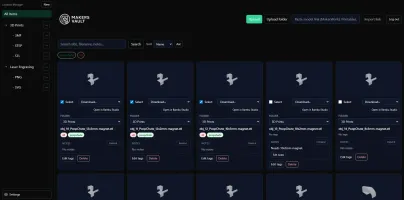





What is MakersVault?
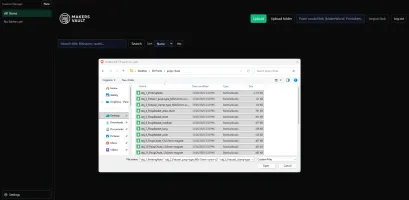
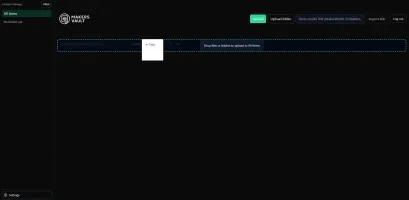
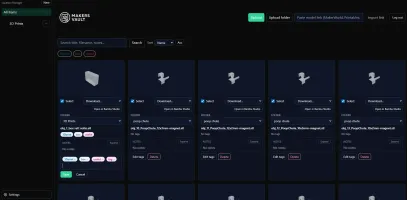
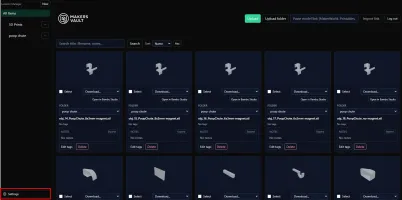
Makers Vault is a self-hosted web application for managing 3D printing files and creative illustrations. It provides a browser-based interface to organize files into folders, tag them, add notes, and preview 3D models interactively using three.js. Users can import models directly from MakerWorld, Printables, and Thingiverse via URL, and open files in their local slicer through a companion bridge application. The stack uses React/TypeScript for the frontend, FastAPI with SQLite for the backend, and deploys via Docker Compose. It supports light/dark themes, batch operations, and configurable storage paths. The project is in beta (v5.1.2) with authentication defaults suitable only for trusted local networks.
Should you self-host MakersVault?
MakersVault scores 45/100 on selfhost.directory (how scoring works) and ranks #26 of 34 in File Management. It has 252 GitHub stars.
It shipped 1 stable release in the past year. The latest, v5, came out on 1 January 2026.
Setup is moderate: expect some configuration beyond a single command. An official Docker image is available. It is MIT-licensed and written mostly in Python.
Its closest alternative on selfhost.directory is AList (83/100, 50 365 stars). It scores higher overall, so compare the two before you pick. See MakersVault vs AList side by side.
Features
- 3D Model Preview
- Batch Operations
- Configurable Storage Paths
- Drag and Drop Upload
- File Notes
- Folder Organization
- Import from URLBeta feature
- Mounted Folder Import
- Open in SlicerBeta; requires separate Slicer Bridge installation on client machine
- Prepared Print Metadata
- Supporting Files
- Tagging
- ZIP Import Handling
MakersVault README
More in 3D Printing
 ManyfoldSelf-hosted, open-source catalogue for your 3D printing files: scan libraries, view models in interactive 3D, tidy them on disk, and share through the Fediverse.
 mkw2Self-hosted 3D printing commerce platform for print labs with storefront, instant quoting, checkout, and production backend integrating inventory and printer management.
 ObicoObico Server is the self-hostable backend of the open-source Obico 3D printing platform: remote monitoring, streaming and AI failure detection for OctoPrint/Klipper.
 OctoprintSelf-hosted open-source web UI to control and monitor 3D printers from a browser: webcam feed, GCODE viewer, slicing, timelapses, plugin system.
 Print Farm ManagerSelf-hosted web app to manage fleets of 3D printers from Prusa, Bambu Lab, Elegoo, and Klipper with live monitoring, automated job scheduling, and zero cloud reliance.
 PrintGuardSelf-hosted 3D print monitor that detects failures locally, pauses prints via OctoPrint/Klipper/Prusa/Bambu, and alerts via ntfy/Pushover/Telegram/Discord — no cloud.
 PrintStashSelf-hosted 3D printing workspace linking models to sliced revisions, print outcomes, and compatible printers. All storage stays on your hardware.
 SketchForgeBrowser-based 3D CAD tool you host yourself. Model with primitives, boolean ops, chamfer/fillet, import STL, export STL/OBJ/STEP. No accounts, no cloud.
 SpoolmanOpen-source, self-hosted filament spool tracker for 3D printers, with live weight updates from OctoPrint and Moonraker, a REST API, and QR code labels.
 StepifiStepifi is a self-hosted web app that converts STL/3MF meshes to STEP solids for CAD software. Runs via Docker with no file size limits or cloud dependencies.
 stl-shelfSelf-hosted 3D model library organizing printing files with tags, versions, and browser previews. For makers and print farms.
 ThingportSelf-hosted 3D model library importing from 10+ sites with 3D preview, synced collections, AI categorization, OIDC SSO, dark/light themes, and slicer integration.
0 comments