
Self-host Print Farm Manager
v1.0.0Manage multi-brand 3D printer fleets locally
- Stars
- 215
- Ports
- 3000 (API server and web UI (production)), 5173 (Vite dev server (development only))
ghcr.io/joeltelling/print-farm-manager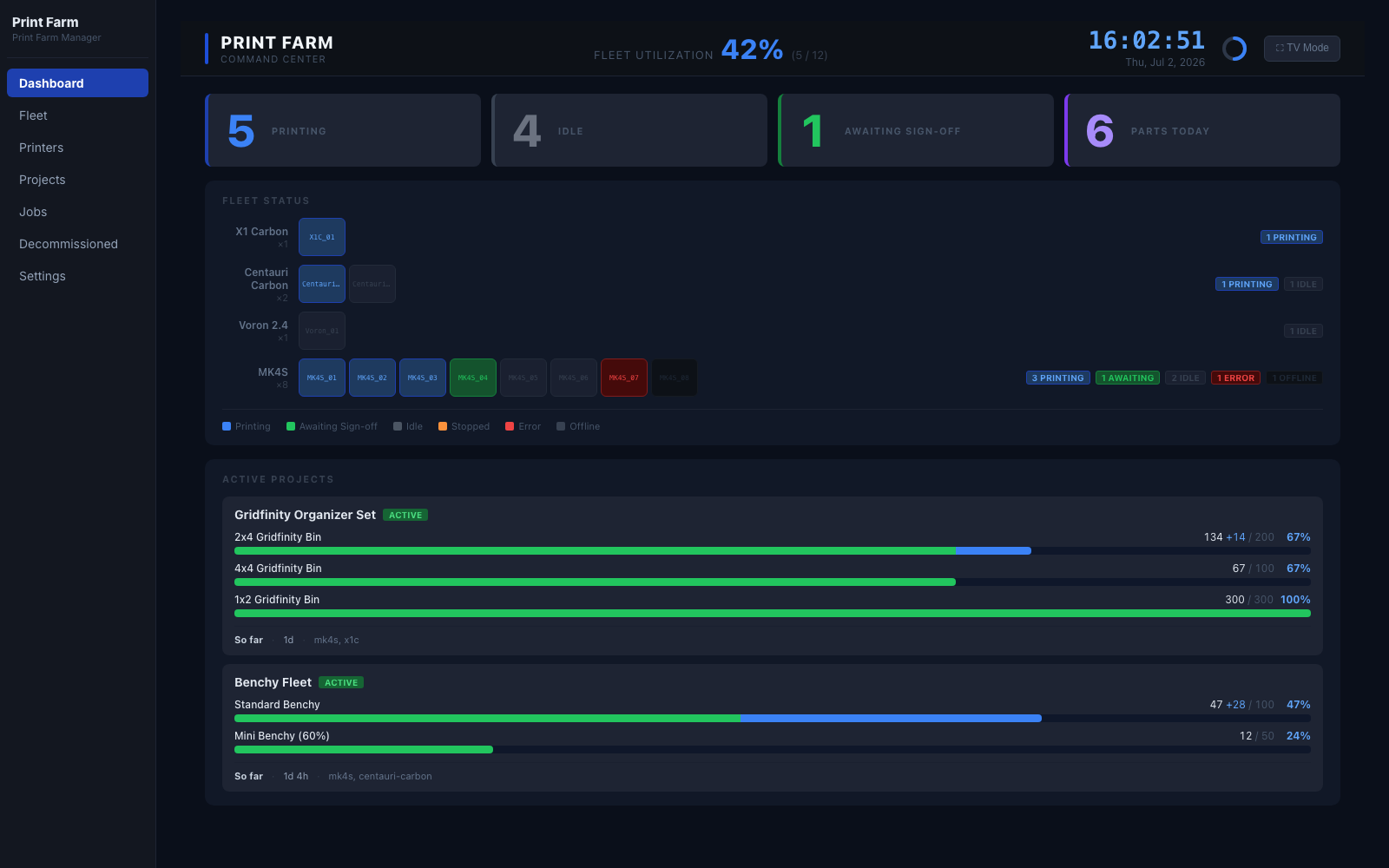
What is Print Farm Manager?
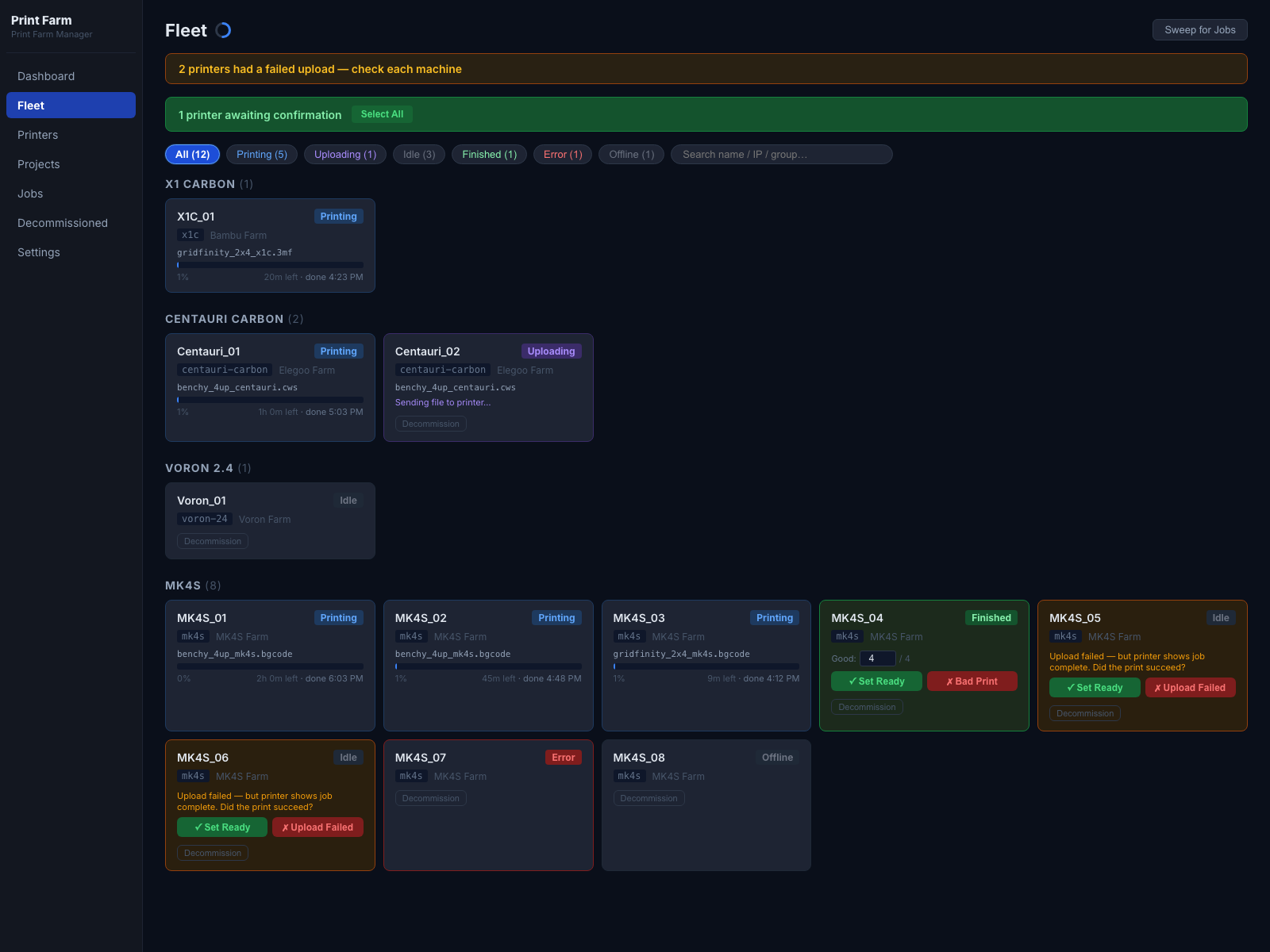
Print Farm Manager is a self-hosted web application for managing fleets of 3D printers from multiple brands including Prusa, Bambu Lab, Elegoo, and Klipper-based printers. It provides a live fleet dashboard that refreshes every fifteen seconds, automated job dispatch with operator confirmation flow, CSV fleet import for bulk printer setup, a TV dashboard mode for shop-floor monitoring, and full farm backup and restore as a single JSON file. The app runs on a dedicated machine on the local network with no cloud dependency, no subscriptions, and no vendor lock-in. It uses an embedded SQLite database requiring no separate database server. Installation options include Docker with multi-arch images on GHCR and bare-metal Node.js 22 LTS with PM2 for process management. The project explicitly states it has no built-in authentication and is designed for trusted local networks only.
Should you self-host Print Farm Manager?
Print Farm Manager scores 47/100 on selfhost.directory (how scoring works) and ranks #17 of 22 in 3D Printing. It has 215 GitHub stars.
It shipped 1 stable release in the past year. The latest, v1.0.0, came out on 2 July 2026.
Setup is moderate: expect some configuration beyond a single command. An official Docker image is available. It is MIT-licensed and written mostly in JavaScript.
Its closest alternative on selfhost.directory is Octoprint (73/100, 9 167 stars). It scores higher overall, so compare the two before you pick. See Print Farm Manager vs Octoprint side by side.
Features
- Automated job dispatch
- CSV fleet import
- Embedded SQLite database
- Farm backup and restore
- Live fleet monitoring
- Multi-brand printer support
- No cloud dependency
- Operator confirmation flow
- TV dashboard mode
Print Farm Manager README
More in 3D Printing
 PrintGuardSelf-hosted 3D print monitor that detects failures locally, pauses prints via OctoPrint/Klipper/Prusa/Bambu, and alerts via ntfy/Pushover/Telegram/Discord — no cloud.
 PrintStashSelf-hosted 3D printing workspace linking models to sliced revisions, print outcomes, and compatible printers. All storage stays on your hardware.
 SketchForgeBrowser-based 3D CAD tool you host yourself. Model with primitives, boolean ops, chamfer/fillet, import STL, export STL/OBJ/STEP. No accounts, no cloud.
 SpoolmanOpen-source, self-hosted filament spool tracker for 3D printers, with live weight updates from OctoPrint and Moonraker, a REST API, and QR code labels.
 StepifiStepifi is a self-hosted web app that converts STL/3MF meshes to STEP solids for CAD software. Runs via Docker with no file size limits or cloud dependencies.
 stl-shelfSelf-hosted 3D model library organizing printing files with tags, versions, and browser previews. For makers and print farms.
 ThingportSelf-hosted 3D model library importing from 10+ sites with 3D preview, synced collections, AI categorization, OIDC SSO, dark/light themes, and slicer integration.
 TracefinityTracefinity is a self-hosted, open-source web app that turns tool photos into 3D-printable gridfinity bins using local AI or cloud APIs.
 BambuddySelf-hosted Bambu Lab printer control plane with local monitoring, print queuing, archiving, browser slicing, and filament tracking — no vendor cloud needed.
 bamdudeSelf-hosted, open-source command center for Bambu Lab 3D printers with real-time monitoring, per-printer queues, print archiving, Telegram bot, and filament tracking.
 BlenderSelf-hosted, open-source Docker container running Blender 3D graphics software with hardware-accelerated web access via HTTPS on port 3001, maintained by LinuxServer.io.
 BlenderOfficial mirror of Blender
0 comments