
Self-host PrintStash
v0.15.0File manager for 3D printing files, STL, 3MF, and G-code
- Stars
- 230
- CPU
- AMD64 or ARM64 host
- RAM
- 1 GB minimum, 2 GB or more recommended
- Storage
- Persistent volume at /data
- Ports
- 3000 (HTTP web UI (frontend nginx)), 8000 (API internal (not exposed to host in advanced deployment))
ghcr.io/xiao-villamor/printstash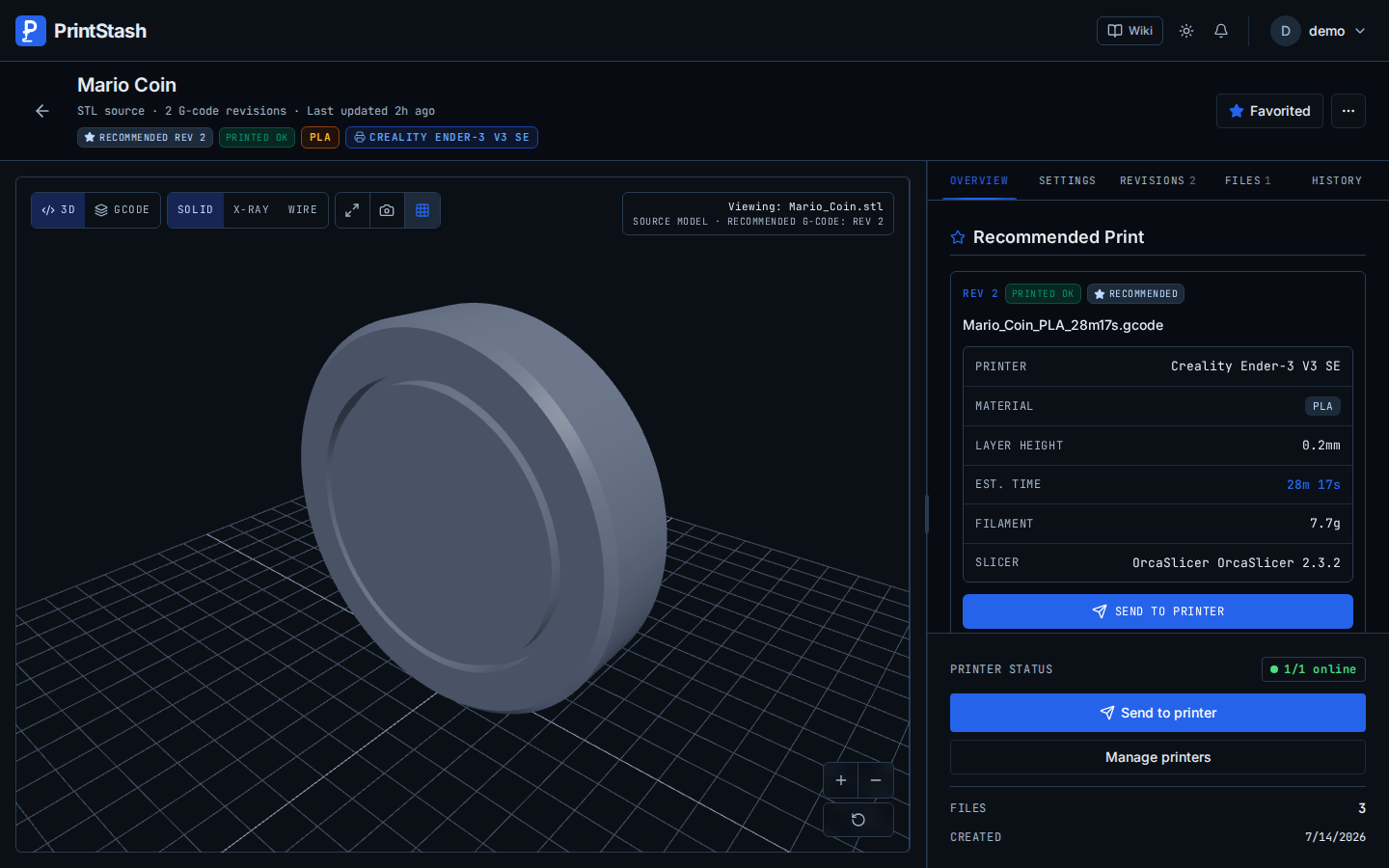
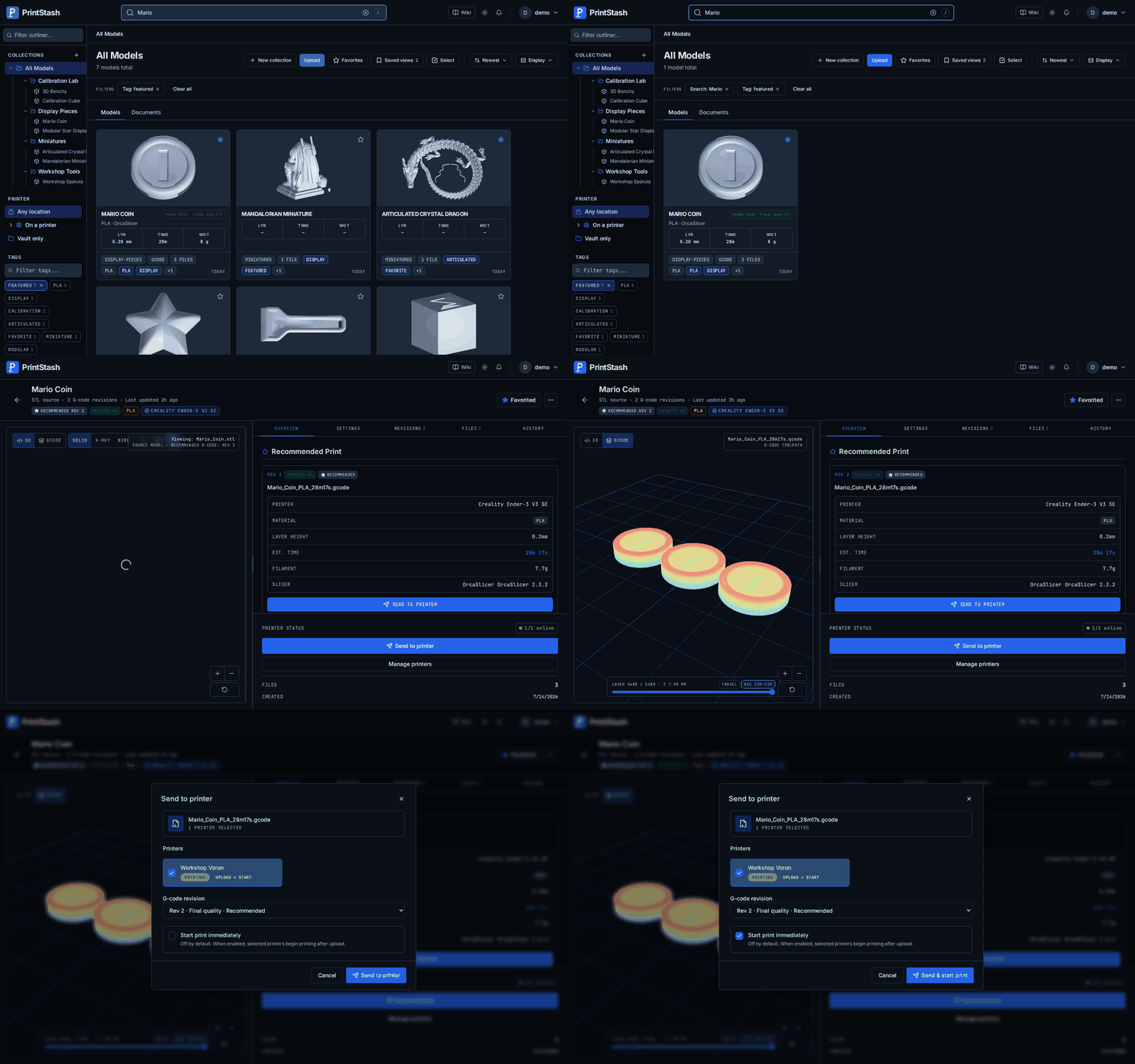
What is PrintStash?
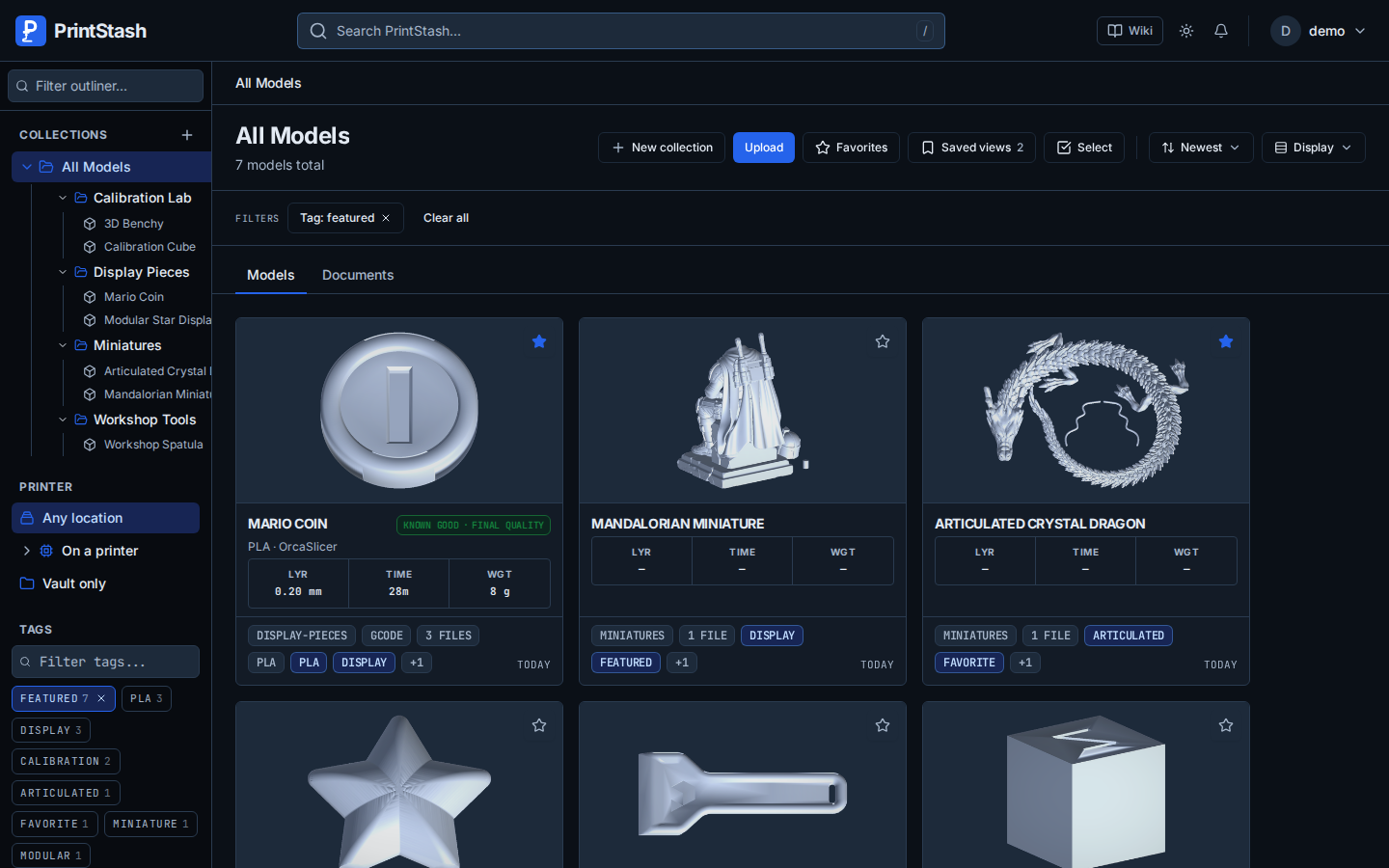
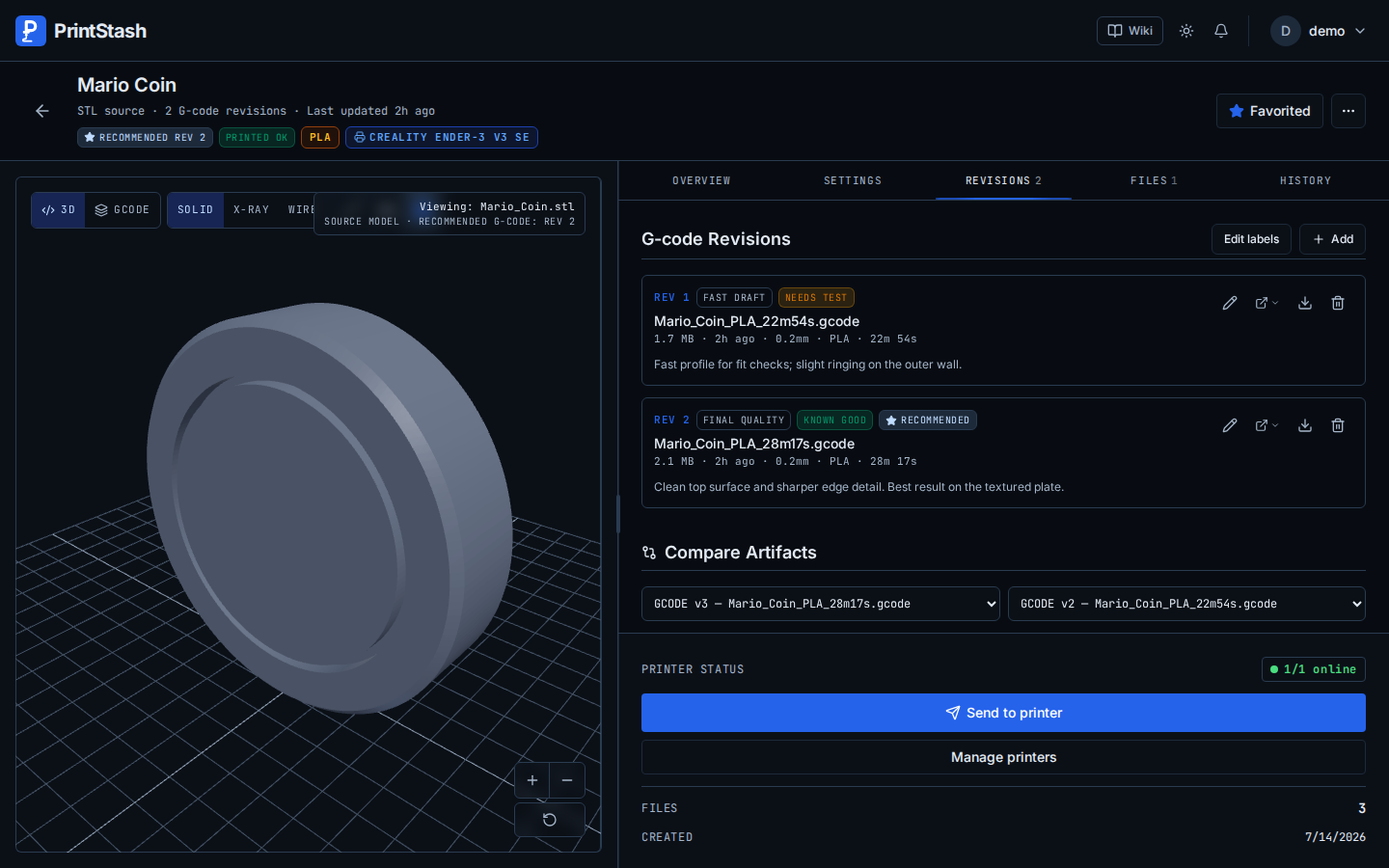
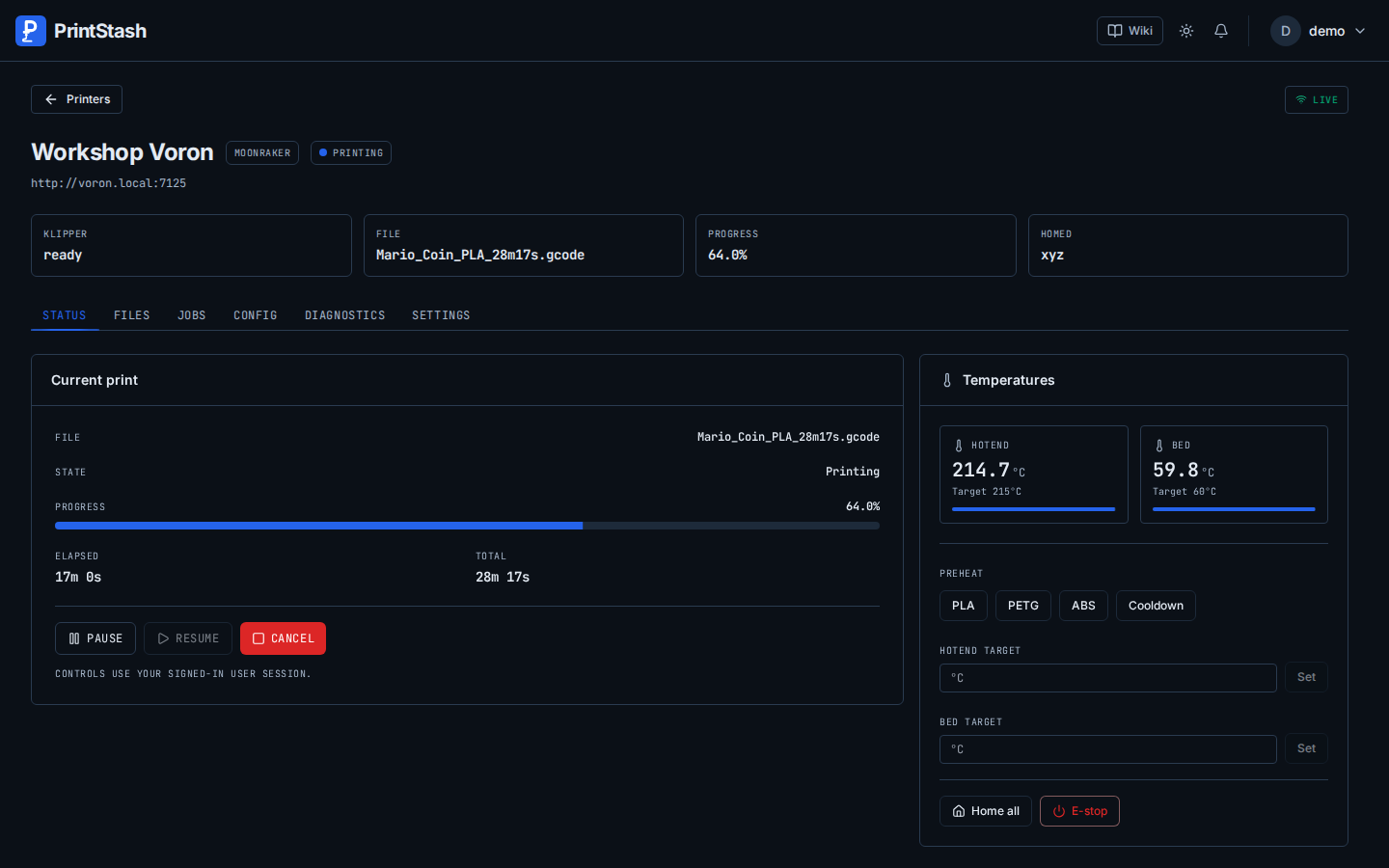
PrintStash is a self-hosted application for managing 3D printing files. It organizes models, their sliced G-code revisions, and print history in one place. The software provides a web interface where you can upload various mesh and G-code formats, group them into collections, add tags, and mark favorites. It renders 3D previews of meshes and shows G-code layer views with slicer settings. Printer integration works with Moonraker/Klipper as the primary stable option, plus Bambu Lab, PrusaLink, OctoPrint, and Elegoo printers in beta. You can track filament usage and costs, optionally syncing with Spoolman for spool inventory and automatic consumption write-back. Backups are verified and can be stored locally or sent to S3, WebDAV, SFTP, or Google Drive. User accounts support granular permissions, API keys, and OpenID Connect single sign-on. Optional AI search enables semantic queries across the library. The standard deployment uses a single Docker container with SQLite; an advanced Compose file adds PostgreSQL, background workers, and S3-compatible storage. GPU acceleration is available for previews and AI workloads but CPU fallback always works.
Should you self-host PrintStash?
PrintStash scores 49/100 on selfhost.directory (how scoring works) and ranks #14 of 22 in 3D Printing. It has 230 GitHub stars.
It shipped 10 stable releases in the past year. The latest, v0.15.0, came out on 22 October 2026. New versions land roughly every 8 days.
Setup is moderate: expect some configuration beyond a single command. An official Docker image is available. It is AGPL-3.0-licensed and written mostly in Python.
Its closest alternative on selfhost.directory is Octoprint (73/100, 9 166 stars). It scores higher overall, so compare the two before you pick. See PrintStash vs Octoprint side by side.
Features
- 3D mesh and G-code preview
- 3D model library management
- AI-powered semantic searchOptional, requires compatible hardware or inference server
- Browser capture import
- Filament tracking and cost calculationSpoolman integration optional
- Flexible Storage BackendsS3 stable; others beta
- GPU acceleration for previews and AIRequires compatible hardware; CPU processing remains available
- Library sources and NAS indexing
- Multipart model support
- OpenID Connect SSO
- OrcaSlicer integration
- Printer monitoring and controlMoonraker/Klipper stable; others beta
- User permissions and API keys
- Verified backups and restore
PrintStash README
More in 3D Printing
 SketchForgeBrowser-based 3D CAD tool you host yourself. Model with primitives, boolean ops, chamfer/fillet, import STL, export STL/OBJ/STEP. No accounts, no cloud.
 SpoolmanOpen-source, self-hosted filament spool tracker for 3D printers, with live weight updates from OctoPrint and Moonraker, a REST API, and QR code labels.
 StepifiStepifi is a self-hosted web app that converts STL/3MF meshes to STEP solids for CAD software. Runs via Docker with no file size limits or cloud dependencies.
 stl-shelfSelf-hosted 3D model library organizing printing files with tags, versions, and browser previews. For makers and print farms.
 ThingportSelf-hosted 3D model library importing from 10+ sites with 3D preview, synced collections, AI categorization, OIDC SSO, dark/light themes, and slicer integration.
 TracefinityTracefinity is a self-hosted, open-source web app that turns tool photos into 3D-printable gridfinity bins using local AI or cloud APIs.
 BambuddySelf-hosted Bambu Lab printer control plane with local monitoring, print queuing, archiving, browser slicing, and filament tracking — no vendor cloud needed.
 bamdudeSelf-hosted, open-source command center for Bambu Lab 3D printers with real-time monitoring, per-printer queues, print archiving, Telegram bot, and filament tracking.
 BlenderSelf-hosted, open-source Docker container running Blender 3D graphics software with hardware-accelerated web access via HTTPS on port 3001, maintained by LinuxServer.io.
 BlenderOfficial mirror of Blender
 fdm-monsterOpen-source self-hosted tool to manage 3D printer farms from one dashboard, supporting OctoPrint, Klipper, PrusaLink, and Bambu Lab.
 filadexFiladex is a self-hosted, open-source filament manager for 3D printing enthusiasts to track inventory, monitor usage, and visualize statistics.
0 comments