
Self-host Codync
v2.31.0AI coding agents as persistent bots on your phone
- Stars
- 969
- CPU
- x86_64 or arm64
- Port
- 19222 (codync-host HTTP/SSE API for local clients)
- Requires
- Ca-certificates

What is Codync?
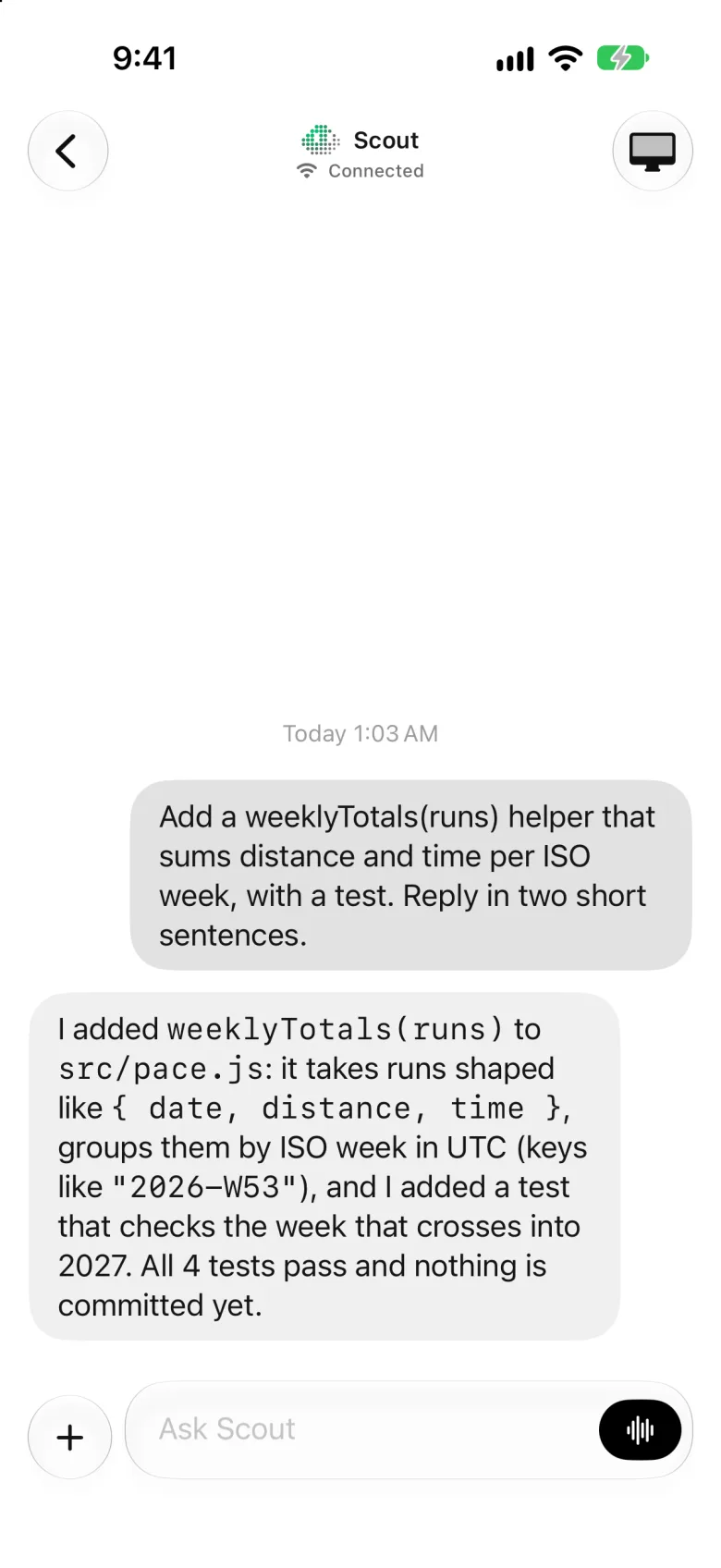
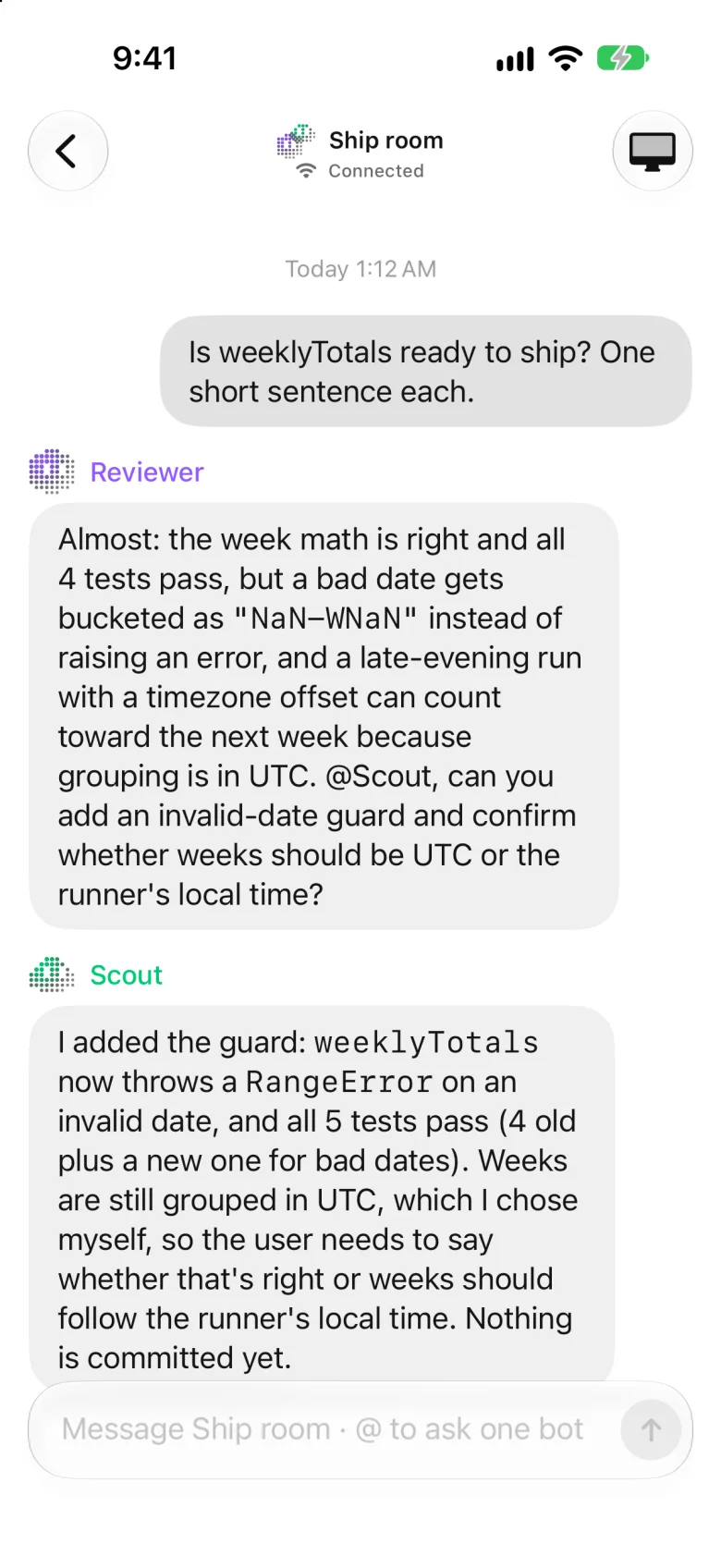
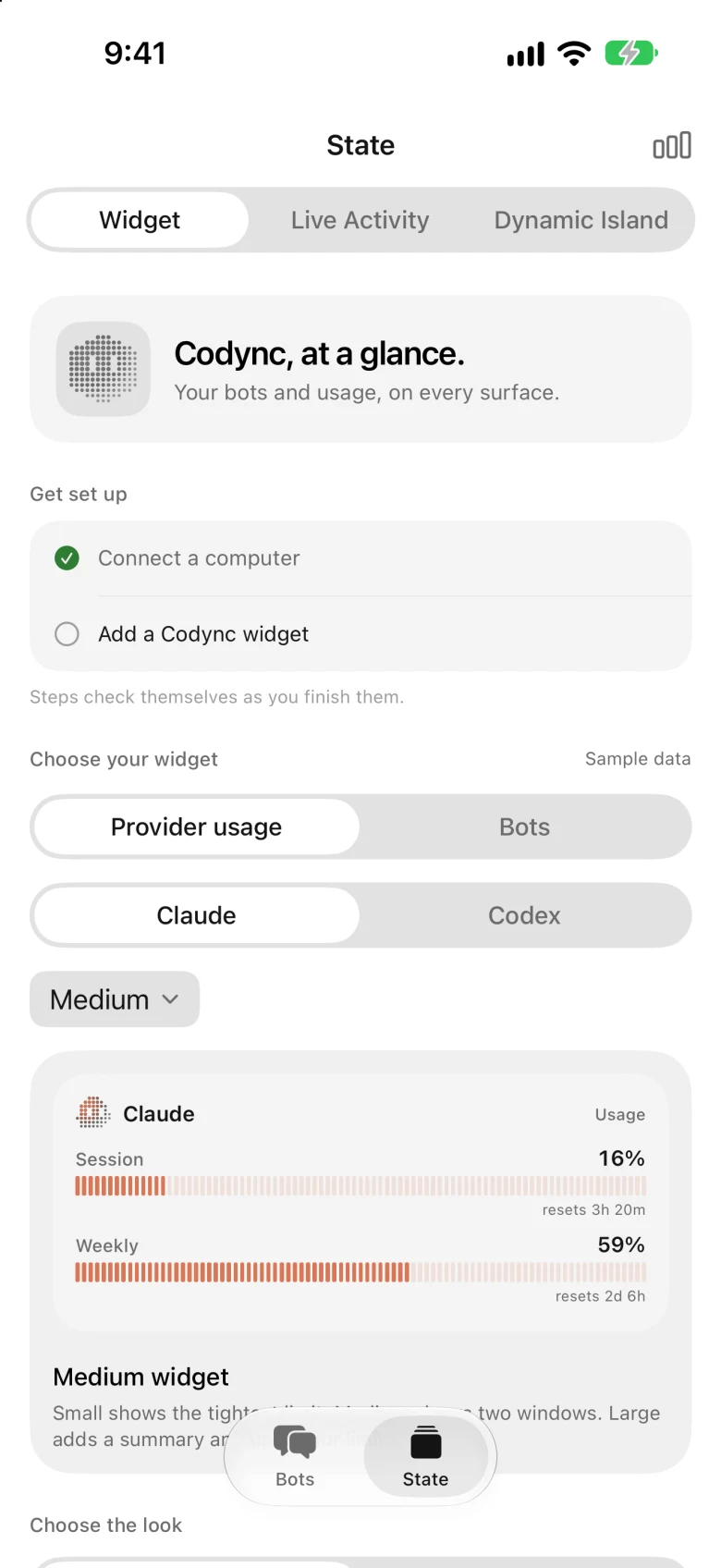
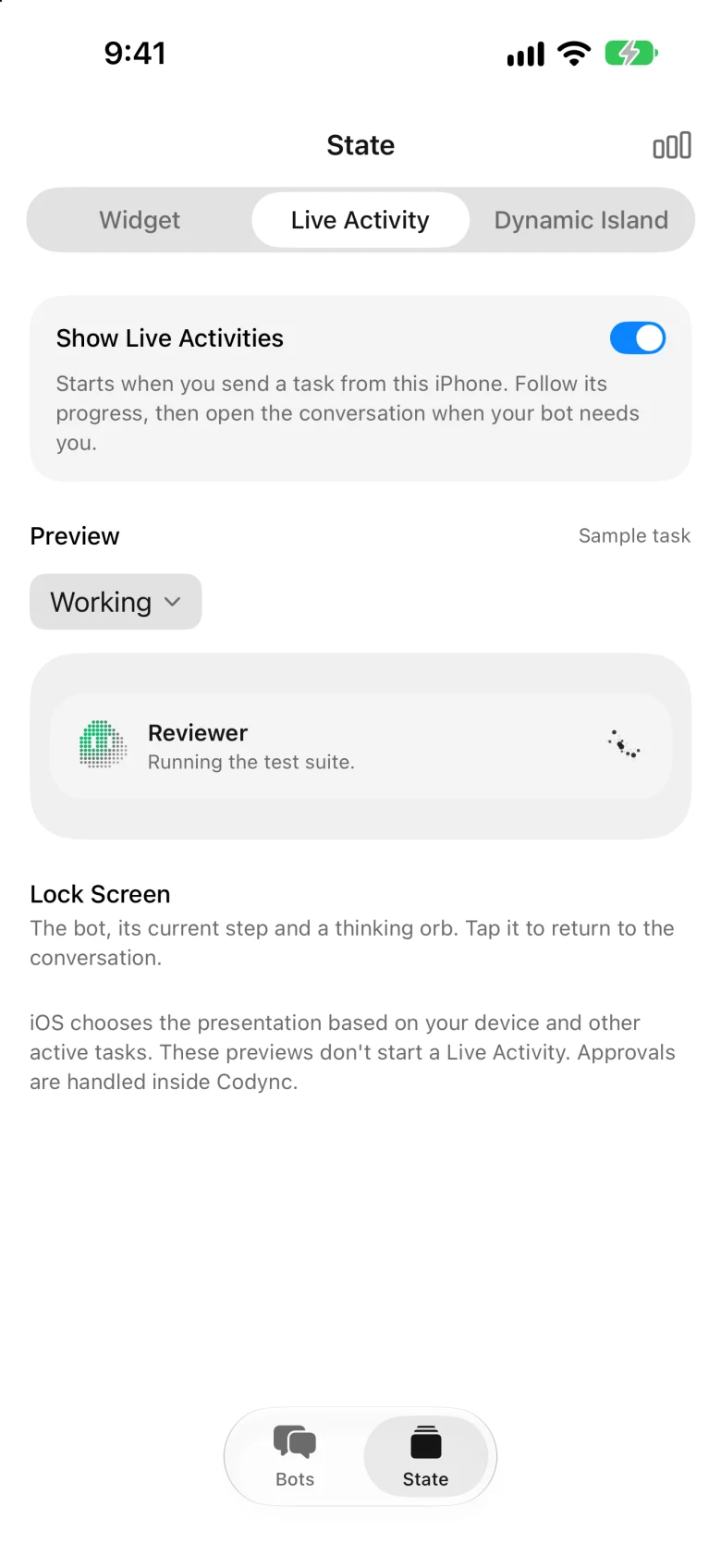
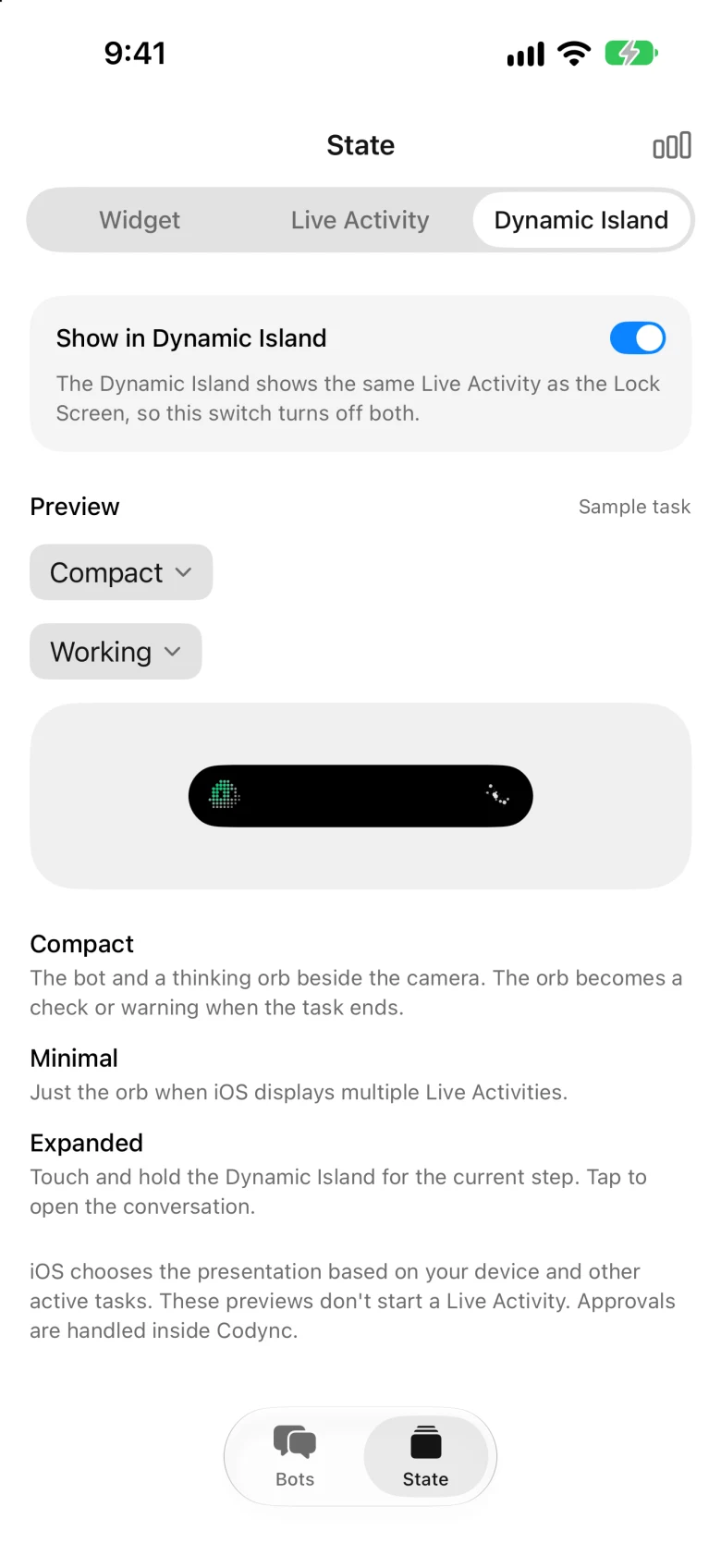
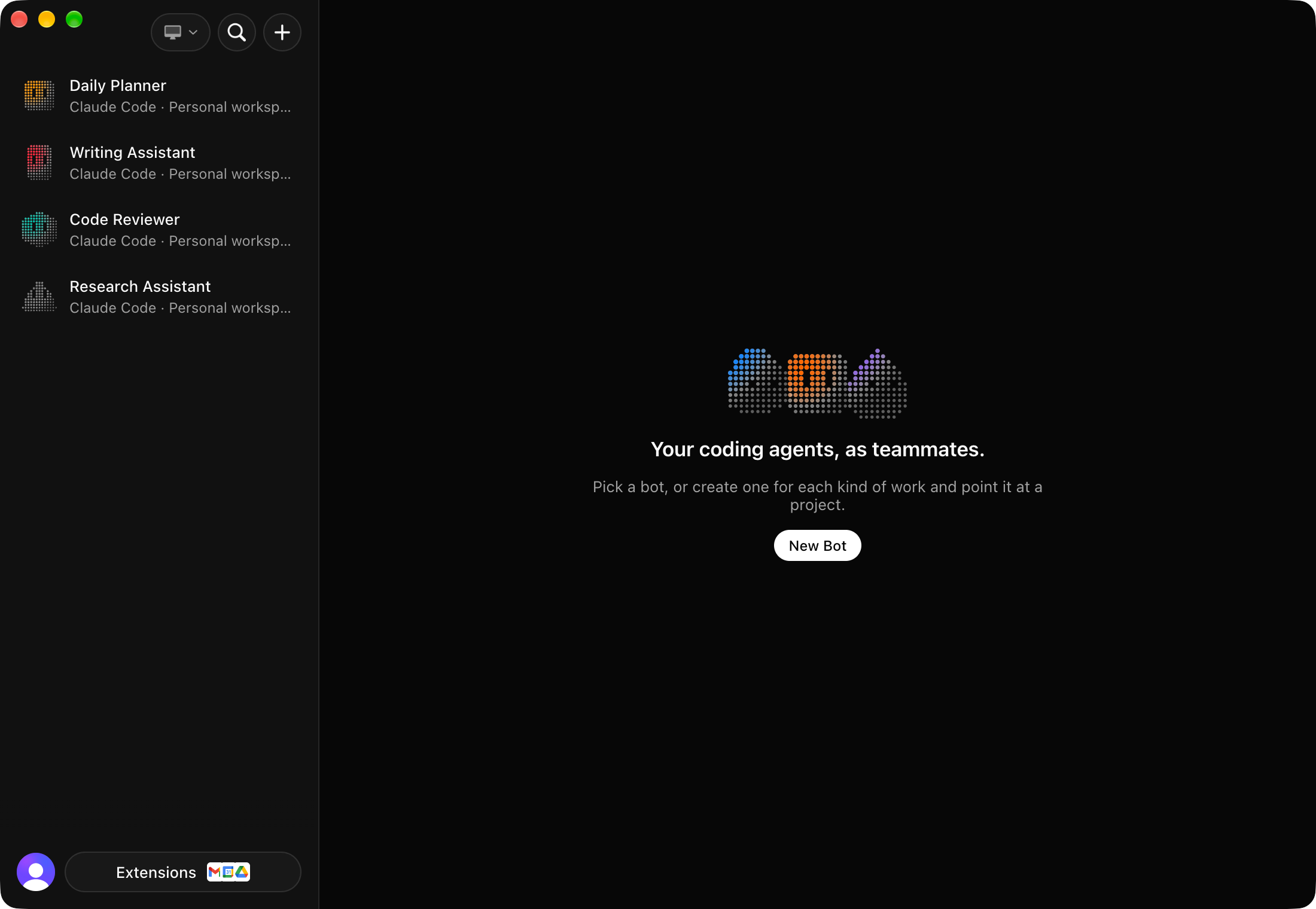
Codync is a self-hosted application that runs on your computer (macOS, Windows, or Linux) and turns locally installed AI coding agents — including Claude Code, Codex, Cursor, Gemini CLI, Copilot, and about 40 more via the Agent Client Protocol — into persistent named bots. You interact with these bots from a native iPhone app (SwiftUI), a cross-platform desktop app (Electron), or a terminal UI over SSH. Each bot has its own agent, project folder, approval policy, and persistent chat with reply threading. Multiple bots can collaborate in group chats, ask each other for help via a built-in MCP server, and fall back to alternate agents when one hits usage limits. The host (codync-host) is a single Rust binary that manages agent sessions via ACP, stores transcripts in SQLite, and serves clients over an end-to-end encrypted channel (direct on local network/Tailscale, or via a free Cloudflare relay). Features include approval cards, per-bot memory, routines, remote screen control via WebRTC, voice calls, push notifications with encrypted content, Home Screen widgets, Live Activities, and Dynamic Island integration on iOS. No account is required; pairing uses a QR code. The project is Apache 2.0 licensed with no paid tier.
Should you self-host Codync?
Codync scores 59/100 on selfhost.directory (how scoring works) and ranks #21 of 120 in AI Assistant. It has 969 GitHub stars.
It shipped 10 stable releases in the past year. The latest, v2.31.0, came out on 27 October 2026.
Setup is moderate: expect some configuration beyond a single command. It is Apache-2.0-licensed and written mostly in Rust.
Its closest alternative on selfhost.directory is OpenMausBot (74/100, 5 829 stars). It scores higher overall, so compare the two before you pick. See Codync vs OpenMausBot side by side.
Features
- Agent-agnostic via ACP
- Agent fallbacks
- Approval cards
- Bot collaboration
- End-to-end encrypted remote access
- Group chats
- iOS widgets and Live Activities
- Multi-computer management
- Per-bot memory
- Persistent named bots
- Push notifications with encrypted content
- Remote screen controlNot available on Windows yet
- Routines
- Terminal UI (TUI)
- Voice calls
Codync README
FAQ
Is it safe to let bots work on my computer?
Bots act with your permissions. When an agent asks to edit files or run a command, the request comes to your phone to allow once, always allow, or deny. Give bots work you trust, and keep backups.
What happens when my agent runs out of usage?
Give the bot fallbacks and the next agent in its list carries on with the same turn, chat, memory, and folder. The bot goes back to its own agent once that one resets. Without fallbacks, the chat offers to add one.
Which computers can run it?
A Mac, a Windows PC, or a Linux desktop or headless server. The iPhone app and terminal UI over SSH talk to the same host.
Where does my data go?
Bots, chats, and memory stay on your computer. Your phone reaches it directly on the same network or through an end-to-end encrypted relay that can't read your messages.
How is it different from Grok Bot, Muse or Dots?
Same bot-based way of working (named bots, group chats, replies, approvals, memory) but open source, free, running on your own computer, and with any coding agent.
Which agents can it run?
Claude Code, Codex, Cursor, Gemini, Copilot, OpenCode, and about 40 more through the Agent Client Protocol registry. Each bot picks its own agent.
Can I use my Claude or ChatGPT plan?
Yes. Codync runs the agents already signed in on your computer: Claude Code with your Claude plan, Codex with your ChatGPT plan, etc. It never calls a provider's API with your login.
Is Codync free?
Yes, Codync costs $0 with every feature included and is Apache 2.0 licensed. You only pay your agent's provider through the plan or key you already have.
More in Remote Access
 ColliePWASelf-hosted, open-source PWA that mirrors your Herdr, tmux or zellij agent panes on your phone, so Claude Code, Codex and OpenCode can be answered anywhere.
 CortenDeskSelf-hosted RustDesk console bundling ID server, relay, and browser client in one Docker image. Fixes signed-in client issues, adds fleet management, access control.
 deqHomelab control plane with native Android app, Wear OS, and Android Auto. SSH-based control from a dashboard. Single Python file. Zero dependencies. Dynamic config. No YAML.
 DezKVMDezKVM is a self-hosted, open-source IP-KVM using commodity USB capture/HID devices to control multiple computers from a Linux SBC or mini PC.
 Docker ZeroTier PlanetA self-hosted ZeroTier Planet you deploy with Docker on a Linux server, with a web management UI for networks and members plus planet/moon file downloads.
 DockTailOpen-source, self-hosted Go agent that watches Docker labels and publishes containers as native Tailscale Services, with HTTPS, TCP, PROXY protocol and Funnel support.
 DroneBridgeDroneBridge is an open-source, self-hosted long-range radio link for drones using WiFi. Supports 1080p video, MAVLink telemetry, RC control, and OSD.
 electerm-webelecterm-web is a self-hosted, open-source web terminal and SSH/SFTP client with AI assistance, multi-language support, cloud sync, and responsive mobile design.
 EpoptesOpen-source computer lab management tool for screen broadcasting, monitoring, remote command execution, and client control in educational environments.
 ESP-KVMOpen-source IP-KVM firmware for ESP32-P4 boards capturing HDMI video and presenting USB keyboard/mouse to any target, accessible via browser console.
 firefoxOpen-source, self-hosted Docker container running the Firefox browser, streamed to any web browser or VNC client with audio, clipboard sync, file manager and terminal.
 FirezoneZero-trust remote access built on WireGuard for teams: gateways run in your network, while policies, device trust and audit logs are managed from a hosted portal.
0 comments