Self-host tinykit
v0.0.1Open-source AI app builder for self-hosted web apps
- Stars
- 525
- CPU
- 1 core
- RAM
- 1GB minimum, 2GB recommended
- Storage
- 5GB minimum
- Ports
- 3000 (Production server port), 5173 (Development server port)
- Requires
- Node.js
What is tinykit?
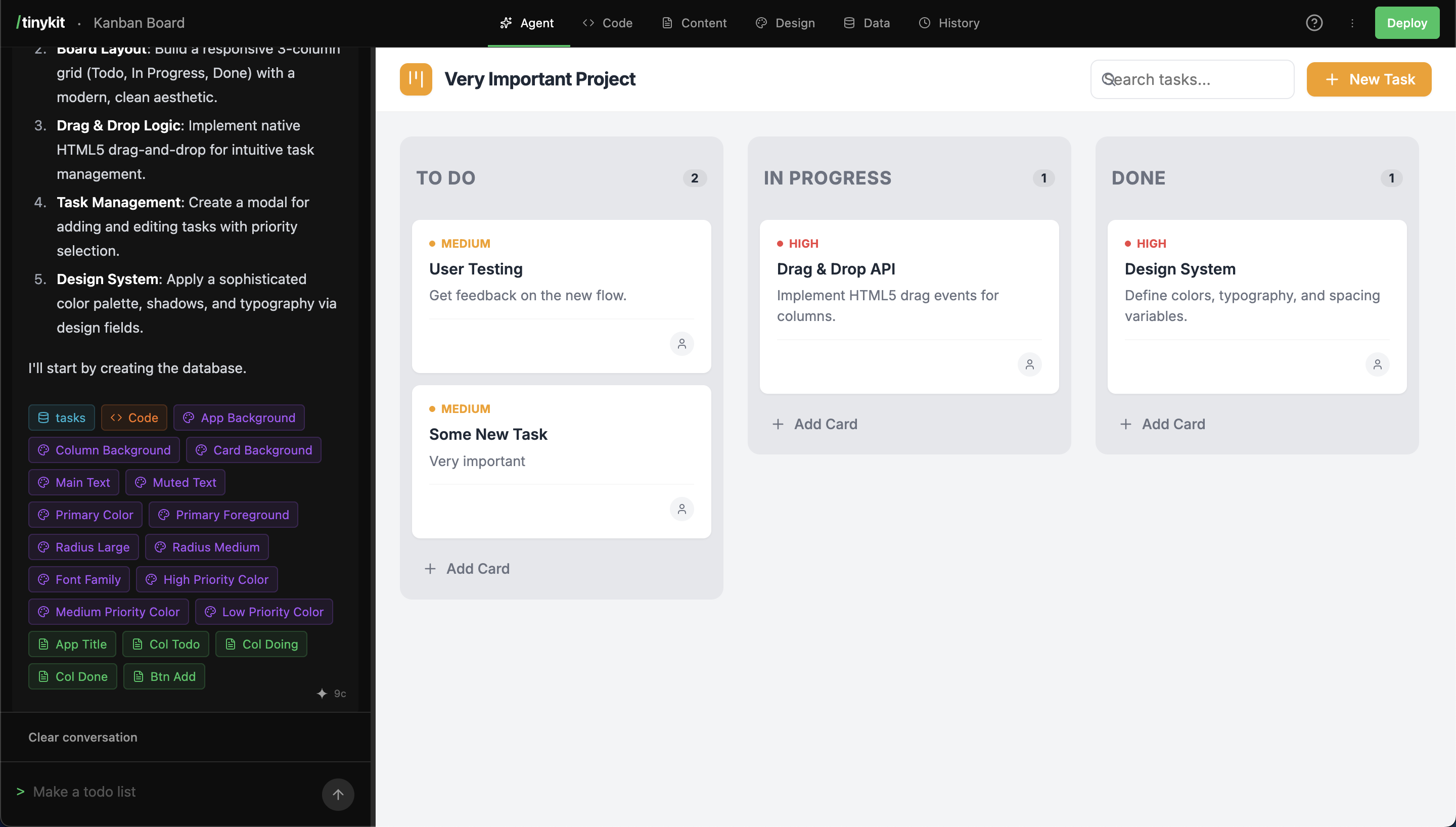
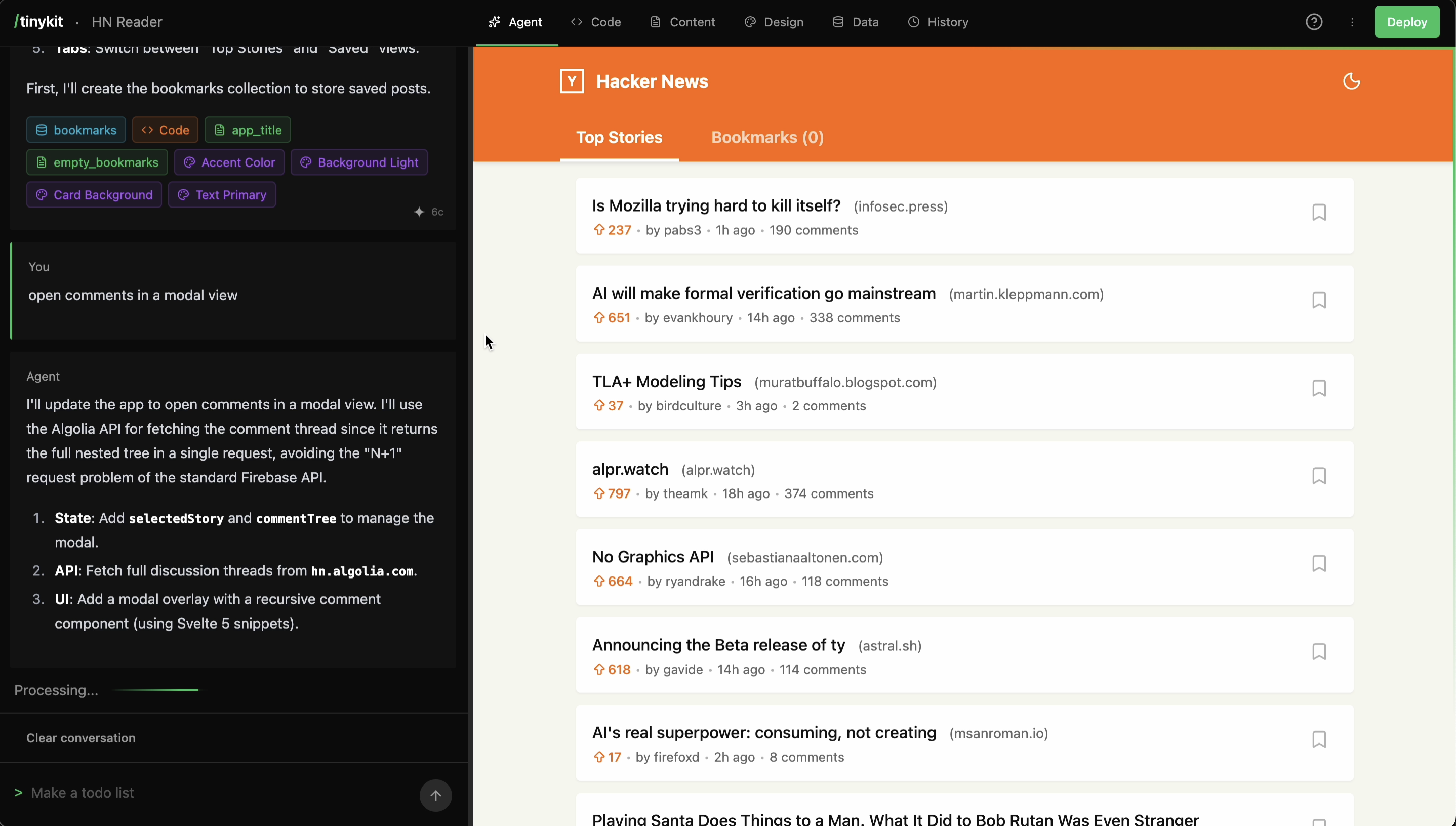
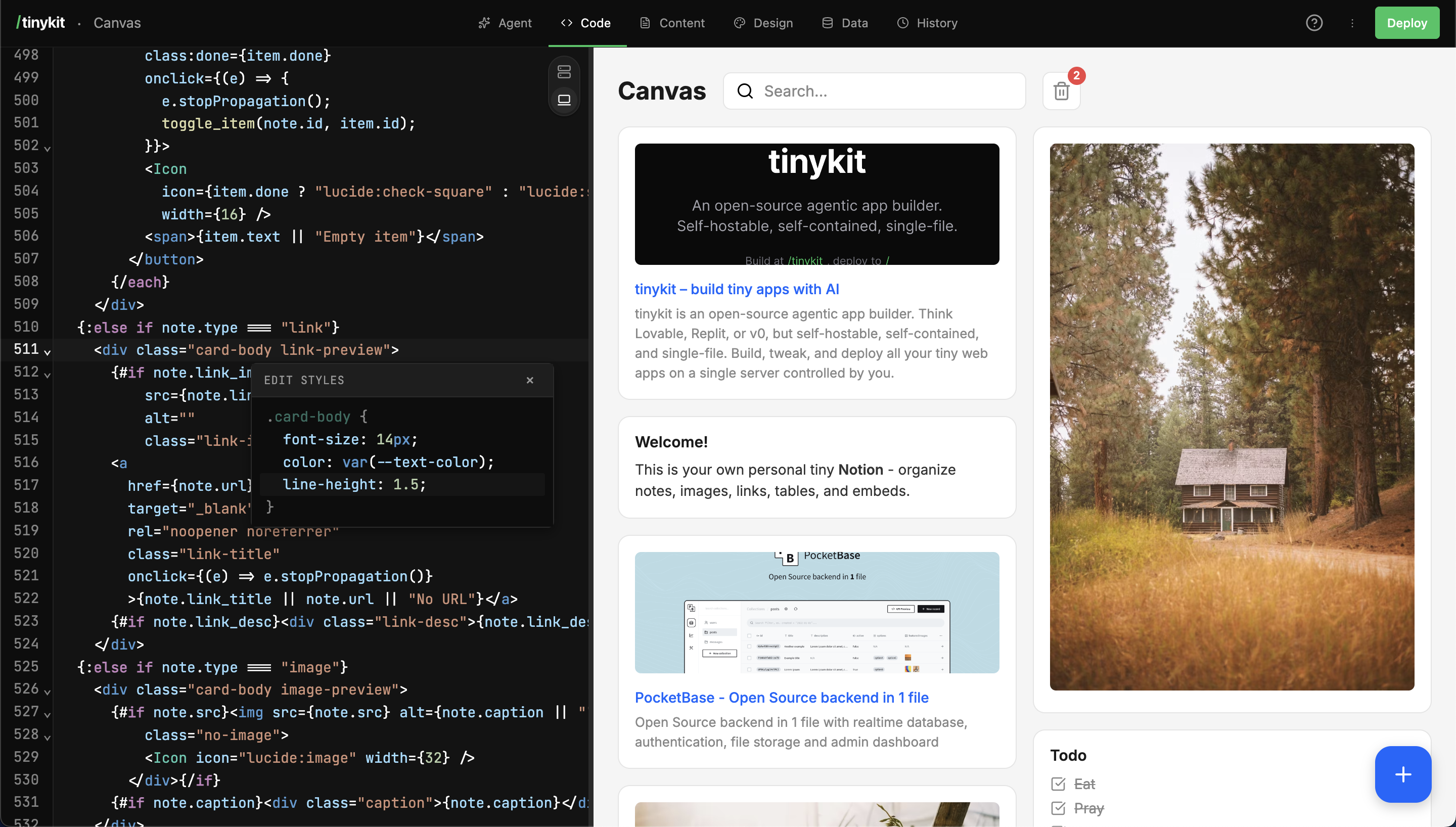
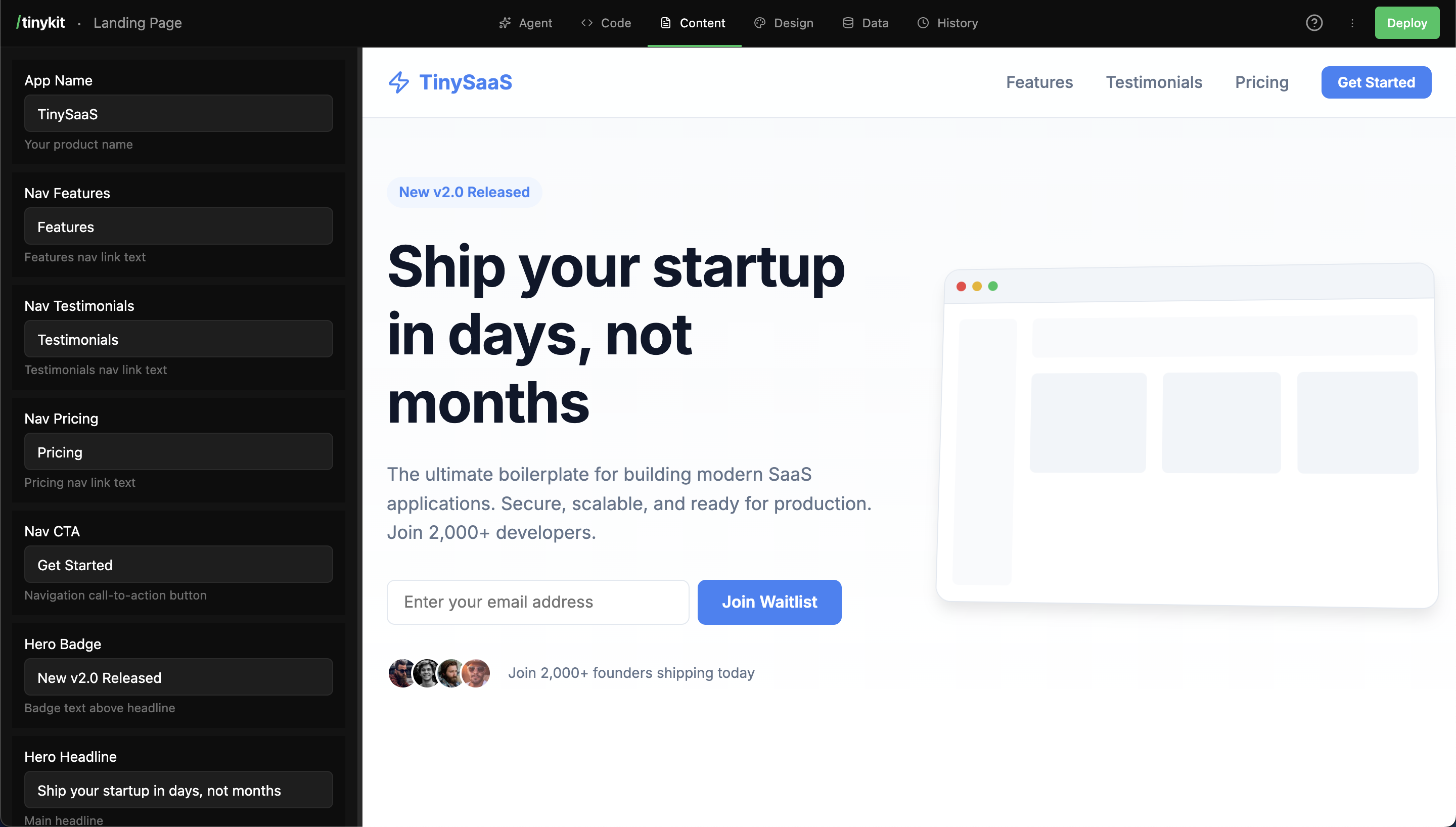
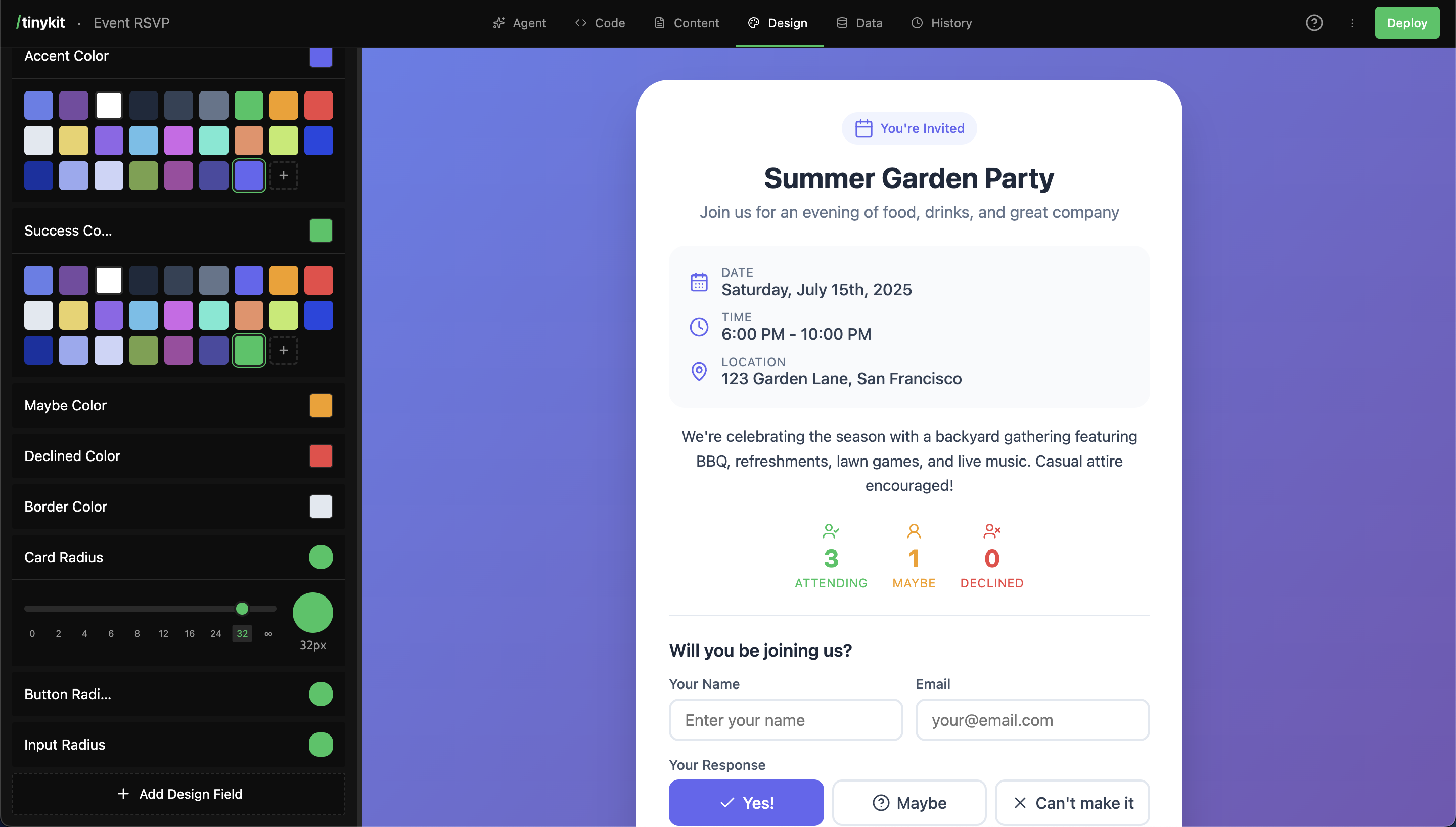
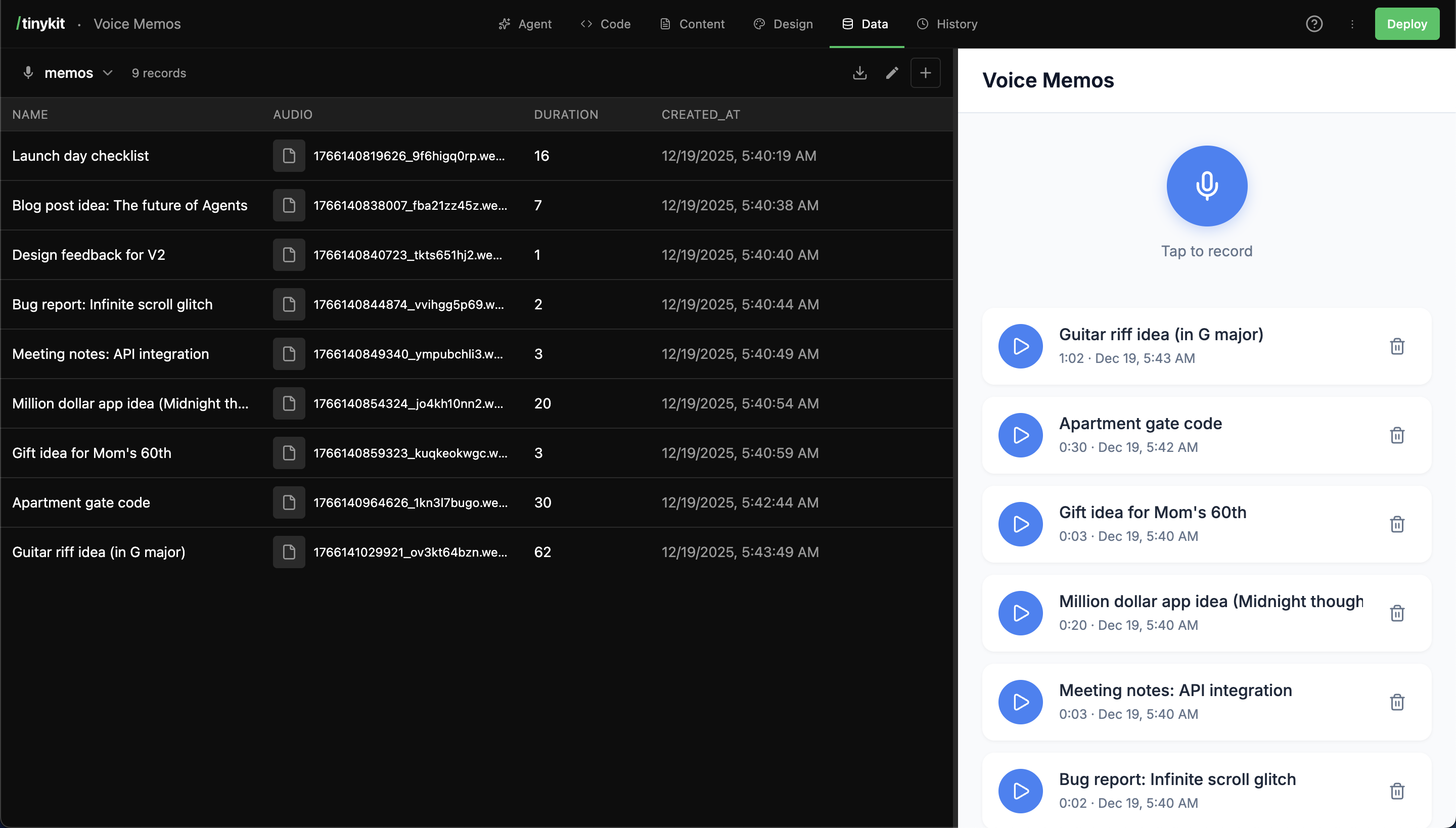
This open-source tool runs on your own server and lets you create web applications by chatting with an AI agent. It generates Svelte 5 code, provides a code editor with live preview, and includes content fields for no-code text changes, a visual design system, and a built-in PocketBase database with real-time sync. Multiple apps share one server through domain-based routing. Deploy with Docker, Docker Compose, a VPS, or Railway. MIT licensed and in early beta.
Should you self-host tinykit?
tinykit scores 48/100 on selfhost.directory (how scoring works) and ranks #59 of 125 in AI. It has 525 GitHub stars.
It shipped 1 stable release in the past year. The latest, v0.0.1, came out on 6 January 2026.
Setup is moderate: expect some configuration beyond a single command. It is MIT-licensed and written mostly in Svelte.
Its closest alternative on selfhost.directory is OpenDesign (83/100, 104 492 stars). It scores higher overall, so compare the two before you pick. See tinykit vs OpenDesign side by side.
Features
- AI agent
- Bring-your-own LLM
- Code Editor
- Content Fields
- Database
- Design System
- Live Preview
- Multi-App Routing
- Snapshots
- Starter Templates
- Static Deployment
- Themeable Studio
tinykit README
FAQ
What languages/frameworks does it generate?
tinykit generates Svelte 5 apps using the runes API ($state, $derived, $effect). Apps compile to standalone HTML with CSS-in-style blocks.
Does it work on mobile?
Yes! The editor and AI work on tablets, perfect for quick edits on the go.
Why do I need my own API key?
This keeps costs transparent and in your control. You pay your AI provider directly with no markup, hidden fees, or subscription.
Which AI providers are supported?
OpenAI (GPT-4o, GPT-4 Turbo, GPT-3.5), Anthropic (Claude Sonnet 4, Claude 3.5 Sonnet), and Google Gemini (Gemini Pro, Gemini Flash).
Can I run multiple apps?
Yes! tinykit supports domain-based routing. Point multiple domains to your server and each serves a different app. Run hundreds of apps from a single tinykit instance.
Do I need Railway?
No. Railway is the easiest option but you can host anywhere that runs Node.js including Fly.io, DigitalOcean, AWS, any VPS, or Docker.
Is it open source?
Yes, MIT licensed. You can fork, customize, self-host, and sell services with it.
Is this production-ready?
tinykit is in early beta. Great for personal utilities, internal tools, and MVPs. Not recommended for public-facing apps with sensitive user data. No guarantees against data loss and auth requires manual wiring.
How is this different from Lovable, v0, or Cursor?
The key difference is that your builder and your app run on the same server with no separate deploy step. It's open source, brings your own AI key, works on mobile, supports multi-app hosting, and costs ~$10/month total.
What is tinykit?
tinykit is an AI-powered development platform that lets you build, edit, and host web apps from a single deployment. Chat with AI to generate code, edit in a VS Code-like editor, and see changes live instantly.
More in AI
 tlbxA self-hosted, open-source terminal multiplexer that runs shells and AI coding agents on your own hardware, reachable from any browser.
 TokpetTokpet is a self-hosted Node.js service that aggregates AI usage from Claude, Codex, and DeepSeek into a single LAN feed with an optional ESP32-S3 desk pet display.
 TracefinityTracefinity is a self-hosted, open-source web app that turns tool photos into 3D-printable gridfinity bins using local AI or cloud APIs.
 TraceloopOpen-source observability for your GenAI or LLM application, based on OpenTelemetry
 transcriberSelf-hosted, open-source web app for transcribing audio/video with Whisper. Supports YouTube, local files, real-time progress, dark mode.
 Transformer LabSelf-hosted, open-source ML platform to train, fine-tune, evaluate and serve LLMs, diffusion and audio models locally or across GPU clusters.
 TRAWLA self-hosted, open-source scraping engine that bypasses JavaScript challenges and CAPTCHAs using an adaptive tier engine with HTTP-first approach and MCP support.
 trip2gSelf-hosted knowledge base publishing Obsidian vaults as websites and MCP servers for AI agents with federation and Telegram.
 Turbo-LLMSelf-hosted local LLM platform running any engine with auto-tuning, real measured tokens/sec, and OpenAI/Anthropic APIs for Claude Code.
 txtifySelf-hosted web app for transcribing YouTube videos and media files using Whisper AI models, with translation and multiple export formats.
 UglyFeedUglyFeed is a self-hosted, open-source RSS aggregator that uses LLMs to retrieve, deduplicate, rewrite, and serve clean feeds from multiple sources.
 unbagrndUnbagrnd - Free, Fast & Open-source AI-powered background remover for Windows, macOS, Linux and Android.
0 comments