
Self-host transcriber
AI-powered audio and video transcription with Whisper
- Stars
- 152
- Port
- 8000 (HTTP/WebSocket server)
What is transcriber?
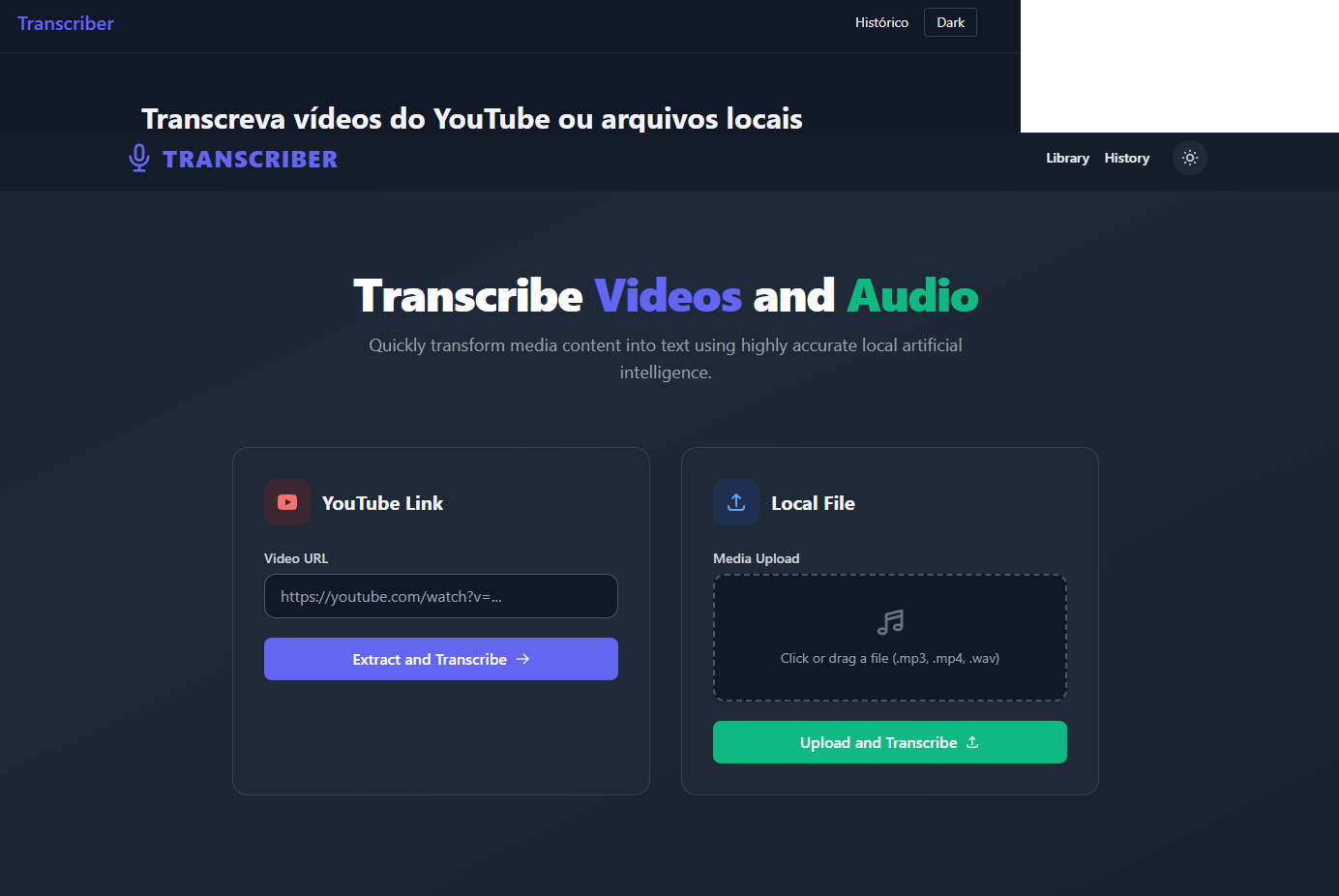
Transcriber is a privacy-first, self-hosted web application that transcribes audio and video files using OpenAI Whisper models. It accepts YouTube URLs or local file uploads (MP3, MP4, WAV, and more), processes them with either openai-whisper for accuracy or faster-whisper for speed, and streams real-time progress updates via WebSockets. The app includes a smart library that correlates media files with their transcripts, automatic filename sanitization, GPU acceleration with CUDA support and CPU fallback, and automatic FFmpeg installation. It runs via Docker (multi-stage, non-root) or locally with Python 3.10–3.12, using FastAPI, Alpine.js, and Tailwind CSS. The project is MIT-licensed with no paid tiers or cloud dependencies.
Should you self-host transcriber?
transcriber scores 41/100 on selfhost.directory (how scoring works) and ranks #10 of 15 in Audio Processing. It has 152 GitHub stars.
There was no stable release in the past 12 months, so check the repository's recent activity before you rely on it.
Setup is moderate: expect some configuration beyond a single command. It is MIT-licensed and written mostly in Python.
Its closest alternative on selfhost.directory is Retrieval-based-Voice-Conversion-WebUI (77/100, 38 911 stars). It scores higher overall, so compare the two before you pick. See transcriber vs Retrieval-based-Voice-Conversion-WebUI side by side.
Features
- Auto FFmpeg installation
- Dark/light mode
- Download transcripts as text
- Dual Whisper engine
- Filename sanitization
- GPU Acceleration
- Local file transcription
- Real-time progress via WebSockets
- Smart media library
- Transcription history
- YouTube URL transcription
transcriber README
More in Audio Processing
 txtifySelf-hosted web app for transcribing YouTube videos and media files using Whisper AI models, with translation and multiple export formats.
 WhishperSelf-hosted open-source audio transcription and subtitling suite running locally with a web UI, using FasterWhisper and LibreTranslate.
 whisper-api-serverA self-hosted, open-source transcription server that implements the OpenAI Whisper API locally using faster-whisper for efficient speech-to-text conversion.
 whisper-transcriber-botSelf-hosted Telegram bot that converts voice messages and audio files into text using a local AI model, running on CPU without needing a GPU or cloud APIs.
 yoinkyoink is a self-hosted, open-source media tool that downloads from 1000+ sites, converts formats, compresses for Discord, and offers transcription — no ads or tracking.
 audiobook-studioSelf-hosted open-source app for producing audiobooks locally using XTTS voice cloning, with optional Voxtral cloud voices. Multi-voice, segment repair, chapter assembly
 audiodeckAudioDeck is a self-hosted, open-source web app that generates browser spectrograms to verify audio quality of MP3, FLAC, and WAV files with a lightweight Go backend.
 AudioMuse-AIOpen-source, self-hosted sonic-analysis tool that builds playlists, a 2D music map and semantic search for Navidrome, Jellyfin, Emby, Plex, LMS and Lyrion libraries.
 by2kbby2kb is a self-hosted CLI turning Bilibili/YouTube URLs into Markdown transcripts, abstracts, and study notes via local Whisper or cloud ASR.
 cobaltA self-hosted, open-source media downloader that saves video, audio, gifs and photos from YouTube, TikTok, Instagram, Reddit and more, with no ads or trackers.
 DigicutOpen-source, self-hosted web app that cuts an excerpt out of an audio or video file in the browser with FFmpeg.wasm, so media never reaches a server.
 DigimergeSelf-hosted open-source (AGPL-3.0) web app to merge audio, concatenate videos or build image slideshows with ffmpeg.wasm; files are processed locally in the browser.
0 comments