
Self-host Super Productivity
v20.0.0To-do app with timeboxing, time tracking and focus timers
docker run -d -p 8080:80 johannesjo/super-productivity:latest- Stars
- 23 677
- Port
- 80 (HTTP inside the web app container, published as 8080 with -p 8080:80)
johannesjo/super-productivity

What is Super Productivity?
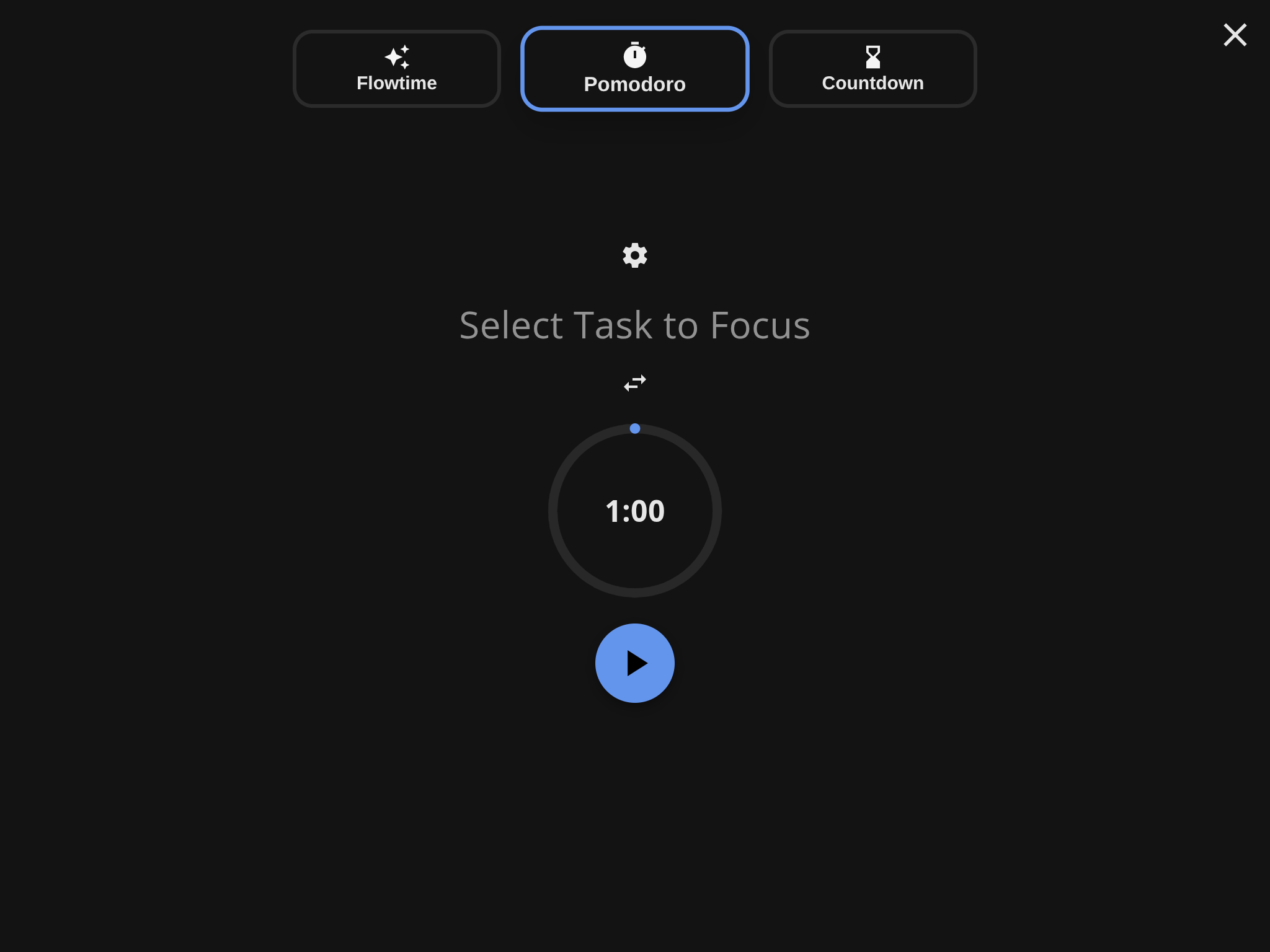
Super Productivity is an advanced to-do list app that turns a plain task list into a scheduled day: every task can carry an estimate, recorded time, notes, attachments, subtasks and a repeating schedule, and the same work can be arranged on boards such as Kanban or an Eisenhower matrix. For concentration it gives you Pomodoro, Flowtime and countdown sessions inside a focus mode, together with break reminders and an anti-procrastination view; tracked time can be turned into timesheets and work summaries for export. Issue trackers are supported too, among them Jira, GitHub, GitLab, Gitea, Trello, OpenProject and Azure DevOps, plus others such as Linear, ClickUp, Redmine and Nextcloud Deck. Data can be synced or backed up through the project's own end-to-end encrypted SuperSync server, through Dropbox, or over WebDAV. Nothing requires an account, tasks stay on your device, plugins and custom themes let you restyle it, and there are builds for desktop systems and phones as well as a browser version. Self-hosting is documented in the wiki: pull the project's web image, run it as a container with port 80 published on host port 8080, and open it in a browser. That container stores nothing itself, since the browser app saves data in local storage, so cross-device sync needs a separate provider, and the SuperSync server recipe is supported only in a limited way. The web edition is more restricted than the desktop client.
Super Productivity alternatives
 MindwtrGet tasks and ideas out of your head. A free GTD to-do app for desktop and mobile. Works offline, no account neededCompareMindwtr with Super Productivity
 kanAn open-source Trello alternative for self-hosted kanban boards: workspaces, labels, comments, activity logs, Trello imports and a REST API, run via Docker Compose.Comparekan with Super Productivity
 OpenHabitTrackerA free, open-source habit tracker that runs everywhere and lets you sync data to your own Docker server.CompareOpenHabitTracker with Super Productivity
 HabitTroveSelf-hosted gamified habit tracker with coin rewards, streaks, dark mode, PWA support, and multi-language interface.CompareHabitTrove with Super Productivity
 VikunjaAn open-source, self-hosted to-do manager: four ways to see your tasks, CalDAV sync, team sharing and Docker or binary installs.CompareVikunja with Super Productivity
 taskview-communitySelf-hosted, source-available project and task manager for software teams: Kanban, dependency graphs, RBAC, SSO, time tracking and an MCP server.Comparetaskview-community with Super Productivity
 TaskTroveTaskTrove is a self-hosted task manager with natural language parsing, kanban, calendar views, and dark/light themes. Free edition unlimited; Pro adds multi-user and SSO.CompareTaskTrove with Super Productivity
 Beaver Habit TrackerOpen-source, self-hosted habit tracker for daily and periodic habits, with streaks, notes, categories, import/export and a REST API, run via a single Docker container.CompareBeaver Habit Tracker with Super Productivity
Should you self-host Super Productivity?
Super Productivity scores 83/100 on selfhost.directory (how scoring works) and ranks #1 of 34 in Task Management. It has 23 677 GitHub stars, +941 in the last 30 days.
It shipped 23 stable releases in the past year. The latest, v20.0.0, came out on 6 November 2026. New versions land roughly every 7 days.
Setup is easy: most people get it running in one sitting. An official Docker image is available. It is MIT-licensed and written mostly in Typescript.
Its closest alternative on selfhost.directory is Qinglong (73/100, 20 101 stars). Super Productivity scores higher overall. See Super Productivity vs Qinglong side by side.
Features
- Anti-procrastination board
- Break reminders
- CalDAV calendar support
- Eisenhower matrix
- Kanban Board
- Keyboard Shortcuts
- Offline, account-free local storageThe self-hosted web container keeps nothing: the browser app stores tasks in its own IndexedDB.
- Planner and schedule view
- Plugin System
- Pomodoro Timer
- Recurring Tasks
- Subtasks, projects and tags
- Timeboxing
- Time Tracking
- Work metrics
Super Productivity README

A to-do list, time tracker and daily planner for focused personal work. Private, offline-first and open source.
🌐 Open Web App or 💻 Download
More in Task Management
 tahskr-servertahskr-server is a simple, open-source, self-hosted todo manager with a REST API for managing todo lists, tasks, and users.
 taskboardSelf-hosted Kanban tool for developers with built-in terminal and AI assistant integration via MCP. One executable, SQLite storage, zero dependencies.
 taskcafeTaskcafe is an open-source, self-hosted project management tool built around Kanban boards, with teams, personal projects, labels, checklists and task activity.
 TaskosaurSelf-hosted open-source project management with conversational AI that executes tasks in-app. Kanban, sprints, Jira/Trello sync, bring-your-own-LLM.
 tasksHamsterBase Tasks is a self-hosted, open-source task manager storing data locally with E2E encryption, working offline, and syncing via a self-hosted server.
 Tasks.mdA self-hosted, open-source Kanban board that stores tasks as Markdown files on disk. Runs in a single Docker container with PWA support, dark mode, and multilingual UI.
- TaskTroveTaskTrove is a self-hosted task manager with natural language parsing, kanban, calendar views, and dark/light themes. Free edition unlimited; Pro adds multi-user and SSO.
 taskwarrior-webuiA self-hosted web interface for Taskwarrior featuring Material Design, dark theme, offline PWA support, Kanban board, and Timewarrior time-tracking integration.
 TickySelf-hosted open-source Kanban board with projects, time tracking, labels, attachments, reminders, dark mode, and offline operation.
 TidyQuestSelf-hosted web app that turns chores into RPG quests with health bars, coins, streaks, and family leaderboards.
 tinyagiTinyAGI is a self-hosted, open-source multi-agent AI orchestrator that runs agent teams across Discord, Telegram, WhatsApp, and a web portal with persistent sessions.
 todofyA local-first desktop task and calendar app with smart views, Kanban board, Pomodoro timer, recurring tasks, and natural-language capture.
0 comments