
Self-host taskwarrior-webui
Responsive web UI for Taskwarrior task management
- Stars
- 256
- Ports
- 80 (HTTP web UI (container port)), 8080 (Frontend development server)
- Requires
- Taskwarrior
dcsunset/taskwarrior-webui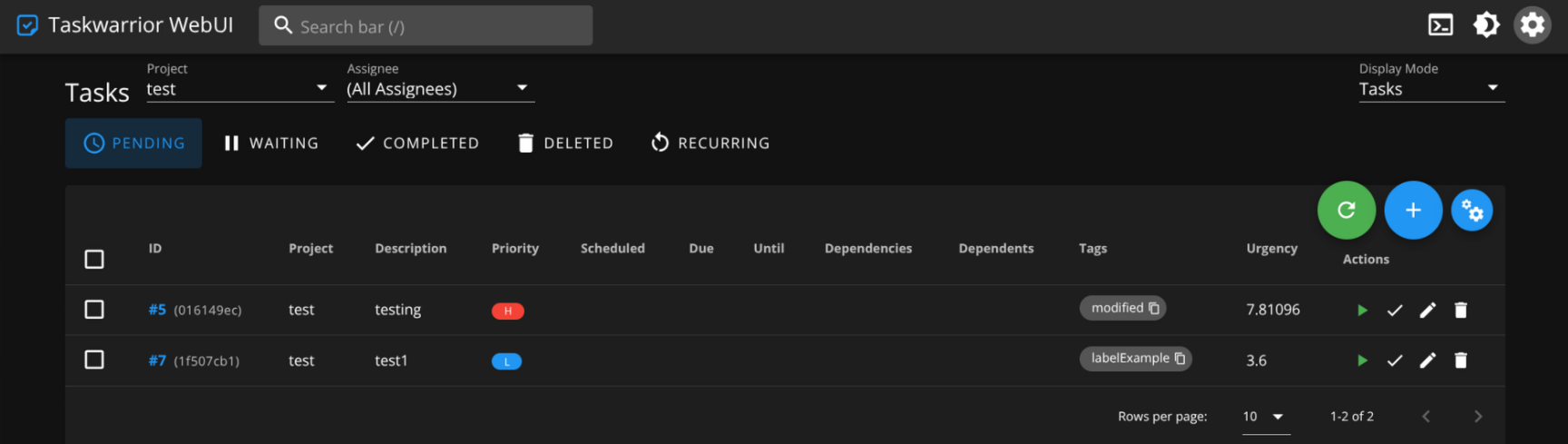
What is taskwarrior-webui?
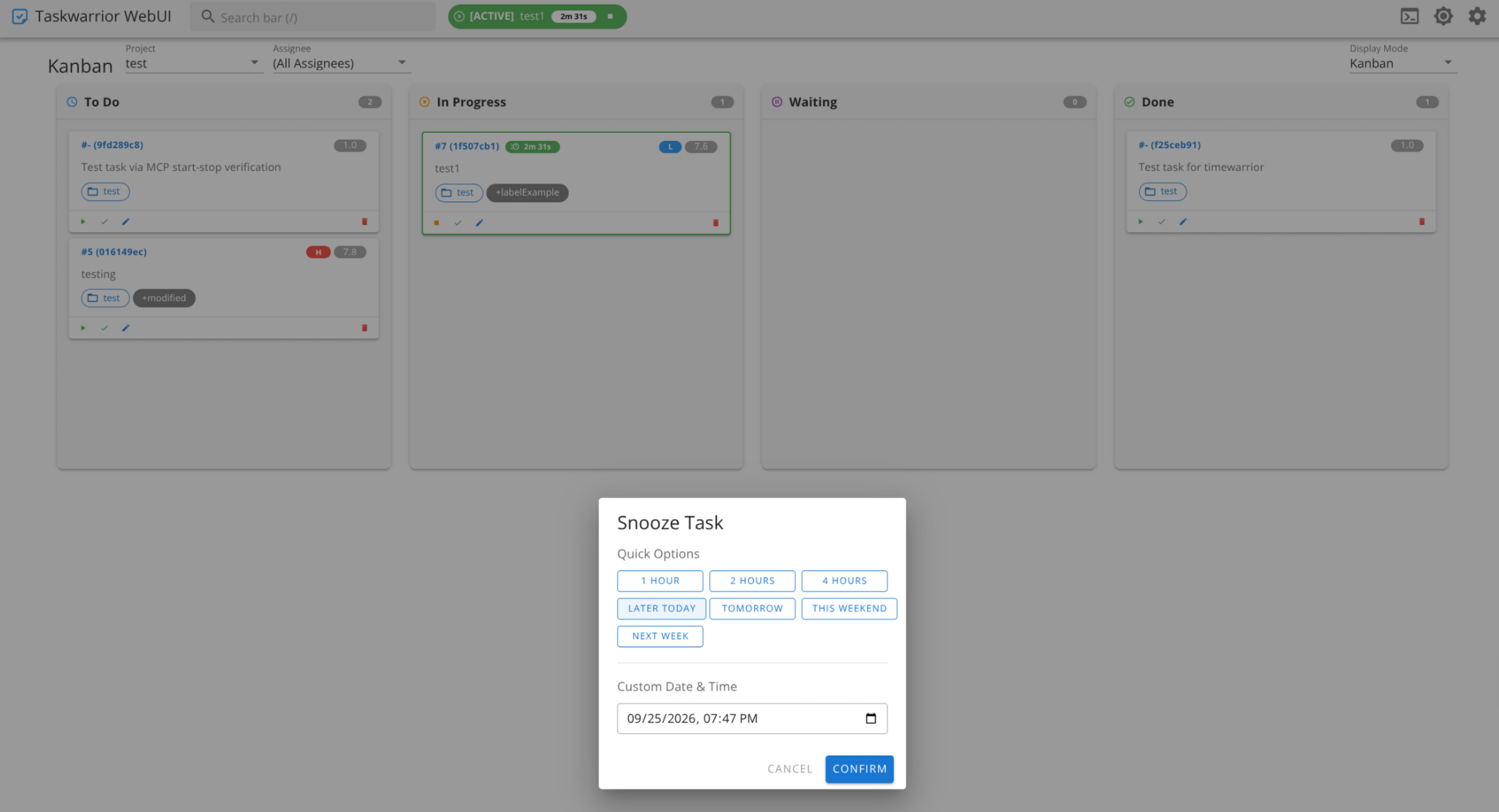
Taskwarrior-webui is a self-hosted web interface for the Taskwarrior command-line task manager. Built with Vue.js and Koa.js, it provides a responsive Material Design UI with both light and dark themes, progressive web app support for offline use, and a Kanban board with drag-and-drop status transitions. It integrates with Timewarrior for time tracking and supports syncing with a Taskserver (taskd). The application runs in Docker or can be built manually with Node.js, mounting the user's existing Taskwarrior configuration and data directories.
Should you self-host taskwarrior-webui?
taskwarrior-webui scores 45/100 on selfhost.directory (how scoring works) and ranks #29 of 38 in Personal Productivity. It has 256 GitHub stars.
There was no stable release in the past 12 months, so check the repository's recent activity before you rely on it.
Setup is moderate: expect some configuration beyond a single command. An official Docker image is available. It is GPL-3.0-licensed and written mostly in Vue.
Its closest alternative on selfhost.directory is LanguageTool (75/100, 15 206 stars). It scores higher overall, so compare the two before you pick. See taskwarrior-webui vs LanguageTool side by side.
Features
- Annotations and dependencies
- Command bar
- Inline snooze
- Kanban Board
- Keyboard-accessible search
- Progressive Web App
- Taskserver sync
- Task visualization
taskwarrior-webui README
FAQ
What if my configuration file contains absolute paths?
Mount files to the same paths in the container using the TASKRC and TASKDATA environment variables with corresponding volume mounts.
How can I add authentication?
Authentication is not built in, but you can add basic auth by configuring nginx or a reverse proxy with an htpasswd file.
How do I sync with a taskserver?
Configure both the taskserver and client manually until `task sync` works, then mount the client configurations (.taskrc and .task) into the container. The web UI will call `task sync` periodically.
More in Task Management
 TickySelf-hosted open-source Kanban board with projects, time tracking, labels, attachments, reminders, dark mode, and offline operation.
 TidyQuestSelf-hosted web app that turns chores into RPG quests with health bars, coins, streaks, and family leaderboards.
 tinyagiTinyAGI is a self-hosted, open-source multi-agent AI orchestrator that runs agent teams across Discord, Telegram, WhatsApp, and a web portal with persistent sessions.
 todofyA local-first desktop task and calendar app with smart views, Kanban board, Pomodoro timer, recurring tasks, and natural-language capture.
 TracksOpen-source, self-hosted Getting Things Done web app built on Ruby on Rails with contexts, projects, tagging, stats, feeds, API and multi-user support.
 trello-clone-laravel-8-open-sourceSelf-hosted Laravel 8 project management tool cloning Trello with Jalali, Gregorian, and Hijri calendars, admin panels, and role-based access.
 tribuA self-hosted, open-source household hub that unifies calendars, tasks, shopping, contacts, birthdays, meal plans, and a shared display for kitchen screens.
 triggerOpen-source TypeScript platform for durable background jobs and AI agent workflows, self-hosted as a Docker Compose or Helm webapp plus worker stack.
 TrofTrof is a self-hosted AI assistant that breaks down project descriptions into Vikunja tasks with clarifying questions and mandatory review before saving.
 tududiA calm, open system for organizing life and work. Tasks, projects, notes, areas, and smart workflows - self-hosted or hosted.
 VikunjaAn open-source, self-hosted to-do manager: four ways to see your tasks, CalDAV sync, team sharing and Docker or binary installs.
 WemuxWemux is a self-hosted, open-source AI agent platform that runs coding agents on your machines via isolated Git worktrees, with kanban tasks and Slack/Feishu integrations
0 comments