
Self-host Saki Panel
v5.1AI-native server operations panel with SRE agent
- Stars
- 184
- Ports
- 5479 (panel API), 5480 (daemon)
ghcr.io/ethanchan050430/saki-panel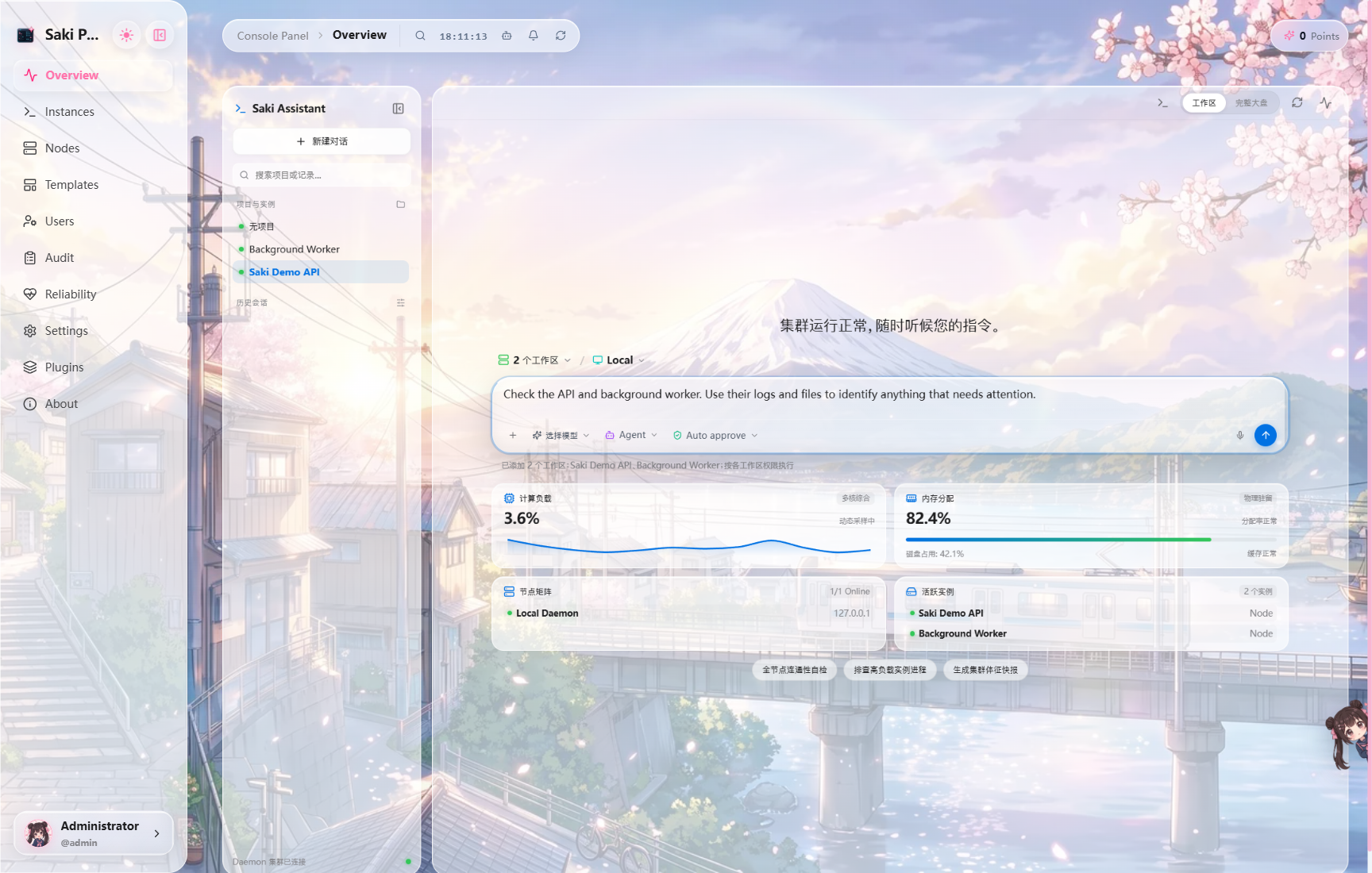
What is Saki Panel?
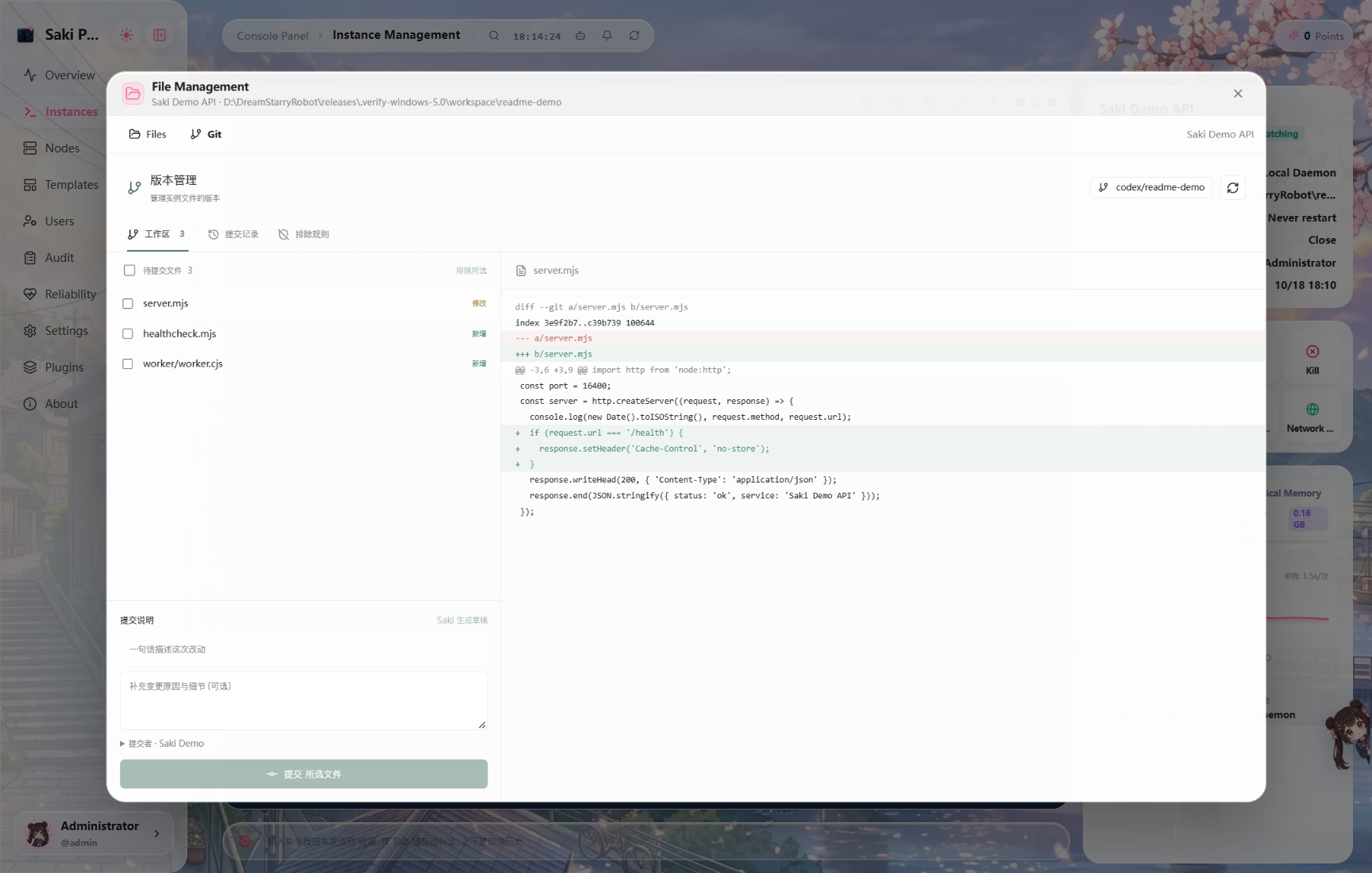
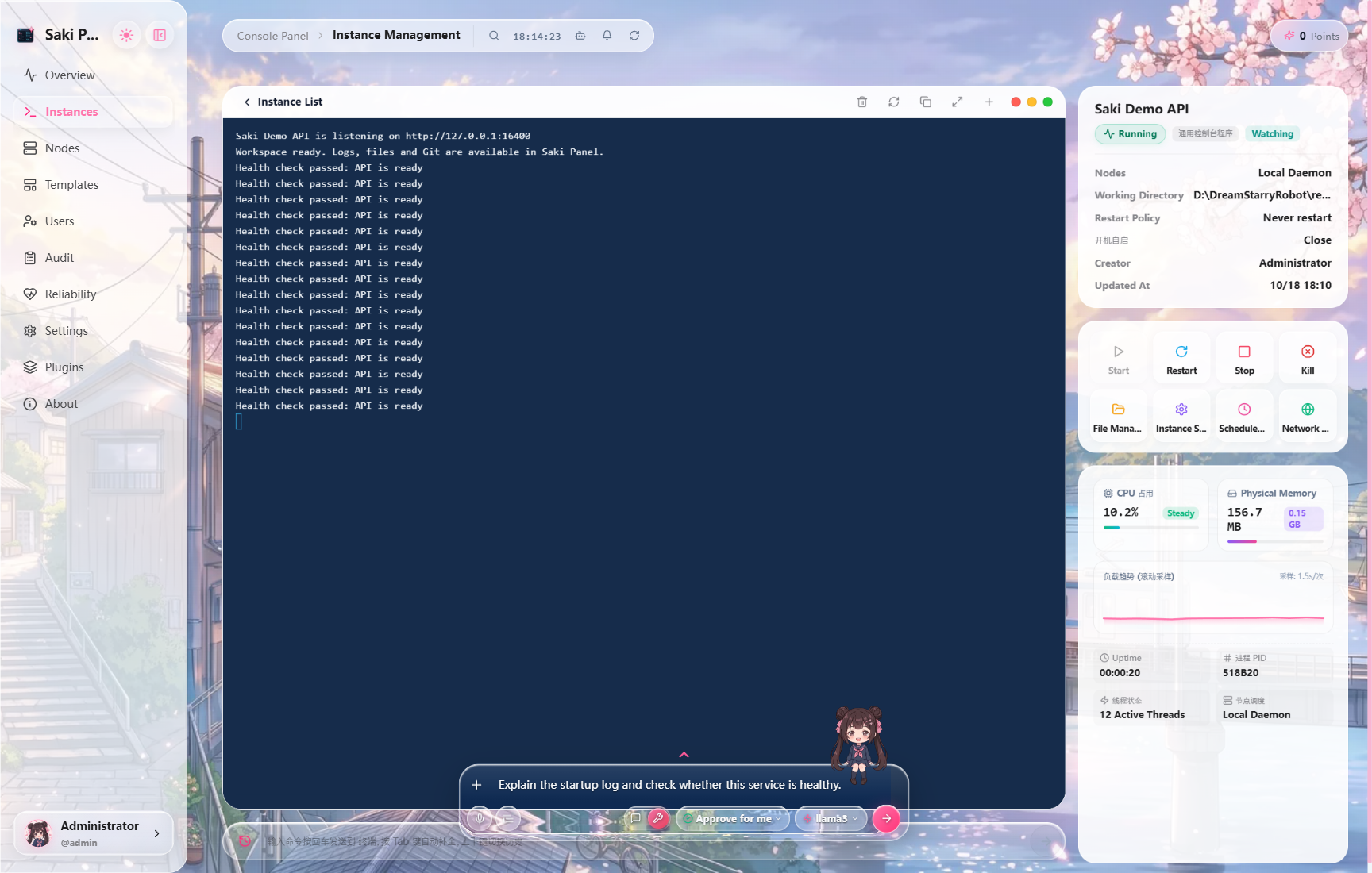
Saki Panel is an open-source server operations panel designed for homelabs and small teams. It provides a web console to manage Minecraft servers, Steam game servers, Docker containers, Docker Compose stacks, and generic processes across multiple Linux nodes connected via SSH. The panel includes Saki, an AI assistant that can inspect live logs, files, and system metrics to help investigate incidents, propose fixes, and perform safe rollbacks through its Saki Watch feature. It supports local LLM inference via Ollama or LM Studio, and offers a plugin system for visual customization and extensions. The stack consists of a React/Vite web frontend, a Fastify/Prisma API backend, and a daemon running on each managed node. It uses SQLite by default with optional MySQL, PostgreSQL, and Redis support. Installation is via Docker Compose or from source with Node.js 22+. The project is licensed under Apache-2.0.
Should you self-host Saki Panel?
Saki Panel scores 44/100 on selfhost.directory (how scoring works) and ranks #21 of 27 in Server Management. It has 184 GitHub stars.
It shipped 10 stable releases in the past year. The latest, v5.1, came out on 25 October 2026. New versions land roughly every 2 days.
Setup is moderate: expect some configuration beyond a single command. An official Docker image is available. It is Apache-2.0-licensed and written mostly in Typescript.
Its closest alternative on selfhost.directory is Termix (76/100, 15 703 stars). It scores higher overall, so compare the two before you pick. See Saki Panel vs Termix side by side.
Features
- AI-assisted operations
- Cluster dashboard
- Database workspace
- File Manager
- Incident notifications
- Instance templates
- Local LLM Inference
- Multi-instance management
- Plugin System
- Role-based Access Control
- Saki Watch (self-healing)
- Scheduled Tasks
- SSH node management
- Visual Git workspace
- Web Terminal
Saki Panel README
More in Server Management
 ScrutinySelf-hosted, open-source hard drive health dashboard wrapping smartd/smartctl S.M.A.R.T monitoring with historical trends, real-world failure thresholds and alerts.
 Self Host BlocksSelfHostBlocks is an opinionated NixOS server management system with modular blocks for self-hosting services with unified config, LDAP/SSO, backup, and monitoring.
 ServerBeeSelf-hosted VPS monitoring with real-time agent dashboard, alerts, network quality probes, IP reputation, and native iOS app.
 serverjockeySelf-hosted game server manager for Project Zomboid and others, with web panel, Discord bot, and Steam Workshop mod management.
 simonSimon is a self-hosted, open-source system monitor in Rust with real-time metrics, Docker monitoring, file browser, and alerting via webhooks — all in a single binary.
 socktopSelf-hosted terminal-based system monitor that connects to lightweight agents over WebSockets for live metrics.
 SourceBans++Self-hosted admin and ban management for Source engine games like TF2 and CS, with a web panel and SourceMod plugins sharing a database.
 StatLiteSelf-hosted monitoring for Spring Boot, Quarkus, Micronaut. Single Go binary, SQLite storage, built-in dashboard — no Prometheus/Grafana needed.
 subspaceSelf-hosted, open-source web GUI for running a WireGuard VPN server: per-device configs with QR codes, SAML SSO with G Suite or Okta, and Let's Encrypt TLS.
 supercronicOpen-source, crontab-compatible job runner built for containers: env-var inheritance, stdout/stderr logging, graceful SIGTERM handling and second-resolution schedules.
 synapse-adminOpen-source, self-hosted web admin console for Matrix Synapse homeservers, built on react-admin and served as a static site or Docker container.
 sysmonSelf-hosted, open-source system monitoring tool with web UI for CPU, memory, disk, network metrics and process management on servers and Raspberry Pi.
0 comments