
Self-host rackpad
v1.8.5Infrastructure inventory & operations for homelabs
- Stars
- 422
- CPU
- 2 vCPU
- RAM
- 2 GB
- Storage
- 8 GB
- Ports
- 3000 (HTTP web interface), 1162 (SNMP trap receiver (UDP, optional))
ghcr.io/kobii-git/rackpad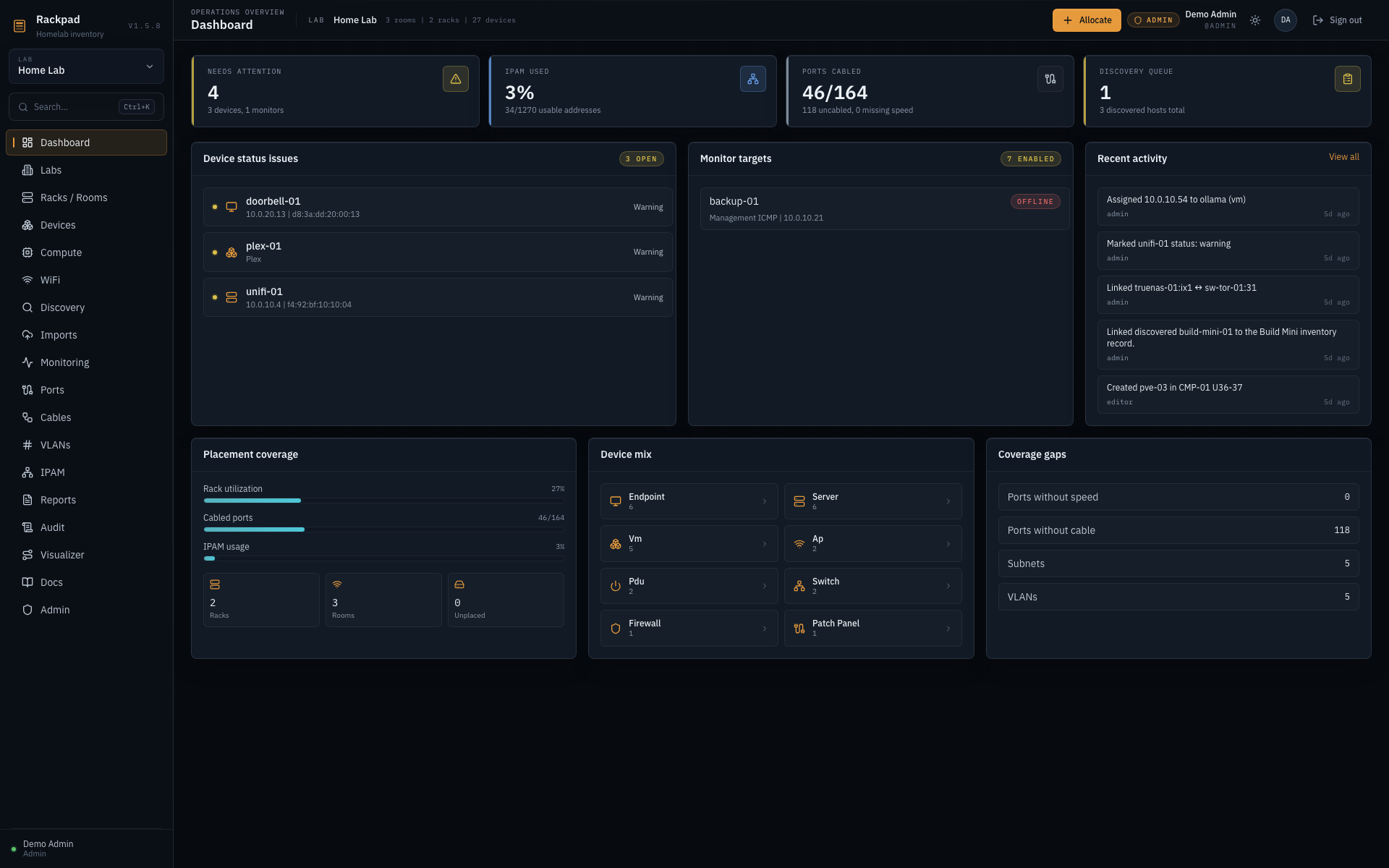
What is rackpad?
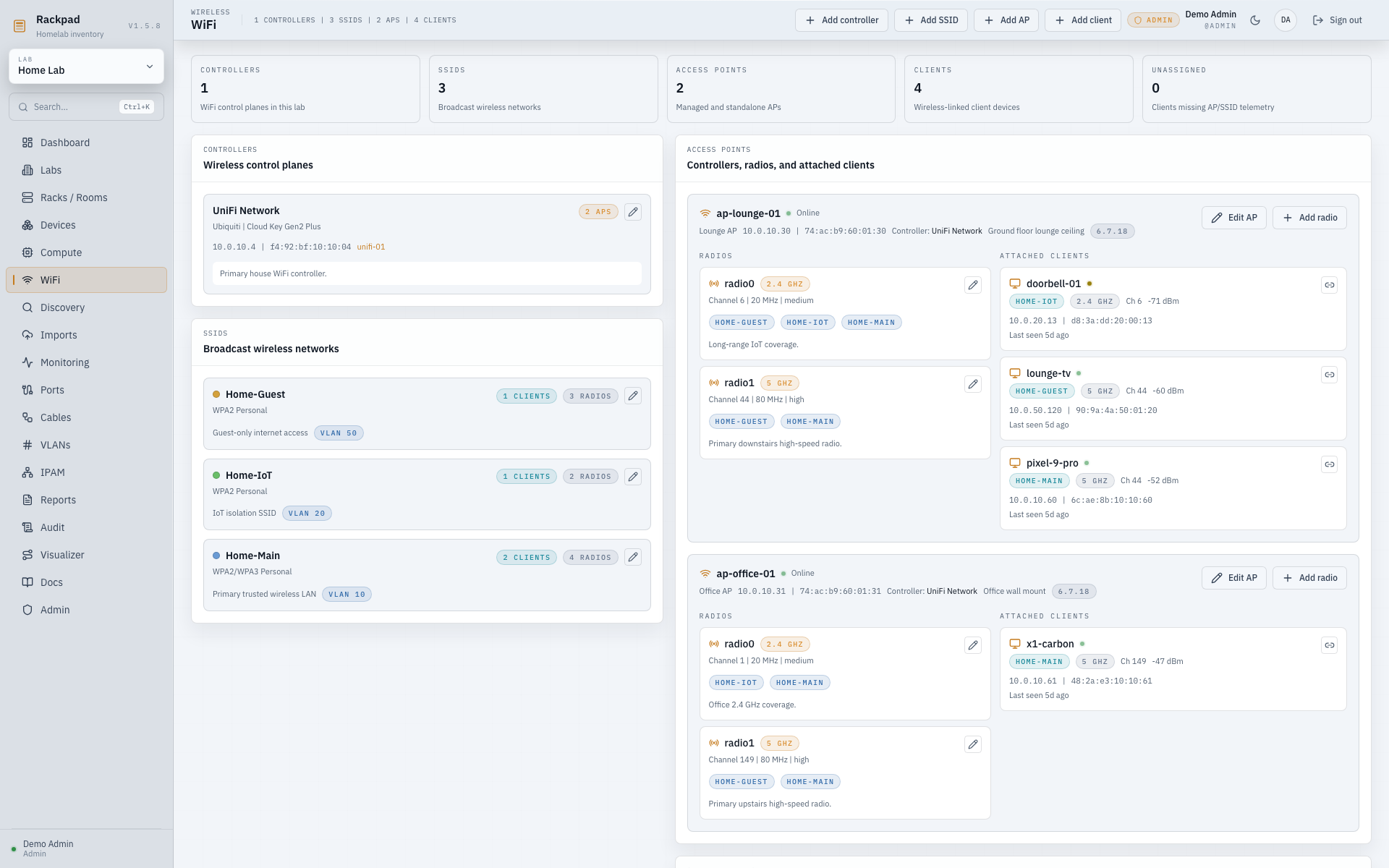
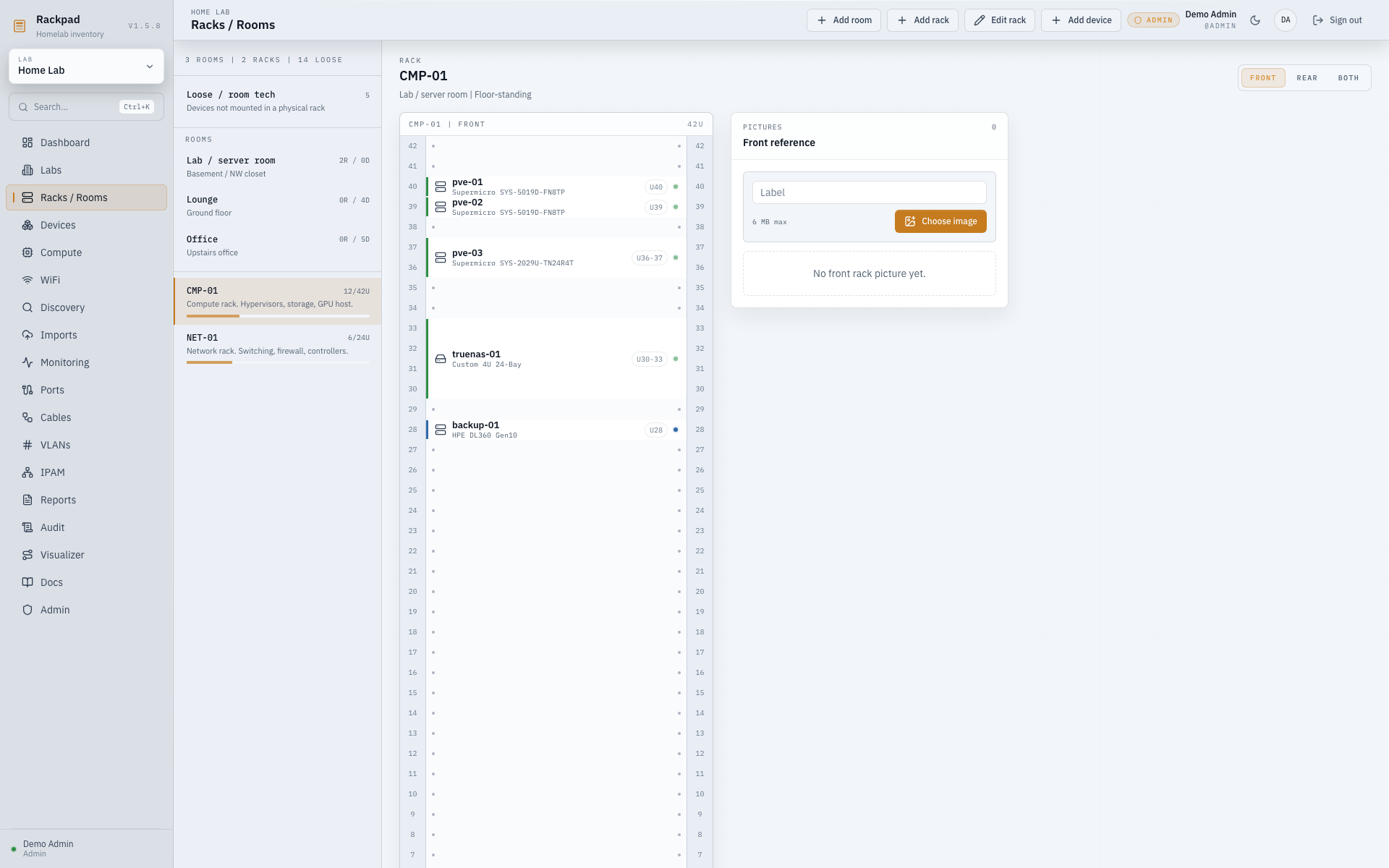
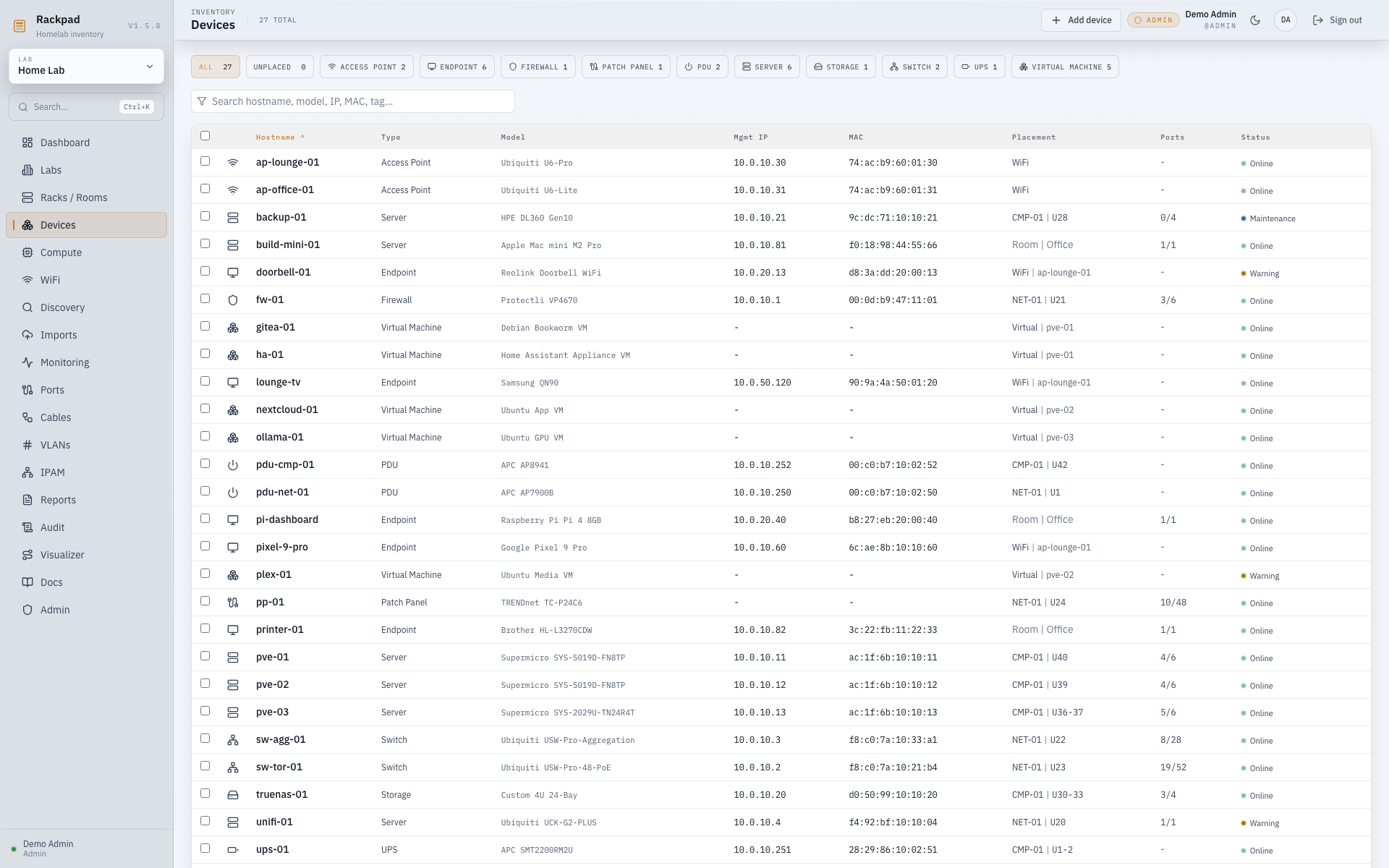
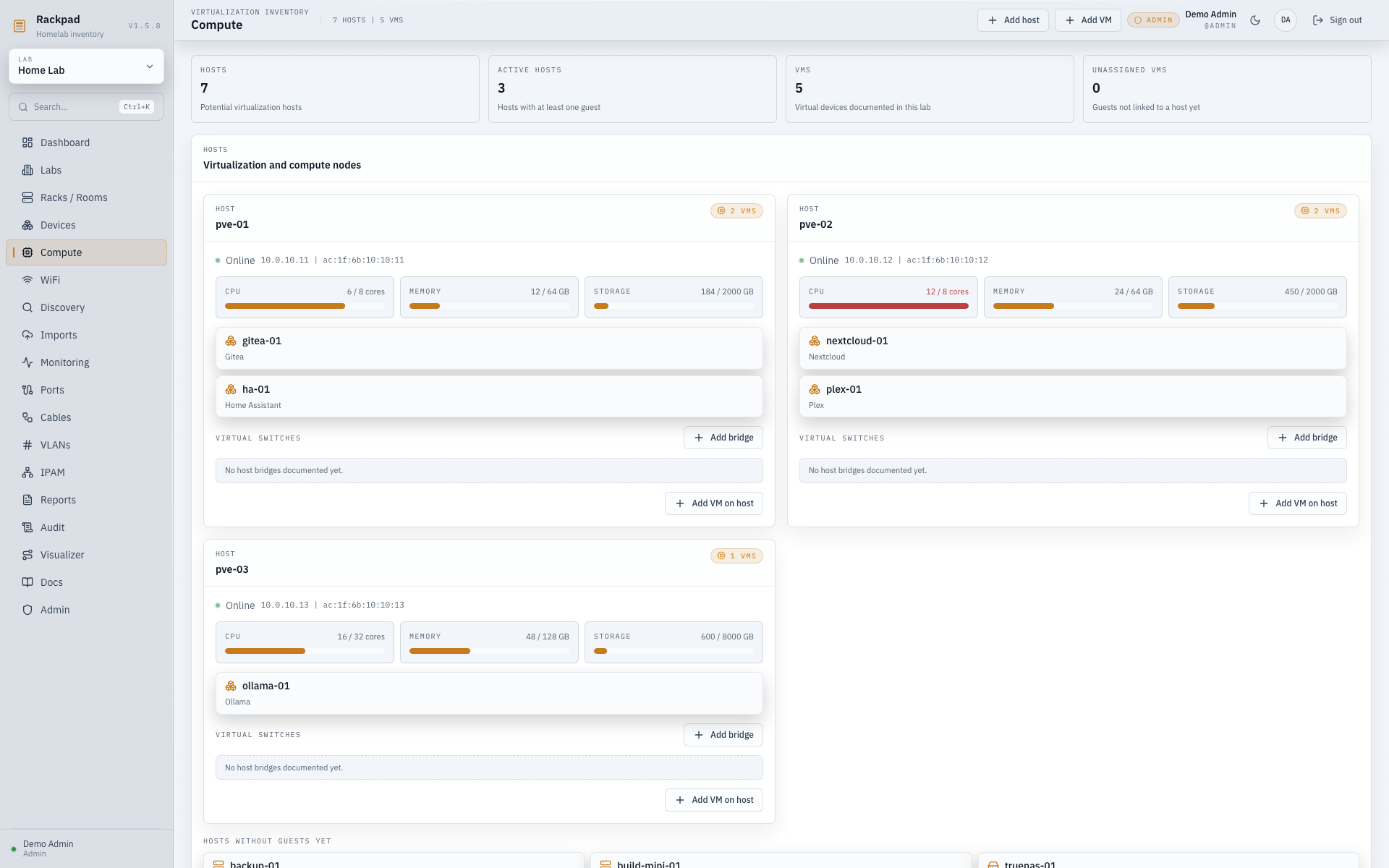
This project provides a self-hosted workspace for homelabs and lab environments that unifies physical rack layouts, device inventories, port and cable mapping, logical networking with VLANs and IP address management, operational monitoring via ICMP, TCP, HTTP, and SNMP checks, automated network discovery, virtualization host and container tracking, wireless controller integration, and Markdown-based documentation. It runs as a single Docker container backed by SQLite, includes light and dark themes with 24 language options, uses session authentication with three role levels, and optionally supports OpenID Connect through providers such as Authentik or Keycloak. Integrations with several infrastructure platforms pull live inventory for review before applying changes. Installation uses Docker Compose or a one-line script; a native Proxmox LXC option remains experimental. The codebase is MIT-licensed with stable and beta release channels.
Should you self-host rackpad?
rackpad scores 53/100 on selfhost.directory (how scoring works) and ranks #15 of 34 in Network Management. It has 422 GitHub stars.
It shipped 5 stable releases in the past year. The latest, v1.8.5, came out on 20 October 2026. New versions land roughly every 3 weeks.
Setup is moderate: expect some configuration beyond a single command. An official Docker image is available. It is MIT-licensed and written mostly in Typescript.
Its closest alternative on selfhost.directory is 3x-ui (84/100, 48 757 stars). It scores higher overall, so compare the two before you pick. See rackpad vs 3x-ui side by side.
Features
- Audit Log
- Compute inventory
- Controller integrations
- Discovery scanning
- Documentation & runbooks
- Monitoring & Alerting
- Network & IPAM management
- OIDC Authentication
- Physical infrastructure inventory
- Reports & exports
- Role-based Access Control
- SNMP trap receiverDisabled by default, enabled via SNMP_TRAP_ENABLED=1
- Storage topology
- Visual topology diagram
- WiFi inventory
rackpad README
FAQ
What if I lose the admin password?
Run the Docker CLI recovery command (node dist-server/cli/reset-password.js --username admin) from inside the container to set a new password — no public reset endpoint is exposed.
Does it need internet access?
No. Fonts are self-hosted and there are no outbound calls, so it runs happily air-gapped. You only need network access for the features you point at it — SNMP, discovery scans, imports and alert delivery.
Can I run it behind a reverse proxy?
Yes. Set TRUST_PROXY=1 and configure TRUSTED_HOSTS/TRUSTED_ORIGINS so Rackpad knows its public address. Terminate TLS at your proxy (Caddy, Traefik, nginx, etc.).
How do I update Rackpad?
Pull the new image and recreate the container (docker compose pull && docker compose up -d, or re-run the installer). Your data volume is untouched and migrations run automatically on start.
Where is my data stored?
In a single SQLite database inside the mounted /data volume, on your own machine. There's no cloud component and no telemetry — back up by copying the volume.
More in Network Management
 RackPeekSelf-hosted web UI and CLI for home lab infrastructure documentation, tracking hardware, services, and networks in open YAML formats.
 RackulaRackula is a self-hosted, open-source rack layout designer using real NetBox device images. Plan server racks, export to PNG/PDF/SVG/YAML, and share via URL or QR code.
 RaspAPOpen-source, self-hosted wireless router and access point web interface for Debian-based devices like the Raspberry Pi, adding VPN, ad blocking and DHCP control.
 rconfigFree open-source network configuration manager for automated multi-vendor backups, versioning, and API-driven automation. Deploy via Docker or Linux.
 RelayPanelA self-hosted TCP/UDP port forwarding management panel with user management, billing, traffic quotas, and real-time node monitoring.
 SpeedarrSelf-hosted bandwidth manager for Plex that throttles download clients (qBittorrent, SABnzbd, NZBGet, Transmission, Deluge) to prevent buffering.
 super📡 SPR: Open Source, secure, user friendly and fast wifi routers for your home. One wifi password per device. Ad Blocking & Privacy Blocklists. Policy Based Network Access
 TailGuardSelf-hosted Docker container that bridges WireGuard-only devices into a Tailscale network, advertising WG subnets to the tailnet with an optional monitoring web UI.
 The-One-FileSelf-hosted offline-first network topology editor in a single HTML file with optional Docker collaboration.
 Traefik ManagerSelf-hosted web UI for managing Traefik reverse proxy — create routes, services, middlewares, certificates, and monitor logs and CrowdSec without editing YAML by hand.
 trishul-snmp-suiteSelf-hosted, open-source SNMP platform replacing Net-SNMP CLI with a web UI for agent simulation, device walking, trap handling, and MIB browsing.
 ubnt-updateSelf-hosted nginx TLS stream proxy routing Ubiquiti firmware updates through a VPN tunnel when official servers are blocked. Runs via Docker Compose or manual nginx.
0 comments