
Self-host Speedarr
v2026.09.21Dynamic bandwidth manager for Plex and download clients
docker compose up -d- Stars
- 24
- Port
- 9494 (Web UI and API)
speedarr/speedarr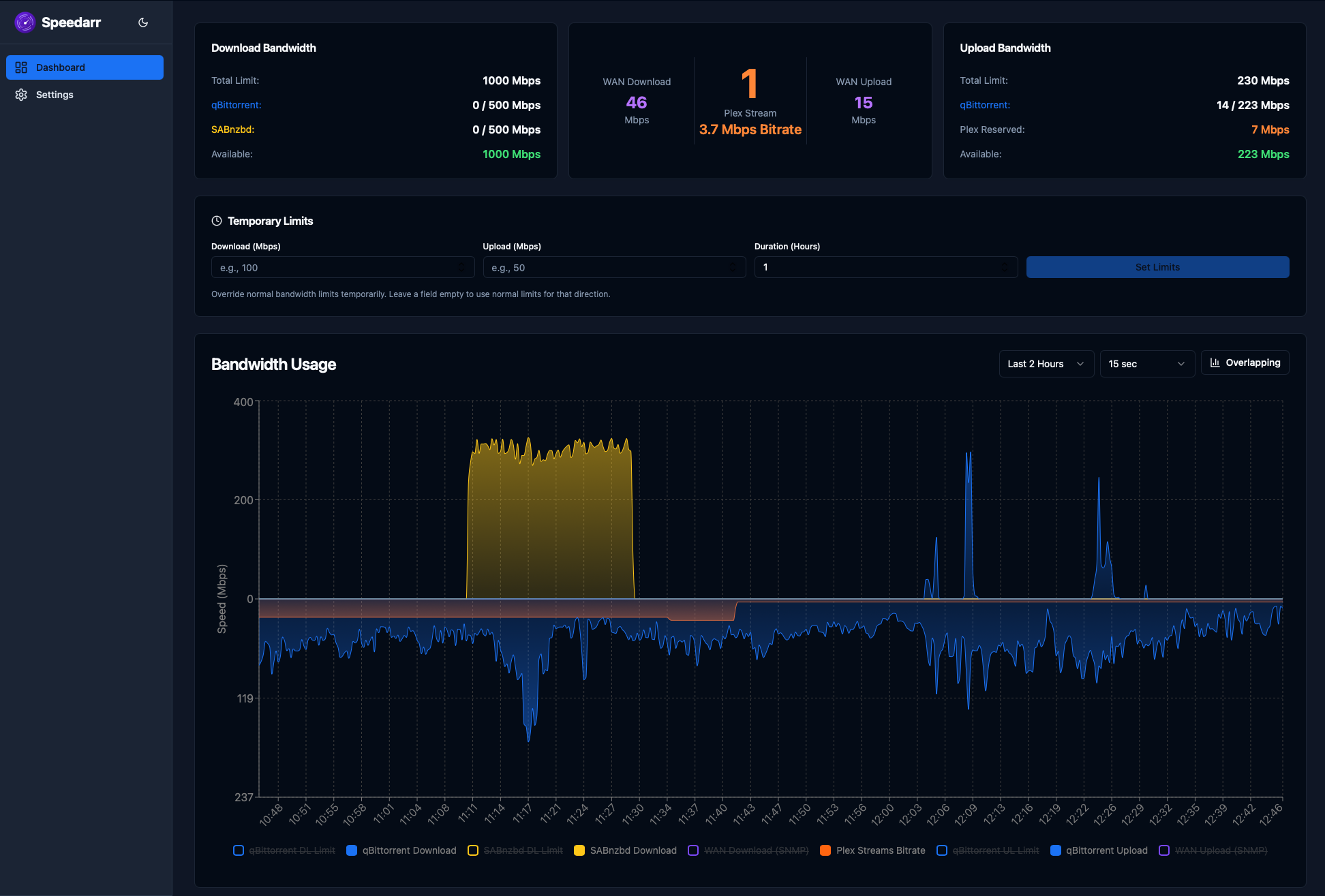
What is Speedarr?
Speedarr is a self-hosted bandwidth management tool for Plex users who run download clients. It watches Plex streams through the Plex API and automatically adjusts upload limits on connected download clients to keep bandwidth free for streaming. The app includes a real-time dashboard with charts, demand-aware allocation that gives unused bandwidth to active clients, scheduled limits for different times of day, temporary speed overrides, and different restoration delays for episodes versus movies. It can also monitor routers via SNMP (currently Unifi) to detect actual WAN bandwidth and sends alerts through multiple notification platforms. Speedarr runs as a Docker container on port 9494 with a setup wizard, and is available via Unraid Community Applications. The project is MIT-licensed and actively developed.
Should you self-host Speedarr?
Speedarr scores 0/100 on selfhost.directory (how scoring works) and ranks #34 of 34 in Network Management. It has 24 GitHub stars.
It shipped 12 stable releases in the past year. The latest, v2026.09.21, came out on 21 September 2026. New versions land roughly every 1 days.
Setup is moderate: expect some configuration beyond a single command. An official Docker image is available. It is MIT-licensed and written mostly in Python.
Its closest alternative on selfhost.directory is 3x-ui (84/100, 48 772 stars). It scores higher overall, so compare the two before you pick. See Speedarr vs 3x-ui side by side.
Features
- Bandwidth holding times
- Demand-aware bandwidth allocation
- Failsafe handling
- Media-type restoration delays
- Multi-client download management
- Multi-Platform Notifications
- Plex API stream detection
- Protocol overhead handling
- Real-time bandwidth dashboard
- Scheduled bandwidth limits
- Setup Wizard
- SNMP router monitoringUnifi only currently
- Temporary speed limit overrides
Speedarr README
More in Network Management
 super📡 SPR: Open Source, secure, user friendly and fast wifi routers for your home. One wifi password per device. Ad Blocking & Privacy Blocklists. Policy Based Network Access
 TailGuardSelf-hosted Docker container that bridges WireGuard-only devices into a Tailscale network, advertising WG subnets to the tailnet with an optional monitoring web UI.
 The-One-FileSelf-hosted offline-first network topology editor in a single HTML file with optional Docker collaboration.
 Traefik ManagerSelf-hosted web UI for managing Traefik reverse proxy — create routes, services, middlewares, certificates, and monitor logs and CrowdSec without editing YAML by hand.
 trishul-snmp-suiteSelf-hosted, open-source SNMP platform replacing Net-SNMP CLI with a web UI for agent simulation, device walking, trap handling, and MIB browsing.
 ubnt-updateSelf-hosted nginx TLS stream proxy routing Ubiquiti firmware updates through a VPN tunnel when official servers are blocked. Runs via Docker Compose or manual nginx.
 UniFi-API-BrowserSelf-hosted, open-source PHP tool to browse UniFi Controller API data: multiple classic or API-key controllers, site switching, JSON/PHP output.
 UniFi Docker ContainerSelf-hosted Docker container for UniFi Network Application to manage Ubiquiti devices. Open-source Apache-2.0 with multi-arch support.
 unifi-gatewaySelf-hosted Python daemon emulating a Ubiquiti UGW3 gateway so non-Ubiquiti routers appear in UniFi Controller with full network topology.
 Unifi-Network-ApplicationSelf-hosted Docker deployment scripts and compose files for UniFi Network Application with MongoDB, supporting generic systems, DietPi, and CasaOS.
 unifi-toolkitSelf-hosted, open-source toolkit for managing and monitoring UniFi networks with real-time dashboards, device tracking, threat monitoring, and firewall lockdowns.
 unifi-voucher-siteSelf-hosted web app for creating and managing UniFi guest vouchers with OIDC, REST API, thermal printing, email, and kiosk mode.
0 comments