
Self-host RelayPanel
v1.2.17Self-hosted TCP/UDP port forwarding management panel
curl -fsSL https://raw.githubusercontent.com/MoeShinX/relay-panel/main/install.sh | bash- Stars
- 216
- RAM
- 512 MB (minimum), 1 GB recommended
- Storage
- 2 GB free space
- Port
- 18888 (Web UI and API)
ghcr.io/moeshinx/relay-panel-panel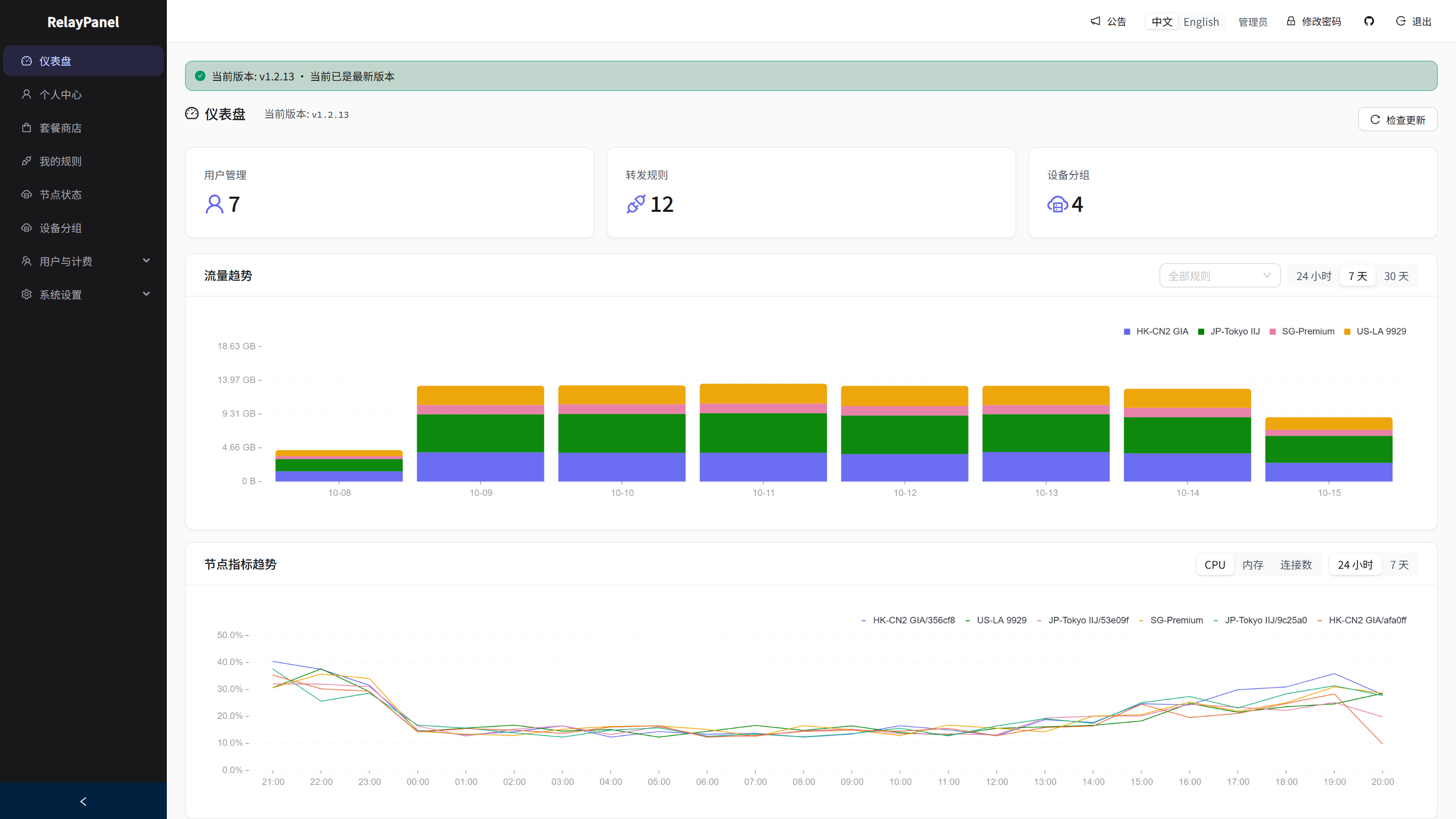
What is RelayPanel?
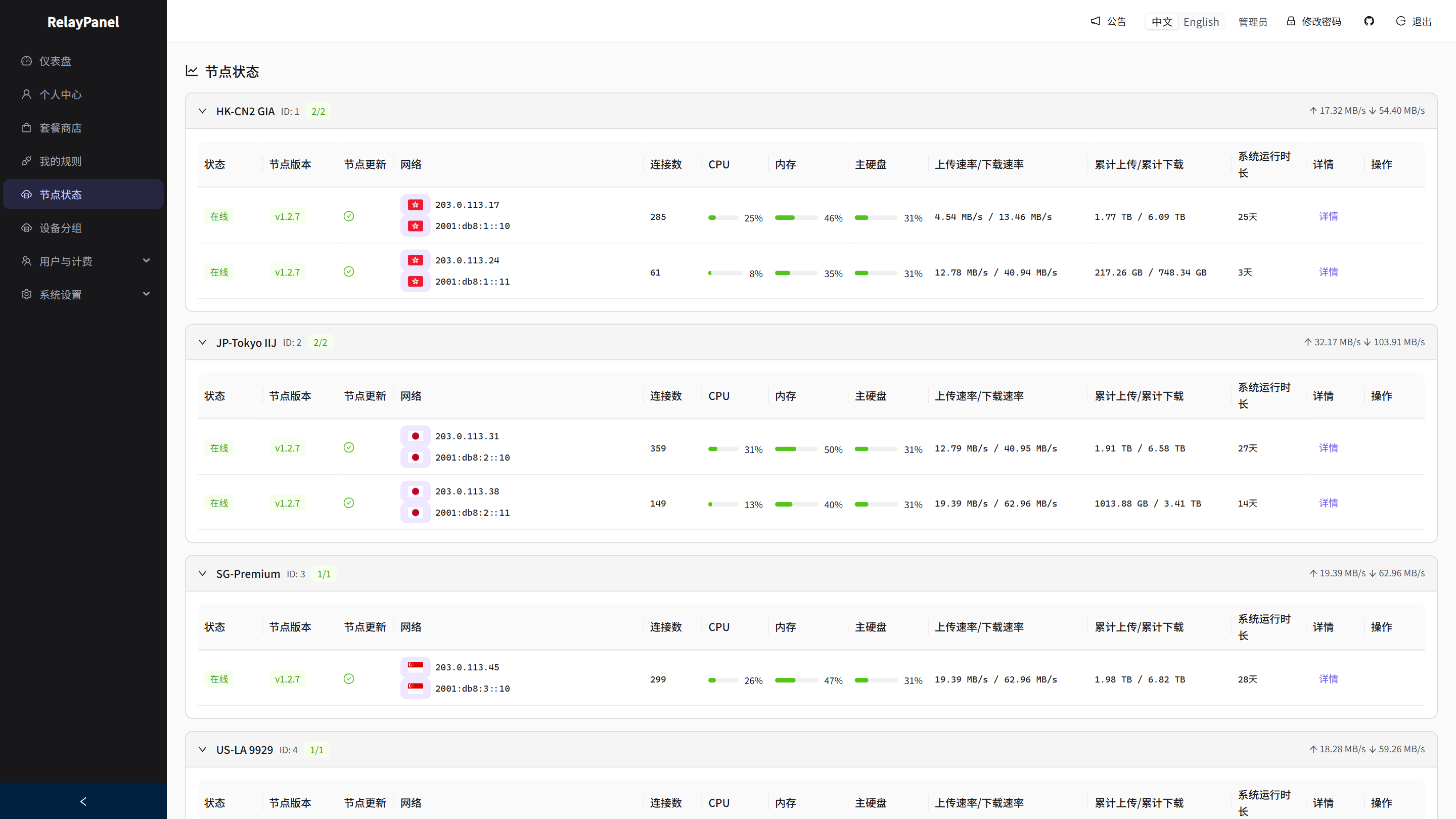
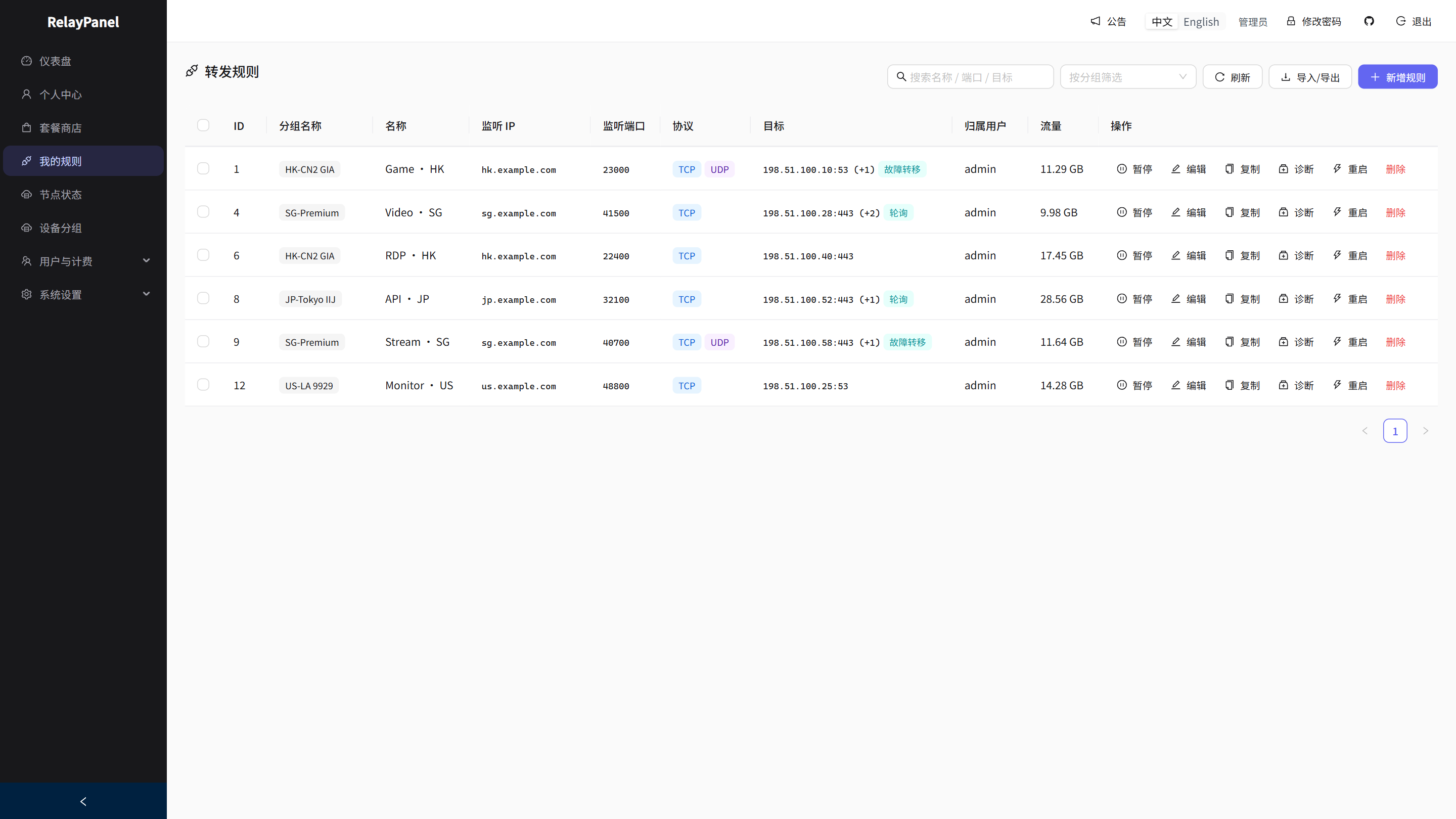
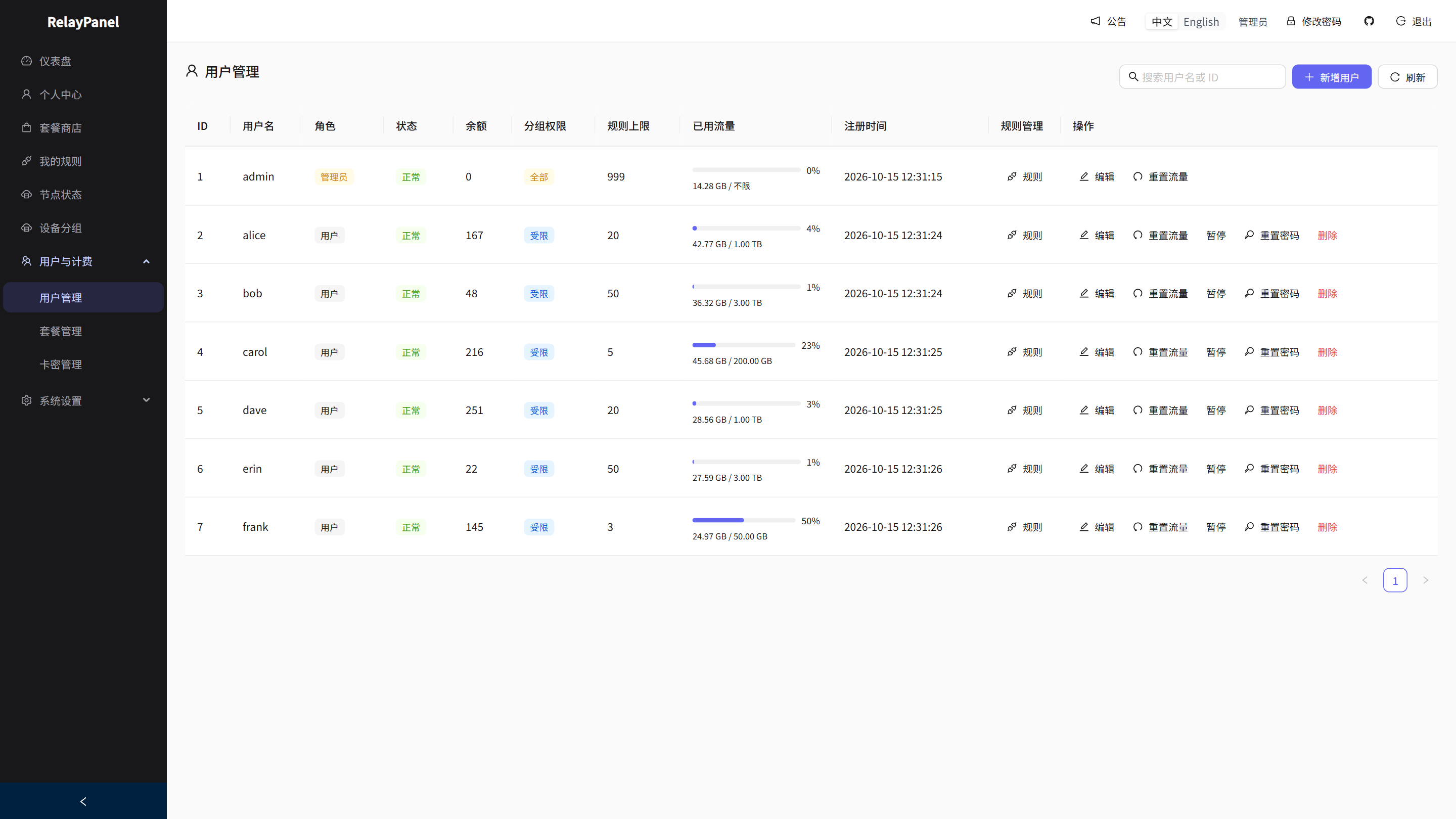
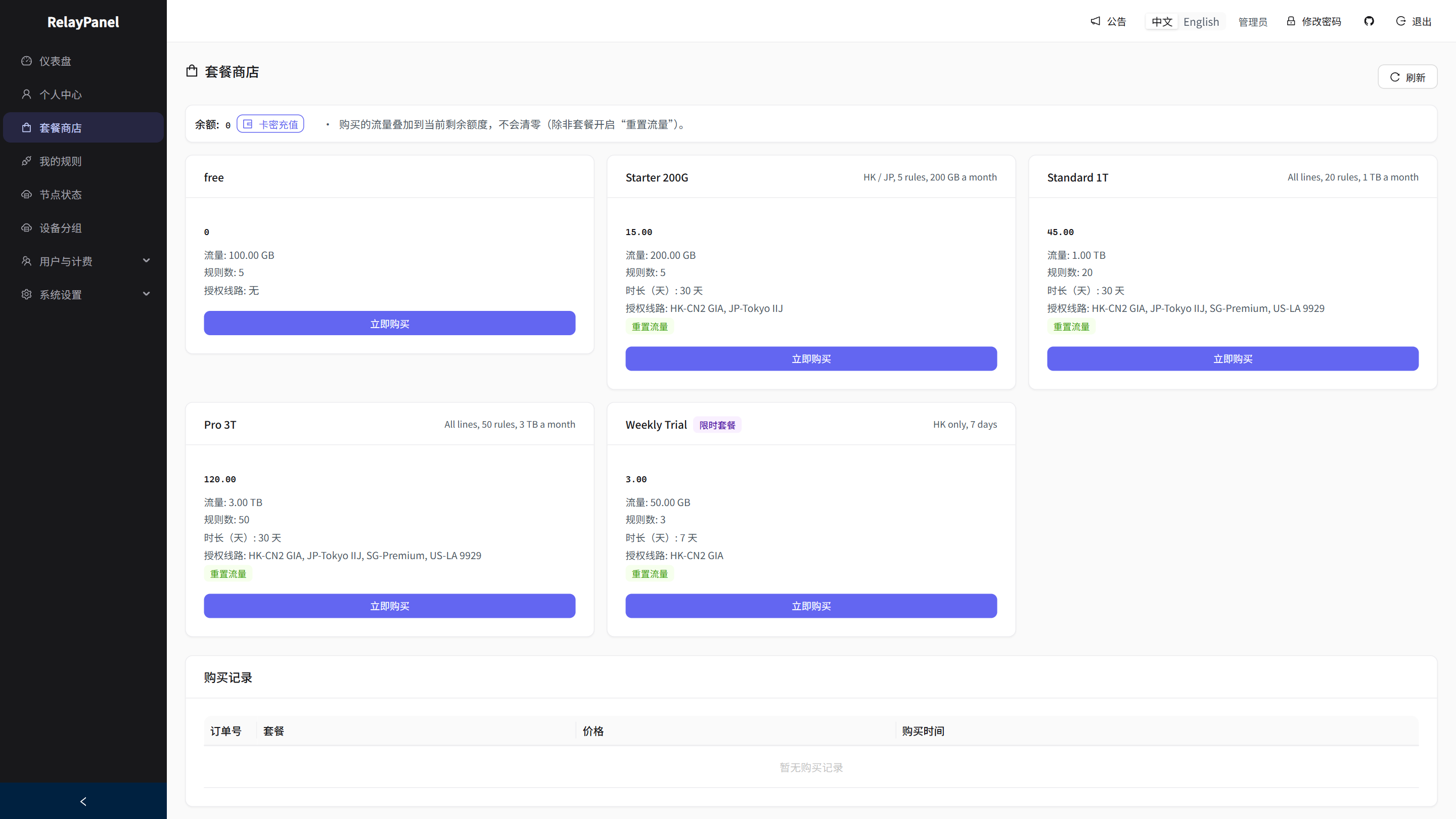
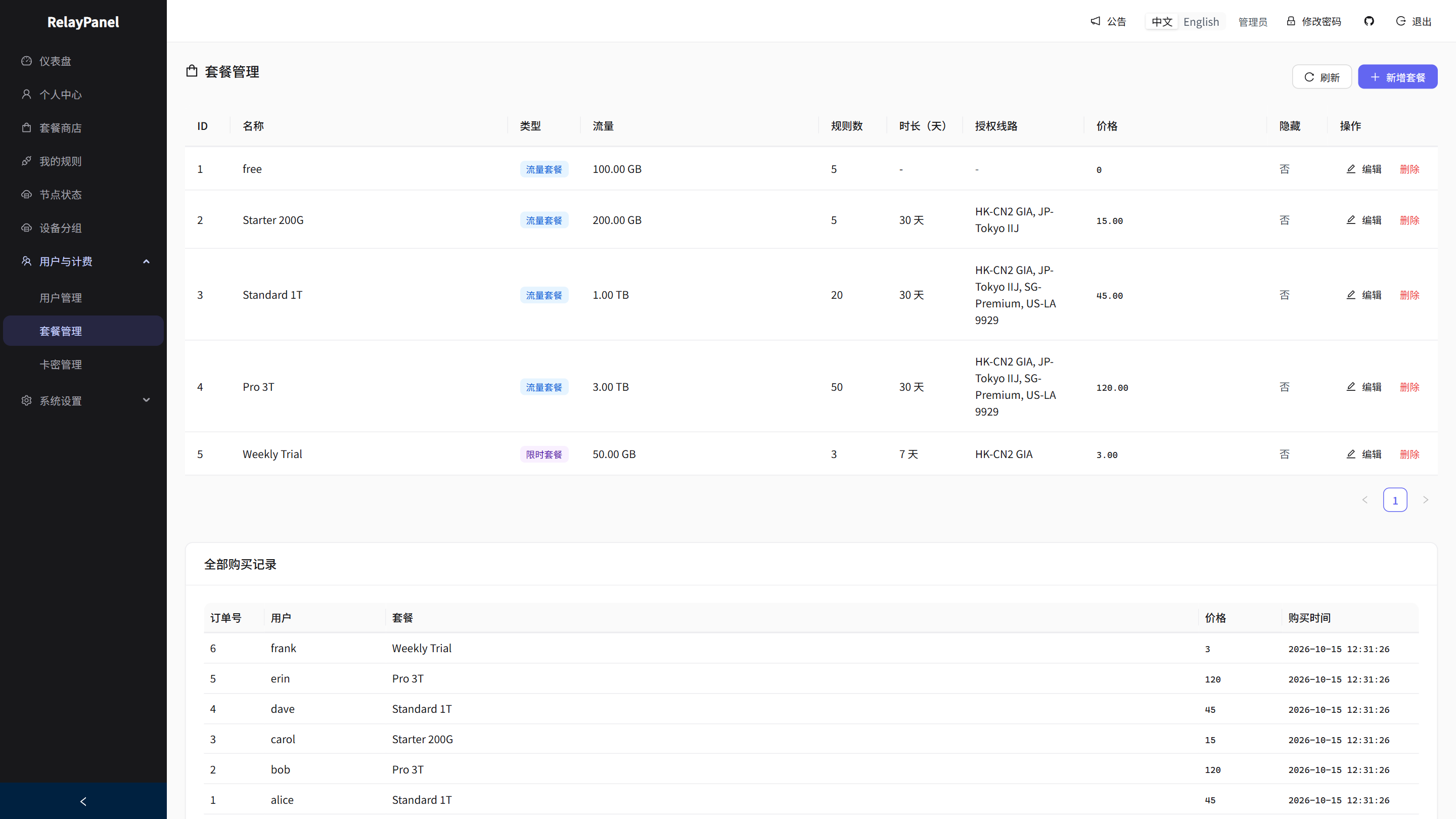
RelayPanel is a self-hosted TCP/UDP port forwarding management panel written in Rust. It provides a web UI to manage forwarding rules, device groups, traffic quotas, and real-time node status. Features include TCP/UDP multi-target forwarding with failover and load balancing, connection governance with concurrent limits, user billing with packages and card codes, traffic visualization with 1/7/30-day trends, node management with real-time CPU/memory/connection monitoring, Telegram and email offline alerts, and one-click node upgrades. It runs via Docker Compose with SQLite or PostgreSQL, supports amd64/arm64, and the panel is ~7MB while the node is ~4MB.
Should you self-host RelayPanel?
RelayPanel scores 48/100 on selfhost.directory (how scoring works) and ranks #23 of 34 in Network Management. It has 216 GitHub stars.
It shipped 10 stable releases in the past year. The latest, v1.2.17, came out on 26 October 2026. New versions land roughly every 1 days.
Setup is moderate: expect some configuration beyond a single command. An official Docker image is available. It is Apache-2.0-licensed and written mostly in Rust.
Its closest alternative on selfhost.directory is 3x-ui (84/100, 48 757 stars). It scores higher overall, so compare the two before you pick. See RelayPanel vs 3x-ui side by side.
Features
- Bare-Metal Node Deployment
- Connection Limits
- Docker Compose Deployment
- IPv6 dual-stack
- Node Management
- One-Click Panel Updates
- PROXY Protocol support
- Rule Import/Export
- Target Circuit Breaker
- TCP/UDP Port Forwarding
- Traffic Visualization
- User and Device Group Management
- User Packages and Billing
- WebSocket Real-Time Config Push
RelayPanel README
More in Network Management
 SpeedarrSelf-hosted bandwidth manager for Plex that throttles download clients (qBittorrent, SABnzbd, NZBGet, Transmission, Deluge) to prevent buffering.
 super📡 SPR: Open Source, secure, user friendly and fast wifi routers for your home. One wifi password per device. Ad Blocking & Privacy Blocklists. Policy Based Network Access
 TailGuardSelf-hosted Docker container that bridges WireGuard-only devices into a Tailscale network, advertising WG subnets to the tailnet with an optional monitoring web UI.
 The-One-FileSelf-hosted offline-first network topology editor in a single HTML file with optional Docker collaboration.
 Traefik ManagerSelf-hosted web UI for managing Traefik reverse proxy — create routes, services, middlewares, certificates, and monitor logs and CrowdSec without editing YAML by hand.
 trishul-snmp-suiteSelf-hosted, open-source SNMP platform replacing Net-SNMP CLI with a web UI for agent simulation, device walking, trap handling, and MIB browsing.
 ubnt-updateSelf-hosted nginx TLS stream proxy routing Ubiquiti firmware updates through a VPN tunnel when official servers are blocked. Runs via Docker Compose or manual nginx.
 UniFi-API-BrowserSelf-hosted, open-source PHP tool to browse UniFi Controller API data: multiple classic or API-key controllers, site switching, JSON/PHP output.
 UniFi Docker ContainerSelf-hosted Docker container for UniFi Network Application to manage Ubiquiti devices. Open-source Apache-2.0 with multi-arch support.
 unifi-gatewaySelf-hosted Python daemon emulating a Ubiquiti UGW3 gateway so non-Ubiquiti routers appear in UniFi Controller with full network topology.
 Unifi-Network-ApplicationSelf-hosted Docker deployment scripts and compose files for UniFi Network Application with MongoDB, supporting generic systems, DietPi, and CasaOS.
 unifi-toolkitSelf-hosted, open-source toolkit for managing and monitoring UniFi networks with real-time dashboards, device tracking, threat monitoring, and firewall lockdowns.
0 comments