
Self-host HomeDash2
2022.1Server monitoring dashboard with plugin system
- Stars
- 159
- Ports
- 4567 (HTTP web interface), 4570 (JMX debugging (when DEBUG=true))
gonzague/homedash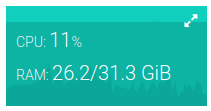


What is HomeDash2?
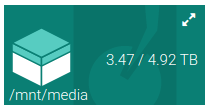
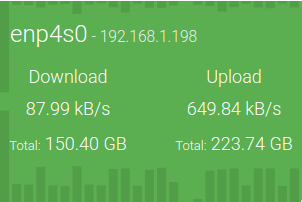
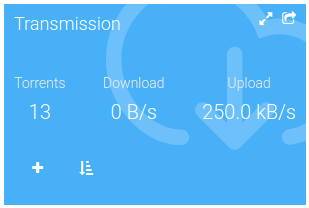
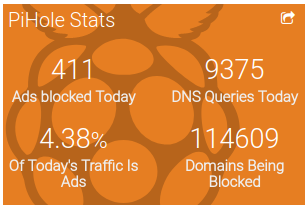
HomeDash is a Java-based server dashboard that gives you one place to watch and control many services through plugins. It provides adjustable, responsive layouts for mobile, tablet, and desktop, plus a kiosk mode for full-screen display on TVs or Raspberry Pis. You can organize plugins across multiple boards and import configurations from other instances. The plugin collection covers system monitoring (CPU, RAM, disk, network), torrent handling (Transmission), media automation (CouchPotato/Radarr, Sonarr), ad-blocking (Pi-hole), container management (Docker, Docker Compose), dynamic DNS (OVH, no-ip, dyn.com), log viewing, music (Spotify), media servers (Plex, Jellyfin), and MMA event tracking. It runs on Java 11+ and deploys via Docker (gonzague/homedash) or as a standalone JAR. The project is marked as abandoned with the last release in 2022.
Should you self-host HomeDash2?
HomeDash2 scores 38/100 on selfhost.directory (how scoring works) and ranks #39 of 44 in Dashboard. It has 159 GitHub stars.
There was no stable release in the past 12 months, so check the repository's recent activity before you rely on it.
Setup is moderate: expect some configuration beyond a single command. An official Docker image is available. It is MIT-licensed and written mostly in Java.
Its closest alternative on selfhost.directory is Homepage by gethomepage (84/100, 33 416 stars). It scores higher overall, so compare the two before you pick. See HomeDash2 vs Homepage by gethomepage side by side.
Features
- Container Management
- Customizable dashboard layouts
- Dynamic DNS
- File Management
- Kiosk Mode
- Log viewer
- Media automation
- Media server monitoring
- Multiple boards
- Music integration
- Pi-hole monitoring
- Plugin import/export
- System MonitoringReduced functionality in Docker due to container isolation
- Torrent Management
HomeDash2 README
More in Home Server
 HomeDockOSA self-hosted cloud operating system that gives you a full desktop in the browser, hundreds of one-click apps, and automatic HTTPS certificates.
 homepageSelf-hosted family photo cloud with AI search. Stores original-quality media on your hardware; mobile apps connect over home network. Server free (MIT), phone apps $1.99.
 homesocSelf-hosted, open-source SOC dashboard for home networks that unifies Wazuh alerts, AdGuard DNS logs, and CVE tracking with AI-powered alert explanations via Claude CLI.
 honeyhoney is a self-hosted, open-source dashboard for organizing your self-hosted services. Written in pure HTML, CSS, and JavaScript with no backend required.
 hubleys-dashboardHubleys is a self-hosted, open-source personal dashboard organizing services into per-user dashboards with link tiles, search, calendars, and weather.
 idle-lessSelf-hosted Docker reverse proxy that wakes sleeping servers via Wake-on-LAN when traffic arrives, saving power costs with a professional waiting screen during boot.
 Income Generator (IGM)Self-hosted tool to deploy and manage bandwidth-sharing apps like Honeygain via CLI, TUI, or web dashboard with multi-proxy scaling and auto-updates.
 JanitorrSelf-hosted tool that removes unwatched media from Jellyfin/Emby using Radarr, Sonarr, and Seerr with configurable age and disk-space rules.
 JoulenapSelf-hosted scheduler that wakes Proxmox Backup Servers, runs backups, applies retention and GC, then powers them down — keeping servers asleep 23 hours a day.
 jumpSelf-hosted startpage for your homelab links with real-time site status monitoring, tag navigation, fast search, weather and Docker integration.
 lab-dashSelf-hosted dashboard for managing homelab applications with customizable grid layout, service health checks, and PWA support.
 LabTetherSelf-hosted homelab control plane that unifies Proxmox, TrueNAS, Docker, and Home Assistant management with AI agent gateway via MCP.
0 comments