
Self-host Ente
photos-v1.3.70Encrypted photos, 2FA and document vault you run yourself
docker compose up --build- Stars
- 30 161
- CPU
- 1 CPU core
- RAM
- 1 GB
- Ports
- 3000 (Ente Photos web app), 3002 (Ente Albums web app, serves public album links)
What is Ente?
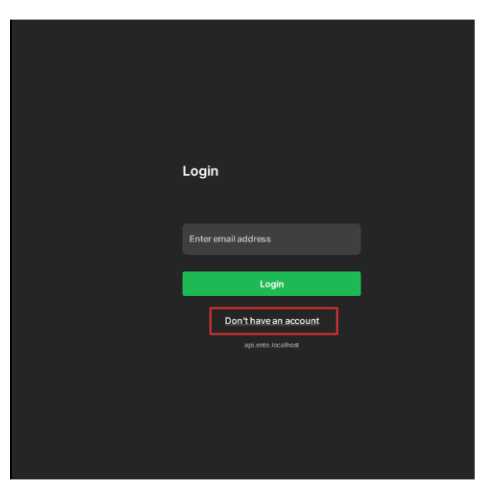
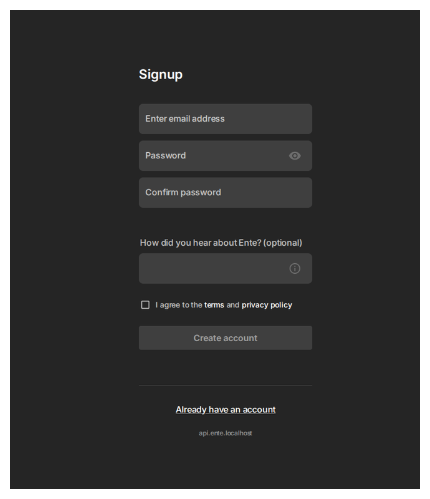
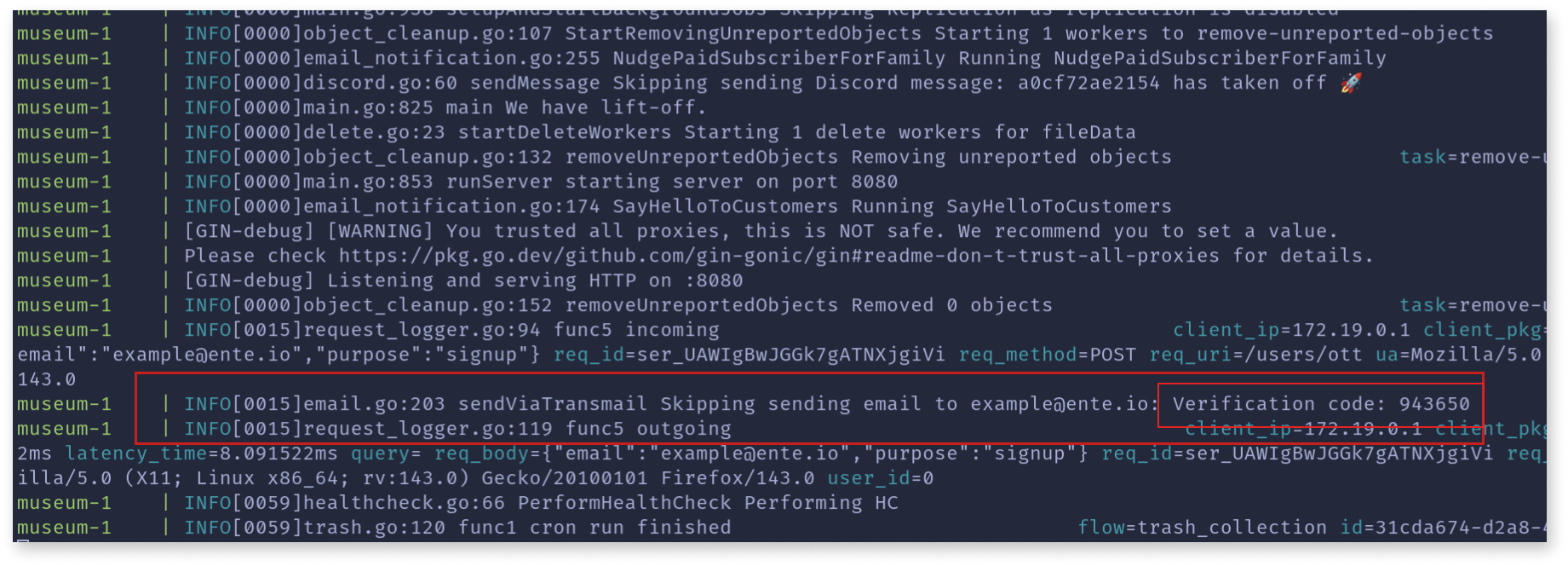
Ente is an end-to-end encrypted storage platform whose clients cover photos, TOTP codes and sensitive documents, and whose Go server (Museum) plus web apps live in the same monorepo, so you can run the whole stack yourself. Clients ship for Android, iOS, F-Droid, web, Linux, macOS and Windows, alongside a CLI for server use. On the photos side it does automatic background uploads, on-device face grouping, zero-knowledge natural-language search, curated memories, collaborative albums, public collection links, hidden photos, comments and likes, plus import from Google, Apple or Amazon takeout archives. Storage is replicated, and the vendor's hosted service has a free 10GB tier with paid plans on top, while Ente Auth is stated to stay free. Self-hosting is documented as a one-line quickstart script, a Docker Compose build from source (config copied from example.env and example.yaml), or a manual setup without Docker; the stack needs PostgreSQL and an S3-compatible object store (bundled MinIO or your own buckets), with community guides for systemd, Windows and a Kubernetes helm chart. Note the hosted-service extras such as family plans sit in the paid tier, and the docs site itself does not describe a dark theme for the app.
Ente alternatives
 librephotosSelf-hosted, open-source photo library that indexes the folders you already have with face clustering, places, captions and natural-language search.Comparelibrephotos with Ente
 ImmichImmich is an open-source, self-hosted photo and video backup solution with mobile apps, facial recognition, and Google Photos-like features for individuals and families.CompareImmich with Ente
 zero_password_managerRun your own password vault on your hardware. Client-side AES-256-GCM encryption, required TOTP 2FA, hidden site URLs, and Flutter apps everywhere.Comparezero_password_manager with Ente
 PhotoPrismAI-Powered Photos App 🌈💎✨ComparePhotoPrism with Ente
 UrocissaAn open-source, self-hosted photo gallery using Rust and Vue to handle millions of images on modest hardware with fast search and endless scrolling.CompareUrocissa with Ente
 PlikShareOpen-source self-hosted file sharing with unlimited users, multiple storage backends, three encryption modes, OIDC SSO, TOTP 2FA, sharing boxes, and MCP for AI agents.ComparePlikShare with Ente
 hoodikSelf-hosted cloud storage with end-to-end encryption in the browser. Single Docker container, SQLite/PostgreSQL, S3 support, encrypted notes, secure search, TOTP 2FA.Comparehoodik with Ente
 folderhostA self-hosted, open-source cloud platform offering file sharing, real-time collaboration, and user management in a ~19MB binary as a lightweight Nextcloud alternativeComparefolderhost with Ente
All self-hosted alternatives to Apple Photos → All self-hosted alternatives to Authy → All self-hosted alternatives to Dropbox →
Should you self-host Ente?
Ente scores 82/100 on selfhost.directory (how scoring works) and ranks #1 of 41 in Photo Management. It has 30 161 GitHub stars, +792 in the last 30 days.
It shipped 37 stable releases in the past year. The latest, photos-v1.3.70, came out on 13 November 2026. New versions land roughly every 3 days.
Setup is moderate: expect some configuration beyond a single command. It is AGPL-3.0-licensed and written mostly in Dart.
Its closest alternative on selfhost.directory is Immich (93/100, 119 343 stars). It scores higher overall, so compare the two before you pick. See Ente vs Immich side by side.
Features
- AI semantic search
- Automatic background backups
- Collaborative albums
- Command line client
- Comments and likes
- Curated memories
- Encrypted document vaultFree up to 100 items on the hosted service.
- End-to-end encryption
- Face Recognition
- Family plan sharingListed under paid plans on the pricing section.
- Hidden photos
- Import and export tooling
- Multi-replica storageReadme advertises 3x replication; the site's free tier lists 1 replica, 3 replicas being a paid plan benefit.
- Public share links
- TOTP authenticator app
Ente README

Fully open source end-to-end encrypted photos, authenticators and more.
Ente is a service that provides a fully open source, end-to-end encrypted platform for you to store your data in the cloud without needing to trust the service provider. On top of this platform, we have built three apps so far: Ente Photos (an alternative to Apple and Google Photos), Ente Locker (a safe space for your most important documents and credentials), and Ente Auth (a 2FA alternative to the deprecated Authy).
This monorepo contains all our source code - the client apps (iOS / Android / F-Droid / Web / Linux / macOS / Windows) for both the products (and more planned future ones!), and the server that powers them.
FAQ
What does "Ente" mean?
It means "mine" in Malayalam, and also "duck" in German, which is why the project's mascot is a duck.
Can I share my subscription with family and friends?
A family plan lets you add up to 5 members who share your storage but each keep a private library; a referral program grants 10 GB per referred paid customer.
How can I share my photos with end-to-end encryption?
Add other Ente users as viewers or collaborators to an album, or send a public album link that people can open in a browser and even upload to, still encrypted.
Does Ente have an app for my device?
There are open-source clients for Android, iOS, web, Mac, Linux and Windows that back up in the background, plus a command line client for servers.
Can I transfer my photos from Google or Apple?
Yes: Ente documents a migration for both, where you download your takeout data and drop it into the Ente desktop app to import.
More in Photo Management
 ErinErin is a self-hosted, open-source web app for browsing personal images and videos in a TikTok-like vertical swipe feed with playlists and optional password protection.
 facetSelf-hosted photo manager using AI to score, cull, and organize your library locally with face detection and natural-language search.
 family-bookFamily Book is a self-hosted, open-source family tree and archive that lets you own your family's photos, stories, and relationships in a SQLite database.
 GerberaOpen-source, self-hosted UPnP/DLNA media server that streams your music, photos and videos to any compatible device, with a web UI to manage the library.
 HomeGallerySelf-hosted open-source web gallery for photos and videos on your own disks: tagging, face recognition, similar-image search, PWA mobile support and Chromecast.
 homepageSelf-hosted family photo cloud with AI search. Stores original-quality media on your hardware; mobile apps connect over home network. Server free (MIT), phone apps $1.99.
 icloudOpen-source, self-hosted Docker iCloud client that keeps a local copy of iCloud Drive and Photos, with scheduled sync, 2FA re-auth and an optional web dashboard.
 icloud-dockerSelf-hosted Docker iCloud client that keeps a local copy of your Drive files and Photos up to date; open-source, with filters, alerts and an optional web dashboard.
 ImageScrubberImage Scrubber is a self-hosted, open-source web tool that removes EXIF metadata and blurs faces in protest photos, running entirely in the browser with no server needed.
 Imagin RAWA fast, lightweight macOS app for RAW photo browsing and culling that replaces Adobe Bridge with native performance.
 imagor-studioSelf-hosted photo gallery with built-in layered editing, template system, and on-demand URL transformations. Virtual scrolling handles huge libraries.
 Immich-AutoAlbumsSelf-hosted Python tool that creates Immich albums from external library folders, with filtering, sharing, and scheduled Docker runs.
0 comments