
Self-host folderhost
v26.10.1Single-binary cloud platform for file sharing
- Stars
- 362
- Port
- 5000 (HTTP web interface)
mertjsx/folderhost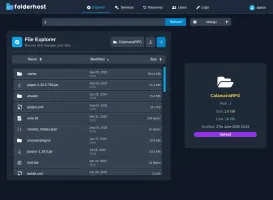
What is folderhost?
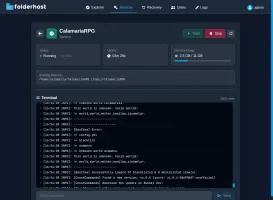
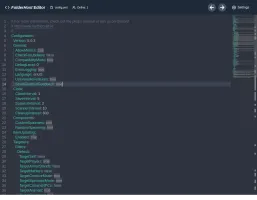
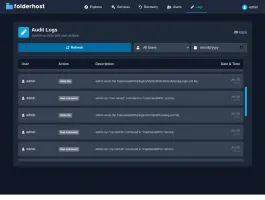
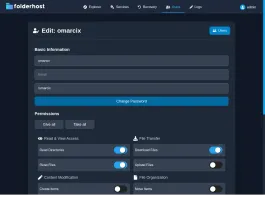
This Go and React application runs as a single ~19MB binary with no external dependencies, using SQLite for storage. It provides multi-user support with granular permissions, real-time code editing via Monaco Editor, chunked file uploads, a recovery bin for deleted files, JWT-based authentication with device tracking, and audit logging. Deployment options include Docker or native binaries for Linux and Windows. The web interface defaults to port 5000. Licensed under GPL-3.0 with regular releases.
Should you self-host folderhost?
folderhost scores 48/100 on selfhost.directory (how scoring works) and ranks #21 of 27 in File Sharing & Collaboration. It has 362 GitHub stars.
It shipped 16 stable releases in the past year. The latest, v26.10.1, came out on 18 October 2026. New versions land roughly every 2 weeks.
Setup is easy: most people get it running in one sitting. An official Docker image is available. It is GPL-3.0-licensed and written mostly in Typescript.
Its closest alternative on selfhost.directory is FileRise (59/100, 1 023 stars). It scores higher overall, so compare the two before you pick. See folderhost vs FileRise side by side.
Features
- Audit Logging
- Binary Download
- Chunked File Uploads
- Code Editor
- File Archive/Extract
- File Management
- Multi-user support
- Real-Time Collaboration
- Recovery Bin
- SSL/HTTPS support
- Storage Limits
folderhost README
More in Cloud Storage
 garageOpen-source, self-hosted S3-compatible object store in Rust for small geo-distributed clusters, shipped as a single dependency-free binary needing no external service.
 GokapiAn open-source, self-hosted Firefox Send alternative: expiring download links, end-to-end encryption, user roles, file requests and optional S3-compatible storage.
 GoSƐSelf-hosted, open-source web file uploader that stores everything in S3-compatible object storage, with chunk de-duplication, resumable uploads and no database.
 hoodikSelf-hosted cloud storage with end-to-end encryption in the browser. Single Docker container, SQLite/PostgreSQL, S3 support, encrypted notes, secure search, TOTP 2FA.
 HRCloud2HRCloud2 is an open-source, self-hosted cloud storage platform with file conversion, OCR, media streaming, virus scanning, and a voice-enabled personal assistant.
 icloudOpen-source, self-hosted Docker iCloud client that keeps a local copy of iCloud Drive and Photos, with scheduled sync, 2FA re-auth and an optional web dashboard.
 icloud-dockerSelf-hosted Docker iCloud client that keeps a local copy of your Drive files and Photos up to date; open-source, with filters, alerts and an optional web dashboard.
 JmalCloudSelf-hosted, open-source personal cloud drive: online Office editing, previews, WebDAV mounting, resumable big uploads and full-text search, shipped as a Docker image.
 juicefsSelf-hosted, open-source JuiceFS is a POSIX file system: blocks go to object storage, metadata to Redis, MySQL or SQLite, plus S3, WebDAV and HDFS access.
 kodboxkodbox is a self-hosted, open-source PHP file manager and private cloud drive: multi-storage mounting, fine-grained permissions, sharing, and online preview/edit.
 kopiaSelf-hosted, open-source backup tool for Windows, macOS and Linux that takes incremental, end-to-end-encrypted, deduplicated snapshots to any cloud or local storage.
 LitestreamOpen-source, self-hosted SQLite replication tool: streams database changes to S3, GCS, Azure or local files, restoring to the last replicated transaction.
0 comments