
Self-host Urocissa
3.4.2High-performance photo gallery for massive collections
- Stars
- 300
- RAM
- 4 GB
- Port
- 5673 (HTTP server)
- Requires
- Ffmpeg
hsa00000/urocissa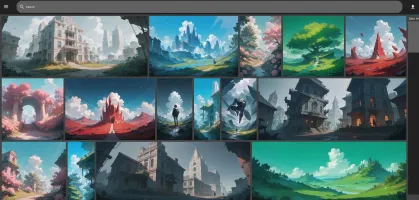
What is Urocissa?
Urocissa is a self-hosted photo and video gallery built for massive collections, handling millions of media files on modest hardware. The Rust backend and Vue 3 frontend use an in-memory cached database to deliver instant boolean search, endless virtual scrolling without pagination, and a responsive layout. Deployment options include Docker, standalone executables for Windows and Linux, and building from source. Core capabilities cover upload and download, EXIF metadata preservation, custom tags, duplicate detection, shareable albums, image rotation, auto-backup of watched folders, read-only mode, and timeline navigation. Current gaps include no multi-user support, no face or object recognition, no map view, and no native mobile apps. The project is MIT-licensed and sees regular releases.
Should you self-host Urocissa?
Urocissa scores 48/100 on selfhost.directory (how scoring works) and ranks #11 of 19 in Photo Galleries. It has 300 GitHub stars.
It shipped 18 stable releases in the past year. The latest, 3.4.2, came out on 21 September 2026. New versions land roughly every 2 days.
Setup is moderate: expect some configuration beyond a single command. An official Docker image is available. It is MIT-licensed and written mostly in Rust.
Its closest alternative on selfhost.directory is Immich (93/100, 117 509 stars). It scores higher overall, so compare the two before you pick. See Urocissa vs Immich side by side.
Features
- Auto backup folders
- Download photos and videos
- Duplicate handling
- EXIF data preservation
- Image rotation
- Infinite virtual scrolling
- In-memory cached database
- Instant boolean search
- Instant select all
- Read-Only Mode
- Shareable albums
- Timeline navigation
- Upload photos and videos
- User-defined tags
Urocissa README
More in Photo Galleries
 ZenphotoCMSSelf-hosted open-source CMS for media galleries with integrated blog, multi-user management, and multilingual support.
 AfilmorySelf-hosted, open-source photo gallery platform for photographers: syncs S3, B2, GitHub or local photos, with an HDR-aware GPU viewer, EXIF, maps and a native iOS app.
 ChronoFrameA self-hosted, open-source photo gallery with EXIF parsing, Live/Motion Photo playback, password-protected albums, and a map explorer.
 DamselflySelf-hosted, open-source photo management system for large collections with AI face/object detection, IPTC keyword tagging, and fast search.
 FladderFladder is an open-source, self-hosted Jellyfin frontend built with Flutter, offering streaming, downloads, offline playback, library management, and native apps.
 foldergramFoldergram is a self-hosted, open-source photo and video gallery that turns local folders into an Instagram-style feed with PWA support and SQLite indexing.
 HomeGallerySelf-hosted open-source web gallery for photos and videos on your own disks: tagging, face recognition, similar-image search, PWA mobile support and Chromecast.
 imagor-studioSelf-hosted photo gallery with built-in layered editing, template system, and on-demand URL transformations. Virtual scrolling handles huge libraries.
 ImmichImmich is an open-source, self-hosted photo and video backup solution with mobile apps, facial recognition, and Google Photos-like features for individuals and families.
 immichFrame
 Immich KioskSelf-hosted, open-source slideshow for Immich photos on browsers and kiosk devices with extensive customization via Docker, URL params, or YAML config.
 Inky Bird FrameInky Bird Frame is a self-hosted, open-source project that turns bird observations into illustrated plates for color e-paper displays and a browser journal.
0 comments