
Self-host DStatus
agent-v2.3.3Server monitoring and AI ops panel for VPS fleets
- Stars
- 421
- CPU
- 1 core
- RAM
- 1 GB
- Storage
- 30 GB
- Ports
- 5555 (web panel), 9999 (agent (passive mode))
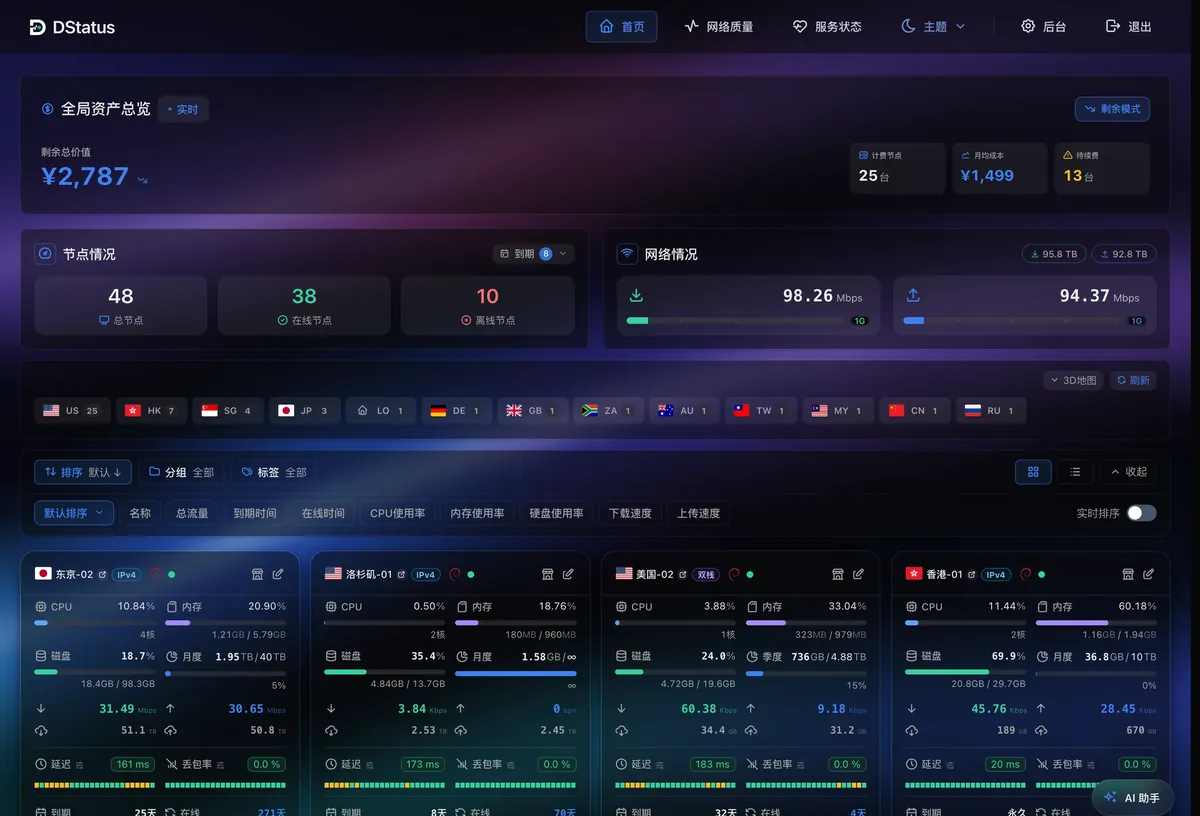
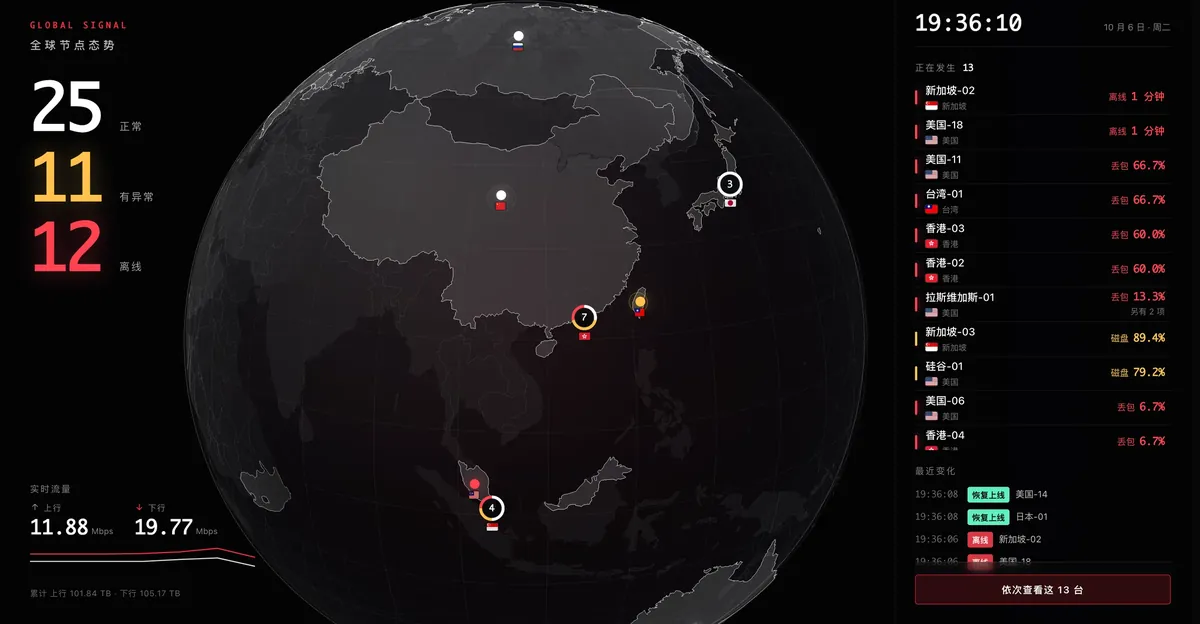
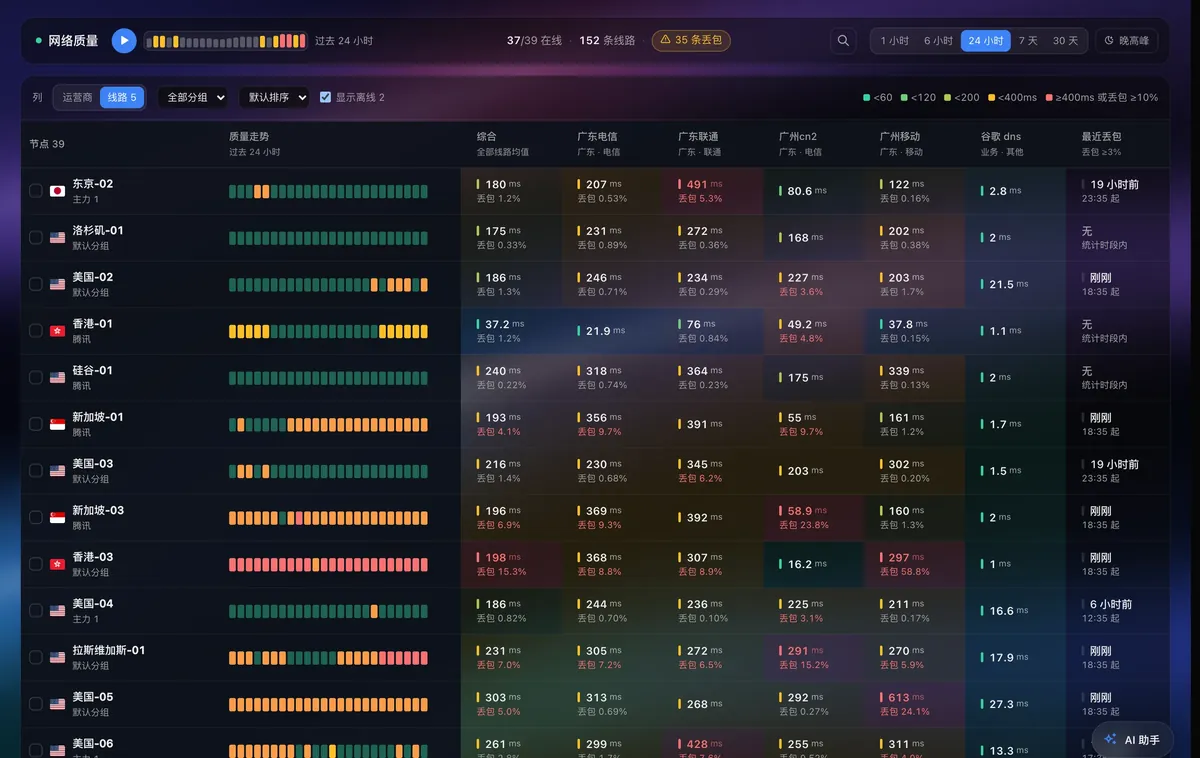
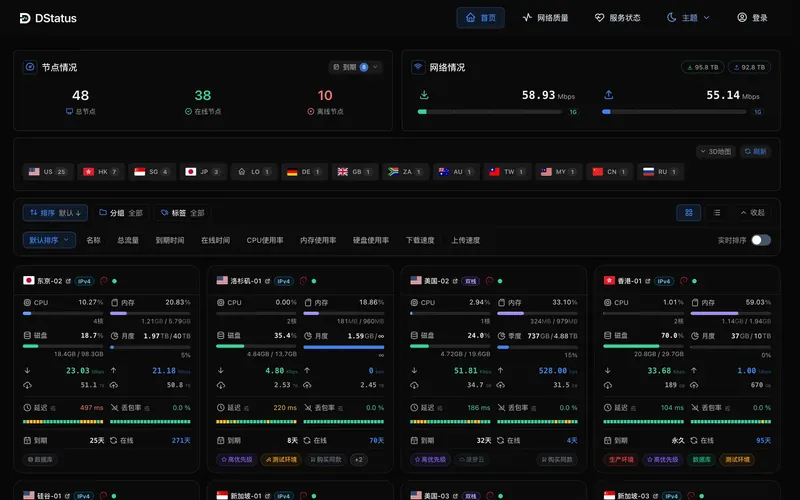
What is DStatus?
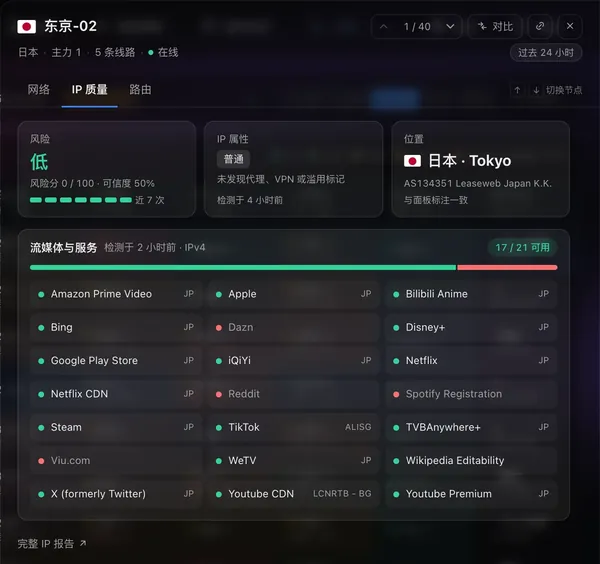
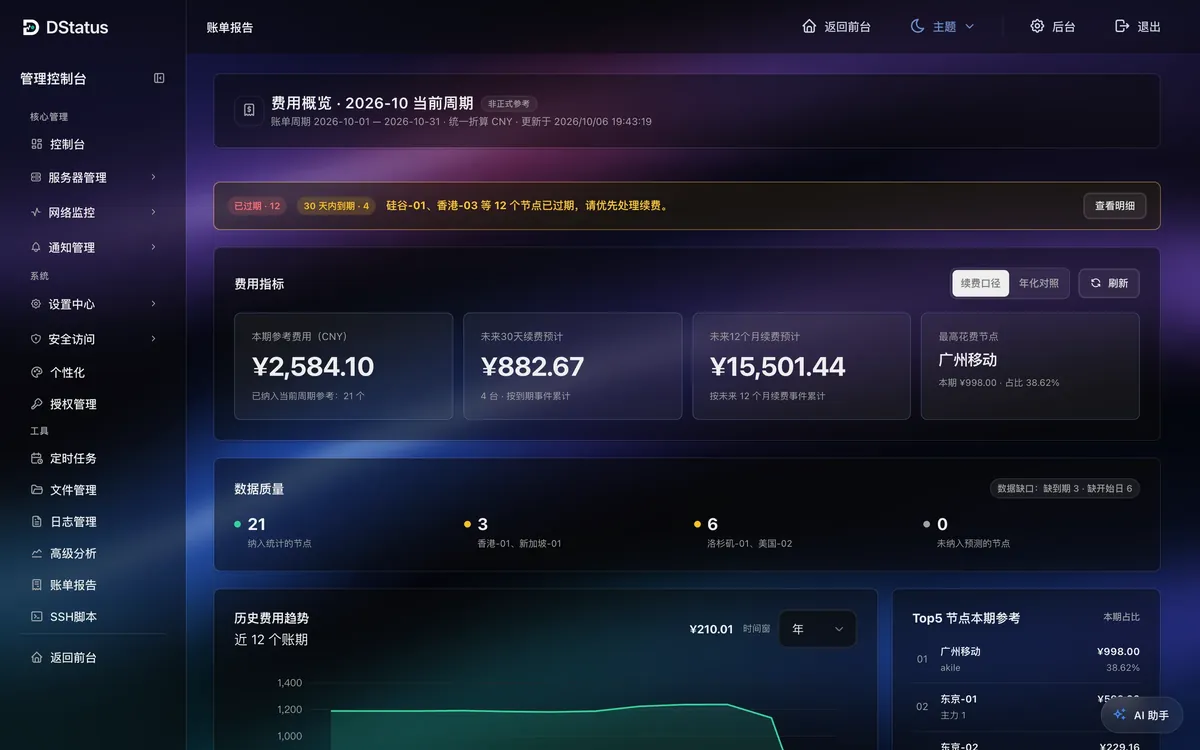
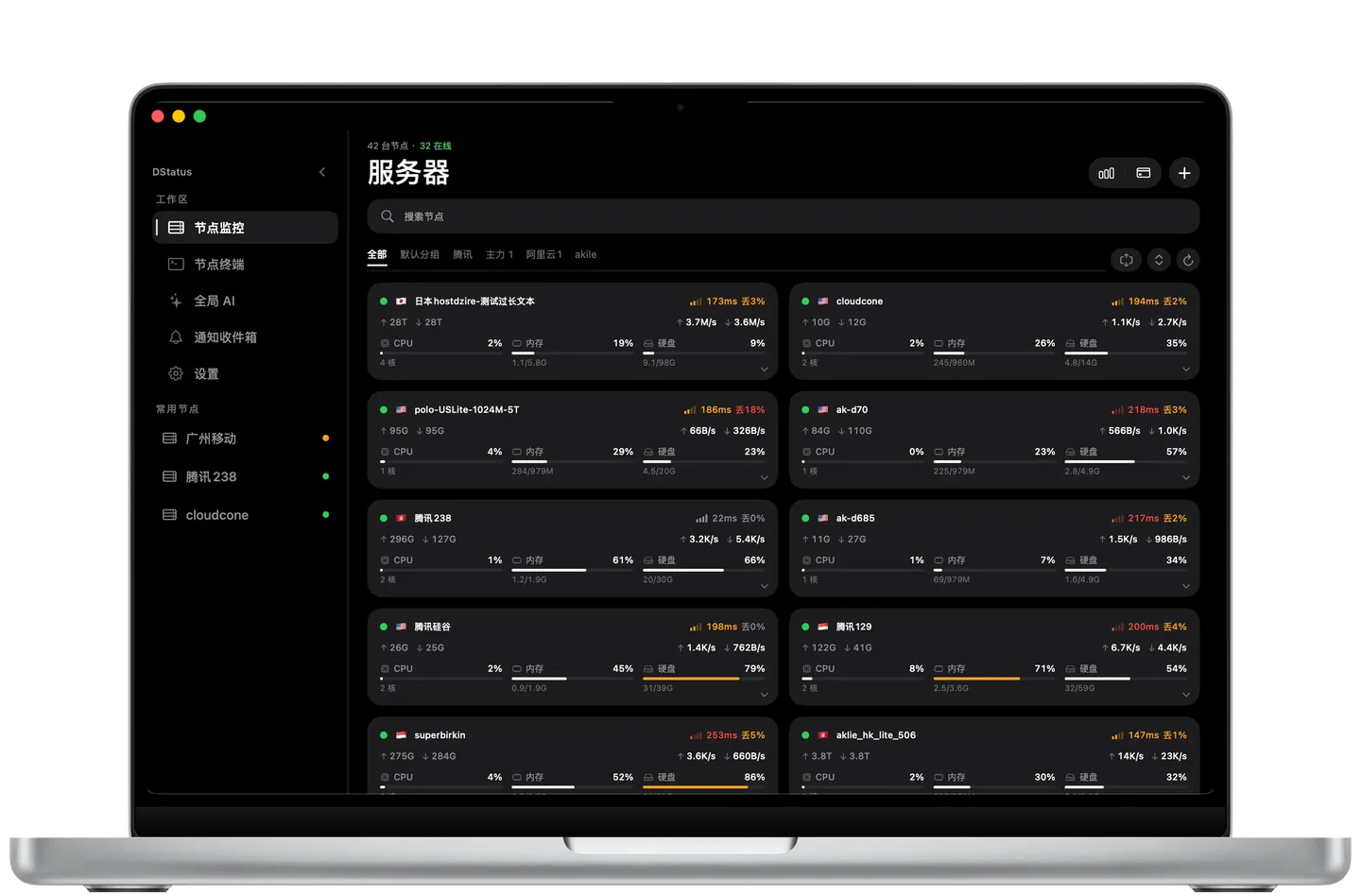
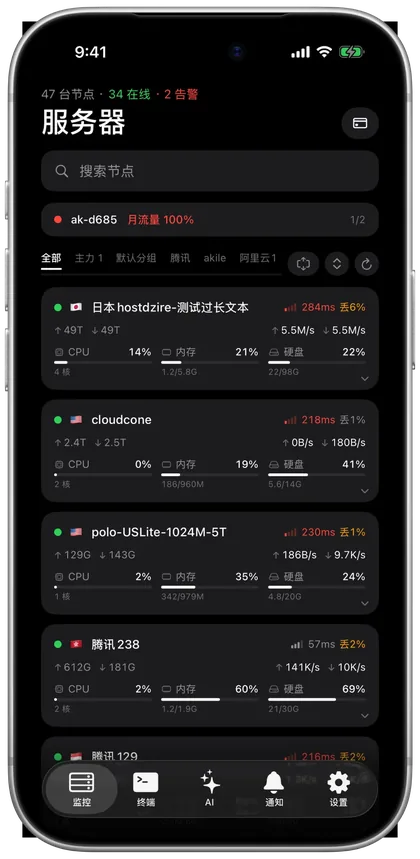
DStatus is a self-hosted panel for overseeing large numbers of virtual servers and edge devices. It shows live CPU, memory, disk, and bandwidth with card and list views. It runs continuous TCPing against China Telecom, Unicom, and Mobile targets, recording hourly latency, jitter, and packet loss with separate peak-hour stats. Scheduled MTR traces capture per-hop latency and network ownership, alerting when routes or ISPs change. It assesses exit IP risk and location, and checks Netflix, Disney+, YouTube Premium, ChatGPT and other platforms on a schedule. Alert rules cover resources, traffic, TCPing, HTTP, MTR changes, and renewals, delivered via Telegram, email, Webhook, and mobile push with flapping suppression and quiet hours. A browser-based WebSSH terminal with SFTP and SSH script execution lets you operate nodes. Asset tracking records price, cycle, and expiry per server, with multi-currency billing reports and expiry reminders. The UI offers light, dark, and system-following modes, five color schemes, and custom logo/CSS. An AI assistant reads live data and history, prioritizes issues, logs into nodes via SSH, proposes commands, and runs them after admin confirmation (or automatically). Native macOS and TestFlight iOS apps connect to your panel. Remote MCP lets Claude and Codex query nodes and run commands. Deployment is a single Docker command (curl -fsSL dstatus.sh | bash); data stays on your server in SQLite or PostgreSQL. Free tier covers 3 nodes; paid licenses raise the limit.
Should you self-host DStatus?
DStatus scores 48/100 on selfhost.directory (how scoring works) and ranks #13 of 19 in Infrastructure Monitoring. It has 421 GitHub stars.
It shipped 9 stable releases in the past year. The latest, agent-v2.3.3, came out on 17 October 2026. New versions land roughly every 2 weeks.
Setup is moderate: expect some configuration beyond a single command. It is Proprietary-licensed and written mostly in JavaScript.
Its closest alternative on selfhost.directory is Beszel (81/100, 26 618 stars). It scores higher overall, so compare the two before you pick. See DStatus vs Beszel side by side.
Features
- Access control modes
- AI operations assistant
- Asset and renewal tracking
- Auto-discovery and agent bulk upgrade
- Backup and Migration
- IP quality and streaming unlock checks
- Multi-channel alerting
- Orbit 3D globe dashboard
- Real-time resource monitoring
- Remote MCP for AI assistants
- Scheduled MTR route tracing
- Theming and customization
- Three-network TCPing quality
- WebSSH with SFTP
DStatus README
FAQ
被控常驻内存占用多少?
Approximately 30 MB resident memory (measured 28–42 MB on 3 Linux nodes).
如何更换许可证?
In Authorization Management, click the current plan card's More menu and choose Replace License, then paste the new key. Or unbind the current license first, then activate the new one.
系统内置了哪些通知规则?
Built-in rules include: Offline & Recovery (configurable offline duration, auto-paired recovery), New Server Join (discovery and approval), Service Exception (HTTP/API failure duration, auto-paired recovery), Daily Status Summary (configurable time). These can be disabled or modified but not deleted.
如何配置 Telegram 通知?
In Notification Management → Rules, click Configure on the Telegram channel. Enter Bot Token and comma-separated Chat IDs. Choose Webhook mode if panel has public HTTPS URL, otherwise Polling mode. Enable notifications, save, then click Test to verify.
主动模式和被动模式有什么区别?
Active mode (default): agent pushes to panel report URL, no inbound port needed on monitored server, works behind NAT. Passive mode: panel connects to agent, requires agent port (default 9999) open on monitored server; used when agent cannot reach panel.
被控支持哪些系统?
Linux (terminal, root recommended), OpenWrt (auto-detected and registered as system service), macOS (terminal), Windows (PowerShell).
许可证可以换机器/换服务器吗?
Yes, license binds to one panel instance at a time. To migrate, unbind from the old panel (Authorization Management → More → Unbind License) then reactivate on the new server. If old server is inaccessible, unbind from the user center.
不同付费版本的功能有区别吗?
No, all paid tiers have identical features; differences are only in node limits and billing cycle (yearly subscription vs lifetime).
免费版和付费版的区别是什么?
Free tier limited to 3 nodes with basic monitoring and basic network quality. Paid tiers unlock higher node limits and full capabilities; existing nodes and config carry over on upgrade.
收不到通知怎么办?
In Notification Management → Rules, open the channel config and click Test to verify delivery. Confirm the relevant rule is enabled and includes the channel. Check Notification Management → Records for per-channel send results and failure reasons. Verify not in a quiet period or server exclusion. Offline notifications only fire after sustained offline duration (configurable in the built-in 'offline and recovery' rule).
流量统计不符合预期怎么办?
Verify the billing cycle settings (monthly reset day, follow billing cycle). Check traffic statistics direction (bidirectional, inbound only, outbound only, or max unidirectional) matches provider billing. Note panel uses 1024-based GB while some providers use 1000-based (≈7% difference). Calibrate used traffic in the panel with the provider's reported usage if needed.
节点显示离线怎么办?
Use the probe test in the server list to see detection results. For active mode, verify the agent can reach the report URL with curl. For passive mode, ensure the panel can reach the agent port (default 9999) through firewall/security group. Check agent status with systemctl status dstatus-agent and restart if needed.
面板无法访问怎么办?
Check docker ps to confirm the dstatus container is running; if not, run docker compose up -d in the install directory. Check container logs with docker logs dstatus for errors. Ensure firewall and cloud security group allow the panel port (default 5555). If using a reverse proxy, test direct HTTP access to the server IP and port first.
More in Infrastructure Monitoring
 globalping-probeSelf-hosted network probe that joins the Globalping community network to run ping, traceroute, DNS, and HTTP tests from your location.
 GPU-HotGPU Hot is a self-hosted, open-source web dashboard for real-time NVIDIA GPU monitoring with sub-second metrics, multi-GPU support, and cluster aggregation via hub mode.
 isaiahSelf-hosted web app for managing Docker containers, images, volumes, networks, and stacks with a lazydocker-inspired terminal UI.
 LabTetherSelf-hosted homelab control plane that unifies Proxmox, TrueNAS, Docker, and Home Assistant management with AI agent gateway via MCP.
 LinnixLinnix is a self-hosted eBPF agent that attributes stalls to specific processes and pods, finding noisy neighbors without SaaS.
 LunalyticsA self-hosted, open-source monitor for sites, servers, and containers that handles multiple users, public status pages, and over a hundred alert channels.
 lxd-dashboardSelf-hosted web UI for managing multiple LXD servers, containers, and VMs with snapshots, backups, RBAC, and web terminal.
 maintenantSelf-hosted monitoring auto-discovering Docker, Swarm, and Kubernetes containers, endpoints, TLS certs, cron jobs, and host resources from one Go binary (~100MB).
 naemon-coreNaemon is a self-hosted, open-source network monitoring application forked from Nagios 4 with Thruk web UI, Livestatus API, and full Nagios plugin compatibility.
 nagiosOpen-source, self-hosted monitoring engine written in C that checks network services and host resources, alerts on problems, and adds an optional CGI web interface.
 netdataNetdata is an open-source, self-hosted infrastructure monitoring platform with per-second metrics, automated dashboards, ML anomaly detection, and zero-config deployment.
 netxmsSelf-hosted, open-source network monitoring with L2/L3 topology discovery, distributed agents, NXSL scripting, and no node limits on Linux.
0 comments