
Self-host ArchiveTeam Warrior
4.2Docker image of a web-archiving downloader with a web UI
docker run --detach --name archiveteam-warrior --label=com.centurylinklabs.watchtower.enable=true --restart=on-failure --publish 8001:8001 atdr.meo.ws/archiveteam/warrior-dockerfile- Stars
- 461
- Port
- 8001 (Warrior web interface (container port; published with --publish 8001:8001))
atdr.meo.ws/archiveteam/warrior-dockerfile
What is ArchiveTeam Warrior?
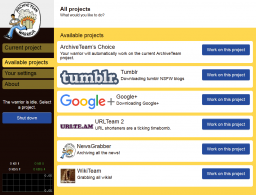
This repository packages the Archive Team Warrior — the download worker used by Archive Team's web-archiving projects — as a Docker image. The container runs the worker and serves its management web interface on port 8001. You configure it either manually through that interface, through environment variables, or through a mounted projects/config.json file, and you can pick a specific archiving project or let the Warrior select work automatically. The published image lives at atdr.meo.ws/archiveteam/warrior-dockerfile, and the README gives copy-paste examples for docker run (with variants for Linux, Windows CMD and PowerShell), a Docker Compose stack that pairs the Warrior with Watchtower for automatic image updates, and a Kubernetes manifest exposing the UI on a NodePort. Multiple Warrior containers can run side by side by incrementing the published host port, and a downloader name you set is shown on the project's leaderboards. The repository itself publishes no GitHub releases and contains no license file.
Should you self-host ArchiveTeam Warrior?
ArchiveTeam Warrior scores 44/100 on selfhost.directory (how scoring works) and ranks #10 of 12 in Archiving & Preservation. It has 461 GitHub stars.
There was no stable release in the past 12 months, so check the repository's recent activity before you rely on it.
Setup is easy: most people get it running in one sitting. An official Docker image is available. It is written mostly in Dockerfile.
Its closest alternative on selfhost.directory is ArchiveBox (79/100, 28 896 stars). It scores higher overall, so compare the two before you pick. See ArchiveTeam Warrior vs ArchiveBox side by side.
Features
- Automatic project selection
- Automatic UpdatesOptional; via the third-party nickfedor/watchtower image.
- Auto-restart after reboot
- Config file support
- Environment Variable Configuration
- Multiple instances
- Web Interface
ArchiveTeam Warrior README
More in Archiving & Preservation
 AtoMAtoM is a self-hosted, open-source web app for multilingual, multi-repository archival description. Implements ICA standards with EAD, EAC-CPF, CSV, SKOS import/export.
 Auto-ArchiverSelf-hosted, open-source Python tool to automatically archive videos, images, and social media from URLs, Google Sheets, and CSV files with S3 and Google Drive storage.
 bareosOpen-source, cross-platform network backup and recovery suite (a Bacula fork) with Director/File/Storage daemons, PostgreSQL catalog, tape, S3 and a web UI.
 BichonSelf-hosted, open-source email archiver written in Rust that pulls mail over IMAP or OAuth2, indexes it for full-text search, and serves a WebUI and REST API.
 EonvelopeOpen-source self-hosted email archive supporting IMAP, POP, Exchange, and JMAP with integrations for Paperless-ngx, Immich, Nextcloud, and Searxng.
 EspialOpen-source, self-hosted bookmark server with multiple accounts, tagging, a browser bookmarklet, REST API and snapshot archiving via ArchiveBox or the Wayback Machine.
 Fedora RepositoryFedora Repository is a self-hosted, open-source digital repository for managing and preserving digital content, used by libraries and archives worldwide.
 GanymedeSelf-hosted platform for saving Twitch VODs and live streams with synchronized chat, OIDC login, and Docker Compose deployment.
 genewebSelf-hosted, open-source genealogy app in OCaml with local web server for family trees, GEDCOM import/export, and relationship exploration.
 hoardy-webPassively capture, archive, and hoard your web browsing history, including the contents of the pages you visit, for later offline viewing, replay, mirroring, data scraping, and/or indexing. Your own personal private Wayback Machine that can also archive HTTP POST requests and responses, as well as most other HTTP-level data.
 KarakeepOpen-source, self-hosted app for saving links, notes, images and PDFs, with LLM auto-tagging, semantic search, offline mobile reading, and page archives.
 LinkAceA self-hosted, open-source bookmark manager that archives links, monitors them for breakage, and offers tags, lists, multi-user SSO and a REST API.
0 comments