
Self-host Karakeep
v0.34.1Bookmark links, notes, and images with AI auto-tagging
docker run -d --restart unless-stopped -v data:/data -p 3000:3000 -e DATA_DIR=/data -e NEXTAUTH_SECRET=super_random_string ghcr.io/karakeep-app/karakeep:release- Stars
- 30 516
- Port
- 3000 (web app (docker compose maps 3000:3000))
ghcr.io/karakeep-app/karakeep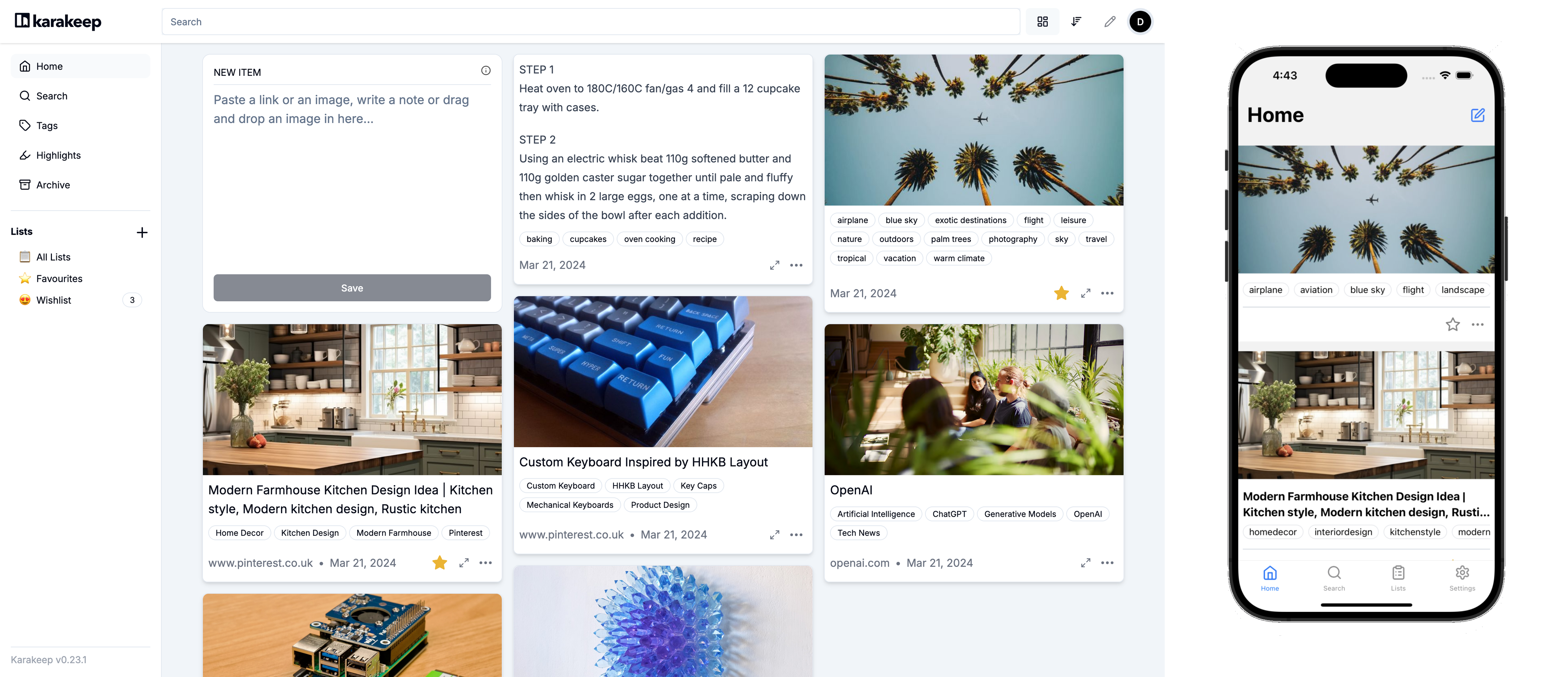
What is Karakeep?
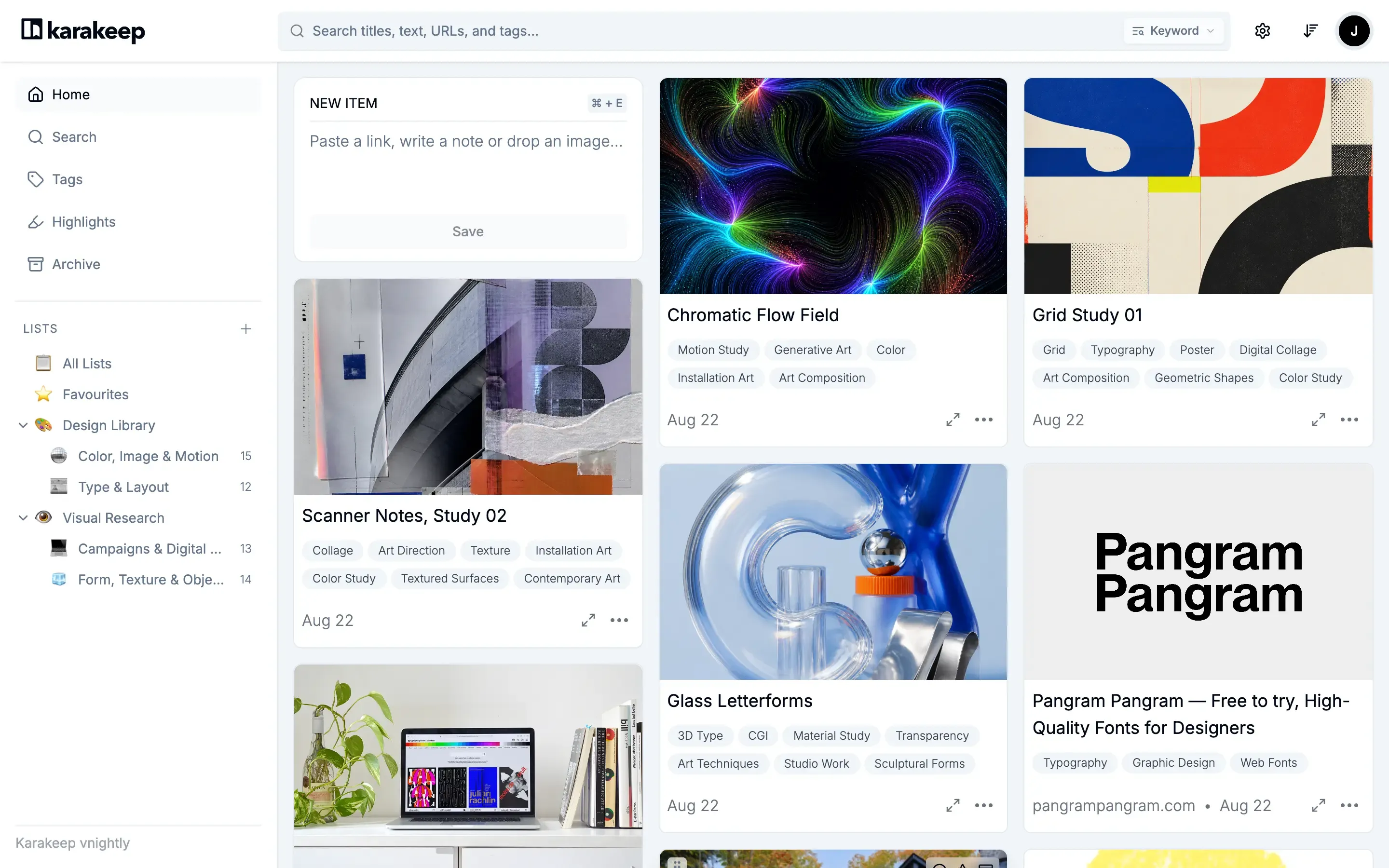
Karakeep (formerly Hoarder) is a bookmark-everything app for people who dump links, quick notes, images and PDFs into one place and want them filed without effort. Saving a URL pulls in its title, description and banner picture, and an LLM (OpenAI, any OpenAI-compatible endpoint, or a local Ollama server) writes tags and summaries for you. Stored content is indexed by Meilisearch for full-text search, hybrid and semantic modes are available, and OCR makes text inside screenshots findable. Archived pages, page screenshots, optional PDF snapshots and yt-dlp video downloads guard against link rot. Items can be grouped into lists that others join as editors or viewers, a rule engine auto-tags or moves new bookmarks, RSS feeds are hoarded automatically, and webhooks fire when bookmarks are created or changed. Multi-user instances ship an admin panel, optional OIDC single sign-on, a signup lock, API rate limiting and scoped API keys; there is also a CLI, a markdown-first REST API and a first-party MCP server for AI agents. Self-hosting means downloading the provided docker-compose.yml, filling a small .env file (version pin, secrets, server URL) and running docker compose up; the same stack runs on Kubernetes, Unraid, Arch or bare Debian/Ubuntu. Native iOS and Android apps plus Chrome, Firefox and Safari extensions handle quick capture, with offline reading on mobile. The code is AGPL-3.0 licensed and the vendor's pricing page states the self-hosted build contains all features, while Karakeep Cloud is the optional managed service.
Karakeep alternatives
 BukuAn open-source, self-hosted command-line bookmark manager with encrypted portable databases, browser import, and an optional Bukuserver web UI with REST API.CompareBuku with Karakeep
 karakeep-syncSelf-hosted tool that syncs Hacker News upvotes, Reddit saves, GitHub stars, and Pinboard bookmarks to your Karakeep instance.Comparekarakeep-sync with Karakeep
 react-glass-keepSelf-hosted notes app similar to Google Keep with dark mode, real-time collaboration, private AI assistant, and native apps for Windows, macOS, Android.Comparereact-glass-keep with Karakeep
 linksnapperLinkSnapper is a self-hosted, open-source bookmark manager and sticky notes app with a Catppuccin Mocha dark theme, flat-file storage, and a REST API for homelab use.Comparelinksnapper with Karakeep
 Deep Research Web UISelf-hosted AI agent generates cited reports via web searches, browsing real sources, and verifying evidence. Supports many AI providers and search APIs via Docker.CompareDeep Research Web UI with Karakeep
 StackResumeSelf-hosted AI resume builder with multi-agent pipeline, JD tailoring, and export to PDF, Word, and OpenDocument.CompareStackResume with Karakeep
 KoShelfSelf-hosted web dashboard combining KOReader notes, highlights, and reading statistics with library browsing, in-app reader, calendar, and optional auth.CompareKoShelf with Karakeep
 eclaireA self-hosted, open-source AI assistant that keeps data private by running locally — it handles your personal information using a local language model.Compareeclaire with Karakeep
All self-hosted alternatives to mymind → All self-hosted alternatives to Raindrop → All self-hosted alternatives to Linkwarden →
Should you self-host Karakeep?
Karakeep scores 81/100 on selfhost.directory (how scoring works) and ranks #1 of 46 in Bookmarks & Link Sharing. It has 30 516 GitHub stars, +940 in the last 30 days.
It shipped 5 stable releases in the past year. The latest, v0.34.1, came out on 22 October 2026. New versions land roughly every 6 weeks.
Setup is moderate: expect some configuration beyond a single command. An official Docker image is available. It is AGPL-3.0-licensed and written mostly in Typescript.
Its closest alternative on selfhost.directory is LinkWarden (79/100, 20 420 stars). Karakeep scores higher overall. See Karakeep vs LinkWarden side by side.
Features
- AI auto-tagging and summarization
- Automatic link previews
- Automation Rules
- Command-line tool
- Full-page archivingDisabled by default (disk usage).
- Full-Text Search
- Highlights
- Lists with collaboration
- Notes, image and PDF bookmarks
- OCR
- REST API
- RSS feed ingestion
- Semantic SearchExperimental per configuration docs.
- Video archiving
- Webhooks
Karakeep README

Karakeep (previously Hoarder) is a self-hostable bookmark-everything app with a touch of AI for the data hoarders out there.

- Bookmark links, take simple notes and store images and pdfs.
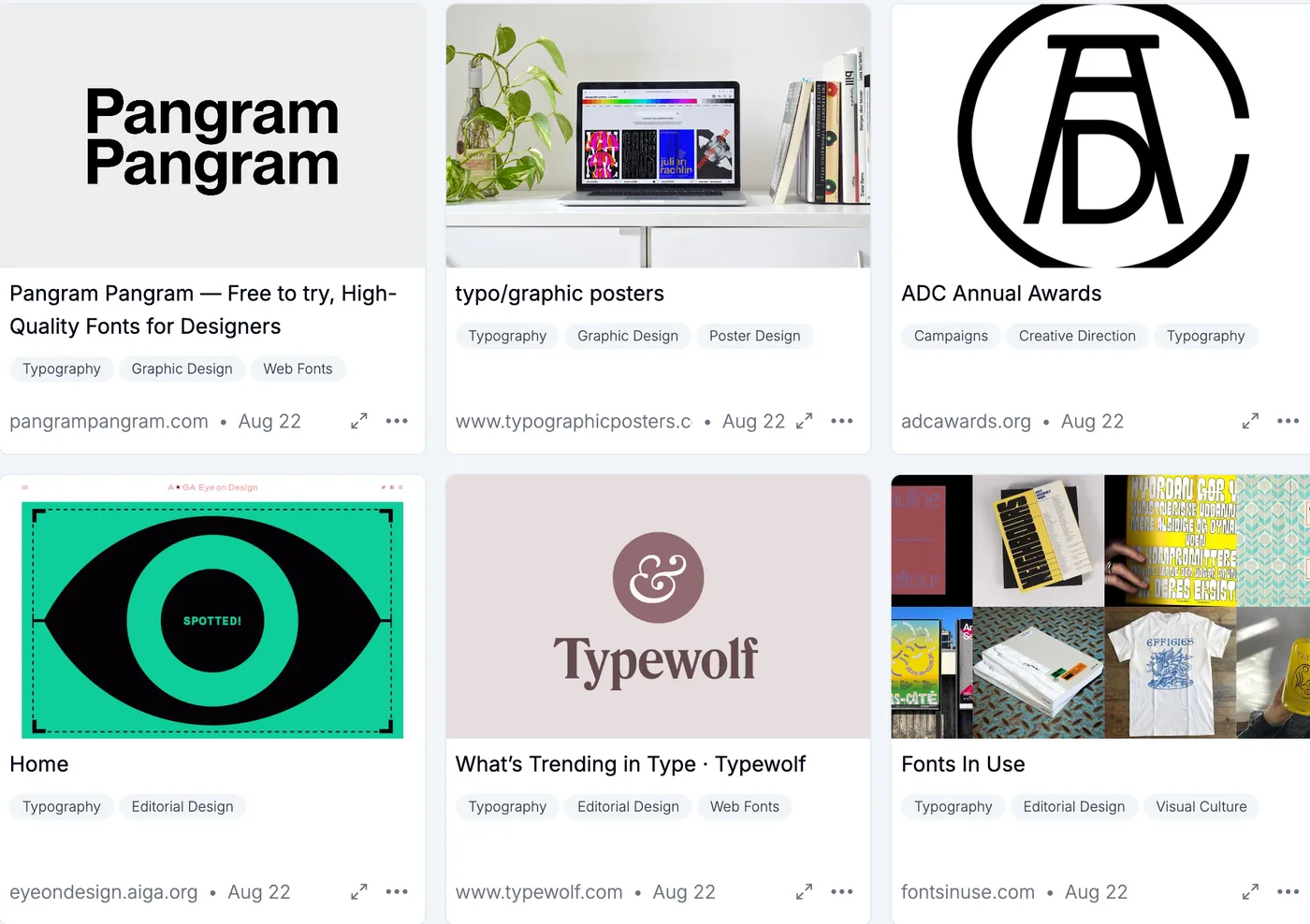
- Automatic fetching for link titles, descriptions and images.
- Sort your bookmarks into lists.
- Collaborate with others on the same list.
- Full text & semantic search of all the content stored.
- LLM-based automatic tagging and summarization. With supports for local models using ollama!
- LLM Agents (e.g. OpenClaw, Hermes) friendly with powerful CLI, and official skills.
- Rule-based engine for customized management.
- OCR for extracting text from images.
- Chrome plugin, Firefox addon, and Safari extension for quick bookmarking.
- An iOS app, and an Android app.
- Mobile offline reading.
- Auto hoarding from RSS feeds.
- REST API and multiple clients.
- Multi-language support.
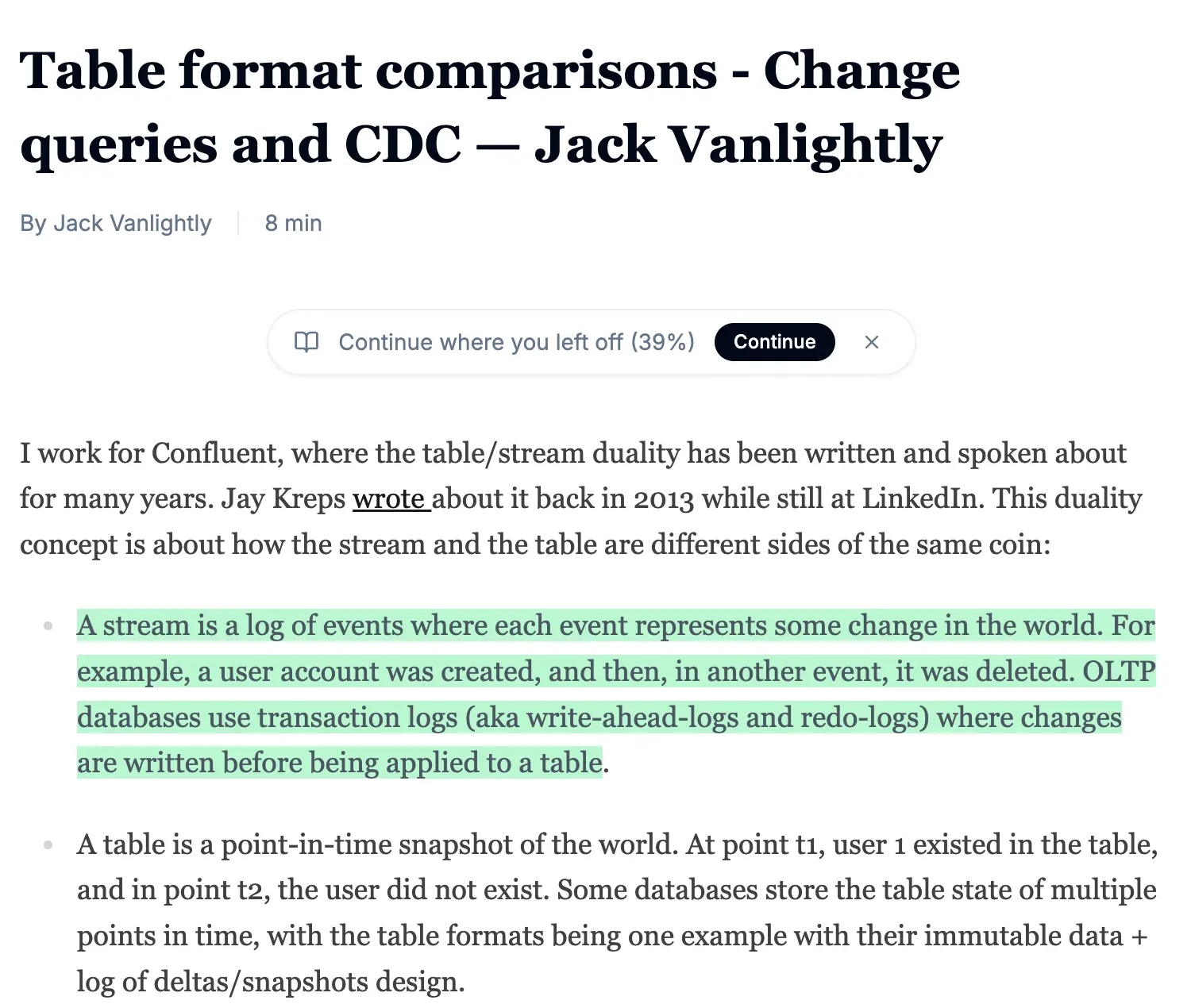
- Mark and store highlights from your hoarded content.
- Full page archival (using monolith) to protect against link rot.
- Auto video archiving using yt-dlp.
- Bulk actions support.
- SSO support.
- Dark mode support.
- Self-hosting first.
- Bookmark importers from Chrome, Pocket, Linkwarden, Omnivore, Tab Session Manager.
- Automatic sync with browser bookmarks via floccus.
You can access the demo at https://try.karakeep.com. Login with the following creds:
email: demo@karakeep.app
password: demodemo
The demo is seeded with some content, but it's in read-only mode to prevent abuse.
The name Karakeep is inspired by the Arabic word "كراكيب" (karakeeb), a colloquial term commonly used to refer to miscellaneous clutter, odds and ends, or items that may seem disorganized but often hold personal value or hidden usefulness. It evokes the image of a messy drawer or forgotten box, full of stuff you can't quite throw away—because somehow, it matters (or more likely, because you're a hoarder!).
- NextJS for the web app. Using app router.
- Drizzle for the database and its migrations.
- Better Auth for authentication.
- tRPC for client->server communication.
- Puppeteer for crawling the bookmarks.
- OpenAI because AI is so hot right now.
- Meilisearch for the full content search.
I browse reddit, twitter and hackernews a lot from my phone. I frequently find interesting stuff (articles, tools, etc) that I'd like to bookmark and read later when I'm in front of a laptop. Typical read-it-later apps usecase. Initially, I was using Pocket for that. Then I got into self-hosting and I wanted to self-host this usecase. I used memos for those quick notes and I loved it but it was lacking some features that I found important for that usecase such as link previews and automatic tagging (more on that in the next section).
I'm a systems engineer in my day job (and have been for the past 7 years). I didn't want to get too detached from the web development world. I decided to build this app as a way to keep my hand dirty with web development, and at the same time, build something that I care about and use every day.
- memos: I love memos. I have it running on my home server and it's one of my most used self-hosted apps. It doesn't, however, archive or preview the links shared in it. It's just that I dump a lot of links there and I'd have loved if I'd be able to figure which link is that by just looking at my timeline. Also, given the variety of things I dump there, I'd have loved if it does some sort of automatic tagging for what I save there. This is exactly the usecase that I'm trying to tackle with Karakeep.
- mymind: Mymind is the closest alternative to this project and from where I drew a lot of inspirations. It's a commercial product though.
- raindrop: A polished open source bookmark manager that supports links, images and files. It's not self-hostable though.
- Bookmark managers (mostly focused on bookmarking links):
- Pocket (Dead): Pocket is what hooked me into the whole idea of read-it-later apps. I used it a lot. However, I recently got into home-labbing and became obsessed with the idea of running my services in my home server. Karakeep is meant to be a self-hosting first app. Mozilla recently announced that it's shutting down pocket.
- Linkwarden: An open-source self-hostable bookmark manager that I ran for a bit in my homelab. It's focused mostly on links and supports collaborative collections.
- Wallabag: Wallabag is a well-established open source read-it-later app written in php.
- Shiori: Shiori is meant to be an open source pocket clone written in Go.
Translations live in apps/web/lib/i18n/locales, one translation.json per language, with English (en) as the source. To fix or improve a translation, open a pull request that edits the relevant file.
If you're not comfortable with self-hosting, you can use our managed Karakeep cloud at cloud.karakeep.com. Cloud subscriptions support the development of Karakeep.
Want to self-host without setting up a server by hand? Hostinger has a one-click Karakeep template that deploys the full stack on your own VPS. Use the code KARAKEEP10 for 10% off annual plans. Check out the Hostinger guide for a walkthrough. Hostinger shares some of its revenue with the maintainer.
If you're enjoying using Karakeep, drop a ⭐️ on the repo!
- Join us on Discord.
- Follow us on Twitter: @karakeep_app.
Karakeep is licensed under AGPL-3.0 and owned by Localhost Labs Ltd.


FAQ
How do I add new users when signups are disabled?
Administrators can always create accounts from the Admin Settings user list using the Create User button.
How do I add another administrator?
The first user to sign up is made administrator automatically; promote others from the Admin Settings user list by changing their role to Admin, then have them log out and back in.
How do I reset a lost password?
An administrator can reset any user's password from the Admin Settings user list; an administrator who lost their own password must update the row directly in the SQLite database.
Do you offer refunds?
Yes, paid plans come with a 7-day money-back guarantee.
What happens to my data if I cancel a Karakeep Cloud subscription?
Cloud data stays available for 30 days after cancellation, and bookmarks can be exported at any time.
Are there any restrictions in the self-hosted version?
No: the self-hosted edition is free, open source and includes all features, with you supplying the hosting.
More in Bookmarks & Link Sharing
 karakeep-homedashSelf-hosted dashboard for KaraKeep bookmarks with masonry layout, real-time search, and drag-and-drop reordering. Runs in browser via SQLite WASM.
- karakeep-syncSelf-hosted tool that syncs Hacker News upvotes, Reddit saves, GitHub stars, and Pinboard bookmarks to your Karakeep instance.
 LinkAceA self-hosted, open-source bookmark manager that archives links, monitors them for breakage, and offers tags, lists, multi-user SSO and a REST API.
 linkdingA self-hosted, open-source bookmark manager with tags, multi-user sharing, automatic metadata, site archiving and a REST API.
 links-as-codeLinks as Code is a self-hosted, open-source bookmark manager storing links in a version-controlled YAML file, served as a searchable web page via Docker.
- linksnapperLinkSnapper is a self-hosted, open-source bookmark manager and sticky notes app with a Catppuccin Mocha dark theme, flat-file storage, and a REST API for homelab use.
 LinkWardenOpen-source, self-hosted bookmark manager that keeps a screenshot, PDF and HTML copy of every saved page, with reader annotations and shared team collections.
 LynxSelf-hosted open-source page builder for creating link-in-bio pages, portfolios, venue menus, and event pages with visual editing, analytics, and newsletter features.
 MARKMARK is a self-hosted, open-source image bookmarking tool for personal use that saves images via bookmarklet or drag-and-drop into a file-based collection.
 NeonLinkNeonLink is a simple, open-source, self-hosted bookmark service with tags, search, auto metadata fetching, and customizable backgrounds — ideal for Raspberry Pi.
 OmnivoreSelf-hosted, open-source read-it-later app with highlights, notes, labels, RSS feeds, newsletter email import, PDF support and native iOS and Android apps.
 omnomOmnom is a self-hosted, open-source web content preservation service with full-page snapshots, RSS feeds, and ActivityPub Fediverse integration.
0 comments