
Self-host Ziit
v1.2.2Self-hosted code time tracking dashboard
- Stars
- 258
- Port
- 3000 (HTTP web interface)
- Requires
- TimescaleDB (PostgreSQL)
ghcr.io/0pandadev/ziit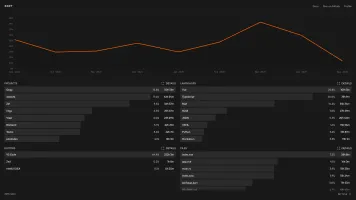
What is Ziit?
Ziit is a self-hosted, open-source code time tracker built as a privacy-friendly alternative to WakaTime. It gathers coding metrics from editor extensions and shows them in a simple dashboard. The service supports VS Code, JetBrains, NeoVim, and Zed, with login options including email/password, GitHub OAuth, and Epilogue OAuth. You can migrate existing data from WakaTime or WakAPI, create shareable badges for project readmes, and browse public statistics or a leaderboard on the instance. The stack uses Nuxt with Bun and TimescaleDB, deployed via Docker Compose under the AGPL-3.0 license.
Should you self-host Ziit?
Ziit scores 49/100 on selfhost.directory (how scoring works) and ranks #82 of 166 in Developer Tools. It has 258 GitHub stars.
It shipped 7 stable releases in the past year. The latest, v1.2.2, came out on 23 October 2026. New versions land roughly every 4 weeks.
Setup is moderate: expect some configuration beyond a single command. An official Docker image is available. It is AGPL-3.0-licensed and written mostly in Typescript.
Its closest alternative on selfhost.directory is ActivityWatch (80/100, 19 405 stars). It scores higher overall, so compare the two before you pick. See Ziit vs ActivityWatch side by side.
Features
- Clean minimal dashboard
- Detailed activity tracking
- Email/Password Authentication
- Embeddable badges
- Epilogue OAuth
- GitHub OAuth
- IDE time tracking
- Public leaderboard
- Public stats page
- Time-range filtering
- WakaTime/WakAPI import
Ziit README
More in Productivity
 AffineThere can be more than Notion and Miro. AFFiNE(pronounced [ə‘fain]) is a next-gen knowledge base that brings planning, sorting and creating all together. Privacy first, open-source, customizable and ready to use.
 AionUiFree, open-source desktop app for AI agents on macOS, Windows, Linux. Built-in engine, 30+ LLM providers, auto-detects CLI agents, 24/7 automation via cron and WebUI.
 aiquilaSelf-hosted AI for Nextcloud with an MCP server, native app, and five provider choices including local models.
 AI WorkDeckSelf-hosted AI workspace for professional document editing with tracked changes, reviewable AI edits, source-linked citations, and extensible plugins.
 amurex-backendSelf-hosted meeting intelligence server that extracts action items, generates summaries, and emails recaps. Supports cloud AI APIs and local Ollama models.
 ANA — Agent-Native AgentSelf-hosted app where a coding agent serves as the runtime — you watch a live dashboard and chat to evolve the app live, no deploy step.
 AnyHabitSelf-hosted habit tracker with streak tracking, journals, groups, API tokens, webhooks, Prometheus metrics, and MCP/AI integration for Raspberry Pi and Docker.
 apitableOpen-source, self-hosted Airtable alternative: realtime visual database with grid, kanban and gantt views, one-click forms, a REST API panel, dashboards and widgets.
 AstralAstral is a self-hosted, open-source web app for organizing GitHub starred repositories with tags, filters, search, and notes via GitHub OAuth.
 AstrolumaAstroluma is a self-hosted, open-source home lab dashboard with link organization, task management, device monitoring, and 15+ service integrations.
 Basic MemoryAI conversations that actually remember. Never re-explain your project to your AI again. Join our Discord: https://discord.gg/tyvKNccgqN
 BentoSelf-hosted, open-source PowerPoint alternative: each deck is a single HTML file containing its own viewer, editor, and E2EE live collaboration, working offline.
0 comments