
Self-host AI WorkDeck
v0.74.0AI workspace for professional document editing and review
- Stars
- 167
- CPU
- 4 vCPU
- RAM
- 8 GB
- Storage
- 200 GB data disk / 400 GB backup
- Ports
- 9696 (Backend API), 5173 (Frontend H5 dev server)
- Requires
- PostgreSQL
What is AI WorkDeck?
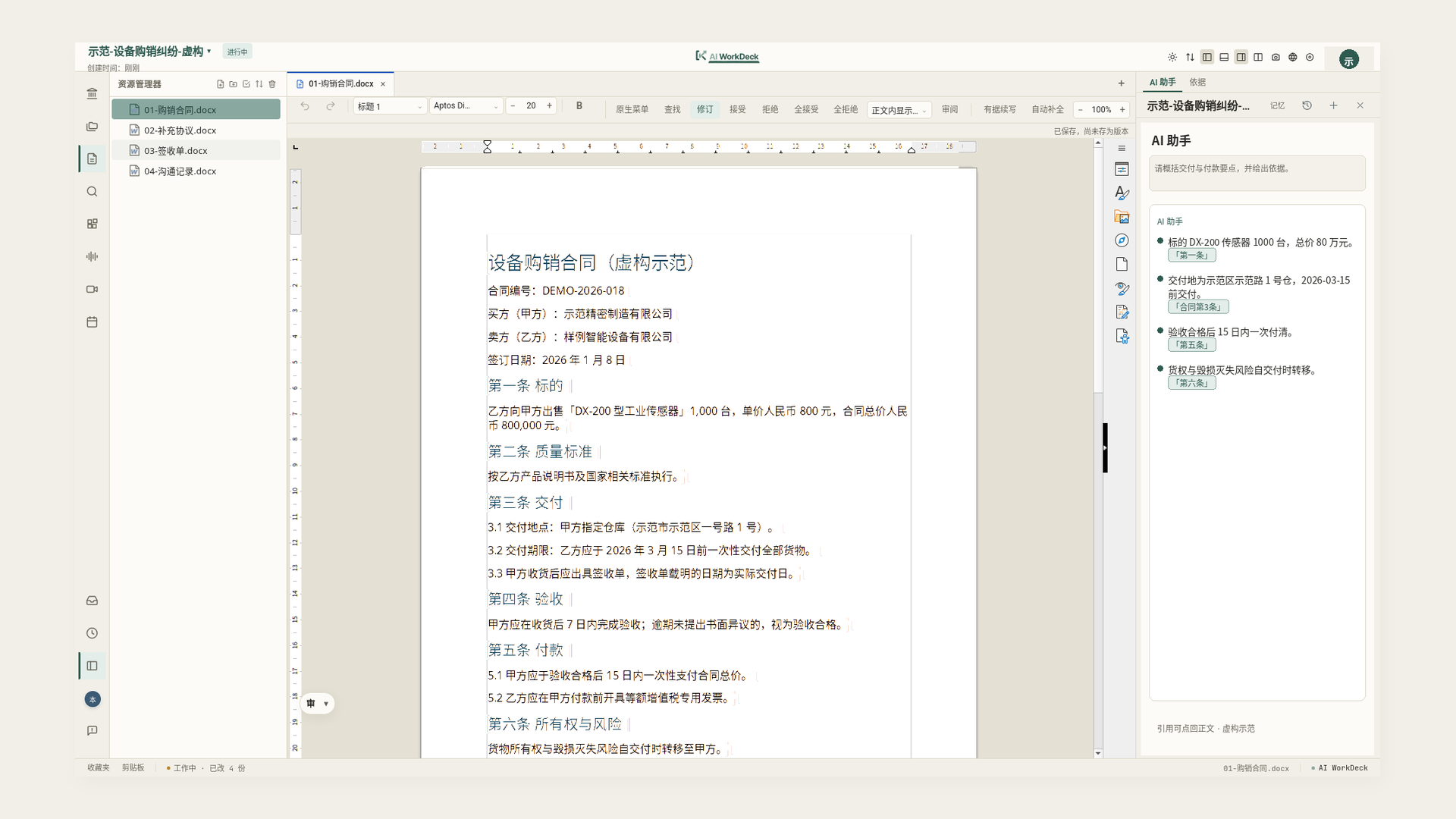
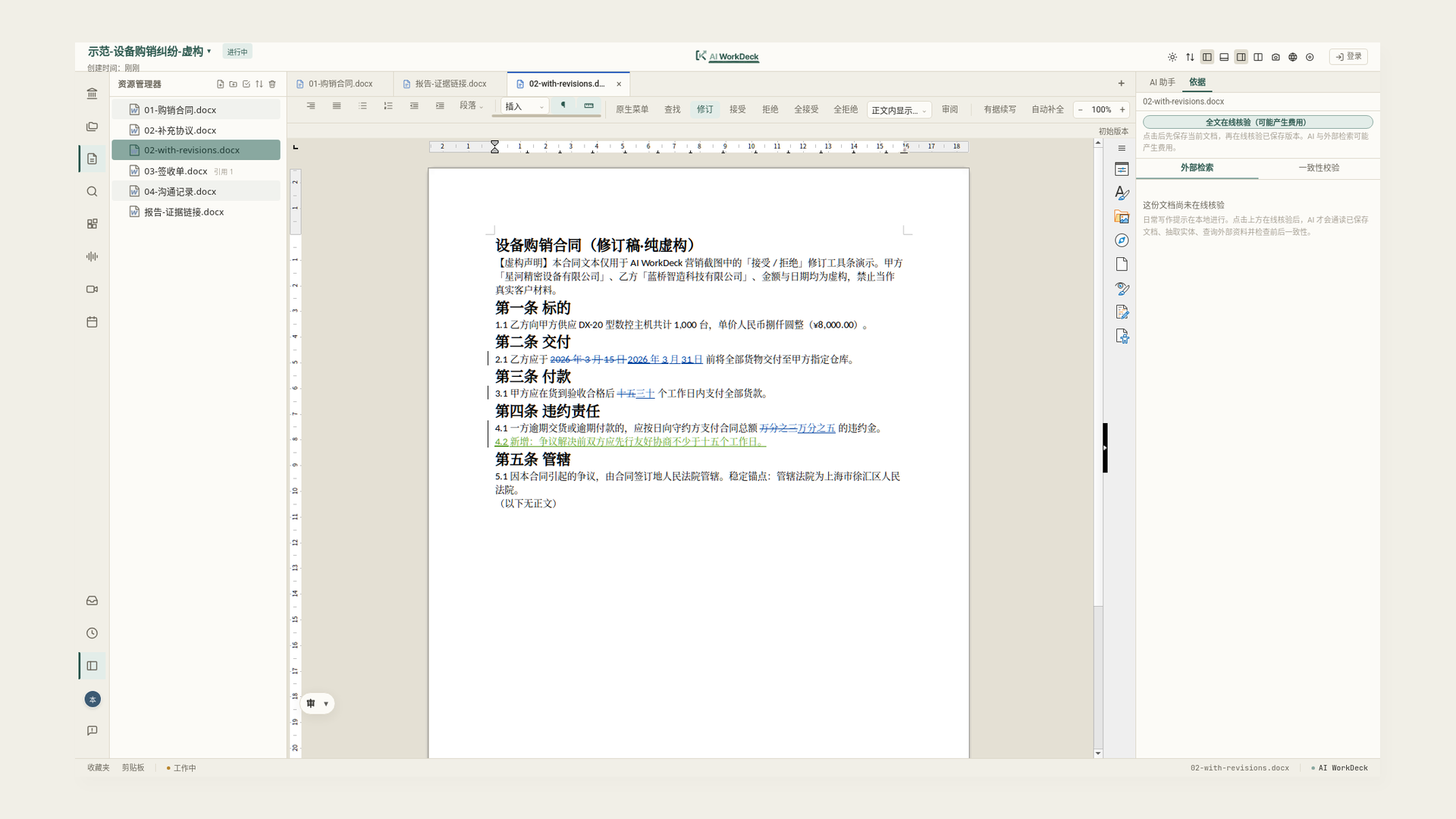
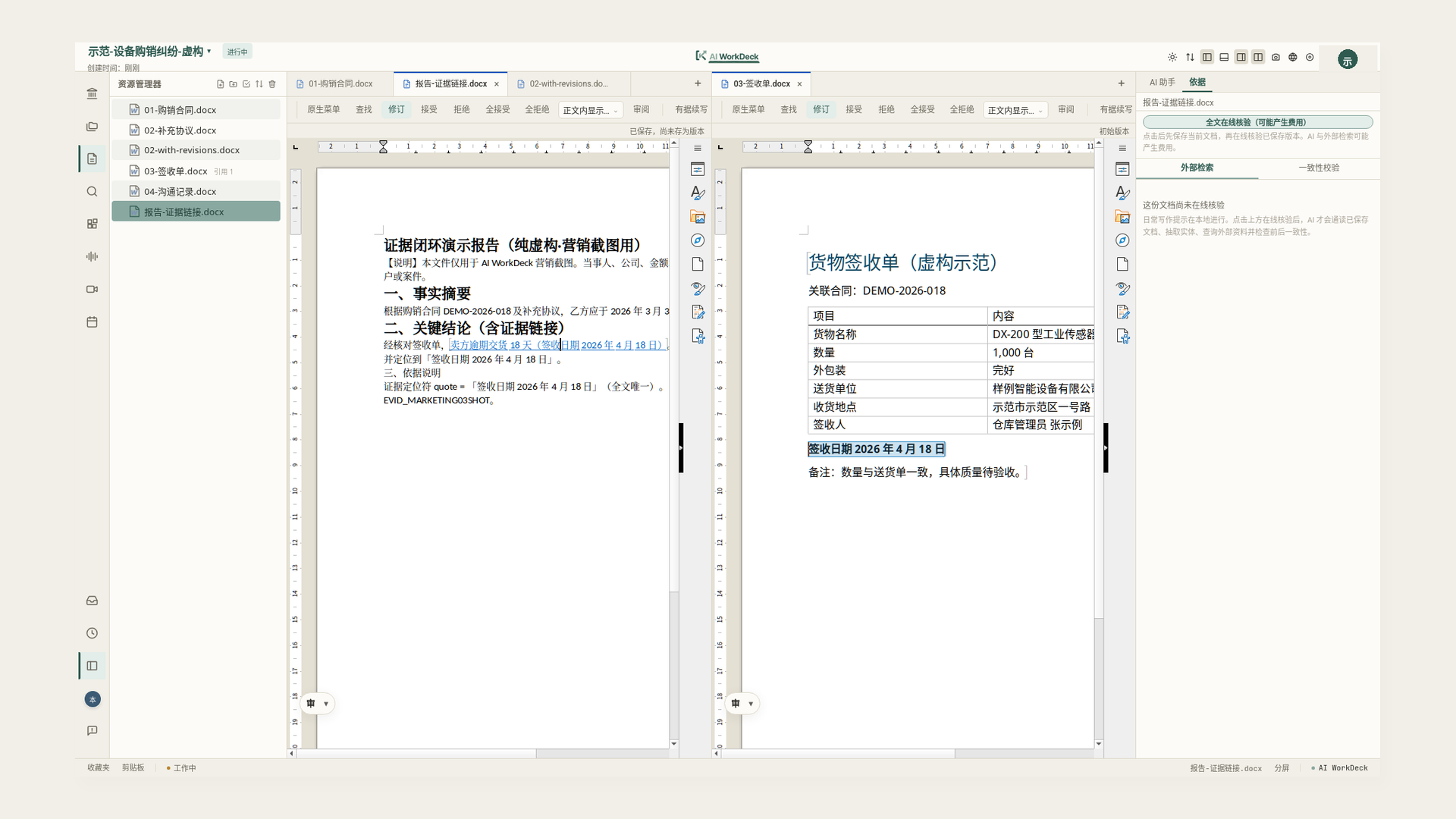
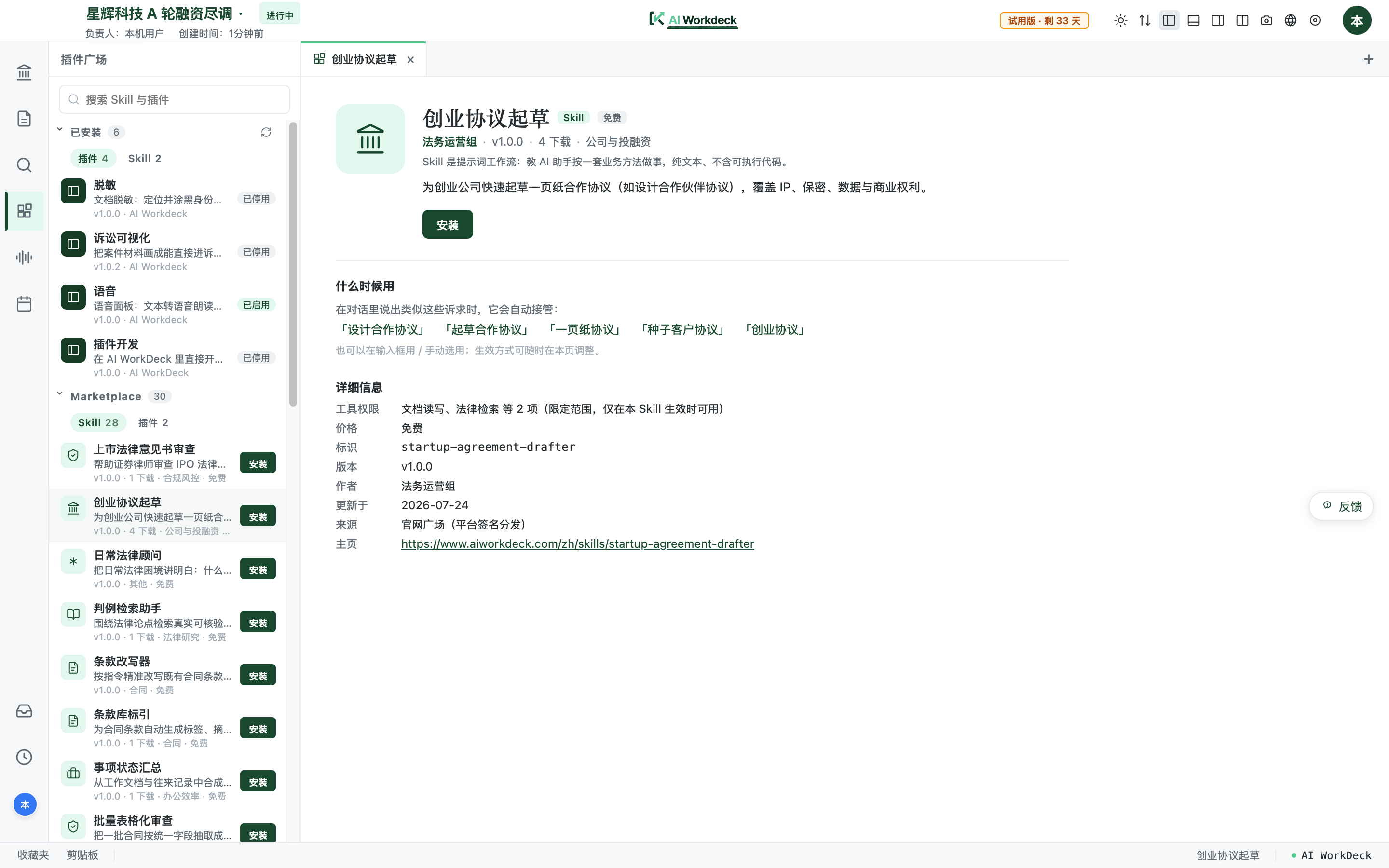
AI WorkDeck is an open-source AI workspace designed for professional document-intensive work, beginning with legal use cases. It provides a desktop application (Windows/macOS) that bundles a Spring Boot backend, embedded LibreOffice WASM editor with tracked changes, an agent runtime that proposes structured edits users can accept or reject, source-linked citations that jump to supporting passages, three-way document merge for comparing drafts, and a plugin system for custom skills and web panes. The community edition is free under AGPL-3.0-or-later; a Pro subscription adds AI quota, clipboard, staging area, and cloud storage. Commercial licensing and implementation services are offered for firms. The desktop release requires no external dependencies — it runs a local H2 database and bundled JRE. For full self-hosting, operators can deploy the backend with PostgreSQL 14+, Docker sidecars for MinerU (PDF parsing) and PPTX generation, and connect local or cloud LLMs via OpenRouter, Gemini, or other providers. Optional integrations include enterprise data (Qichacha), financial data (Tushare), legal databases (PKULaw), web search (Bocha), OCR, and speech-to-text. The project is pre-1.0 (v0.67.0) with active development.
Should you self-host AI WorkDeck?
AI WorkDeck scores 44/100 on selfhost.directory (how scoring works) and ranks #71 of 120 in AI Assistant. It has 167 GitHub stars.
It shipped 12 stable releases in the past year. The latest, v0.74.0, came out on 28 October 2026.
Setup is moderate: expect some configuration beyond a single command. It is AGPL-3.0-licensed and written mostly in JavaScript.
Its closest alternative on selfhost.directory is hermes-agent (89/100, 257 957 stars). It scores higher overall, so compare the two before you pick. See AI WorkDeck vs hermes-agent side by side.
Features
- AI agent with reviewable edits
- Declarative plugin system
- Document editor with tracked changes
- Extensible plugin runtime
- Git-based version control
- In-app marketplace
- Local-First Storage
- MCP / tool orchestration
- Office/WPS add-in
- On-device text-to-speech
- Source-linked citations
- Team/firm shared memoryRequires server-side component
- Three-way document merge
- Vector retrieval with pgvectorRequires PostgreSQL deployment
AI WorkDeck README
FAQ
Which external services are optional for self-hosting?
OpenRouter, Gemini, Qichacha, Tushare, PKULaw, Aliyun OCR/Tingwu, and object storage are optional. The basic workbench runs without them.
What are the server requirements for self-hosting?
Minimum 4 vCPU / 8 GB RAM, 200 GB data disk / 400 GB backup. PostgreSQL 14+, Linux, JRE 21, Nginx/HTTPS. GPU for local models sized separately.
Why does open source still charge money?
The open-source workbench is free to use and modify. Commercial revenue comes from usage-based platform services, commercial licensing, implementation support, and marketplace revenue sharing.
How is pricing structured?
Community edition is free. Pro subscription is 149 CNY/month including AI quota, clipboard, staging area, and 3 GB cloud storage. Enterprise licensing and deployment services are separate.
What should I back up before changing computers or uninstalling?
Back up project files, chat data, and personal/project memories manually. Cloud shared content, website account, and external sync copies are separate operations. Mobile relay is not a backup.
How does mobile file transfer work?
Photos taken on iPhone stay in the app (not iCloud). Files relayed via cloud are temporarily stored: computer-to-phone 7 days, phone-to-computer 30 days, then auto-deleted. The relay does not backup files.
Where are conversations stored?
Desktop conversations and logs stay on your computer. Only cloud features (cloud Office add-in, website Skill chat, team shared memory, mobile relay) store data on servers.
What content leaves my computer when I use AI?
Only the content needed for the specific task: your question, relevant conversation, files you provide or the AI reads for the task, and applicable memories. The entire project is not sent by default.
Can a law firm use its own server and models to keep data completely in-house?
Yes. The community edition supports deployment on the firm's own servers with local models, keeping all storage and processing internal.
Will my case materials be used to train models?
No. AI WorkDeck calls existing large models and does not use your materials for training. 'Memory' is just organized notes passed to the model as context.
Where are my case files and chat history stored?
On your own computer. The desktop app stores project files, chat history, and logs locally; they are not uploaded to the vendor's servers.
More in Document Management
 AlephSearch and browse documents and data; find the people and companies you look for.
 AlexandrieSelf-hosted, open-source alternative to Notion, Obsidian and Confluence: a team wiki with an advanced Markdown editor, offline PWA support, OIDC SSO and S3-based backups.
 amusewikiSelf-hosted wiki engine using Emacs Muse markup with Git backend, multi-site support, EPUB/PDF output via LaTeX, OPDS server, and bookbuilder.
 Antragsgrün / Motion.ToolsSelf-hosted open-source platform for NGOs and political parties to collaboratively discuss resolutions, manage amendments, and run online votings at conventions.
 ArchivematicaSelf-hosted, open-source digital preservation for archives and libraries to maintain long-term access to authentic digital objects using ISO-OAIS, METS, PREMIS, BagIt.
 ArkhamMirrorSHATTERED is a self-hosted, open-source tool for investigative document analysis with AI features, structured analytic techniques, graph views, and offline deployment.
 arkonArkon is a self-hosted enterprise AI knowledge hub compiling docs into a wiki served via MCP to LLMs. Features department-scoped access, RBAC, and traceable MRP pipeline.
 AtoMAtoM is a self-hosted, open-source web app for multilingual, multi-repository archival description. Implements ICA standards with EAD, EAC-CPF, CSV, SKOS import/export.
 BentoPDFOpen-source, self-hosted PDF toolkit with 100+ browser-based tools to merge, split, edit, convert, OCR and sign PDFs - files never leave your device.
 bottle-rocket-serverBottle Rocket is an open-source, self-hosted document scanning server for Rocketbook and Scribzee notebooks with workflow automation to cloud services.
 certficoCertFico is a self-hosted, open-source application for generating and sending event certificates via email using SendGrid, with a Go backend and Next.js frontend.
 Collabora OnlineSelf-hosted collaborative office suite based on LibreOffice for browser-based document editing. Replaces Microsoft 365 with open-source software.
0 comments