
Self-host velld
v0.1.0Database backup management with automated scheduling
- Stars
- 467
- RAM
- 512MB
- Storage
- 1GB
- Ports
- 8080 (API server), 3000 (Web interface)
ghcr.io/dendianugerah/velld/api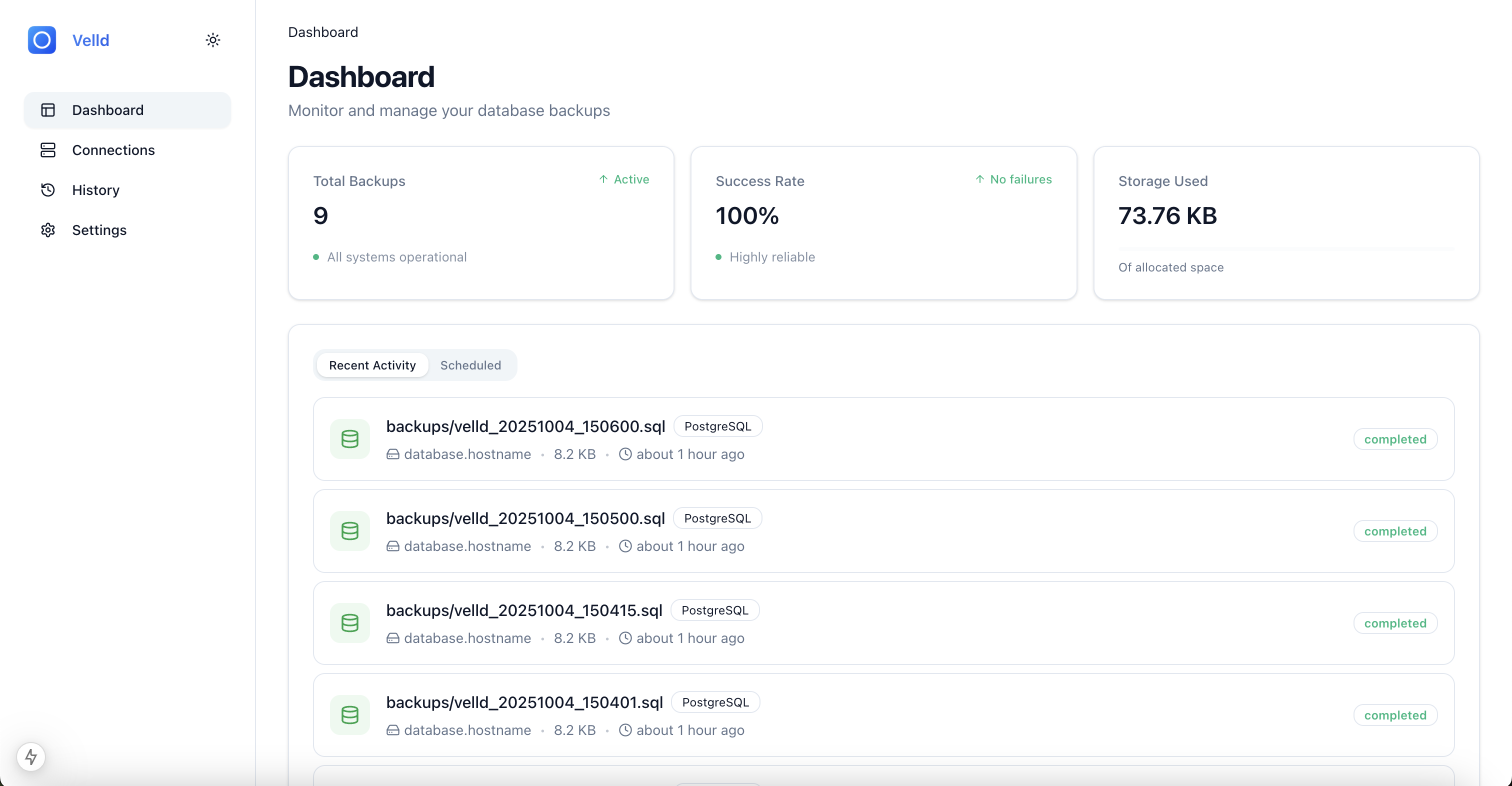
What is velld?
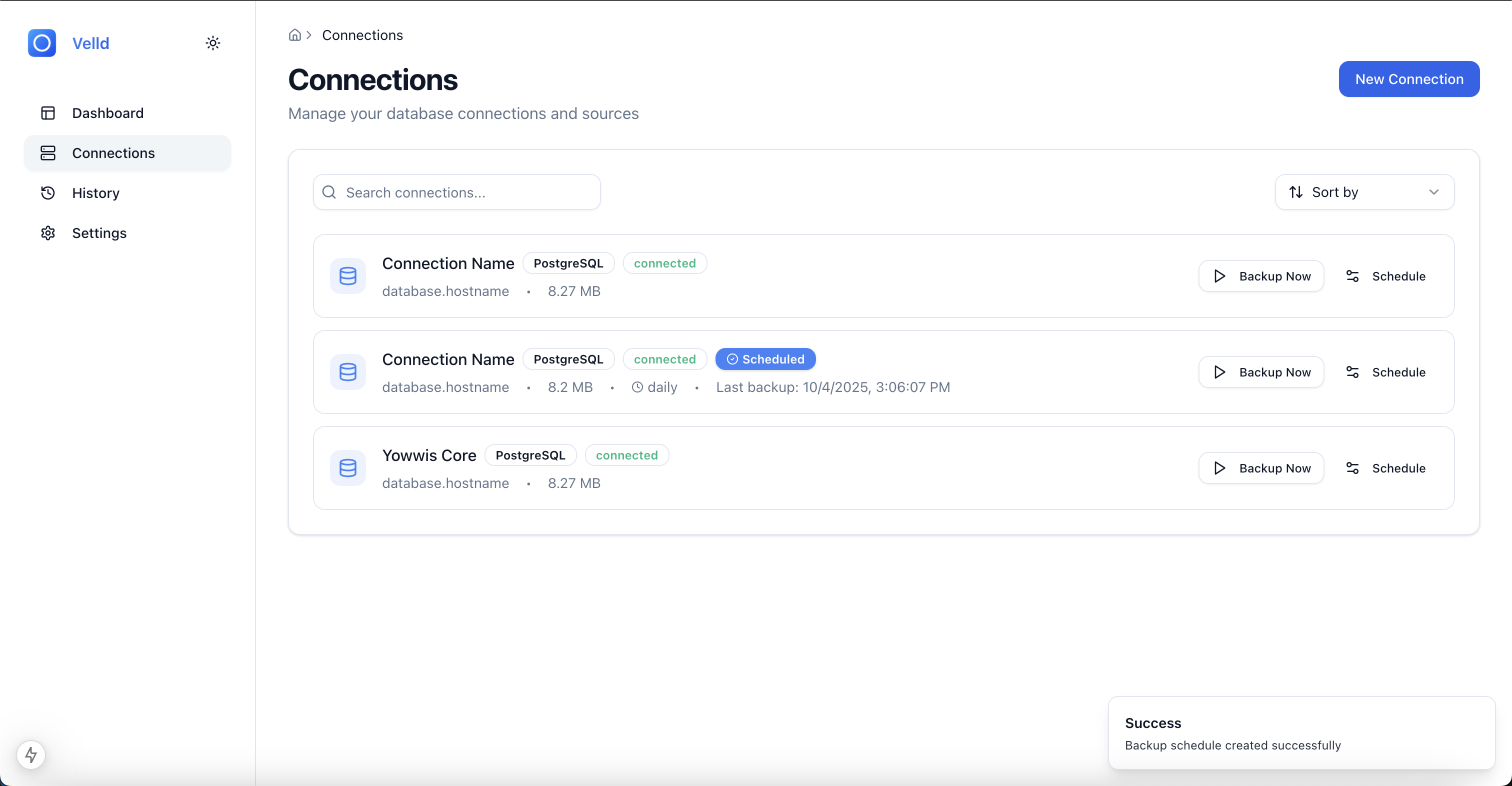
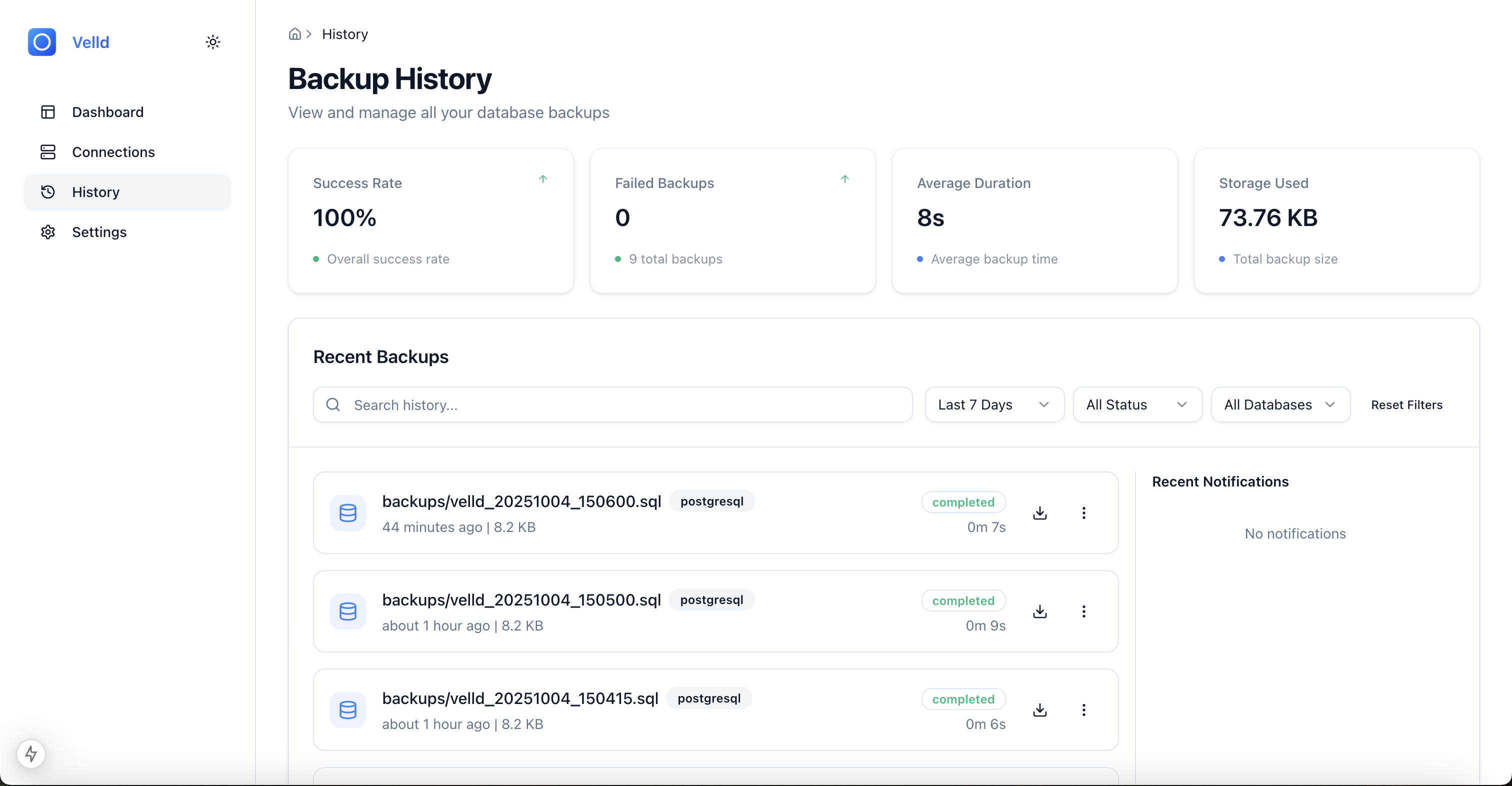
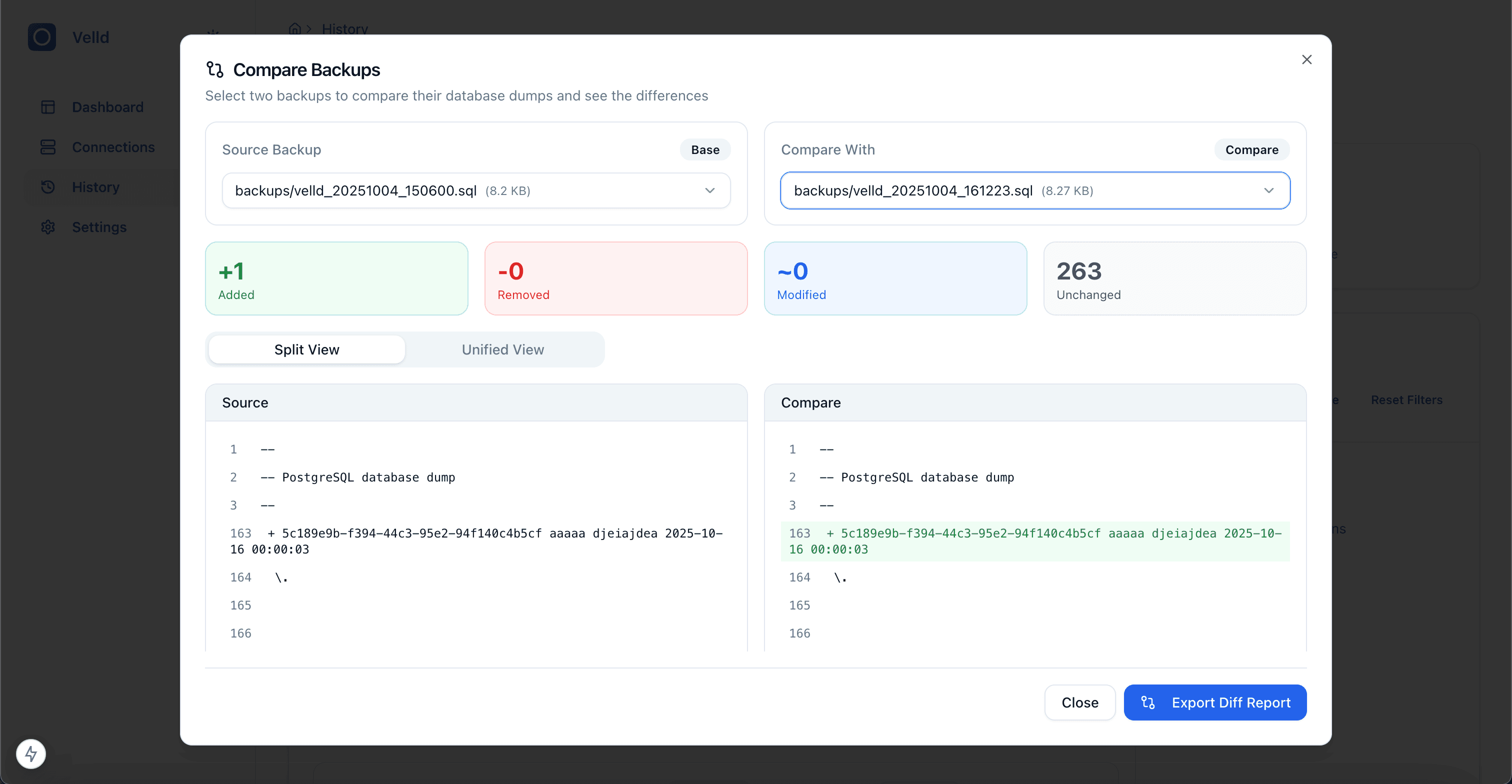
Velld lets you run your own database backup service with a web dashboard. It handles PostgreSQL, MySQL, MongoDB, and Redis, letting you schedule backups using cron expressions, store them in S3-compatible object storage, compare different backup versions side by side, and restore when needed. You get email or webhook alerts on backup results. The stack runs as two containers — a Go API on port 8080 and a Next.js frontend on port 3000 — deployed via Docker Compose with pre-built images from ghcr.io. You can also build from source or use slim images that only include the database clients you need. Licensed MIT.
Should you self-host velld?
velld scores 45/100 on selfhost.directory (how scoring works) and ranks #39 of 46 in Backup. It has 467 GitHub stars.
There was no stable release in the past 12 months, so check the repository's recent activity before you rely on it.
Setup is moderate: expect some configuration beyond a single command. An official Docker image is available. It is MIT-licensed and written mostly in Typescript.
Its closest alternative on selfhost.directory is Restic (82/100, 36 854 stars). It scores higher overall, so compare the two before you pick. See velld vs Restic side by side.
Features
- Automated scheduling
- Backup comparison
- Database restore
- Database-specific images
- Email notifications
- Encrypted Credentials
- Multi-database Support
- Retention Policies
- SSH tunnel support
- Webhook Notifications
velld README
More in Backup
 vm-babysitterSelf-hosted tool that automates incremental backups of QEMU/KVM virtual machines with scheduling, retention, and optional remote mirroring.
 VykarSelf-hosted Rust backup tool with YAML config, multiple storage backends, built-in scheduling, desktop GUI, and WebDAV for browsing snapshots.
 WakeMyPotatoWakeMyPotato is an open-source systemd service that auto-restarts Linux laptops after power outages using rtcwake, with safe RAID shutdown and optional ping checks.
 watchstateSelf-hosted service to sync watch state across Plex, Jellyfin, and Emby. Supports multi-user, webhooks, scheduled tasks, backup, and media health auditing.
 Xen OrchestraXen Orchestra is a self-hosted, open-source web interface to manage, back up, and delegate XCP-ng and XenServer virtualization infrastructure from a single pane of glass.
 ZerobyteOpen-source, self-hosted backup automation built on Restic: cron schedules, encrypted S3/GCS/Azure/rclone repositories, file-level restores and alerts from a web UI.
 2faSelf-hosted, open-source TOTP/HOTP key manager that runs as a Cloudflare Worker: AES-GCM encrypted storage, QR import, PWA offline use, backups to WebDAV/S3/OneDrive.
 Alist-SyncAlist-Sync is a self-hosted, open-source web app for syncing files between Alist storage backends with a visual UI, cron scheduling, and configurable difference handling.
 ANASANAS is a self-hosted, open-source storage layer for Proxmox VE adding native UI panels for ZFS pools, Hybrid RAID, SMB/NFS, iSCSI, snapshots, replication, PBS backup.
 arkeepArkeep is an open-source, self-hosted backup management platform with a web dashboard for Restic/Rclone backups across multiple servers.
 BackAppBackApp is a self-hosted, open-source backup automation tool with a React web UI that schedules and inspects remote server backups over SSH.
 Backblaze_Personal_BackupSelf-hosted Docker container running Backblaze backup client via WINE on Linux. Provides VNC web GUI for setup and management.
0 comments