
Self-host Zerobyte
v0.44.2Restic-powered backup automation with a web control plane
docker compose up -d- Stars
- 7 331
- Port
- 4096 (Web interface and API (host mapping "4096:4096"))
ghcr.io/nicotsx/zerobyte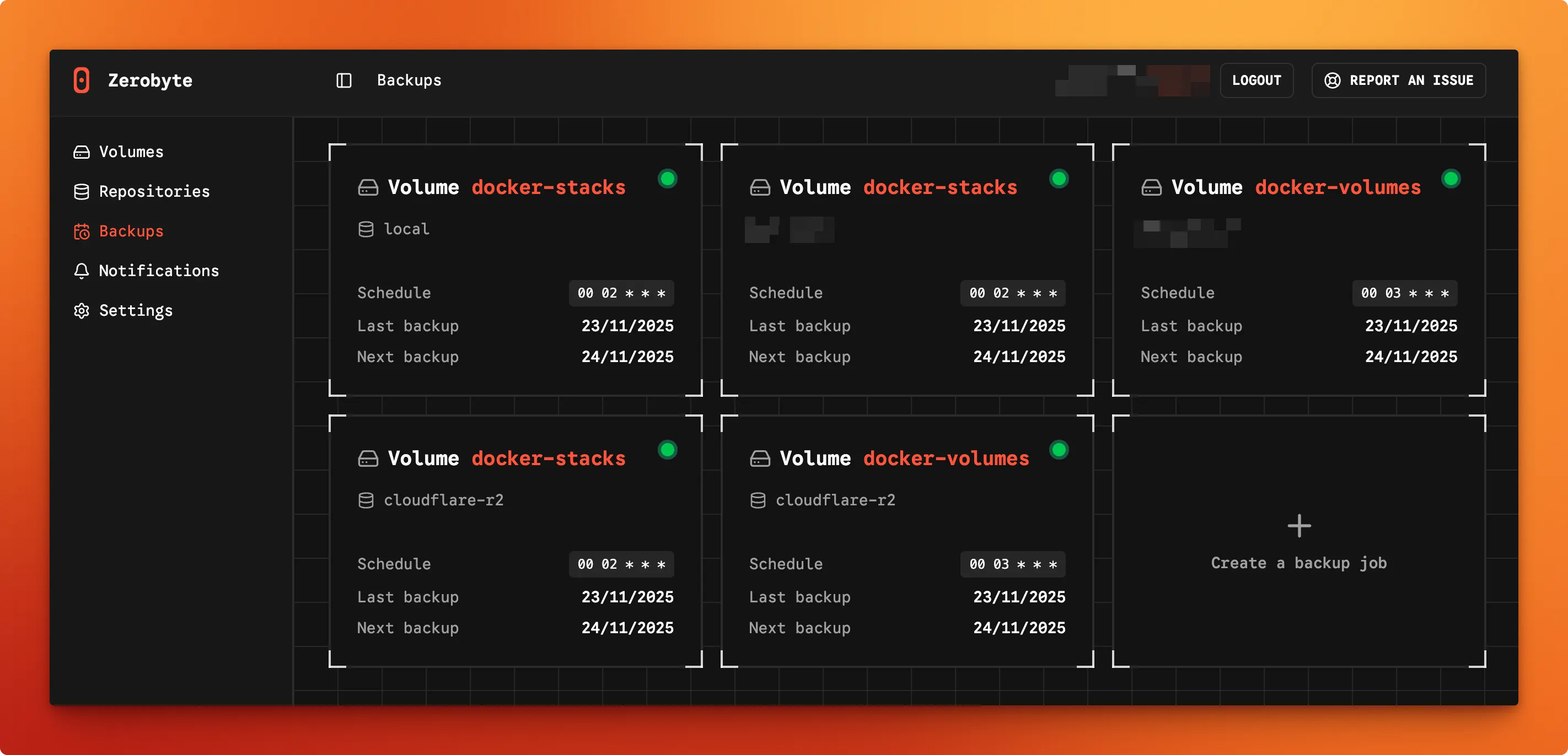
What is Zerobyte?
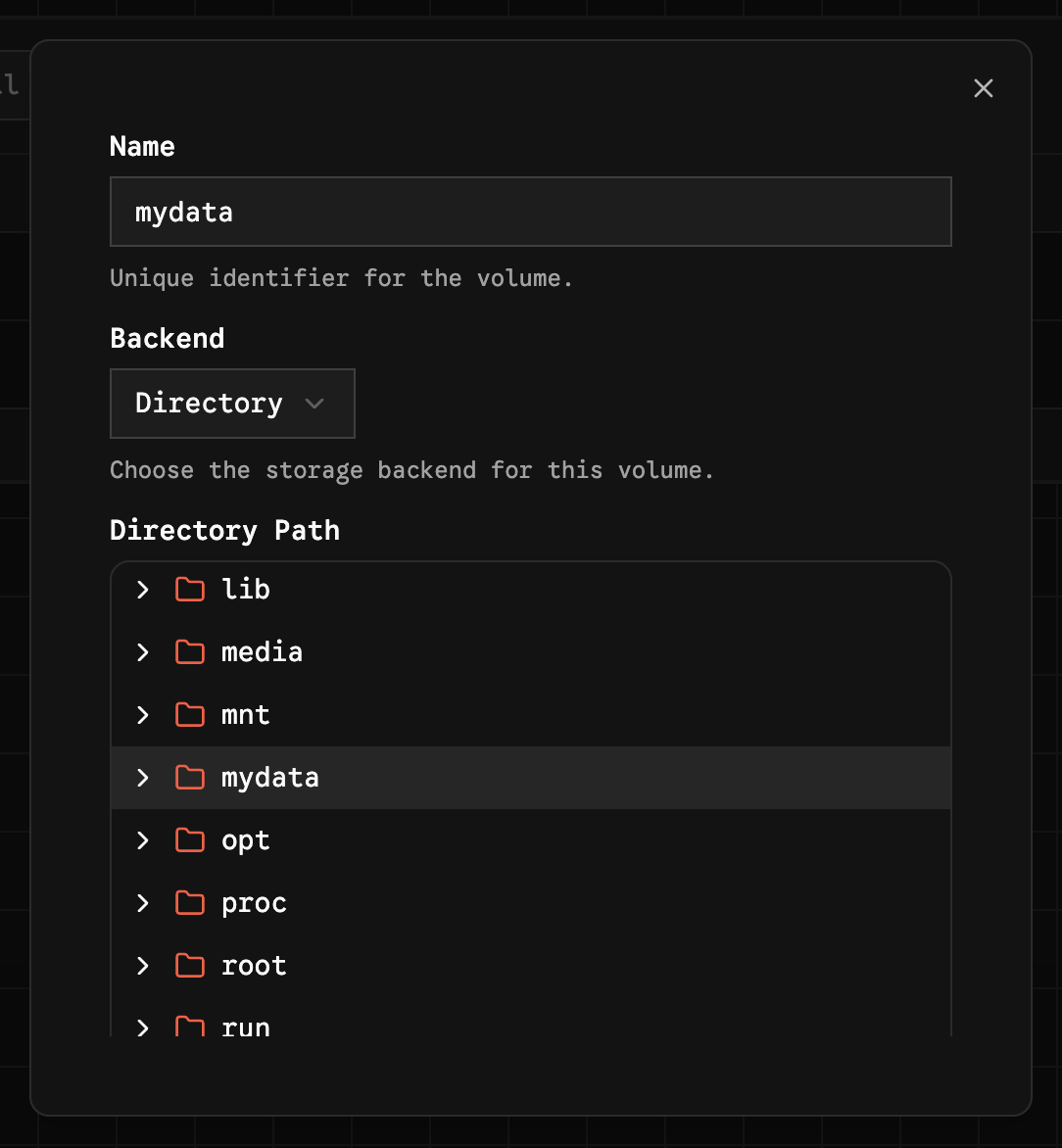
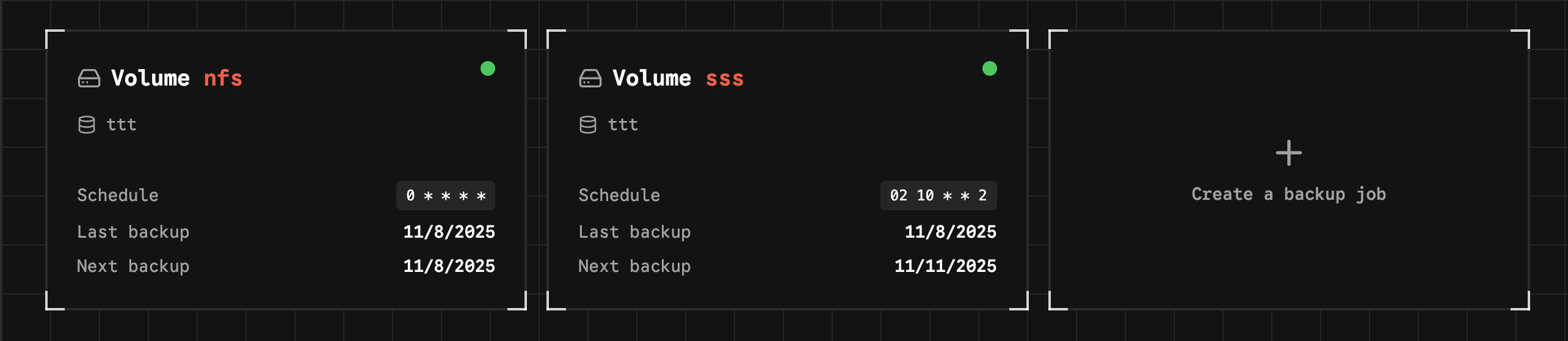
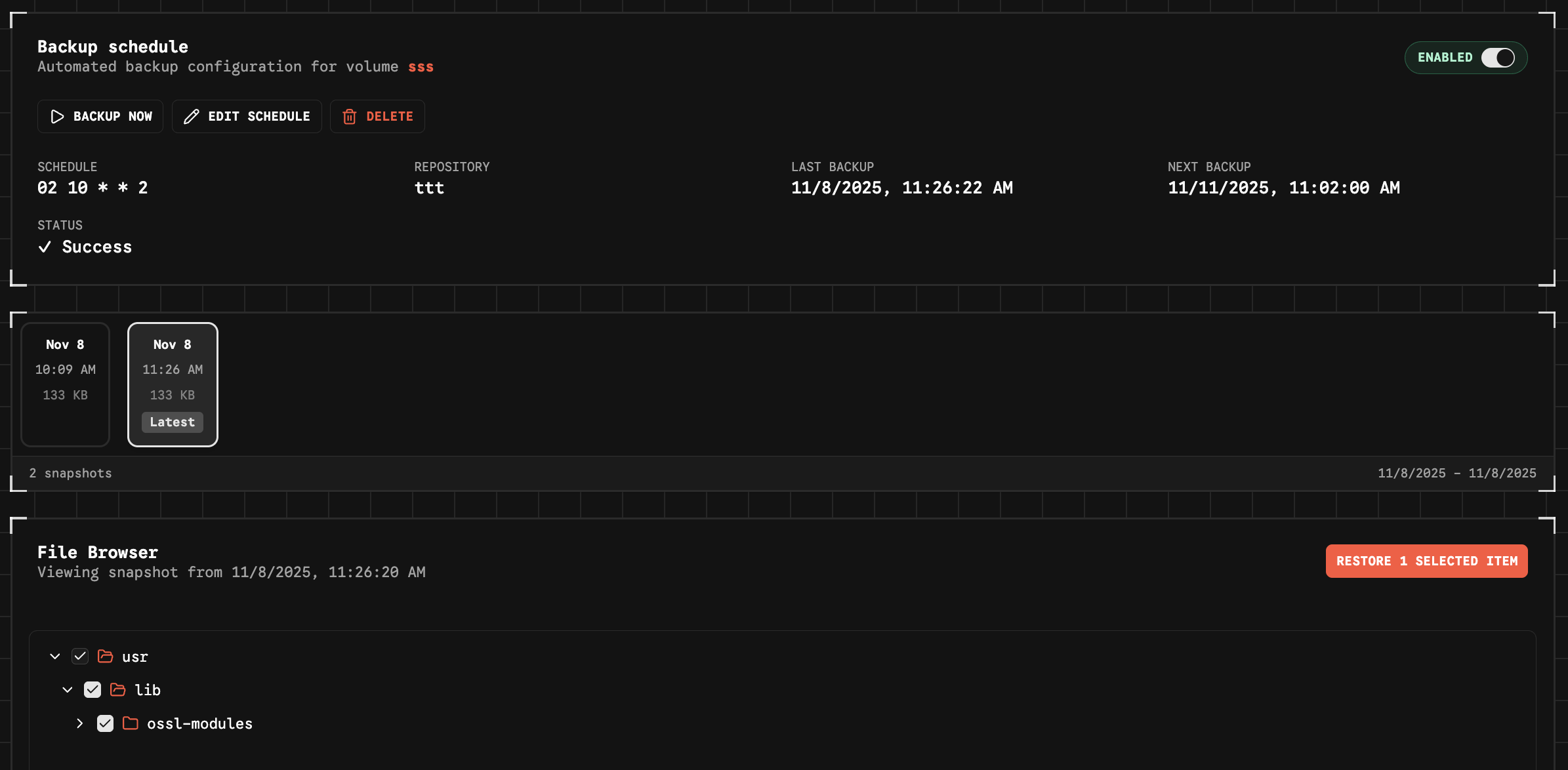
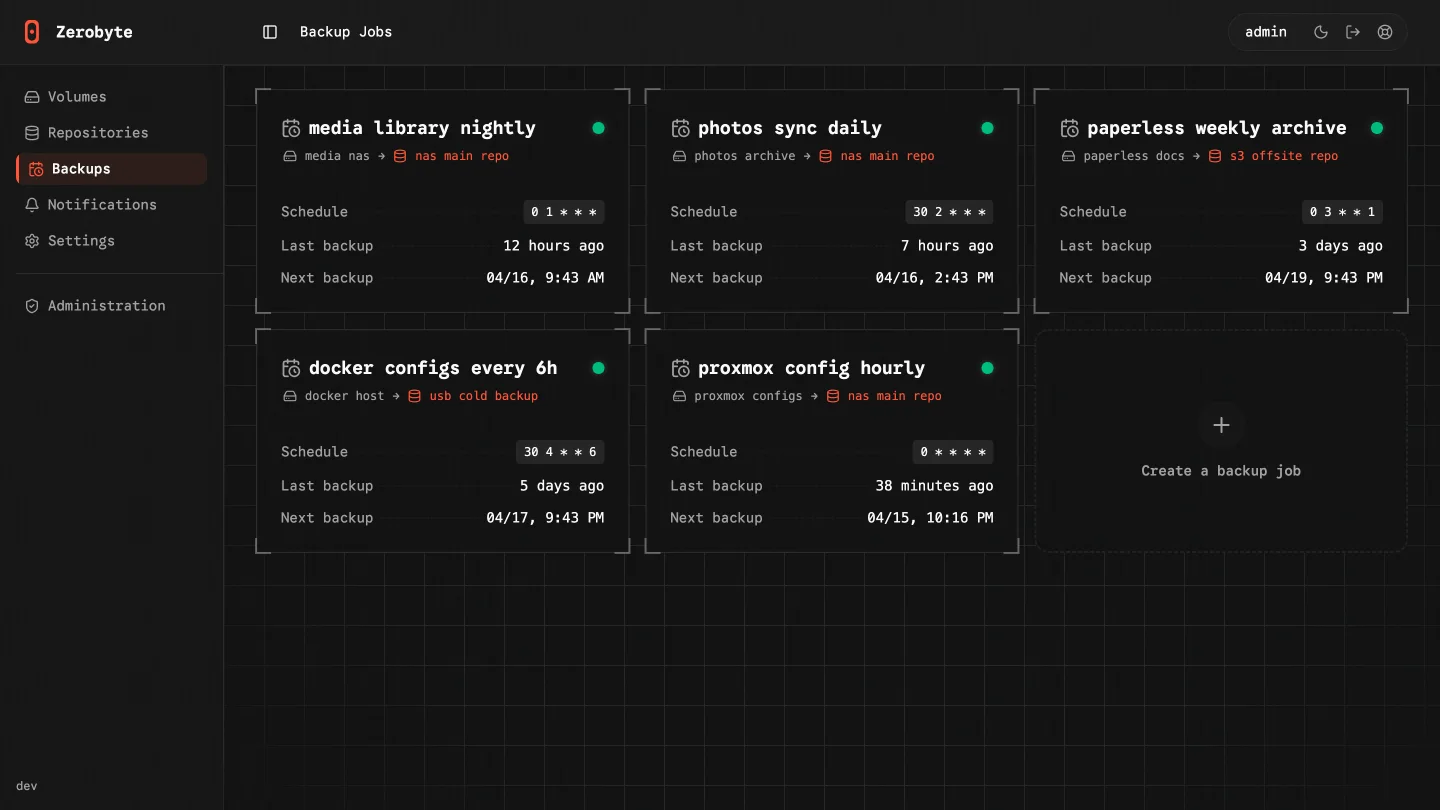
Zerobyte is an open-source backup control plane that wraps Restic in a web UI so operators can stop hand-rolling cron scripts. Backup sources can be local directories or NFS, SMB, WebDAV and SFTP shares mounted in-app via FUSE (which is why the full setup needs the SYS_ADMIN capability), while encrypted snapshots may be written to local folders, object storage such as S3-compatible buckets, R2, GCS or Azure Blob, REST and SFTP endpoints, and more than 40 further providers through rclone. Cron-based schedules with retention rules, include/exclude paths, compression levels and custom restic flags drive the jobs; you can browse snapshots and restore single files, mirror repositories, run Doctor and unlock stale repos, and receive alerts on Slack, Discord, ntfy, Telegram or generic webhooks. Multi-user setups get organization-scoped access with roles, invitations and OIDC-based SSO. Deployment is one Docker Compose service configured through environment variables such as BASE_URL and APP_SECRET, listening on port 4096. The project is pre-1.0 (v0.x) and warns about breaking changes between versions, and running it exposed to the internet is discouraged.
Zerobyte alternatives
 DBackupSelf-hosted open-source backup for 10 databases and files. Supports S3, Google Drive, SFTP with AES-256-GCM encryption, incremental backups, GFS retention, OIDC SSO, 2FA.CompareDBackup with Zerobyte
 borg-uiSelf-hosted web UI for Borg Backup that replaces terminal commands with a modern interface for creating, scheduling, and restoring backups.Compareborg-ui with Zerobyte
 plutonOpen-source, self-hosted backup using Restic and Rclone for encrypted incremental backups across 70+ cloud providers with web UI, 3-2-1 replication, and 2FA.Comparepluton with Zerobyte
 arkeepArkeep is an open-source, self-hosted backup management platform with a web dashboard for Restic/Rclone backups across multiple servers.Comparearkeep with Zerobyte
 NzbDAVSelf-hosted WebDAV server that mounts NZB files as a virtual filesystem for direct streaming to Plex, Jellyfin, and Stremio via SABnzbd-compatible API.CompareNzbDAV with Zerobyte
 Docker Volume BackupSelf-hosted, open-source Docker companion container that archives volumes locally or to S3, WebDAV, SSH or Azure storage on a cron, with rotation and GPG encryption.CompareDocker Volume Backup with Zerobyte
 docker-duplicatiSelf-hosted, open-source Docker image of the Duplicati backup client: encrypted changed-only backups to disks, S3, OneDrive, Google Drive, with a web UI on port 8200.Comparedocker-duplicati with Zerobyte
 BackrestSelf-hosted, open-source web UI and orchestrator that wraps restic for cron-scheduled backups, snapshot browsing, file restores, and repo maintenance.CompareBackrest with Zerobyte
Should you self-host Zerobyte?
Zerobyte scores 68/100 on selfhost.directory (how scoring works) and ranks #7 of 46 in Backup. It has 7 331 GitHub stars, +314 in the last 30 days.
It shipped 13 stable releases in the past year. The latest, v0.44.2, came out on 9 November 2026. New versions land roughly every 7 days.
Setup is easy: most people get it running in one sitting. An official Docker image is available. It is AGPL-3.0-licensed and written mostly in Typescript.
Its closest alternative on selfhost.directory is Restic (82/100, 37 137 stars). It scores higher overall, so compare the two before you pick. See Zerobyte vs Restic side by side.
Features
- Backup monitoring dashboard
- Compression controls
- End-to-end encryption
- File-level restore from UI
- Incremental & deduplicated backups
- Mirror repositories
- Multiple repository backends
- Multi-protocol backup sourcesRemote mounts require the SYS_ADMIN capability and /dev/fuse in the container.
- Notifications
- OIDC Single Sign-On
- Organizations and rolesNo fine-grained RBAC for backup operations: any organization member can operate backup resources.
- Pre/post backup webhooks
- Repository maintenance
- Retention Policies
- Scheduled backup jobs
Zerobyte README
Powerful backup automation for your remote storage
Encrypt, compress, and protect your data with ease

Backup management with scheduling and monitoring
Warning
Zerobyte is still in version 0.x.x and is subject to major changes from version to version. I am developing the core features and collecting feedback. Please open issues for bugs or feature requests.
FAQ
Is Zerobyte a backup engine or a UI for Restic?
It is a Restic-based backup automation tool: a web control plane for scheduling, managing, monitoring, restoring and maintaining Restic backups.
More in Backup
 2faSelf-hosted, open-source TOTP/HOTP key manager that runs as a Cloudflare Worker: AES-GCM encrypted storage, QR import, PWA offline use, backups to WebDAV/S3/OneDrive.
 Alist-SyncAlist-Sync is a self-hosted, open-source web app for syncing files between Alist storage backends with a visual UI, cron scheduling, and configurable difference handling.
 ANASANAS is a self-hosted, open-source storage layer for Proxmox VE adding native UI panels for ZFS pools, Hybrid RAID, SMB/NFS, iSCSI, snapshots, replication, PBS backup.
- arkeepArkeep is an open-source, self-hosted backup management platform with a web dashboard for Restic/Rclone backups across multiple servers.
 BackAppBackApp is a self-hosted, open-source backup automation tool with a React web UI that schedules and inspects remote server backups over SSH.
 Backblaze_Personal_BackupSelf-hosted Docker container running Backblaze backup client via WINE on Linux. Provides VNC web GUI for setup and management.
- BackrestSelf-hosted, open-source web UI and orchestrator that wraps restic for cron-scheduled backups, snapshot browsing, file restores, and repo maintenance.
 BackupPCBackupPC is a self-hosted, open-source backup server that deduplicates and compresses backups from Linux, Windows, and macOS clients to a central disk with a web UI.
 bareosOpen-source, cross-platform network backup and recovery suite (a Bacula fork) with Director/File/Storage daemons, PostgreSQL catalog, tape, S3 and a web UI.
 barmanSelf-hosted, open-source disaster-recovery tool for PostgreSQL: remote backups, WAL archiving, point-in-time recovery, incremental, encrypted and cloud backups.
 BeeCount CloudSelf-hosted sync cloud for BeeCount personal accounting app with real-time multi-device sync, shared ledgers, AI bookkeeping, and encrypted backup.
 BichonSelf-hosted, open-source email archiver written in Rust that pulls mail over IMAP or OAuth2, indexes it for full-text search, and serves a WebUI and REST API.
0 comments