
Self-host Alist-Sync
v1.1.5Web-based Alist storage sync with multi-task scheduling
- Stars
- 173
- Port
- 52441 (Web UI)
xjxjin/alist-sync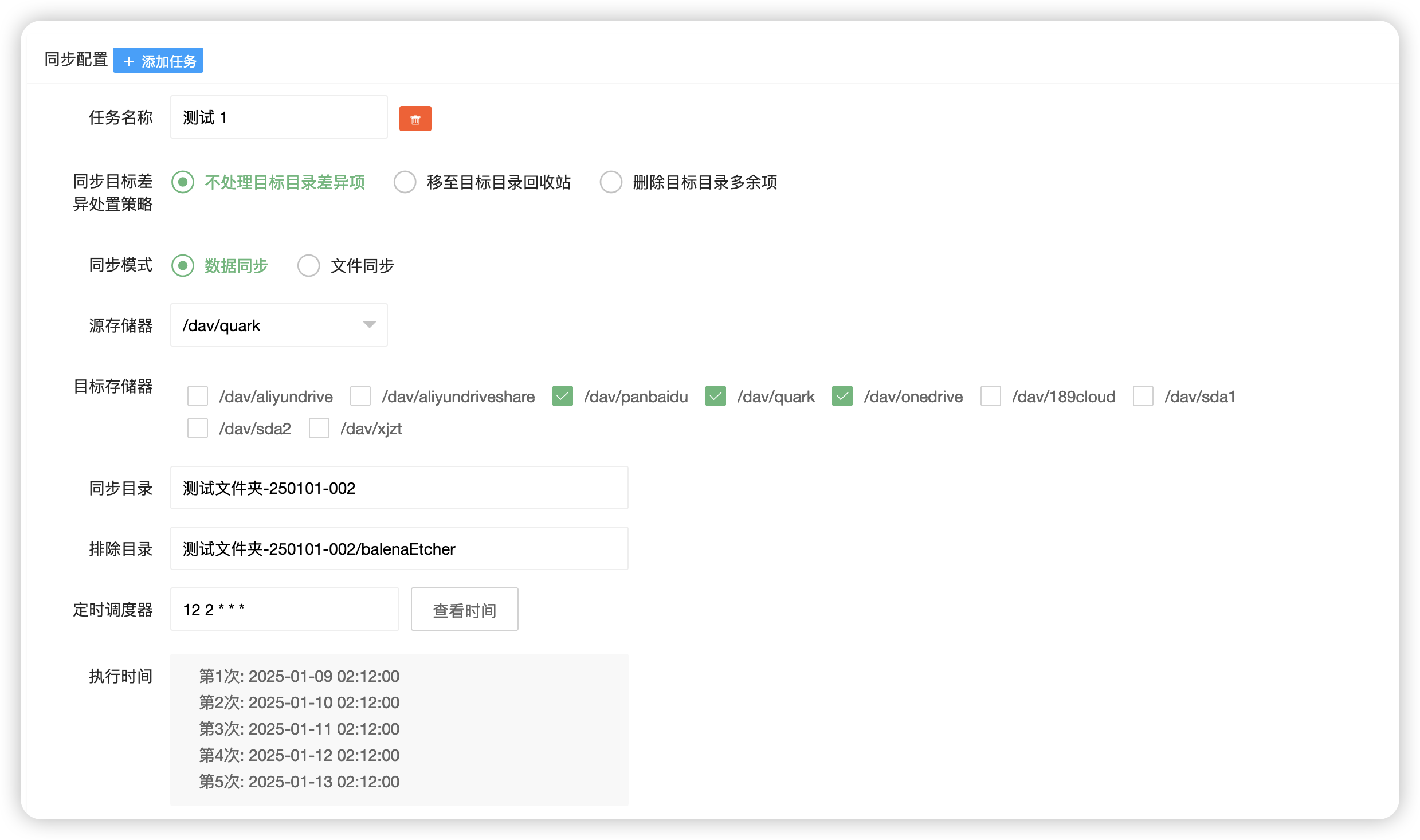


What is Alist-Sync?
Alist-Sync is a self-hosted web tool for synchronizing data across Alist storage providers. It provides a browser-based dashboard to create and manage sync tasks in three modes: data sync (directory-level between storage drivers), file sync (explicit path pairs), and file move (copy then delete source). Tasks can be run manually or on cron schedules, with options to keep, move to trash, or delete extra files in the destination. The app stores its configuration and logs in JSON files on a mounted volume, requires no external database, and authenticates users with a built-in username/password system (default admin/admin). It is distributed as a Docker image (xjxjin/alist-sync) and deployed via docker-compose on port 52441. The project is actively maintained with recent releases and supports Qinglong panel integration for scheduled runs.
Should you self-host Alist-Sync?
Alist-Sync scores 43/100 on selfhost.directory (how scoring works) and ranks #10 of 15 in File Sync. It has 173 GitHub stars.
There was no stable release in the past 12 months, so check the repository's recent activity before you rely on it.
Setup is easy: most people get it running in one sitting. An official Docker image is available. It is MulanPSL-2.0-licensed and written mostly in Python.
Its closest alternative on selfhost.directory is Syncthing (90/100, 89 828 stars). It scores higher overall, so compare the two before you pick. See Alist-Sync vs Syncthing side by side.
Features
- Built-in user authentication
- Configuration import/export
- Cron scheduled tasks
- Data sync mode
- Detailed sync logs
- Differential handling strategies
- File move mode
- File sync mode
- Multi-task management
- Qinglong panel integration
- Regex pattern filtering
- Token validation
- Web-based management UI
Alist-Sync README
More in File Sync
 alt-coreAlterante Core is a self-hosted, open-source decentralized filesystem in Java for file discovery, automated backup/replication, and web-based file access.
 alteroaltero is a self-hosted, open-source Zotero sync server implementing the Web API v3 for libraries, groups, notes, attachments, and full-text search.
 any-sync-bundleA self-hosted, open-source sync backend for Anytype that bundles all sync components into one deployable unit with built-in database and cache.
 AnyTypeSelf-hosted Docker Compose deployment of the any-sync network powering Anytype — run your own encrypted sync backend with MongoDB, Redis, and Garage S3 storage.
 armadiettoArmadietto is a self-hosted, open-source RemoteStorage server in Node.js for personal cloud storage with modular (S3-backed) and classic (filesystem) variants.
 Aurora FilesSelf-hosted open-source file storage platform with end-to-end encryption, WebDAV access, mobile apps, and OnlyOffice integration for document editing.
 BackupPCBackupPC is a self-hosted, open-source backup server that deduplicates and compresses backups from Linux, Windows, and macOS clients to a central disk with a web UI.
 BeeCount CloudSelf-hosted sync cloud for BeeCount personal accounting app with real-time multi-device sync, shared ledgers, AI bookkeeping, and encrypted backup.
 CloudreveSelf-hosted, open-source cloud drive with multi-storage backends, WebDAV, share links, online preview and office editing, plus admin tools for multi-user sites.
 CloudSyncOpen-source self-hosted file sync with desktop client that watches a folder and uploads changes to your own server, like Google Drive's desktop client.
 CondensationAn open-source distributed data system for app builders: conflict-free sync, end-to-end encryption and self-hosted store servers on a file system or MySQL.
 CondensationDBAn open-source distributed data system: build apps with its client libraries and run a self-hosted store server, with semilattice merging and end-to-end encryption.
0 comments