
Self-host skiff
v0.4.0Self-hosted SSH manager with searchable command memory
- Stars
- 167
- Port
- 8080 (HTTP/WebSocket server)


What is skiff?
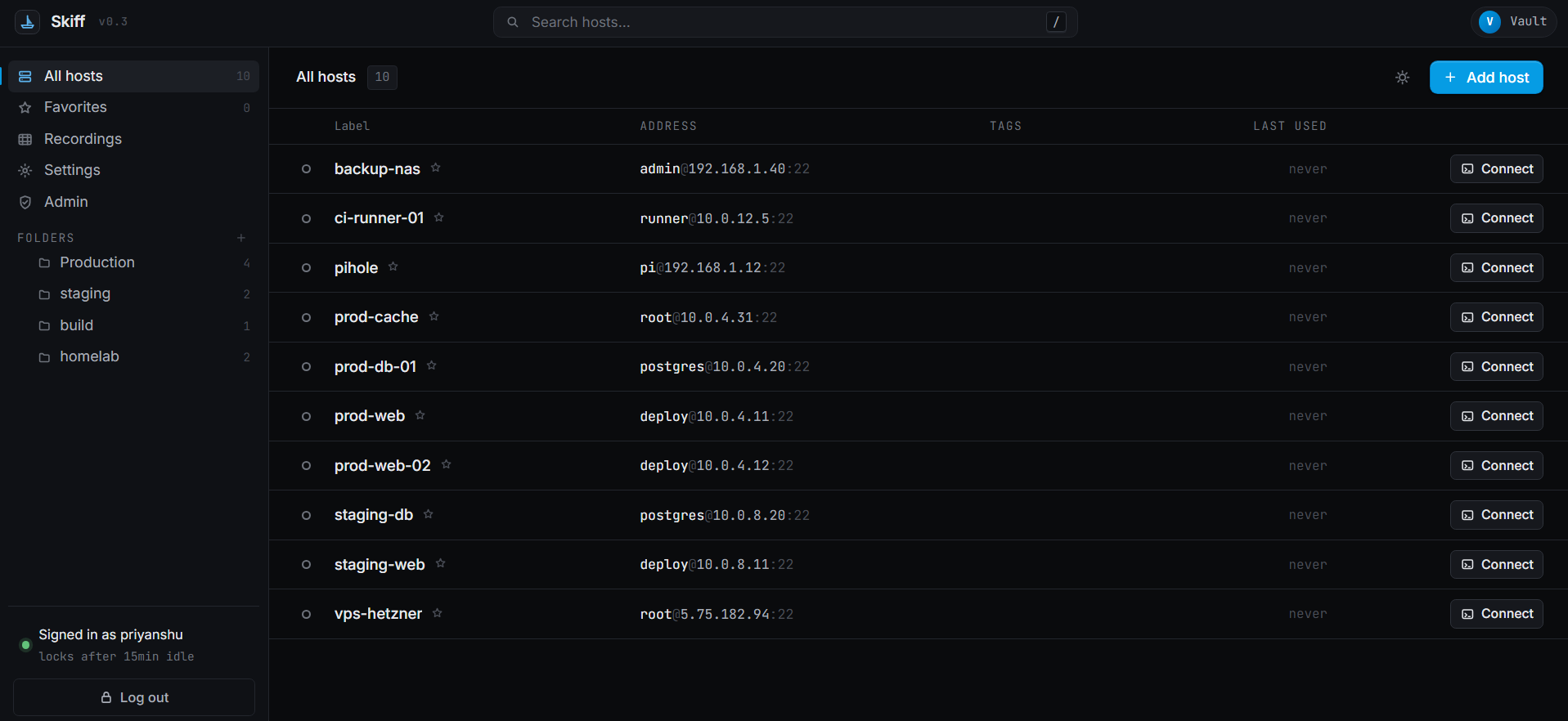
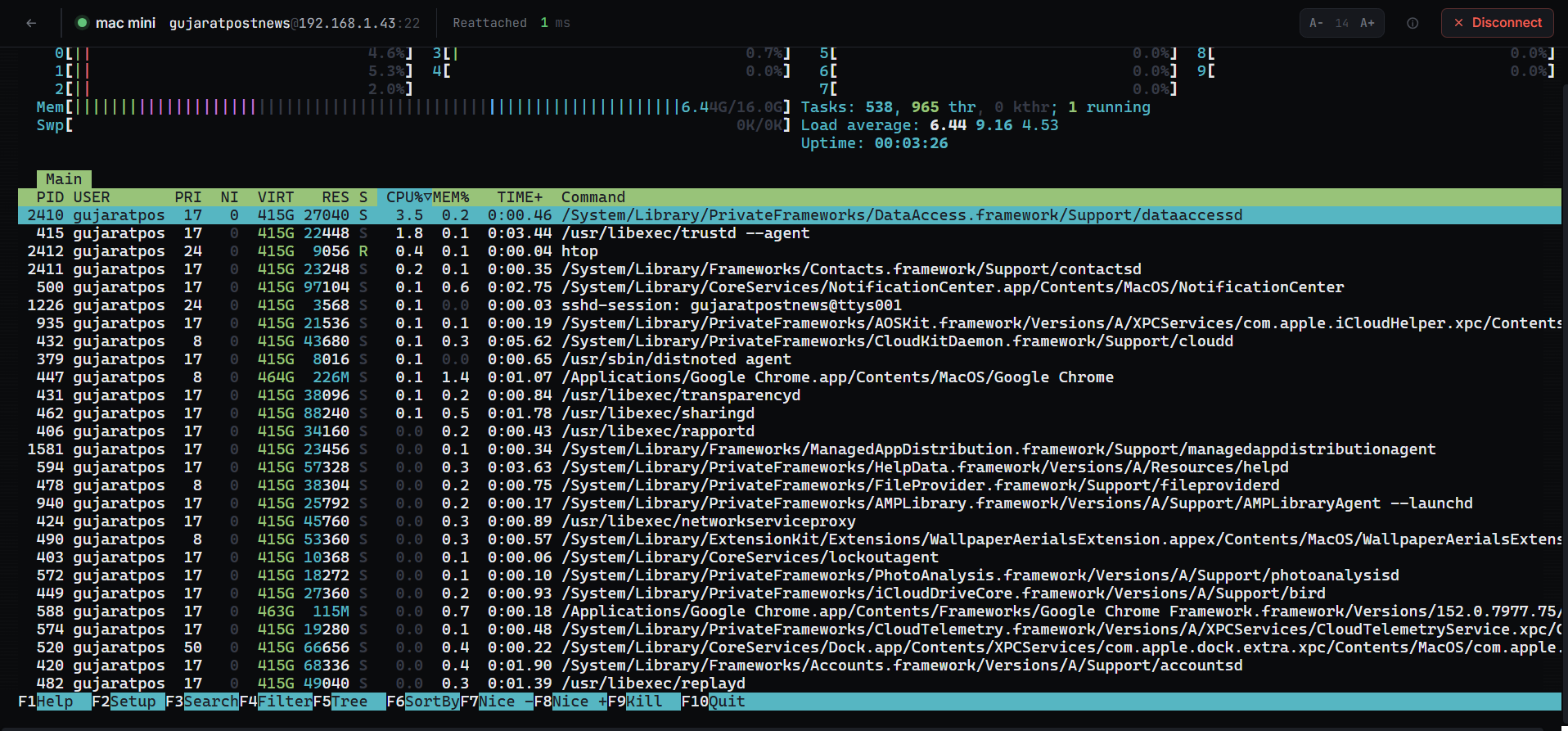
Skiff is a self-hosted SSH connection manager for developers and operators who want full control over their SSH inventory. It runs an in-browser terminal where SSH sessions live on the server process — closing a tab or losing connectivity doesn't end your work; you reattach with recent scrollback. Its standout feature is Memory: a searchable, encrypted history of commands and their output across all hosts, plus before-and-after file diffs for supported edits, host notes, and reusable snippets. Sessions can be recorded in asciicast format for replay. Credentials are stored in an AES-256-GCM encrypted SQLite vault with argon2id key derivation; the key stays in memory only while unlocked. Team mode adds per-user logins sharing one vault, admin password reset, and an audit log. Deployment is a single docker compose command (or Node.js 20+ with pnpm), binding to localhost by default. The project does not support LDAP/SAML/SSO, SFTP file transfers, jump hosts, or RBAC in the open-source edition. Dark and light themes are included. A separate desktop edition adds file transfer, port forwarding, jump hosts, approvals, and a verifiable audit log.
Should you self-host skiff?
skiff scores 47/100 on selfhost.directory (how scoring works) and ranks #3 of 6 in SSH. It has 167 GitHub stars.
It shipped 6 stable releases in the past year. The latest, v0.4.0, came out on 10 October 2026. New versions land roughly every 3 weeks.
Setup is moderate: expect some configuration beyond a single command. It is AGPL-3.0-licensed and written mostly in Typescript.
Its closest alternative on selfhost.directory is Termix (76/100, 15 704 stars). It scores higher overall, so compare the two before you pick. See skiff vs Termix side by side.
Features
- Auto-lock on idle
- Command memory & searchBest-effort capture; full-screen apps are marked not recorded
- Encrypted credential vault
- File diff trackingNo automatic restore; small text files only
- Folders, favorites, search
- Host notes & snippets
- In-browser terminal
- Persistent SSH sessions
- Session recording & playback
- SSH config importDoes not handle Include directives or Match blocks
- SSH fingerprint pinning
- Team modeNo RBAC; all members see all hosts
skiff README
FAQ
Can I self-host Skiff?
Yes. Run the webapp on your own hardware with Docker or Node.js, or install the desktop app locally. Skiff has no hosted vault service.
Is Skiff a replacement for Teleport?
Skiff focuses on SSH work with webapp Memory and desktop tools for approvals and audit. It does not provide Teleport's broader identity and infrastructure access platform.
What makes the audit log tamper-evident?
The desktop audit log links each entry to its predecessor with SHA-256. Local verification detects inconsistent entries and links, proving internal consistency but not authenticity against an attacker who can recompute the whole chain.
What is the difference between the desktop app and the server?
Desktop v1.0.0 provides local terminals, SFTP, tunnels, approvals, and a hash-chained audit log. The webapp provides browser access, persistent sessions, shared-vault team accounts, and Memory in v0.4.0.
Does Skiff send any telemetry?
No telemetry. Fonts and recording playback are bundled. The webapp only connects to SSH hosts you choose; the desktop has an optional update check you can disable.
Is Skiff free?
Yes, both editions are open source with no cloud account, license key, trial, or seat quota. The webapp is AGPL-3.0-only; the desktop engine is Apache-2.0 and its app is AGPL-3.0-only.
More in SSH
 SSH & Web TerminalAdvanced SSH & Web Terminal is a self-hosted Home Assistant add-on providing secure SSH access and a web terminal with Mosh, SFTP, ZSH, and CLI tools.
 TermixThis open-source, self-hosted server manager turns SSH access, remote desktop, file transfers, container control and monitoring into toggleable plugins.
 UniSSHCross-platform SSH client with encrypted vaults that run locally. Optional self-hosted sync server for multi-device and team sharing. Built with Rust and Tauri.
 WebSSHSelf-hosted SSH/SFTP browser workspace with multi-user terminals, split panes, file transfers, and optional Passkeys/OIDC/LDAP. Deploy via Docker on your infrastructure.
 WeTTYSelf-hosted open-source web terminal with SSH access in the browser via xterm.js and websockets; runs file downloads, exposes metrics, installs from npm or Docker.
 winktermSelf-hosted AI terminal where an LLM writes commands directly into your PTY. Supports SSH, file transfer, BYO LLM, Docker and desktop apps.
 xpipe-webtopSelf-hosted, open-core desktop connection hub for SSH, Docker, Kubernetes, and VM connections from your local machine, with no remote agent setup needed.
 BastillionSelf-hosted bastion host with browser-based SSH terminal, centralized key management, and full session recording. Supports 2FA, SAML SSO, LDAP, runs as a single Java JAR.
 BifröstBifröst is a self-hosted, open-source SSH server with OIDC, Docker/Kubernetes sessions, SSH gatewaying, and verifiable recording — a drop-in OpenSSH replacement.
 C-SSHCross-platform SSH client with terminal, file management, monitoring, and AI. Optional self-hostable Creation Cloud for encrypted config sync.
 electerm-webelecterm-web is a self-hosted, open-source web terminal and SSH/SFTP client with AI assistance, multi-language support, cloud sync, and responsive mobile design.
 ShellHubSelf-hosted, open-source SSH gateway to reach Linux and IoT devices from a web terminal or any SSH client, with session recording, audit logs and firewall rules.
0 comments