
Self-host rpi-mqtt-monitor
1.4.3System health monitor for Raspberry Pi and Linux with MQTT
- Stars
- 328

What is rpi-mqtt-monitor?
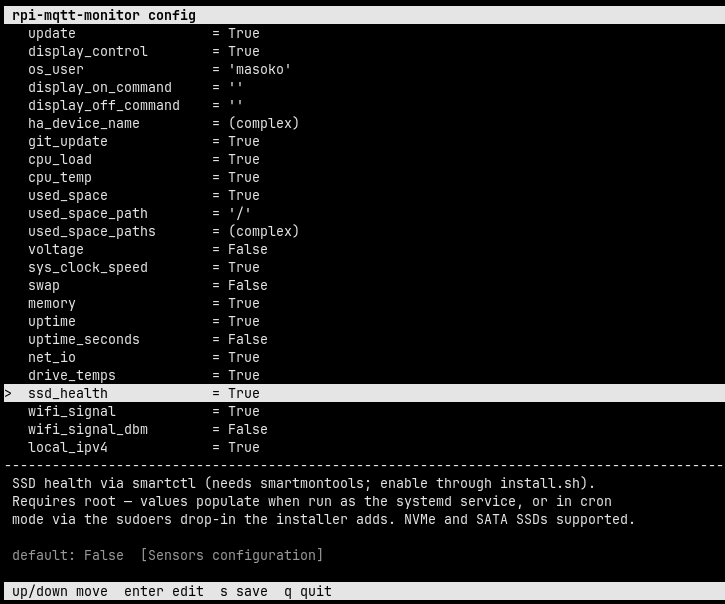
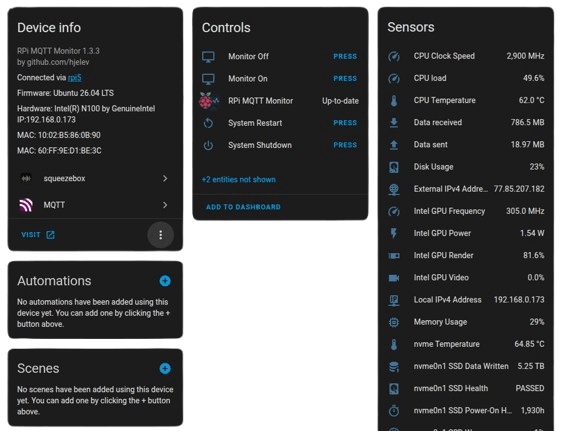
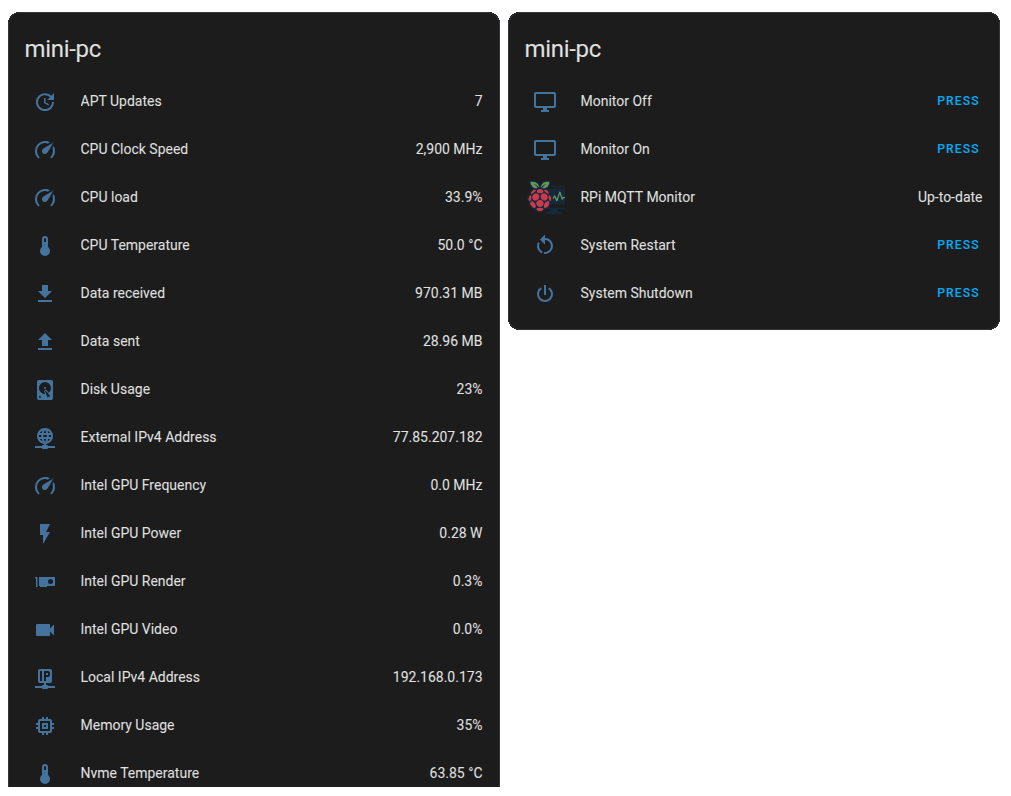
Raspberry Pi MQTT Monitor is a Python-based system monitoring daemon that collects detailed hardware metrics — CPU load, temperature, frequency, voltage, memory, disk usage, network I/O, GPU stats (Intel, NVIDIA, AMD), SSD health via SMART, and external sensors (DS18B20, SHT21) — and publishes them to an MQTT broker or directly to the Home Assistant REST API. It features zero-config Home Assistant integration via MQTT discovery, remote control buttons (restart, shutdown, update) in the HA UI, custom script execution, and multi-language support. Installation is automated via a one-line script that sets up a Python virtual environment, installs dependencies, and configures a systemd service or scheduled job. The project is licensed under GPL-3.0 and runs on any Linux system, not just Raspberry Pi.
Should you self-host rpi-mqtt-monitor?
rpi-mqtt-monitor scores 51/100 on selfhost.directory (how scoring works) and ranks #58 of 104 in Monitoring & observability. It has 328 GitHub stars.
It shipped 8 stable releases in the past year. The latest, 1.4.3, came out on 18 June 2026. New versions land roughly every 1 days.
Setup is moderate: expect some configuration beyond a single command. It is GPL-3.0-licensed and written mostly in Python.
Its closest alternative on selfhost.directory is grafana (90/100, 77 568 stars). It scores higher overall, so compare the two before you pick. See rpi-mqtt-monitor vs grafana side by side.
Features
- Comprehensive system metrics
- Custom script execution
- Display control
- Easy updates
- External sensor support
- Flexible delivery
- Interactive TUI configurator
- Multi-language Support
- Sensor availability
- Service or cron operation
- Wake-on-LAN integration
rpi-mqtt-monitor README
More in Monitoring & observability
 scanopyNetwork diagrams that update themselves
 Self-Hosted Metrics (SHM)Self-hosted telemetry server collecting aggregate metrics from distributed apps without user data. Features cryptographic identity, dynamic dashboards, Go/Node.js SDKs.
 signozOpen-source observability tool you host yourself, combining APM, logs, traces, and dashboards on OpenTelemetry to replace DataDog.
 simonSimon is a self-hosted, open-source system monitor in Rust with real-time metrics, Docker monitoring, file browser, and alerting via webhooks — all in a single binary.
 smartctl_exporterSelf-hosted, open-source Prometheus exporter that collects SMART disk health data via smartctl and exposes it as metrics for monitoring storage hardware.
 StatusSelf-hosted, open-source system monitor for small Linux homeservers with web UI showing CPU, memory, storage, network, and host info. Runs on Raspberry Pi.
 tianjiSelf-hosted insight hub combining web analytics service monitoring and server status checks. Apache 2.0 licensed open-source platform for independent developers.
 tirrenoA self-hosted PHP security framework that spots account takeovers, fraud, and logic abuse inside your app using a dashboard, rule engine, and audit trails.
 tracearr-supervisedSelf-hosted, open-source monitoring dashboard for Plex, Jellyfin and Emby with real-time streams, account-sharing detection, trust scores and automations.
 TraceloopOpen-source observability for your GenAI or LLM application, based on OpenTelemetry
 World MonitorSelf-hosted open-source dashboard streaming 460 news feeds from 761 providers onto a live map with 57 layers, correlating geopolitics, markets, shipping, aviation
 ZabbixZabbix is a self-hosted, open-source observability platform for monitoring networks, servers, VMs, and cloud infrastructure with distributed monitoring.
0 comments