
Self-host Rancher
v2.15.3Open-source multi-cluster Kubernetes management platform
- Stars
- 26 058
- RAM
- 4GB
- Ports
- 80 (Rancher UI/API when a load balancer or proxy does external SSL termination), 443 (Rancher UI/API, agent and kubectl traffic (mapped 80:80 and 443:443 in the Docker install))
- Requires
- Kubernetes
rancher/rancher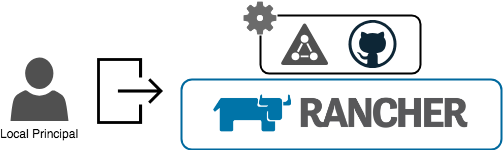
What is Rancher?
Rancher is an open-source management platform for organizations running containers in production: rather than administering one cluster at a time, operators get a single plane for provisioning, registering and securing Kubernetes wherever it runs. It can create clusters on hosted providers, provision compute nodes and install Kubernetes onto them, or bring existing clusters under management, and it centralizes user authentication plus role-based access control across every cluster. Day-2 operations include cluster monitoring and alerting, shipping logs to external providers, a Helm-based application catalog, and Fleet for deploying and upgrading workloads; an external CI/CD system can be plugged in where needed. Users sign in locally or through providers such as Active Directory, OpenLDAP, FreeIPA, Keycloak, Okta, GitHub, Google, Microsoft Entra ID, AD FS, Ping and Shibboleth, and access can be restricted to authorized users and groups. For evaluation it runs as one Docker container publishing ports 80 and 443; production installs use Helm on a supported Kubernetes cluster (K3s, RKE2, EKS, AKS or GKE) with cert-manager and an ingress, ideally three or more nodes for high availability. The trial host needs at least 4GB of memory, and the vendor's hardware tables start at 4 vCPUs and 16 GB per upstream node for small managed fleets. The code is Apache-2.0 and free to run; Rancher Prime adds enterprise support, SLSA-certified builds and charts from a private registry that requires SUSE credentials, alongside a fully managed hosted control plane.
Rancher alternatives
 PortainerSelf-hosted open-source console for managing container estates: Docker hosts, Swarm clusters, Podman, Kubernetes and Azure ACI, all from one server container.ComparePortainer with Rancher
 KuberoOpen-source, self-hosted PaaS for Kubernetes: deploy containers or source with 160+ app templates, CI/CD pipelines and GitOps review apps, run by a UI plus operator.CompareKubero with Rancher
 MesherySelf-hosted, open-source cloud native manager: model, deploy and operate multi-cluster Kubernetes with visual GitOps and nearly 400 integrations.CompareMeshery with Rancher
 CompartmentCompartment is a self-hosted, open-source Kubernetes deployment platform for teams to run internal tools and apps on their own infrastructure with SSO and RBAC.CompareCompartment with Rancher
 openrunA self-hosted GitOps platform that deploys web apps to Docker or Kubernetes using declarative config, with built-in SSO, RBAC, and database bindings.Compareopenrun with Rancher
 maintenantSelf-hosted monitoring auto-discovering Docker, Swarm, and Kubernetes containers, endpoints, TLS certs, cron jobs, and host resources from one Go binary (~100MB).Comparemaintenant with Rancher
 SenchoSelf-hosted, open-source control plane for managing Docker Compose stacks across multiple nodes with a web UI, real-time logs, and fleet-wide orchestration.CompareSencho with Rancher
 CanineOpen-source, self-hosted PaaS that runs on your own Kubernetes cluster: git-push deploys, Let's Encrypt SSL, rollbacks, workers and cron jobs, team access control.CompareCanine with Rancher
Should you self-host Rancher?
Rancher scores 76/100 on selfhost.directory (how scoring works) and ranks #1 of 7 in Kubernetes. It has 26 058 GitHub stars, +82 in the last 30 days.
It shipped 24 stable releases in the past year. The latest, v2.15.3, came out on 29 October 2026.
Setup is advanced: plan for several services and some ongoing maintenance. An official Docker image is available. It is Apache-2.0-licensed and written mostly in Go.
Its closest alternative on selfhost.directory is Meshery (74/100, 12 210 stars). Rancher scores higher overall. See Rancher vs Meshery side by side.
Features
- Application catalog (Helm)
- Bootstrap password and admin recovery tooling
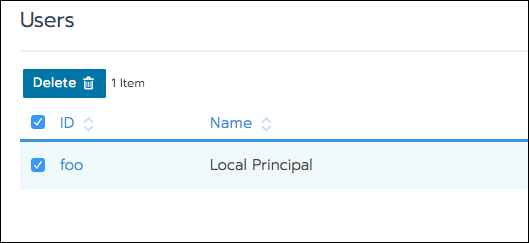
- Centralized AuthenticationLocal authentication is provided as a built-in default intended for small or test setups.
- Cluster provisioning and import
- External CI/CD integration
- GitOps workload deployment with Fleet
- High-availability installs
- Log Forwarding
- Monitoring and Alerting
- REST API
- Role-based Access Control
Rancher README
FAQ
How can I automate task X in Rancher?
Because the UI only calls the API, browse the API at https://your_rancher_ip/v3 or capture the UI's API calls and script them.
How can I access nodes created by Rancher?
Download the node's SSH keys from the Nodes view using the row menu, then connect with the id_rsa file and the correct username.
How are the supported Docker versions determined?
Rancher follows the Docker versions validated by upstream Kubernetes, listed under External Dependencies in the Kubernetes release changelogs.
Where is the state of Rancher stored?
With the Docker install it lives in the container's embedded etcd under /var/lib/rancher; with a Kubernetes install it is stored in the RKE2 or K3s cluster running Rancher.
Why is my Layer-4 Load Balancer in Pending state?
Layer-4 load balancers are created as type: LoadBalancer, which stays pending unless a cloud provider or controller in the cluster can satisfy such requests.
Where can I manage Node Templates?
Open the account menu in the top right of the UI and select Node Templates.
My ClusterIP does not respond to ping
A ClusterIP is a virtual address and never answers ICMP, so test it with curl against the IP and port instead.
How can I enable debug logging?
The FAQ points to the troubleshooting documentation's logging section for enabling debug logging.
I deleted/deactivated the last admin, how can I fix it?
Use the ensure-default-admin command in the Rancher container or pod to create a new default administrator and print its password.
How can I reset the administrator password?
Run the reset-password command inside the Rancher container (Docker install) or inside the rancher pod in the cattle-system namespace (Helm install), which prints a new password for the default administrator.
More in Kubernetes
 rocketplaneIOSelf-hosted AI SRE for Kubernetes: eBPF zero-instrumentation traces, logs, metrics, live service map, plus MCP for AI agents to safely remediate.
 skyfloDeprecated open-source AI agent that runs in your Kubernetes cluster to automate infrastructure via a deterministic approval-gated control loop.
 sparklabxSelf-hosted Apache Spark notebook platform with per-user PySpark/Scala kernels, MinIO IAM storage isolation, OAuth, and Helm deployment. Open-source core, Apache-2.0.
 TraefikTraefik is a self-hosted, open-source reverse proxy that auto-discovers services from Docker, Kubernetes, and other orchestrators to route traffic without manual config.
 tsuruSelf-hosted, open-source PaaS that runs apps on your own Kubernetes clusters with one-command deploys, autoscaling, teams, quotas and add-on services.
 TunnetTunnet is a self-hosted, open-source mesh VPN replacing Tailscale and ngrok with one stack: mesh, tunnels, SSH, file transfer, and Kubernetes integration.
 woodpecker-ciSelf-hosted, open-source Apache-2.0 CI/CD engine: pipeline steps run in Docker containers and workflows trigger from forges like GitHub, Gitea, GitLab or Bitbucket.
 Zero to JupyterHub with KubernetesOpen-source Helm chart and guide for self-hosting JupyterHub on Kubernetes, enabling scalable multi-user notebook environments for teams and classrooms.
 Aerokube MoonMoon is a self-hosted commercial browser automation platform for Kubernetes/OpenShift running Selenium, Playwright, Cypress, and Puppeteer tests.
 agenttierAgentTier is a self-hosted Kubernetes platform providing isolated sandboxes for AI agents and developers with browser terminals and gVisor isolation.
 apl-coreApp Platform for Linode Kubernetes Engine
 Argo CDOpen-source, self-hosted GitOps CD for Kubernetes that keeps clusters in sync with Kustomize, Helm, Jsonnet or YAML manifests in Git, with web UI, CLI, SSO and RBAC.
0 comments