
Self-host Argo CD
v3.6.1GitOps continuous delivery controller for Kubernetes
- Stars
- 24 622
- Port
- 443 (argocd-server API server / web UI (HTTPS); the guide reaches it with kubectl port-forward mapping local 8080 to 443)
quay.io/argoproj/argocd
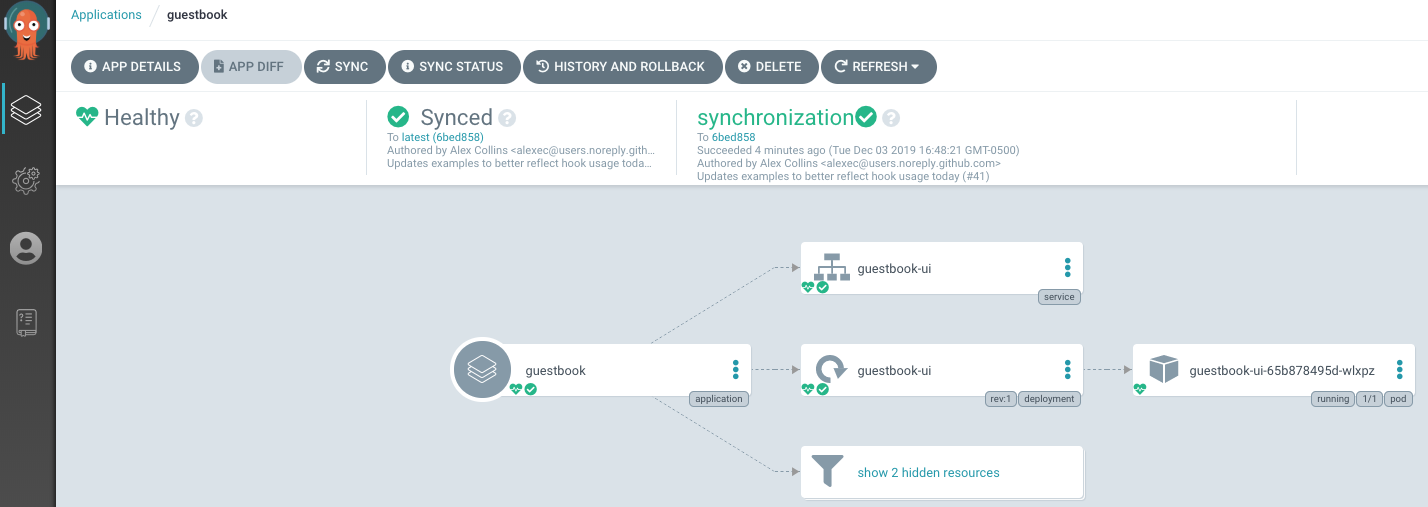
What is Argo CD?
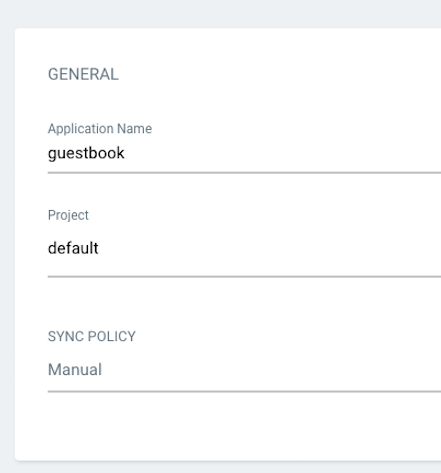
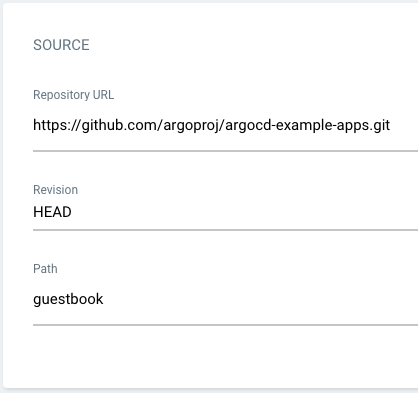
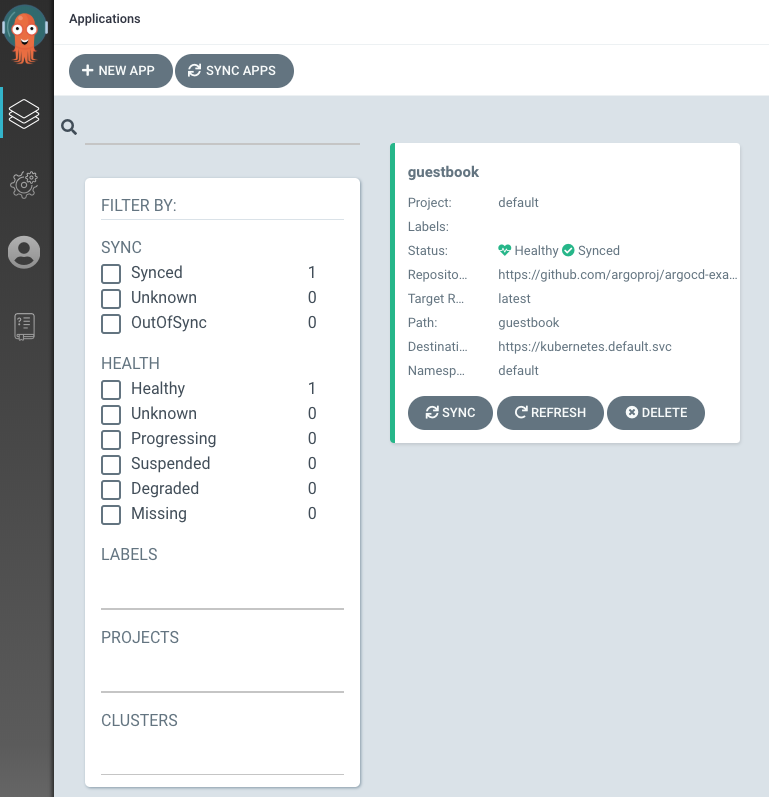
Argo CD is a continuous delivery tool that runs inside a Kubernetes cluster and treats Git repositories as the authoritative source for the desired state of applications. Its controller keeps comparing the live state against what is in Git, flags anything OutOfSync, and re-applies the desired state automatically or on demand, with automated drift detection, health assessment of resources, and rollback to any configuration committed in the repository. Manifests can be Kustomize applications, Helm charts, Jsonnet files, plain YAML directories, or any custom tool added through config management plugins, and one instance can manage and deploy to many clusters. Day-to-day operation happens through the real-time web UI or the argocd CLI; human login supports SSO via OIDC, OAuth2, LDAP and SAML 2.0, secured further by multi-tenancy and RBAC policies, plus audit trails, Prometheus metrics, webhooks from GitHub, GitLab and BitBucket, and a notification engine for services like Slack, email and Opsgenie. Self-hosting is done by applying the official install.yaml manifests with kubectl (namespace-scoped, high-availability and headless 'core' bundles also exist), through Kustomize, or via the community-maintained argo-helm chart; the default bundle ships Redis with password authentication. The non-HA installation is explicitly described as suited for evaluation rather than production use.
Argo CD alternatives
 kiteSelf-hosted, open-source Kubernetes workspace for multi-cluster management: RBAC, LDAP/OAuth login, Prometheus monitoring, Helm, audit logs, and an AI assistant.Comparekite with Argo CD
 apl-coreApp Platform for Linode Kubernetes EngineCompareapl-core with Argo CD
 ArgusSelf-hosted open-source tool that monitors software releases from GitHub, websites, and Docker registries, then sends notifications and webhooks on new versions.CompareArgus with Argo CD
 gocdSelf-hosted, open-source CD server by Thoughtworks. Automates build-test-release pipelines and visualizes the whole delivery flow in a value stream map.Comparegocd with Argo CD
 CanineOpen-source, self-hosted PaaS that runs on your own Kubernetes cluster: git-push deploys, Let's Encrypt SSL, rollbacks, workers and cron jobs, team access control.CompareCanine with Argo CD
 DiggerOpen-source Terraform CI/CD that plans and applies inside your existing CI, with PR comments, drift detection, OPA policies and a self-hosted orchestrator backend.CompareDigger with Argo CD
 openrunA self-hosted GitOps platform that deploys web apps to Docker or Kubernetes using declarative config, with built-in SSO, RBAC, and database bindings.Compareopenrun with Argo CD
 kubetailSelf-hosted, open-source Kubernetes logging tool that tails multiple pod logs in real-time via CLI or web dashboard, using your cluster's API directly.Comparekubetail with Argo CD
Should you self-host Argo CD?
Argo CD scores 81/100 on selfhost.directory (how scoring works) and ranks #2 of 28 in CI/CD. It has 24 622 GitHub stars, +238 in the last 30 days.
It shipped 35 stable releases in the past year. The latest, v3.6.1, came out on 4 November 2026. New versions land roughly every 1 days.
Setup is moderate: expect some configuration beyond a single command. An official Docker image is available. It is Apache-2.0-licensed and written mostly in Go.
Its closest alternative on selfhost.directory is jenkins (83/100, 26 779 stars). It scores higher overall, so compare the two before you pick. See Argo CD vs jenkins side by side.
Features
- Audit Trails
- Automated and manual sync
- CLI for automation
- Configuration Drift Detection
- GitOps-based deployment from Git
- Git webhooks
- Multi-Cluster Management
- Multi-format manifest support (Kustomize, Helm, Jsonnet, plain YAML)
- Prometheus Metrics
- RBAC and multi-tenancy
- Real-time web UI
- Resource health analysis
- Rollback to any Git revision
- SSO Integration
- Sync lifecycle hooks
Argo CD README


How to install Argo CD
Install Argo CD with Kubernetes
kubectl create namespace argocd
kubectl apply -n argocd --server-side --force-conflicts -f https://raw.githubusercontent.com/argoproj/argo-cd/stable/manifests/install.yaml
Alternative manifest sets: namespace-install.yaml (namespace-level privileges), ha/install.yaml for production high availability, core-install.yaml for headless use, Kustomize as a remote resource, or the community-maintained argo-helm chart.
How to configure Argo CD
ARGOCD_SERVERthe address of the Argo CD server without https:// prefix (instead of specifying --server for every command) eg. ARGOCD_SERVER=argocd.example.com if served through an ingress with DNSARGOCD_AUTH_TOKENthe Argo CD apiKey for your Argo CD user to be able to authenticateARGOCD_OPTScommand-line options to pass to argocd CLI eg. ARGOCD_OPTS="--grpc-web"ARGOCD_CONFIG_DIRsets the directory hosting argocd CLI config, e.g., ~/.config/argocd/config. (if ENV var not provided, defaults to $XDG_CONFIG_HOME/argocd, or ~/.config/argocd, or if exists legacy ~/.argocd)ARGOCD_SERVER_NAMEthe Argo CD API Server name (default "argocd-server")
Argo CD releases & version history
Quick Start
Non-HA:
kubectl create namespace argocd
kubectl apply -n argocd --server-side --force-conflicts -f https://raw.githubusercontent.com/argoproj/argo-cd/v3.6.1/manifests/install.yaml
HA:
kubectl create namespace argocd
kubectl apply -n argocd --server-side --force-conflicts -f https://raw.githubusercontent.com/argoproj/argo-cd/v3.6.1/manifests/ha/install.yaml
Release Signatures and Provenance
All Argo CD container images are signed by cosign. A Provenance is generated for container images and CLI binaries which meet the SLSA Level 3 specifications. See the documentation on how to verify.
Release Notes Blog Post
For a detailed breakdown of the key changes and improvements in this release, check out the official blog post
Upgrading
If upgrading from a different minor version, be sure to read the upgrading documentation.
Changelog
Bug fixes
- 94037c4: fix(ui): keep the sidebar layout in sync after toggling it (cherry-pick #30762 for 3.6) (#30771) (@shimagrawal)
- abfc761: fix(ui): stop webpack minifying index.html so --rootpath/--basehref work (#30763) (cherry-pick #30767 for 3.6) (#30768) (@argo-cd-cherry-pick-bot[bot])
Other work
Full Changelog: v3.6.0...v3.6.1

Quick Start
Non-HA:
kubectl create namespace argocd
kubectl apply -n argocd --server-side --force-conflicts -f https://raw.githubusercontent.com/argoproj/argo-cd/v3.6.0/manifests/install.yaml
HA:
kubectl create namespace argocd
kubectl apply -n argocd --server-side --force-conflicts -f https://raw.githubusercontent.com/argoproj/argo-cd/v3.6.0/manifests/ha/install.yaml
Release Signatures and Provenance
All Argo CD container images are signed by cosign. A Provenance is generated for container images and CLI binaries which meet the SLSA Level 3 specifications. See the documentation on how to verify.
Release Notes Blog Post
For a detailed breakdown of the key changes and improvements in this release, check out the official blog post
Upgrading
If upgrading from a different minor version, be sure to read the upgrading documentation.
Changelog
Features
- bac4616: feat(actions): add hibernate/rehydrate actions for CNPG Cluster (#28478) (@purisev)
- 0df1a4b: feat(appset): Add progressive sync metrics for AppSet (#29202) (@ranakan19)
- ad23d3a: feat(appset): Adding annotations on apps to force reconciliation before proceeding with progressive sync (#27467) (@ranakan19)
- 94564eb: feat(appset): add metrics for count of app refreshes triggered by appset during progressive sync (#29244) (@ranakan19)
- 9ef034e: feat(appset): expose workqueue rate limiter flags on applicationset-controller (#28286) (@om7057)
- 5899f89: feat(appset): surface progressive sync scenario into condition as reasons and messages (#27820) (@ranakan19)
- 4e8ea39: feat(ci): enable Zizmor to enforce secure config (#27304) (@crenshaw-dev)
- ec10f2e: feat(cli): optionally exclude status field when using
argocd admin exportcommand (#29219) (@nitishfy) - 5c3637d: feat(controller): allow metrics label/condition flags via argocd-cmd-params-cm (#28287) (@edgrz)
- 5f8562e: feat(dex): Configure Dex TLS Cipher Suites and Curve Preferences (cherry-pick #29658 for 3.6) (#30217) (@argo-cd-cherry-pick-bot[bot])
- d94bcb1: feat(dex): Configure TLS Minversion for Dex web (#28712) (@akhilnittala)
- 465d43b: feat(dex): Making Dex storage type and config configurable from argocd-cm configmap (#28624) (@akhilnittala)
- 2e2f4e4: feat(health): Implement kyverno health checks (#27354) (@sandert-k8s)
- 034ab61: feat(health): add built-in health check for TLSRoute (#26596) (@dnfwlq8054)
- 49aa0ea: feat(health): add health check for AWS ACK resources (#29016) (@philljie)
- e1145c6: feat(health): add health check for CloudNativePG Backup (#28468) (@yugstar)
- 643de0b: feat(health): add health check for CloudNativePG Database CRD (#29511) (@Matthiator)
- ff00ee7: feat(health): add health check for Kro resources (#28743) (@philljie)
- 3825b96: feat(health): add health check for MedusaBackupJob (issue #28009) (#28008) (@mgross2)
- 309594b: feat(health): add health check for MedusaTask (issue #28007) (#28006) (@mgross2)
- 6858a80: feat(health): add health check for Prometheus Operator Alertmanager (#28446) (@yugstar)
- 2338867: feat(health): add health check for Prometheus Operator ThanosRuler (#28463) (@yugstar)
- 831d77b: feat(health): add health check for cert-manager CertificateRequest (#28465) (@yugstar)
- dec470a: feat(health): add health check for cert-manager trust-manager Bundle (#28615) (@yugstar)
- fdf6751: feat(health): add health check for flink.apache.org/FlinkSessionJob (#26626) (@sivchari)
- 21ac508: feat(health): add health checks for Tekton PipelineRun and TaskRun (#28467) (@yugstar)
- 180061c: feat(health): add health checks for Velero Backup, Restore, and Schedule (#28464) (@yugstar)
- 5708801: feat(health): add health checks for cert-manager ACME Order and Challenge (#28466) (@yugstar)
- 291bfab: feat(health): enable a Pipeline labeled 'recyclable-expired' to be deleted (#28532) (@juliev0)
- 463f39a: feat(health): support ListenerSet.gateway.networking.k8s.io (#28388) (@root30)
- ffe66ff: feat(health): support custom deletion messages (#27595) (#27596) (@crenshaw-dev)
- 5e8ed63: feat(health): support various policies _.microgateway.airlock.com (#28268) (@root30)
- 961bd43: feat(hydrator): add metrics to app info (#29512) (#29514) (@crenshaw-dev)
- 2d71dc6: feat(hydrator): sign hydrated commits (Alpha) (#28239) (#28271) (@mladjan-gadzic)
- c2df91b: feat(impersonation): allow to disable strict enforcement (#27084) (#27573) (@agaudreault)
- e2b719a: feat(otel): add spans with configurable sampling (#28396) (@blakepettersson)
- b2e6d1d: feat(perf): configurable serialization and compression for cached manifests (#26897) (#28600) (@adityaraj178)
- e5eb504: feat(perf): count apps per cluster in a single pass (#29570) (@rumstead)
- 4c36558: feat(perf): drop two redundant application copies from the refresh path (#29581) (@rumstead)
- 37273e3: feat(perf): partial json unmarshalling (#29378) (@blakepettersson)
- 0f901d1: feat(perf): resolve the destination server without copying the cluster (#29573) (@rumstead)
- 0c2545d: feat(perf): reuse matrix child params when the generator is unchanged (#29582) (@rumstead)
- 54a740e: feat(resource_customizations): support ignored status for victoriametrics healthcheck (#29351) (@AndrewChubatiuk)
- 4abcbcf: feat(server): Add support for redirect to selected Dex connector (Alpha) (#24221) (@antonu17)
- e4470c5: feat(server): add configHash field to Cluster (#25311) (#27657) (@matmil-dev)
- c2e39d8: feat(server): log username on login attempts (cherry-pick #29841 for 3.6) (#29859) (@argo-cd-cherry-pick-bot[bot])
- fc848eb: feat(server): set X-Robots-Tag to prevent indexing of the UI (#28359) (@yugstar)
- 0141bf0: feat(tls): Make TLS Curve prefereneces configurable while setting TLS options for repo-server and server. (#28846) (@akhilnittala)
- ba47c6b: feat(ui): Implement virtual scrolling for Apps list/tiles view when
allis selected (#29542) (@aali309) - bf984ea: feat(ui): Lazy loading (#29087) (@jwinters01)
- ac01194: feat(ui): add regex search toggle to application(sets) list (#27857) (#27889) (@rickbrouwer)
- 8073201: feat(ui): add resources explorer view (#28098) (@agaudreault)
- 5b4b5de: feat(ui): add search bar and pagination to settings pages (#28305) (@agaudreault)
- e2a605e: feat(ui): add server-side name filter to applications list and watch (#29106) (#29242) (@rickbrouwer)
- f495ca5: feat(ui): advanced settings view (#28383) (@agaudreault)
- 4fa944e: feat(ui): enable React Compiler in the build (@jwinters01)
- 1433359: feat(ui): show last scheduled and successful times for CronJob in summary panel (cherry-pick #30690 for 3.6) (#30748) (@dudinea)
- 9cf8d7c: feat(ui): sidebar anchors (#28527) (@blakepettersson)
- 91f7adc: feat(ui): use anchors instead of divs in app/appset tiles and tablerows (#28005) (@blakepettersson)
- 73bf020: feat(webhook): Add manifest-generate-paths annotation support for BitBucket Server (#27552) (@adityaraj178)
- ca3139e: feat(webhook): add webhook support for harbor (#27810) (#27884) (@adityaraj178)
- 7bdadbf: feat(webhooks): add webhook support for DockerHub (#28022) (@nitishfy)
- 79b0815: feat: Add deprecation warning when using --signature-keys (#28941) (@kuci-JK)
- b5d698a: feat: Add health check for pulumi.com/Stack (#28534) (@guineveresaenger)
- 0703fca: feat: Add health check resource customizations for Envoy Gateway Extension CRDs (#27291) (@obliadp)
- 34427a6: feat: Add reporting component to events list (#25684) (#27678) (@Suven-p)
- 816fcd0: feat: Allow pod healthcheck to ignore restart policy via annotation (#15317) (Alpha) (#28249) (@jskrill)
- 48f9461: feat: Default to SSD with SSA and remove SMD (#29103) (@pjiang-dev)
- 43637e4: feat: Persist and reuse client certificates if they were using in argocd login call (cherry-pick #29718 for 3.6) (#29781) (@argo-cd-cherry-pick-bot[bot])
- 35238e3: feat: Replace SIGNATURE-KEYS with SOURCE-INTEGRITY in proj list (#28920) (@kuci-JK)
- 7a80e4c: feat: accept repository-style Azure keys in repo-creds (#29414) (#29415) (@SHINMH)
- 1828831: feat: add
tplfunction to ApplicationSet go-templating (#16302) (#26614) (@twobiers) - 58d427f: feat: add a button to clear logs in the pod logs viewer (#27149) (@gcadoret)
- eb15eb4: feat: add bundled health check for KServe LLMInferenceService (#29599) (#29620) (@sarfarazgit)
- dcdf8e4: feat: add clear all button to ApplicationSet filters (#28593) (@choejwoo)
- 619c642: feat: add configurable SSO login button text via ui.loginButtonText (#28254) (@NotKiwy)
- bcb771e: feat: add oci generator for applicationsets (#26121) (@robinlieb)
- 68b8af2: feat: add option to disable Swagger UI endpoint (#28717) (@smahadik-27)
- 79e1229: feat: add which resources caused the app health to change (#28455) (@agaudreault)
- e8e5ba2: feat: adds a server-proxy-url flag in cluster add command (#28134) (@ppapapetrou76)
- bcf1822: feat: allow optionally setting a prefix for redis keys (closes #12978) (#26169) (@healthy-pod)
- 7cfc6cf: feat: allow to create Jobs from CronJobs with OwnerReferencesPermissionEnforcement admission (#26009) (@sathieu)
- 0984033: feat: support REDIS_SENTINEL and REDIS_SENTINELMASTER env vars (#28391) (@suii2210)
- 127dbe7: feat: support filtering out managed resources using label selector (#29423) (@alexmt)
- 9e9c2f1: feat: support ignore-differences annotation on resources (#29616) (@ranakan19)
- 7d05a39: feat: support separate RBAC permission for application rollback (#28924) (@ppapapetrou76)
Bug fixes
- 545bcb5: fix(SyncWindow): rename SyncWindow to InlineSyncWindow (#29152) (@adityaraj178)
- dcf0349: fix(UI): display sync option dropdowns on separate lines (#28438) (@adityaraj178)
- 99f4efc: fix(actions): list Rollout actions when the Rollout has no status (#30291) (cherry-pick #30331 for 3.6) (#30652) (@argo-cd-cherry-pick-bot[bot])
- d42eb20: fix(app): ensure deletion message is printed only for text output fomat (cherry-pick #30600 for 3.6) (#30618) (@argo-cd-cherry-pick-bot[bot])
- 20ad5f9: fix(application): use server-side timeout query parameter via transport wrapper (#28828) (#28977) (@luwangVMW)
- 3bc9cb6: fix(appset): do not expose reserved cluster annotations as parameters (cherry-pick #30448 for 3.6) (#30481) (@argo-cd-cherry-pick-bot[bot])
- 9bb3312: fix(appset): don't release finalizer while children still terminate (#28999) (@blakepettersson)
- 777f913: fix(appset): fail reverse deletion when a stale cache entry cannot be evicted (#29042) (#29140) (@himeshp)
- fea95e6: fix(appset): fall back to create when patch returns NotFound (#17312) (#28645) (@rickbrouwer)
- a619eb8: fix(appset): make ParametersGenerated condition message consistent (#30405) (cherry-pick #30438 for 3.6) (#30577) (@argo-cd-cherry-pick-bot[bot])
- d1a941e: fix(appset): refresh GitLab pull request generators configured with the project path (#13766) (cherry-pick #30578 for 3.6) (#30623) (@argo-cd-cherry-pick-bot[bot])
- a822683: fix(appset): restore ignoreApplicationDifferences after normalization (#29070) (@pjiang-dev)
- 3be2987: fix(appset): stop progressive sync reconciling in a tight loop (#27577) (#29044) (@himeshp)
- 4891d4f: fix(appset): throw error when generated apps have empty name (#28833) (@nitishfy)
- 29faea2: fix(appset): verify terminating Applications against the API server (#29042) (#29043) (@himeshp)
- 81cd93e: fix(chore): bump argo-ui for React 19 toast compatibility (#28874) (@choejwoo)
- 75bbd2a: fix(ci): authenticate gitops-engine tag push in release workflow (cherry-pick #29744 for 3.6) (#29755) (@argo-cd-cherry-pick-bot[bot])
- 73661b8: fix(ci): exclude generated workflow from dependabot (#28774) (@crenshaw-dev)
- 7602290: fix(ci): expand image tag in staging deploy commit message (#28773) (@crenshaw-dev)
- 955378d: fix(ci): explicitly check out base repo and default branch for cherry-pick job (#28413) (@blakepettersson)
- 8268285: fix(ci): fix CI breakage: remove dependabot's changes to an agentic workflow compiled file (#28772) (@dudinea)
- 1af3199: fix(ci): fix readthedocs build by removing an invalid link (#28449) (#28450) (@dudinea)
- 541db75: fix(ci): gitkeep so go builds work (#28461) (@crenshaw-dev)
- bef2051: fix(ci): regenerate manifests in Renovate helm post-upgrade tasks (#29297) (@crenshaw-dev)
- 2df94ae: fix(ci): remove unneeded and misnamed ui/dist/app/gitkeep (#28447) (@dudinea)
- ebcbc95: fix(ci): strip v prefix for helm and git-lfs renovate checksum tasks (#29287) (@crenshaw-dev)
- 9ae6085: fix(ci): use curl in kustomize checksum helper so Renovate can refresh checksums (cherry-pick #29938 for 3.6) (#30102) (@argo-cd-cherry-pick-bot[bot])
- 780d540: fix(cli): accept write-repositories in 'argocd admin settings rbac can' (#30457) (cherry-pick #30458 for 3.6) (#30550) (@argo-cd-cherry-pick-bot[bot])
- 7b445c1: fix(cli): honor HTTP_PROXY/HTTPS_PROXY/NO_PROXY for gRPC-web connections (cherry-pick #29642 for 3.6) (#30498) (@argo-cd-cherry-pick-bot[bot])
- 67c4a12: fix(cli): send --header values when refreshing an expired auth token (#30061) (#30511) (@nitishfy)
- bb33bb0: fix(cli): skip stale destinations in cluster stats (#21808) (#28786) (@AkashKumar7902)
- 752958a: fix(cmp): clean up tgz stream temporary directories (#29148) (cherry-pick #29156 for 3.6) (#29772) (@argo-cd-cherry-pick-bot[bot])
- e76a5d8: fix(controller): allow terminating an operation blocked by a sync window (#26395) (cherry-pick #30267 for 3.6) (#30505) (@argo-cd-cherry-pick-bot[bot])
- adbc3dc: fix(controller): confirm project references before blocking deletion (cherry-pick #29737 for 3.6) (#29743) (@argo-cd-cherry-pick-bot[bot])
- 5f4e24e: fix(controller): correct metrics flag help names. (#28358) (@siddiksawani)
- 28334d1: fix(controller): dropping refresh requests during reconcile (#28603) (#28414) (@dudinea)
- d419d3b: fix(controller): honor manifest-generate-paths for shallow-cloned repositories (cherry-pick #30485 for 3.6) (#30565) (@argo-cd-cherry-pick-bot[bot])
- cb99c80: fix(controller): reuse server-side diff result when masking Secret data (#27858) (@1ovsss)
- fcb97d8: fix(controller): rewrite resource tree when an app moves back to a controller (cherry-pick #30313 for 3.6) (#30382) (@argo-cd-cherry-pick-bot[bot])
- f8c252b: fix(controller): show retry wait time in unambiguous format (#29534) (@nitishfy)
- b9e9d41: fix(controller): treat
timeout.reconciliation=0as disabled soft expiry (#27683) (@aali309) - f4adccd: fix(controller): use diff cache when timeout.reconciliation is disabled (#29073) (@aali309)
- 360aa9b: fix(diff): don't drop manager-owned descendant fields when filtering webhook mutations (#28819) (@pujitha24)
- 3fbe407: fix(doc): correct cluster generator example comments (#29196) (@aminerachyd)
- e2d3669: fix(docs): correct broken documentation links (#29572) (@yashrajshuklaaa)
- 7cec612: fix(docs): link version banner to stable equivalent page (#27054) (@SkyShineTH)
- c56c41b: fix(exec): don't leak a goroutine when a command times out without waiting (cherry-pick #30394 for 3.6) (#30433) (@argo-cd-cherry-pick-bot[bot])
- de72f7a: fix(git): send SIGTERM before SIGKILL when a git command is cancelled (cherry-pick #30393 for 3.6) (#30410) (@crenshaw-dev)
- 1bb9bd3: fix(grpc): a workaround to fix SRV _grpclb._tcp SRV lookups (#29989) (cherry-pick #30084 for 3.6) (#30169) (@argo-cd-cherry-pick-bot[bot])
- 3c5af0d: fix(headless): enable SyncWithReplaceAllowed by default for in-process server (#27643) (@SAY-5)
- fd04feb: fix(health): AWSManagedControlPlane reports Healthy while EKS control plane is updating (#28936) (#28937) (@moko-poi)
- e238e1a: fix(health): Crossplane MRs should report Progressing (not Healthy) whilst provisioning (#29381) (#29382) (@kjothen)
- 381b418: fix(health): PromotionStrategy and ChangeTransferPolicy Healthy, not Progressing (#28434) (@crenshaw-dev)
- ae1fc99: fix(health): ResourceBinding health check for dependency-propagated bindings (#28299) (@pncloud)
- 785005d: fix(health): a KubeVirt VirtualMachine declared stopped is Healthy (#29664) (@daixtrose)
- d4f229e: fix(health): handle Crossplane Providers missing the Installed or Healthy condition (#23363) (cherry-pick #30429 for 3.6) (#30628) (@argo-cd-cherry-pick-bot[bot])
- fd151ad: fix(health): report CRDs that are not established yet as Progressing (#26346) (cherry-pick #30441 for 3.6) (#30576) (@argo-cd-cherry-pick-bot[bot])
- 9cc2dd3: fix(health): report inactive Crossplane ManagedResourceDefinitions as Healthy (#25270) (cherry-pick #30404 for 3.6) (#30423) (@argo-cd-cherry-pick-bot[bot])
- a1e358a: fix(health): report suspended FlinkDeployment as healthy (#26818) (#28995) (@SaiPisey2)
- 7cf4407: fix(health): surface the Suspended condition message for suspended Jobs (#28738) (@semx)
- fd09092: fix(health): treat nil return from Lua health status script as n/a instead of unknown (#28269) (@snorwin)
- 3ba7162: fix(health): use status.healthy for customize.core.cnrm.cloud.google.com resources (#30164) (cherry-pick #30165 for 3.6) (#30657) (@argo-cd-cherry-pick-bot[bot])
- b48e31c: fix(helm): pass registry passwords through stdin (#17821) (#28795) (@AkashKumar7902)
- 05c4c4b: fix(hydrator): do not report a permanent note push failure as exhausted retries (cherry-pick #29903 for 3.6) (#29909) (@argo-cd-cherry-pick-bot[bot])
- 65feaf5: fix(hydrator): retry notes push on cannot lock ref errors (#28469) (@Churi12)
- 906ca11: fix(metrics): expose application operation phase in argocd_app_info (#28719) (@vishnu97770)
- a8529cd: fix(oltp): honor standard oltp tls/header env vars + argocd-tls-certs-cm (#29946) (cherry-pick release-3.6) (#30334) (@blakepettersson)
- aeda334: fix(progressivesync): check if error == notfound (#28663) (@blakepettersson)
- cd44f27: fix(redis): incorrect fail metrics on RENAME cache miss (#29037) (@agaudreault)
- c7457d0: fix(reposerver): honor depth of referenced source instead of primary source (#28339) (@alexandresavicki)
- 31101a8: fix(reposerver): stale manifests and goroutine leak after CMP failure (#29870) (cherry-pick #29874 for 3.6) (#30142) (@argo-cd-cherry-pick-bot[bot])
- c73a59a: fix(repository): clean repository on revision change (#28771) (@emil-ep)
- 2f7eee2: fix(repository): resolve untyped helm source type in UpdateRevisionForPaths (#28904) (@Churi12)
- b77bdaa: fix(repository): restore Normalize in UpdateRevisionForPaths to unbreak master (#28979) (@Churi12)
- c71119f: fix(revert): auto-sync skipped when newer commit arrives during sync (#28692) (@blakepettersson)
- d5dd701: fix(security): coordinated security fixes (release-3.6) (#30037) (@crenshaw-dev)
- d1a8d1e: fix(server): allow the gRPC health check without authentication (#26193) (cherry-pick #30474 for 3.6) (#30567) (@antcybersec)
- 011bb47: fix(server): fill event count and timestamps for events.k8s.io events (#30015) (cherry-pick #30017 for 3.6) (#30051) (@argo-cd-cherry-pick-bot[bot])
- 323bb8e: fix(server): keep the gRPC code when manifest generation is interrupted (cherry-pick #30425 for 3.6) (#30551) (@argo-cd-cherry-pick-bot[bot])
- 7deb9a8: fix(server): prevent PodLogs goroutine leak on client disconnect (cherry-pick #30450 for 3.6) (#30461) (@argo-cd-cherry-pick-bot[bot])
- a37f1f1: fix(server): prevent SSD CLI secret mask spoofing (#29089) (@pjiang-dev)
- 2662e88: fix(sharding): process apps with an unresolvable destination on one shard (#30456) (cherry-pick #30463 for 3.6) (#30639) (@argo-cd-cherry-pick-bot[bot])
- 166cb92: fix(sharding): recompute distribution when Update adds an unknown cluster (#29476) (cherry-pick #29477 for 3.6) (#30318) (@argo-cd-cherry-pick-bot[bot])
- 994e271: fix(ssd): hide secret in last-applied-configuration annotation (#28989) (@pjiang-dev)
- a683bde: fix(sync): add state information for sync operation (#28758) (@agaudreault)
- 9b40474: fix(sync): correctly set operationState values on retry (#26530) (#28778) (@agaudreault)
- ba8600c: fix(sync): do not pass --force to server-side apply (#29624) (#29626) (@KR-Ravindra)
- 5ee2ae0: fix(sync): reduce unnecessary sync operation caused by refreshes (#28619) (@agaudreault)
- 59b49b4: fix(sync): remove hook finalizer when live object is missing from reconciliation cache (cherry-pick #29469 for 3.6) (#30529) (@argo-cd-cherry-pick-bot[bot])
- 5da9053: fix(ui): Fix Hydrate-To revision name in App details (#27134) (@olivergondza)
- a1c22f1: fix(ui): add ResizeObserver to Monaco editor to fix collapsed rendering (#28810) (@choejwoo)
- 7dbd403: fix(ui): align tile favorite icons consistently (cherry-pick #29844 for 3.6) (#29845) (@argo-cd-cherry-pick-bot[bot])
- 2fadff2: fix(ui): clarify scoped repository copy (#22793) (#29177) (@SHINMH)
- 867b2c7: fix(ui): don't crash resource panel when desired state is null (#30528) (cherry-pick #30532 for 3.6) (#30538) (@argo-cd-cherry-pick-bot[bot])
- 1214aed: fix(ui): enhance Bitbucket Server URL handling in ui for repo and revision links (#27587) (@adityaraj178)
- 8a7ab41: fix(ui): format parent node info with Argo styles (#28385) (@agaudreault)
- 51ec3ea: fix(ui): guard SSO redirect to stop 401 retry loop (#28807) (@geojaz)
- f363af5: fix(ui): hide the pod highlight button when there is only one pod (#29252) (#29255) (@sandaruwijewardhana)
- aa4629e: fix(ui): keep application list names aligned with external links (#29259) (@linghaoSu)
- b5850f1: fix(ui): keep notice icon next to app name in tiles (#29413) (@choejwoo)
- 4709e83: fix(ui): keep status panel links readable when focused in dark mode (#29288) (cherry-pick #30493 for 3.6) (#30542) (@argo-cd-cherry-pick-bot[bot])
- 14711c7: fix(ui): keep the pending New App form update when re-renders (#30248) (cherry-pick #30249 for 3.6) (#30611) (@argo-cd-cherry-pick-bot[bot])
- eeef47f: fix(ui): make pod highlight dropdown readable in dark theme (#29605) (@choejwoo)
- b5c9f00: fix(ui): manifest viewer jumpiness (#29691) (#29692) (@crenshaw-dev)
- 49c7d81: fix(ui): navigate to application on appset list view row click (#28789) (@choejwoo)
- f92e3de: fix(ui): prefix application-details per-app CSS class to avoid collisions (#24220) (#28573) (@polarAli)
- 50f9975: fix(ui): preserve application tile height and spacing with page all (cherry-pick #29777 for 3.6) (#29803) (@argo-cd-cherry-pick-bot[bot])
- 5e8122a: fix(ui): prevent content showing through sticky source title (#29107) (@choejwoo)
- 903c310: fix(ui): prevent crash when deleting ReplicaSet from grouped list (#26167) (@choejwoo)
- 705205d: fix(ui): prevent delete button from clipping in application tiles view (#28379) (@choejwoo)
- a2bd9e8: fix(ui): prevent resource action buttons from overlapping status icons (#29302) (@linghaoSu)
- 624e62a: fix(ui): reduce Applications virtual-scroll flicker on scroll (cherry-pick #29935 for 3.6) (#29972) (@argo-cd-cherry-pick-bot[bot])
- 7e44792: fix(ui): refine validation and handling for write credentials in repo settings (cherry-pick #30489 for 3.6) (#30592) (@argo-cd-cherry-pick-bot[bot])
- 3d62384: fix(ui): remove kind filter from appset page (#29310) (#29311) (@crenshaw-dev)
- 58c7f84: fix(ui): remove unnecessary open app icon on list view (#29681) (@agaudreault)
- da92141: fix(ui): show enableOCI only for Helm (cherry-pick #29974 for 3.6) (#30075) (@argo-cd-cherry-pick-bot[bot])
- 1fb9b6b: fix(ui): show full name of app on hover (#29235) (#29262) (@adityaraj178)
- 9bc95f9: fix(ui): show multi-source plugin env in Parameters tab (#29465) (@lemon0333)
- 9a7d50a: fix(ui): show operation state on applications list page (#29063) (#29064) (@antonu17)
- c1f41d4: fix(ui): show warning in appset-status display (#28445) (@ranakan19)
- 25aef12: fix(ui): sidebar icon alignment (#28783) (@southball)
- f2ba7a0: fix(ui): tree view spacing with group nodes (#29660) (@agaudreault)
- 83f0886: fix(ui): update cluster count logic in ApplicationsSummary (#28768) (@linghaoSu)
- effa730: fix(ui): update icon for consistency in appset list (#28528) (@choejwoo)
- a817e9a: fix(ui): update title in appset details page (#28529) (@choejwoo)
- bbbbaa1: fix(ui): use break-word on sync status message (#5084) (#28961) (@EmilyXinyi)
- ae1b83e: fix(ui): use distinct icons for open-app and external URLs (#28503) (@choejwoo)
- 5f0c9b4: fix(ui): use groupedResources local variable in parent ref panel (#28399) (@crenshaw-dev)
- 53cd374: fix(ui): use hydrateTo branch name when set (#29554) (#29562) (@crenshaw-dev)
- c1be9e9: fix(ui): use the open-app icon in the ApplicationSet list row (#29264) (@choejwoo)
- 14bf22b: fix(ui): use unfiltered resources for filter counts (#29621) (@choejwoo)
- 8c38a6a: fix(ui): vertical alignment of application tile content (#28412) (@choejwoo)
- c9b0710: fix(ui): wrap GROUP/KIND header instead of overflowing (#29304) (@linghaoSu)
- 677ea45: fix(webhook): match Helm OCI apps using repoURL+chart against registry events (#27954) (@adityaraj178)
- b642d5f: fix: empty SHA256 fingerprint for SSH known hosts entries on the UI (#29401) (@ppapapetrou76)
- ce9fdb7: fix: (ui) reduce Applications virtual-scroll flicker on scroll (cherry-pick #29935 for 3.6) - REVERT (#29973) (@keithchong)
- 4b52fc2: fix: Auto-sync triggers despite selfHeal: false when Sync Status and Last Sync are at different commits #26769 (#26770) (@adityaraj178)
- 102ff9f: fix: GRPCRoute health check ignores stale observedGeneration conditions (#28086) (#28087) (@obliadp)
- f9ee8e9: fix: Ingress link scheme (https) when tls is enabled without secretName (cherry-pick #28888 for 3.6) (#30509) (@argo-cd-cherry-pick-bot[bot])
- eb54713: fix: Server-Side diff should respect impersonation (#28821) (@pjiang-dev)
- 1beb896: fix: Support rabbitmq scale to zero in health check (#29119) (@Postremus)
- f89fe6a: fix: Use
EachListItemWithAllocto prevent page retention (#29305) (@liam-mackie) - 95019a7: fix: Watch APIServices like we do CRDs (#28289) (@zachaller)
- e28c400: fix: accept IP and port as OCI Helm repository URL (#21374) (cherry-pick #30233 for 3.6) (#30517) (@argo-cd-cherry-pick-bot[bot])
- 96506c5: fix: add a lock on clusterinformer (#28216) (@blakepettersson)
- 187de3f: fix: add service for application controller statefulset (#29498) (#29499) (@chandan009s)
- a4ce584: fix: admin cluster shards command does not display shards if there are no clusters assigned to them (#28429) (@cjcocokrisp)
- 60d29ac: fix: auto-sync skipped when newer commit arrives during sync with manifest-generate-paths (#27875) (#28227) (@josef-sotkovsky)
- a1962e4: fix: badges with short revisions get correct width (#29335) (cherry-pick #29336 for 3.6) (#30583) (@argo-cd-cherry-pick-bot[bot])
- 33eb5e4: fix: cache the OCI tag list (#30117) (cherry-pick #30118 for 3.6) (#30120) (@argo-cd-cherry-pick-bot[bot])
- c83aeb1: fix: controller panics in StateDiffs when server-side diff applier fails (#30743) (cherry-pick #30744 for 3.6) (#30755) (@argo-cd-cherry-pick-bot[bot])
- 794a2f1: fix: correct operator precedence in getAppInstanceValue (#28852) (@magic-peach)
- d9e7e38: fix: correct operator precedence in isDestinationMatched deny pattern (#28854) (@magic-peach)
- 814bc4d: fix: correct scheduled-time format in CronWorkflow create-workflow action (#29915) (cherry-pick #29916 for 3.6) (#29952) (@argo-cd-cherry-pick-bot[bot])
- 992d687: fix: correct variable expansion in Makefile and typo in .snyk (#28674) (@magic-peach)
- 746b73a: fix: deleted resource are incorrectly shown in UI (#28322) (@agaudreault)
- 9513c29: fix: detect OCI repo type from URL prefix in Normalize() (#28517) (#28518) (@peikk0)
- 83156cd: fix: don't clobber non-ignored fields on "replace" (#27136) (@blakepettersson)
- 77aca0e: fix: don't degrade Cluster API Cluster health while Ready is False during provisioning (#29237) (@jonathanrainer)
- b4f5d0e: fix: don't render status clickable when there is no operation (#27990) (@choejwoo)
- 1d58350: fix: fix escaped URL routing for write repo (creds) endpoints (cherry-pick #29940 for 3.6) (#29957) (@argo-cd-cherry-pick-bot[bot])
- 7f84e8c: fix: fix failure on Sync of resources that do not fit into last-applied-configuration (#28421) (#28440) (@dudinea)
- dcc635c: fix: fix flaky tests (#28609) (@adityaraj178)
- f980990: fix: fix untar inbound check if dstPath is symlinked (cherry-pick #28881 for 3.6) (#29977) (@argo-cd-cherry-pick-bot[bot])
- 383dded: fix: fixes a regression of dex config env vars substituion (#28369) (@ppapapetrou76)
- a5696f2: fix: fixes cluster cache tests flakiness (#28407) (@ppapapetrou76)
- e59bc93: fix: fixes flaky tests by making Log capturer thread-safe (#28328) (@ppapapetrou76)
- d71ffe2: fix: glob compile error (#29699) (@crenshaw-dev)
- 21956da: fix: handle GrafanaFolder negative-polarity condition (#29395) (#29397) (@Karthik-Chowdary)
- 332a015: fix: honor UserInfo cache limit when response omits expires (cherry-pick #30462 for 3.6) (#30609) (@argo-cd-cherry-pick-bot[bot])
- 2ada138: fix: include multi-source revisions in sync completion event (cherry-pick #30446 for 3.6) (#30472) (@gdsoumya)
- 4fd5f8b: fix: incorrect GitHub path in TestGitHubListReturnsRepositoryNotFoundError (#25775) (@cwoebker)
- a16170b: fix: kustomize: ignore Components directories missing a kustomization file (cherry-pick #26576 for 3.6) (#29936) (@argo-cd-cherry-pick-bot[bot])
- 59ea458: fix: lua script for Pipeline not to use strings library (#28602) (@juliev0)
- 57c9433: fix: migrate react-ga to react-ga4 (#28945) (@FZhg)
- 427bfb2: fix: modify GPG regex to support additional key algorithms (cherry-pick #27638 for 3.6) (#30495) (@argo-cd-cherry-pick-bot[bot])
- 702c6d6: fix: mount argocd-cmd-params-cm in repo-server so pprof can be enabled (#28863) (@rumstead)
- 9cd3549: fix: name downloaded deployment and replicaset logs after the resource (#26970) (cherry-pick #29832 for 3.6) (#30518) (@argo-cd-cherry-pick-bot[bot])
- 2ab2231: fix: normalize Helm valuesObject in source comparison to avoid spurious appdetails 403 (#28288) (#28318) (@bear-san)
- e87b872: fix: only do annotation backfill if live unset (#28770) (@blakepettersson)
- 13dae89: fix: pass down context to cli commands instead of using default context.Ba… (#28734) (@Eduard-Voiculescu)
- c49f8b7: fix: prevent panic in glob.MatchStringInList for "/" sourceNamespaces entry (cherry-pick #30572 for 3.6) (#30613) (@argo-cd-cherry-pick-bot[bot])
- 0cc7d8a: fix: propagate command context to kube and HTTP calls in argocd CLI (#28837) (@Eduard-Voiculescu)
- 05dcfe7: fix: recover AuthReconcile visitor panics (#29436) (#29440) (@Karthik-Chowdary)
- ef6e460: fix: recover from kubectl panic in AuthReconcile when SA is forbidden (#28669) (@mahesh-sadupalli)
- 82c4d46: fix: relogin with --argocd-context does not correctly persist credentials (#28453) (#28510) (@octonawish-akcodes)
- c8f7f2a: fix: remove generation from ssd (#30398) (cherry-pick #30402 for 3.6) (#30443) (@argo-cd-cherry-pick-bot[bot])
- cb5d5fc: fix: replace k8s.io/cri-streaming (#28315) (@blakepettersson)
- d7efbae: fix: respect ignore differences for individual array elements in CRDs (#28220) (@nitishfy)
- f63d92d: fix: restore SSH repository fetch through a SOCKS5 proxy (cherry-pick #30238 for 3.6) (#30252) (@ppapapetrou76)
- 74d0f92: fix: return InvalidArgument for invalid repo URL in ListRefs (#28631) (@choejwoo)
- 7fe7110: fix: return InvalidArgument for non-existent app path in GetAppDetails (#28699) (@choejwoo)
- f2dc688: fix: return InvalidArgument for unresolved revision in GetAppDetails (#28782) (@choejwoo)
- 3d2ea09: fix: serialize Helm chart cache cleanup with chart extraction (#30253) (cherry-pick #30260 for 3.6) (#30522) (@argo-cd-cherry-pick-bot[bot])
- ac0059e: fix: server-side diff reports fields removed by other managers as diffs (cherry-pick #30206 for 3.6) (#30231) (@argo-cd-cherry-pick-bot[bot])
- 55f3be8: fix: show 'name does not match' error in delete/sync confirmation dialogs (#28752) (@octonawish-akcodes)
- ad7215d: fix: skip dollar escaping when DEX_EXPAND_ENV is disabled (cherry-pick #29181 for 3.6) (#30648) (@argo-cd-cherry-pick-bot[bot])
- 4597065: fix: stream list requests straight to http writer (#27152) (@blakepettersson)
- 63c987d: fix: support bearer token auth on terminal websocket endpoint (#28285) (@amarkdotdev)
- 70faa5d: fix: synchronize OCI cache cleanup with extraction (#30020) (cherry-pick #30023 for 3.6) (#30105) (@argo-cd-cherry-pick-bot[bot])
- bf8bdaa: fix: tooltips that are cut in half when the window is to small in the health bar (#28700) (@Molaryy)
- 114cde4: fix: use Entra ID uti claim as token id when jti is absent (#28625) (#28656) (@magic-peach)
- 523ae9d: fix: use OIDC refresh tokens to renew expired sessions (#27041, #12189) (#27777) (@ris-tlp)
- fd0aa39: fix: validate resolved OIDC config after secret substitution (#29545) (#29555) (@chandan009s)
- 97a88b4: fix: wait for current SealedSecret generation before reporting health (cherry-pick #29867 for 3.6) (#30354) (@argo-cd-cherry-pick-bot[bot])
- dffb797: fix: warn when 'rbac can' checks a group without a role binding (#28729) (#28733) (@SamyDjemai)
Documentation
- 296afb4: docs(applicationset): note that a templated
projectblocks the Preview tab (#29238) (@ShmuelOps) - 48d2151: docs(appset): document GHCR webhook support for the OCI generator (cherry-pick #30492 for 3.6) (#30548) (@argo-cd-cherry-pick-bot[bot])
- ea04c84: docs(cli): improve docs for
argocd app create --file -(#29553) (#29563) (@crenshaw-dev) - 7d78dab: docs(hydrator): document the
argocd.argoproj.io/hydrateannotation (#28400) (@dudinea) - 63e1252: docs(hydrator): manifest-generate-paths and hydrator.metadata note limitation (#28555) (#28557) (@crenshaw-dev)
- 3054d6b: docs: Adjust misleading onboarding steps (#29672) (@adesso-os)
- 7047503: docs: ApplicationSet Cluster Decision Resource Generator - update OCM references from deprecated PlacementRule to PlacementDecision (#28307) (@mikeshng)
- f5ba279: docs: Fix minor typo in API authorization documentation (#28633) (@allexistence)
- 5beabdb: docs: Proposal: Virtual Scrolling (#28900) (@aali309)
- c61503c: docs: Reggie as a release champion for 4.0 (#29651) (@reggie-k)
- b9b4e64: docs:
timeout.reconciliationneeds restart to work (#27540) (@carlosonunez-redhat) - 80128c5: docs: add Mojro to USERS.md (#29124) (@ruturaj220)
- 9150b81: docs: add a warning in api docs about the session api that works only for local users (#29384) (@ppapapetrou76)
- b508628: docs: add gitlab ci to menu (#28723) (@blakepettersson)
- 33745f6: docs: add jedarden.com to USERS.md (#29352) (@jedarden)
- 0231146: docs: add mermaid diagram support to mkdocs (#27991) (@choejwoo)
- 8b06623: docs: add more bot instructions (#29317) (@blakepettersson)
- 5e732ad: docs: add proposal for attaching debug containers (#27366) (@KyriosGN0)
- 3b7aa8b: docs: add server-side-diff default behavior to 3.6 upgrade guide (cherry-pick #29769 for 3.6) (#29771) (@argo-cd-cherry-pick-bot[bot])
- dffc7f5: docs: centralize MAINTAINERS via argoproj/.project (#29645) (@agaudreault)
- 2200885: docs: clarify core resource health checks (#29254) (@KHARSHAVARDHAN-eng)
- ed7345f: docs: clarify hook caveats in the database migration example (#29409) (@ppapapetrou76)
- 8627115: docs: clarify implicit destinations for project-scoped clusters (#28324) (@senutpal)
- be23cae: docs: clarify namespaceResourceWhitelist affects UI resource tree (#28565) (@lzb12)
- 1ee964b: docs: clarify required vs optional cluster secret fields (#28310) (@yugstar)
- b079641: docs: document double-wildcard pattern for domain-level repository matching (#26196) (@ArsalanAnwer0)
- 2cdf341: docs: document headless authentication approaches for CI/CD pipelines (#29046) (@ppapapetrou76)
- bd339b3: docs: document hydrator git-only repository support (#29541) (@nandotorres)
- 281ed63: docs: document object format for the clusters RBAC resource (#28668) (@allenlee820202)
- 4510784: docs: fix 'Argo CD' project name (#29318) (@hsnabszhdn)
- 048c806: docs: fix 'allows to display' grammar in status badge revisionLength (#29696) (@fng713)
- 4d09b7b: docs: fix 'argocd-cm' references (#29320) (@hsnabszhdn)
- 827a459: docs: fix 'respectRBAC' list formatting (#29321) (@hsnabszhdn)
- 96475e2: docs: fix Keycloak RBAC group matching and controller flag description (#28569) (@almightymoon)
- 6376eb1: docs: fix broken reconcile docs link in annotations-and-labels (#28330) (@s3onghyun)
- 49b7793: docs: fix broken sealed-secrets Helm repoURL in examples (#28683) (@mailnike)
- b5fc12e: docs: fix config management plugin link (#29172) (#29173) (@DresdenGman)
- 8a1d6eb: docs: fix grammar issues in faq.md #28346 (#28347) (@Taiwrash)
- 5147913: docs: fix grammar issues in running-locally.md #28346 (#28348) (@Taiwrash)
- 4af7b5d: docs: fix grammatical error in CI troubleshooting documentation (#28680) (@magic-peach)
- d66ebb4: docs: fix minor typos in bug triage guidelines (#28634) (@allexistence)
- abe9a37: docs: fix missing word in SECURITY.md vulnerability reporting instructions (#28679) (@magic-peach)
- 14273f5: docs: fix nested matrix generator examples (#26751) (#28784) (@AkashKumar7902)
- 712c523: docs: fix non-existent 'argocd repo edit' command in HA guide (cherry-pick #30694 for 3.6) (#30707) (@argo-cd-cherry-pick-bot[bot])
- 1b7ce4d: docs: fix typo and brand name inconsistency in operator-manual docs (#29104) (@sangharshcs)
- 6774c9a: docs: fix typos and grammar in documentation (#28673) (@magic-peach)
- 55cf4ce: docs: fix typos in documentation and CI stale workflow (#28672) (@magic-peach)
- 56105b4: docs: fix warning message when invoking without grpc-web (#28720) (@Eduard-Voiculescu)
- 655edda: docs: give every annotation and label an anchor (#29380) (@nitishfy)
- 758a0e2: docs: replace 'client id' with 'client ID' (#29319) (@hsnabszhdn)
Dependency updates
- c78cce0: chore(deps): bump DOMPurify to 3.4.7 for CVE-2026-49978 (#28966) (@aali309)
- 4ecdada: chore(deps): bump SonarSource/sonarqube-scan-action from 8.2.0 to 8.2.1 (#28741) (@dependabot[bot])
- 0cf2e80: chore(deps): bump Ubuntu base image digest to 26.04 (resolute-20260811.1) (#29569) (@dudinea)
- 2412353: chore(deps): bump actions/cache from 5.0.5 to 6.0.0 (#28402) (@dependabot[bot])
- 80c196c: chore(deps): bump actions/cache from 6.0.0 to 6.1.0 (#28475) (@dependabot[bot])
- 648e73e: chore(deps): bump actions/checkout from 6.0.2 to 7.0.0 (#28637) (@dependabot[bot])
- 869d32e: chore(deps): bump actions/checkout from 6.0.3 to 7.0.0 (#28350) (@dependabot[bot])
- 16e66a8: chore(deps): bump actions/checkout from 7.0.0 to 7.0.1 (#28825) (@dependabot[bot])
- a23b68b: chore(deps): bump actions/setup-go from 6.4.0 to 6.5.0 (#28401) (@dependabot[bot])
- 242f44d: chore(deps): bump actions/setup-go from 6.5.0 to 7.0.0 (#28740) (@dependabot[bot])
- d8bad8a: chore(deps): bump actions/setup-node from 6.4.0 to 7.0.0 (#28709) (@dependabot[bot])
- fe3610d: chore(deps): bump actions/setup-node from 6.4.0 to 7.0.0 (#28765) (@dependabot[bot])
- 40931a3: chore(deps): bump actions/stale from 10.3.0 to 10.4.0 (#28664) (@dependabot[bot])
- c19f78c: chore(deps): bump actions/stale from 10.4.0 to 11.0.0 (#28932) (@dependabot[bot])
- a14697c: chore(deps): bump docker/build-push-action from 7.2.0 to 7.3.0 (#28536) (@dependabot[bot])
- 773fcb2: chore(deps): bump docker/login-action from 4.2.0 to 4.3.0 (#28562) (@dependabot[bot])
- 9b87468: chore(deps): bump docker/login-action from 4.3.0 to 4.4.0 (#28582) (@dependabot[bot])
- 06ec49b: chore(deps): bump docker/login-action from 4.4.0 to 4.5.0 (#28886) (@dependabot[bot])
- a1b756d: chore(deps): bump docker/login-action from 4.5.0 to 4.5.1 (#28917) (@dependabot[bot])
- 1f66f41: chore(deps): bump docker/login-action from 4.5.1 to 4.5.2 (#28951) (@dependabot[bot])
- 0787370: chore(deps): bump docker/login-action from 4.5.2 to 4.6.0 (#28974) (@dependabot[bot])
- f02203d: chore(deps): bump docker/setup-buildx-action from 4.1.0 to 4.2.0 (#28561) (@dependabot[bot])
- ec60cff: chore(deps): bump docker/setup-buildx-action from 4.2.0 to 4.3.0 (#29279) (@dependabot[bot])
- d8e3800: chore(deps): bump docker/setup-qemu-action from 4.1.0 to 4.2.0 (#28535) (@dependabot[bot])
- 6006998: chore(deps): bump docker/setup-qemu-action from 4.2.0 to 4.3.0 (#29550) (@dependabot[bot])
- 615776a: chore(deps): bump dompurify (cherry-pick #30014 for 3.6) (#30034) (@argo-cd-cherry-pick-bot[bot])
- 0c6c5ed: chore(deps): bump github.com/Azure/azure-sdk-for-go/sdk/azcore from 1.22.0 to 1.23.0 (#29212) (@dependabot[bot])
- bb5169c: chore(deps): bump github.com/Azure/azure-sdk-for-go/sdk/azcore from 1.23.0 to 1.23.1 (#29462) (@dependabot[bot])
- 96c6029: chore(deps): bump github.com/Azure/azure-sdk-for-go/sdk/azidentity from 1.14.0 to 1.14.1 (#29459) (@dependabot[bot])
- c50ac55: chore(deps): bump github.com/Azure/kubelogin from 0.2.18 to 0.2.19 (#28403) (@dependabot[bot])
- 259634c: chore(deps): bump github.com/alicebob/miniredis/v2 from 2.38.0 to 2.39.0 (#29588) (@dependabot[bot])
- b138d42: chore(deps): bump github.com/aws/smithy-go from 1.27.2 to 1.27.3 (#28473) (@dependabot[bot])
- b34f731: chore(deps): bump github.com/aws/smithy-go from 1.27.3 to 1.27.4 (#28760) (@dependabot[bot])
- dee87aa: chore(deps): bump github.com/aws/smithy-go from 1.27.4 to 1.27.5 (#28931) (@dependabot[bot])
- 700aa46: chore(deps): bump github.com/aws/smithy-go from 1.27.5 to 1.27.6 (#29041) (@dependabot[bot])
- d49b63b: chore(deps): bump github.com/aws/smithy-go from 1.27.6 to 1.27.7 (#29136) (@dependabot[bot])
- a8c09bb: chore(deps): bump github.com/aws/smithy-go from 1.27.7 to 1.27.8 (#29230) (@dependabot[bot])
- b24120e: chore(deps): bump github.com/aws/smithy-go from 1.27.8 to 1.27.9 (#29376) (@dependabot[bot])
- f80a3ee: chore(deps): bump github.com/bombsimon/logrusr/v4 from 4.1.0 to 4.2.0 (#29480) (@dependabot[bot])
- 0eb9281: chore(deps): bump github.com/coreos/go-oidc/v3 from 3.18.0 to 3.19.0 (#28325) (@dependabot[bot])
- 17ccbdf: chore(deps): bump github.com/coreos/go-oidc/v3 from 3.19.0 to 3.20.0 (#28643) (@dependabot[bot])
- d4e549c: chore(deps): bump github.com/coreos/go-oidc/v3 from 3.20.0 to 3.21.0 (#29592) (@dependabot[bot])
- 9407123: chore(deps): bump github.com/cyphar/filepath-securejoin from 0.6.1 to 0.7.0 (#28351) (@dependabot[bot])
- 5c03ec6: chore(deps): bump github.com/go-jose/go-jose/v4 from 4.1.4 to 4.1.5 (#29589) (@dependabot[bot])
- 2a48f08: chore(deps): bump github.com/go-jose/go-jose/v4 from 4.1.5 to 4.1.6 (cherry-pick #30284 for 3.6) (#30711) (@argo-cd-cherry-pick-bot[bot])
- 501f9b8: chore(deps): bump github.com/go-jose/go-jose/v4 from 4.1.6 to 4.1.7 (cherry-pick #30731 for 3.6) (#30735) (@argo-cd-cherry-pick-bot[bot])
- 2e17013: chore(deps): bump github.com/go-logr/logr from 1.4.3 to 1.4.4 (#28823) (@dependabot[bot])
- 88108aa: chore(deps): bump github.com/go-openapi/loads from 0.24.0 to 0.25.0 (#28822) (@dependabot[bot])
- 2c44f6a: chore(deps): bump github.com/go-openapi/loads from 0.25.0 to 0.25.1 (#29229) (@dependabot[bot])
- 3af7fda: chore(deps): bump github.com/go-openapi/loads from 0.25.1 to 0.25.2 (#29460) (@dependabot[bot])
- 4233777: chore(deps): bump github.com/go-openapi/loads from 0.25.2 to 0.25.3 (#29615) (@dependabot[bot])
- 264fe33: chore(deps): bump github.com/go-openapi/runtime/server-middleware from 0.32.3 to 0.32.4 (#28372) (@dependabot[bot])
- ce83520: chore(deps): bump github.com/go-openapi/runtime/server-middleware from 0.32.4 to 0.32.5 (#28759) (@dependabot[bot])
- cc365cb: chore(deps): bump github.com/go-openapi/runtime/server-middleware from 0.32.5 to 0.32.6 (#28845) (@dependabot[bot])
- 0126363: chore(deps): bump github.com/go-openapi/runtime/server-middleware from 0.32.6 to 0.33.0 (#28933) (@dependabot[bot])
- 69cc4d7: chore(deps): bump github.com/go-openapi/runtime/server-middleware from 0.33.0 to 0.33.1 (#29375) (@dependabot[bot])
- 5fd3944: chore(deps): bump github.com/go-openapi/runtime/server-middleware from 0.33.1 to 0.33.2 (#29590) (@dependabot[bot])
- 821e090: chore(deps): bump github.com/gobwas/glob from 0.2.3 to 1.0.0 (#29482) (@dependabot[bot])
- 66c3591: chore(deps): bump github.com/google/gnostic-models from 0.7.0 to 0.7.1 (#28560) (@dependabot[bot])
- d70c112: chore(deps): bump github.com/grpc-ecosystem/go-grpc-middleware/v2 from 2.3.3 to 2.3.4 (#29427) (@dependabot[bot])
- a1cd87a: chore(deps): bump github.com/jarcoal/httpmock from 1.4.1 to 1.4.2 (#28953) (@dependabot[bot])
- c5a4832: chore(deps): bump github.com/mattn/go-isatty from 0.0.22 to 0.0.23 (#28761) (@dependabot[bot])
- 4f94c7f: chore(deps): bump github.com/mattn/go-isatty from 0.0.23 to 0.0.24 (#28883) (@dependabot[bot])
- 3bbfca7: chore(deps): bump github.com/prometheus/client_golang from 1.23.2 to 1.24.0 (#28824) (@dependabot[bot])
- 565c744: chore(deps): bump github.com/prometheus/client_golang from 1.24.0 to 1.24.1 (#28914) (@dependabot[bot])
- 83d5bdc: chore(deps): bump github.com/prometheus/client_model from 0.6.2 to 0.6.3 (#29552) (@dependabot[bot])
- f9546a8: chore(deps): bump github.com/redis/go-redis/v9 from 9.20.1 to 9.21.0 (#28387) (@dependabot[bot])
- abbb3b7: chore(deps): bump github.com/redis/go-redis/v9 from 9.21.0 to 9.22.0 (#29092) (@dependabot[bot])
- 0341aa9: chore(deps): bump github.com/sirupsen/logrus from 1.10.0 to 1.10.1 (#29341) (@dependabot[bot])
- 321962c: chore(deps): bump github.com/sirupsen/logrus from 1.10.1 to 1.10.2 (#29457) (@dependabot[bot])
- e18032a: chore(deps): bump github.com/sirupsen/logrus from 1.9.4 to 1.10.0 (#29211) (@dependabot[bot])
- e2c6063: chore(deps): bump github.com/skeema/knownhosts from 1.3.2 to 1.3.3 (#29458) (@dependabot[bot])
- fbd3f8a: chore(deps): bump github.com/stretchr/testify from 1.11.1 to 1.12.0 (#29231) (@dependabot[bot])
- 62bc080: chore(deps): bump github.com/stretchr/testify from 1.12.0 to 1.12.1 (#29301) (@dependabot[bot])
- d5bf628: chore(deps): bump github/codeql-action/autobuild from 4.36.2 to 4.36.3 (#28563) (@dependabot[bot])
- d5f7eeb: chore(deps): bump github/codeql-action/init from 4.36.3 to 4.37.0 (#28636) (@dependabot[bot])
- 1f9d9f1: chore(deps): bump github/codeql-action/upload-sarif from 4.36.2 to 4.36.3 (#28583) (@dependabot[bot])
- 349e354: chore(deps): bump github/codeql-action/upload-sarif from 4.36.3 to 4.37.0 (#28635) (@dependabot[bot])
- 0a84c10: chore(deps): bump go.yaml.in/yaml/v3 from 3.0.4 to 3.0.5 (#28913) (@dependabot[bot])
- c14dd2d: chore(deps): bump golang.org/x/crypto from 0.55.0 to 0.56.0 in the golang-x group (#29587) (@dependabot[bot])
- c82ae30: chore(deps): bump golang.org/x/net from 0.53.0 to 0.55.0 in /gitops-engine (#28540) (@dependabot[bot])
- 639b1e7: chore(deps): bump golang.org/x/net from 0.56.0 to 0.57.0 (#28640) (@dependabot[bot])
- be5fa35: chore(deps): bump golang.org/x/net from 0.61.0 to 0.62.0 in the golang-x group (cherry-pick #30699 for 3.6) (#30746) (@argo-cd-cherry-pick-bot[bot])
- 207e2ba: chore(deps): bump golang.org/x/term from 0.44.0 to 0.45.0 (#28642) (@dependabot[bot])
- b9541ba: chore(deps): bump golangci/golangci-lint-action from 9.2.1 to 9.3.0 (#28513) (@dependabot[bot])
- b49c22a: chore(deps): bump google.golang.org/grpc from 1.81.1 to 1.82.0 (#28525) (@dependabot[bot])
- d9d9c80: chore(deps): bump google.golang.org/grpc from 1.82.0 to 1.82.1 (#28739) (@dependabot[bot])
- b1b824a: chore(deps): bump google.golang.org/grpc from 1.82.1 to 1.83.0 (#29020) (@dependabot[bot])
- 91874e3: chore(deps): bump google.golang.org/grpc from 1.83.0 to 1.83.1 (#29340) (@dependabot[bot])
- c0d66f6: chore(deps): bump google.golang.org/grpc from 1.83.1 to 1.83.2 (#29461) (@dependabot[bot])
- 1c35b99: chore(deps): bump google.golang.org/grpc from 1.83.2 to 1.84.0 (cherry-pick #29790 for 3.6) (#29914) (@argo-cd-cherry-pick-bot[bot])
- b2929a0: chore(deps): bump goreleaser/goreleaser-action from 7.2.2 to 7.2.3 (#28512) (@dependabot[bot])
- f26f73a: chore(deps): bump js-yaml from 3.14.1 to 4.2.0 in /ui (#28291) (@dependabot[bot])
- 744caa0: chore(deps): bump js-yaml from 3.14.1 to 5.2.0 in /ui (#28509) (@dependabot[bot])
- 2370479: chore(deps): bump js-yaml from 4.3.0 to 4.3.1 in /ui (#29090) (@dependabot[bot])
- 06e934b: chore(deps): bump js-yaml from 4.3.0 to 5.2.2 in /ui (#28918) (@dependabot[bot])
- 6f37788: chore(deps): bump js-yaml from 4.3.1 to 5.4.1 in /ui (#29483) (@dependabot[bot])
- 7f1b7e3: chore(deps): bump k8s client to 0.37.0 (#29597) (#29595) (@dudinea)
- 67eb02d: chore(deps): bump library/ubuntu from
f3d2860to53958ecin /test/container (#28370) (@dependabot[bot]) - 1af0be1: chore(deps): bump oras.land/oras-go/v2 from 2.6.1 to 2.6.2 (#28696) (@dependabot[bot])
- 130cf43: chore(deps): bump ossf/scorecard-action from 2.4.3 to 2.4.4 (#28884) (@dependabot[bot])
- 05545be: chore(deps): bump pnpm/action-setup from 6.0.10 to 6.1.0 (#29613) (@dependabot[bot])
- d7b98e0: chore(deps): bump pnpm/action-setup from 6.0.9 to 6.0.10 (#29078) (@dependabot[bot])
- 58b45f1: chore(deps): bump renovatebot/github-action from 46.1.15 to 46.1.16 (#28373) (@dependabot[bot])
- b31a798: chore(deps): bump renovatebot/github-action from 46.1.16 to 46.1.17 (#28474) (@dependabot[bot])
- 8dc512e: chore(deps): bump renovatebot/github-action from 46.1.17 to 46.1.18 (#28581) (@dependabot[bot])
- 8b9adad: chore(deps): bump renovatebot/github-action from 46.1.18 to 46.1.19 (#28697) (@dependabot[bot])
- 41c9bb8: chore(deps): bump renovatebot/github-action from 46.1.19 to 46.1.20 (#28808) (@dependabot[bot])
- d7c62e8: chore(deps): bump renovatebot/github-action from 46.1.20 to 46.1.21 (#28915) (@dependabot[bot])
- 83d271a: chore(deps): bump rxjs from 6.6.7 to 7.8.2 in /ui (#28916) (@dependabot[bot])
- 4e841eb: chore(deps): bump sigs.k8s.io/structured-merge-diff/v6 from 6.4.0 to 6.4.1 (#28604) (@dependabot[bot])
- 9108123: chore(deps): bump sigs.k8s.io/structured-merge-diff/v6 from 6.4.1 to 6.4.2 (#28622) (@dependabot[bot])
- 92cfc6a: chore(deps): bump slack-go to v0.23.1 and golang.org/x/net to v0.53.0 (#28377) (@ayushi-work)
- 066fbeb: chore(deps): bump softprops/action-gh-release from 3.0.0 to 3.0.1 (#28371) (@dependabot[bot])
- b0da114: chore(deps): bump step-security/harden-runner from 2.19.4 to 2.20.0 (#28621) (@dependabot[bot])
- 392ae39: chore(deps): bump step-security/harden-runner from 2.19.4 to 2.20.0 (#28787) (@dependabot[bot])
- d958f03: chore(deps): bump step-security/harden-runner from 2.20.0 to 2.20.1 (#29094) (@dependabot[bot])
- 01a151c: chore(deps): bump step-security/harden-runner from 2.20.1 to 2.21.0 (#29214) (@dependabot[bot])
- 433beaa: chore(deps): bump step-security/harden-runner from 2.21.0 to 2.21.1 (#29497) (@dependabot[bot])
- fe39b23: chore(deps): bump the aws-sdk-v2 group with 2 updates (#28639) (@dependabot[bot])
- 15ea3f6: chore(deps): bump the aws-sdk-v2 group with 2 updates (#29209) (@dependabot[bot])
- 9cd0068: chore(deps): bump the aws-sdk-v2 group with 5 updates (#28514) (@dependabot[bot])
- 09b2595: chore(deps): bump the aws-sdk-v2 group with 5 updates (#28603) (@dependabot[bot])
- 494b138: chore(deps): bump the aws-sdk-v2 group with 5 updates (#28710) (@dependabot[bot])
- dcd137e: chore(deps): bump the aws-sdk-v2 group with 5 updates (#29551) (@dependabot[bot])
- 9abf4d4: chore(deps): bump the aws-sdk-v2 group with 6 updates (#28537) (@dependabot[bot])
- 33b1ef2: chore(deps): bump the aws-sdk-v2 group with 6 updates (#28844) (@dependabot[bot])
- c2a73a5: chore(deps): bump the aws-sdk-v2 group with 6 updates (#28952) (@dependabot[bot])
- d943a23: chore(deps): bump the aws-sdk-v2 group with 6 updates (#28975) (@dependabot[bot])
- e27be21: chore(deps): bump the aws-sdk-v2 group with 6 updates (#29040) (@dependabot[bot])
- 3d6d90c: chore(deps): bump the aws-sdk-v2 group with 6 updates (#29117) (@dependabot[bot])
- d524270: chore(deps): bump the aws-sdk-v2 group with 6 updates (#29192) (@dependabot[bot])
- f3f18c9: chore(deps): bump the aws-sdk-v2 group with 6 updates (#29228) (@dependabot[bot])
- 13e97da: chore(deps): bump the aws-sdk-v2 group with 6 updates (#29339) (@dependabot[bot])
- ba6fe06: chore(deps): bump the aws-sdk-v2 group with 6 updates (#29455) (@dependabot[bot])
- a3ec90c: chore(deps): bump the aws-sdk-v2 group with 6 updates (#29614) (@dependabot[bot])
- bdc936a: chore(deps): bump the aws-sdk-v2 group with 6 updates (#29704) (@dependabot[bot])
- 6067c1c: chore(deps): bump the codeql group with 4 updates (#28762) (@dependabot[bot])
- 24e66ef: chore(deps): bump the codeql group with 4 updates (#28843) (@dependabot[bot])
- 2ecd930: chore(deps): bump the codeql group with 4 updates (#28869) (@dependabot[bot])
- 65384e0: chore(deps): bump the codeql group with 4 updates (#29021) (@dependabot[bot])
- e47977b: chore(deps): bump the codeql group with 4 updates (#29077) (@dependabot[bot])
- 1c2dee8: chore(deps): bump the codeql group with 4 updates (#29093) (@dependabot[bot])
- 67840da: chore(deps): bump the codeql group with 4 updates (#29213) (@dependabot[bot])
- a155cc4: chore(deps): bump the codeql group with 4 updates (#29338) (@dependabot[bot])
- b27a510: chore(deps): bump the codeql group with 4 updates (#29454) (@dependabot[bot])
- 181c6cb: chore(deps): bump the codeql group with 4 updates (#29702) (@dependabot[bot])
- 401ddce: chore(deps): bump the golang-x group with 2 updates (#29210) (@dependabot[bot])
- 2ed7ce5: chore(deps): bump the golang-x group with 2 updates (cherry-pick #30146 for 3.6) (#30739) (@argo-cd-cherry-pick-bot[bot])
- fdd90b1: chore(deps): bump the golang-x group with 3 updates (#29628) (@dependabot[bot])
- 363af87: chore(deps): bump the golang-x group with 3 updates (#29705) (@dependabot[bot])
- 16f4cb0: chore(deps): bump the golang-x group with 3 updates (cherry-pick #30198 for 3.6) (#30742) (@argo-cd-cherry-pick-bot[bot])
- 6ce2a4c: chore(deps): bump the otel group with 2 updates (#29118) (@dependabot[bot])
- 2aa13d4: chore(deps): bump the otel group with 4 updates (#29091) (@dependabot[bot])
- 52e9ee2: chore(deps): bump the otel group with 6 updates (#29456) (@dependabot[bot])
- 6951cbc: chore(deps): bump timezones-list from 3.0.1 to 3.1.0 in /ui (#29594) (@dependabot[bot])
- f4315d8: chore(deps): bump uuid from 8.3.2 to 14.0.1 in /ui (#28887) (@dependabot[bot])
- ec24fab: chore(deps): bump zizmorcore/zizmor-action from 0.5.7 to 0.6.0 (#28742) (@dependabot[bot])
- a226ef1: chore(deps): bump zizmorcore/zizmor-action from 0.6.0 to 0.6.1 (#28885) (@dependabot[bot])
- d464ee4: chore(deps): bump zizmorcore/zizmor-action from 0.6.1 to 0.6.2 (#29039) (@dependabot[bot])
- 9c2d945: chore(deps): bump zizmorcore/zizmor-action from 0.6.2 to 0.6.3 (#29496) (@dependabot[bot])
- 24b241f: chore(deps): bump zizmorcore/zizmor-action from 0.6.3 to 0.6.4 (#29703) (@dependabot[bot])
- d94bfc0: chore(deps): update dependency dexidp/dex to v2.45.1 (#28850) (@argoproj-renovate[bot])
- 4573196: chore(deps): update dependency dexidp/dex to v2.46.0 (cherry-pick #30065 for 3.6) (#30216) (@argo-cd-cherry-pick-bot[bot])
- 9870eae: chore(deps): update dependency git-lfs/git-lfs to v3.8.0 (#29426) (@argoproj-renovate[bot])
- 36b8c4e: chore(deps): update dependency git-lfs/git-lfs to v3.8.1 (cherry-pick #30360 for 3.6) (#30751) (@dudinea)
- 14277cc: chore(deps): update dependency golang to v1.27.1 (#29490) (@argoproj-renovate[bot])
- d0f6115: chore(deps): update dependency helm/helm to v4.2.2 (#28457) (@argoproj-renovate[bot])
- b6af3ab: chore(deps): update dependency helm/helm to v4.2.3 (#28851) (@argoproj-renovate[bot])
- e33bd1d: chore(deps): update dependency helm/helm to v4.2.4 (#29187) (@argoproj-renovate[bot])
- 7a19801: chore(deps): update dependency helm/helm to v4.3.0 (#29648) (@argoproj-renovate[bot])
- 145a4a3: chore(deps): update dependency helm/helm to v4.3.1 (release-3.6) (#30211) (@argoproj-renovate[bot])
- f91a95c: chore(deps): update dependency kubernetes-sigs/kustomize to v5.8.3 (release-3.6) (#30097) (@argoproj-renovate[bot])
- d162e35: chore(deps): update dependency markdown to v3.10.3 (#28987) (@argoproj-renovate[bot])
- 72e01fe: chore(deps): update dependency pygments to v2.21.0 (#29217) (@argoproj-renovate[bot])
- 6e0d8c6: chore(deps): update dependency pymdown-extensions to v11 (#28386) (@argoproj-renovate[bot])
- 18e1c06: chore(deps): update dependency pymdown-extensions to v11.0.1 (#28627) (@argoproj-renovate[bot])
- 37ee009: chore(deps): update dependency pymdown-extensions to v11.0.2 (#29329) (@argoproj-renovate[bot])
- 022587e: chore(deps): update dependency pymdown-extensions to v12 (#29723) (@argoproj-renovate[bot])
- 530de77: chore(deps): update docker.io/bitnamilegacy/kubectl docker tag to v1.33 (#28458) (@argoproj-renovate[bot])
- c8094a1: chore(deps): update docker.io/library/busybox docker digest to dc2d74b (#29008) (@argoproj-renovate[bot])
- 2222586: chore(deps): update docker.io/library/golang docker tag to v1.27.1 (#29492) (@argoproj-renovate[bot])
- c3d6857: chore(deps): update docker.io/library/golang:1.26.4 docker digest to 8c5d338 (#28405) (@argoproj-renovate[bot])
- f012788: chore(deps): update docker.io/library/redis docker tag to v8.10.0 (#28991) (@argoproj-renovate[bot])
- 6df66f7: chore(deps): update docker.io/library/redis docker tag to v8.10.1 (#29295) (@argoproj-renovate[bot])
- 5933e65: chore(deps): update docker.io/library/redis docker tag to v8.8.1 (#28896) (@argoproj-renovate[bot])
- e079d12: chore(deps): update ghcr.io/renovatebot/renovate docker tag to v44.11.0 (#29038) (@argoproj-renovate[bot])
- a9bb51d: chore(deps): update ghcr.io/renovatebot/renovate docker tag to v44.11.8 (#29050) (@argoproj-renovate[bot])
- 701cf05: chore(deps): update ghcr.io/renovatebot/renovate docker tag to v44.13.1 (#29062) (@argoproj-renovate[bot])
- 5c08d08: chore(deps): update ghcr.io/renovatebot/renovate docker tag to v44.14.0 (#29067) (@argoproj-renovate[bot])
- 829ef38: chore(deps): update ghcr.io/renovatebot/renovate docker tag to v44.14.12 (#29102) (@argoproj-renovate[bot])
- 8a062e3: chore(deps): update ghcr.io/renovatebot/renovate docker tag to v44.14.3 (#29085) (@argoproj-renovate[bot])
- dc40857: chore(deps): update ghcr.io/renovatebot/renovate docker tag to v44.14.4 (#29096) (@argoproj-renovate[bot])
- 4f07b36: chore(deps): update ghcr.io/renovatebot/renovate docker tag to v44.14.7 (#29099) (@argoproj-renovate[bot])
- 8f30747: chore(deps): update ghcr.io/renovatebot/renovate docker tag to v44.15.0 (#29112) (@argoproj-renovate[bot])
- de14473: chore(deps): update ghcr.io/renovatebot/renovate docker tag to v44.17.1 (#29113) (@argoproj-renovate[bot])
- eb12dd6: chore(deps): update ghcr.io/renovatebot/renovate docker tag to v44.17.5 (#29122) (@argoproj-renovate[bot])
- 2bb8976: chore(deps): update ghcr.io/renovatebot/renovate docker tag to v44.20.1 (#29127) (@argoproj-renovate[bot])
- d97c65a: chore(deps): update ghcr.io/renovatebot/renovate docker tag to v44.22.0 (#29129) (@argoproj-renovate[bot])
- d1eb611: chore(deps): update ghcr.io/renovatebot/renovate docker tag to v44.23.3 (#29133) (@argoproj-renovate[bot])
- 695d9ef: chore(deps): update ghcr.io/renovatebot/renovate docker tag to v44.24.0 (#29144) (@argoproj-renovate[bot])
- 90798bf: chore(deps): update ghcr.io/renovatebot/renovate docker tag to v44.24.1 (#29147) (@argoproj-renovate[bot])
- 34fe81e: chore(deps): update ghcr.io/renovatebot/renovate docker tag to v44.24.2 (#29151) (@argoproj-renovate[bot])
- a431650: chore(deps): update ghcr.io/renovatebot/renovate docker tag to v44.26.0 (#29154) (@argoproj-renovate[bot])
- 997379f: chore(deps): update ghcr.io/renovatebot/renovate docker tag to v44.27.0 (#29168) (@argoproj-renovate[bot])
- 6533d44: chore(deps): update ghcr.io/renovatebot/renovate docker tag to v44.30.4 (#29176) (@argoproj-renovate[bot])
- 36be54b: chore(deps): update ghcr.io/renovatebot/renovate docker tag to v44.32.2 (#29207) (@argoproj-renovate[bot])
- 3ea6981: chore(deps): update ghcr.io/renovatebot/renovate docker tag to v44.32.4 (#29223) (@argoproj-renovate[bot])
- fe367bf: chore(deps): update ghcr.io/renovatebot/renovate docker tag to v44.32.6 (#29232) (@argoproj-renovate[bot])
- 2ff152b: chore(deps): update ghcr.io/renovatebot/renovate docker tag to v44.35.4 (#29271) (@argoproj-renovate[bot])
- 986c4bc: chore(deps): update ghcr.io/renovatebot/renovate docker tag to v44.37.1 (#29299) (@argoproj-renovate[bot])
- f558a3c: chore(deps): update ghcr.io/renovatebot/renovate docker tag to v44.39.2 (#29327) (@argoproj-renovate[bot])
- 1ba3d1f: chore(deps): update ghcr.io/renovatebot/renovate docker tag to v44.4.5 (#28992) (@argoproj-renovate[bot])
- ec1defc: chore(deps): update ghcr.io/renovatebot/renovate docker tag to v44.43.1 (#29356) (@argoproj-renovate[bot])
- eefa3bf: chore(deps): update ghcr.io/renovatebot/renovate docker tag to v44.46.4 (#29385) (@argoproj-renovate[bot])
- 39ed652: chore(deps): update ghcr.io/renovatebot/renovate docker tag to v44.53.0 (#29478) (@argoproj-renovate[bot])
- 576ce7a: chore(deps): update ghcr.io/renovatebot/renovate docker tag to v44.56.1 (#29489) (@argoproj-renovate[bot])
- 506f040: chore(deps): update ghcr.io/renovatebot/renovate docker tag to v44.56.3 (#29491) (@argoproj-renovate[bot])
- 0a99460: chore(deps): update ghcr.io/renovatebot/renovate docker tag to v44.57.1 (#29501) (@argoproj-renovate[bot])
- 320d558: chore(deps): update ghcr.io/renovatebot/renovate docker tag to v44.59.2 (#29515) (@argoproj-renovate[bot])
- eebefef: chore(deps): update ghcr.io/renovatebot/renovate docker tag to v44.61.1 (#29528) (@argoproj-renovate[bot])
- 16afc07: chore(deps): update ghcr.io/renovatebot/renovate docker tag to v44.62.1 (#29539) (@argoproj-renovate[bot])
- e3df257: chore(deps): update ghcr.io/renovatebot/renovate docker tag to v44.64.1 (#29557) (@argoproj-renovate[bot])
- 62e447f: chore(deps): update ghcr.io/renovatebot/renovate docker tag to v44.7.0 (#29002) (@argoproj-renovate[bot])
- f261311: chore(deps): update ghcr.io/renovatebot/renovate docker tag to v44.7.1 (#29019) (@argoproj-renovate[bot])
- 0715b5c: chore(deps): update ghcr.io/renovatebot/renovate docker tag to v44.85.0 (#29709) (@argoproj-renovate[bot])
- d4547c3: chore(deps): update ghcr.io/renovatebot/renovate docker tag to v44.9.1 (#29034) (@argoproj-renovate[bot])
- 3c08eb2: chore(deps): update group golang (#29268) (@argoproj-renovate[bot])
- 45a914f: chore(deps): update group golang (master) (cherry-pick #30090 for 3.6) (#30130) (@argo-cd-cherry-pick-bot[bot])
- b205977: chore(deps): update group golang to v1.26.5 (#28628) (@argoproj-renovate[bot])
- d5376a1: chore(deps): update group golang to v1.26.6 (#29186) (@argoproj-renovate[bot])
- 43cfa8d: chore(deps): update group golang to v1.27.3 (release-3.6) (#30304) (@argoproj-renovate[bot])
- 5d1c030: chore(deps): update group node to v24.17.0 (#27924) (@argoproj-renovate[bot])
- 661d4e2: chore(deps): update group renovate (#28988) (@argoproj-renovate[bot])
- 1f106fe: chore(deps): update group renovate (#29115) (@argoproj-renovate[bot])
- 1d21ee1: chore(deps): update group renovate (#29333) (@argoproj-renovate[bot])
- 0687027: chore(deps): update group renovate (#29452) (@argoproj-renovate[bot])
- 7e2ea8c: chore(deps): update group renovate (#29585) (@argoproj-renovate[bot])
- d428196: chore(deps): update group renovate (#29700) (@argoproj-renovate[bot])
- 345a0f9: chore(deps): update module github.com/golangci/golangci-lint/v2 to v2.12.2 (#28424) (@argoproj-renovate[bot])
- 901a97c: chore(deps): update module github.com/golangci/golangci-lint/v2 to v2.13.0 (#29277) (@argoproj-renovate[bot])
- 750cdd6: chore(deps): update module github.com/golangci/golangci-lint/v2 to v2.13.2 (#29425) (@argoproj-renovate[bot])
- 6e6c629: chore(deps): update module github.com/vektra/mockery/v3 to v3.7.2 (#28882) (@argoproj-renovate[bot])
- 702ca28: chore(deps): update module github.com/vektra/mockery/v3 to v3.7.3 (#29167) (@argoproj-renovate[bot])
- 7fe27c0: chore(deps): update module github.com/vektra/mockery/v3 to v3.8.0 (#29630) (@argoproj-renovate[bot])
- 205b1ac: chore(deps): update redis (#29132) (@argoproj-renovate[bot])
- b7d05df: chore(deps-dev): bump @babel/preset-env from 7.29.5 to 7.29.7 in /ui (#29547) (@dependabot[bot])
- 6add08f: chore(deps-dev): bump @babel/preset-typescript from 7.28.5 to 7.29.7 in /ui (#29453) (@dependabot[bot])
- f430ebb: chore(deps-dev): bump @testing-library/jest-dom from 6.9.1 to 7.0.1 in /ui (#29495) (@dependabot[bot])
- e44f63b: chore(deps-dev): bump @types/uuid from 9.0.8 to 11.0.0 in /ui (#29208) (@dependabot[bot])
- 6edb42b: chore(deps-dev): bump copy-webpack-plugin from 12.0.2 to 14.0.0 in /ui (#29529) (@dependabot[bot])
- d89fcd5: chore(deps-dev): bump esbuild-loader from 4.4.3 to 4.5.0 in /ui (#29481) (@dependabot[bot])
- e10650c: chore(deps-dev): bump eslint-config-prettier from 9.1.2 to 10.1.8 in /ui (#28234) (@dependabot[bot])
- bbf1c96: chore(deps-dev): bump jest-environment-jsdom from 29.7.0 to 30.5.0 in /ui (#29530) (@dependabot[bot])
- 391f507: chore(deps-dev): bump jest-junit from 6.4.0 to 17.0.0 in /ui (#27652) (@dependabot[bot])
- 7271727: chore(deps-dev): bump postcss from 8.5.14 to 8.5.18 in /ui (#28919) (@dependabot[bot])
- 33a82e7: chore(deps-dev): bump postcss from 8.5.18 to 8.5.23 in /ui (#29036) (@dependabot[bot])
- 6b852eb: chore(deps-dev): bump prettier from 3.8.4 to 3.9.5 in /ui (#28805) (@pasha-codefresh)
- 87f65eb: chore(deps-dev): bump prettier from 3.9.5 to 3.9.6 in /ui (#27409) (@dependabot[bot])
- 91af317: chore(deps-dev): bump sass from 1.100.0 to 1.103.1 in /ui (#29337) (@dependabot[bot])
- 67f6f0b: chore(deps-dev): bump ts-jest from 29.4.9 to 29.4.12 in /ui (#28950) (@dependabot[bot])
- ec03608: chore(deps-dev): bump uuid from 9.0.1 to 14.0.1 in /ui (#28658) (@dependabot[bot])
- e9c49ec: chore(deps-dev): bump webpack from 5.106.2 to 5.110.3 in /ui (#29612) (@dependabot[bot])
- f07403a: chore(deps-dev): bump webpack-cli from 5.1.4 to 7.2.3 in /ui (#29549) (@dependabot[bot])
- 3672c40: chore(deps-dev): bump webpack-dev-server from 5.2.4 to 5.2.5 in /ui (#28329) (@dependabot[bot])
- 5d36a16: chore(deps-dev): bump webpack-dev-server from 5.2.5 to 5.2.6 in /ui (#28829) (@dependabot[bot])
- bf3f6ea: chore(deps-ui): remove unused deps (#29114) (@blakepettersson)
Other work
- 1990594: Merge branch 'master' into react-compiler-rules-of-react-fixes (@jwinters01)
- ec3ebaa: Merge pull request #28417 from jwinters01/react-compiler-rules-of-react-fixes (@jwinters01)
- d8dbd4a: Merge pull request #28538 from juliev0/pause-disable (@juliev0)
- 9f858a4: Merge remote-tracking branch 'origin/master' into react-compiler-rules-of-react-fixes (@jwinters01)
- 585b0d5: chore(bump): enable go 1.27 (#29377) (@blakepettersson)
- 0611881: chore(ci): Renovate self-bump weekly (#29561) (@crenshaw-dev)
- 6a79a2e: chore(ci): automate Dex bumps (#28612) (@crenshaw-dev)
- d83ca22: chore(ci): automate production binary bumps (#28433) (@crenshaw-dev)
- 3b9a3f4: chore(ci): bump kubernetes versions in e2e matrix (#29596) (#29571) (@dudinea)
- df18a45: chore(ci): dependabot groups for golang.org/x and codeql (#28651) (@crenshaw-dev)
- dda866b: chore(ci): fix Renovate PR attribution (#28428) (@crenshaw-dev)
- 8ff5162: chore(ci): group interdependent upgrades (#29275) (@crenshaw-dev)
- ec1d136: chore(ci): ignore node for dependabot (#28418) (@crenshaw-dev)
- 46452cc: chore(ci): only bump image if there's a new version (#28419) (@crenshaw-dev)
- 42b179a: chore(ci): pin issue-triage agent model to claude-sonnet-5 (#29502) (@nitishfy)
- 0b9298c: chore(ci): use curl instead of wget for renovate (#28459) (@crenshaw-dev)
- d6da9ed: chore(ci): use sonnet-4.5 for gh aw (#29634) (@reggie-k)
- 21804a2: chore(cmp): add OpenTelemetry spans for CMP internal phases (#28365) (@toyamagu-2021)
- 7459a3f: chore(dep): bump go-git dependency (cherry-pick #30013 for 3.6) (#30022) (@argo-cd-cherry-pick-bot[bot])
- fb46254: chore(gh-aw): gh aw change to gpt-5-mini model (#29652) (@reggie-k)
- 1098a3e: chore(perf): cache compiled Lua scripts across executions (#28278) (@crenshaw-dev)
- 3d7df26: chore(refactor): remove dupe type (#28617) (@crenshaw-dev)
- 4b2103c: chore(release): fix update-supported-version.sh script to handle k3s 1.37-rc3 tag (#29689) (@dudinea)
- 7688350: chore(ui): fix Rules-of-React violations for React Compiler readiness (@jwinters01)
- e4e6075: chore(ui): fix additional Rules-of-React violations (@jwinters01)
- d381d5b: chore(ui): fix deprecation warnings post React-19 upgrade (#29183) (@jwinters01)
- db31394: chore(ui): fix lint errors surfaced by React Compiler ruleset (@jwinters01)
- 17a8326: chore(ui): pnpm 12 (#29619) (@blakepettersson)
- ca7128f: chore(ui): remove dead filteredGraph state (@choejwoo)
- 6739849: chore(ui): resolve react-hooks deps from public npm registry (@jwinters01)
- 80d8146: chore(ui): use swagger-ui-dist instead of redoc (#29018) (@blakepettersson)
- 76eb1da: chore: Remove accidentally committed test file (#28626) (@olivergondza)
- b49e9c0: chore: Undo PR 28918 due to redoc dependency on older version (#28943) (@keithchong)
- 669b2f6: chore: Update Redis to 8.6.4 (#28589) (@baurmatt)
- 7ca0120: chore: add logs with timing for cluster sync performance (#28707) (@agaudreault)
- b89ca48: chore: add prometheus argocd version gauge (#25981) (@blakepettersson)
- eed206e: chore: adds 3.7 relase on the schedule (#29467) (@ppapapetrou76)
- cd5d5fb: chore: adds a short message to health check contributors to update the upgra… (#29025) (@ppapapetrou76)
- c632199: chore: apply linter to gitops-engine (#28859) (@agaudreault)
- f555664: chore: bump version to 3.6.0 on release-3.6 branch (#30754) (@github-actions[bot])
- b7e3f52: chore: bump version to 3.6.0-rc1 on release-3.6 branch (#29730) (@github-actions[bot])
- f922b44: chore: bump version to 3.6.0-rc2 on release-3.6 branch (#30042) (@github-actions[bot])
- 996e98b: chore: bump version to 3.6.0-rc3 on release-3.6 branch (#30219) (@github-actions[bot])
- 2eaca1f: chore: bump version to 3.6.0-rc4 on release-3.6 branch (#30347) (@github-actions[bot])
- ac40353: chore: change the release pr title to pass the github action pr title check (#28939) (@ppapapetrou76)
- 3fea3ae: chore: correct documenting comment on ApplicationConditionType format (#29084) (@tacf)
- 1afe1eb: chore: do not update app object in indexer (#28705) (@agaudreault)
- 49f4694: chore: fix broken test (#29057) (@ppapapetrou76)
- 281ea9e: chore: fix lint (#29506) (@kuci-JK)
- 7043070: chore: fix typos in code comments and documentation (#28682) (@magic-peach)
- ccc8a35: chore: fix typos in comments and two user-facing messages (#29510) (@MsfPablo)
- b53b433: chore: fix typos in sharding comments (#29263) (@MsfPablo)
- 24af376: chore: handle DeletedFinalStateUnknown from informer (#28321) (@agaudreault)
- 9071c2e: chore: initialize git lfs like debian does (#29435) (@ppapapetrou76)
- 3c9e37b: chore: k3s 1.37.0 ga (cherry-pick #29843 for 3.6) (#29848) (@argo-cd-cherry-pick-bot[bot])
- ac346ed: chore: move Docker image updates from Dependabot to Renovate (#28422) (@crenshaw-dev)
- f39eacb: chore: propagate contexts (#28353) (@blakepettersson)
- 090c818: chore: refresh SECURITY-INSIGHTS.yml last-updated when the release chore bumps project-release (#28725) (#28957) (@kobihikri)
- 64ca73e: chore: remove dompurify (cherry-pick #30181 for 3.6) (#30183) (@argo-cd-cherry-pick-bot[bot])
- 5e53705: chore: rxjs retry when migration (#29475) (@pasha-codefresh)
- 9cee19d: chore: signal handling followups (#29226) (@blakepettersson)
- 690b68a: chore: switch reconcile trigger log to info level for managed resource (#28456) (@agaudreault)
- 52378dd: chore: sync maintainer files for membership Sep 2026 (#29544) (@crenshaw-dev)
- 6e68cde: chore: use kustomize version from tool-versions.sh (#28875) (@kuci-JK)
- 5d48b70: chore: use test contexts throughout (#28314) (@blakepettersson)
- 956b479: ci(gitops-engine): support tagged releases for gitops-engine (#27740) (@rumstead)
- b7f7acb: ci(renovate): fix - make renovate update itself correctly, fix network failures (#28985) (@dudinea)
- 5e75a11: ci(renovate): make renovate manage Redis versions throughout the project (#28994) (#28993) (@dudinea)
- 40f558b: ci: Add github-agentics issue triage workflow (#28215) (@reggie-k)
- 642cac5: ci: Use gh aw copilot GitHub token (#28797) (@reggie-k)
- 97fc230: ci: avoid duplicate Go cache restores (#28437) (@siddiksawani)
- 7a1da57: ci: harden gitops-engine tag step to use GITHUB_REF_NAME (#28706) (@RealFakeAccount)
- 45dfd66: ci: remove
gh-aw-local targetfromcodegen(#28830) (@nitishfy) - f5fdf75: ci: upload unit and e2e coverage separately with Codecov flags (#28085) (@AdamSaleh)
- e572f4c: ci: use GitHub token for installing gh aw to avoid rate limit (#28856) (@reggie-k)
- 859045c: feat(azure-spn-auth): optionally allow pop tokens for azure hybrid aks clusters - Closes #24156 (#26593) (@JS-Jake)
- 69afa57: feat(repo-server): support custom extensions for application directory source (#28571) (@nitishfy)
- 3e20518: feat(resource-customization): add healthchecks and actions for Project Capsule resources (#28891) (@sandert-k8s)
- a4ec66e: fix(gitops-engine): race condition on empty-uid backfill (#28343) (@crenshaw-dev)
- c861e04: fix(manifest-generate-paths): Consistent gen manifest cache key for UpdateRevisionForPaths (#28074) (@fm1ck3y)
- 82479c8: fix(manifest-generate-paths): do not report changes on cache miss without path updates (cherry-pick #29442 for 3.6) (#29854) (@argo-cd-cherry-pick-bot[bot])
- d814efe: fix(notification-controller): deep-copy before mutating object from a shared cache (#29350) (@antonu17)
- 3d8c31d: fix(notification-controller): read appprojects from informer cache (#28815) (@antonu17)
- 5c187da: fix(repo-server): expire cached Helm chart archives using repo cache expiration (#28081) (@Mangaal)
- 656a4c3: fix(repo-server): fixes server-side diff with Helm+Kubernetes (#28092) (@ppapapetrou76)
- 09cb660: fix(repo-server): health check timeout resulting in CrashLoopBackOff (cherry-pick #29863 for 3.6) (#29900) (@argo-cd-cherry-pick-bot[bot])
- b1a0e3d: fix(repo-server): honor
ARGOCD_REPO_SERVER_OTLP_HEADERSin repo-server (#28698) (@nitishfy) - acf74f3: fix(repo-server): make git auth errors readable instead of "terminal prompts disabled" (#28748) (@edu-diaz)
- 8141315: fix(util/grpc): don't drop request log entries for Kubernetes-typed messages (cherry-pick #29872 for 3.6) (#30520) (@argo-cd-cherry-pick-bot[bot])
- c735633: test(cmpserver): fix flaky timing assertions in RunCommand timeout tests (#30377) (cherry-pick #30378 for 3.6) (#30419) (@argo-cd-cherry-pick-bot[bot])
- 908f626: test(controller): wait for the add handler before swapping the cache client (#30384) (cherry-pick #30400 for 3.6) (#30426) (@argo-cd-cherry-pick-bot[bot])
- e8a010b: test(e2e): fix github's failure to show complete results of e2e test (#28727) (#28726) (@dudinea)
- 8f6d4e1: test(flaky): accept connection reset by peer as valid mTLS rejection (#28367) (@toyamagu-2021)
- e097412: test(git): run TestLsRemote against a local repository (#30386) (cherry-pick #30399 for 3.6) (#30411) (@argo-cd-cherry-pick-bot[bot])
- 244235d: test(hydrator): fix hydrator e2e tests failures when run with
make test-e2e(#28579) (#28578) (@dudinea) - 96da0a7: test(notification-controller): fix flaky TestInitTimeout (#30401) (cherry-pick #30406 for 3.6) (#30414) (@argo-cd-cherry-pick-bot[bot])
- eced2ca: test(repo-server): add tests to fetch git references (#28586) (@nitishfy)
- 3be9834: test(repository): assert Changes value explicitly in UpdateRevisionForPaths test (#28984) (@Churi12)
- 1b1c884: tie argo-ui to appropriate commit (@jwinters01)
Full Changelog: v3.5.7...v3.6.0
Important
END OF LIFE NOTICE
This is the final release of the v3.3 release series. As of November 3rd, 2026 this version has reached end of life and will no longer receive bug fixes or security updates.
Action Required: Please upgrade to a supported version (v3.4.13, v3.5.7, or v3.6.0).
Quick Start
Non-HA:
kubectl create namespace argocd
kubectl apply -n argocd --server-side --force-conflicts -f https://raw.githubusercontent.com/argoproj/argo-cd/v3.3.19/manifests/install.yaml
HA:
kubectl create namespace argocd
kubectl apply -n argocd --server-side --force-conflicts -f https://raw.githubusercontent.com/argoproj/argo-cd/v3.3.19/manifests/ha/install.yaml
Release Signatures and Provenance
All Argo CD container images are signed by cosign. A Provenance is generated for container images and CLI binaries which meet the SLSA Level 3 specifications. See the documentation on how to verify.
Release Notes Blog Post
For a detailed breakdown of the key changes and improvements in this release, check out the official blog post
Upgrading
If upgrading from a different minor version, be sure to read the upgrading documentation.
Changelog
Bug fixes
- f392071: fix(actions): list Rollout actions when the Rollout has no status (#30291) (cherry-pick #30331 for 3.3) (#30650) (@argo-cd-cherry-pick-bot[bot])
- ef201d3: fix(appset): do not expose reserved cluster annotations as parameters (cherry-pick #30448 for 3.3) (#30480) (@argo-cd-cherry-pick-bot[bot])
- 34c59a8: fix(appset): refresh GitLab pull request generators configured with the project path (#13766) (cherry-pick #30578 for 3.3) (#30622) (@argo-cd-cherry-pick-bot[bot])
- 42bdff4: fix(cli): honor HTTP_PROXY/HTTPS_PROXY/NO_PROXY for gRPC-web connections (cherry-pick #29642 for 3.3) (#30500) (@argo-cd-cherry-pick-bot[bot])
- 67ab019: fix(controller): allow terminating an operation blocked by a sync window (#26395) (cherry-pick #30267 for 3.3) (#30504) (@argo-cd-cherry-pick-bot[bot])
- 36c346e: fix(exec): don't leak a goroutine when a command times out without waiting (cherry-pick #30394 for 3.3) (#30434) (@argo-cd-cherry-pick-bot[bot])
- e34397f: fix(git): send SIGTERM before SIGKILL when a git command is cancelled (cherry-pick #30393 for 3.3) (#30409) (@argo-cd-cherry-pick-bot[bot])
- 569750a: fix(health): handle Crossplane Providers missing the Installed or Healthy condition (#23363) (cherry-pick #30429 for 3.3) (#30626) (@argo-cd-cherry-pick-bot[bot])
- 6ba0b1b: fix(health): report inactive Crossplane ManagedResourceDefinitions as Healthy (#25270) (cherry-pick #30404 for 3.3) (#30422) (@argo-cd-cherry-pick-bot[bot])
- 6cc8e2b: fix(health): use status.healthy for customize.core.cnrm.cloud.google.com resources (#30164) (cherry-pick #30165 for 3.3) (#30656) (@argo-cd-cherry-pick-bot[bot])
- 75e5d84: fix(server): allow the gRPC health check without authentication (#26193) (cherry-pick #30474 for 3.3) (#30570) (@antcybersec)
- eba2d77: fix(ui): refine validation and handling for write credentials in repo settings (cherry-pick #30489 for 3.3) (#30596) (@adityaraj178)
- f985ac9: fix: Ingress link scheme (https) when tls is enabled without secretName (cherry-pick #28888 for 3.3) (#30510) (@argo-cd-cherry-pick-bot[bot])
- e388575: fix: accept IP and port as OCI Helm repository URL (#21374) (cherry-pick #30233 for 3.3) (#30514) (@argo-cd-cherry-pick-bot[bot])
- f44be7e: fix: badges with short revisions get correct width (#29335) (cherry-pick #29336 for 3.3) (#30582) (@argo-cd-cherry-pick-bot[bot])
- 35bf00a: fix: honor UserInfo cache limit when response omits expires (cherry-pick #30462 for 3.3) (#30619) (@adityaraj178)
- 17ed834: fix: prevent panic in glob.MatchStringInList for "/" sourceNamespaces entry (cherry-pick #30572 for 3.3) (#30612) (@argo-cd-cherry-pick-bot[bot])
- feb076b: fix: skip dollar escaping when DEX_EXPAND_ENV is disabled (cherry-pick #29181 for 3.3) (#30647) (@argo-cd-cherry-pick-bot[bot])
- 4145a4c: fix: wait for current SealedSecret generation before reporting health (cherry-pick #29867 for 3.3) (#30356) (@argo-cd-cherry-pick-bot[bot])
Other work
- 554529f: chore: bump version to 3.3.19 on release-3.3 branch (#30722) (@github-actions[bot])
- df91d32: fix(gitops-engine): race condition on empty-uid backfill (cherry-pick #28343 for 3.3) (#30525) (@argo-cd-cherry-pick-bot[bot])
- 4f209aa: test(cmpserver): fix flaky timing assertions in RunCommand timeout tests (#30377) (cherry-pick #30378 for 3.3) (#30420) (@argo-cd-cherry-pick-bot[bot])
- 303bb45: test(notification-controller): fix flaky TestInitTimeout (#30401) (cherry-pick #30406 for 3.3) (#30413) (@argo-cd-cherry-pick-bot[bot])
Full Changelog: v3.3.18...v3.3.19
Quick Start
Non-HA:
kubectl create namespace argocd
kubectl apply -n argocd --server-side --force-conflicts -f https://raw.githubusercontent.com/argoproj/argo-cd/v3.4.13/manifests/install.yaml
HA:
kubectl create namespace argocd
kubectl apply -n argocd --server-side --force-conflicts -f https://raw.githubusercontent.com/argoproj/argo-cd/v3.4.13/manifests/ha/install.yaml
Release Signatures and Provenance
All Argo CD container images are signed by cosign. A Provenance is generated for container images and CLI binaries which meet the SLSA Level 3 specifications. See the documentation on how to verify.
Release Notes Blog Post
For a detailed breakdown of the key changes and improvements in this release, check out the official blog post
Upgrading
If upgrading from a different minor version, be sure to read the upgrading documentation.
Changelog
Bug fixes
- 42e23cb: fix(actions): list Rollout actions when the Rollout has no status (#30291) (cherry-pick #30331 for 3.4) (#30653) (@argo-cd-cherry-pick-bot[bot])
- 9b48378: fix(app): ensure deletion message is printed only for text output fomat (cherry-pick #30600 for 3.4) (#30617) (@argo-cd-cherry-pick-bot[bot])
- 19c7221: fix(appset): do not expose reserved cluster annotations as parameters (cherry-pick #30448 for 3.4) (#30479) (@argo-cd-cherry-pick-bot[bot])
- 46a318f: fix(appset): refresh GitLab pull request generators configured with the project path (#13766) (cherry-pick #30578 for 3.4) (#30621) (@argo-cd-cherry-pick-bot[bot])
- 1085b62: fix(cli): honor HTTP_PROXY/HTTPS_PROXY/NO_PROXY for gRPC-web connections (cherry-pick #29642 for 3.4) (#30499) (@argo-cd-cherry-pick-bot[bot])
- 53c49c3: fix(cli): send --header values when refreshing an expired auth token (#30547) (@nitishfy)
- 97854e7: fix(controller): allow terminating an operation blocked by a sync window (#26395) (cherry-pick #30267 for 3.4) (#30502) (@argo-cd-cherry-pick-bot[bot])
- 39d0bc1: fix(exec): don't leak a goroutine when a command times out without waiting (cherry-pick #30394 for 3.4) (#30435) (@argo-cd-cherry-pick-bot[bot])
- 7c167f7: fix(git): send SIGTERM before SIGKILL when a git command is cancelled (cherry-pick #30393 for 3.4) (#30408) (@argo-cd-cherry-pick-bot[bot])
- ab48586: fix(health): handle Crossplane Providers missing the Installed or Healthy condition (#23363) (cherry-pick #30429 for 3.4) (#30625) (@argo-cd-cherry-pick-bot[bot])
- 72ac2bc: fix(health): report inactive Crossplane ManagedResourceDefinitions as Healthy (#25270) (cherry-pick #30404 for 3.4) (#30424) (@argo-cd-cherry-pick-bot[bot])
- f5ede5b: fix(health): use status.healthy for customize.core.cnrm.cloud.google.com resources (#30164) (cherry-pick #30165 for 3.4) (#30654) (@argo-cd-cherry-pick-bot[bot])
- de71193: fix(server): allow the gRPC health check without authentication (#26193) (cherry-pick #30474 for 3.4) (#30569) (@antcybersec)
- e8472fa: fix(sync): remove hook finalizer when live object is missing from reconciliation cache (cherry-pick #29469 for 3.4) (#30659) (@argo-cd-cherry-pick-bot[bot])
- 4bfc7be: fix(ui): keep status panel links readable when focused in dark mode (#29288) (cherry-pick #30493 for 3.4) (#30541) (@argo-cd-cherry-pick-bot[bot])
- e27c9c7: fix(ui): refine validation and handling for write credentials in repo settings (cherry-pick #30489 for 3.4) (#30595) (@adityaraj178)
- 7aa6bdf: fix: Ingress link scheme (https) when tls is enabled without secretName (cherry-pick #28888 for 3.4) (#30507) (@argo-cd-cherry-pick-bot[bot])
- e0370cf: fix: accept IP and port as OCI Helm repository URL (#21374) (cherry-pick #30233 for 3.4) (#30516) (@argo-cd-cherry-pick-bot[bot])
- 69f908f: fix: badges with short revisions get correct width (#29335) (cherry-pick #29336 for 3.4) (#30581) (@argo-cd-cherry-pick-bot[bot])
- 0023636: fix: fix escaped URL routing for write repo (creds) endpoints (cherry-pick #29940 for 3.4) (#29955) (@argo-cd-cherry-pick-bot[bot])
- 6929086: fix: honor UserInfo cache limit when response omits expires (cherry-pick #30462 for 3.4) (#30624) (@adityaraj178)
- 40f9a9b: fix: include multi-source revisions in sync completion event (cherry-pick #30446 for 3.4) (#30470) (@gdsoumya)
- 2145508: fix: prevent panic in glob.MatchStringInList for "/" sourceNamespaces entry (cherry-pick #30572 for 3.4) (#30614) (@argo-cd-cherry-pick-bot[bot])
- 9b3eb49: fix: skip dollar escaping when DEX_EXPAND_ENV is disabled (cherry-pick #29181 for 3.4) (#30646) (@argo-cd-cherry-pick-bot[bot])
- 3ce8c62: fix: wait for current SealedSecret generation before reporting health (cherry-pick #29867 for 3.4) (#30353) (@argo-cd-cherry-pick-bot[bot])
Other work
- 83ad9cd: chore: bump version to 3.4.13 on release-3.4 branch (#30721) (@github-actions[bot])
- 4dac47e: fix(gitops-engine): race condition on empty-uid backfill (cherry-pick #28343 for 3.4) (#30526) (@argo-cd-cherry-pick-bot[bot])
- fc097bd: test(cmpserver): fix flaky timing assertions in RunCommand timeout tests (#30377) (cherry-pick #30378 for 3.4) (#30417) (@argo-cd-cherry-pick-bot[bot])
- c49dd28: test(notification-controller): fix flaky TestInitTimeout (#30401) (cherry-pick #30406 for 3.4) (#30415) (@argo-cd-cherry-pick-bot[bot])
Full Changelog: v3.4.12...v3.4.13
Quick Start
Non-HA:
kubectl create namespace argocd
kubectl apply -n argocd --server-side --force-conflicts -f https://raw.githubusercontent.com/argoproj/argo-cd/v3.5.7/manifests/install.yaml
HA:
kubectl create namespace argocd
kubectl apply -n argocd --server-side --force-conflicts -f https://raw.githubusercontent.com/argoproj/argo-cd/v3.5.7/manifests/ha/install.yaml
Release Signatures and Provenance
All Argo CD container images are signed by cosign. A Provenance is generated for container images and CLI binaries which meet the SLSA Level 3 specifications. See the documentation on how to verify.
Release Notes Blog Post
For a detailed breakdown of the key changes and improvements in this release, check out the official blog post
Upgrading
If upgrading from a different minor version, be sure to read the upgrading documentation.
Changelog
Bug fixes
- 7490bea: fix(actions): list Rollout actions when the Rollout has no status (#30291) (cherry-pick #30331 for 3.5) (#30651) (@argo-cd-cherry-pick-bot[bot])
- 7111dbd: fix(app): ensure deletion message is printed only for text output fomat (cherry-pick #30600 for 3.5) (#30616) (@argo-cd-cherry-pick-bot[bot])
- 0b3553c: fix(appset): do not expose reserved cluster annotations as parameters (cherry-pick #30448 for 3.5) (#30482) (@argo-cd-cherry-pick-bot[bot])
- 21aea4e: fix(appset): refresh GitLab pull request generators configured with the project path (#13766) (cherry-pick #30578 for 3.5) (#30620) (@argo-cd-cherry-pick-bot[bot])
- 4f2aec5: fix(cli): honor HTTP_PROXY/HTTPS_PROXY/NO_PROXY for gRPC-web connections (cherry-pick #29642 for 3.5) (#30497) (@argo-cd-cherry-pick-bot[bot])
- 847e0b5: fix(cli): send --header values when refreshing an expired auth token (#30061) (#30546) (@nitishfy)
- 40bd9f3: fix(controller): allow terminating an operation blocked by a sync window (#26395) (cherry-pick #30267 for 3.5) (#30503) (@argo-cd-cherry-pick-bot[bot])
- e9ef25a: fix(controller): rewrite resource tree when an app moves back to a controller (cherry-pick #30313 for 3.5) (#30430) (@shimagrawal)
- dee004d: fix(exec): don't leak a goroutine when a command times out without waiting (cherry-pick #30394 for 3.5) (#30436) (@argo-cd-cherry-pick-bot[bot])
- 8a164d3: fix(git): send SIGTERM before SIGKILL when a git command is cancelled (cherry-pick #30393 for 3.5) (#30407) (@argo-cd-cherry-pick-bot[bot])
- f9abfd4: fix(health): handle Crossplane Providers missing the Installed or Healthy condition (#23363) (cherry-pick #30429 for 3.5) (#30627) (@argo-cd-cherry-pick-bot[bot])
- dcfbe29: fix(health): report CRDs that are not established yet as Progressing (#26346) (cherry-pick #30441 for 3.5) (#30575) (@argo-cd-cherry-pick-bot[bot])
- f67a23e: fix(health): report inactive Crossplane ManagedResourceDefinitions as Healthy (#25270) (cherry-pick #30404 for 3.5) (#30421) (@argo-cd-cherry-pick-bot[bot])
- 9f2f72e: fix(health): use status.healthy for customize.core.cnrm.cloud.google.com resources (#30164) (cherry-pick #30165 for 3.5) (#30655) (@argo-cd-cherry-pick-bot[bot])
- 2c9d7db: fix(server): allow the gRPC health check without authentication (#26193) (cherry-pick #30474 for 3.5) (#30568) (@antcybersec)
- 43b4eb9: fix(server): keep the gRPC code when manifest generation is interrupted (cherry-pick #30425 for 3.5) (#30552) (@argo-cd-cherry-pick-bot[bot])
- 6bbaccf: fix(server): prevent PodLogs goroutine leak on client disconnect (cherry-pick #30450 for 3.5) (#30460) (@argo-cd-cherry-pick-bot[bot])
- e0b841e: fix(sync): remove hook finalizer when live object is missing from reconciliation cache (cherry-pick #29469 for 3.5) (#30660) (@ppapapetrou76)
- 9ca2f26: fix(ui): don't crash resource panel when desired state is null (#30528) (cherry-pick #30532 for 3.5) (#30540) (@argo-cd-cherry-pick-bot[bot])
- 4474f55: fix(ui): keep status panel links readable when focused in dark mode (#29288) (cherry-pick #30493 for 3.5) (#30543) (@argo-cd-cherry-pick-bot[bot])
- 8bdacc6: fix(ui): refine validation and handling for write credentials in repo settings (cherry-pick #30489 for 3.5) (#30594) (@adityaraj178)
- a6eaca6: fix: Ingress link scheme (https) when tls is enabled without secretName (cherry-pick #28888 for 3.5) (#30508) (@argo-cd-cherry-pick-bot[bot])
- cc47a8e: fix: accept IP and port as OCI Helm repository URL (#21374) (cherry-pick #30233 for 3.5) (#30515) (@argo-cd-cherry-pick-bot[bot])
- a304e87: fix: badges with short revisions get correct width (#29335) (cherry-pick #29336 for 3.5) (#30580) (@argo-cd-cherry-pick-bot[bot])
- c4a620f: fix: honor UserInfo cache limit when response omits expires (cherry-pick #30462 for 3.5) (#30610) (@argo-cd-cherry-pick-bot[bot])
- 5de7fd9: fix: include multi-source revisions in sync completion event (cherry-pick #30446 for 3.5) (#30471) (@gdsoumya)
- ae1da1b: fix: modify GPG regex to support additional key algorithms (cherry-pick #27638 for 3.5) (#30496) (@argo-cd-cherry-pick-bot[bot])
- 8685022: fix: prevent panic in glob.MatchStringInList for "/" sourceNamespaces entry (cherry-pick #30572 for 3.5) (#30615) (@argo-cd-cherry-pick-bot[bot])
- 4cec051: fix: remove generation from ssd (#30398) (cherry-pick #30402 for 3.5) (#30442) (@argo-cd-cherry-pick-bot[bot])
- 4b0c664: fix: skip dollar escaping when DEX_EXPAND_ENV is disabled (cherry-pick #29181 for 3.5) (#30649) (@argo-cd-cherry-pick-bot[bot])
- f277dd0: fix: wait for current SealedSecret generation before reporting health (cherry-pick #29867 for 3.5) (#30355) (@argo-cd-cherry-pick-bot[bot])
Documentation
- 6af872f: docs: add FAQ for importing Argo CD as a Go library (cherry-pick #30555 for 3.5) (#30561) (@argo-cd-cherry-pick-bot[bot])
- ae0f73a: docs: fix non-existent 'argocd repo edit' command in HA guide (cherry-pick #30694 for 3.5) (#30708) (@argo-cd-cherry-pick-bot[bot])
Dependency updates
- a97897b: chore(deps): bump slack-go to v0.23.1 and golang.org/x/net to v0.53.0 (cherry-pick #28377 for 3.5) (#30696) (@argo-cd-cherry-pick-bot[bot])
Other work
- 6d73296: chore: bump version to 3.5.7 on release-3.5 branch (#30720) (@github-actions[bot])
- f68ec0a: fix(gitops-engine): race condition on empty-uid backfill (cherry-pick #28343 for 3.5) (#30523) (@argo-cd-cherry-pick-bot[bot])
- 7d89f90: fix(util/grpc): don't drop request log entries for Kubernetes-typed messages (cherry-pick #29872 for 3.5) (#30521) (@argo-cd-cherry-pick-bot[bot])
- c67d1e5: test(cmpserver): fix flaky timing assertions in RunCommand timeout tests (#30377) (cherry-pick #30378 for 3.5) (#30418) (@argo-cd-cherry-pick-bot[bot])
- 9644b05: test(controller): wait for the add handler before swapping the cache client (#30384) (cherry-pick #30400 for 3.5) (#30519) (@crenshaw-dev)
- cad895b: test(git): run TestLsRemote against a local repository (#30386) (cherry-pick #30399 for 3.5) (#30412) (@argo-cd-cherry-pick-bot[bot])
- 0e824b2: test(notification-controller): fix flaky TestInitTimeout (#30401) (cherry-pick #30406 for 3.5) (#30416) (@argo-cd-cherry-pick-bot[bot])
Full Changelog: v3.5.6...v3.5.7
@ Every self-hosted release, weekly
One Monday email with the week's stable releases across the directory.
FAQ
How Do I Fix invalid cookie, longer than max length 4093?
The auth token is a JWT cookie listing your groups, and belonging to many groups exceeds the 4KB cookie limit; decode the callback token from the browser's network tab and leave some groups.
Why is my ArgoCD application Out Of Sync when there are no actual changes to the resource limits (or other fields with unit values)?
Kubernetes normalizes unit values (e.g. 1000m becomes 1, 3072Mi becomes 3Gi), so the rendered Git manifests no longer match the live objects; diff customizations address this.
How often does Argo CD check for changes to my Git or Helm repository ?
By default it polls roughly every three minutes (120s plus up to 60s jitter); timeout.reconciliation in argocd-cm adjusts the interval, and 0 disables polling so only webhooks or manual refreshes trigger checks.
Why Is My App Out Of Sync Even After Syncing?
Tools that add the app.kubernetes.io/instance label themselves (e.g. Kustomize common labels) collide with the label Argo CD injects to track resources; change the key via application.instanceLabelKey in argocd-cm.
How Can I Terminate A Sync?
In the UI, open the synchronization control and then choose terminate.
Argo CD is unable to connect to my cluster, how do I troubleshoot it?
Exec into an Argo CD pod, generate the cluster's kubeconfig with argocd admin cluster kubeconfig and test the connection manually with kubectl from inside the pod.
I've configured cluster secret but it does not show up in CLI/UI, how do I fix it?
Verify the secret carries the argocd.argoproj.io/secret-type: cluster label; if it does but the cluster is still invisible, it is likely a permission issue, so list clusters with the admin user.
After deploying my Helm application with Argo CD I cannot see it with helm ls and other Helm commands
Argo CD uses Helm only to render templates and then applies the resulting manifests itself, so the release does not exist in Helm; Argo CD natively covers history and rollback instead.
Argo CD cannot deploy Helm Chart based applications without internet access, how can I solve it?
Charts with dependencies in external repositories can fail offline; keep requirements.yaml on internal repos and, as a workaround, override the stable repo URL in the argocd-cm ConfigMap.
How to view orphaned resources?
Orphaned monitoring is enabled per AppProject from the Projects settings in the UI (with a warning about performance on broadly scoped namespaces); once on, orphaned resources surface in the application's sync panel via Show Orphaned.
How to disable admin user?
Set admin.enabled to "false" in the argocd-cm ConfigMap.
I forgot the admin password, how do I reset it?
On v1.9+ the initial password lives in the argocd-initial-admin-secret secret; you can patch a new bcrypt hash into argocd-secret, or delete the password keys and restart argocd-server to regenerate one.
Why is my application stuck in Progressing state?
Known health-check quirks with Ingress, StatefulSet and SealedSecret (e.g. controllers not populating status fields) can keep resources in Progressing; custom health checks let you override the default behavior.
Why is my application still OutOfSync immediately after a successful Sync?
The FAQ points to the diffing documentation, which explains the reasons resources can remain OutOfSync and how to make Argo CD ignore expected field differences.
I've deleted/corrupted my repo and can't delete my app.
Argo CD cannot delete an application whose manifests it can no longer generate, so either restore the repository or delete the app with --cascade=false and remove the resources manually.
More in CI/CD
 argosThe open source visual testing platform for teams and AI agents. Review the product, not just the code.
- ArgusSelf-hosted open-source tool that monitors software releases from GitHub, websites, and Docker registries, then sends notifications and webhooks on new versions.
 BencherOpen-source continuous benchmarking suite: a CLI, API server, and web console that track benchmark results and catch performance regressions; self-hosted with Docker.
 Broccoli OSSBroccoli OSS is a self-hosted AI tool that turns Linear issues into pull requests using Claude and Codex on your own Google Cloud.
 buildbotOpen-source, Python-based CI framework you self-host as a master plus workers, automating build, test and release with a web UI, REST API and VCS hooks.
 canyonSelf-hosted, open-source JavaScript code coverage solution for per-test-case coverage during E2E and UI automation runs, with CI integration and build tool support.
 cdsSelf-hosted open-source CI/CD platform from OVH: chain pipelines into workflows and run jobs on on-demand Kubernetes, OpenStack, Swarm or local workers.
 Concourse CIConcourse is an open-source, self-hosted CI/CD automation system built around resources, tasks, and jobs with declarative YAML pipelines configured via the fly CLI.
- DiggerOpen-source Terraform CI/CD that plans and applies inside your existing CI, with PR comments, drift detection, OPA policies and a self-hosted orchestrator backend.
 docker-gha-runnerDocker-based self-hosted GitHub Actions runner with stateless execution, platform emulation, and Docker-in-Docker support.
 docker-github-actions-runnerSelf-hosted, open-source Docker image of the official GitHub Actions runner, with docker-in-docker, repo/org/enterprise registration and ephemeral autoscaling runners.
 doco-cdA self-hosted GitOps tool that automatically deploys Docker Compose projects and Swarm stacks when code is pushed to Git, using webhooks or scheduled polling.
0 comments