
Self-host Qtap
v0.17.1eBPF agent capturing pre-encrypted network traffic
- Stars
- 1 465
- RAM
- Sufficient memory for BPF operations
- Storage
- Storage space for logs and configuration
- Port
- 10001 (metrics and DevTools HTTP endpoint)
us-docker.pkg.dev/qpoint-edge/public/qtap:v0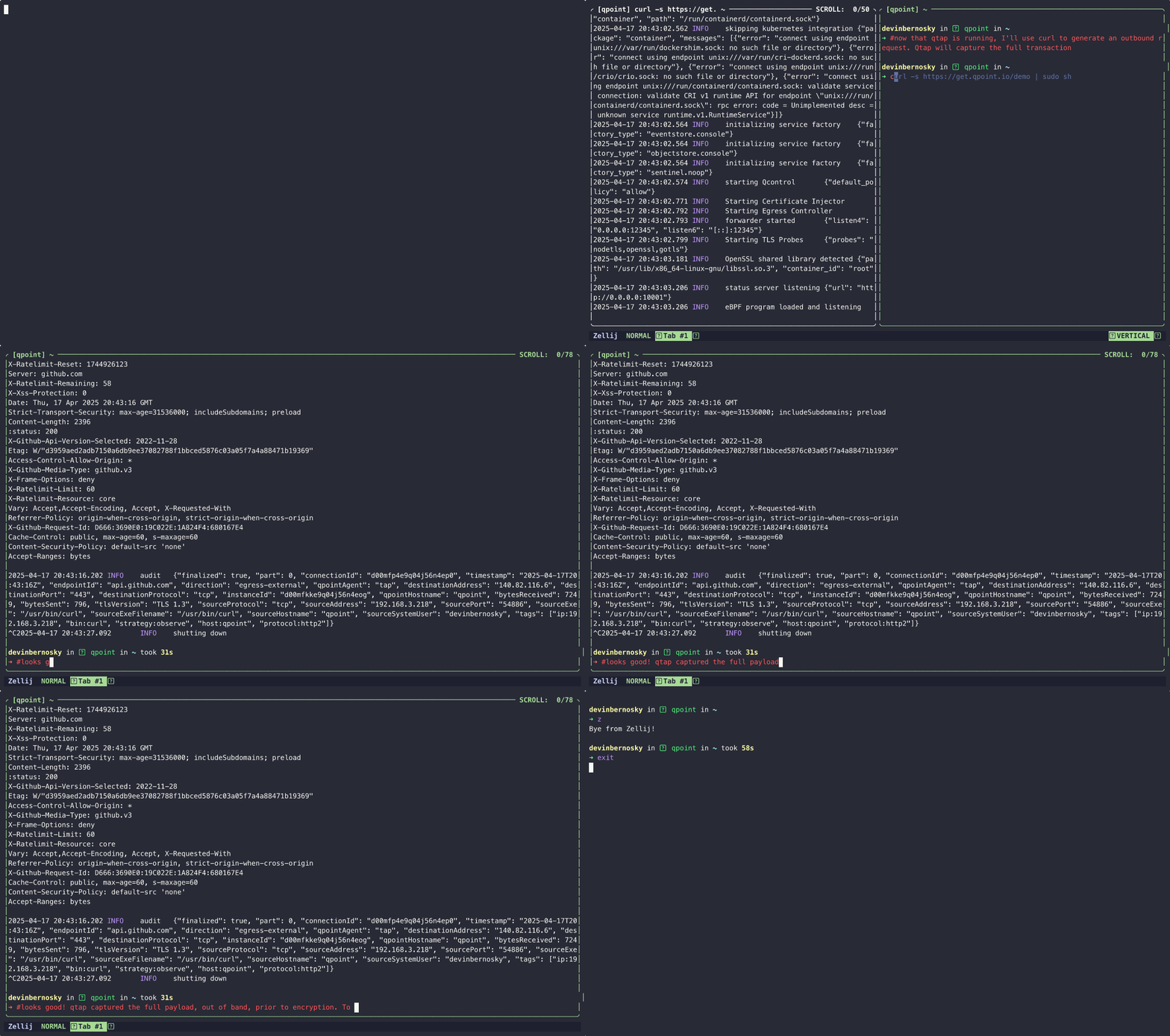
What is Qtap?
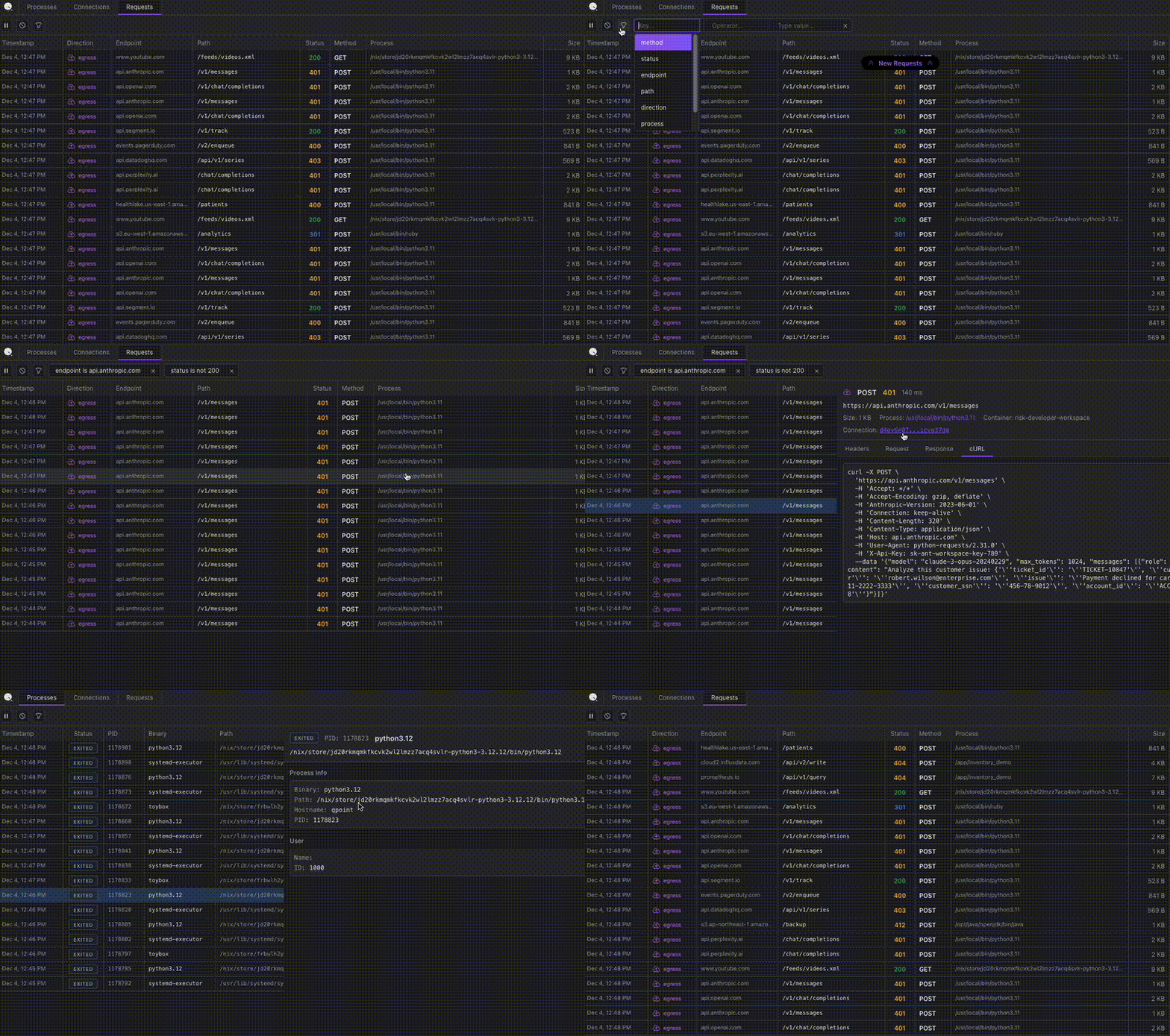
Qtap is an eBPF-based network traffic analysis agent that hooks into TLS libraries to capture traffic before encryption and after decryption. It runs on Linux with kernel 5.10+ and BTF enabled, and can be deployed as a standalone binary, Docker container, Helm chart, or Kubernetes DaemonSet. The agent provides process and container attribution for each connection, a flexible plugin system for traffic processing, and multiple output destinations including stdout and S3-compatible storage. It includes a built-in DevTools web UI accessible on port 10001 for live HTTP/S traffic inspection, plus Prometheus metrics endpoints and OpenTelemetry tracing support. The project is in early development (version 0.17.x) and licensed under Apache-2.0.
Should you self-host Qtap?
Qtap scores 51/100 on selfhost.directory (how scoring works) and ranks #21 of 48 in Network Monitoring. It has 1 465 GitHub stars.
There was no stable release in the past 12 months, so check the repository's recent activity before you rely on it.
Setup is advanced: plan for several services and some ongoing maintenance. An official Docker image is available. It is Apache-2.0-licensed and written mostly in C.
Its closest alternative on selfhost.directory is mitmproxy (86/100, 46 451 stars). It scores higher overall, so compare the two before you pick. See Qtap vs mitmproxy side by side.
Features
- Container runtime integrationOptional
- DevTools web UI
- eBPF traffic capture
- Flexible plugin system
- Kubernetes daemonset deployment
- OpenTelemetry tracing
- Pre-encryption TLS visibility
- Process and container attribution
- Prometheus Metrics
- Traffic filtering and rules
Qtap README
FAQ
What's the difference between the open-source and Pro versions?
Open Source version supports OpenSSL only. Pro version adds support for Java, Go, NodeJS, additional plugins, and a cloud control plane for centralized management.
Can I configure which traffic is captured?
Yes, Qtap provides configuration options to control which traffic is captured with customizable rules for filtering based on various criteria, and TLS inspection can be disabled with --tls-probes=none.
Where does Qtap send the captured data?
Event data (connection metadata) can be sent to stdout or the Qpoint control plane. Object data (actual request/response content) can be sent to stdout or any S3-compatible storage you control.
Do I need to modify my applications to use Qtap?
No. Qtap works without any application instrumentation or code changes.
Does Qtap work on non-Linux platforms?
Currently Qtap is focused on Linux environments. The team has expressed interest in exploring Microsoft's eBPF implementation for potential Windows support in the future.
Does Qtap require root access?
Yes, Qtap requires root privileges to function as it uses eBPF to hook into kernel and userspace program functions.
Which programming languages and TLS libraries does Qtap support?
The open-source version currently supports OpenSSL. The Pro version adds support for Java, Go, and Node.js.
Will Qtap conflict with other eBPF tools like Cilium or Falco?
No. The Linux kernel is designed to support multiple eBPF programs running simultaneously. Qtap can run alongside Cilium, Falco, or any other eBPF-based tools without conflicts.
Is eBPF technology proven at enterprise scale?
Yes. All three major cloud providers use eBPF-based networking (Cilium) as their default or recommended CNI for Kubernetes. Major financial institutions run eBPF across thousands of developers and millions of containers. Leading content delivery and streaming platforms rely on eBPF for production networking and security.
How does eBPF ensure it won't crash my systems?
The Linux kernel includes a built-in verifier that mathematically proves eBPF programs cannot loop infinitely, access invalid memory, modify kernel code, or crash the system. Programs failing verification are rejected entirely.
Is this a security vulnerability?
No. As noted by eBPF expert Brendan Gregg, this is not a vulnerability because eBPF requires root access, and banning eBPF would reduce security by preventing eBPF-based security solutions.
How is Qtap different from traditional monitoring approaches?
Unlike forward proxies (which require TLS termination, certificate management, and introduce performance bottlenecks) or network firewalls (which operate at L3/L4 and lack payload visibility), Qtap does not require TLS termination, has minimal performance impact, provides process-level attribution, works without application modifications, and offers pre-encryption visibility.
What problem does Qtap solve?
Qtap solves the challenge of understanding what's happening inside encrypted traffic leaving production systems, such as identifying PII exposure or debugging integration issues, without the complexity and performance bottlenecks of traditional forward proxies.
What is Qtap?
Qtap is a lightweight eBPF sensor that taps into network traffic at the kernel level, hooking into common TLS libraries like OpenSSL before encryption and after decryption to provide visibility into actual request/response payloads of HTTPS/TLS traffic without terminating connections or managing certificates.
More in Network Monitoring
 RelayPanelA self-hosted TCP/UDP port forwarding management panel with user management, billing, traffic quotas, and real-time node monitoring.
 RemoteTerm for MeshCoreRemoteTerm for MeshCore is a self-hosted, open-source web interface for managing MeshCore mesh radios with messaging, bots, and MQTT/Home Assistant integrations.
 ServerBeeSelf-hosted VPS monitoring with real-time agent dashboard, alerts, network quality probes, IP reputation, and native iOS app.
 ShinkenShinken is a self-hosted, open-source monitoring framework compatible with Nagios config and plugins. Written in Python with distributed architecture.
 SIPCAPTURE HomerSelf-hosted, open-source telecom observability server: capture SIP/VoIP traffic over HEP into a DuckLake datalake, with web UI, call search, QoS and API.
 SmokepingSelf-hosted latency and packet-loss monitoring tool: an RRDtool-backed daemon probes targets while a CGI web frontend graphs the results.
 SnitchSnitch is a self-hosted, open-source network monitor and firewall with live graph, world map, anomaly detection, and OS-native blocking. Runs on macOS, Windows, Linux.
 Speed Test by OpenSpeedTest™SpeedTest by OpenSpeedTest™ is a Free and Open-Source HTML5 Network Performance Estimation Tool Written in Vanilla Javascript and only uses built-in Web APIs like XMLHttpRequest (XHR), HTML, CSS, JS, & SVG. No Third-Party frameworks or libraries are Required. Started in 2011 and moved to OpenSpeedTest.com dedicated Project/Domain Name in 2013.
 Speedtest-for-InfluxDB-and-GrafanaSelf-hosted tool that runs scheduled internet speed tests using speedtest-cli and stores results in InfluxDB for Grafana dashboards.
 speedtest-rustSelf-hosted, open-source speed test server written in Rust with download/upload/ping/jitter tests, IP/ISP detection, and optional telemetry/results sharing.
 StylusSelf-hosted status page for home infrastructure that runs scripts to monitor services and generates dynamic dashboards.
 TapMapTapMap is a self-hosted, open-source network visualization tool showing your computer's internet connections on an interactive world map in real time.
0 comments