
Self-host openITCOCKPIT
openITCOCKPIT-5.9.0Open-source monitoring UI for Nagios, Naemon, Prometheus
- Stars
- 396
- CPU
- 2 CPU cores (x86-64 or arm64)
- RAM
- 4 GB RAM
- Storage
- 60 GB of free hard disk space
- Ports
- 80 (HTTP), 443 (HTTPS)
- Requires
- Gearman (gearmand), MySQL, Naemon, Redis/Valkey
openitcockpit/openitcockpit-ce

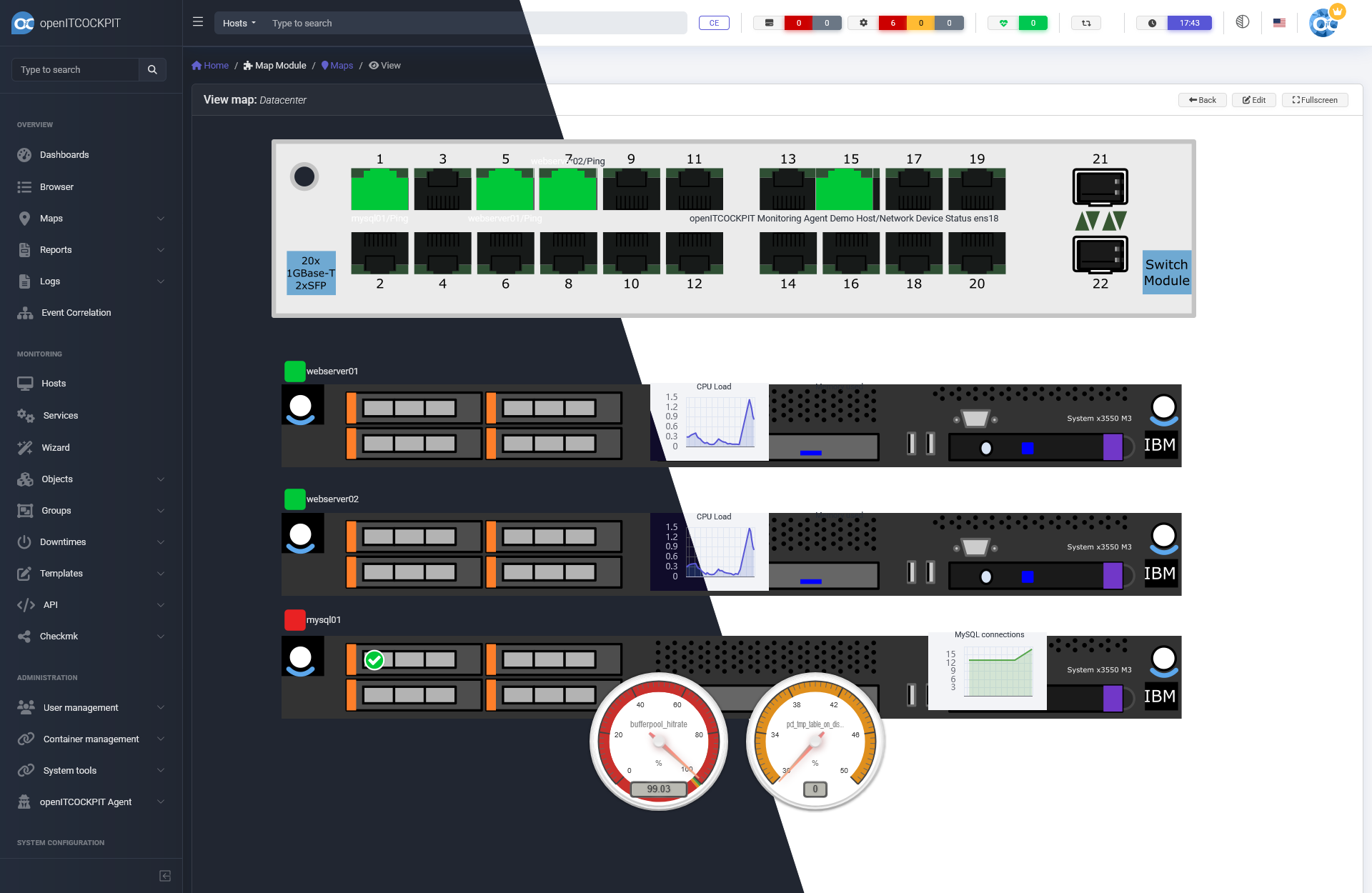


What is openITCOCKPIT?
openITCOCKPIT is an open-source monitoring platform that provides a web-based configuration interface for monitoring engines including Nagios, Naemon, and Prometheus. It offers template-based configuration, a REST API, built-in package manager for extensions, HA clustering, two-factor authentication, LDAP authentication, multitenancy, and distributed monitoring via Mod-Gearman. The platform includes customizable dashboards, Grafana integration, maps, event correlation, business process monitoring, and SLA reporting. It can be deployed via Docker Compose, native apt packages on Ubuntu/Debian, or on RHEL-based systems with the Enterprise Edition. Native mobile apps for iOS and Android provide push notifications. The Community Edition is free and open-source (GPL-3.0), while the Enterprise Edition adds additional integrations, distributed monitoring, and professional support under a commercial license.
Should you self-host openITCOCKPIT?
openITCOCKPIT scores 54/100 on selfhost.directory (how scoring works) and ranks #6 of 19 in Infrastructure Monitoring. It has 396 GitHub stars.
It shipped 12 stable releases in the past year. The latest, openITCOCKPIT-5.9.0, came out on 22 October 2026. New versions land roughly every 3 weeks.
Setup is moderate: expect some configuration beyond a single command. An official Docker image is available. It is GPL-3.0-licensed and written mostly in PHP.
Its closest alternative on selfhost.directory is Beszel (81/100, 26 617 stars). It scores higher overall, so compare the two before you pick. See openITCOCKPIT vs Beszel side by side.
Features
- Built-in package manager
- Customizable Dashboards
- Distributed Monitoring
- Event Correlation
- Grafana integration
- High availability clustering
- LDAP/Active Directory Authentication
- Maps and geographic visualization
- Multitenancy
- Object permissions
- REST API
- Template-based configuration
- Two-factor authentication
- Web-based configuration interface
openITCOCKPIT README
More in Infrastructure Monitoring
 opnsense-exporterSelf-hosted Prometheus exporter for OPNsense metrics via REST API — ARP, WireGuard, Unbound, OpenVPN, IPsec, firewall, firmware, DHCP, temperature, CARP. Grafana dash.
 orbOrb is a self-hosted, open-source network observability platform that orchestrates a fleet of lightweight agents to analyze traffic at the edge.
 pcpPerformance Co-Pilot (PCP) is an open-source, self-hosted framework for system-level performance monitoring across distributed systems.
 peekapingOpen-source, self-hosted uptime monitor in Go and React: HTTP, TCP, ping, DNS and database checks, status pages, 20+ alert channels, 2FA and a REST API.
 pi-dashboardSelf-hosted, open-source monitoring dashboard for Raspberry Pi and Linux with live metrics, Docker, WireGuard, REST API, and MCP server for AI assistants.
 project-pegaproxSelf-hosted, open-source web UI for Proxmox VE and XCP-ng with multi-cluster control, live migration, load balancing, and compliance features.
 prometheusPrometheus is a self-hosted, open-source monitoring toolkit that pulls metrics via HTTP, stores them locally, and uses PromQL for powerful queries and alerting.
 prometheus-qbittorrent-exporterSelf-hosted, open-source Prometheus exporter that collects metrics from qBittorrent servers and exposes them for monitoring. Runs via pip or Docker.
 proxcenter-uiSelf-hosted, open-core platform for managing Proxmox VE clusters and PBS — a VMware vCenter alternative with multi-cluster monitoring, automation, and multi-tenancy.
 proxmox-datacenter-managerSelf-hosted open-source platform centralizing management of Proxmox VE clusters and Backup Server instances with unified dashboard, live migration, and enterprise auth.
 ProxPadProxPad is a self-hosted web UI turning tablets into Proxmox VM control centers with macros, media controls, and resource conflict prevention.
 PulseOpen-source, self-hosted ops dashboard for Proxmox, Docker, Kubernetes, vSphere and TrueNAS, with buffered alerts, metric history and scheduled AI patrols.
0 comments