
Self-host logto
v1.46.0OIDC and OAuth 2.1 auth server with SSO, RBAC, MFA
- Stars
- 14 935
- CPU
- 2 vCPU
- RAM
- 8 GiB
- Storage
- 256 GiB
- Ports
- 3001 (Logto core service (auth endpoint)), 3002 (Admin Console)
- Requires
- PostgreSQL
ghcr.io/logto-io/logto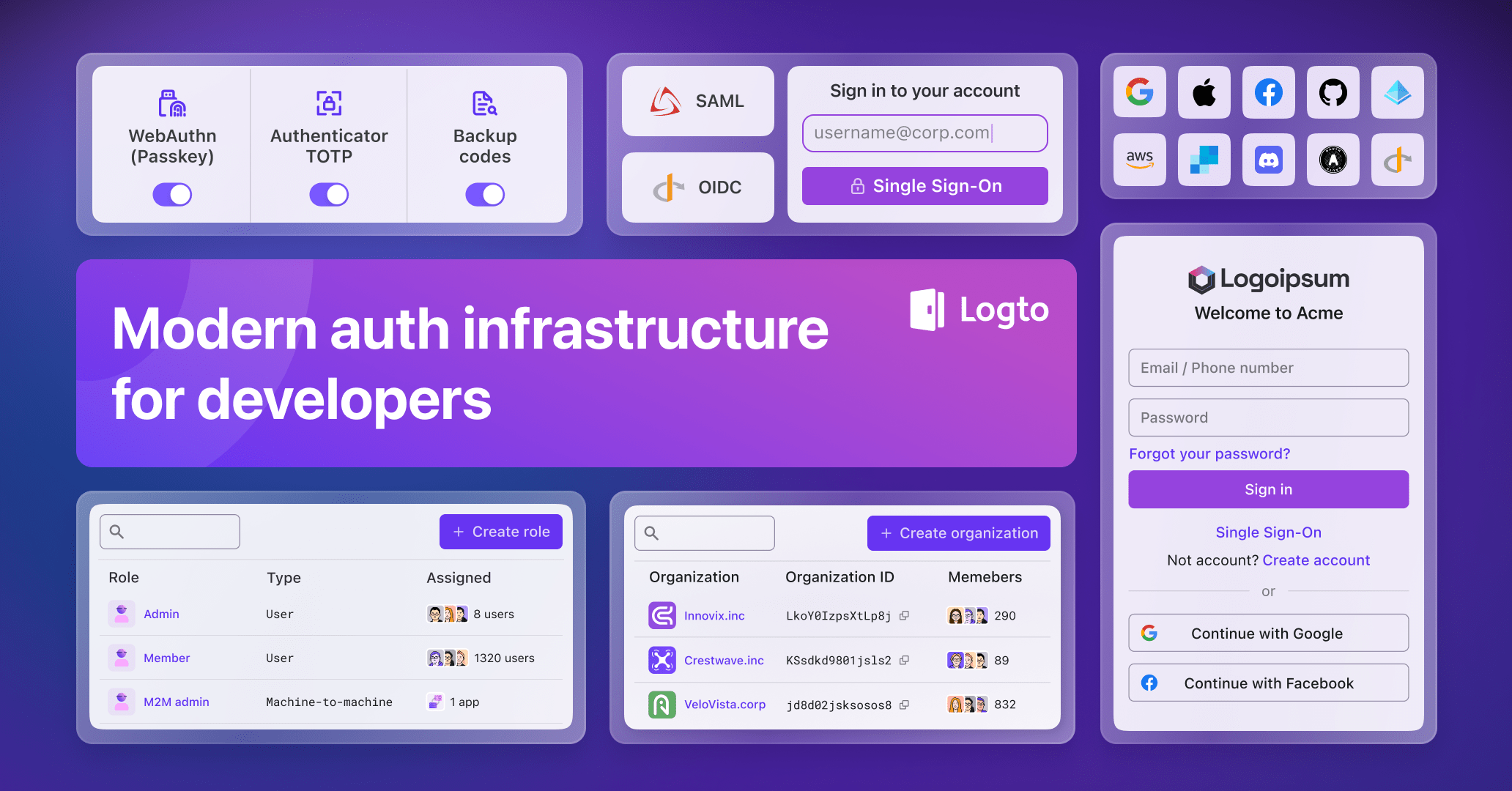
What is logto?
Logto is an authentication and authorization server for SaaS and AI applications, built around OIDC, OAuth 2.1 and SAML. It ships pre-built sign-in flows with password, email or SMS one-time codes, social sign-in, and multi-factor options such as passkeys, authenticator apps and backup codes, plus role-based access control, multi-tenant organizations and enterprise SSO against external identity providers. The open-source edition runs as a Node.js service backed by PostgreSQL: install it with npm init @logto or pull the official container image, exposing port 3001 for the auth core and 3002 for the browser-based Admin Console, with optional Redis caching, object storage for uploads, a Secret Vault and Kubernetes deployment guidance. Integrations come through SDKs for many frameworks, a Management API, and connectors for email, SMS and social IdPs. Some capabilities — hiding Logto branding, custom sign-in UI hosting, multiple Console members with invitations, mandatory Console MFA and more than three SAML apps — require a paid self-hosted license, and the self-hosted Admin Console starts with a single account.
logto alternatives
 melody-authOpen-source OAuth auth server for Cloudflare Workers or self-hosted Node.js with Redis/PostgreSQL. Features MFA, social login, SAML SSO, RBAC, and web admin panel.Comparemelody-auth with logto
 voidauthOpen-source SSO for homelabs: an OIDC provider, reverse-proxy forward-auth, optional read-only LDAP, and user management with invitations, passkeys and MFA.Comparevoidauth with logto
 tesseralTesseral is a self-hosted, open-source auth platform for B2B SaaS with multi-tenant login, SAML/OIDC/SCIM, RBAC, MFA, passkeys, API keys, and audit logs.Comparetesseral with logto
 auth-portalAuthPortal is a self-hosted, open-source auth gateway for Plex, Jellyfin, Emby with unified login, RBAC, LDAP sync, OAuth/OIDC, MFA, and admin console.Compareauth-portal with logto
 AppwriteThe open-source cloud for agents & devs. Including Auth, Databases, Storage, Functions, Messaging, Hosting, Realtime, WAF and moreCompareAppwrite with logto
 TinyauthSelf-hosted OpenID Connect certified authentication and authorization server with OAuth, LDAP, and TOTP 2FA support for protecting self-hosted applications.CompareTinyauth with logto
 rauthyOpen-source, self-hosted Rust identity provider: single sign-on for apps and Linux hosts via OIDC, OAuth 2 and PAM, with passkey-first MFA, HA mode and an admin UI.Comparerauthy with logto
 oryOpen-source, self-hosted identity server for login, registration, recovery and MFA, with passkeys, TOTP and social sign-in served through headless HTTP APIs.Compareory with logto
All self-hosted alternatives to Auth0 → All self-hosted alternatives to AWS Cognito → All self-hosted alternatives to Clerk →
Should you self-host logto?
logto scores 73/100 on selfhost.directory (how scoring works) and ranks #4 of 19 in Identity & Auth. It has 14 935 GitHub stars, +266 in the last 30 days.
It shipped 8 stable releases in the past year. The latest, v1.46.0, came out on 5 November 2026. New versions land roughly every 4 weeks.
Setup is moderate: expect some configuration beyond a single command. An official Docker image is available. It is MPL-2.0-licensed and written mostly in Typescript.
Its closest alternative on selfhost.directory is authentik (80/100, 26 355 stars). It scores higher overall, so compare the two before you pick. See logto vs authentik side by side.
Features
- Admin ConsoleSelf-hosted OSS creates a single admin account at launch; multiple Console members need a license.
- Enterprise SSOFree self-hosted instances are limited to 3 SAML apps; unlimited with a license.
- Machine-to-machine authentication
- Management API
- Multi-Factor AuthenticationMandatory MFA for Console members requires a paid self-hosted license.
- Multi-tenancy / organizations
- OIDC and OAuth 2.1 provider
- Password Authentication
- Passwordless sign-in
- Personal Access Tokens
- Role-based Access Control
- SDKs for many frameworks
- Secret vault
- Social sign-in
- User Impersonation
logto README

How to install logto
Install logto with Docker Compose
TAG, DB_URL, TRUST_PROXY_HEADER, ENDPOINT, ADMIN_ENDPOINTcurl -fsSL https://raw.githubusercontent.com/logto-io/logto/HEAD/docker-compose.yml | docker compose -p logto -f - up
The bundled compose file ships its own Postgres and the docs warn: "Do not use our docker compose command for production!"
Install logto with Kubernetes
DB_URL, CIapiVersion: extensions/v1beta1kind: Deploymentmetadata: name: logto namespace: default
A minimal deployment example is given; share the connectors folder between instances and run database alteration as a job.
Install logto with NPM
DB_URLnpm init @logto@latest
Interactive init that downloads and starts Logto; the admin app is then reachable at http://localhost:3002.
How to configure logto
TRUST_PROXY_HEADER=falseDitto.values: boolean
ENDPOINT='protocol://localhost:$PORT'You may specify a URL with your custom domain for online testing or production. This will also affect the value of the OIDC issuer identifier.values: string
ADMIN_ENDPOINT='protocol://localhost:$ADMIN_PORT'You may specify a URL with your custom domain for production (E.g. ADMIN_ENDPOINT=https://admin.domain.com). This will also affect the value of Admin Console Redirect URIs.values: string
DB_URLThe Postgres DSN for Logto database.values: string
DATABASE_STATEMENT_TIMEOUT(v1.36.0+) PostgreSQL statement_timeout in milliseconds. Use a numeric string (e.g., 5000) to set it, or DISABLE_TIMEOUT to omit the startup parameter (recommended for PgBouncer/RDS Proxy). If unset or invalid, the client default is 60000 ms.values: string
logto releases & version history
AI summary OIDC step-up auth, Ethereum sign-in, iOS password prompt, and PAT management

Highlights
- OIDC step-up authentication: Apps can request
acr_valuesandmax_ageand readacr,amr, andauth_timefrom tokens. Account Center uses it to require a recent sign-in before sensitive changes. - Sign-In with Ethereum: A new Ethereum Wallet social connector lets users sign in with an EVM wallet.
- Keep the iOS "Save Password" prompt: The
confirm_redirect_policysign-in parameter shows a "Continue" page before returning to the app after the user enters a password. - Personal access tokens in Account Center: Users can create, rename, and revoke their own personal access tokens.
- GeeTest CAPTCHA: Use GeeTest CAPTCHA v4 for bot protection, which suits sign-in experiences targeting mainland China.
- Static attributes for SAML applications: Send fixed attribute values in every SAML assertion.
- Security fixes, one needing admin action: This release includes security fixes for MFA, social and enterprise sign-in, the Account API, and Logto Tunnel. Standard OAuth 2.0 and Microsoft Azure AD social connectors need a settings review after upgrading. See Security hardening below.
New features & enhancements
OIDC step-up authentication
OIDC clients can now ask for a recent or stronger sign-in:
- Request: Pass
acr_valuesandmax_agein the authorization request. Logto advertises the supported ACR values in the discovery document. - Result:
acr,amr, andauth_timeare returned in ID tokens, access tokens, and introspection responses. - Account Center: The built-in Account Center now authorizes sensitive Account API operations with a fresh first-party
urn:logto:acr:1faaccess token instead of a separate verification record. When the sign-in is not recent enough, the Account API answers with an RFC 9470 step-up challenge. - Recent authentication window: Set how recent the sign-in must be in Console > Sign-in experience > Account center > Recent authentication (10 minutes by default). A client can still request a shorter window with
max_age. - Compatibility: Apps that call the Account API directly can still use a verification record ID for sensitive operations.
Sign-In with Ethereum
Admins can enable the new Ethereum Wallet social connector (@logto/connector-siwe). Users with an injected EIP-1193 wallet sign a one-time SIWE (EIP-4361) message without leaving the sign-in page. A single address works across supported EVM chains, and admins can restrict the allowed chain IDs.
Keep the iOS "Save Password" prompt
On iOS, ASWebAuthenticationSession closes as soon as it sees the app's callback URL, which dismisses the system "Save Password" prompt right after the user signs in with a password.
Pass confirm_redirect_policy=password in the authorization request to show a page that returns to the app only when the user selects "Continue". The page appears after the user enters a password in the sign-in experience: password sign-in, password registration, setting a password, or a step-up password verification.
Without the parameter, Logto redirects back to the app right away. Third-party applications ignore it. The Swift integration guide in Console shows how to use it. See Keep the iOS Save Password prompt.
Personal access tokens in Account Center
When the tenant enables the personal access token field in Account Center, users can create, rename, and revoke personal access tokens on the Account Center Security page. Each token is shown only once at creation and expires within 365 days.
The same operations are available through the Account API under /api/my-account/personal-access-tokens, with the new urn:logto:scope:personal_access_tokens scope (UserScope.PersonalAccessTokens in @logto/core-kit).
GeeTest CAPTCHA
GeeTest CAPTCHA v4 is now available as a CAPTCHA provider. Its adaptive challenges are localized, which suits sign-in experiences targeting mainland China, where Google reCAPTCHA is often unreachable.
- Create a CAPTCHA v4 event in the GeeTest dashboard.
- Go to Console > Security > CAPTCHA and add GeeTest with its CAPTCHA ID and CAPTCHA key. The same configuration is available through
PUT /api/captcha-providerwithtype: "Geetest".
While GeeTest is the CAPTCHA provider, the sign-in page's Content Security Policy allows GeeTest's SDK, API, and static hosts.
access_denied when sign-in is cancelled
- Consent page: Cancelling the built-in consent page now ends the interaction with
access_deniedand returns the user to the client application with the originalstateandiss. - Direct sign-in: A failed direct sign-in returns to the client the same way, instead of falling back to the hosted sign-in page.
- Custom sign-in experiences: End the current interaction with the same error through
POST /api/experience/abort, with an optionalreasonthat becomeserror_description.GET /api/experience/interaction/direct-sign-inreturns thedirect_sign_invalue of the current authorization request, so a custom experience can tell a direct sign-in from a hosted one before the interaction is initialized.
User management
- Require MFA setup for a user: Turn on Require MFA setup on the user details page in Console, or set
mfa.requiredtotruethrough the Management API. The user must set up MFA on their next sign-in and cannot skip it, regardless of the organization-level MFA policy. - Unlock a user: A new unlock action on the user details page clears sign-in and security verification lockouts keyed on the user's ID, primary email, primary phone, and username, so admins don't need to know which identifier triggered the lockout.
- SHA-crypt legacy password hashes: Import users with SHA-crypt hashes (
$5$and$6$, as used by Linux, passlib, PHP, and others) by setting the password algorithm toLegacyand passing the complete stored crypt string as the password digest.
Static attributes for SAML applications
SAML applications can define fixed attribute names and values that are sent in every assertion alongside the mapped user attributes, for service providers that require constant values such as an account or site ID.
- Console: Use the Static attributes section on the SAML application's attribute mapping tab.
- Management API: Set
staticAttributeswithPOST /api/saml-applicationsorPATCH /api/saml-applications/{id}.
Attribute names may contain letters, digits, and _.:/#@-. They must not conflict with each other or with the user attribute names in the assertion, including names that differ only in case or separators, such as site_id and siteId.
Cross-Origin-Opener-Policy for Bring your UI
Tenants with Bring your UI can choose same-origin-allow-popups or same-origin under Console > Sign-in experience > Branding > Bring your UI, or set crossOriginOpenerPolicy with the sign-in experience Management API. The header is sent on the hosted sign-in pages while custom UI assets are served. The default, unsafe-none, sends no header, so apps that open the sign-in page in a popup keep working.
login_hint for Account Center
Add login_hint to any Account Center URL, for example https://auth.foo.com/account/security?login_hint=foo@example.com, to pre-fill the identifier on the sign-in page when the user needs to sign in. The hint only pre-fills the field, so users can still sign in with a different identifier.
Management API and webhooks
- Search users by custom data:
GET /api/usersaccepts a repeatablecustomDataquery parameter that matches users whose custom data contains the given JSON object, for examplecustomData={"customId":114514}. Repeated values are combined with OR, and the condition combines with other user filters using AND. - Find organizations by just-in-time provisioning domain:
GET /api/organizationsaccepts ajitEmailDomainquery parameter that returns, with pagination, the organizations a user with this email domain would be provisioned into. It combines withqand pagination like the other filters. hasPasswordfor organization members:GET /api/organizations/:id/usersnow includes whether each member has a password set, matching the user list and user detail responses.- Webhook
deliveryId: Every webhook payload now carries adeliveryId. It is unique per hook and event and stays the same across retries of the same request, so a receiver can process each delivery exactly once. It is also the ID of the audit log entry that records the delivery: open it from the webhook's recent requests in Console, or fetch it withGET /api/logs/:id. The "test webhook" payload carries one too.
Security hardening
Action required: email sync for OAuth 2.0 and Microsoft Azure AD connectors
The standard OAuth 2.0 social connector (@logto/connector-oauth 1.8.0) adds a Disable Email Sync switch (disableEmailSync), matching the one the Microsoft Azure AD connector has offered since Logto 1.43.0.
Upgrading alone does not change how existing connectors behave. The switch is off by default, so these connectors keep syncing the email address returned by the provider to the user profile. The standard OAuth 2.0 protocol carries no verification state for an email address, so the mapped email value is taken at face value.
After upgrading, review every standard OAuth 2.0 and Microsoft Azure AD social connector. Turn on Disable Email Sync when the provider does not verify that users own the email addresses it returns. The address stays available in rawData.
Sign in with Apple
The Apple connector (@logto/connector-apple 1.6.11) now takes the user's email only from the Apple ID token, and recognizes email_verified whether Apple sends it as true or "true". When Apple marks the email as unverified, no email is returned. The user's name still comes from the details Apple sends on the first authorization.
Multi-factor authentication
- User and organization requirements: User-level and organization-level MFA requirements now take precedence over account settings that turn MFA off or skip it at sign-in when tenant-wide MFA is optional. Adaptive MFA continues to follow its risk-based decision.
- Sign-ins that skipped MFA: A sign-in that skipped MFA verification, for example because Adaptive MFA did not trigger or a trusted device satisfied the policy, no longer shows the additional MFA, passkey, or backup code prompts and can no longer enroll a new factor. Registration, pure step-up, and accounts with no stored factor and no primary email or phone that the configured email or phone MFA could use keep their existing behavior.
- Verifications bound to the account: A passkey, social, or enterprise SSO verification is only accepted for the account it identified. An email or phone MFA verification is now bound to the user it was created for, and a completed verification only counts for that user.
- Switching between sign-in and registration: Switching an interaction between sign-in and registration now also discards the identified user, the MFA factors staged for that user, and their trusted-device opt-in.
Enterprise SSO
- SAML assertion audience: A SAML enterprise SSO connector now accepts an assertion only when one of its
Audiencevalues exactly matches the connector's Audience URI (SP Entity ID) on the domain that receives the response or on the tenant's default domain. If SAML sign-in fails with "SAML assertion audience does not match the SP entity ID" after upgrading, set the audience at your identity provider to the Audience URI (SP Entity ID) shown in the connector's settings. - Connector configuration in errors: Sign-in error responses no longer include enterprise SSO connector configuration.
- Connector branding before an email match: A new setting, Show SSO connector names and logos before email match, under Console > Sign-in experience > Sign-up and sign-in > Advanced options, controls whether enterprise SSO connector names and logos are included in the public sign-in configuration before an email domain matches. It is on by default, which keeps the current behavior. Turn it off to reveal them only after a match.
Account API and third-party applications
The following Account API operations now require a first-party application, matching the first-party only policy that account mutations already follow:
- Retrieving or refreshing a stored social or enterprise SSO provider token:
GET /api/my-account/identities/:target/access-tokenGET /api/my-account/sso-identities/:connectorId/access-tokenPUT /api/my-account/identities/:target/access-token
- Reading backup codes, sessions, grants, and trusted devices.
Third-party applications now receive:
403 auth.third_party_application_forbidden
First-party applications, including Account Center and Console, are unaffected. If an integration retrieves stored provider tokens today, use a first-party application to obtain the access token.
Connector request errors
When an outbound request made by a connector fails, for example on a network timeout, the error is now reduced to its name, code, and message before it is logged, exported to telemetry, recorded in the audit log, or returned in an error response. The server log also keeps the request method and the origin and pathname of the URL. Request bodies, headers, and query strings are no longer included.
Single-use codes and tokens
An authorization code, device code, pushed authorization request, or one-time token is now accepted from at most one request. Every other request that presents it gets the error a reused one returns: invalid_grant for a code, invalid_request_uri for a pushed authorization request, and one_time_token.token_consumed for a one-time token. Refresh tokens keep their reuse window.
SAML applications
GET and POST /api/saml/:id/authn now reject a SAML request whose XML is not well-formed, such as one with an unescaped & or a mismatched end tag, with 400 application.saml.invalid_saml_request. The audit log entry of such a request records the format error under samlRequestError. A request that cannot be decoded or parsed also gets this 400 error instead of a 500 when the application does not require signed authentication requests.
Logto Tunnel
@logto/tunnel 0.3.12 hardens serving static files from --experience-path:
- Symlinks are resolved before a file is served. A file whose real location is outside the experience path returns 404. Symlinks that point to files inside it, and an experience path that is itself a symlink, keep working.
- A
Rangewhose end is past the end of the file is clamped to the file size. ARangethat cannot be satisfied returns 416.
Request validation
- A
guard.invalid_inputerror response now lists only the first 100 validation issues. POST /callback/:connectorIdandPOST /account/callback/social/:connectorIdnow stop validating an invalid body after 100 invalid fields. The error response is unchanged.
Bug fixes & stability
Sign-in experience
- Older Safari and iOS: The sign-in page no longer loads blank on iOS and Safari versions earlier than 16.4. The sign-in experience is now compiled for iOS 15 and Safari 15 and later.
Social sign-in
- Unreachable provider: When the token exchange or user info request to a social provider fails at the transport level (timeout, connection reset, DNS failure), Logto now responds with
502 connector.social_provider_unreachableinstead of a generic 500. The response carries the network error code and the connector ID, and end users see a translated message. The request method and URL are written to the server log. - Declined authorization: When a user declines the consent screen or cancels at the social provider, Logto now responds with
401 connector.authorization_failed, carrying the provider'serroranderror_description, on every social sign-in, verification, and account linking path. This coverserror=access_denied(OAuth 2.0 / OpenID Connect),user_cancelled_authorize(Sign in with Apple, LinkedIn), anduser_cancelled_login(LinkedIn). Most social connectors used to answer with a genericconnector.generalerror. - Provider error messages: When a social connector request fails, the error now shows the provider's actual message instead of
{}.
OAuth and OIDC
- Space-padded
scopevalues: Some clients, such as OpenAI Codex, refresh tokens with ascopethat has a leading space (for example" offline_access"). Logto rejected these requests withinvalid_scope, so users had to sign in again each time the access token expired. Logto now ignores the empty scope values that leading, trailing, or repeated spaces produce. Ascopemade only of spaces counts as omitted, so a refresh token request keeps the refresh token's original scope.
Management API
- Unknown
customClientMetadatakeys:POST /api/applicationsandPATCH /api/applications/:idnow reject an unknown key undercustomClientMetadatawith400 guard.invalid_input, whosedatalists the key. A typo such asrefreshTokenTtlInDayused to be accepted while the setting was never applied. Existing applications are not affected. - Pagination links: The
first,prev,next, andlastlinks of list endpoints such asGET /api/applications?types=SPA&types=Traditional&page=1now keep every value of a repeated query parameter, instead of joining them into a single comma-separated value. - One-time token count: When
GET /api/one-time-tokensfilters byemailorstatus, theTotal-Numberheader now counts only the matching tokens. - Manual unlock: Manually unlocking a user now also clears active security verification lockouts longer than 60 minutes. The manual unlock dialog and the API documentation now mention user IDs and security verification lockouts.
SAML applications
- Attribute placeholders: Mapped attributes with names such as
o365roleortenant1idwere sent as the literal{attr…}placeholder instead of the user's value. They now carry the mapped value.
Console and Account Center
- Application access control: The organization selector in application access control rules now filters results when searching for an organization.
- Role permissions: When assigning role permissions, API resource names are shown in full, and truncated permission and resource names have tooltips.
- Account Center branding: Account Center no longer shows the "Powered by Logto" mark while loading when Logto branding is hidden.
Documentation
- Swift integration guide: The code examples now use the same client name throughout, fixing a
Cannot find 'client' in scopeerror when they are copied into an Xcode project (#9788). Thanks to @timokoethe.
Connectors
- Standard OAuth 2.0 and OIDC:
- Token responses that return
expires_inas a string, as some providers such as Criipto do, no longer fail with an invalid response error. - Token responses that return
scopeas a JSON array, as some providers such as Twitch do, no longer fail with an invalid response error. The scopes are normalized to a space-delimited string.
- Token responses that return
- Patreon: Patreon removed its v1 public API, which made the connector fail with
410 Gone. The connector now requests profile fields from the Patreon API v2 identity endpoint, so Patreon sign-in works again. - Connector Kit:
jsonGuardandjsonObjectGuardnow build their recursive JSON schema once instead of once per nested value, which cuts the time spent validating large JSON payloads. Validation results are unchanged.
Self-hosting & OSS notes
- Review before upgrading: Check the OAuth 2.0 and Azure AD email sync, SAML assertion audience, and third-party Account API changes under Security hardening.
- Node.js 26: The official Docker image now runs on Node.js 26. Logto and the published packages support Node.js 22, 24, and 26, with minimum versions 22.23.4, 24.22.1, and 26.12.1, which include the October 2026 Node.js security fixes.
- Database migration required: This release ships schema alterations, including new columns for SAML application static attributes and the new sign-in experience and Account Center settings. After upgrading, run the database alteration command (
npm run alteration deployin the@logto/cli/core image, orlogto db alteration deploy) before starting the new version. See the upgrade guide. - Database connection retries: Core now retries the database connection at startup when the host name cannot be resolved (
ENOTFOUND,EAI_AGAIN), instead of exiting immediately. The CLI database commands, such asdb seedanddb alteration deploy, now retry transient connection errors the same way, DNS failures included. - Admin endpoint warning: Logto now logs a warning once when a
/consolerequest reaches the default tenant because the request origin does not match any configured admin endpoint. If you see it, check the Console URL andADMIN_ENDPOINT.
Contributors
Huge thanks to the community members whose work shipped in this release:
- @nicolaj0 - webhook
deliveryId(#9882),hasPasswordfor organization members (#9883), organization filter by just-in-time provisioning domain (#9912),customClientMetadatakey validation (#9931), unreachable social provider errors (#9879), declined social authorization errors (#9880), database connection retries on DNS failures (#9881, #9928), and connector request errors in logs and responses (#9849) - @RaphaelFakhri - repeated query parameters in pagination links (#9811) (first contribution)
- @mvanhorn -
ADMIN_ENDPOINTmismatch warning (#9408) - @timokoethe - consistent client name in the Swift integration guide (#9788)
Full Changelog: v1.45.0...v1.46.0

Highlights
- Self-hosted license-based entitlements (Self-Hosted Pro): Unlock premium features on self-hosted Logto deployments with a license key—including team collaboration with Console members & email invitations, removing Logto branding, custom sign-in UI (Bring your UI) and CSP, higher SAML application limits, and tenant-wide Console MFA enforcement.
- Resource and scope query optimizations:
GET /api/resources?includeScopes=truenow matches scopes in linear time, fixing slowdowns and database parameter limit errors for tenants with large numbers of resources. The Management API also supportsexcludeManagementApis=trueto prevent timeouts in Console permission pickers.
New features & enhancements
Self-hosted license entitlements (Self-Hosted Pro)
Self-hosted Logto deployments can now install and activate subscription licenses (such as Self-Hosted Pro) to unlock advanced capabilities while running entirely within their own infrastructure.
- Installing and managing licenses: Install or replace a license directly in Console under Tenant settings > License, or automate it via the Management API (
PUT /api/systems/licenseandGET /api/systems/license). The installed key is verified offline using ES256 signatures against Logto's embedded public key. - License status and grace period: View the current plan, environment (production or non-production), expiration date, and automatic weekly refresh status. If a license expires or cannot be refreshed, a 30-day grace period keeps features running while alerting admins with global warnings in Console before falling back to OSS defaults.
- Retrieve keys from Cloud Console: Users with an active self-hosted subscription can view their licenses and copy production and non-production keys directly from the account menu in Logto Cloud Console, without needing to provision a Cloud tenant.
- Unlocked entitlements:
- Console members & invitations: Invite other administrators to manage the self-hosted deployment. Invitations are delivered by email using the default tenant's email connector with secure one-time account setup links.
- Remove Logto branding: Hide "Powered by Logto" on the sign-in experience.
- Custom sign-in UI and CSP: Upload custom sign-in UI bundles using your own storage, and customize Content Security Policy headers.
- Expanded SAML applications: Increase the SAML application limit beyond open-source defaults.
- Mandatory Console MFA: Enforce multi-factor authentication for all administrators accessing the Console.
See Self-hosted license for setup and details.
API resource query optimizations
- Linear-time scope matching: In
GET /api/resources?includeScopes=true, matching scopes to API resources now runs in linear time usingMap.groupByand PostgreSQL array binding (= ANY(...)). This eliminates quadratic slowdowns and resolves failures on tenants with more than 65,535 resources (#9715). - Exclude Management API resources:
GET /api/resourcesnow accepts anexcludeManagementApisquery parameter to filter out internal Logto Management API resources at the database level. Console permission pickers for third-party apps, dynamic apps, organization roles, and user roles now use this filter instead of loading every resource into the browser, preventing UI timeouts on resource-heavy tenants (#9716).
Bug fixes & stability
Documentation
- Next.js App Router guide: Updated the
app/page.tsxexample in the Next.js App Router quick start to declareHomeas anasynccomponent, fixing TypeScript errorTS1308(#9692). Thanks to @timokoethe.
Contributors
Huge thanks to the community members whose work shipped in this release:
- @timokoethe - correct async home component in Next.js App Router guide (#9692) (first contribution)
Full Changelog: v1.44.0...v1.45.0
AI summary MFA trusted devices, custom user IDs, CAPTCHA, SAML policies

Highlights
- MFA trusted devices: After completing MFA, users can trust their browser and skip repeated MFA prompts on it. Admins set the policy for the whole tenant, restrict it per organization, and manage devices from Console, Account Center, and the APIs.
- Keep your user IDs when migrating: User IDs can now be up to 128 characters, and self-hosted Logto accepts a custom
idwhen creating a user, so IDs such asauth0|abc123survive a migration. The Management API can also look up users by their external identity. - Cap, a self-hosted CAPTCHA: Use Cap for bot protection where Cloudflare Turnstile and Google reCAPTCHA are unreachable or unreliable. reCAPTCHA Enterprise also gets a configurable score threshold.
- Authentication policies for SAML applications: Let a SAML application reuse an existing Logto session, require signed authentication requests, and get the actual authentication time in assertions.
themeauthentication parameter: Passtheme=lightortheme=darkto keep the sign-in experience in sync with your app's own theme toggle.- Refresh tokens for dynamic app clients: A new client compatibility setting for dynamic apps (CIMD) lets MCP clients such as ChatGPT and Codex receive refresh tokens, so users stop having to sign in again every time the access token expires. Applications registered in Logto are not affected.
New features & enhancements
MFA trusted devices
Users who complete MFA can now choose to trust their browser and skip repeated MFA prompts there.
- Tenant policy: Enable trusted devices in Console > Multi-factor authentication and set a trust duration from 1 to 365 days (default: 30). The policy is off by default.
- Organization restrictions: An organization can disallow trusted devices for its members. This only tightens the tenant policy.
- Trust this device page: After an eligible MFA verification or setup, users see a dedicated page at the end of sign-in or sign-up, where they can trust the browser for the configured duration or skip.
- Device management: Admins view and remove a user's trusted devices in Console > User management or through
GET /api/users/{userId}/trusted-devicesandDELETE /api/users/{userId}/trusted-devices/{trustedDeviceId}. Users manage their own devices in Account Center (field control: Off, Read-only, or Edit) or through the Account API at/api/my-account/trusted-deviceswith theurn:logto:scope:trusted_devicesscope. - Webhooks and audit logs: Subscribe to
TrustedDevice.CreatedandTrustedDevice.Deletedwebhooks. Audit logs recordTrustedDevice.CreatedandTrustedDevice.Used.
A trusted device only fulfills the MFA step of a sign-in. It does not satisfy identity verification, account recovery, or other sensitive account operations. See MFA trusted devices.
Keep existing user IDs when migrating
- Longer user IDs:
users.idand every column that references it were limited to 12 or 21 characters. They now accept up to 128 characters. - Custom user ID on create (Logto OSS only):
POST /api/usersaccepts an optionalidof up to 128 characters (letters, numbers, and_ - . @ : + = |). Use it to preserve IDs such asauth0|abc123or UUIDs when migrating from another identity provider. If the ID is taken, the request fails withuser.id_already_in_use. Logto Cloud does not support this. See Keep existing user IDs. - Look up users by external identity:
GET /api/usersacceptsidentityType,identityProvider, andidentityIdfor exact lookup. UseidentityType=socialwith a connector target (such asdingtalk), oridentityType=ssowith an enterprise SSO issuer, together with the user identifier issued by that provider. The identity filter combines with other search filters using AND logic. See Look up by external identity. Thanks to @JunWang666 (#9572).
Bot protection
Cap as a self-hosted CAPTCHA provider
Cap is an open-source, self-hosted proof-of-work CAPTCHA. It needs no third-party service, so bot protection keeps working in regions where Cloudflare Turnstile and Google reCAPTCHA are unreachable or unreliable.
- Deploy a publicly reachable Cap Standalone instance and create a site key.
- Go to Console > Security > CAPTCHA and add Cap with the instance endpoint, site key, and secret key. The same configuration is available through
PUT /api/captcha-providerwithtype: "Cap".
While Cap is the CAPTCHA provider, the sign-in page's Content Security Policy allows the Cap instance and dynamic JavaScript evaluation, which Cap's instrumentation challenge requires. Thanks to @imJack6 for the request (#9404).
reCAPTCHA Enterprise score threshold
Set the minimum accepted score (0.0 to 1.0) for reCAPTCHA Enterprise in Console > Security > CAPTCHA to control how strict verification is. The threshold was previously fixed at 0.5. It applies to invisible mode. Checkbox mode is unaffected.
Authentication policies for SAML applications
- Session reuse: SAML applications still force fresh authentication by default. To let an application reuse an existing Logto session, turn off Always force authentication in the application settings, or set
authnRequestConfig.forceAuthntofalsethrough the SAML application Management API. The service provider can still require fresh authentication for a single sign-in withForceAuthn="true". - Actual authentication time: SAML assertions now report when the user actually authenticated.
- Signed authentication requests: Set
authnRequestConfig.requireSignedAuthnRequeststotrueand provide the service provider's PEM-encoded RSA X.509 certificate inauthnRequestConfig.signingCertificate. Both HTTP-POST and HTTP-Redirect signatures are verified, and the IdP metadata advertises the requirement. Unsigned requests remain accepted by default.
theme authentication parameter
Pass theme=light or theme=dark as an extra authentication parameter to render the sign-in experience in that theme instead of following the end user's OS setting. Applications with their own light/dark toggle can now keep Logto in sync.
The override lasts for the whole authentication flow, including page reloads, social and SSO callbacks, and the consent page. It is ignored when dark mode is disabled in the sign-in experience settings, and unsupported values are ignored.
Refresh tokens for dynamic app clients
This setting applies only to dynamic apps: clients that use an OAuth Client ID Metadata Document (CIMD) URL as their client_id. Applications registered in Logto are not affected.
MCP clients such as ChatGPT and Codex follow the MCP authorization spec, which only asks them to request the offline_access scope. They don't send prompt=consent, and without it Logto drops offline_access as OpenID Connect Core requires. These clients get no refresh token, so users have to sign in again whenever the access token expires.
Turn on Add consent prompt for offline access under Client compatibility in the dynamic app settings. Logto then adds consent to the prompt of dynamic app authorization requests that ask for offline_access without it. Requests with prompt=none are left unchanged. The setting is experimental and off by default, and audit logs show the added consent in prompt.
Management API SDK (@logto/api)
-
Pagination iterator:
paginate()returns a typed async iterator over paginatedGETendpoints, following the Management API pagination headers.for await (const user of apiClient.paginate('/api/users')) { console.log(user); }
-
Reliability:
- Token requests reject redirects, support custom abort signals and a configurable 10-second timeout, and concurrent requests share one token fetch.
- A rejected cached token is invalidated once, without fetching tokens over and over for permanent
401responses. - Management API network requests get a configurable 10-second timeout while keeping per-request cancellation.
- Scope mismatch warnings are emitted once per distinct scope, and token request failures keep their cause.
-
Ergonomics:
- Object-style Management API client configuration with a tenant ID, or an explicit base URL and API indicator.
- Lowercase client methods such as
.get()and.post(), with the uppercase methods still available. - Trailing slashes in custom base URLs are normalized.
Bug fixes & stability
Sign-in experience
- Browser auto-translation no longer blanks the page: When a browser auto-translated the sign-in page, React's DOM updates could fail and leave the user on a blank page mid sign-in. The experience is already localized per tenant, so the page now opts out of browser auto-translation with
translate="no"and<meta name="google" content="notranslate">. - Social account linking: When a required secondary identifier (such as a phone number) is already used by another account during social sign-up, the "link and continue" option now only appears if that identifier can sign in with a verification code. Previously, linking failed with
user.sign_in_method_not_enabledand left the user stuck.
Enterprise SSO and OIDC
- Trailing slash in OIDC SSO issuers:
https://idp.example.com/andhttps://idp.example.comnow resolve to the same discovery URL. The stored issuer stays exactly as configured, so existing SSO identities keep resolving. Failed outbound requests from OIDC SSO connectors now report a concise reason. noneprompt validation: OIDC configuration no longer allows combining thenoneprompt with other prompt values.- API error message language: API error messages fall back to the base language when the requested regional language is unavailable.
Console
- Webhook test results: Test results are now stored per webhook, so a result from one webhook no longer appears on another webhook's details page.
Connectors
- Apple: The identifier field is now labeled Services ID and explains that an App ID (bundle ID) is rejected by Apple with
invalid_client. Setup instructions cover the Apple Developer portal, so Sign in with Apple no longer appears to require Xcode. Troubleshooting coversinvalid_clientandinvalid_request, including Apple's identifier configuration cache, which can take up to 24 hours to refresh. - DingTalk (web):
corpIdfrom the DingTalk token response is now preserved in the social user informationrawData. - Twilio SMS: New optional API host configuration, for example to send through a Twilio region other than the default
api.twilio.com.
Self-hosting & OSS notes
- Database migration required: This release ships two schema alterations. One adds an authentication request configuration column to SAML application configs. The other widens
users.idand every column that references it tovarchar(128). After upgrading, run the database alteration command (npm run alteration deployin the@logto/cli/core image, orlogto db alteration deploy) before starting the new version. See the upgrade guide. - Rolling back the user ID alteration: Reverting the user ID alteration fails if any stored user ID is longer than the previous 12 or 21 character limit.
- Custom user IDs are OSS only: Passing
idtoPOST /api/usersworks in self-hosted Logto only. - Cap requires your own instance: Cap needs a publicly reachable Cap Standalone instance. The Content Security Policy is relaxed only while Cap is the active CAPTCHA provider.
- Database seeding checks for leftover roles:
logto db seednow checks for the PostgreSQL roles it needs before creating tables. If roles from a previous Logto database remain in the cluster, the command reports the conflict and explains why dropping the database did not remove them, so you can clean them up safely before retrying.
Contributors
Huge thanks to the community members whose work shipped in this release:
- @JunWang666 - user lookup by external identity (#9572) (first contribution)
- @Igor-Techsee - authentication policies for SAML applications (#9563) (first contribution)
- @konlanx -
themeauthentication parameter (#9645) - @Kathircpe - reCAPTCHA Enterprise score threshold (#9323)
- @nicolaj0 - browser auto-translation opt-out (#9591) (first contribution)
- @Tyagiquamar - OIDC
noneprompt validation (#9596) and DingTalkcorpIdinrawData(#9622) (first contribution) - @ryanchou1994 - leftover PostgreSQL role check before database seeding (#9573) (first contribution)
- @toyeshhm - Kakao and Naver connector README fixes (#9666) (first contribution)
- @darcyYe - per-webhook test results (#9664)
Full Changelog: v1.43.0...v1.44.0
AI summary Spanish Mexico support and SSRF hardening

Sign-in Experience now supports es-MX (Spanish, Mexico).
For users whose language is Spanish (Mexico), phone inputs default to the Mexico country code (+52). This release also fixes list formatter placeholders and the remaining untranslated MFA message in the Spanish locales.
Security hardening
SSRF protection for webhooks and enterprise SSO
Outbound requests configured through the Management API are now blocked when they resolve to loopback, private, link-local, cloud metadata, or other special-use addresses.
Protection now covers:
- Webhook delivery, including
POST /api/hooks/:id/test. - OIDC enterprise SSO discovery, token, and userinfo requests.
- SAML identity-provider metadata fetching.
- Every redirect hop made by these requests.
DNS names are checked when the connection is established, so a hostname that resolves to a protected address is rejected like a literal IP address.
Token exchange validation
In addition to requiring first-party subject tokens, Logto now validates that a JWT presented as an access_token subject is actually an access token.
The JWT must contain:
- The RFC 9068
at+jwttype header. - A
client_idclaim.
OIDC ID tokens and other JWTs signed by the tenant can no longer be substituted for an access token. Invalid subject tokens are rejected with invalid_grant.
Third-party Account API restrictions
Third-party applications can no longer mutate account data through the Account API or Verification API. Such requests now return:
403 auth.third_party_application_forbidden
First-party applications, including Account Center and Console, are unaffected.
The check fails closed for unresolved client identifiers. This includes deleted applications whose access tokens are still active and CIMD clients whose identifier is a metadata URL.
No read route received a new direct guard. However, the following reads require verification records created through guarded routes and are therefore no longer reachable by third-party applications:
GET /api/my-account/grantsGET /api/my-account/sessionsGET /api/my-account/mfa-verifications/backup-codes
Suspended users cannot receive new tokens
Token issuance and userinfo now reject suspended users with invalid_grant, matching the existing behavior for deleted users.
This applies across refresh token, authorization code, device code, and token exchange flows, even if an earlier token or session revocation did not complete successfully.
Third-party application scopes are revalidated
Removing a user scope from a third-party application's consent configuration now affects existing grants as well as new authorization requests.
- Refresh token exchanges drop scopes that are no longer configured.
- Authorization requests resuming an existing grant fail with
invalid_scopewhen appropriate. - Organization token requests fail with
insufficient_scopeafter the organizations scope is removed. - Consent submission no longer grants a scope that was removed while the consent screen was open.
Identifier lockouts use normalized identifiers
Sentinel lockout counters now use the same normalized identifier form as account lookup:
- Email addresses are lower-cased.
- Phone numbers are canonicalized.
- Usernames are case-folded only when the tenant's username policy is case-insensitive.
This prevents alternate spellings of the same identifier from creating separate attempt buckets and weakening maxAttempts.
Manual unlock also clears equivalent spellings where they identify the same account. After upgrading, an existing lockout recorded under a non-canonical spelling may end early, but no user becomes more locked out than before.
Redirect validation
- Social landing-page
redirect_tovalues must usehttporhttps. - Native callback links must use a custom application scheme.
- Stored callback links are checked again before the browser returns control to a native app.
- The unused Experience Springboard route has been removed to eliminate an untrusted redirect surface.
Bug fixes & stability
Authentication and authorization
- Revoking a user's third-party application authorization now invalidates only that application's tokens. The user's browser SSO session remains active.
- Elliptic Curve signing keys now advertise the algorithm matching their curve: P-256 uses
ES256, P-384 usesES384, and P-521 usesES512. - Switching from passkey sign-in to verification-code sign-in no longer prevents users from completing CAPTCHA.
- OIDC
invalid_scopeandinsufficient_scopemessages now show the rejected scope instead of raw{{error_description}}or{{scope}}placeholders.
Experience and localization
- Safari and other password managers can now suggest and save a strong password on set-password and reset-password screens using the correct account identifier.
Accept-Languagequality values with whitespace, such asen; q=0.7, are now parsed correctly. Invalid quality values fall back safely instead of producingNaN.- Gmail custom allowlist and blocklist matching now treats
gmail.comandgooglemail.comas equivalent and ignores dots in the local part. - Console now provides clearer examples, descriptions, and shorter placeholders for custom email rules.
Account Center and Management API
- Saving Account Center or sign-up settings now drops references to deleted custom profile fields instead of returning
custom_profile_fields.entity_not_exists_with_names. - Deleted fields remain removable from Console even when their permission control is Off.
- Management API relation endpoints now accept empty scope or role arrays as no-ops instead of returning a 500 error. This includes endpoints such as:
POST /applications/:applicationId/user-consent-scopesPOST /organizations/:id/users/:userId/roles
- Date validation now matches the complete input and rejects trailing characters after an otherwise valid date.
Webhook delivery
Webhook POST requests now retry up to three times when the endpoint returns an HTTP 5xx response, matching the documented delivery contract.
Because a retried event may be delivered more than once, webhook receivers should process events idempotently.
Connectors
Microsoft Azure AD
The Microsoft Azure AD connector now supports a disableEmailSync option.
By default, the connector continues to copy the Microsoft Graph mail attribute into the Logto user profile. Enable this option when the connector should authenticate the user without synchronizing that address, matching the existing control available for Azure OIDC enterprise SSO.
Self-hosting & OSS notes
-
Action required — outbound request protection: If webhooks or enterprise SSO connectors intentionally access services on a private network, add the required IP addresses or CIDR ranges to
SSRF_ALLOWED_ADDRESSESbefore upgrading:SSRF_ALLOWED_ADDRESSES=10.0.0.0/8,127.0.0.1Allowlisting only the required destinations is safer than disabling protection globally.
-
Dynamic app compatibility: Configuring
SSRF_ALLOWED_ADDRESSESdisables CIMD so unauthenticated dynamic clients cannot use the allowlist to reach private services. SettingSSRF_PROTECTION_DISABLED=truealso disables CIMD. -
Configuration compatibility:
OIDC_PROVIDER_SSRF_PROTECTION_DISABLEDremains supported as an alias forSSRF_PROTECTION_DISABLED. These variables apply only to self-hosted deployments. -
Script runtime limits: Custom JWT and Actions scripts must complete within 5 seconds, stay within the 128 MB worker memory budget, and return JSON-serializable values.
-
Database migration required: This release ships new schema alterations and indexes. After upgrading, run the database alteration command (
npm run alteration deployin the@logto/cli/core image, orlogto db alteration deploy) before starting the new version. See the upgrade guide.
Contributors
Huge thanks to the community members whose work shipped in this release:
- @arpitjain099 - complete-string date validation (#9266)
- @shuvamk - RFC-compliant
Accept-Languagequality parsing (#9338) - @darcyYe - webhook retries for HTTP 5xx responses (#9410)
For the complete list of changes, see the full changelog.
AI summary Enhanced domain verification, email rules, password reset, and OIDC upgrade

Highlights
- Custom domain verification files: Serve small text or JSON verification files from your active custom domain, so third-party services that verify domain ownership by file no longer need a separate host.
- Email access rules: A new email allowlist plus wildcard address and domain patterns give tenants precise control over which emails can sign up or be linked.
- Reset password magic links: The reset password landing page can now verify one-time-token magic links.
- OIDC provider upgraded to node-oidc-provider v9: Revoking an opaque access token now revokes the whole grant, and the RFC 8414 authorization server metadata endpoint is available.
- Hardened outbound requests: OIDC provider SSRF protection is now enabled by default — self-hosted deployments that reach private-network relying parties must opt out explicitly.
New features & enhancements
Custom domain verification files
Admins can now attach small verification files to an active custom domain from Console -> Tenant settings -> Domains, without Logto having to model any provider-specific behavior.
Each file has:
- A path that is either a root-level filename with an extension (for example
/verify.txt) or a path under/.well-known/. - A content type of
text/plainorapplication/json. JSON content is validated on save. - Content up to 16 KB.
Up to 10 files can be configured per domain, and paths must be unique. Logto serves exact GET and HEAD matches with the configured content type and response hardening; existing Logto routes always take precedence over a verification file at the same path. The Console experience is localized across all supported languages.
Email access rules: allowlist and wildcard patterns
The email blocklist policy is extended into a fuller set of email access rules.
- Custom email allowlist: Configure an allowlist of email addresses, domains, or wildcard patterns. When set, only matching emails are accepted for new sign-ups and newly linked emails, on both email registration and account email updates.
- Wildcard patterns: The allowlist and the blocklist both accept wildcard email address and domain patterns, such as
foo*@example.com,*@example.com, and@*.example.com, alongside exact addresses (bar@example.com) and domains (@example.com). - Conflict warnings: Console warns when allowlist entries also match a block rule, when an allowlist entry uses a plus sign while email subaddressing is blocked, and when the combined rules would let no new email through at all.
Both features are configured in Console -> Security -> Email blocklist. The matching and validation logic is now shared through reusable helpers in @logto/core-kit.
Reset password magic links
The Experience app now supports password reset flows that verify one-time-token magic links directly from the reset password landing page, in addition to verification codes.
Grant.LimitExceeded webhook event
When OIDC grants are evicted because an application exceeded its max allowed grants limit, Logto now fires a Grant.LimitExceeded webhook event, selectable in Console webhook settings like any other event.
The payload reports userId, applicationId, revokedGrantIds, maxAllowedGrants, and preRevocationActiveGrantCount. Dispatch is fire-and-forget: failures are recorded as TriggerHook.Grant.LimitExceeded audit log entries and never block the authentication response.
OIDC provider upgraded to node-oidc-provider v9
Security
- Revoking an opaque access token now also revokes every token under the same grant, including the refresh token. In v8, the refresh token stayed usable after revocation and could keep requesting new access tokens.
Updates
- The revocation endpoint now rejects JWT access tokens with
unsupported_token_type, instead of returning a success response without actually revoking anything as in v8. - Added the RFC 8414 authorization server metadata endpoint (
/oidc/.well-known/oauth-authorization-server). - Removed the redundant
at_hashclaim from ID tokens issued at the token endpoint. - ID tokens no longer include the optional
typ: "JWT"header. OpenID Connect defines ID tokens as JWTs and does not require clients to verify this header.
Action required for custom ID token verification
No action is required when using an official Logto SDK. If your integration performs custom ID token verification:
- If it requires the
at_hashclaim on ID tokens returned by the token endpoint, update it to allow the claim to be absent. - If it requires the
typ: "JWT"header, update it to allow the header to be absent.
HTTP framework upgraded to Koa 3
Logto now runs on Koa 3, the actively maintained release line that receives Koa's security fixes first. No behavior change is expected: all endpoints, OIDC flows, and API responses behave exactly as before.
Bug fixes & stability
Security and API hardening
- Internal application secrets are no longer exposed through Management APIs.
- The email blocklist policy is no longer returned in public sign-in experience responses.
- Retrieving stored third-party provider access tokens through the Account API now requires the
identitiesuser scope, matching the other social and enterprise SSO identity endpoints. - Account API verification codes are no longer sent to blocked email addresses.
- Email and email domain validation now matches complete values and enforces stricter domain labels.
Experience and Account Center
- When a social or SSO registration flow is rejected by email access rules, acknowledging the error now returns the user to the Logto sign-in page instead of navigating back to the external identity provider.
- MFA is now enabled automatically after a user binds a factor through the Account APIs.
Data integrity and storage
- Creating a new email or SMS connector now runs the insert and the cleanup of old connectors in a single database transaction. Previously a crash between the two statements could leave duplicate connectors behind.
- Redis cluster credentials are now percent-decoded, so connections succeed when the username or password contains URL-reserved characters.
- TLS is now correctly enabled for Redis cluster connections that use the
redissprotocol.
Connectors
- jose v6: The Apple, Google, OAuth, and OIDC connectors now use jose 6, which runs on the Web Crypto API instead of Node's crypto module. Token signing and ID token verification behave exactly as before.
- GitLab: Removed the unused
josedependency, so installing the connector no longer pulls in a package it never imported. - Aliyun SMS: Hong Kong phone numbers are now treated as overseas numbers.
- Aliyun SMS authentication service (MAS): The signature is now entered as free text instead of a dropdown, so it keeps working if Aliyun rotates signatures again.
Self-hosting & OSS notes
- Action required — OIDC provider SSRF protection: Outbound request security is strengthened and SSRF protection is now enabled by default. Self-hosted deployments that need to reach trusted relying-party endpoints on private networks must set
OIDC_PROVIDER_SSRF_PROTECTION_DISABLED=truebefore starting Logto; otherwise leave the variable unset. - Database migration required: This release ships schema alterations (custom domain verification files, plus internal indexes and tables). After upgrading, run the database alteration command (
npm run alteration deployin the@logto/cli/core image, orlogto db alteration deploy) before starting the new version. See the upgrade guide. - Custom ID token verification: See the node-oidc-provider v9 section above for the
at_hashandtypheader changes.
Contributors
Huge thanks to the community members whose work shipped in this release:
- @Kathircpe -
Grant.LimitExceededwebhook event (#9230) and transactional passwordless connector replacement (#9277) - @d4nyll - Redis cluster credential decoding (#9145) and
redissTLS fix (#9144) - @sjh9714 - Aliyun SMS Hong Kong number handling (#9111)
- @CertStone - free-text Aliyun SMS MAS signature (#9228)
For the complete list of changes, see the full changelog.
@ Every self-hosted release, weekly
One Monday email with the week's stable releases across the directory.
More in Identity & Auth
 MetorialOpen-source MCP gateway and access layer linking AI agents to 1200+ integrations with OAuth, RBAC, SAML SSO and audit logs; self-hosted via the Platform repo.
 Mozilla Accounts (FxA)Monorepo for Mozilla Accounts (formerly Firefox Accounts)
 netbirdNetBird is a self-hosted, open-source zero-trust networking platform with WireGuard mesh, centralized access control, SSO/MFA, and posture checks.
 nginx-ldap-authSelf-hosted reference for adding LDAP auth to NGINX via auth_request module, with Python daemon and sample config.
 OAuth2 ProxyOpen-source, self-hosted auth proxy that puts OAuth2/OIDC sign-in in front of web apps, with email/domain/group checks and Redis sessions.
 openamSelf-hosted open-source access management: SSO, SAML, OAuth 2.0 and OIDC federation, adaptive authentication, centralized policy; ships as a Docker image or WAR.
- oryOpen-source, self-hosted identity server for login, registration, recovery and MFA, with passkeys, TOTP and social sign-in served through headless HTTP APIs.
 permifyAn open-source authorization as a service inspired by Google Zanzibar, designed to build and manage fine-grained and scalable authorization systems for any application. — Permify is now part of FusionAuth 🎉
 phpLDAPadminphpLDAPadmin (PLA) is a self-hosted, open-source web app for browsing, searching, and modifying LDAP directory data — a user-friendly alternative to CLI LDAP tools.
 Pocket IDSelf-hosted, open-source OpenID Connect Certified provider for homelabs and small teams that find Keycloak or Authentik too heavy; passkey sign-in only.
 PomeriumOpen-source self-hosted identity-aware reverse proxy that gates private web apps, SSH and TCP services through OIDC sign-in and per-request access policy.
 pwmPWM is a self-hosted, open-source password self-service app for LDAP directories. Users reset passwords, unlock accounts, and manage credentials via web UI.
0 comments