
Self-host Rebel IPTV
v1.4.9IPTV server merging channels and sports into one playlist
docker run -d --name iptv -p 8080:8080 -v iptv-data:/app/data -v /var/run/docker.sock:/var/run/docker.sock --restart unless-stopped rebeliptv/iptv:latest- Stars
- 131
- CPU
- 2 cores
- RAM
- 2 GB
- Storage
- a few GB
- Port
- 8080 (Web dashboard, M3U playlist, XMLTV EPG, HDHomeRun tuner, stream proxy)
rebeliptv/iptv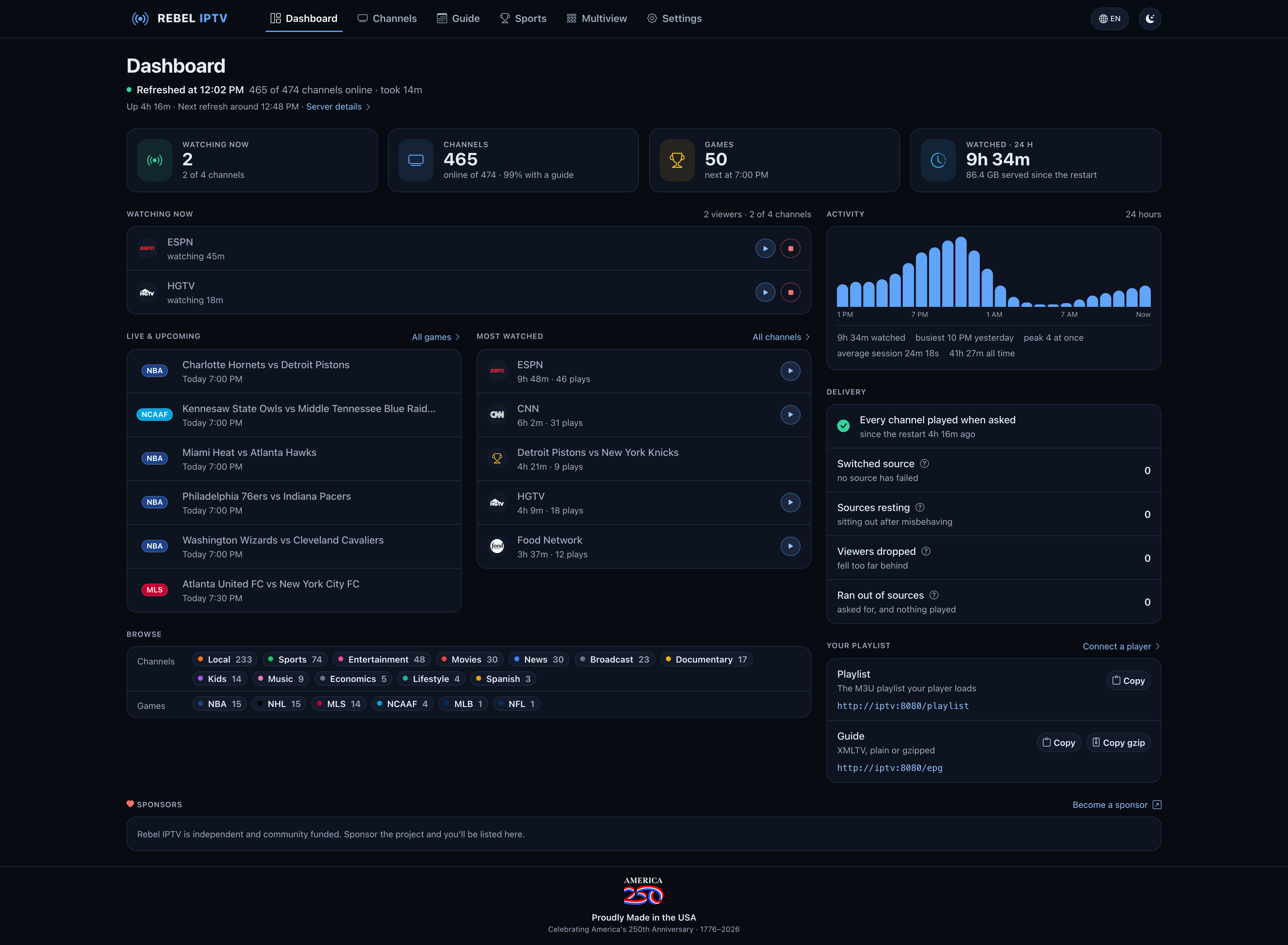
What is Rebel IPTV?
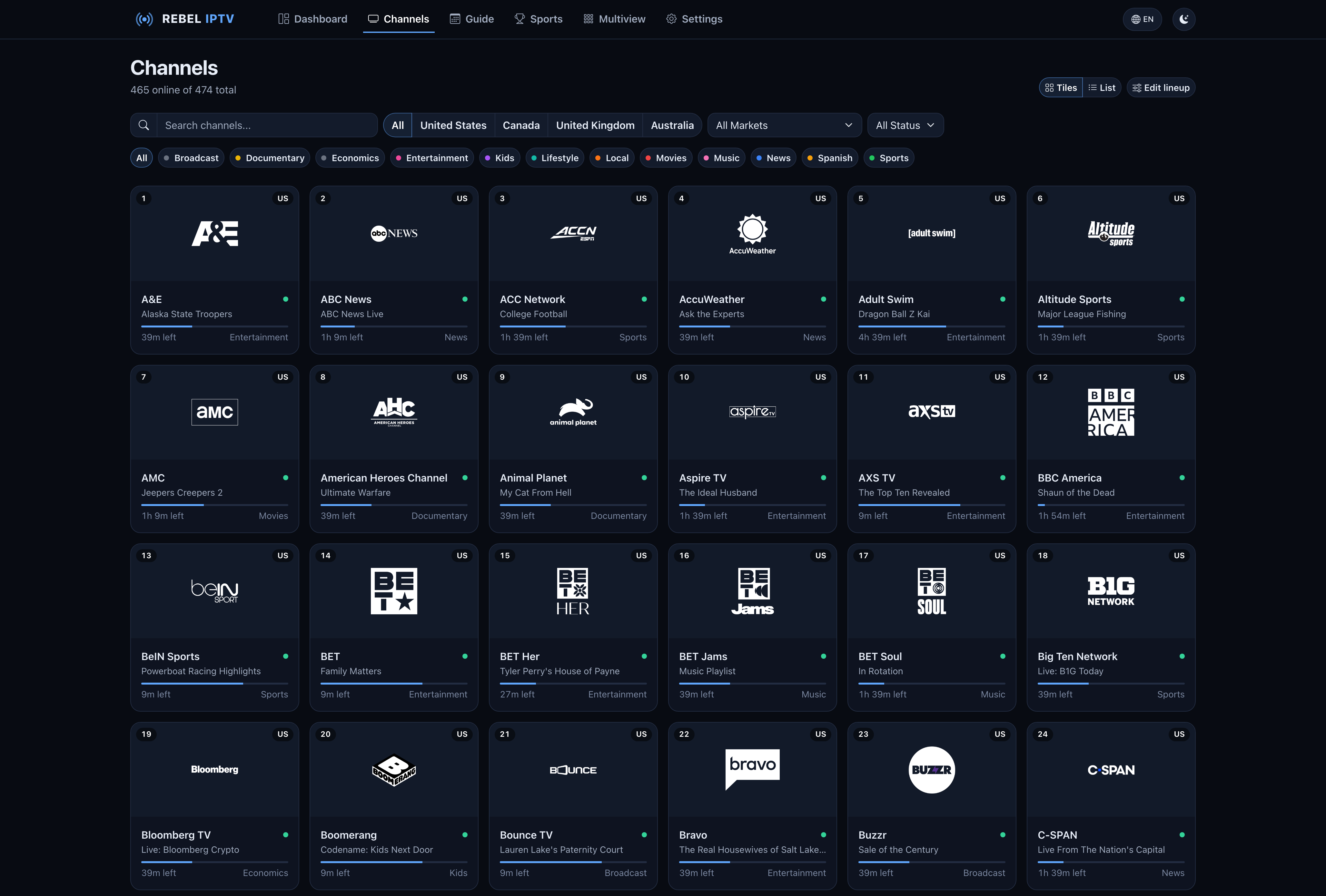
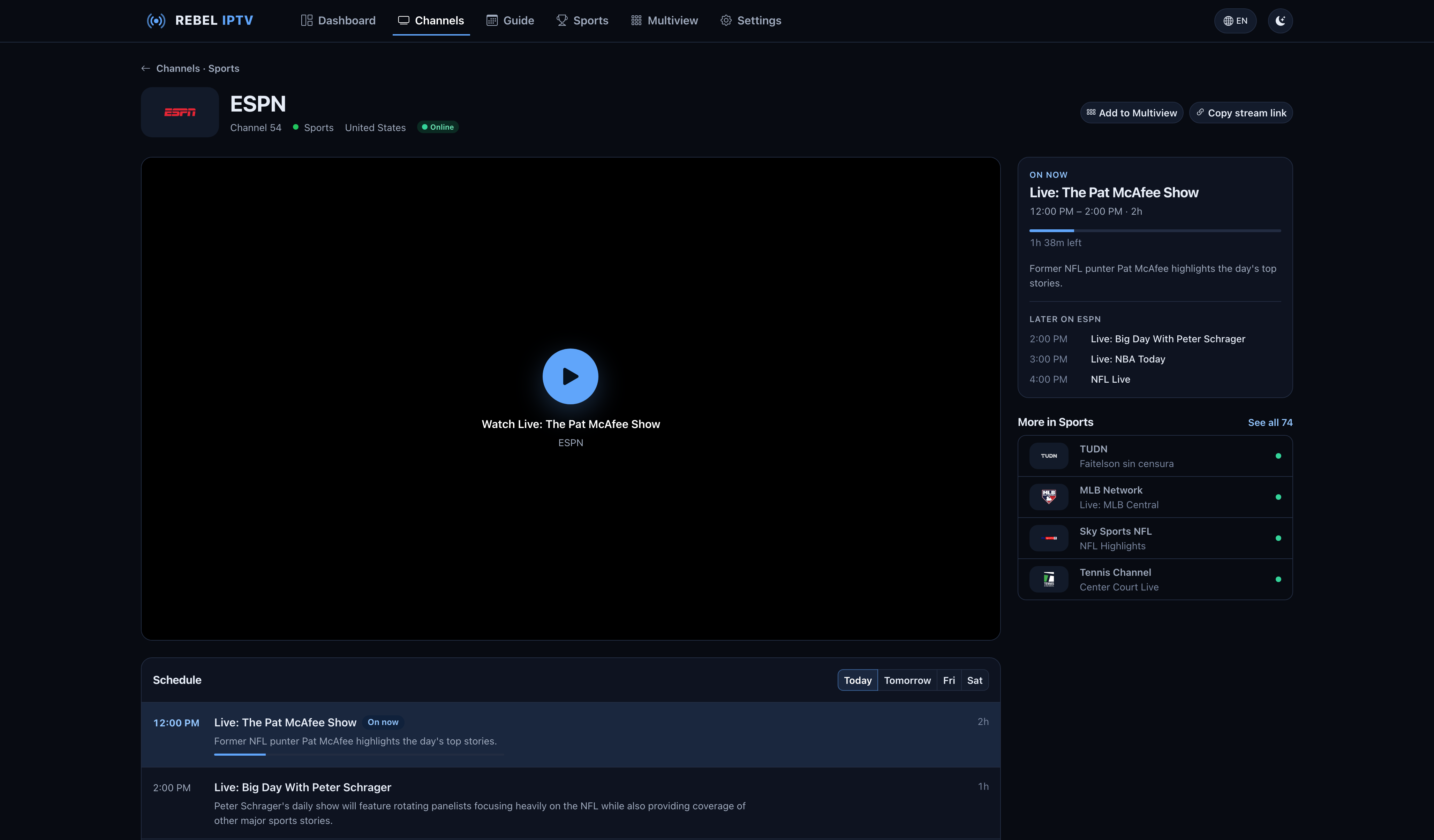
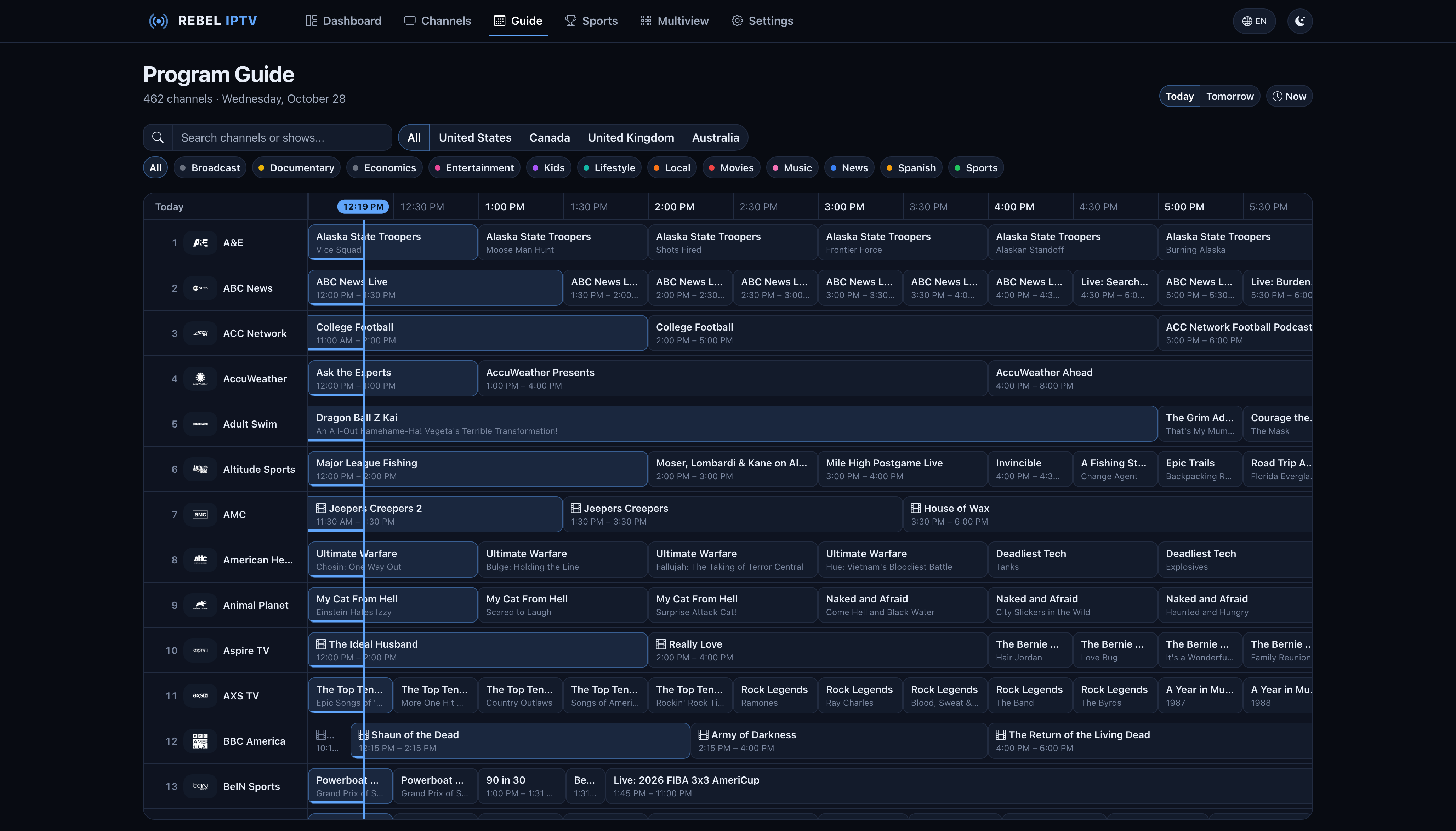
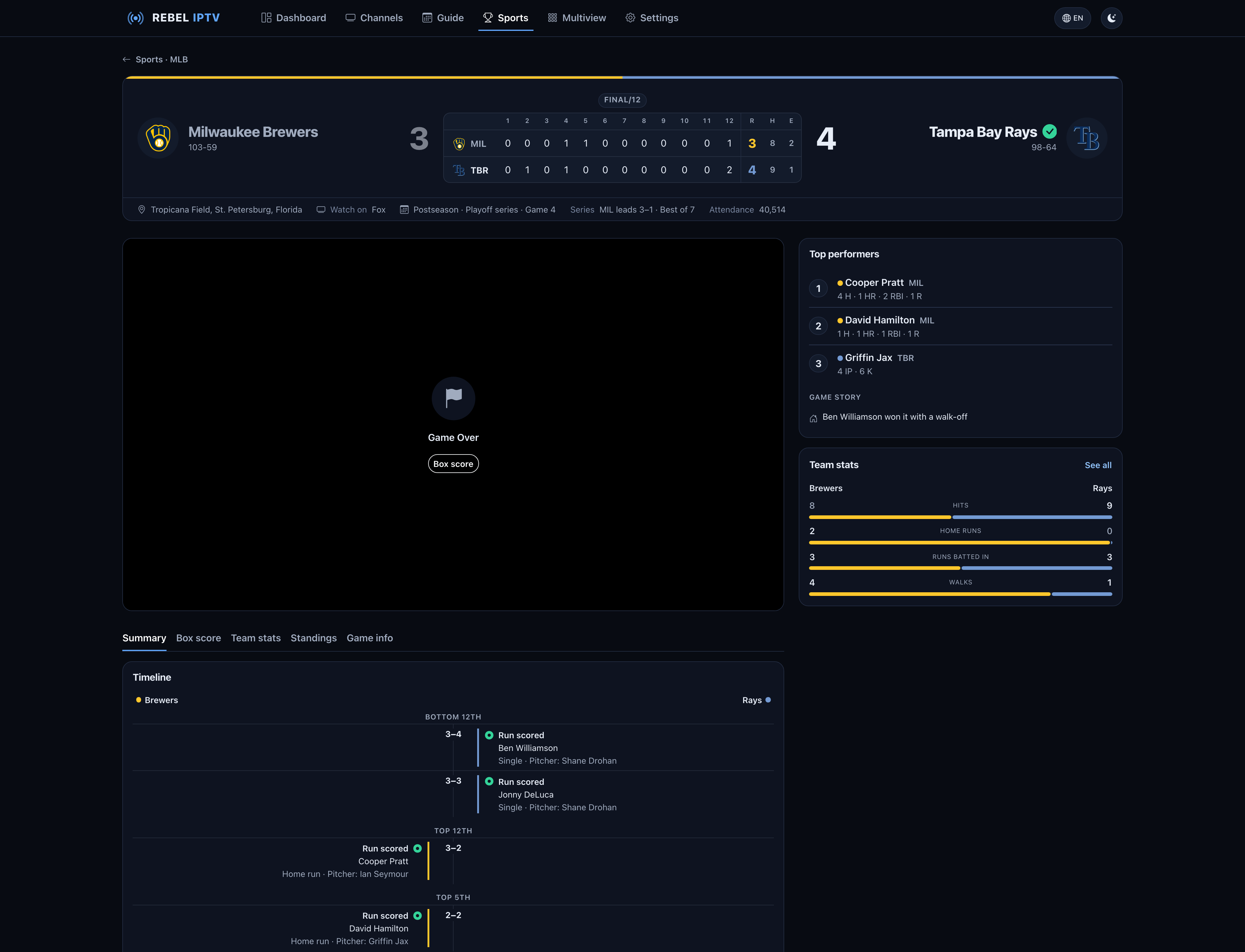
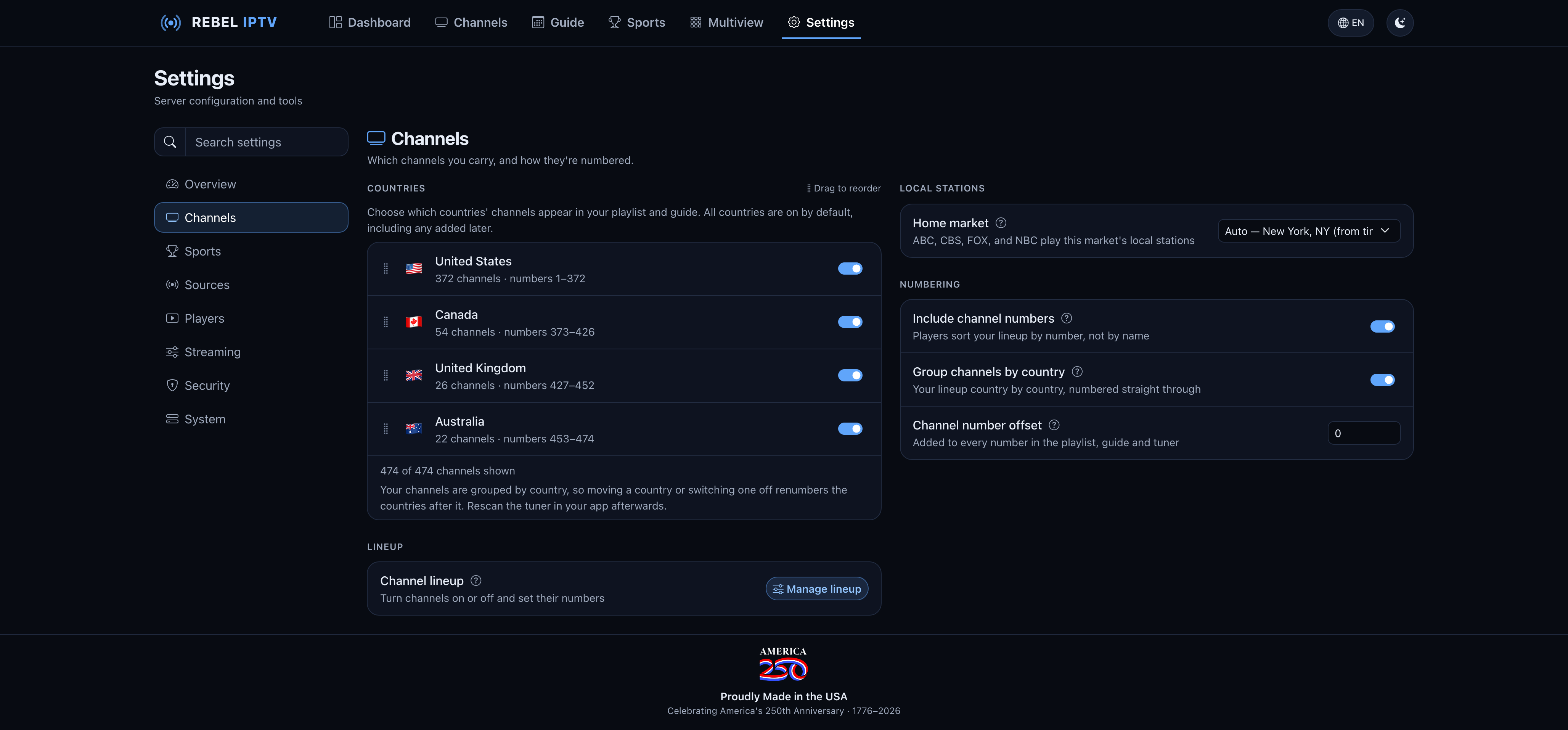
Rebel IPTV is a self-hosted IPTV server that gathers live television channels and sports events from multiple sources into one M3U playlist with an XMLTV guide. You run it as a Docker container on your own hardware — a NAS, mini-PC, Raspberry Pi, or VPS. The server scrapes channel sources, normalizes names and logos, validates stream health, and provides automatic fallback when a source goes down. It serves the playlist and guide to any IPTV player and also functions as an HDHomeRun network tuner for media servers, giving a proper Live TV experience with DVR and pause/rewind. The web dashboard lets you browse channels, watch in-browser, manage your lineup, configure local stations, set up favourite team channels, and toggle relay mode to reach geo-blocked sources. All data is encrypted at rest. Updates are one-click from the dashboard. The software is free for personal, non-commercial use under a proprietary license; the source code is visible but forking and redistribution are prohibited.
Should you self-host Rebel IPTV?
Rebel IPTV scores 42/100 on selfhost.directory (how scoring works) and ranks #46 of 54 in Media Streaming. It has 131 GitHub stars.
It shipped 10 stable releases in the past year. The latest, v1.4.9, came out on 14 October 2026. New versions land roughly every 7 days.
Setup is moderate: expect some configuration beyond a single command. An official Docker image is available. It is Other-licensed.
Its closest alternative on selfhost.directory is Invidious (81/100, 25 801 stars). It scores higher overall, so compare the two before you pick. See Rebel IPTV vs Invidious side by side.
Features
- 19-language dashboard
- Adjustable stream buffering
- API key protection
- Automatic failover and reconnection
- Dashboard login with admin accounts
- Docker-network friendly URLs
- Encrypted persistent storage
- HDHomeRun tuner emulation
- Horizontal timeline guide
- M3U Playlist Generation
- Relay mode for geo-blocked sources
- Score spoiler protection
- Simultaneous streams limit
- Stream stats panel
Rebel IPTV README
FAQ
Is this legal?
Rebel IPTV is infrastructure — a relay and curation layer that hosts no content and ships with no channels. You are responsible for ensuring you have the right to access whatever sources you configure and for complying with local laws.
What happens when an upstream source goes down?
Most channels and events are backed by multiple sources, so the agent falls back to another if one goes offline. Live validation drops dead feeds before they reach your playlist. For blocked or unreliable sources, relay mode can pull them through the Rebel IPTV relay.
How do I keep Rebel IPTV updated?
From v1.3.0, an 'Update now' button appears in the dashboard and Settings → Server when a newer version is available. One click pulls the latest image and restarts in place, keeping your data. Requires Docker socket mounted in compose and :latest image tag. Manual update: `docker compose pull && docker compose up -d`.
Do I have to configure it all myself?
No. The first time you open the dashboard, a wizard walks you through choosing channel sources, local market, channel countries, live sports, optional playlist key, optional dashboard login, and copying URLs into your player. You can skip it and change anything later. For headless boxes, set HEADLESS=true to skip the wizard and enable automatic updates.
Can I put a password on the dashboard?
Yes. You can set a dashboard login and add more admin accounts in Settings → Access, or leave it open on a trusted network. Separately, an optional API key protects playlist and guide URLs. The HDHomeRun tuner endpoints cannot be key-protected due to protocol limitations.
How many channels can I watch at once?
Four by default (configurable 1-32). Watching the same channel on several devices counts as one since they share a single feed. The limit applies to the tuner, playlist, and dashboard player. Over the limit shows a 'stream limit reached' card that starts automatically when a channel frees up.
Do you support an EPG and live sports?
Yes. Every render includes a full XMLTV guide with logos, show descriptions, and poster artwork. Upcoming games from NHL, NFL, NBA, MLB, and MLS are scheduled automatically as channels with matchup artwork and live ESPN scores. You can pick leagues, turn events off, or run sports-only mode. Favourite teams get their own permanent channel.
How do I add my server to Plex as a tuner?
Enable 'Act as an HDHomeRun tuner' in Settings → Connect (on by default). In Plex, go to Settings → Live TV & DVR → Set up Plex DVR, click 'Don't see your HDHomeRun?' and enter your server address and port. Skip the postcode step, then add your EPG URL as an XMLTV guide source.
Which apps and devices can I watch on?
Anything that reads standard M3U + XMLTV: TiviMate, IPTV Smarters, VLC, Kodi, OTT Navigator. Media servers (Jellyfin, Plex, Emby, Channels DVR) can use either the playlist or the HDHomeRun tuner.
What's the difference between local mode and relay mode?
Local mode (default) scrapes channels and events directly on your machine. Relay mode pulls ready-made channels, guide, and events from Rebel IPTV's relay in pass-through mode, fetching sources from regions where they're reachable — useful for geo-blocked sources.
Can I choose which channels I get?
Yes. The lineup is built from whatever sources you point the agent at. You can enable, disable, and reorder channels in the dashboard. Live sports can be turned off or run on their own.
Can I add my own channels or playlists?
Yes. You can upload your own M3U file or paste M3U playlist URLs in the dashboard. The agent validates each feed and merges online ones into the same playlist and guide.
What do I need to run it?
A machine that can run Docker (NAS, mini-PC, homelab box, or VPS) and at least one channel source to import. You host the container yourself.
Does Rebel IPTV host or store any channels or streams?
No. Rebel IPTV hosts and stores no streams — the relay is a pass-through that pulls each feed at request time. The software also ships with no channels or sources; you point it at the sources you choose.
What exactly is Rebel IPTV?
It's a self-hosted IPTV system that runs as a Docker container, scraping channel sources into a clean M3U playlist and XMLTV guide, with a web dashboard and support for any IPTV player or media server tuner.
More in Media Streaming
 reiverrReiverr is a self-hosted, open-source media discovery and streaming interface combining TMDB metadata with Jellyfin and torrent streaming as an Overseerr alternative.
 remote-playPSRP is a self-hosted, open-source solution that streams PlayStation 4/5 games to any browser via WebRTC with gamepad support and mobile touch controls.
 rtmp-hls-serverSelf-hosted, open-source Docker image for a video streaming server supporting RTMP, HLS and DASH, built on Nginx with nginx-rtmp-module, FFmpeg and web players.
 RTSPtoWebSelf-hosted Go app that converts IP camera RTSP streams to browser-playable WebRTC, MSE, and HLS formats without FFmpeg.
 scovieScovie is a self-hosted, open-source digital signage platform built with Python and Django for high schools to manage and display multimedia content on campus screens.
 shareboxShareBox streams media without library scans or databases, offering a Plex-like experience on minimal hardware like a Raspberry Pi.
 SiloA self-hosted, open-source media server for movies, shows, audiobooks, ebooks, podcasts, and manga with hardware transcoding and Jellyfin-compatible APIs.
 SnapcastSnapcast is an open-source, self-hosted multiroom audio system that syncs playback across clients with sub-millisecond precision.
 sonerezhSelf-hosted open-source web app to stream your music library from any browser. Auto-imports MP3, MP4, OGG, FLAC metadata with a beautiful web UI.
 StreamFlowSelf-hosted web app for live streaming to YouTube, Facebook, and RTMP with video gallery, scheduling, and real-time monitoring.
 StremioSelf-hosted browser UI for the Stremio media center: browse addon catalogs, cast to TV, sync your library and Continue Watching with your account.
 stremio-dockerA single-container Docker package for running Stremio media streaming on your own hardware, with built-in web player, ffmpeg transcoding, and automatic HTTPS.
0 comments