
Self-host GyroidVault
v2.3.13D model vault and print manager for self-hosted workshops
- Stars
- 172
- Port
- 3000 (HTTP web interface)
- Requires
- SQLite
ghcr.io/teecodedev/gyroidvault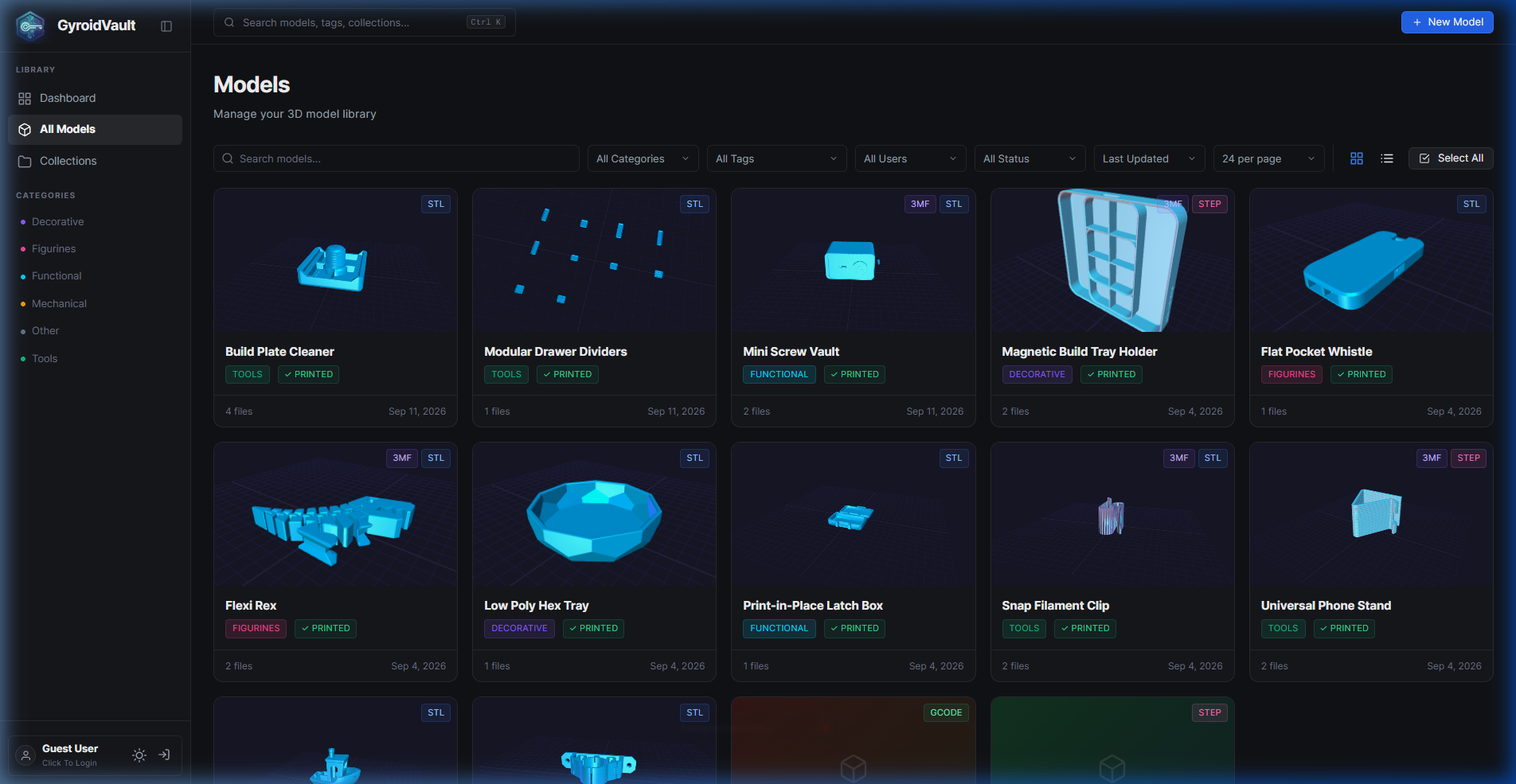
What is GyroidVault?
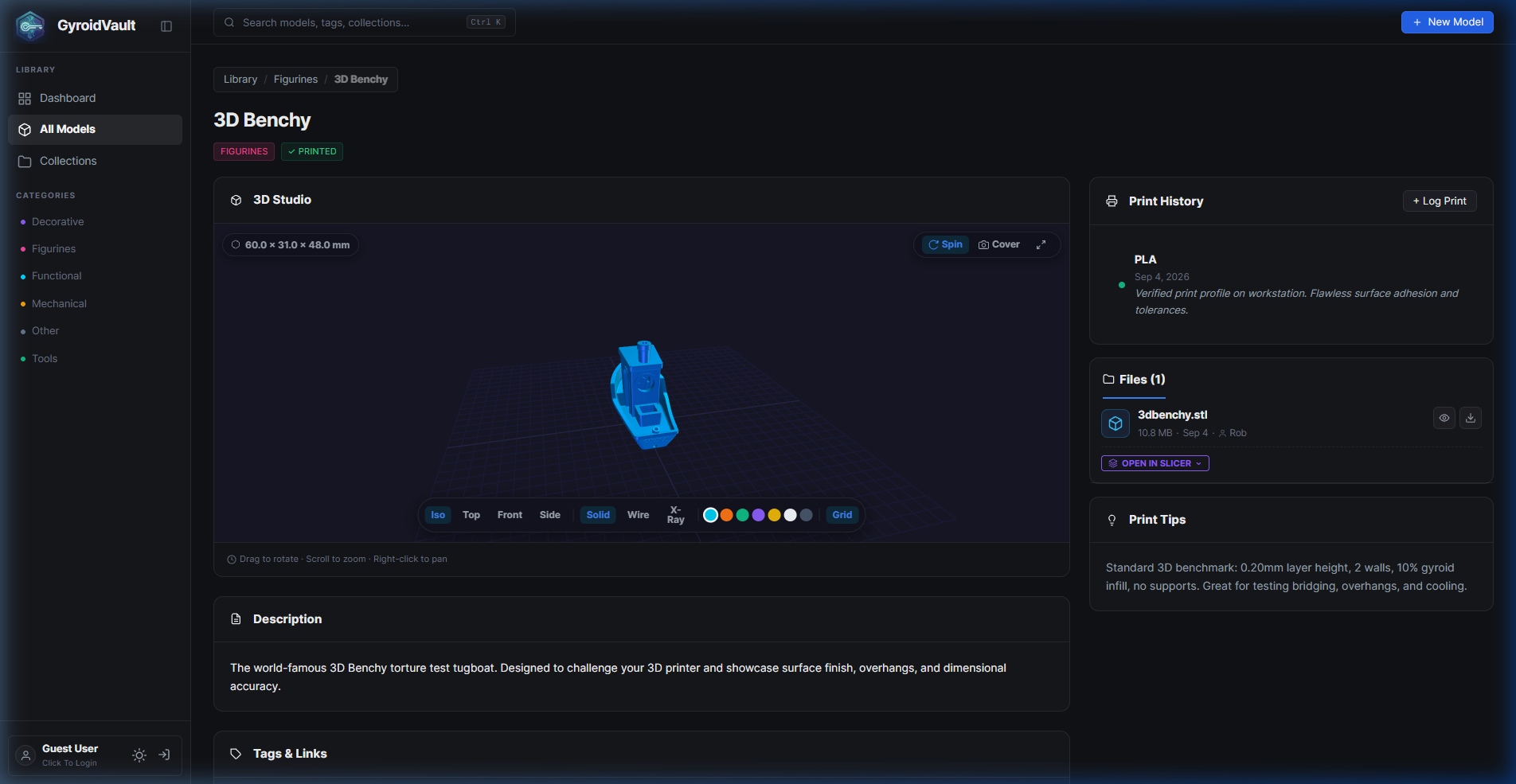
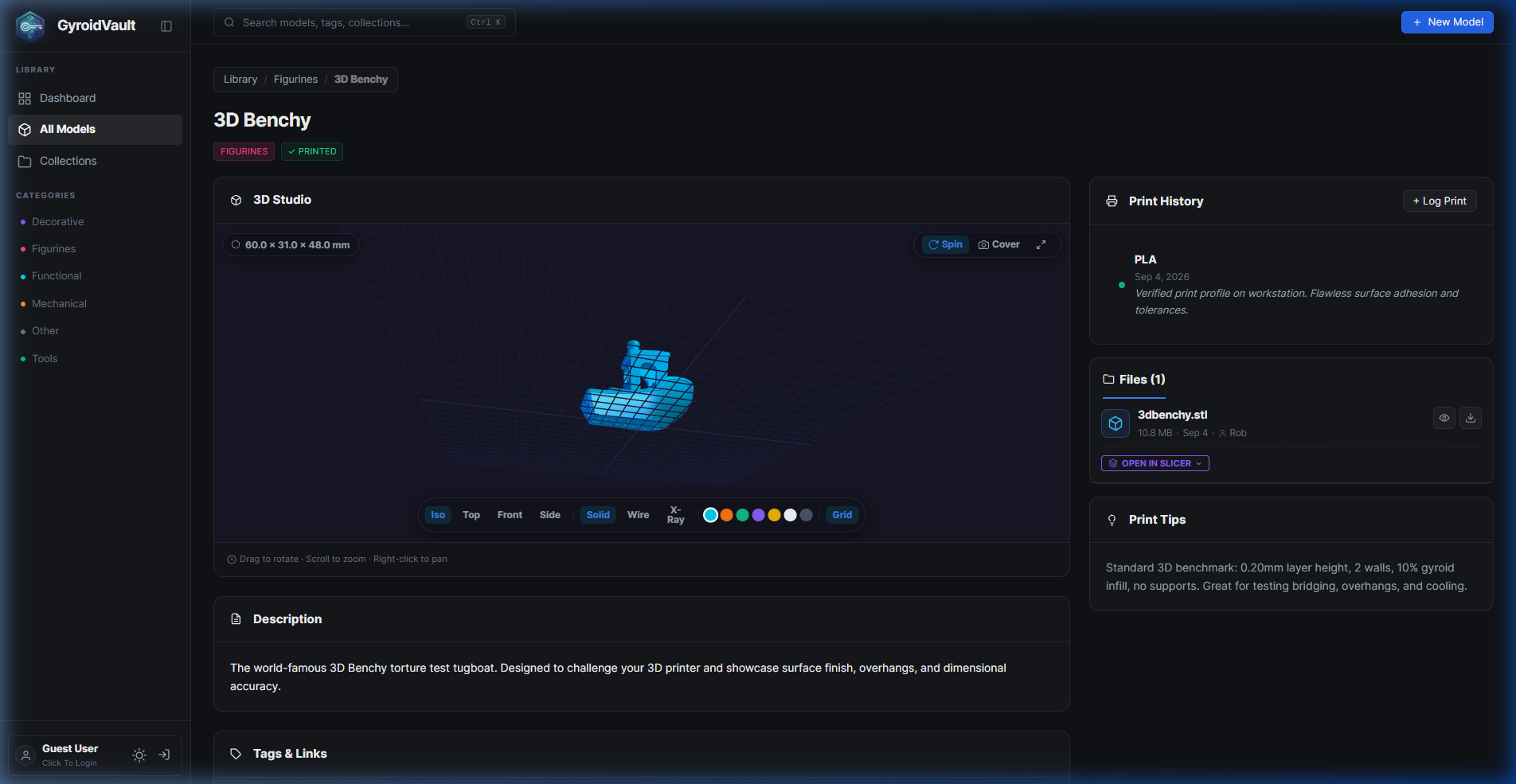
GyroidVault is a self-hosted web application for managing 3D printing model libraries. It provides a 3D interactive studio for viewing STL, 3MF, STEP, OBJ, and G-Code files with real-time physical dimension measurements, multi-part assembly rendering, and layer-by-layer G-Code toolpath preview. It integrates with Moonraker/Klipper for direct printer uploads and supports 1-click launching into Bambu Studio, PrusaSlicer, OrcaSlicer, Elegoo Slicer, and Cura via URI protocols. The app features role-based access control (Admin, Uploader, Viewer), expiring share links, duplicate file detection via SHA-256, background scanning for large libraries (2TB+), and custom metadata fields. It runs on a lightweight SQLite database with no external dependencies, deployed via Docker Compose, Docker CLI, Unraid Community Applications, or manual Node.js 18+ installation. Licensed under AGPL-3.0.
Should you self-host GyroidVault?
GyroidVault scores 49/100 on selfhost.directory (how scoring works) and ranks #14 of 22 in 3D Printing. It has 172 GitHub stars.
It shipped 10 stable releases in the past year. The latest, v2.3.1, came out on 24 October 2026. New versions land roughly every 1 days.
Setup is easy: most people get it running in one sitting. An official Docker image is available. It is Other-licensed and written mostly in JavaScript.
Its closest alternative on selfhost.directory is Octoprint (73/100, 9 167 stars). It scores higher overall, so compare the two before you pick. See GyroidVault vs Octoprint side by side.
Features
- 2x2 Collection Collages & ZIP Streaming
- 3D Interactive Studio
- Background Library Scanner
- Custom Metadata Fields
- Duplicate File Finder
- Expiring Public Share Links
- Folder Watching & Direct Browsing
- G-Code Toolpath Preview
- Health check endpoint
- Moonraker/Klipper Integration
- Multi-part 3D Assembly
- Power Batch Editing
- Real Physical Dimensions
- Role-based Access Control
- Slicer URI Protocol Launch
GyroidVault README
FAQ
Is GyroidVault really 100% free? How can I support development?
Yes, GyroidVault is and will always remain 100% free, open-source software licensed under AGPL-3.0 with zero subscriptions, paywalls, or telemetry. Support via Ko-fi donations.
How do multi-part 3D assemblies work?
When a model contains multiple STL or 3MF parts, you can inspect parts individually or switch to All Parts Combined mode where all parts render simultaneously with distinct colors and automatic bounding box calculation in millimeters.
Can I keep my instance private with login protection?
Yes, you can enable Private Instance mode in System Settings or via the REQUIRE_LOGIN_TO_VIEW=true environment variable, requiring authentication for all models and library endpoints.
Does GyroidVault modify my existing library files on disk?
No, the mounted 3D library directory is accessed in read-only mode by default. GyroidVault creates thumbnails, metadata, and collection indexes in its own SQLite database.
What 3D and slicing file formats does GyroidVault support?
GyroidVault natively supports STL, 3MF, OBJ, STEP/STP, F3D, standard G-Code, and compressed BGCode (Binary G-Code) with automated thumbnail and print spec extraction.
More in 3D Printing
 LinuxCNCOpen-source, self-hosted CNC machine controller for Linux with realtime kernels; interprets G-code and drives mills, lathes, 3D printers and robot arms.
 MainsailSelf-hosted web interface for Klipper 3D printers. Multi-printer support, print history, file management, customizable dashboards, webcam integration, power control.
 MainsailOSMainsailOS is a self-hosted, open-source prebuilt OS image for SBCs with Klipper, Moonraker, Mainsail UI, Crowsnest, and Sonar for 3D printer control.
 MakersVaultSelf-hosted web app for organizing 3D printing files with interactive 3D previews, folder tagging, and slicer integration.
 ManyfoldSelf-hosted, open-source catalogue for your 3D printing files: scan libraries, view models in interactive 3D, tidy them on disk, and share through the Fediverse.
 mkw2Self-hosted 3D printing commerce platform for print labs with storefront, instant quoting, checkout, and production backend integrating inventory and printer management.
 ObicoObico Server is the self-hostable backend of the open-source Obico 3D printing platform: remote monitoring, streaming and AI failure detection for OctoPrint/Klipper.
 OctoprintSelf-hosted open-source web UI to control and monitor 3D printers from a browser: webcam feed, GCODE viewer, slicing, timelapses, plugin system.
 Print Farm ManagerSelf-hosted web app to manage fleets of 3D printers from Prusa, Bambu Lab, Elegoo, and Klipper with live monitoring, automated job scheduling, and zero cloud reliance.
 PrintGuardSelf-hosted 3D print monitor that detects failures locally, pauses prints via OctoPrint/Klipper/Prusa/Bambu, and alerts via ntfy/Pushover/Telegram/Discord — no cloud.
 PrintStashSelf-hosted 3D printing workspace linking models to sliced revisions, print outcomes, and compatible printers. All storage stays on your hardware.
 SketchForgeBrowser-based 3D CAD tool you host yourself. Model with primitives, boolean ops, chamfer/fillet, import STL, export STL/OBJ/STEP. No accounts, no cloud.
0 comments