
Self-host Duplicati
v2.4.1.0_stable_2026-10-29Encrypted incremental backups to cloud and remote storage
$ sudo dnf install ./duplicati-version-arch.rpm- Stars
- 15 197
- Port
- 8200 (Built-in webserver that serves the Duplicati user interface and its API)
duplicati/duplicati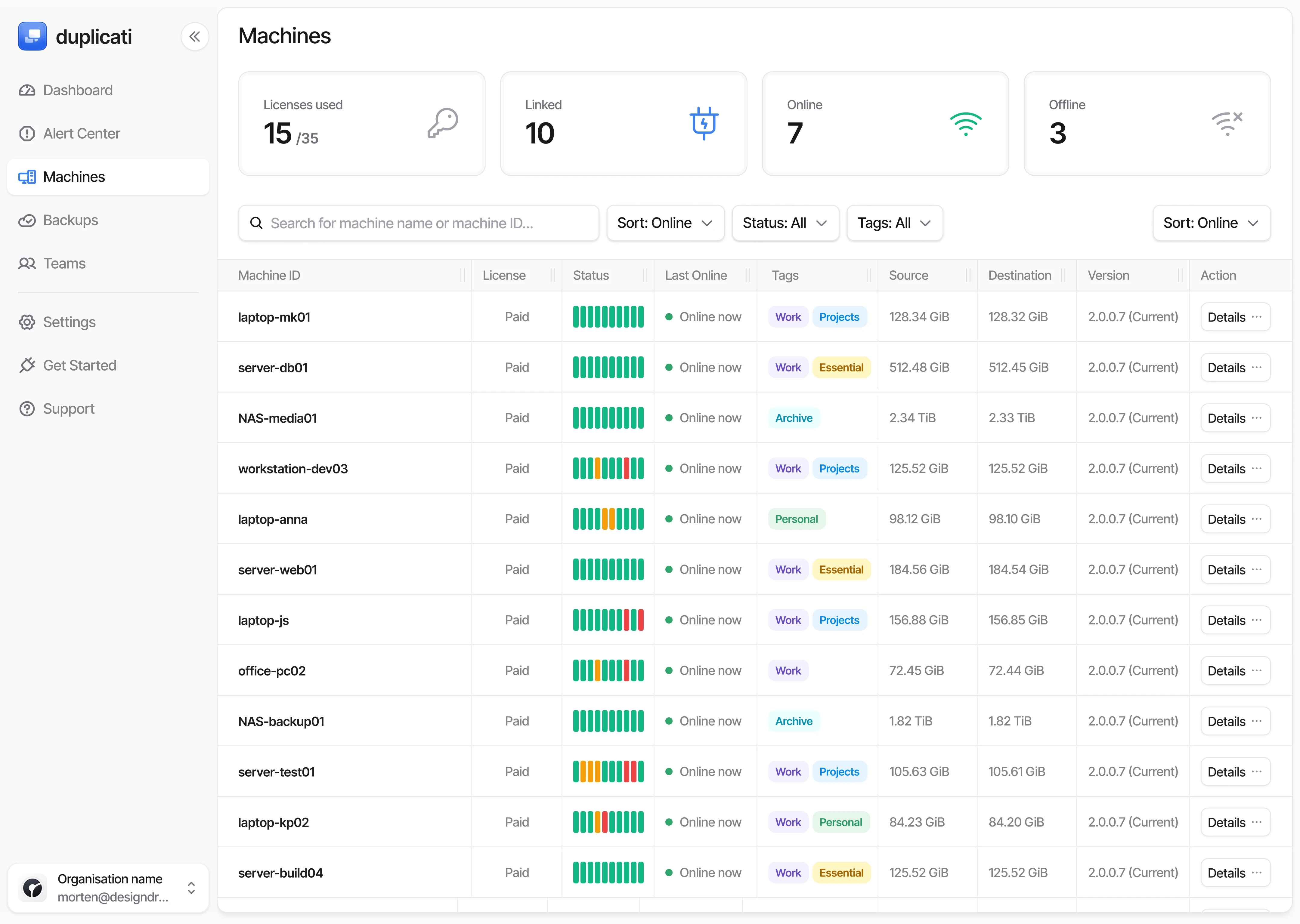


What is Duplicati?
Duplicati is a backup client that uploads encrypted, incremental and compressed copies of your files to a storage destination you choose, from an S3 bucket to an SFTP or WebDAV server. Everything is scrambled with AES-256 (or GnuPG) before it leaves the machine, so an untrusted remote host only sees ciphertext, and only the first run transfers the full dataset because later runs send differentials. Jobs run from a built-in scheduler, and you drive them either through a browser-based UI served by the local server process or through the command-line tool, which runs the same engine. Filters, deletion/retention rules, transfer and bandwidth options, VSS/LVM handling of locked files and per-field encryption of the local settings database are all configurable. On Linux it also can back up Microsoft 365 and Google Workspace content via dedicated docs guides. You install it with an MSI/DMG/.deb/.rpm package, a zip of binaries, or the official duplicati/duplicati Docker image, which persists its configuration in /data; the web server listens on port 8200 and is password protected. The open-source core is MIT-licensed, while files under the repository's proprietary/ directory carry a separate Duplicati Inc licence, and the optional hosted Duplicati Console for central monitoring and management is a paid service with a free tier.
Duplicati alternatives
 ResticOpen-source, self-hosted CLI backup tool: encrypted, deduplicated snapshots to local disks, SFTP, a REST server or cloud storage, as a single binary or Docker image.CompareRestic with Duplicati
 plutonOpen-source, self-hosted backup using Restic and Rclone for encrypted incremental backups across 70+ cloud providers with web UI, 3-2-1 replication, and 2FA.Comparepluton with Duplicati
 plakarSelf-hosted, open-source backup tool: encrypted, deduplicated snapshots you can browse, diff and verify, with sync to S3 or local stores.Compareplakar with Duplicati
 borgbackupserverSelf-hosted web UI that centrally manages encrypted Borg backups on Linux, Windows, and macOS via agents that poll over HTTPS and push data over SSH.Compareborgbackupserver with Duplicati
 ZerobyteOpen-source, self-hosted backup automation built on Restic: cron schedules, encrypted S3/GCS/Azure/rclone repositories, file-level restores and alerts from a web UI.CompareZerobyte with Duplicati
 BackupPCBackupPC is a self-hosted, open-source backup server that deduplicates and compresses backups from Linux, Windows, and macOS clients to a central disk with a web UI.CompareBackupPC with Duplicati
 drivebaseDrivebase is a self-hosted, open-source file manager unifying Google Drive, S3, Dropbox, and local files into a desktop-like web UI with real-time transfers.Comparedrivebase with Duplicati
 DatabasusSelf-hosted open-source backup tool for PostgreSQL (also MySQL, MariaDB and MongoDB) with point-in-time recovery, restore verification, encrypted archives and S3 storage.CompareDatabasus with Duplicati
Should you self-host Duplicati?
Duplicati scores 74/100 on selfhost.directory (how scoring works) and ranks #3 of 46 in Backup. It has 15 197 GitHub stars, +133 in the last 30 days.
It shipped 6 stable releases in the past year. The latest, v2.4.1.0_stable_2026-10-29, came out on 29 October 2026. New versions land roughly every 4 weeks.
Setup is easy: most people get it running in one sitting. An official Docker image is available. It is MIT-licensed and written mostly in C#.
Its closest alternative on selfhost.directory is Restic (82/100, 37 111 stars). It scores higher overall, so compare the two before you pick. See Duplicati vs Restic side by side.
Features
- Backup of open or locked files
- Built-in backup scheduler
- Central console managementOptional hosted service with paid tiers; the backup client itself runs locally.
- Client-side AES-256 encryption
- Command line client
- Encrypted local settings database
- External secret providers
- File Restore
- Filters and advanced tuning options
- HTTPS for the web interface
- Import/export of backup configurations
- Incremental Backups
- Multiple backup destinations
- Parity error correction
- Web-based management UI
Duplicati README
Store securely encrypted backups on cloud storage services!
Duplicati is a free, open-source backup client that securely stores encrypted, incremental, and compressed backups on cloud storage services and remote file servers. It supports:
Amazon S3, IDrive e2, Backblaze (B2), Box, Dropbox, FTP, Google Cloud and Drive, MEGA, Microsoft Azure and OneDrive, Rackspace Cloud Files, OpenStack Storage (Swift), Storj DCS, SSH (SFTP), WebDAV, Tencent Cloud Object Storage (COS), Aliyun OSS, and more!
How to install Duplicati
Install Duplicati with Docker
SETTINGS_ENCRYPTION_KEY, DUPLICATI__WEBSERVICE_PASSWORD, DUPLICATI__ALLOW_INSECURE_DATAFOLDER, DUPLICATI__WEBSERVICE_ALLOWED_HOSTNAMESservices:
myapp:
image: duplicati/duplicati:latest
volumes:
- ./data:/data
environment:
SETTINGS_ENCRYPTION_KEY: "<real encryption key>"
DUPLICATI__WEBSERVICE_PASSWORD: "<ui password>"
The image stores configurations and persistent files in /data; the Docker Hub page covers further configuration.
Install Duplicati with Linux
To install Duplicati on an RPM-based system, first download the .rpm package matching the system architecture, then run:
sudo dnf install ./duplicati-version-arch.rpm
On older RedHat-based systems use sudo yum install ./duplicati-version-arch.rpm, and on SUSE use sudo zypper install ./duplicati-version-arch.rpm.
Install Duplicati with Windows
Simply head over to the Duplicati download page and download the relevant MSI package. Once downloaded, double-click the installer. The installation dialog lets you adjust settings to your liking and will install Duplicati.
Packages for x64, Arm64 and legacy 32-bit x86.
Install Duplicati with macOS
Once you know which kind of Mac you have, head over to the Duplicati download page and download the relevant DMG file. Open the file and drag Duplicati into the Application folder, and then you can start Duplicati.
Apple Silicon (Arm64) and Intel x64 packages.
Install Duplicati with Debian
To install Duplicati on a Debian based system, first download the .deb package matching the system architecture, then run:
sudo dpkg -i duplicati-version-arch.deb
How to configure Duplicati
DUPLICATI__ALLOW_INSECURE_DATAFOLDEROpt out of the data-folder permission check when the mount cannot provide the exact expected permissions.DUPLICATI__WEBSERVICE_ALLOWED_HOSTNAMESAllow access to the server through the listed hostnames (semicolon separated) instead of IP addresses only.SETTINGS_ENCRYPTION_KEYKey used to encrypt secrets stored inside the application (server database fields).DUPLICATI__WEBSERVICE_PASSWORDPassword for signing in to the Duplicati web interface.DUPLICATI_PRELOAD_SETTINGSPath to a preload settings file, e.g. mounted as a Docker secret.
Duplicati releases & version history
About this release
This release builds on version 2.4.0.1 with a large number of bug fixes, and adds three new features: incremental (delta) backups of Microsoft 365 and Google Workspace, and restore tests that can run after backups and be switched on remotely from the console.
The local database format is updated by this release. See "Downgrading" below before going back to an earlier version.
Delta walk for Microsoft 365 and Google Workspace
Microsoft 365 and Google Workspace backups no longer need to list every item on every run. The providers now store a delta token with each backup and use the Microsoft Graph and Google change APIs, so later backups list only what was created, changed, moved or removed since the previous backup and carry the rest forward from it.
For Microsoft 365 this covers mail folders, SharePoint and group document libraries. For Google Workspace it covers Gmail, Drive, Calendar and Contacts. Delta tracking is enabled by default. The first backup, the first backup after the local database is recreated, and the backup after one that was stopped still list everything in full.
Delta tracking can be turned off per service with --office365-disable-mail-delta, --office365-disable-drive-delta, --google-disable-gmail-delta, --google-disable-drive-delta, --google-disable-calendar-delta and --google-disable-contacts-delta. If a document library reports more changes than --office365-drive-delta-max-items or --google-drive-delta-max-items, the library is listed in full instead.
A backup that combines a Microsoft 365 or Google Workspace source with the USN change journal or --changed-files is now refused with an error, as the two mechanisms cannot be combined.
Restore tests
A new restore test operation restores a sample of a backup from the remote destination into a temporary folder and verifies it, so the backup is regularly proven to be restorable. It is available as the restore-test command in the command line and in ServerUtil, and through the server API.
The sample is chosen with --restore-test-mode: a number of random files, a percentage of the backup size, every file, or a rolling mode that prefers files that have not been verified recently. The test can be limited with --restore-test-max-download-size and --restore-test-max-runtime, can rebuild a temporary database from the destination with --restore-test-recreate-database, and can compare the restored files with the source files with --restore-test-compare-source.
Set --perform-restore-test-after to run a restore test as the last step of a backup whenever the previous test is older than the given interval. When the machine is connected to the Duplicati console, the console can set this interval for its backups, so restore tests can be switched on remotely. A restore test after a backup does not change the result of the backup, but a failed test is reported with its own notification.
Improved support for Sync jobs
With this version, Sync jobs now store their logs so the logs can be viewed after the job has completed. Several places where the Sync job was showing options that were only relevant to restores are now updated.
Other new features
- Backup versions can be given a label with the
set-version-labelcommand. The labels are also stored on the destination, so a database recreate keeps them. - Point-in-time access to a destination: with
--remote-point-in-time, the S3 and Duplicati Storage destinations read the destination as it was at the given time, using bucket versioning. The destination is read-only in this mode. - Report modules can send reports for other operations than backups, chosen with
--send-http-operations,--send-mail-operations,--send-xmpp-operationsand--send-telegram-operations. Backup reports remain the default. - A restore on an existing backup can now carry additional advanced options.
- The new
--disable-secret-provideroption disables the default secret provider, the configured secret provider, or both.--disable-default-secret-providerstill works but is deprecated. The server now also reports which secret provider is active. - Duplicati Storage can be used as a secondary target, and supports object locking.
- Uploads to Google Cloud Storage now carry a CRC32 checksum.
- SMB servers that require SMB 3.1.1 can be used with
--enable-smb311. - Neon Object Storage has been added to the list of S3 providers.
Changed behavior
- A backup that asks for object locks on a bucket or container that does not have locking enabled now completes with a warning that no locks were applied, instead of failing. This applies to S3, B2, Azure, Google Cloud Storage and Duplicati Storage.
- Options in source and destination urls are now validated, so an option that no module supports is reported with a warning.
- The Microsoft 365 site classifications "Classic" and "Communication" have been removed, as they never matched any site.
- When a restore does not specify overwrite, restore permissions or skip metadata, the settings of the backup and the server defaults now apply instead of turning them off.
Downgrading
This release updates the local database from version 19 to version 22 and the sync database to version 1. Version 2.4.0.1 cannot open the newer databases. To go back to 2.4.0.1, downgrade the databases with the DatabaseTool downgrade command first. Its default target versions now match 2.4.0.1, so no version options are needed.
Fixes
Aborting a backup no longer waits for a stuck source listing, file open, size or metadata read, and a stop or abort that arrives before the operation is ready is kept.
Restores keep an appended file when restoring without --overwrite, do not read through a link when restoring a symbolic link to a file, keep the drive letter folder when restoring Windows paths in place, and stop when --restore-path has no value. A partial restore no longer warns about the folders it has to create. Repair keeps the time and order of the versions when it replaces missing dlist files, and a later database recreate keeps them too.
On Windows, a local folder destination whose url contains @ or carries options in its query string is now read correctly, and symbolic links created by WSL are backed up as links. Backups leave the write-ahead log files of their own database out.
The server and tray icon have fixes to notifications, task state, pause and resume events, preload settings, update checks, the login token cookie behind a reverse proxy, and the Agent. Control file restores are protected against path traversal, and the recovery tool and the Agent pre-shared key have been hardened.
Backend fixes include Jottacloud timeouts and parallel downloads, Storj uploads, WebDAV listings on Windows and Linux, the S3 list API version option, HashiCorp Vault JSON secrets, GnuPG on slow systems, and the User-Agent header sent by WebDAV, pCloud and the updater.
SQLite has been updated to 3.54.0, built for older Linux distributions, and StreamJsonRpc and MimeKit have been updated for security advisories.
Detailed list of changes:
- Delta walk for Microsoft 365
- Add delta-tracking for Google Workspace
- Add restore test command
- Added support for server-side restore tests
- Move restore-test API to v2
- Allow "Reason" in test restore reports
- Add labels to backup versions
- Added point-in-time-restore support
- Improve object lock support
- Support locking with Duplicati storage
- Support Duplicati Storage as secondary target
- Add support for choosing report operations
- Add support for advanced options in restore
- Let configured defaults apply when restore options are not specified
- Add secret-provider disable switches
- Added support for reporting the current secret provider
- Add CRC32 to uploads to GCS
- Fixed a bug in GCS resume handling, where a 308 response was treated as a failure
- Add an option to connect to SMB servers that require SMB 3.1.1
- Add Neon Object Storage to the S3 provider list
- Improve MS365 enumeration and warning noise
- Fix MS365 group classifications
- Better retry backoff for Google Workspace
- Fix incorrect permission check for Google Workspace
- Store BackendSourceProvider metadata
- Fix BackendSourceProvider listing
- Add logs to sync operation
- Reduced logging for multi-destination
- Stop waiting for a stuck source listing when the backup is aborted
- Stop waiting for a stuck source file open when the backup is aborted
- Stop waiting for a stuck size or metadata read when the backup is aborted
- Keep a stop or abort that comes before the operation is ready
- Wait a second before a backup that starts in the same second as the previous version
- Keep the messages of the file count pass out of the backup log
- Show the totals of the previous backup when the file scanner is disabled
- Do not show a negative number of files to go in the old UI
- Show 100% for an empty file in the old UI progress
- Leave the write-ahead log files of the backup's own database out of it
- Keep a source file that the USN journal reports as changed
- Read symlinks made by WSL as symlinks on Windows
- Read xattr values of followed symlinks from the target
- Read owner and permissions of followed symlinks from the target
- Fix corrupted target URL for local paths containing @
- Keep the query string of Windows file urls
- Keep an appended file when restoring without --overwrite
- Do not read through a link when restoring a symbolic link to a file
- Do not chmod the target when restoring symlink metadata
- Keep the drive letter folder when restoring Windows paths in place
- Stop a restore when --restore-path has no value
- Do not warn about the folders a partial restore has to make
- Report an empty file that cannot be created as not restored
- Release the files waiting for a priority file that is given up
- Skip restored file verification in a legacy dry run
- Drop the entries below a root the old UI restore picker selects
- Keep version order when repair replaces missing dlist files
- Keep the fileset time when replacing a missing dlist file
- Record the fileset time in the dlist so a recreate keeps it
- Fix control files path traversal
- Harden recovery tool
- Harden Agent PSK
- Set the refresh token cookie for the host the browser asked
- Reject an invalid retention policy when a backup is saved
- Add an endpoint that dismisses all notifications at once
- Read single notifications by ID instead of loading all of them
- Only save the unacknowledged notification flags when they change
- Replace a backup's notification on every run, not only on success
- Report a finished task as running until its result is stored
- Send pause and resume events in the order the state changed
- Do not keep the pause for a suspend over a restart
- Fix VACUUM startup race
- Downgrade the status message errors
- Log information messages that were passed a null exception
- Fix Template report output rendering the fallback with empty values
- Fix issue with loading base64 encoded key
- Keep the newest server state in the tray icon
- Let the tray icon log in once for requests running together
- Show the preload debug output in the tray icon, and let 0 turn it off
- Fixed a startup crash after Avalonia update
- Read the preload settings in AutoUpdater and Snapshots
- Read the preload settings in SyncTool and AutoTuneTool
- Give DatabaseTool, SourceTool and SecretTool their own preload keys
- Stop update checks when AUTOUPDATER_Duplicati_SKIP_UPDATE is set
- Avoid checking for updates in Debug builds
- Pass --ping-pong-keepalive from the Agent to the hosted server
- Stop the Agent server loop once the server has exited
- Keep the server database out of DatabaseTool cleanup
- Keep server-schema databases out of DatabaseTool cleanup
- Keep sqlite files of other applications out of DatabaseTool cleanup
- Let the DatabaseTool downgrade to the versions of 2.4.0.1 by default
- Read the HashiCorp Vault secret values that arrive as JSON elements
- Upload to Storj without an expiry time
- Collect every Jottacloud chunk before ending a parallel download
- Observe read-write-timeout on Jottacloud downloads and listings
- Strip trailing nulls from WebDAV directory listings on Windows
- Read WebDAV hrefs that are only a path relative to the server on Linux
- Send the WEBDAV and pCloud User-Agent under its real header name
- Send the updater User-Agent under its real header name
- Read --s3-list-api-version in the AWS S3 client
- Wait for GnuPG to finish instead of giving up after five seconds
- Fix incorrect help texts
- Bump SQLite to 3.54.0
- Update StreamJsonRpc to 2.26.150 for the MessagePack advisory
- Update MimeKit to 4.18.2 for the Pkcs advisories
Updates to ngclient
Updated ngclient from 0.0.238 to 0.0.244:
- Added a search field to the start page, shown when there are more than 3 backups
- Added tooltips with the exact time to the times on the start page
- Added support for advanced options when restoring
- Added support for showing the logs of sync jobs
- Added Neon Object Storage as an S3 provider
- Improved the display of sync jobs on the start page
- Improved the display of hidden and excluded files in the file tree
- Improved search results to show display names for the folders above a match
- Sync jobs are no longer offered as a source for restores
- Deleting a sync job no longer offers to delete the remote files
- Dismissing all notifications now uses a single request
- Backup progress no longer exceeds the estimated totals
- Fixed new schedules starting at a time that has already passed
- Fixed default schedule dates not using the local date
- Fixed weekly schedules skipping the current day when the preset time had not passed yet
- Fixed a single wildcard being lost in expression filters
- Fixed browsing a remote source for a saved destination
- Fixed remote sources calling the wrong API endpoint when browsing
- Fixed a leading
/being added to Windows paths when creating a folder - Fixed encoded question marks in file destination paths being lost
- Fixed the log buttons not showing correctly, and the suppress buttons not capturing all log tags
- Fixed the size of the export commandline text box
- Fixed dismissing a notification while the list is filtered
- Fixed notifications being removed when the deletion failed
- Fixed invalid progress percentages for empty files
- Fixed dialogs opened from another dialog
- Fixed the UI starting before the translations were loaded
- Fixed cancelled task waits, restore progress and custom remote dialogs not cleaning up
- Updated npm dependencies
About this release
This release patches version 2.4.0.0 with fixes for a number of issues that were discovered after the release.
The main focus of this release is stability, with many fixes to restore, abort handling and the new sync mode, along with security hardening of the server and remote control.
Usability fixes
The search feature would allow you to select files, but would send incorrect paths to the restore flow.
On Windows, this would result in no files selected in the search view being restored.
Security and Privacy
The login setup has been hardened against weak passwords, the remote control requests have been locked down and require per-message keys.
The remote control connection now works on NAS devices that use integrated authentication (Synology DSM).
Path redaction in logs and reports has been improved, and secrets in lists now have an additional layer of protection.
A new reduced reporting mode (--reduced-reporting) limits reports leaving the machine to log message ids, counters and dates, without message text, error messages or file names. The HTTP status report has a matching --http-report-status-reduced-reporting option. The setting can also be enforced from the console for users requiring it.
Restore and Abort Fixes
A restore now carries on with the next file when a single file fails, instead of stopping the whole restore. Several issues that could cause a restore to hang have been fixed, including releasing blocks for skipped files, releasing all restore processes when a volume cannot be produced, and releasing the restore stages on every exit path. A missing destination folder is now reported before the restore starts.
Aborting a backup or other operation no longer waits for a stuck source file read, a stuck backend call, or a block processor that has stopped. Aborting a repair while it reads the local database no longer discards the database.
Sync Mode Fixes
The sync mode introduced in 2.4.0.0 has received a number of fixes: folder sync on some destinations, zero-byte uploads to Google Drive and Google Cloud, case-insensitive remotes, duplicate remote listings, sync metadata and last-run handling, and lower memory use by not storing remote operations in memory. The synchronization tool now passes the correct arguments to its backends, ignores folder entries in listings, renames through the backend, and counts failed deletes and renames in its return code.
Stability and Performance
The wasted space calculation used for compacting has been improved, deleting filesets uses less memory, and SQLite memory usage has been further reduced.
Database connections are now closed when opening or setting up a local database fails, and the server now takes the database lock in a few paths that previously skipped it.
Resuming after sleep no longer waits for the suspend handling to finish, and Windows is allowed to sleep again when an operation ends.
Tasks and HTTP status reports now report errors from operations that finished without throwing.
Backend and Provider Fixes
- Google Drive: keep every copy of a duplicated name, and report no quota for shared drives instead of the user's own quota.
- Google Workspace: handle inactive accounts, emit a root folder, and fix the restore scope.
- MS365: fix restore of large emails.
- Drime: fix incomplete listings beyond the pagination limit.
- S3: add RelAix to the list of providers.
- SMB: improved error detection.
- Duplicati backend: show error messages from the console.
- An unknown destination quota is no longer treated as a full destination, and the manual quota is kept when the backend quota is disabled.
Windows Installer and Shell Integration
The MSI now remembers the install location on upgrade, and the path browse button has been fixed.
The Windows shell overlay has been fixed. It requires the folder status service, which is disabled by default and can only be enabled from the commandline with --webservice-enable-folder-status-service=true.
Other Changes
The command line tools have a number of fixes to listing and searching, such as listing the latest version when none is given, searching sub-folders, looking up file versions by full path, and handling folders given without a trailing separator. Purge and set-locks now stop when the given version or time matches no fileset, and a queued command keeps the versions it named when it was sent.
The old UI has fixes for editing local folder and S3 destinations, restore version grouping and selecting a restore root.
This release also adds an option to prevent the server from creating a new database (--webservice-dont-autocreate-database), support for runner identity and license usage collection, and fixes for packaging libc_wrapper.so and for running when the account has no home folder.
Detailed list of changes:
- Don't warn on report module errors
- Fix remote access on NAS
- Remember install location for MSI
- Stop waiting for a stuck source file read when the backup is aborted
- Answer a block's sender when the block processor stops
- List the roots of a multi-drive backup without waiting
- Let the queue runner be disposed before it is terminated
- Release the blocks of a file the restore skips
- Report a missing destination folder before a restore starts
- Say which file is missing when the Windows modules cannot load
- Close the connection when the setup of a backup or delete database fails
- Try the next port when the system refuses the one the server binds
- Resume after a sleep even if the suspend is still being handled
- Fixed the path browse button in the MSI
- Keep the local database when a repair is aborted while reading it
- Report the errors of an operation that finished without throwing in the HTTP status report
- Let Windows sleep again when an operation ends
- Say that search looks at every version when none is given
- Return the oldest live log entries after the one a client has seen
- Group restore versions by calendar month in the old UI
- Show the saved local folder when the old UI edits a backup
- Let the old UI select a restore root before it is expanded
- Keep the saved S3 client when the old UI opens a destination
- Save a custom S3 storage class from the old UI
- Expose stored config type in API
- Avoid storing sync ops in memory
- Fix upload zero-byte file to Google Cloud/Drive
- Update Sync metadata handling
- Report the errors of a task that finished without throwing
- Carry on with the next file when one file fails to restore
- Keep a queued command's --version on the versions it named when it was sent
- Release the restore stage before a stopped one on every exit path
- Keep a file source in the root listing when another source extends its name
- Add support for reduced reporting
- Change SMB error detection
- Add RelAix to list of S3 providers
- Close the connection when a local database fails to open
- List a folder's contents when the folder is given without a trailing separator
- Add support for per-message keys
- Search the sub-folders of a folder given to the search command
- List the latest fileset when no time or version is given to list-folder-contents
- Release every restore process when a volume cannot be produced
- Prevent wrong missing key warning
- Stop waiting for a backend call when the operation is aborted
- Return no fileset for an exact time that matches none
- Report a queued task as waiting in the task queue listing
- Improve waste space calculation
- Look up file versions by their full path
- Run a remote sync destination inline when its mode has no interval or count
- Improve path redaction
- Support console error messages
- Fix a zero-progress report
- Add support for collecting license usage
- Fix issue with folder sync
- Stop purge and set-locks when the given version or time matches no fileset
- Harden remote control requests
- Add login throttle
- Fix incomplete Drime listings beyond the pagination limit
- Report a finished task's outcome while it is still the current task
- List a sync inventory folder as an indexed, case-sensitive range
- Fix Google Workspace restore scope
- Make Google Workspace emit a root folder
- Fix Windows Shell Overlay
- Remove unused browsertest
- Handle Google Workspace inactive accounts
- Honour case-insensitive-remote in the sync command
- Additional memory optimization for SQLite
- Reduce delete memory pressure
- Add support for runner identity
- Dispose the primary sync database when a sync run ends
- Count failed deletes and renames in the synchronization tool's return code
- Let the synchronization tool rename through the backend and compare through temporary files
- Ignore the folder entries a remote listing reports
- Pass the right arguments to the synchronization backends
- Spell the sync-remote-state values the way the option accepts them
- Fix packaging
libc_wrapper.so - Say which side has duplicate remote files instead of crashing
- Root the data folder when the account has no home folder
- Take the database lock in the server paths that skipped it
- Update MS365 permission doc
- Improve
libc_wrapperimport name - Layered defense for secrets in lists
- Do not read an unknown destination quota as a full destination
- Add option to disable db autocreate
- Fix MS365 large email restore
- Keep the manual quota when the backend quota is disabled
- Report no quota for a Google shared drive, instead of the user's own
- Keep every copy of a duplicated Google Drive name, and list it once
Updates to ngclient
Updated ngclient from 0.0.234 to 0.0.238:
- Changed the order for navigation on new backups: source before destination
- Added support for purging files from the UI
- Added support for checking permissions with MS365 and Google Workspace
- Added a counter dialog for Google Workspace data
- Added support for disabling chunking on S3 providers that do not support it
- Added support for reduced reporting
- Added RelAix to the known public hosts
- Added support for showing sync jobs when restoring configurations from remote
- Improved the display of sync operations
- Added a small loader on the start page to assist with slow loading
- Fixed the context menu being hidden for console managed backups
- Fixed Windows search results having a leading
\prefix, causing empty restores - Fixed the restore file picker not handling a failed database repair
- Fixed errors in a completed restore database repair not being handled
- Fixed the file browser height on the restore page
- Fixed WebDAV destination path normalization
- Fixed the destination test dialog not preserving context when retrying
- Fixed V1 destination tests not completing after error handling
- Fixed a cancelled destination test not stopping the request
- Fixed folder filters losing their type while editing
- Fixed folder exclusions not propagating through the file tree
- Fixed file attribute exclusions not being preserved when editing
- Fixed local schedule dates being reset when editing
- Fixed the schedule date picker not preserving the local date
- Fixed custom form validator behavior
- Fixed commandline result polling
- Fixed stopped WebSockets and long polls reconnecting
- Fixed connection state being set incorrectly with socket relay
- Fixed flicker in the Duplicati Storage backup picker
- Fixed termination display
- Hardened HTTP interceptor request handling
- Migrated to hey-api's modern Angular client
- Updated all translations, thanks to all translators
AI summary Hardened data folder permissions enforcement
This release is a stable release that supersedes the 2.3.0.4 stable release. It contains all changes from the 2.3.1.0 and 2.3.1.1 beta releases.
Breaking change: Locked-down data folder permissions
This release hardens security around the data folder and is a breaking change for some setups.
For most users, this should not be a problem as the folders should already have the correct permissions.
Duplicati now requires that the data folder has the exact expected permissions, or it will refuse to use it. Previously, Duplicati would silently lock down the folder if it was not already locked.
To opt out of the permission check, you need to either pass --allow-insecure-datafolder, set the environment variable DUPLICATI__ALLOW_INSECURE_DATAFOLDER=true, or place a file named insecure-permissions.txt in the installation folder.
Note that the previous method of placing insecure-permissions.txt in the data folder is no longer supported.
This change also applies to preload.json, such that it will only be loaded if the folder is trusted, or one of the opt-out methods are activated. Additionally, the previous trusted paths /usr/local/share/Duplicati/preload.json and C:\ProgramData\Duplicati\preload.json are no longer supported as they cannot be guaranteed to be locked down.
A preload.json inside the data folder is still supported, provided the folder passes the permission check.
The ConfigureTool has a new secure-datafolder command that can be used to force the correct permissions on the data folder.
For most users this should not cause any problems, as Duplicati has been locking down the folder already, but if you rely on lax folder permissions the setup needs to change. Some Docker setups may not be able to set the permissions and will need to apply DUPLICATI__ALLOW_INSECURE_DATAFOLDER=true in the image to run without the protections.
Sync copy mode
This release adds an often requested feature that enables simple copying of files from source to destination.
Where the regular backups are deduplicated, compressed, encrypted and versioned, the new sync mode will instead simply copy from source to destination.
The copy is currently a one-way sync, where the source is replicated on the destination. Files can be deleted on the destination during sync (use --sync-then-delete), but destination folders will not be deleted.
The option --sync-remote-state is by default set to UseRemoteState which will list the destination and figure out what to upload. The setting UseLocalState uses a local database, similar to how backups work, to keep track of known remote files, and reduce the amount of remote listings done. Finally, the BlindlyUpload setting will just copy everything as-is to the remote.
The sync jobs support remote sources, snapshots, and multiple destinations. If snapshots are enabled, the copy is done from the snapshot, ensuring reliable reads.
Configuration of such a sync job is done the same way as with backup, but using a toggle option in the first step of the UI. Note that backup and sync jobs are not compatible as they use very different storage logic, so it is not possible to change the job mode after creating a job.
CLI mode also supports sync.
Improved Windows installer
This change brings a major update to the Windows installers, which now integrates the ability to run as a service, as well as generate and use TLS (https). The service feature has been present for a while in the WindowsService.exe tool and the TLS certificates were added as part of the Duplicati.CommandLine.ConfigureTool.exe. With this update these things are now integrated into the installer, and exposed as simple checkboxes to toggle the features. Installing the service from a regular user account, will also auto-generate a secure password and configure the TrayIcon to connect to the service (only for the current user).
If you have installed the service manually, do not activate the new checkbox as it only works if there is no pre-existing service. The installer-driven service does not support commandline arguments directly, but instead prefers preload.json files to configure it. The MSI supports the property INSTALL_PRELOAD=true which will cause it to pick up a preload.json file from the same folder the MSI is located in.
The Windows service is now also configured as delay-start service to avoid startup issues on boot.
Live reporting module
This release adds a new live-reporting module that sends the current progress of backups to a user-specified URL. The intention is that this can be used for dashboards that want to show the current progress for backups. By default, the module is not configured and has no impact.
The module supports multiple activity targets and includes metadata in the activity report, as well as a console-provided activity URL.
PAR2 parity / error-correction for remote volumes
This release adds a pluggable parity module that produces error-correction data for remote data volumes, so they can be repaired after bit-rot or corruption on the backend, thanks @JamBalaya56562.
To enable this, ensure that par2 is installed on the machine and set --parity-module=par2. Setting this will cause additional .par2 files to be uploaded.
Store configuration with backup
This release revives the store-task-config option and makes it enabled by default for encrypted backups. The backup configuration is stored with the backup data, making it easier to restore a configuration later.
For unencrypted backups, no secrets are stored by default. The behavior can be customized with options to store none, self, or all configurations, with or without secrets. The UI has been updated to allow restoring from the destination config. If multiple configurations are found, the user can select one or more backup configurations to restore.
MS365 subsites and shared mailboxes
This release improves the Microsoft 365 backup support with two additions.
Support for backing up SharePoint subsites has been added, making it possible to include sub-sites beneath a site collection in a backup.
The handling of shared mailboxes has also been improved, with better detection and enumeration of shared mailboxes within a tenant.
The license counting has been simplified. A Duplicati license is now required if an MS365 license is assigned, without needing per-user lookups. The same logic applies to both users and sites, and personal sites of users without a license are not counted. Filtering based on classification is still supported.
Full disk backup support (Windows, Linux, MacOS)
This release extends the full disk backup feature to support Linux and MacOS, in addition to Windows.
The Linux support allows backup and restore of entire disks on Linux, including partition tables. The MacOS support adds basic backup and restore of entire disks, including partition tables.
Partition-level backup and restore is now supported, making it possible to select individual partitions as backup sources, or restore a single partition from a full disk backup to a different partition.
Like the Office 365 / Google Workspace backup features, this is a proprietary module (source available).
Full disk backup requires administrative privileges to access the disk directly.
Full disk restore requires administrative privileges and requires that the disk is unmounted and not write-protected.
Desktop notifications on all platforms
Desktop notifications are now supported on all platforms. Windows toast notifications have been implemented with click-to-open support, and native notification support has been added for macOS and Linux (via DBus), thanks @JamBalaya56562 for the Windows implementation.
Restore reliability improvements
Several issues with the restore process have been fixed. Restores now properly respond to stop/abort requests, file reads and writes can be interrupted, and a critical bug with wrong seek offsets for partial blocks has been fixed, which could cause restores to fail, thanks @JamBalaya56562.
An index has been added on the restore file table join columns for better restore performance, thanks @JamBalaya56562.
Misconfigured filter detection
A new warning system detects when filters are configured to unconditionally exclude everything. A post-backup check also warns if no files were examined during backup, which helps catch misconfigurations that would otherwise silently produce empty backups.
New backends
Added support for Drime Cloud as a new storage backend.
Added a new backend for the Spanish provider Movistar, thanks @redmars27. The backend is marked as "untested" as it can only be used (and tested) by Movistar customers.
Deprecated backends
The previous "SharePoint" and "OneDrive for Business" backends have been marked as deprecated, as Microsoft shut down the API they were calling. The migration step is to use the "SharePoint v2" backend (renamed to just "SharePoint" in this version) which uses the Microsoft Graph API.
Duplicati Storage
This release includes Duplicati Storage which is integrated with the Duplicati console. Once a machine is connected to the console it can use the account's storage allocations with zero configuration required.
SharpAESCrypt v3
Updated the SharpAESCrypt encryption library to support "AES Crypt Stream Format v3", which has a number of improvements over the v2 format.
For this release, the default written format remains v2, but we encourage you to set the environment variable DUPLICATI__AES_VERSION=3 to test the new format.
Note: if you set this version to 3, the new remote volumes cannot be read by Duplicati versions older than 2.3.0.101.
Support for MacOS ACLs
This release adds support for reading MacOS attributes and ACL strings during backup, and restoring them when permission restores are selected.
Support for Windows Alternate Data Streams
This release implements support for reading and writing alternate data streams (ADS) on Windows. This feature is disabled by default and can be enabled with the advanced option --enable-ads-backup. If ADS content is found in the source, this is restored by default but can be disabled with --disable-ads-restore.
Fixed MSSQL backups
Since 2.1 the MSSQL backups would produce errors if attempting to back up an MSSQL server that was running as the default instance, but would work with a named instance. This release fixes the issue and now handles both default- and named instances.
Improved missing source handling
The default behavior when sources are missing has changed. Previously, a missing source would abort the backup. Now, a missing source will only trigger a warning unless the option --abort-if-source-missing is set. The option --allow-missing-source can still be used to suppress warnings entirely. If no sources are found at all, the backup will still abort.
Relative database paths
Database paths are now stored relative to the data folder by default. This makes it simpler to move the data folder as the paths are not stored in full. Existing backups retain their full paths, but manually updating a database path will make it relative if it is within the data folder.
Improved TLS certificate validation
The TLS certificate validation has been improved, and Duplicati now falls back to using the OS-default certificate validator. This should resolve issues with custom certificate chains and improve compatibility with various TLS setups.
Improved source tree and filter accuracy
The source tree now shows the content of remote sources, including Microsoft 365 tenants, Google Workspace subscriptions and full-disk content. Filter evaluation is performed server-side for non-trivial filters, ensuring the same code is used for display and actual backup operations.
Helper entries like "My Documents" are now shown in all picker situations and resolve to the full path. The destination configuration supports browsing the remote file system.
New welcome page and start
The UI will now show a welcome page showing how to connect to the console with an option to continue without.
This can be suppressed with the option --webservice-suppress-welcome-page=true or environment variable DUPLICATI__WEBSERVICE_SUPPRESS_WELCOME_PAGE=true.
If the connection is made from the TrayIcon, the initial dialog asking to set a password is no longer shown, as the intention is to use the TrayIcon to connect.
It is still possible to change the password from the Settings page if needed.
Other notable changes
- AutoTune tool: A new
Duplicati.CommandLine.AutoTuneTool/duplicati-autotunetool to help evaluate and optimize performance-related settings. - Read-only backend testing: Backends now support read-only context-aware testing, safe for testing restore destinations without risking unintended changes.
- Remote synchronization improvements: Integrated remote synchronization (3-2-1 backups) into the Main library with quota checks and improved error handling.
- Multi-version restore: New
--restore-all-filesoption to restore files matching a filter from multiple versions. - Performance improvements: ArrayPool-based allocations reduce memory pressure during backups. Faster delete queries for large backups.
- Post-backup scripts: The RunScript module now supports running scripts when a backup has finished, but before checks and compaction.
- Database tool commands: Added
verifyandcleanupcommands to the database tool. Addedwipe-encryptioncommand for recovering encrypted databases. - Slow query monitor: Added tracking of long-running database queries to help diagnose performance issues.
- Crash dialog: Added a crash dialog window that appears when the application encounters an unhandled exception.
- Updated LibSecret support for KDE Plasma 5+6, fixing issues with the default collection.
- More robust server connection: The remote server connection has been hardened with a watchdog that restarts unresponsive connections.
- Auto-configure database metadata: The
--store-metadata-content-in-databaseoption is automatically applied when needed by the source provider. - MS365/Google permission testing: Added ability to verify that granted permissions match what is required for backup or restore.
Thanks to contributors
This release is a collaboration effort from the Duplicati community. Thanks to the many contributors who report issues, test new releases, request features, write documentation, maintain translations, and contribute to the codebase.
About this release
This release patches version 2.3.0.3 with fixes for a number of issues that were discovered after the release.
The main focus of this release is stability and security hardening, along with a few backend and configuration improvements.
Security and Privacy
We improved handling of filtered paths so that paths excluded by filters are no longer accessed, and sensitive paths are now filtered out of reported log data. For reports we now rely on the OS default certificate validator.
Stability Fixes
We fixed a memory leak that could occur when backing up the macOS Photos library, and fixed a startup race condition in the Agent that could cause instability on launch.
We also made the backup process more robust against metadata errors, preventing a crash that could otherwise abort the backup.
Backend and Configuration Improvements
The Duplicati backend now has a configurable authentication timeout, and the HTTP message sending logic now retries transient failures correctly.
We also fixed the handling of MSSQL default instances, and corrected the option types for the S3 lock mode so the correct values are displayed.
Secret Provider and Licensing
It is now possible to disable the default secret provider, and the secret provider loader has been improved together with the license checker for greater flexibility.
The libsecret integration was updated to work better with KDE, and we now prevent creating a useless encryption key in certain scenarios.
Other Changes
This release adds server-side filter evaluation, fixes a few minor issues with remote sources, updates rclone in the Docker images, and corrects some incorrect help text.
Detailed list of changes:
- Allow disable default secret provider
- Block path traversal in recovery tool
- Add server-side filter eval
- Improve license flexibility
- Add an auth timeout to the Duplicati backend
- Avoid crash on metadata error
- Filter paths in reported log data
- Don't access filtered path
- Fixed retry of HTTP messages
- Fix incorrect option types for lock mode
- Fix MSSQL default instance handling
- Update libsecret for KDE
- Improve secret provider and license checker
- Prevent creating a useless key
- Fix incorrect help text
- Fix Agent startup race
- Fix MacOS Photos memory usage
- Update rclone in Docker images
- Fix minor issues with remote sources
- Use default OS certificate validator
Updates to ngclient
- Prevent frontend from requesting lock repair override
- Added ability to browse for a destination path.
- Added support for browsing MS365 and Google Workspace, so filters can be applied while content is visible.
- Added support for server-side filters in treeview.
- Showing shortcuts in pickers as we can now resolve them.
- Added a debouncer to filter calls.
- Added error indicator to tree view.
- Clean up target disk layout.
- Apply extended search only if we are restoring from a destination that needs it.
- Include server-only options, if any.
- Better Google Workspace error messages.
- Fixes to allow listing full disks on Windows.
- Fixed issue with evaluating globbing.
About this release
This release patches version 2.3.0.1 with fixes for a few issues that were discovered after the release.
This is the same as the 2.3.0.2 release but with a few additional fixes that were missed by the 2.3.0.2 release.
Reliability Fixes
This release optimizes the synthetic filelist creation process to improve performance significantly. Additionally, there are a few added failsafe checks to ensure syntehtic filelists are always valid.
We also fixed an issue with remote-file locking that could (ironically) cause database locking issues in some cases. And we fixed the S3 lock mode configuration to show the correct values.
Backend Fixes and Improvements
We fixed an issue where the SMB backend could incorrectly treat files as folders giving warnings when attempting to enumerate them. We also fixed a timeout issue for OneDrive where slow transfers could trigger an unexpected timeout.
The OneDrive for Business and SharePoint backends have been deprecated in favor of the Microsoft Graph backend, as the older backends relied on an API that is no longer supported.
We also made the Duplicati storage backend publicly available, so you can now use Duplicati storage for your backups. Duplicati storage is integrated with the Duplicati Console, so there is zero storage configuration needed on the client.
Platform and Restore Improvements
This release also features a new option --exclude-non-local-files that can be used to exclude files that are stored in the cloud, such as OneDrive, Dropbox, etc.
We also fixed an issue causing warnings when doing backups of the MacOS Photos folder, and improved some error messages to include more guidance on how to resolve them.
Detailed list of changes:
- Renamed Office 365 branding to Microsoft 365
- Optimized synthetic filelist creation to prevent dangling metadata entries
- Improved Docker image build configuration
- Persist the used compression module in backup metadata
- Updated usage reporter integration
- Improved websocket handling for remote management connections
- Fixed Filen backend CI and authentication issues
- Added failsafe checks for synthetic filelist metadata
- Improved restore messages with additional result details
- Deprecated older OneDrive and SharePoint backends
- Fixed folders incorrectly showing as files in the filesystem API
- Added defensive handling for macOS Photos library timestamps
- Updated MEGA S4 endpoints for S3 backend
- Improved snapshot error messages with permission guidance
- Fixed timeout handling in OneDrive backend
- Updated Duplicati backend with improved timeout options
- Removed explicit defaults from new backup template
- Cleaned up remote controller registration state handling
- Fixed SMB backend issue where files could be treated as folders
- Fixed remote file locking on Windows
- Fixed S3 lock mode configuration
- Added support for extended Win32 file attributes in backups
- Update Avalonia to avoid DirectX dependency
- Improved handling of expired links
- Fix incorrect quota size reported
- Fixed version based search for restored
- Added guard when deleting old versions
- Log 500 errors to system log or local local
- Detect if locking is used when recreating database
- Support the do-not-track environment variable
- Guard against secret provider init failure
Updates to ngclient
- Added toggle to show advanced option names instead of descriptions
- Added confirmation popup before exporting configuration without encryption
- Now showing remote lock results on log page
- Fixed websocket not connecting on welcome page
- Added a welcome page for simpler console connections
- Removed attributes filter options on source page, in favor of using advanced options
- Prevent iteration of non-folder paths
- Enable selecting hidden items
- Added path resolving on the "dynamic paths", such as "My documents"
- Fixed compression option not being visible
- Added support for showing backends as deprecated or untested
- Fixed an issue where file size would not be shown in the file tree
- Added an option to retry loading a backup list
- Show "last backup" with the same date in both detail and grid view
- Show actual scheduled time for backups
- Fixed an issue with using stored destinations which would fail to create folders
- Fixed an issue with importing backups where the schedule edits would be ignored
- Fixed an issue where the date for a scheduled backup would be off-by-one when edited
- Optimized query flow to use websockets instead of polling/fetching
@ Every self-hosted release, weekly
One Monday email with the week's stable releases across the directory.
More in Backup
 ElkarBackupElkarBackup is a self-hosted, open-source backup solution centralizing Linux and Windows backups via web UI, built on rsync/rsnapshot with instant recovery.
 garageOpen-source, self-hosted S3-compatible object store in Rust for small geo-distributed clusters, shipped as a single dependency-free binary needing no external service.
- Git Annexgit-annex allows managing large files with git, without storing the file contents in git. It supports syncing, backing up, and archiving data across multiple devices, with checksums and encryption for security.
 gitbackerA self-hosted tool that automatically backs up git repositories from any host with encryption and lets you restore snapshots after reviewing changes.
 Gitea MirrorMirrors GitHub repositories to self-hosted Gitea/Forgejo, preserving issues, PRs, releases, wiki, and LFS files.
 gocronSelf-hosted, open-source cron scheduler: jobs defined in YAML run shell commands on schedule, with a web UI for logs, SQLite history and optional OIDC login.
 hoardy-webPassively capture, archive, and hoard your web browsing history, including the contents of the pages you visit, for later offline viewing, replay, mirroring, data scraping, and/or indexing. Your own personal private Wayback Machine that can also archive HTTP POST requests and responses, as well as most other HTTP-level data.
 Home-Assistant-Time-MachineSelf-hosted web tool for browsing Home Assistant config backups and restoring individual items with side-by-side diffs.
 homepageSelf-hosted family photo cloud with AI search. Stores original-quality media on your hardware; mobile apps connect over home network. Server free (MIT), phone apps $1.99.
 hoodikSelf-hosted cloud storage with end-to-end encryption in the browser. Single Docker container, SQLite/PostgreSQL, S3 support, encrypted notes, secure search, TOTP 2FA.
 icloudOpen-source, self-hosted Docker iCloud client that keeps a local copy of iCloud Drive and Photos, with scheduled sync, 2FA re-auth and an optional web dashboard.
 icloud-dockerSelf-hosted Docker iCloud client that keeps a local copy of your Drive files and Photos up to date; open-source, with filters, alerts and an optional web dashboard.
0 comments