
Self-host comfyui-mcp
v0.52.206ComfyUI agent for natural language workflow graph editing
- Stars
- 876
- Port
- 9100 (HTTP transport port)
What is comfyui-mcp?
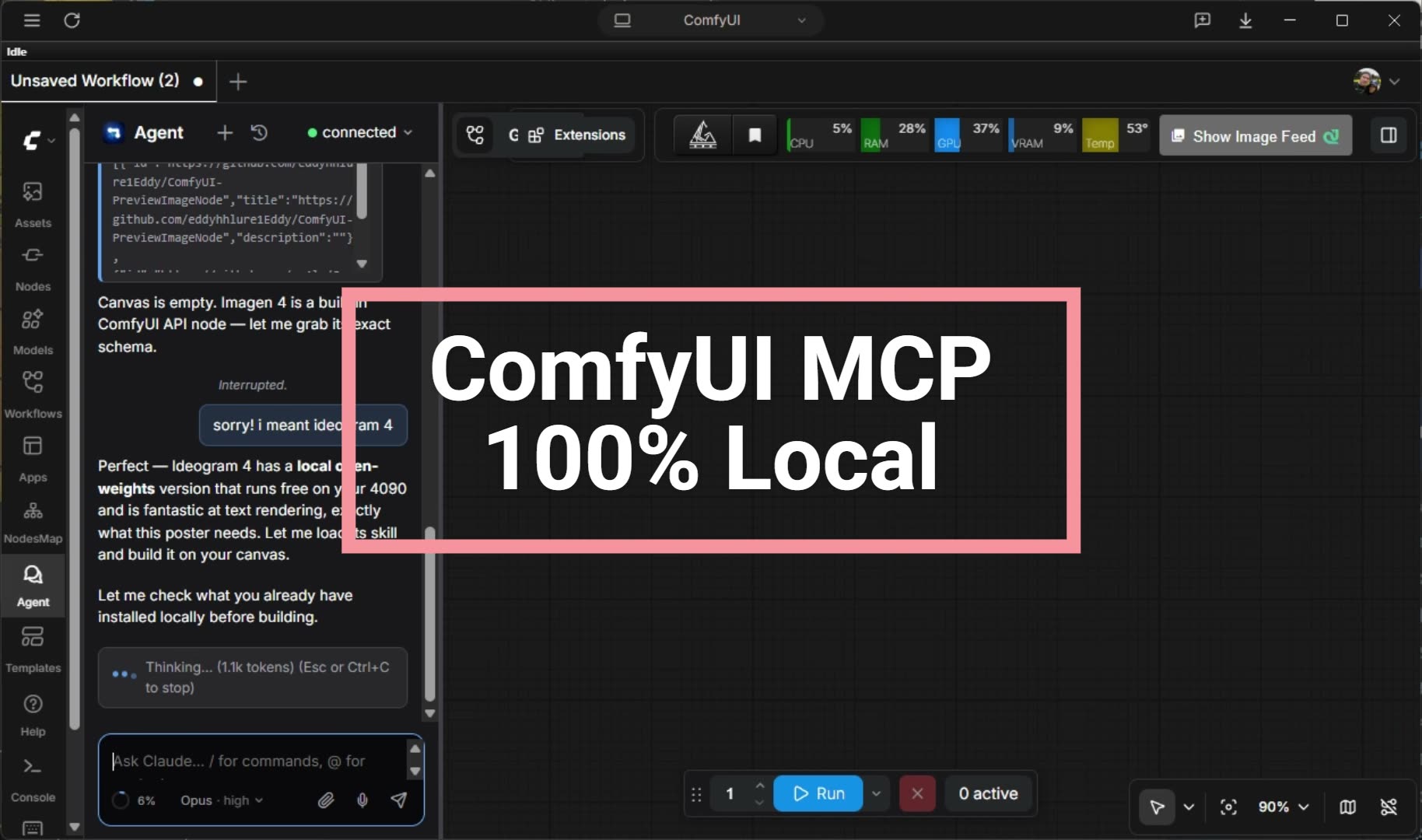
comfyui-mcp is a local-first, agent-native control plane for ComfyUI that combines an MCP server with a Claude Code plugin to generate images, video and audio, author and run workflows, manage models and custom nodes through natural language interactions. It works with any LLM including Claude, ChatGPT, Gemini, or free local models via Ollama. The tools ship skills that provide model-specific expertise so agents know the right sampler, CFG, resolution, and model files for each architecture without trial and error. One config targets local installs, LAN, VPS, or Comfy Cloud. It runs on macOS, Linux, and Windows and auto-detects ComfyUI installations.
Should you self-host comfyui-mcp?
comfyui-mcp scores 26/100 on selfhost.directory (how scoring works) and ranks #125 of 125 in AI. It has 876 GitHub stars.
It shipped 3 stable releases in the past year. The latest, v0.52.206, came out on 14 October 2026. New versions land roughly every 6 days.
It is MIT-licensed and written mostly in Typescript.
Its closest alternative on selfhost.directory is ComfyUI (93/100, 143 752 stars). It scores higher overall, so compare the two before you pick. See comfyui-mcp vs ComfyUI side by side.
Features
- Cross-Platform Support
- Custom node management
- Live graph editing
- Model Management
- Natural language workflow generation
- VRAM management
- Workflow visualization
comfyui-mcp README
More in Image Generation
 ComfyUI-Nvidia-DockerComfyUI for NVIDIA GPU in a Docker container with user configurable uid/gid
 GuaardvarkSelf-hosted AI studio on your own GPU: chat with your files (RAG), screen and browser agents, coding swarms, LoRA training, an MCP server for Claude Code and Cursor, and local video, image, music and voice generation. No telemetry.
 InvokeAISelf-hosted, open-source AI image generation studio with a layered Unified Canvas, node-based workflows, ControlNet, and broad local model support from SD 1.5 to Flux.
 JaazAn open-source AI creative agent with an infinite canvas for one-prompt image and video generation, a Canva alternative that runs locally on Windows and macOS.
 LanceOpen-source, self-hosted unified multimodal model from ByteDance: 3B active parameters covering text-to-image, video synthesis, media editing, and visual Q&A.
 Mix StudioSelf-hosted, open-source AI workspace built on ComfyUI that runs curated image and video workflows locally with a touch-friendly web interface.
 MxPageSelf-hosted AI workspace for e-commerce product images and Xiaohongshu posts. Runs locally on Windows/macOS via Electron or from source with your own AI API keys.
 oxigenOxigen is a self-hosted, open-source social media image generator creating Open Graph images via web UI and REST API, as Docker container or standalone binary.
 ProductFlowProductFlow is an open-source, self-hosted product creative workbench for solo merchants to manage assets, AI copy, and image workflows.
 sdnextSelf-hosted, open-source Stable Diffusion web UI to generate, caption, upscale and edit images and video, with many GPU backends and model quantization for low VRAM.
 stable-diffusion-webuiA self-hosted, open-source web UI for Stable Diffusion with txt2img, img2img, inpainting, outpainting, upscaling, and extensive customization options.
 Stable Diffusion WebUI DockerSelf-hosted Docker container bundling 14 Stable Diffusion WebUIs like Automatic1111, ComfyUI, Fooocus, and InvokeAI, each on its own port via docker-compose profiles.
0 comments