Self-host Jaaz
v1.0.30Open-source AI creative canvas and agent
- Stars
- 6 724
- Port
- 57988 (Local Python (FastAPI/uvicorn) server bound to 127.0.0.1; changeable with --port)


What is Jaaz?
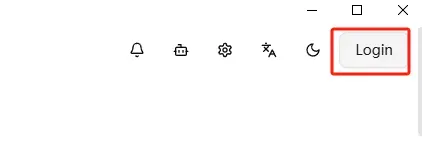
Jaaz is an open-source multimodal creative agent: you sketch, drop images and write short notes on an infinite canvas, and its agent understands the visual cues and generates results. It turns one prompt into images or videos, supports prompt auto-optimization and multi-turn refinement, and keeps multi-character coherence for storyboarding work. The agent can drive local ComfyUI and Ollama setups or cloud models (GPT-4o, Midjourney, VEO3, Kling among them), so it can run fully offline or in a hybrid setup, with a built-in library for media and prompts. It ships cross-platform for Windows and macOS with releases on GitHub, and a Manual Install path (git clone, npm build of the React UI, pip install, python main.py, Python 3.12+) serves Linux or local builds on port 57988 by default. The hosted jaaz.app service uses a login and a points system, and an enterprise edition with Docker-image or full-source private deployment is sold commercially; the custom dual licence reserves multi-user team deployment and code modification for commercial licensees.
Should you self-host Jaaz?
Jaaz scores 53/100 on selfhost.directory (how scoring works) and ranks #7 of 11 in Image Generation. It has 6 724 GitHub stars.
There was no stable release in the past 12 months, so check the repository's recent activity before you rely on it.
Setup is moderate: expect some configuration beyond a single command. It is Other-licensed and written mostly in Typescript.
Its closest alternative on selfhost.directory is penpot (84/100, 61 785 stars). It scores higher overall, so compare the two before you pick. See Jaaz vs penpot side by side.
Features
- AI chat agent on canvas
- Built-in media and prompt library
- Cloud API model access via accountHosted jaaz.app feature; paid commercial licence needed for team/on-prem full edition
- Cross-platform desktop apps
- Infinite canvas
- Local-first Privacy
- Local model support
- Magic Canvas sketch-to-generate
- Multi-character coherence
- Offline or hybrid deployment
- One-prompt image and video generation
- Prompt auto-optimization and multi-turn refinement
- Real-Time Collaboration
Jaaz README
More in Design
 OnlookOpen-source, self-hosted visual code editor: build and style Next.js + Tailwind apps in a Figma-like canvas with AI, editing real code directly.
 OpenDesignOpen-source, local-first design workspace, self-hosted in a single Docker container; briefs become prototypes, decks and dashboards via your own coding agent.
 openpencilOpenPencil is a self-hosted, open-source design editor that opens native Figma .fig files and adds built-in AI, a scriptable CLI, and serverless P2P collaboration.
 RAWGraphsSelf-hosted, open-source web app that turns tabular data (CSV, TSV, JSON or pasted text) into nearly 30 SVG-based charts you can refine in vector editors.
 ConcatAn open-source, self-hosted desktop and mobile video editor pitched as a CapCut replacement, with local Whisper captions, text-to-speech and 4K export.
 Digicardself-hosted, open-source web app for composing simple graphics and virtual cards: text, images, shapes, Pixabay backgrounds and image export, with no account needed.
 DigifaceSelf-hosted, open-source avatar maker built on the Avataaars art: twelve customization options, random generation, PNG export at 900x960, and four interface languages.
 DrawpileOpen-source collaborative drawing program with desktop, Android and browser clients, plus a self-hosted drawpile-srv session server you can run with Docker.
 google-webfonts-helperAn open-source, self-hosted tool to grab Google Fonts as woff2, woff, ttf, eot and svg files in a zip, with @font-face CSS snippets.
 gridaOpen-source canvas for graphics, images, and AI-assisted presentations; runs as a self-hosted desktop app on macOS, Windows, and Linux with your own AI keys or Ollama.
 HyCanvasFree, open-source, self-hosted design platform for graphics, presentations, videos, whiteboards, docs, sheets — every feature included, no watermarks.
0 comments