
Self-host Zealot
6.2.2Beta app distribution for iOS, Android, macOS and more
- Stars
- 1 366
- CPU
- 1 cores
- RAM
- 512MB
- Storage
- at least 5-10 GB (for the PostgreSQL server); app storage depends on uploaded apps
- Port
- 80 (Zealot web UI and API inside the container (example compose maps 80:80))
- Requires
- PostgreSQL
ghcr.io/tryzealot/zealot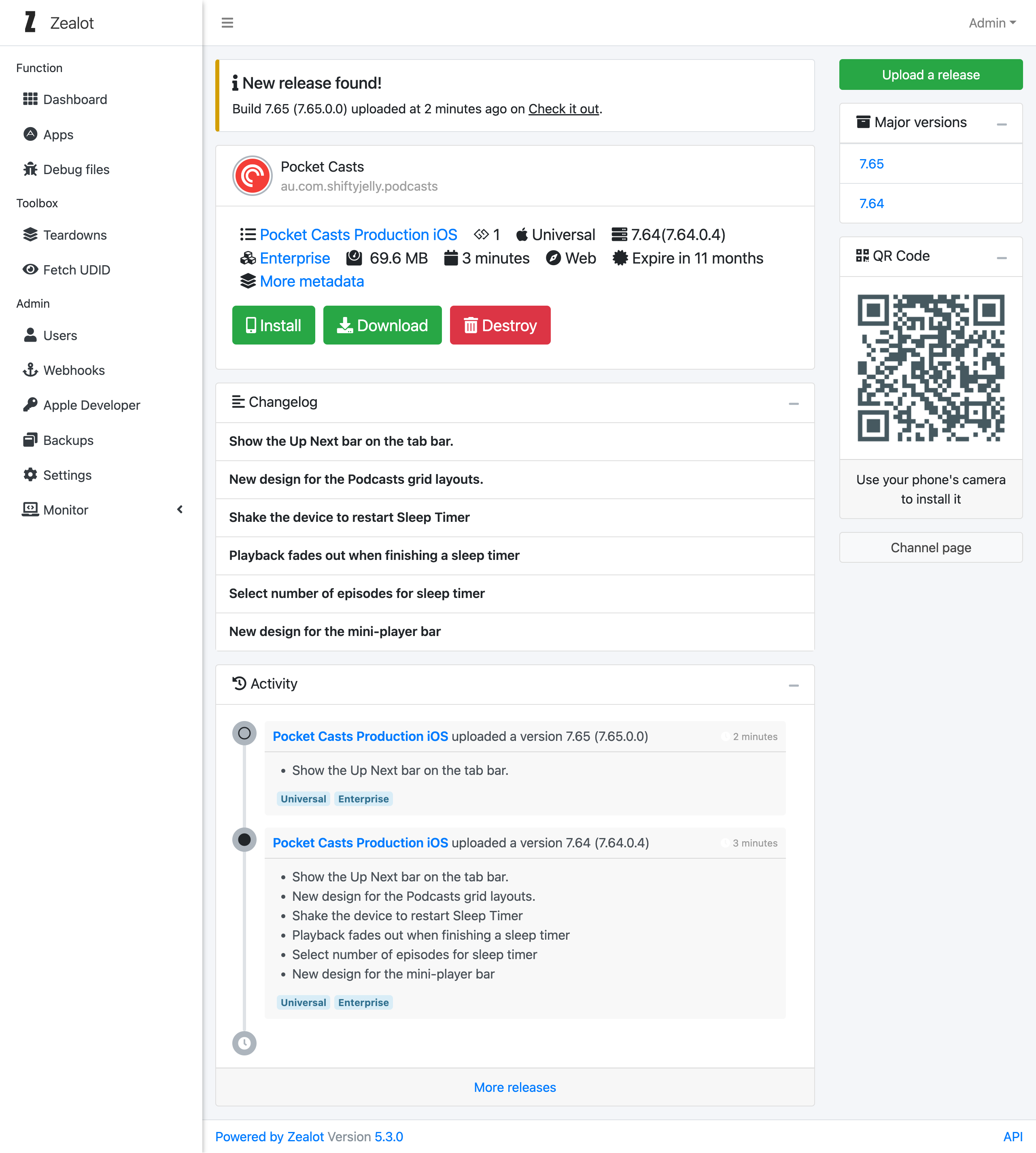
What is Zealot?
Zealot is a Rails-based server for teams that ship their own mobile and desktop software: you upload iOS, Android, macOS, Windows or Linux builds and testers get install and version pages per app channel. It parses application and provisioning-profile metadata, syncs iOS test-device UDIDs and can register them with an Apple developer account, and pushes customizable webhooks to notification services such as Slack, Discord, Feishu/Lark, DingTalk or WeCom. Developers automate uploads and releases through a REST API, iOS/Android SDKs and a fastlane plugin. Sign-in uses a built-in account system or third-party providers (GitHub, GitLab, Gitea, Google, Feishu, LDAP, OIDC). For deployment it ships amd64/arm64 containers and a one-click Docker Compose script; the only supported backend database is PostgreSQL, and HTTPS is effectively mandatory for iOS installs. It is MIT-licensed and offers light, dark and auto appearance modes.
Should you self-host Zealot?
Zealot scores 55/100 on selfhost.directory (how scoring works) and ranks #17 of 28 in CI/CD. It has 1 366 GitHub stars.
It shipped 3 stable releases in the past year. The latest, 6.2.2, came out on 25 July 2026. New versions land roughly every 4 months.
Setup is moderate: expect some configuration beyond a single command. An official Docker image is available. It is MIT-licensed and written mostly in Ruby.
Its closest alternative on selfhost.directory is jenkins (82/100, 26 704 stars). It scores higher overall, so compare the two before you pick. See Zealot vs jenkins side by side.
Features
- App metadata analysis
- Beta install / share pages
- Debug file management
- Developer kit (REST API, SDKs, fastlane plugin)
- GraphQL APIDocs state it is still being developed gradually.
- iOS test device management
- Multi-channel app management
- Multi-platform app hosting
- Notification webhooks
- REST API
- Team and permission management
Zealot README
FAQ
CPU or memory resources surge after running the service for a while — how to solve it?
The cause is unknown for the individual case reported; a workaround is to limit CPU and memory via deploy.resources limits in the docker-compose.yml.
Is there a sharing page for applications like FIR or Pgyer?
Yes: each app channel has a detail page and each uploaded version has a release page, and an empty version ID redirects to the latest release so the channel releases URL can be shared directly.
Is Kubernetes deployment supported?
Yes, Kubernetes deployment is supported, but scaling is not, because application uploads go to local storage inside the container and cloud object storage like S3 is not supported.
Is an external Postgres connection supported?
Yes; configure it via the Postgres environment variables described in the environment-variables docs.
When using a load balancer, downloads switch from https to http — why?
The load balancer terminates HTTPS while the internal service still uses HTTP; set the forwarded protocol header (X-Forwarded-Proto) to https on the balancer so the service inherits it.
Why can't I install iOS applications with self-signed certificates?
Every iOS device must manually install the self-signed certificate before apps can be downloaded and installed, which is complicated, so self-signed certificates are discouraged.
Why can't I use HTTP for the deployment service?
iOS download services depend on SSL/TLS certificates, so an authorized certificate is recommended; the project suggests free Let's Encrypt certificates.
More in Testing
 Aerokube MoonMoon is a self-hosted commercial browser automation platform for Kubernetes/OpenShift running Selenium, Playwright, Cypress, and Puppeteer tests.
 AngusTesterSelf-hosted AI-native test automation platform using one YAML language (AngusScript) for API, Web, mobile, and LLM testing. Community Edition free under GPL-3.0.
 argosThe open source visual testing platform for teams and AI agents. Review the product, not just the code.
 canyonSelf-hosted, open-source JavaScript code coverage solution for per-test-case coverage during E2E and UI automation runs, with CI integration and build tool support.
 docker-hello-worldA minimal Docker image that serves HTTP responses on port 8000, designed for fast testing feedback loops. Self-hosted via Docker, open-source, under 2 MB.
 EgmaEgma is a self-hosted, open-source platform for simulation testing and production monitoring of voice agents with LiveKit, Pipecat, and Retell support.
 faker-serverSelf-hosted mock server on Faker.js with web UI for managing mock APIs and key-based access control.
 graphql-meterSelf-hosted GraphQL load testing platform that auto-discovers schema operations and runs tests via Locust or k6 with live monitoring and run comparison.
 Hoppscotch Community EditionSelf-hosted, open-source API development ecosystem for testing REST, GraphQL, WebSocket, and MQTT APIs — a lightweight Postman alternative with PWA and desktop apps.
 httpbinSelf-hosted, open-source HTTP request & response service for testing clients: inspect requests, emit status codes, cookies, redirects and formats.
 InbucketSelf-hosted disposable webmail server for testing email functionality, with built-in SMTP, POP3, and REST interfaces — no external database required.
 Insomnia MockbinSource-visible HTTP mock server that powers Insomnia's API mocks; run it self-hosted with Docker, Compose or Kubernetes plus Redis for HAR-based mock responses.
0 comments