
Self-host AngusTester
2.0.0AI-native test platform with one YAML language
- Stars
- 1 777
- CPU
- 2 cores
- RAM
- 4 GB
- Storage
- 40 GB
- Ports
- 80 (HTTP web console (bundled Caddy reverse proxy)), 7100 (Script execution port)
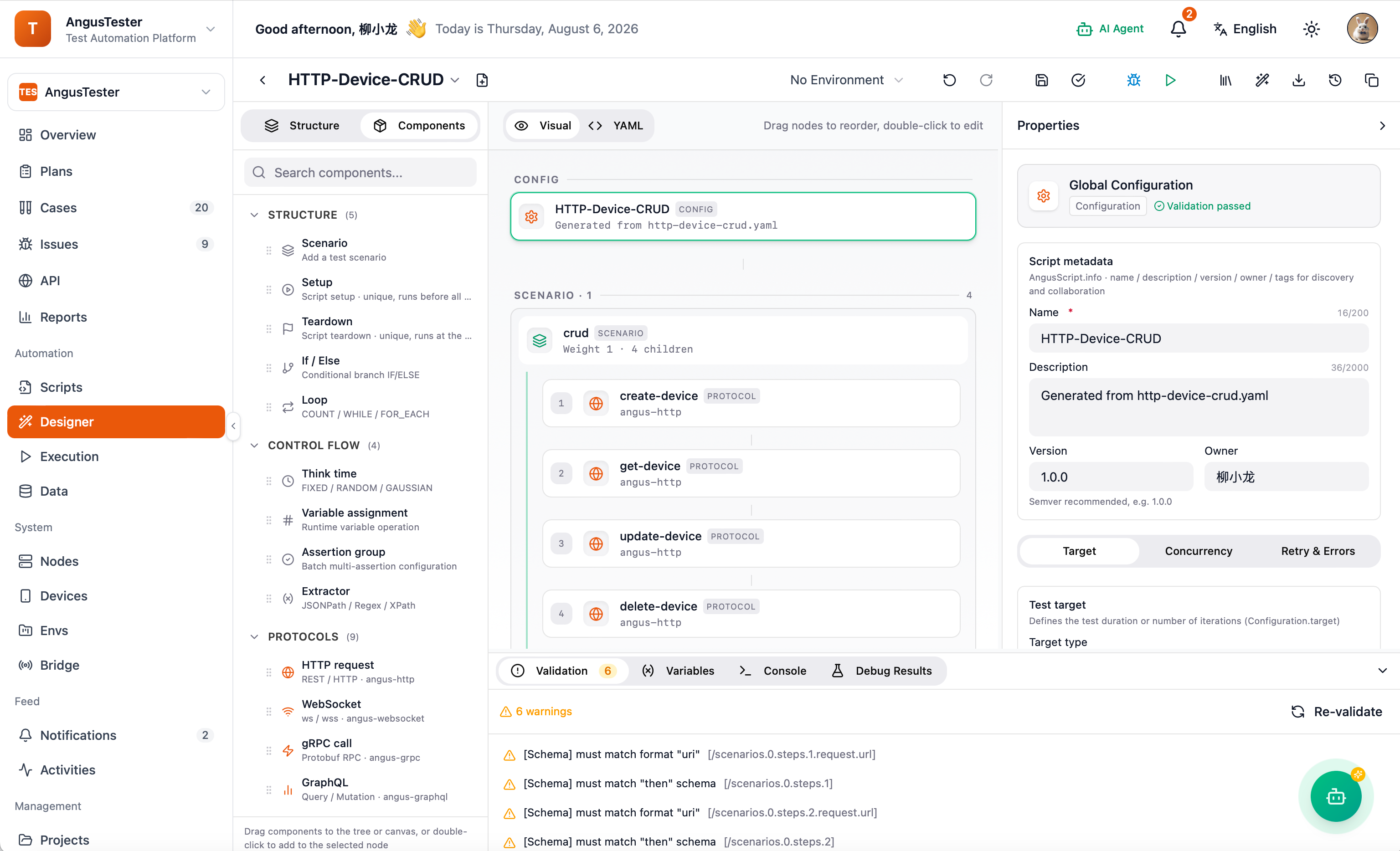
What is AngusTester?
AngusTester is an AI-native software testing platform that unifies multiple test types under a single declarative YAML language called AngusScript. The Community Edition is free and self-hostable via Docker Compose, requiring at least two CPU cores, four gigabytes of RAM, and forty gigabytes of disk space. It provides a web console for managing test plans, cases, scripts, and reports, with agents executing tests on registered nodes. The platform supports performance testing with concurrency and ramp-up load, CI/CD integration for release gates, and a plugin architecture for protocol, Web, mobile, and LLM extensions. Paid editions add advanced plugins, report gating, Testing Copilot, and MCP integration. Documentation and installation guides are available at anguskit.com/docs/tester.
Should you self-host AngusTester?
AngusTester scores 52/100 on selfhost.directory (how scoring works) and ranks #6 of 10 in Testing. It has 1 777 GitHub stars.
There was no stable release in the past 12 months, so check the repository's recent activity before you rely on it.
Setup is advanced: plan for several services and some ongoing maintenance. It is GPL-3.0-licensed.
Its closest alternative on selfhost.directory is Locust (78/100, 28 245 stars). It scores higher overall, so compare the two before you pick. See AngusTester vs Locust side by side.
Features
- Agent-based distributed execution
- API collection import
- CI/CD Integration
- MCP (Model Context Protocol) Supportangus.mcp.enabled defaults off; writes need confirmation
- Performance testing
- Plugin ArchitectureWeb/mobile/messaging/LLM plugins only in Team/Enterprise editions
- Plugin Marketplace
- Test management console
- Unified YAML test language (AngusScript)
AngusTester README
More in Testing
 argosThe open source visual testing platform for teams and AI agents. Review the product, not just the code.
 canyonSelf-hosted, open-source JavaScript code coverage solution for per-test-case coverage during E2E and UI automation runs, with CI integration and build tool support.
 docker-hello-worldA minimal Docker image that serves HTTP responses on port 8000, designed for fast testing feedback loops. Self-hosted via Docker, open-source, under 2 MB.
 EgmaEgma is a self-hosted, open-source platform for simulation testing and production monitoring of voice agents with LiveKit, Pipecat, and Retell support.
 faker-serverSelf-hosted mock server on Faker.js with web UI for managing mock APIs and key-based access control.
 graphql-meterSelf-hosted GraphQL load testing platform that auto-discovers schema operations and runs tests via Locust or k6 with live monitoring and run comparison.
 Hoppscotch Community EditionSelf-hosted, open-source API development ecosystem for testing REST, GraphQL, WebSocket, and MQTT APIs — a lightweight Postman alternative with PWA and desktop apps.
 httpbinSelf-hosted, open-source HTTP request & response service for testing clients: inspect requests, emit status codes, cookies, redirects and formats.
 InbucketSelf-hosted disposable webmail server for testing email functionality, with built-in SMTP, POP3, and REST interfaces — no external database required.
 Insomnia MockbinSource-visible HTTP mock server that powers Insomnia's API mocks; run it self-hosted with Docker, Compose or Kubernetes plus Redis for HAR-based mock responses.
 KeployOpen-source record-and-replay testing tool that turns live API, database and queue traffic into runnable tests and mocks; self-hosted via a CLI agent.
 krakenKraken CI is a self-hosted, open-source CI/CD system for massive-scale testing with hardware testing support, cloud autoscaling, and detailed test analytics.
0 comments