
Self-host Ars-note
v1.5.98Local-first Markdown workspace with AI game design assistant
- Stars
- 292
- Port
- 8787 (sync server HTTP/WebSocket)
- Requires
- Node.js
What is Ars-note?
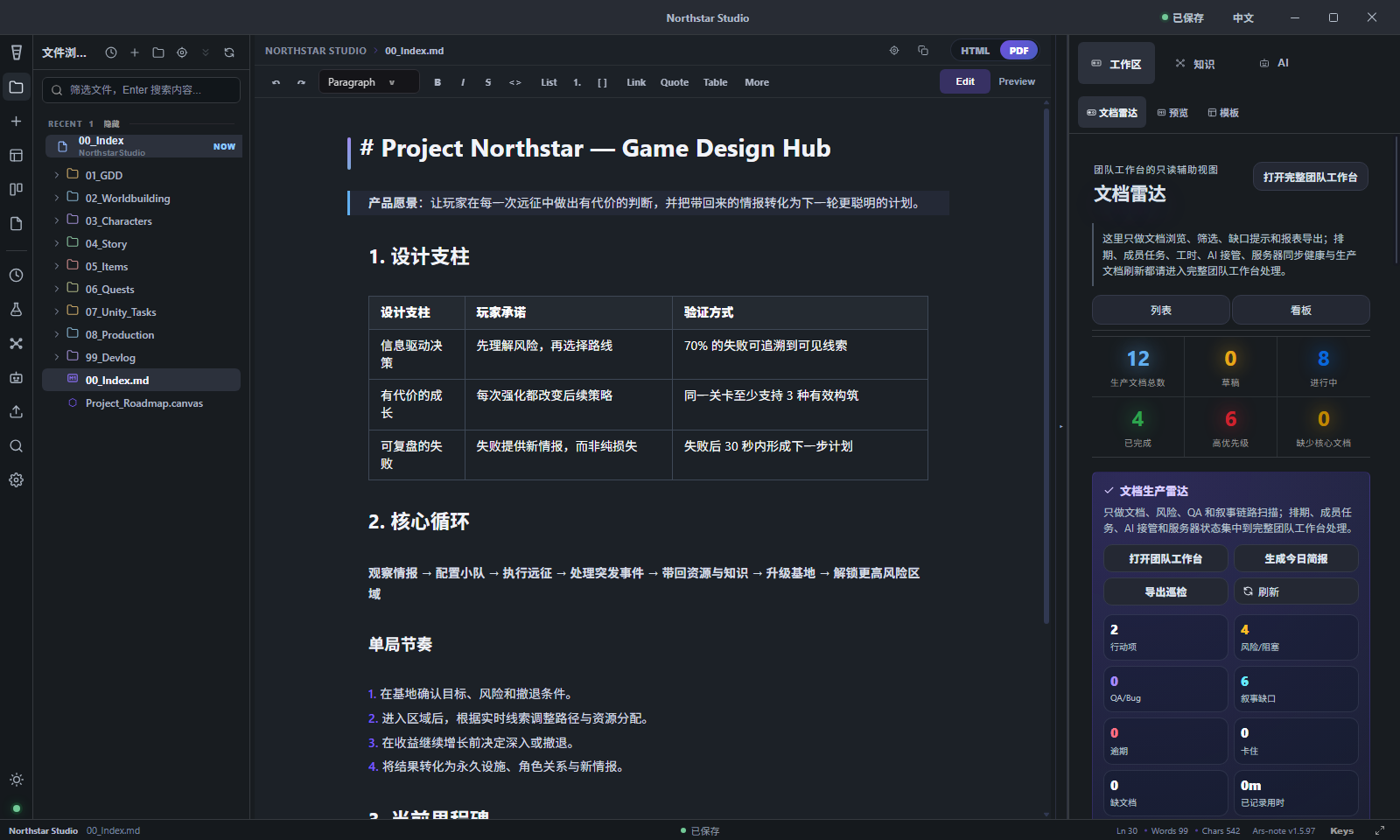
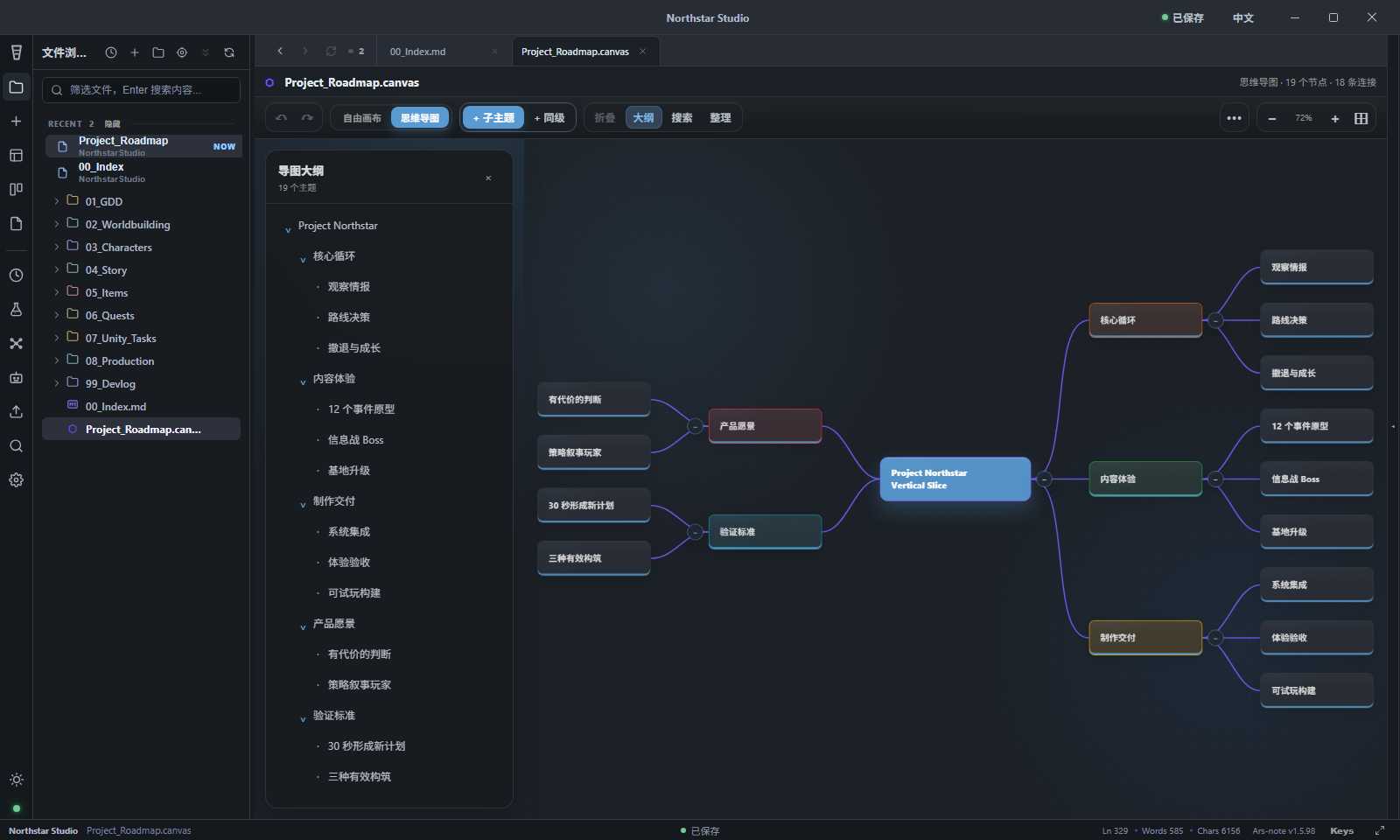
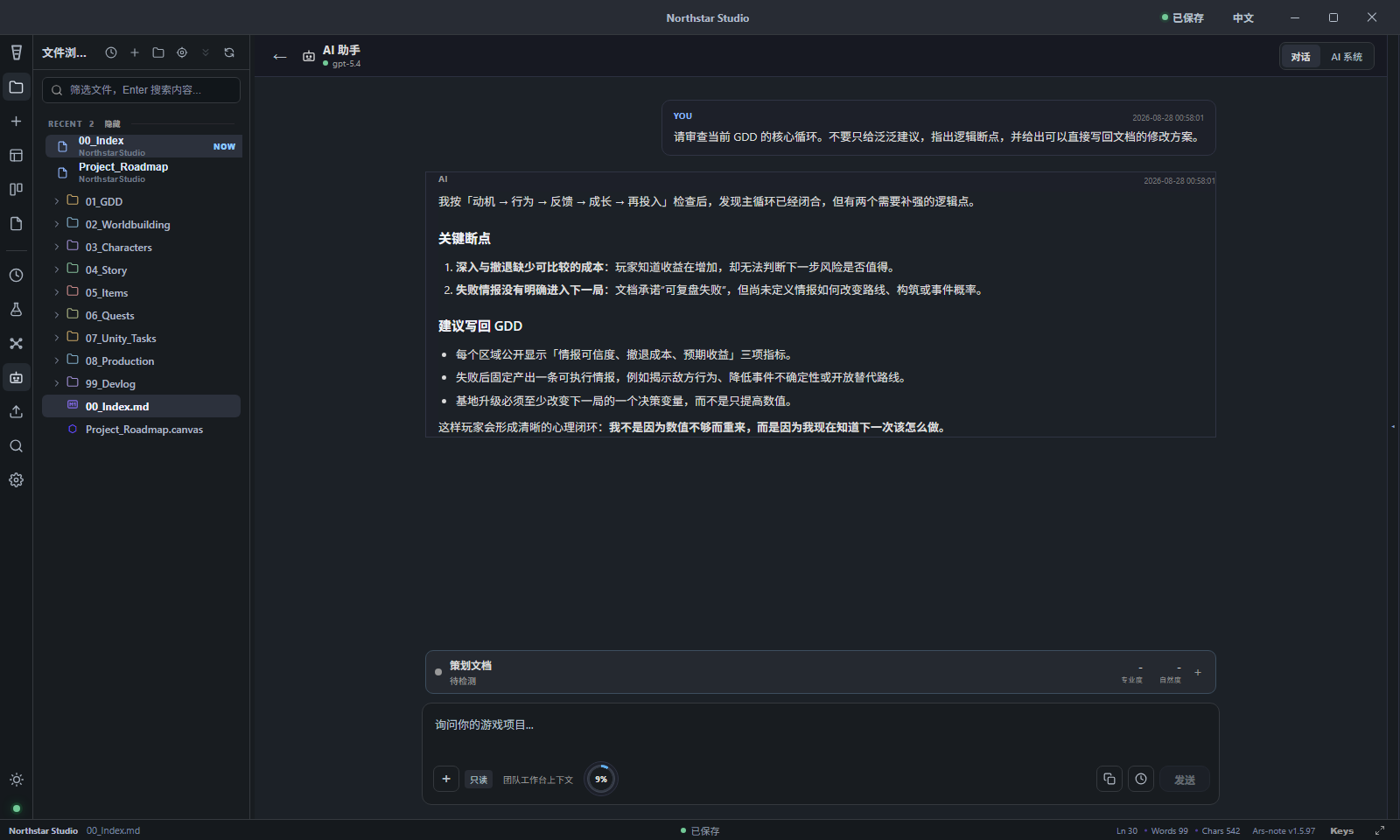
Ars-note is a local-first Markdown workspace designed for game development teams. It provides a desktop Electron application for Windows with Markdown editing, live preview, tables, and canvas. Core capabilities include a bidirectional mind map with outline, an AI planning assistant that reviews game design documents using team context, team schedules with task documents and work-hour tracking, and multi-device real-time file sync with version history and server snapshots. The self-hosted sync server runs on Node.js 22 or Docker and can be deployed on a NAS using docker-compose.nas.yml or publicly behind an HTTPS reverse proxy with docker-compose.public.yml. Data stays on the user's machine unless sync or AI features are enabled. The project is licensed under GPL-3.0-only and is currently in public beta (v1.6.0-beta.1).
Should you self-host Ars-note?
Ars-note scores 44/100 on selfhost.directory (how scoring works) and ranks #56 of 81 in Notes & Editors. It has 292 GitHub stars.
It shipped 5 stable releases in the past year. The latest, v1.5.98, came out on 28 August 2026. New versions land roughly every 2 weeks.
Setup is moderate: expect some configuration beyond a single command. It is GPL-3.0-licensed and written mostly in Typescript.
Its closest alternative on selfhost.directory is Memos (86/100, 64 136 stars). It scores higher overall, so compare the two before you pick. See Ars-note vs Memos side by side.
Features
- AI game design assistant
- Bidirectional mind map
- Encrypted credential storage
- Health check endpoint
- Local-first Privacy
- Markdown editing with live preview
- Real-time multi-device sync
- Self-hosted sync server
- Team schedule and task management
- WebSocket live sync
Ars-note README
More in Task Management
 BOINCOpen-source platform for volunteer and grid computing: run your own project server on Linux with Apache and MySQL, and let clients donate idle CPU and GPU time.
 clawboardClawBoard is a self-hosted, open-source AI dashboard for managing AI agents with Kanban boards, projects, journals, sessions, and real-time monitoring.
 clawdeckOpen-source Rails kanban for OpenClaw AI agents: boards, live activity feed, REST API. The hosted site is ending, but self-hosted installs from the repo keep working.
 ClawdOSSelf-hosted web interface for OpenClaw AI agent with task management, rich notes, RSS feeds, package tracking, dashboard, and skill marketplace.
 claweSelf-hosted multi-agent coordination for AI teams with Kanban boards, real-time notifications, and a web dashboard. Powered by OpenClaw and Convex.
 ClickAHabitClick A Habit is a self-hosted, open-source daily habit tracker and counter with a web interface, theming support, and Docker deployment.
 CronicleSelf-hosted, open-source multi-server task scheduler and cron replacement with a web UI, live log viewer, plugins in any language, and automatic failover.
 cronstablecronstable is a self-hosted, open-source job scheduler and workflow orchestrator with retries, alerts, DAG workflows, and web/terminal/iOS dashboards.
 Crontab Guru DashboardCronitor CLI is an open-source CLI for the Cronitor monitoring service to import, sync, and manage cron jobs, run a self-hosted dashboard, and send telemetry pings.
 Crontab-UIOpen-source self-hosted crontab manager with a web UI to add, pause, and back up cron jobs safely, plus error logging, import/export, and email notifications.
 dayGLANCESelf-hosted, open-source day planner with visual time-blocking, tasks, habits, and calendar sync — runs locally in browser or Docker, no account needed.
 DeftSelf-hosted workspace unifying chat, tasks, knowledge, calendar, and AI agents. Docker Compose deploy, BYO AI providers, MCP for agent access. AGPL-3.0-only, alpha.
0 comments