
Self-host TeXbrain
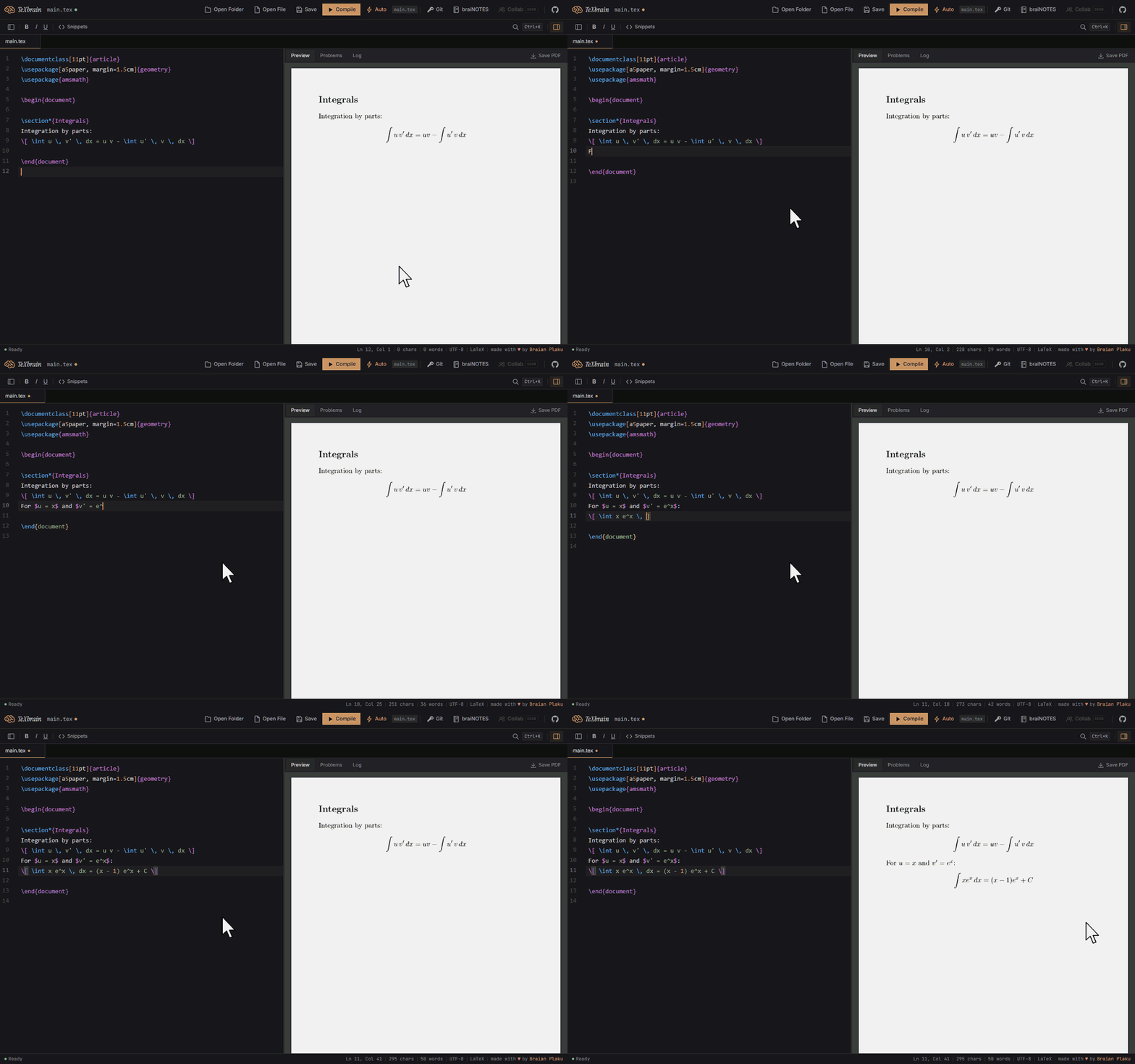
LaTeX editor running in the browser with live PDF preview
- Stars
- 200
- Port
- 5173 (local development server)
What is TeXbrain?
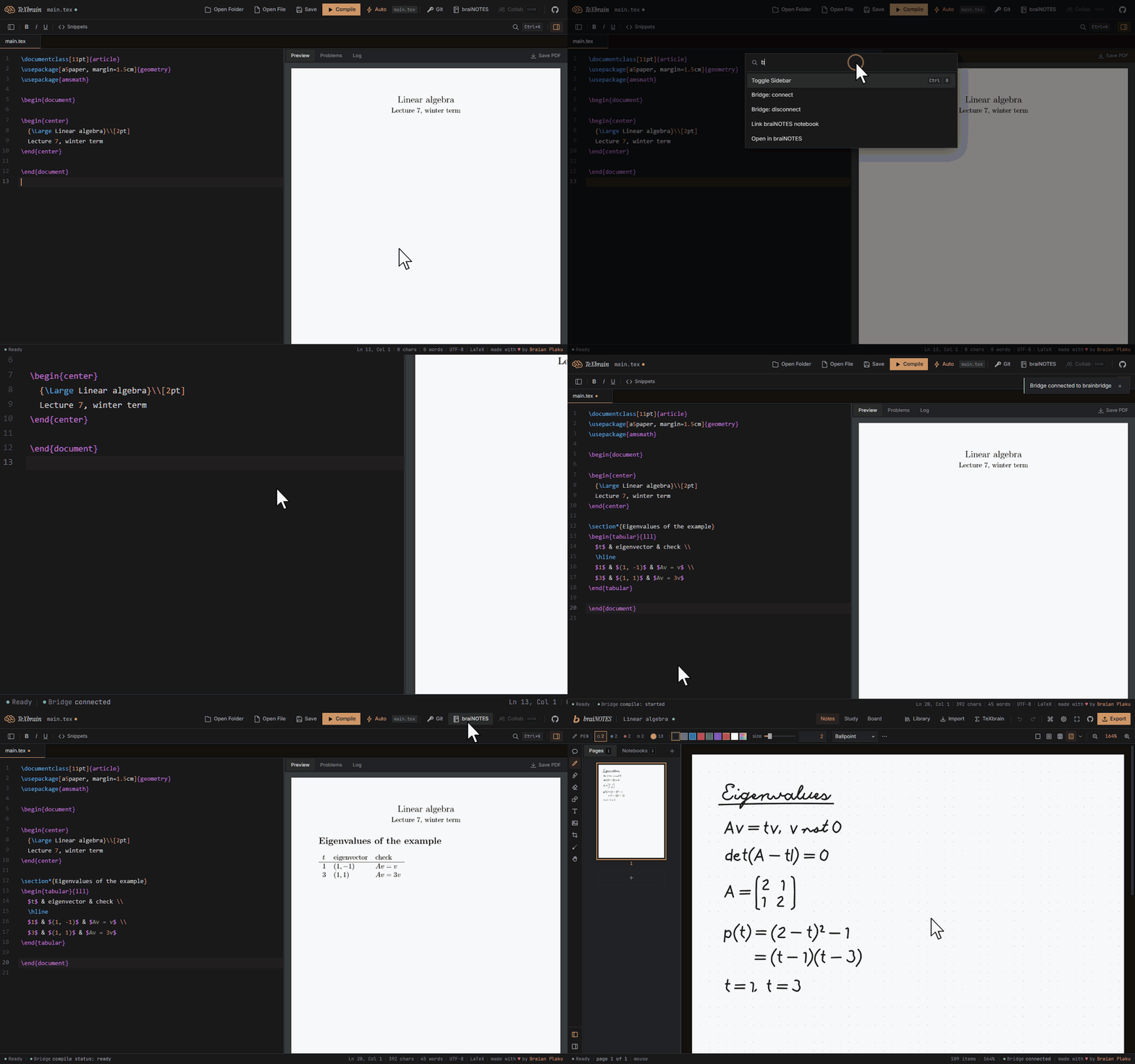
TeXbrain is a browser-based LaTeX editor that compiles documents to PDF using a WebAssembly port of pdfTeX. It provides live PDF preview via pdf.js, complete git integration through isomorphic-git for cloning, committing, pushing, pulling, and branching, and direct local file system access via the File System Access API with an OPFS fallback. The editor is built on CodeMirror 6 with syntax highlighting, autocomplete for over 70 LaTeX commands, dark and light themes, a command palette, and a searchable snippet picker. It works offline once packages are cached, supports multi-file projects with tabs and drag-and-drop, and includes templates for articles, theses, presentations, reports, CVs, letters, and minimal documents. The application is built with SvelteKit's static adapter and deployed as static files. Known limitations include the pdfTeX engine only (XeTeX and LuaTeX are not available), no bibtex or biber support, TeX Live 2020-era packages, and git remotes requiring a CORS proxy.
Should you self-host TeXbrain?
TeXbrain scores 46/100 on selfhost.directory (how scoring works) and ranks #104 of 166 in Developer Tools. It has 200 GitHub stars.
There was no stable release in the past 12 months, so check the repository's recent activity before you rely on it.
Setup is easy: most people get it running in one sitting. It is MIT-licensed and written mostly in Typescript.
Its closest alternative on selfhost.directory is openhands (87/100, 92 086 stars). It scores higher overall, so compare the two before you pick. See TeXbrain vs openhands side by side.
Features
- Bridge for AI agents
- CodeMirror 6 editor
- Command Palette
- Error parsing and display
- Git Integration
- LaTeX compilation in browser
- Live PDF preview
- Local file system accessFull functionality requires Chromium-based browser
- Multi-file project support
- No accounts or tracking
- Offline Support
- On-demand CTAN packages
- Privacy-focused
- Project Templates
- Snippet picker
TeXbrain README
More in Developer Tools
 textsnaptextsnap is a self-hosted OCR CLI extracting text from images, screenshots, URLs, and webpages using local CPU models with no GPU or cloud required.
 Theia IDESelf-hosted, open-source alternative to VS Code and GitHub Copilot: a Theia-platform IDE with bring-your-own-key AI, VS Code extensions and desktop or browser deployment.
 tinykitAn open-source AI platform you host yourself to build and deploy web apps with an agent, editor, and database.
 TITANSelf-hosted AI agent framework with specialist team, shared memory, earned autonomy. 36 LLM providers, 19 channels, web dashboard on port 48420. MIT licensed.
 tlbxA self-hosted, open-source terminal multiplexer that runs shells and AI coding agents on your own hardware, reachable from any browser.
 TMA1Self-hosted LLM agent observability. Captures telemetry locally and feeds it back to the agent through hooks and MCP. Integrates with major coding agents.
 tnnltnnl is a self-hosted, open-source ngrok alternative exposing local HTTP servers via subdomains with a single binary, no account needed.
 tokmon-beamSelf-hosted web UI for monitoring OpenAI API token usage in real-time, works with tokmon CLI to track costs of your AI applications.
 TolgeeSelf-hosted open-source localization platform with in-context editing, translation memory and AI/machine translation; a Crowdin and Lokalise alternative.
 ToolbarrSelf-hosted desktop utility for managing Starr apps with batch operations like root folder migration and mass profile management.
 TorolloOpen-source, self-hosted system design and networking lab: draw an architecture and every node runs as a real Docker container, with graded learning roadmaps.
 TraceRootTraceRoot is a self-hosted, open-source platform for tracing AI agents, detecting issues with LLM judges, and verifying fixes via offline evals.
0 comments