
Self-host Torollo
v1.2.5Visual system-design lab running real Docker containers
docker compose up --build -d- Stars
- 449
- Port
- 23232 (Browser-facing frontend/proxy port)
- Requires
- Docker
What is Torollo?
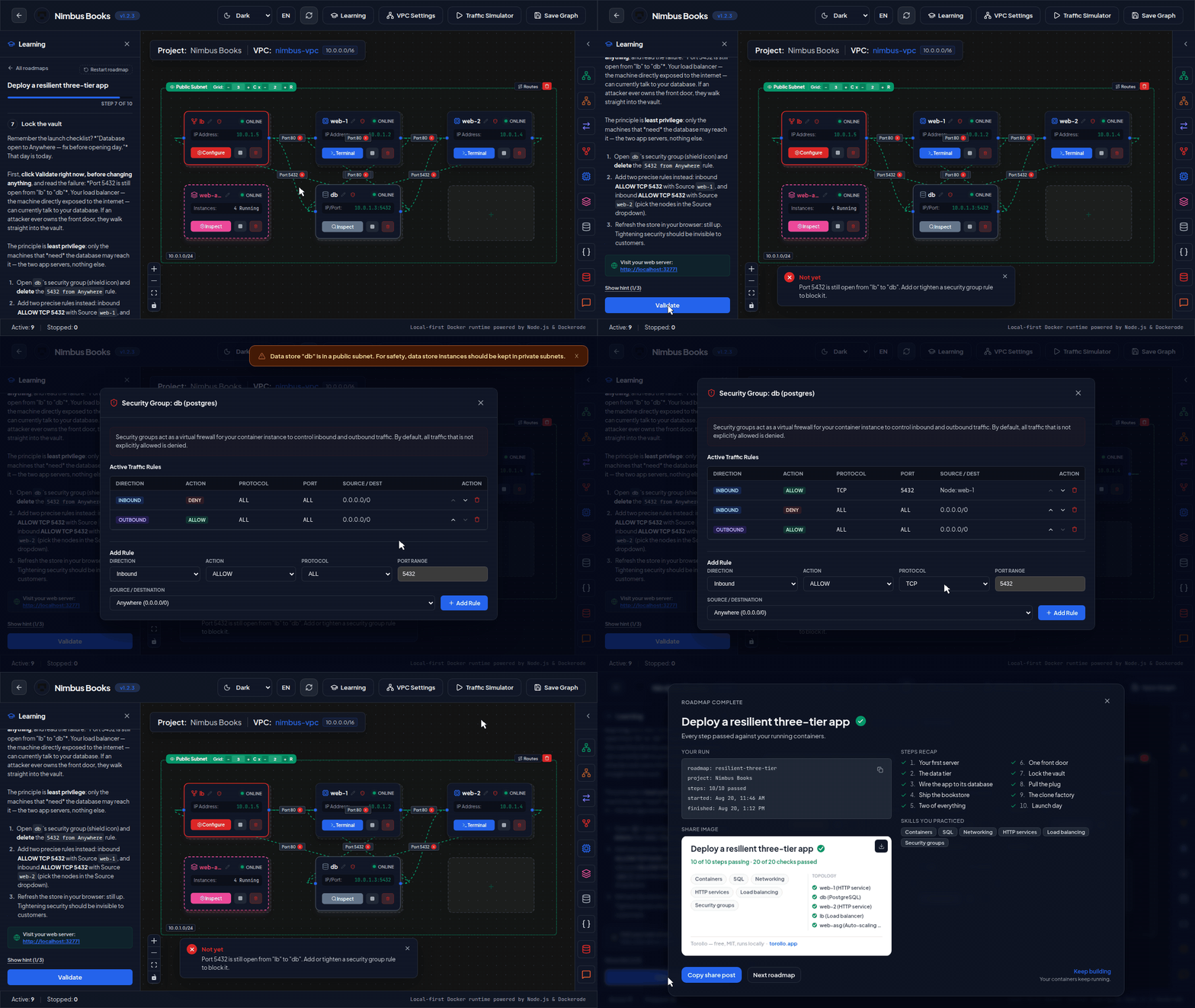
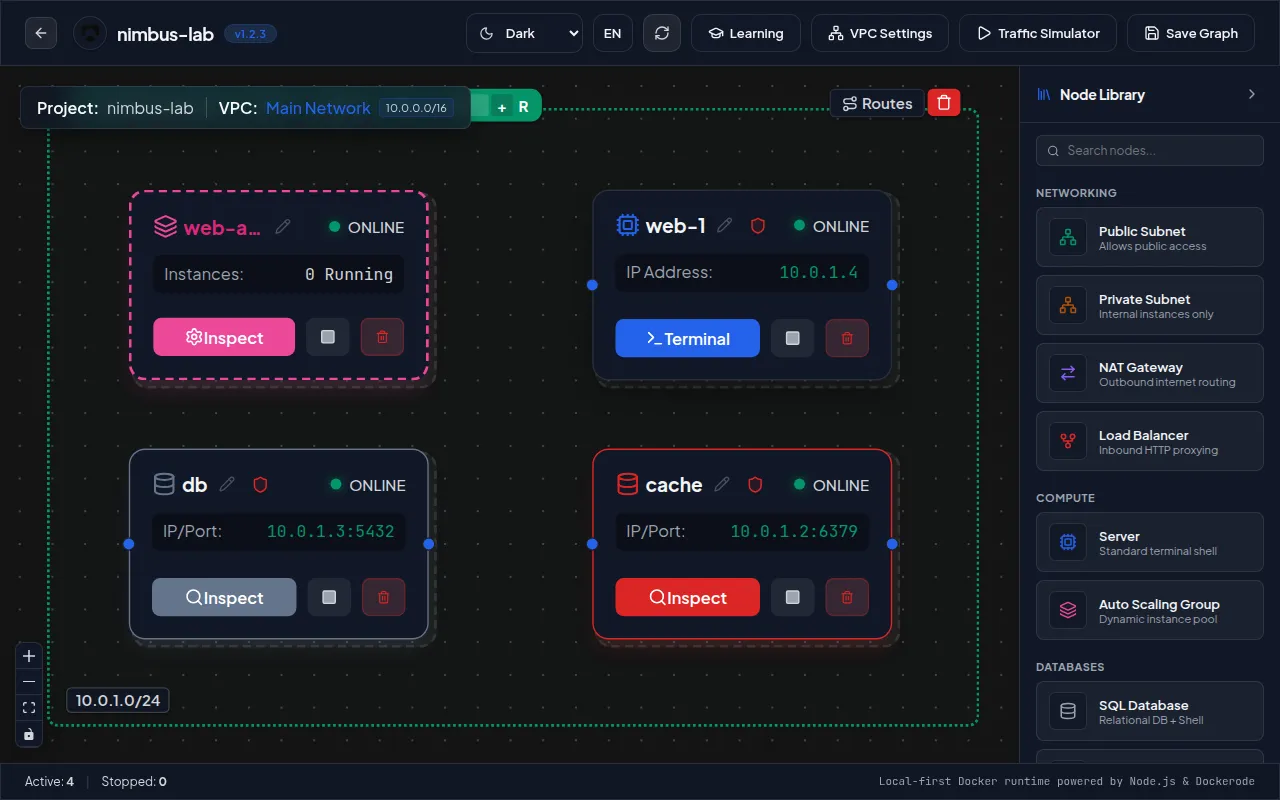
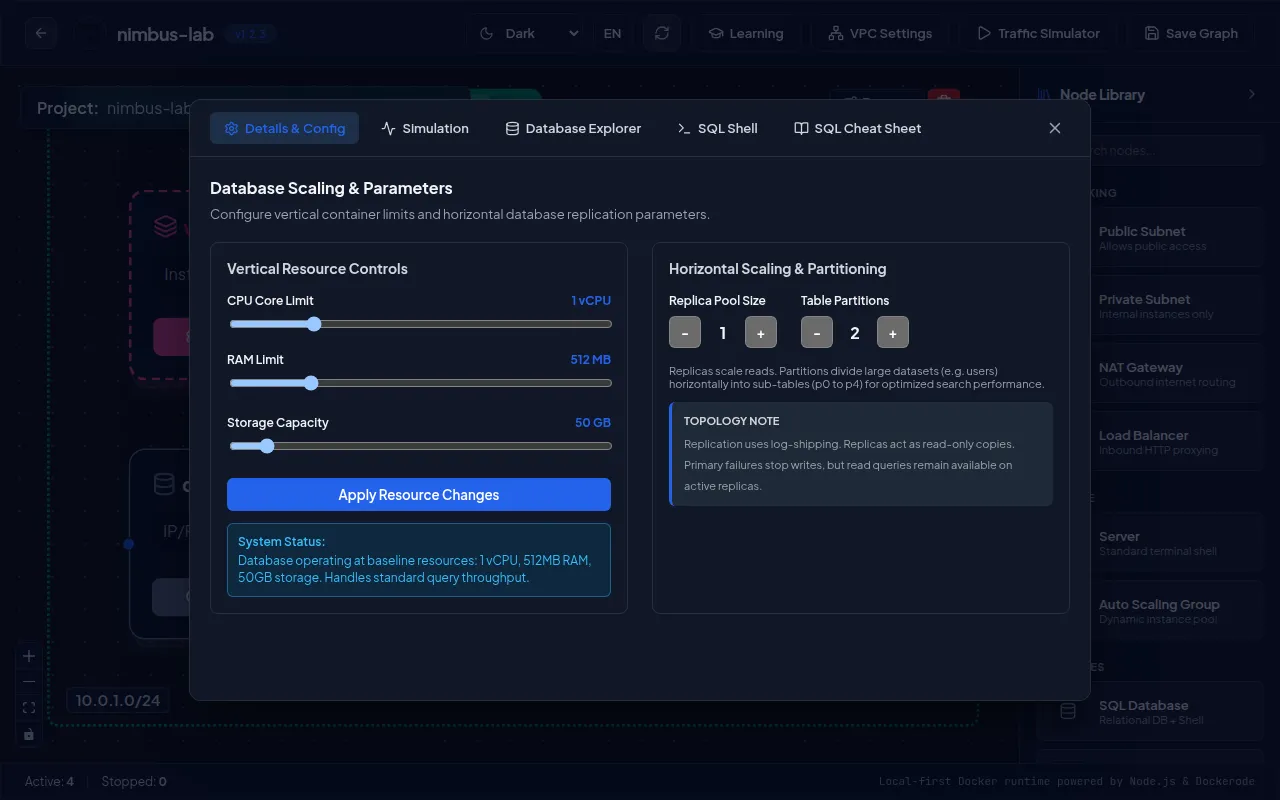
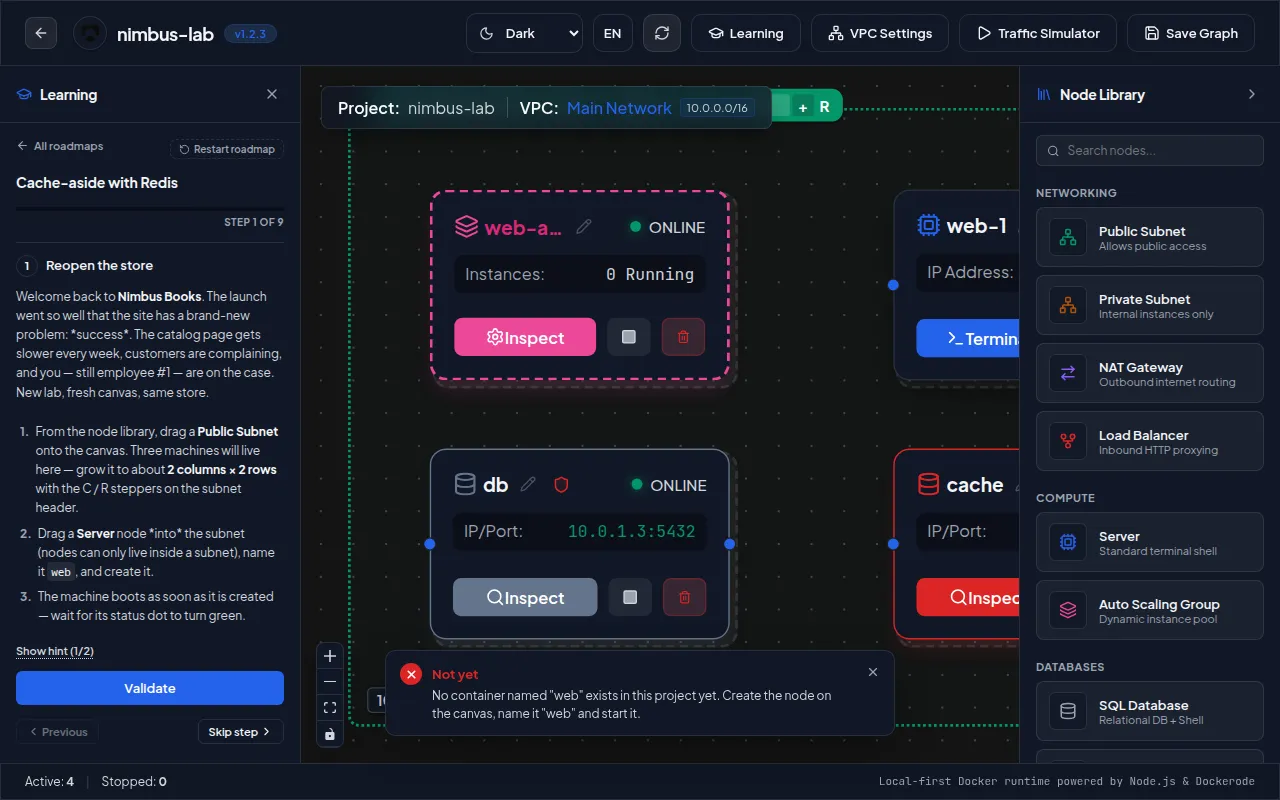
Torollo is a browser-based lab for practicing backend architecture and network fundamentals entirely on your own computer. The canvas is no drawing toy: dropping a card starts an actual container on your local Docker daemon, so Postgres, Redis, MongoDB, RabbitMQ, an Nginx balancer, Ubuntu hosts, auto-scaling groups, subnets, NAT and firewall rules all genuinely exist while you play. Subnet isolation rides on Docker bridge networks, security-group policies become iptables entries inside each container, and the gateway uses real ip_forward plus MASQUERADE routing. In-browser terminals exec into any running container, and data explorers let you fire live SQL or inspect stored keys. The teaching layer is a set of graded roadmaps whose validators probe your running lab — schema contents, port reachability, HTTP replies — before a step turns green. Roadmap files are open JSON you can author or import yourself; three are free while a paid incident bundle is sold separately. Launch it via npx or the included Compose stack; nothing leaves your machine unless you opt into anonymous telemetry. One caveat: there is no login at all, so exposing it beyond localhost hands Docker control to whoever can reach the port.
Should you self-host Torollo?
Torollo scores 47/100 on selfhost.directory (how scoring works) and ranks #15 of 30 in Education. It has 449 GitHub stars.
It shipped 10 stable releases in the past year. The latest, v1.2.5, came out on 10 September 2026. New versions land roughly every 2 days.
Setup is easy: most people get it running in one sitting. It is MIT-licensed and written mostly in Typescript.
Its closest alternative on selfhost.directory is CTFd (70/100, 6 894 stars). It scores higher overall, so compare the two before you pick. See Torollo vs CTFd side by side.
Features
- Anonymous opt-in telemetryOpt-in only; can be hard-disabled by self-hosters at build time.
- Auto scaling groups
- Built-in database explorers
- CLI environment diagnostics
- Custom roadmap import (JSON/zip)
- Guided auto-graded learning roadmaps
- In-browser web terminals
- Multilingual UI (English/French)
- NAT Gateway
- Nginx load balancer
- Per-container resource limits
- Security groups as iptables rules
- Traffic simulator
- VPC and subnet simulation
Torollo README
More in Docker
 uncloudSelf-hosted, open-source Docker clustering tool: WireGuard mesh, Compose deploys, automatic HTTPS — an alternative to Kubernetes and Swarm.
 Unifi-Network-ApplicationSelf-hosted Docker deployment scripts and compose files for UniFi Network Application with MongoDB, supporting generic systems, DietPi, and CasaOS.
 UnregistryAn open-source, self-hosted container registry that stores images in Docker's containerd store and pushes them to remote servers over SSH with the docker pussh plugin.
 woodpecker-ciSelf-hosted, open-source Apache-2.0 CI/CD engine: pipeline steps run in Docker containers and workflows trigger from forges like GitHub, Gitea, GitLab or Bitbucket.
 assemblrrassemblrr is an open-source, self-hosted automation suite that provisions a complete media stack with VPN-first networking and a unified CLI.
 caddy-docker-proxySelf-hosted Caddy plugin, shipped as ready-to-run Docker images, that reads container labels to build its proxy config with zero-downtime reloads and automatic HTTPS.
 containernetwork-autofixContainerNetwork AutoFix auto-recreates Docker containers using --net=container: networking when the master container restarts, preserving state. For Unraid and Docker.
 devilboxOpen-source, self-hosted Docker development stack for LAMP/LEMP and MEAN with PHP 5.2 to 8.2, automatic vhosts, SSL certificates, local DNS and email interception.
 DiunOpen-source, self-hosted Docker image update notifier: it checks registries on a cron schedule and alerts you via Slack, Telegram, ntfy, Gotify, mail and more.
 docker-delugeSelf-hosted Docker image for Deluge BitTorrent client with WebUI, plugin system, and full encryption, maintained by LinuxServer.io.
 docker-github-actions-runnerSelf-hosted, open-source Docker image of the official GitHub Actions runner, with docker-in-docker, repo/org/enterprise registration and ephemeral autoscaling runners.
 docker-jdownloaderSelf-hosted Docker image for JDownloader 2 download manager with MyJDownloader remote control. Multi-arch support for Linux, macOS, Windows, Raspberry Pi.
0 comments