Self-host Psono Fileserver
7.0.17Encrypted file storage backend for a password manager
- Port
- 80 (HTTP port the fileserver container listens on; published as 10300 on the host with -p 10300:80 and fronted by a reverse proxy in production)
- Requires
- Psono server
psono/psono-fileserver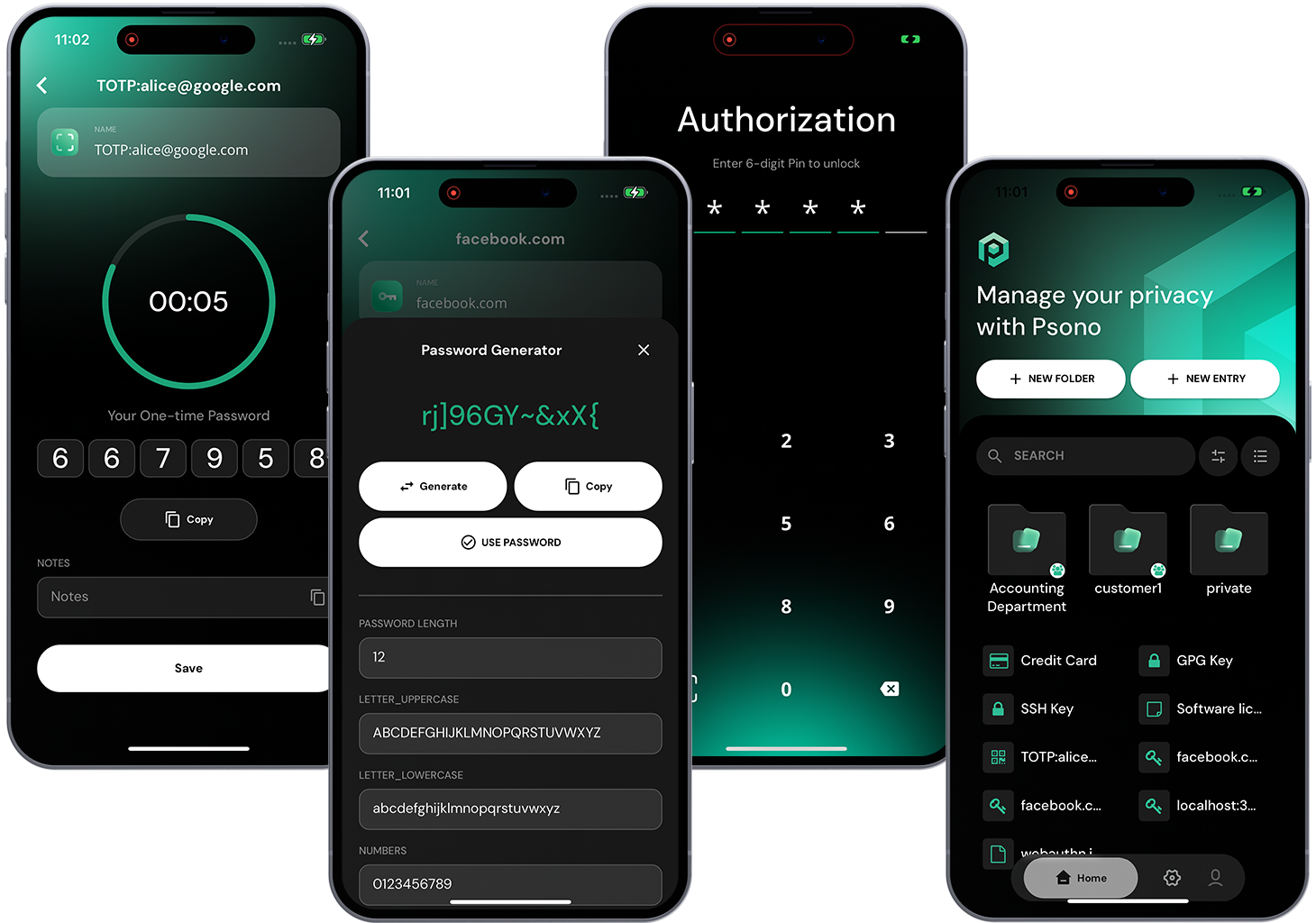


What is Psono Fileserver?
Psono Fileserver is the on-premise file storage component of the Psono password manager: it receives, stores and serves the files users share through Psono, splitting each file into chunks that are encrypted before being written to a so-called shard. A shard can live on local disk or on cloud/object storage backends such as Amazon S3, Azure Storage, Google Cloud Storage, Digital Ocean, Apache Libcloud, FTP or SFTP, and fileservers can be organized into clusters with read/write permissions per shard. The component supports high-availability setups with failover, active/active replication and read/write masters with read-only followers, plus IP-based request routing for site affinity. Operators run it as the psono/psono-fileserver Docker container configured through a settings.yaml file, typically behind an nginx reverse proxy, and it announces itself to a running Psono server that coordinates access. Chunk metadata is tracked in the Psono server's PostgreSQL database, so the fileserver is an optional companion to a Psono installation rather than a standalone app.
Psono Fileserver alternatives
 FileGatorSelf-hosted open-source file manager supporting local filesystem, FTP, SFTP, Amazon S3, Dropbox, DigitalOcean Spaces, Azure Blob via Flysystem.CompareFileGator with Psono Fileserver
 PhylumOpen-source alternative to Google Drive and Dropbox. Self-hosted cloud file storage with selective sync, version history, native desktop/mobile apps that work offline.ComparePhylum with Psono Fileserver
 filestashSelf-hosted, open-source web file manager that puts S3, SFTP, WebDAV, SMB, FTP and around 20 more storage protocols behind one Dropbox-style interface.Comparefilestash with Psono Fileserver
 drivebaseDrivebase is a self-hosted, open-source file manager unifying Google Drive, S3, Dropbox, and local files into a desktop-like web UI with real-time transfers.Comparedrivebase with Psono Fileserver
 ZPanOpen-source, self-hosted S3-native cloud drive: browser-to-bucket presigned uploads, share links, image hosting, WebDAV mounting, remote downloads and team spaces.CompareZPan with Psono Fileserver
 SafebucketSafebucket is a self-hosted, open-source file sharing platform where uploads/downloads bypass the server via presigned URLs to S3-compatible storage.CompareSafebucket with Psono Fileserver
 PlikShareOpen-source self-hosted file sharing with unlimited users, multiple storage backends, three encryption modes, OIDC SSO, TOTP 2FA, sharing boxes, and MCP for AI agents.ComparePlikShare with Psono Fileserver
 Zenko CloudServerZenko CloudServer, an open-source Node.js implementation of the Amazon S3 protocol on the front-end and backend storage capabilities to multiple clouds, including Azure and Google.CompareZenko CloudServer with Psono Fileserver
Should you self-host Psono Fileserver?
Psono Fileserver scores 54/100 on selfhost.directory (how scoring works) and ranks #11 of 29 in Password Managers.
There was no stable release in the past 12 months, so check the repository's recent activity before you rely on it.
Setup is moderate: expect some configuration beyond a single command. An official Docker image is available. It is apache-2.0-licensed.
Its closest alternative on selfhost.directory is Vaultwarden (89/100, 70 803 stars). It scores higher overall, so compare the two before you pick. See Psono Fileserver vs Vaultwarden side by side.
Features
- Cluster and shard access control
- Encrypted chunked file storage
- High availability and failover
- Multiple Storage Backends
- REST API
- Server announcement / auto-registration
How to install Psono Fileserver
Install Psono Fileserver with Docker
docker run --name psono-fileserver \
    --sysctl net.core.somaxconn=65535 \
    -v /opt/docker/psonofileserver/settings.yaml:/root/.psono_fileserver/settings.yaml \
    -v /opt/psono-shard:/opt/psono-shard \
    -d --restart=unless-stopped -p 10300:80 psono/psono-fileserver:latest
Configuration is provided via a settings.yaml mounted at /root/.psono_fileserver/settings.yaml; a reverse proxy is recommended in production.
More in Password Managers
 pwmPWM is a self-hosted, open-source password self-service app for LDAP directories. Users reset passwords, unlock accounts, and manage credentials via web UI.
 quickblaze-encryptQuickBlaze Encrypt is a self-hosted, open-source PHP app for sending secrets via one-time view links that self-destruct after being read once.
 scrt.linkscrt.link is a self-hosted, open-source service for sharing passwords and files via end-to-end encrypted, ephemeral links that self-destruct after viewing.
 shaarkShaark is a self-hosted, open-source platform for web links, markdown posts, passwords, and photos with tagging, search, RSS, dark mode, and PWA.
 shareA self-hosted, open-source tool for sending passwords, notes, code, and big files through one-time encrypted links that vanish after use — no accounts needed.
 share-a-secretAn open-source, self-hosted tool for sharing sensitive data through encrypted links that expire after use.
 sharepwdSelf-hosted zero-knowledge secret sharing with client-side AES-256-GCM encryption, burn-after-reading, encrypted file sharing, CLI, and 5-layer anti-bot protection.
 ShhhShhh is a self-hosted, open-source Flask app for creating encrypted secrets that auto-delete after viewing or expiring, keeping sensitive data out of emails and chats.
 sysPasssysPass is a self-hosted, open-source PHP password manager with AES-256 encryption, 2FA, LDAP/AD integration, and JSON-RPC API for business and personal use.
 TeampassSelf-hosted, open-source team password vault on PHP/MySQL: folder and role access control, AES-256-GCM encryption, LDAP/OAuth2 SSO, TOTP and compliance reports.
 VaultwardenSelf-hosted, open-source Bitwarden-compatible password manager server written in Rust, offering nearly full API compatibility with official Bitwarden clients.
 Vaultwarden_Self_HostSelf-hosted password manager using Vaultwarden with automated Docker deployment, nginx HTTPS proxy, backups, and private CA for trusted HTTPS.
0 comments