Self-host Phylum
releases/v0.10.1Cloud storage with offline-native clients
- Port
- 2448 (main application server)
- Requires
- PostgreSQL
docker.io/shroff12/phylumWhat is Phylum?
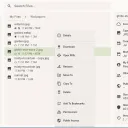
Phylum provides self-hosted cloud file storage as an alternative to proprietary services. It offers a file browser enabling selective sync, fast file management through native applications across multiple platforms, granular user permissions, complete file version tracking, flexible remote storage backends, WebDAV access for external integrations, and the ability to publicly share files and folders. The server component runs via Docker Compose using PostgreSQL for data persistence. Authentication options include magic login links, local passwords stored with Argon2 hashing, LDAP integration, and OpenID Connect support for enterprise identity providers.
Phylum alternatives
 Sync-inSync-in is a self-hosted, open-source workspace for file storage, sharing, sync and team collaboration, with WebDAV, OIDC/LDAP sign-in and online office editing.CompareSync-in with Phylum
 PydioPydio Cells is a self-hosted file sharing platform with document management, 5TB transfers, WebDAV, sync, and no-code automation. Runs on your infra with MySQL/MariaDB.ComparePydio with Phylum
 filestashSelf-hosted, open-source web file manager that puts S3, SFTP, WebDAV, SMB, FTP and around 20 more storage protocols behind one Dropbox-style interface.Comparefilestash with Phylum
 Pydio CellsFuture-proof content collaboration platformComparePydio Cells with Phylum
 SeafileOpen-source, self-hosted file sync and share platform: libraries sync separately, groups share files, and custom properties drive table, Kanban and gallery views.CompareSeafile with Phylum
 drivebaseDrivebase is a self-hosted, open-source file manager unifying Google Drive, S3, Dropbox, and local files into a desktop-like web UI with real-time transfers.Comparedrivebase with Phylum
 OxiCloudSelf-hosted Rust cloud platform for files, calendar, contacts, and office editing via WebDAV, CalDAV, CardDAV, WOPI. Single binary, PostgreSQL, ~30-50 MB idle RAM.CompareOxiCloud with Phylum
 seafile-serverSeafile Server is a self-hosted open-source platform for file synchronization, sharing, and collaborative document editing with end-to-end encryption and team workspaces.Compareseafile-server with Phylum
All self-hosted alternatives to Dropbox → All self-hosted alternatives to Google Drive →
Should you self-host Phylum?
Phylum scores 54/100 on selfhost.directory (how scoring works) and ranks #17 of 28 in File Sharing & Collaboration.
There was no stable release in the past 12 months, so check the repository's recent activity before you rely on it.
Setup is moderate: expect some configuration beyond a single command. An official Docker image is available. It is AGPL-3.0-or-later-licensed.
Its closest alternative on selfhost.directory is Ente (82/100, 30 161 stars). It scores higher overall, so compare the two before you pick. See Phylum vs Ente side by side.
Features
- File Version History
- LDAP Authentication
- Magic login linksrequires mail setup
- Offline-first clientsnot tested on Windows
- OpenID Connect Authentication
- Public File Sharing
- Remote Storage Backendsnot extensively tested
- Selective Sync
- Users and permissions
- WebDAV Access
How to install Phylum
Install Phylum with Docker Compose
PHYLUM_DB__PASSWORD PHYLUM_DB__NAME PHYLUM_DB__USER PHYLUM_IMAGE_TAG DATA_ROOTcurl -O https://codeberg.org/shroff/phylum/raw/branch/main/compose.yml echo "PHYLUM_DB__PASSWORD=$(head -c 32 /dev/urandom | md5sum | cut -d ' ' -f 1)" >> .env docker compose up -d && docker compose logs -f Open http://localhost:2448 to continue setup
Server requires PostgreSQL running alongside
More in File Sharing & Collaboration
 pingvin-share-xOpen-source self-hosted file sharing platform and WeTransfer alternative with link sharing, expiration, passwords, ClamAV scanning, S3 support, and OIDC/LDAP auth.
 PlikSelf-hosted temporary file sharing platform with multiple storage backends, end-to-end encryption, and both CLI and web interfaces for easy file transfers.
- PydioPydio Cells is a self-hosted file sharing platform with document management, 5TB transfers, WebDAV, sync, and no-code automation. Runs on your infra with MySQL/MariaDB.
- Pydio CellsFuture-proof content collaboration platform
 qbitwebuiSelf-hosted web UI for managing qBittorrent. Features multi-instance support, real-time monitoring, Prowlarr search, cross-seeding, file browser, custom views.
 quickblaze-encryptQuickBlaze Encrypt is a self-hosted, open-source PHP app for sending secrets via one-time view links that self-destruct after being read once.
 retronasUse a Raspberry Pi, old computer or VM as network storage for different retro computers and consoles
 RivenSelf-hosted media automation platform discovers content through plugins, streams from debrid services via FUSE VFS to Plex/Jellyfin/Emby libraries.
 SafebucketSafebucket is a self-hosted, open-source file sharing platform where uploads/downloads bypass the server via presigned URLs to S3-compatible storage.
 scrt.linkscrt.link is a self-hosted, open-source service for sharing passwords and files via end-to-end encrypted, ephemeral links that self-destruct after viewing.
- seafile-serverSeafile Server is a self-hosted open-source platform for file synchronization, sharing, and collaborative document editing with end-to-end encryption and team workspaces.
 SeaweedFSSelf-hosted, open-source distributed storage: S3 objects, POSIX files, Iceberg tables and WebDAV/SFTP from one weed binary, with O(1) disk reads.
0 comments