
Self-host Proliferate
proliferate-v0.4.29Open-source AI IDE for running coding agents in parallel
- Stars
- 519
- Port
- 8000 (API server (internal, proxied by Caddy))
- Requires
- PostgreSQL, RabbitMQ
ghcr.io/proliferate-ai/proliferate-server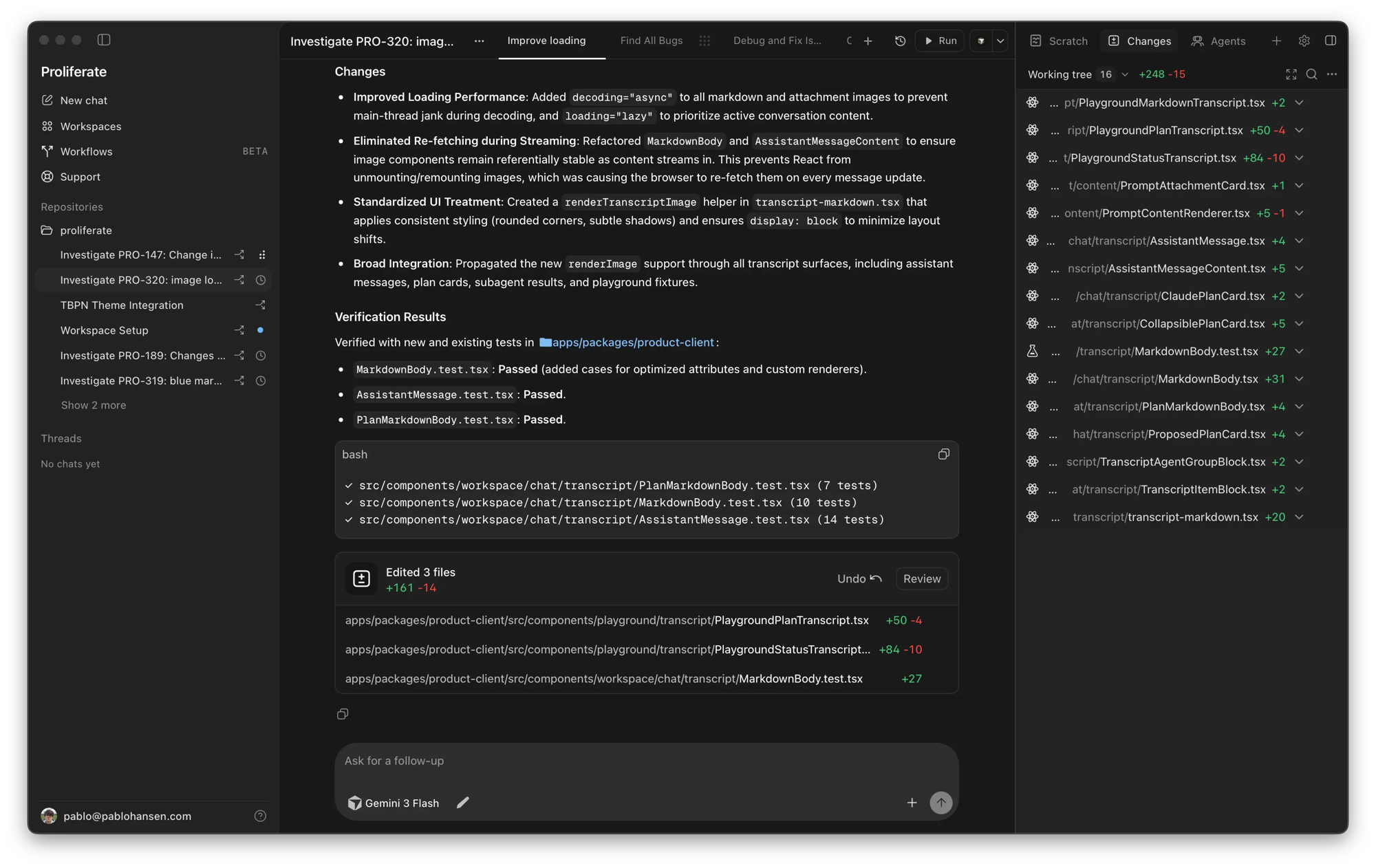
What is Proliferate?
Proliferate is an open-source AI IDE that lets you run multiple coding agents — including Claude Code, Codex, OpenCode, Cursor, and Grok — in parallel within a single workspace. Each task receives an isolated git worktree with its own branch, terminal, conversation history, and review state. The self-hosted control plane runs via Docker Compose (with Caddy, PostgreSQL, and the API server) or a one-click AWS CloudFormation stack, and the desktop app (built with Tauri) connects to your control plane. Features include native agent harnesses, worktree-based workspaces, parallel agent execution, subagent delegation, integrations for MCPs and custom tools, and recurring workflows. The project is licensed under AGPL-3.0.
Should you self-host Proliferate?
Proliferate scores 49/100 on selfhost.directory (how scoring works) and ranks #53 of 125 in AI. It has 519 GitHub stars.
It shipped 4 stable releases in the past year. The latest, proliferate-v0.4.29, came out on 27 August 2026.
Setup is advanced: plan for several services and some ongoing maintenance. An official Docker image is available. It is AGPL-3.0-licensed and written mostly in Typescript.
Its closest alternative on selfhost.directory is ComfyUI (93/100, 143 668 stars). It scores higher overall, so compare the two before you pick. See Proliferate vs ComfyUI side by side.
Features
- Agent LLM gateway (LiteLLM)Optional add-on, enabled via AGENT_GATEWAY_ENABLED=true
- Anonymous telemetry (opt-out)Controlled via PROLIFERATE_ANONYMOUS_TELEMETRY_DISABLED
- Cloud workspaces (E2B)Optional add-on, requires E2B_API_KEY and E2B_TEMPLATE_NAME
- Desktop app (Tauri)
- GitHub App for repository accessOptional, requires full GitHub App configuration
- GitHub OAuth sign-inOptional, requires GITHUB_OAUTH_CLIENT_ID and GITHUB_OAUTH_CLIENT_SECRET
- Instance brandingOptional, configured via INSTANCE_NAME, INSTANCE_LOGO_URL, INSTANCE_SUPPORT_EMAIL, INSTANCE_SUPPORT_URL
- Integrations (MCPs, skills, tools)
- Native agent harnesses
- Parallel agents
- Self-hosted control plane
- Subagents
- Web UI served from control plane
- Workflows
- Worktree workspaces
Proliferate README
More in AI
 ProvalSelf-hosted AI code reviewer for GitLab, Forgejo, and GitHub that runs on your own hardware with any LLM you choose, including local models via Ollama or llama.cpp.
 ProxmoxMCP-PlusSelf-hosted MCP interface for Proxmox VE VMs and containers with OpenAPI. Supports snapshots, backups, ISO downloads, job tracking.
 pullmdSelf-hosted URL and file to Markdown converter for AI agents with PWA, REST API, MCP server, and Claude Code skill.
 PuterPuter is a self-hosted, open-source internet computer providing a browser-based desktop with apps for documents, spreadsheets, chat, email, and AI development tools.
 qdrantQdrant is an open-source, self-hosted vector database in Rust for fast AI similarity search with filtering and quantization.
 qurioQurio is a self-hosted, open-source RAG engine that ingests docs and code locally, then serves grounded context to AI coding assistants via MCP to prevent hallucinations.
 Qwen GateQwen Gate is a self-hosted, open-source API gateway that lets you use Qwen AI models from chat.qwen.ai as a free, drop-in replacement for the OpenAI API.
 RAGFlowRAGFlow is a leading open-source Retrieval-Augmented Generation (RAG) engine that fuses cutting-edge RAG with Agent capabilities to create a superior context layer for LLMs
 RemiqoraSelf-hosted AI music production studio with multiple generation models, a multitrack DAW, stem separation, and LoRA training — all running locally on your GPU.
 Retrieval-based-Voice-Conversion-WebUISelf-hosted, open-source voice timbre conversion framework that trains a VC model from around 10 minutes of audio and offers a WebUI plus a real-time voice-changing GUI.
 RigorousRigorous is a self-hosted, open-source Python tool using 24 AI agents to analyze academic manuscripts with detailed feedback and PDF reports.
 RocketshipRocketship is an open-source, self-hosted QA testing framework for coding agents to write and run end-to-end web tests using declarative YAML and plugins.
0 comments