
Self-host PhotoShow
v2Free open-source web gallery with drag-and-drop upload
- Stars
- 506
- Port
- 80 (HTTP web interface)
- Requires
- Nginx, PHP

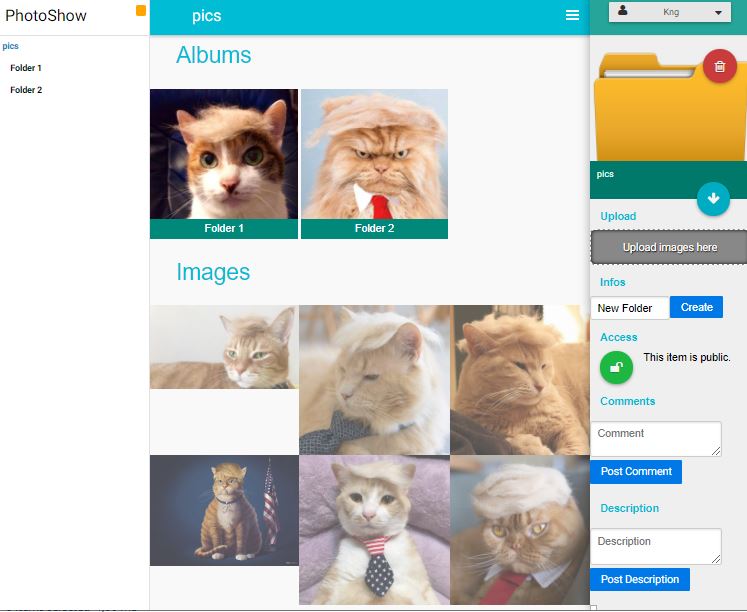
What is PhotoShow?
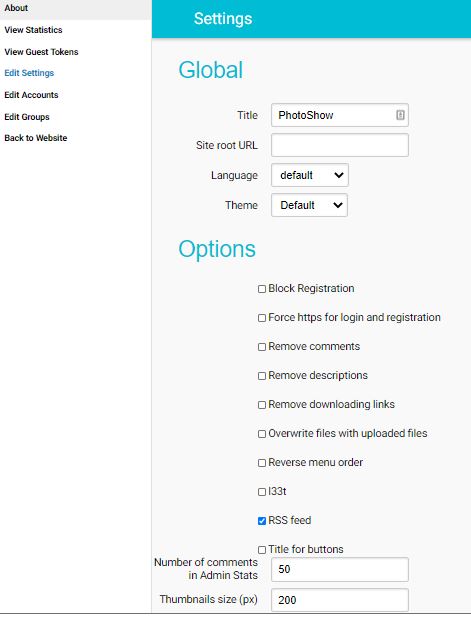
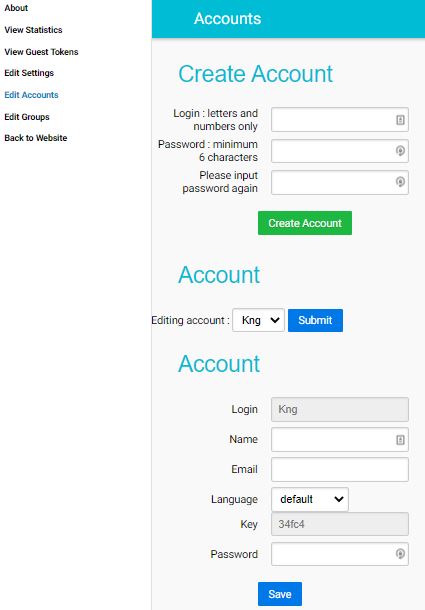
PhotoShow is a free and open-source web gallery written in PHP that you can install on your own web server. It doesn't require a database — photos and thumbnails are stored in directories on the filesystem. Features include drag-and-drop upload, Material Design-inspired UI, customizable themes, responsive layout for mobile access, PhotoSphere (360° photo) support, RSS feeds, an admin panel for settings and user management, a comment system, and configurable thumbnail quality with optional ImageMagick support. It can be installed by cloning the repository and configuring paths, or run via Docker with nginx and PHP-FPM. The project is licensed under GPL-3.0-or-later.
Should you self-host PhotoShow?
PhotoShow scores 46/100 on selfhost.directory (how scoring works) and ranks #14 of 19 in Photo Galleries. It has 506 GitHub stars.
There was no stable release in the past 12 months, so check the repository's recent activity before you rely on it.
Setup is moderate: expect some configuration beyond a single command. It is GPL-3.0-or-later-licensed and written mostly in PHP.
Its closest alternative on selfhost.directory is Immich (93/100, 117 490 stars). It scores higher overall, so compare the two before you pick. See PhotoShow vs Immich side by side.
Features
- Admin Panel
- Comment system
- Configurable thumbnail quality
- Customizable Themes
- Drag and Drop Upload
- No Database Required
- PhotoSphere support
- RSS Feeds
- User Roles
PhotoShow README
More in Photo Galleries
 PicImpactOpen-source, self-hosted photo portfolio site with a masonry gallery, Live Photos, WebGL viewer, EXIF and map views, RSS, S3/R2/AList storage, TOTP and passkeys.
 Pic-OSelf-hosted photo publishing platform (Laravel 12) with albums, tokenized share links, masonry grid viewer, slideshow, and Docker deployment.
 picpeakSelf-hosted photo gallery for photographers to share password-protected, expiring galleries with clients. Includes proofing, guest uploads, and white-label branding.
 PicsurPicsur is a self-hosted, open-source image sharing service in the spirit of Imgur, with format conversion, image editing, expiring uploads and a ShareX endpoint.
 piksiA self-hosted PHP media gallery that displays photos, videos, and audio from folder structures with a simple UI designed for non-technical users and family sharing.
 PixelFedA self-hosted, open-source photo and video social network that federates over ActivityPub with albums, stories, direct messages and chronological feeds.
 shaarkShaark is a self-hosted, open-source platform for web links, markdown posts, passwords, and photos with tagging, search, RSS, dark mode, and PWA.
 Shimmie2Open-source, self-hosted booru-style image gallery written in PHP, with themes, an extension manager, user permissions, and SQLite, PostgreSQL or MySQL backends.
 sigalSigal is an open-source, self-hosted static gallery generator written in Python that builds browsable HTML photo galleries from local image and video directories.
 this-week-in-pastSelf-hosted open-source photo slideshow aggregating images from this week in past years. Runs via Docker or native binary.
 UrocissaAn open-source, self-hosted photo gallery using Rust and Vue to handle millions of images on modest hardware with fast search and endless scrolling.
 ZenphotoCMSSelf-hosted open-source CMS for media galleries with integrated blog, multi-user management, and multilingual support.
0 comments